

Features
Every feature, documented
Each feature has its own page: what it is for, how it works, what it brings your business - with screenshots from the product.


55 features. By edition →
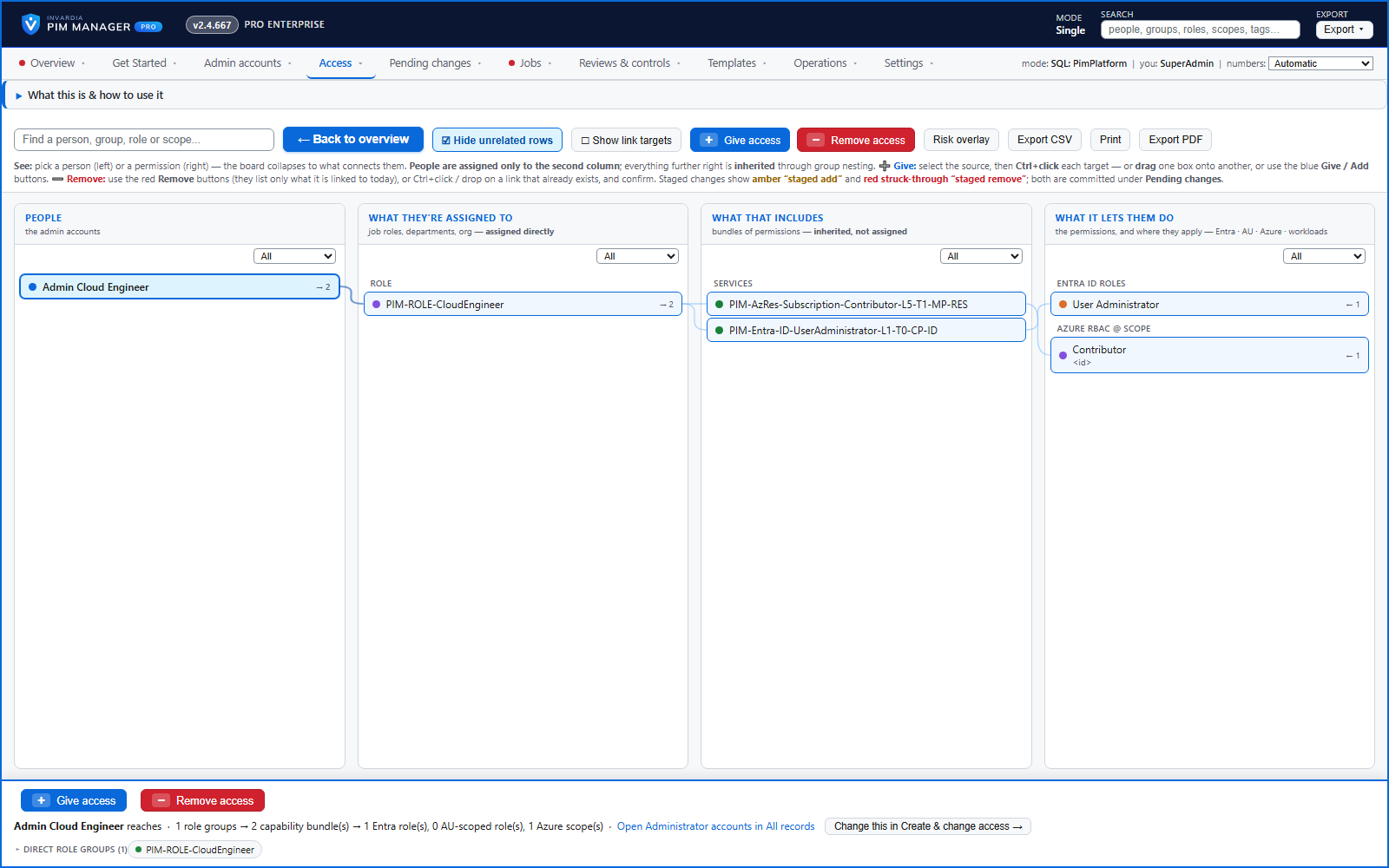
Access map: your delegation model on one board
Pick a person or a permission and see every path in your delegation model - people, their groups, what those groups include and the roles and scopes they grant.
How it works →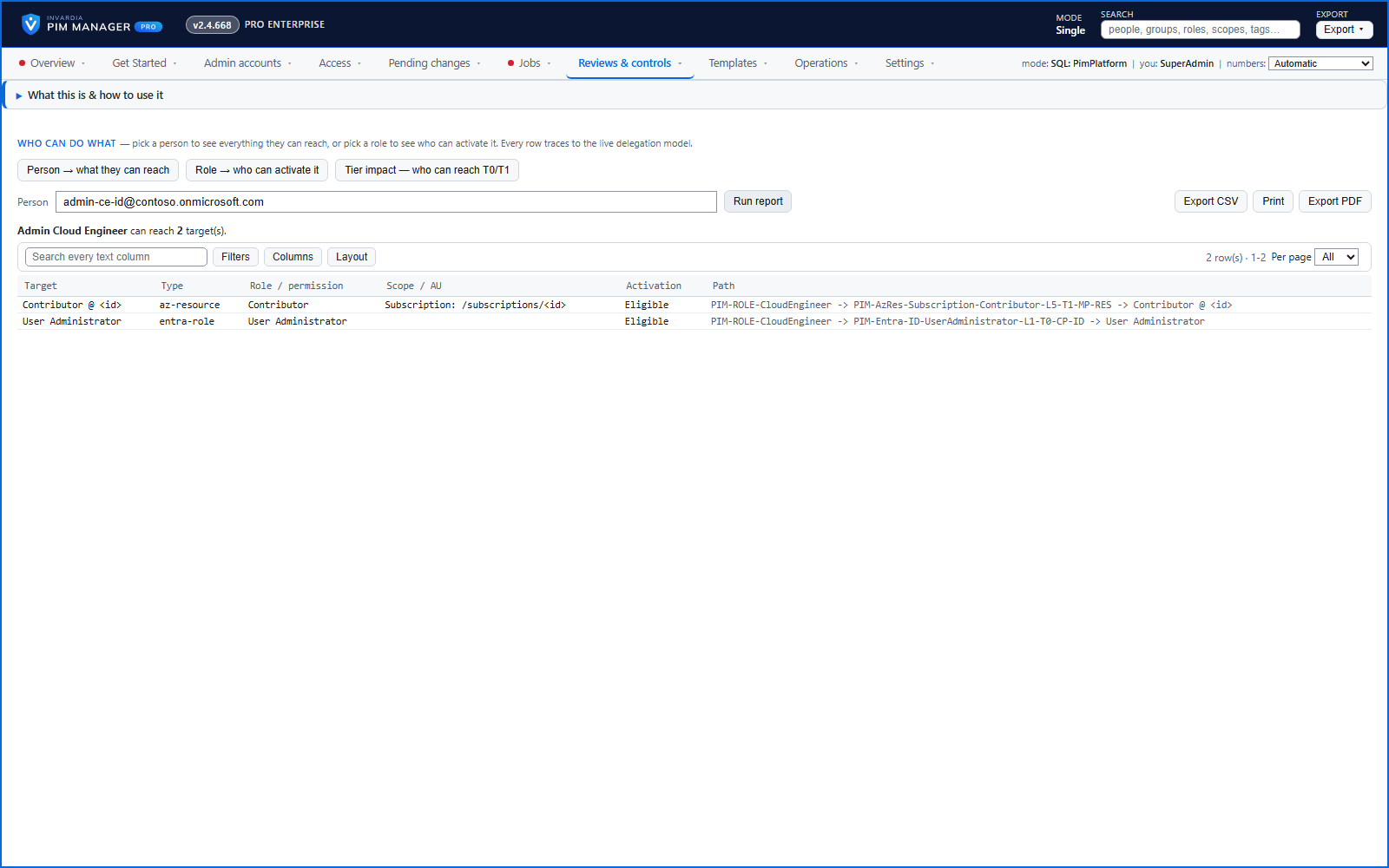
Who can do what - and who can activate this role
Pick a person to see the targets they can reach, or pick a role to see who can activate it - each with the exact path that grants it.
How it works →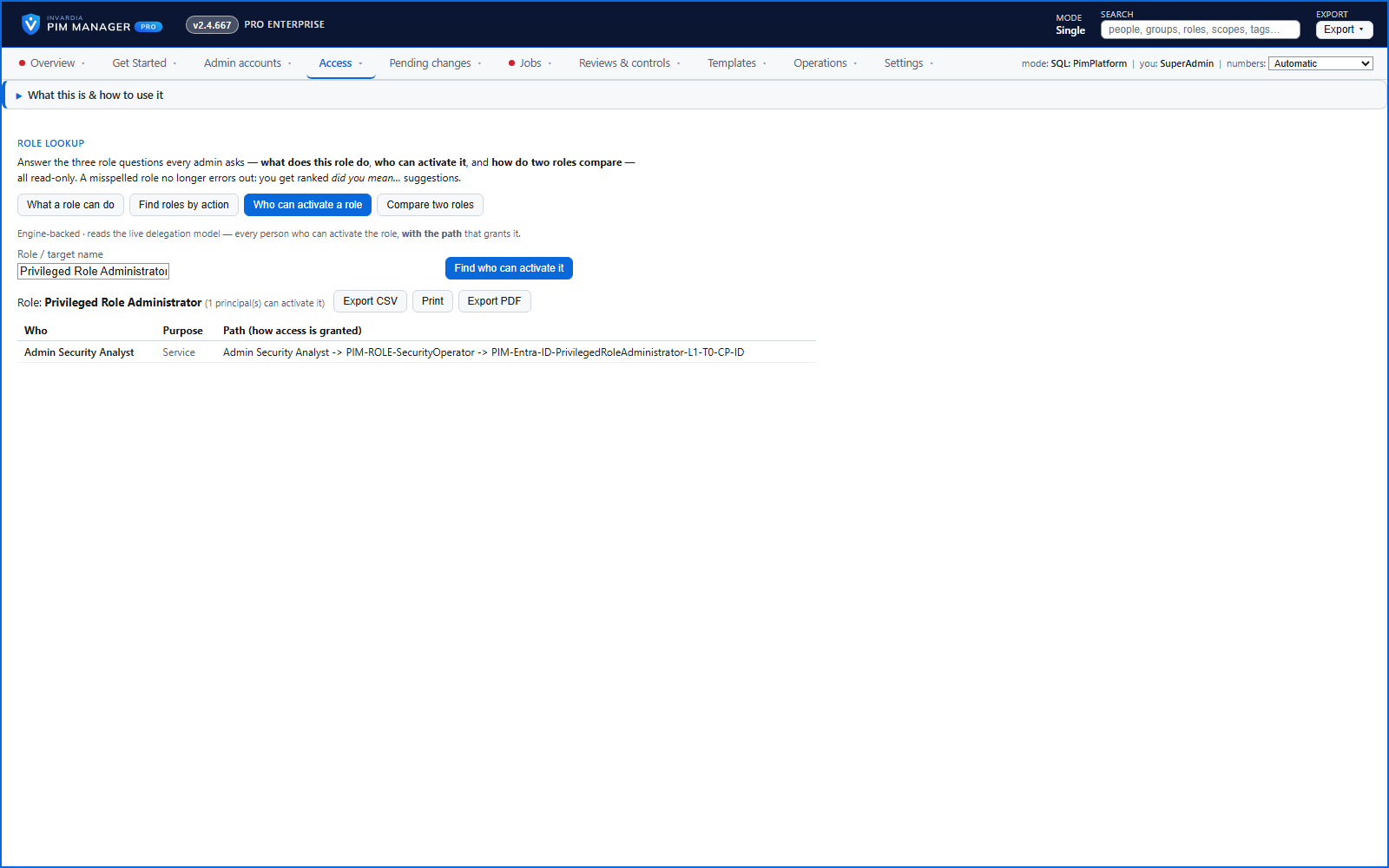
Look up a role: find the least-privileged role for the job
See what an Entra ID role can do in plain words, find the roles that grant an action ranked least-privileged first, see who can activate a role, or compare two roles.
How it works →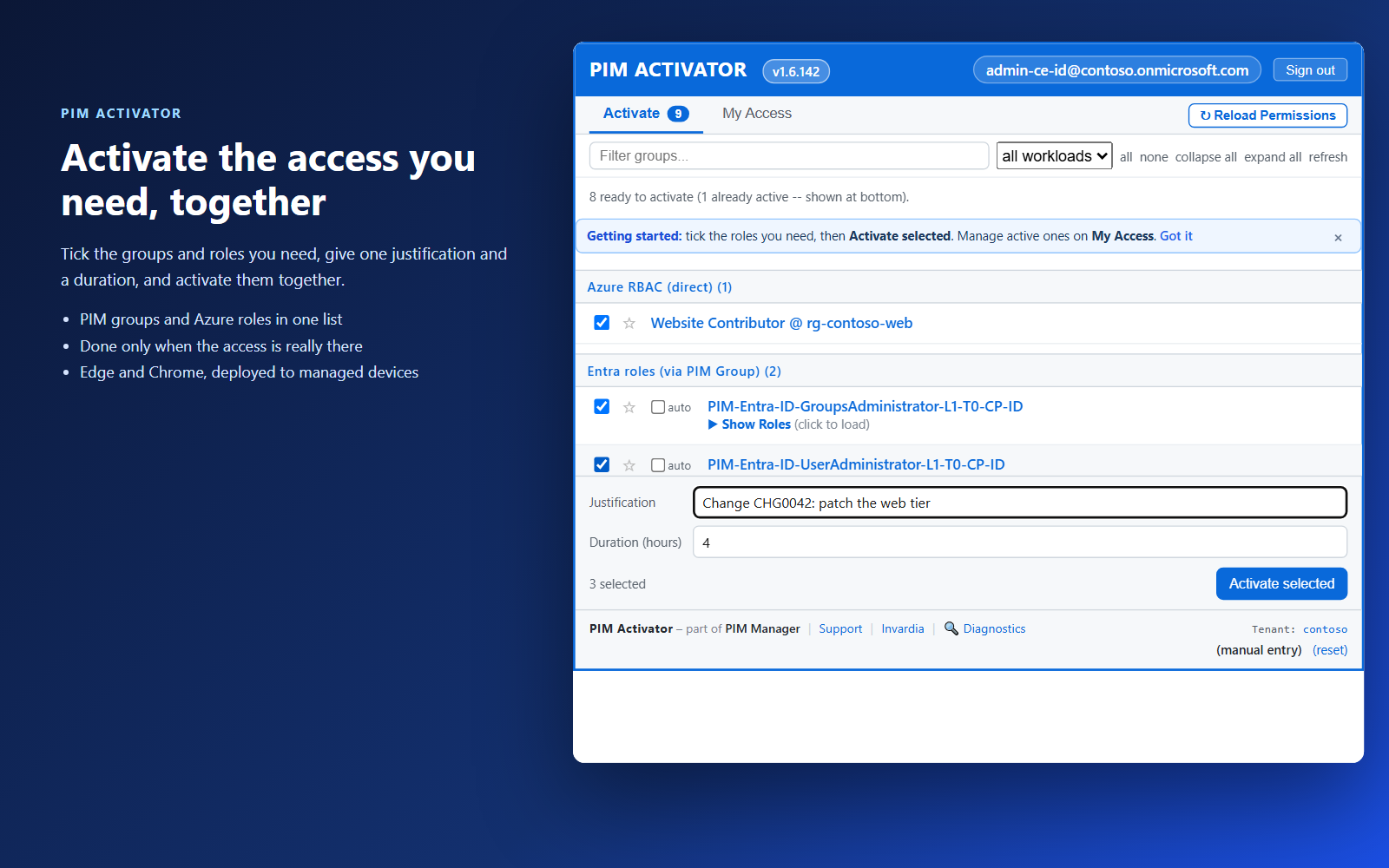
PIM Activator: activate the access you need, together
A browser extension for Edge and Chrome: tick the groups and roles you need, give one justification and activate them together - three clicks for a typical activation.
How it works →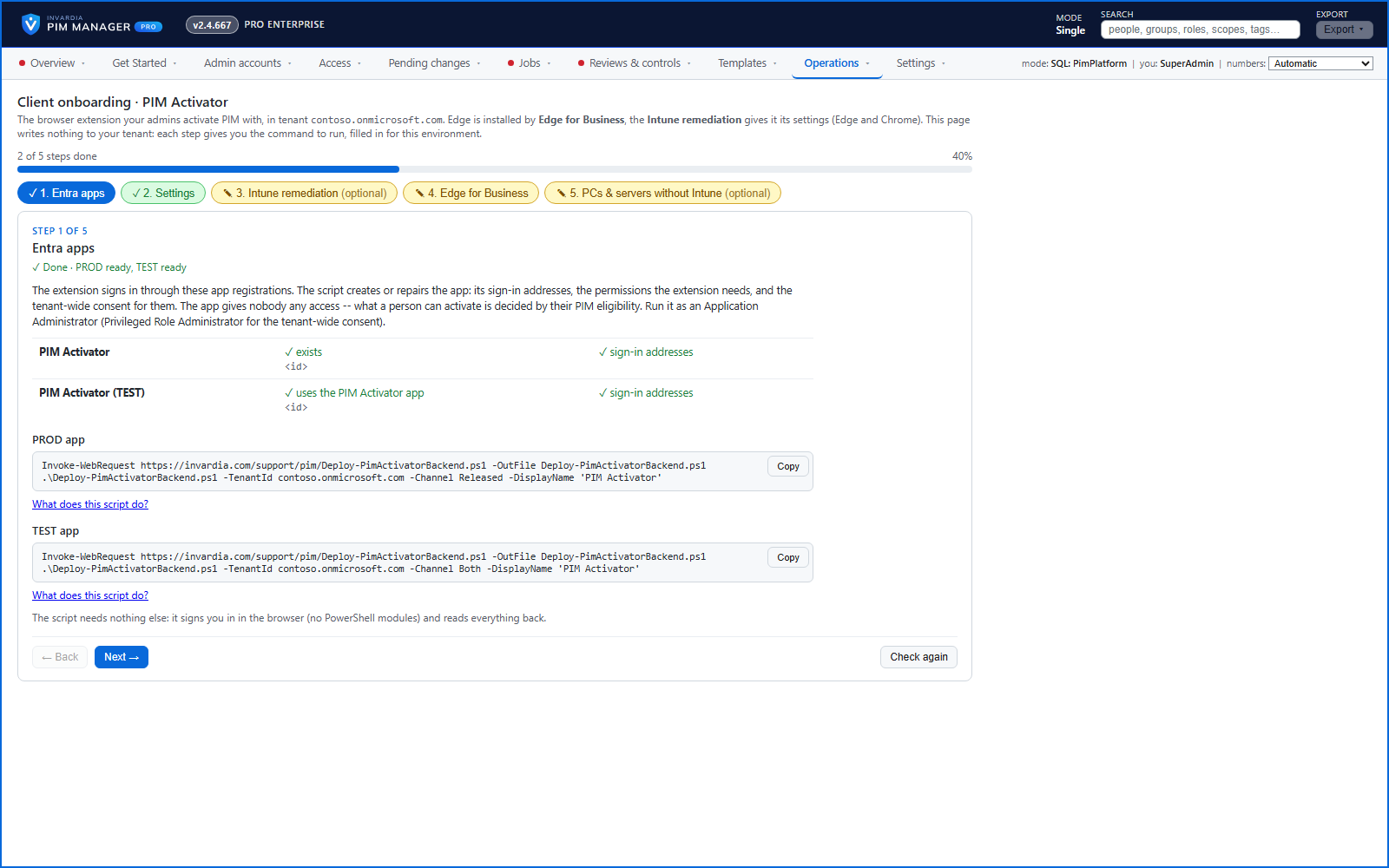
Roll out the PIM Activator from one guided page
One page takes you through deploying the browser extension: the sign-in apps, the settings, the Intune remediation, Edge for Business and PCs and servers without Intune.
How it works →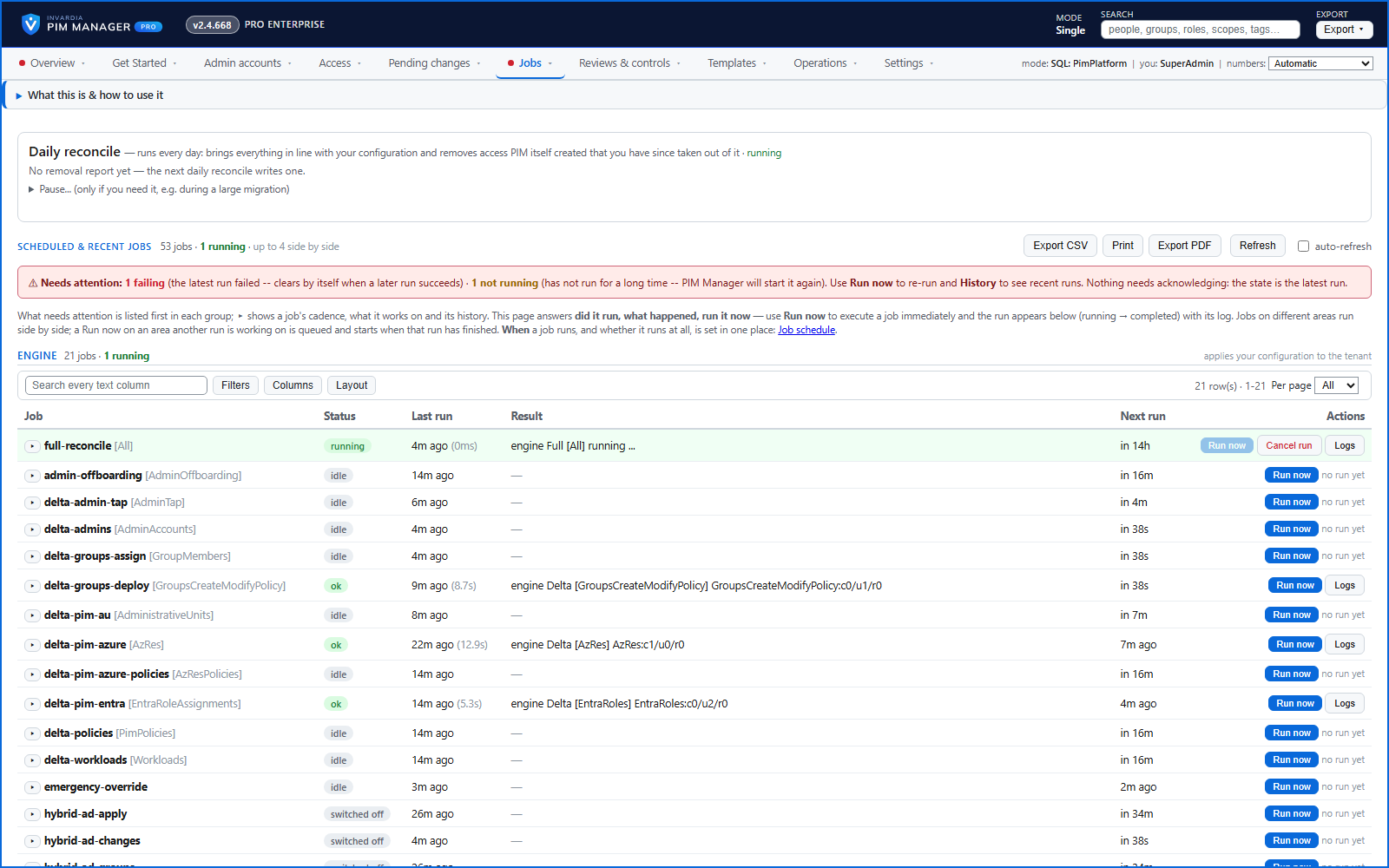
An engine that keeps your tenant matching your model
You describe the access you want; the engine creates the groups, owners, policies, assignments and access passes your data defines, and keeps them that way.
How it works →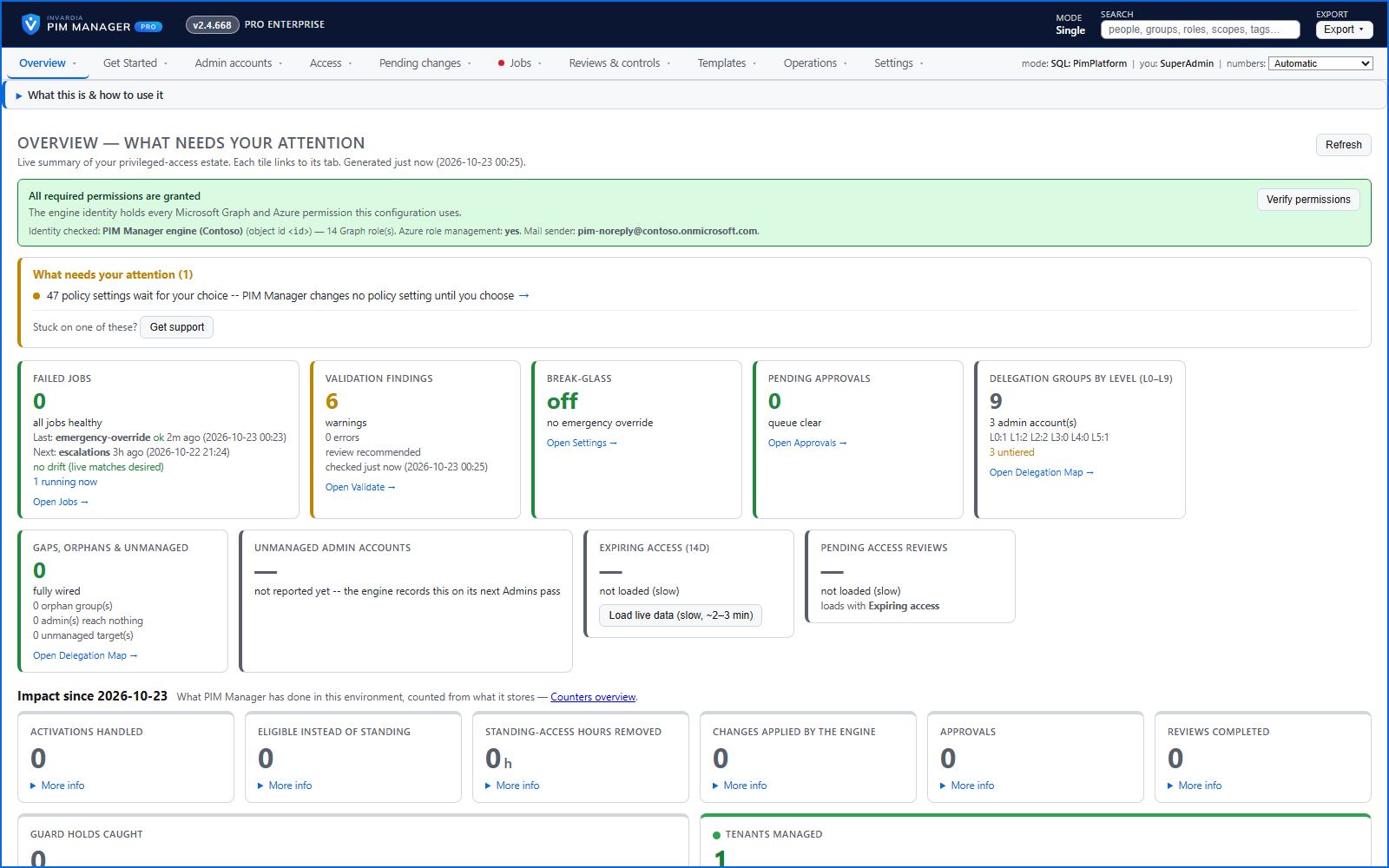
Home: what needs your attention, at a glance
Red, amber and green tiles for engine health, validation findings, break-glass use, delegation by level, gaps and expiring access - each opens the page that owns it.
How it works →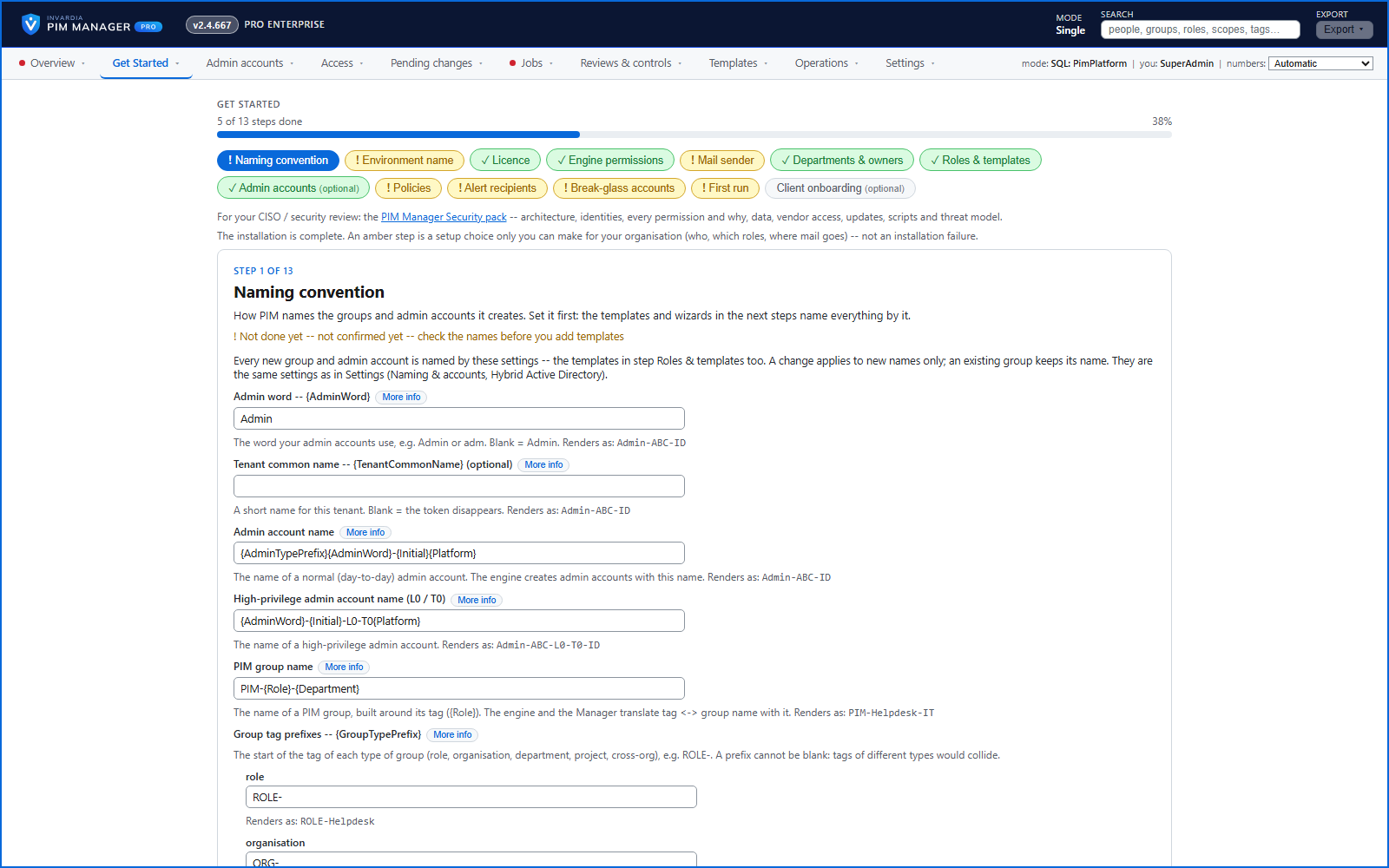
Get Started: the steps to a working environment
A guided list of the steps that make an environment work - each marked done or still open from your own data.
How it works →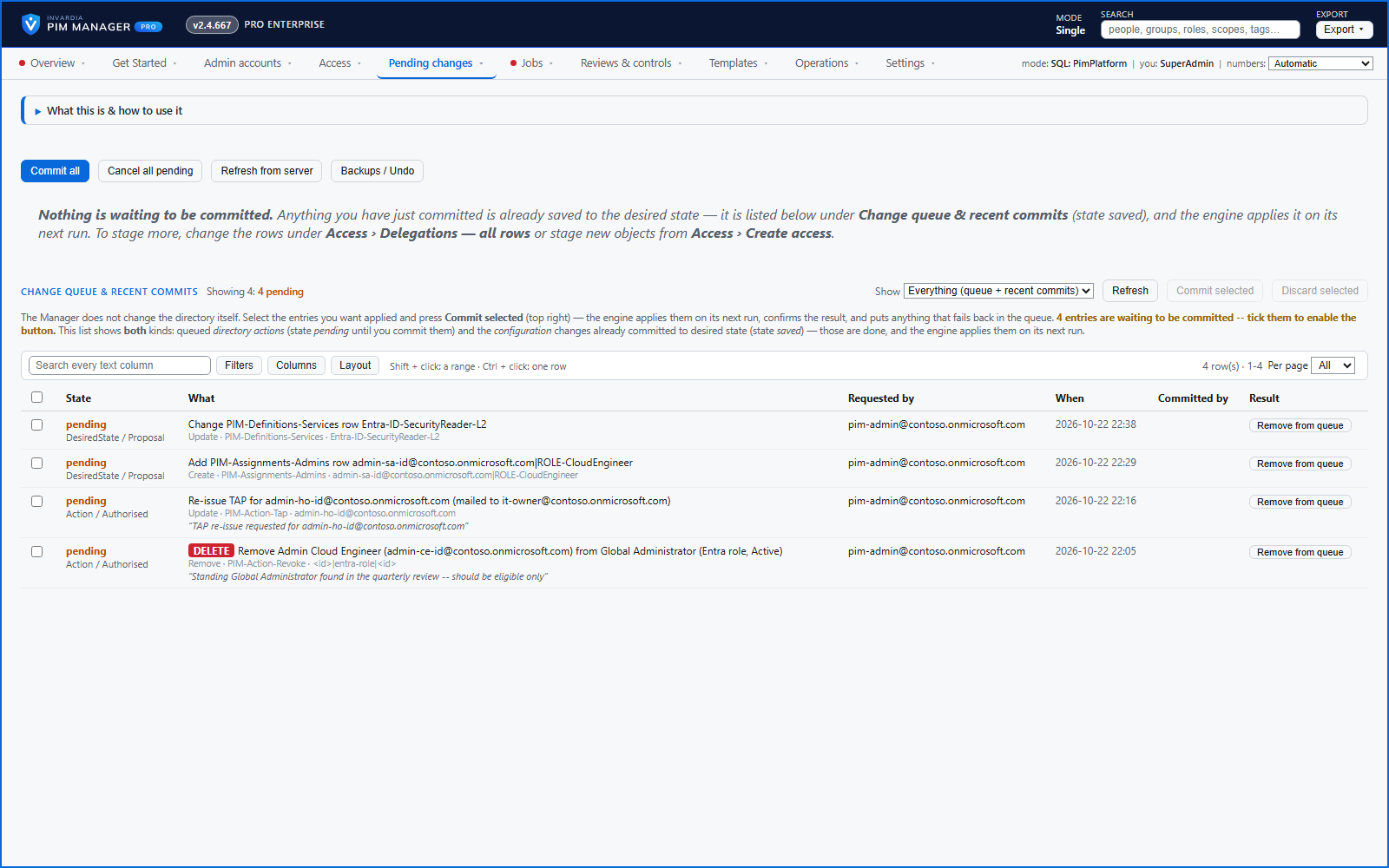
One queue for the changes you make - reviewed, backed up, reversible
Configuration edits, revokes, access-pass re-issues and session revokes wait in one queue until someone commits them.
How it works →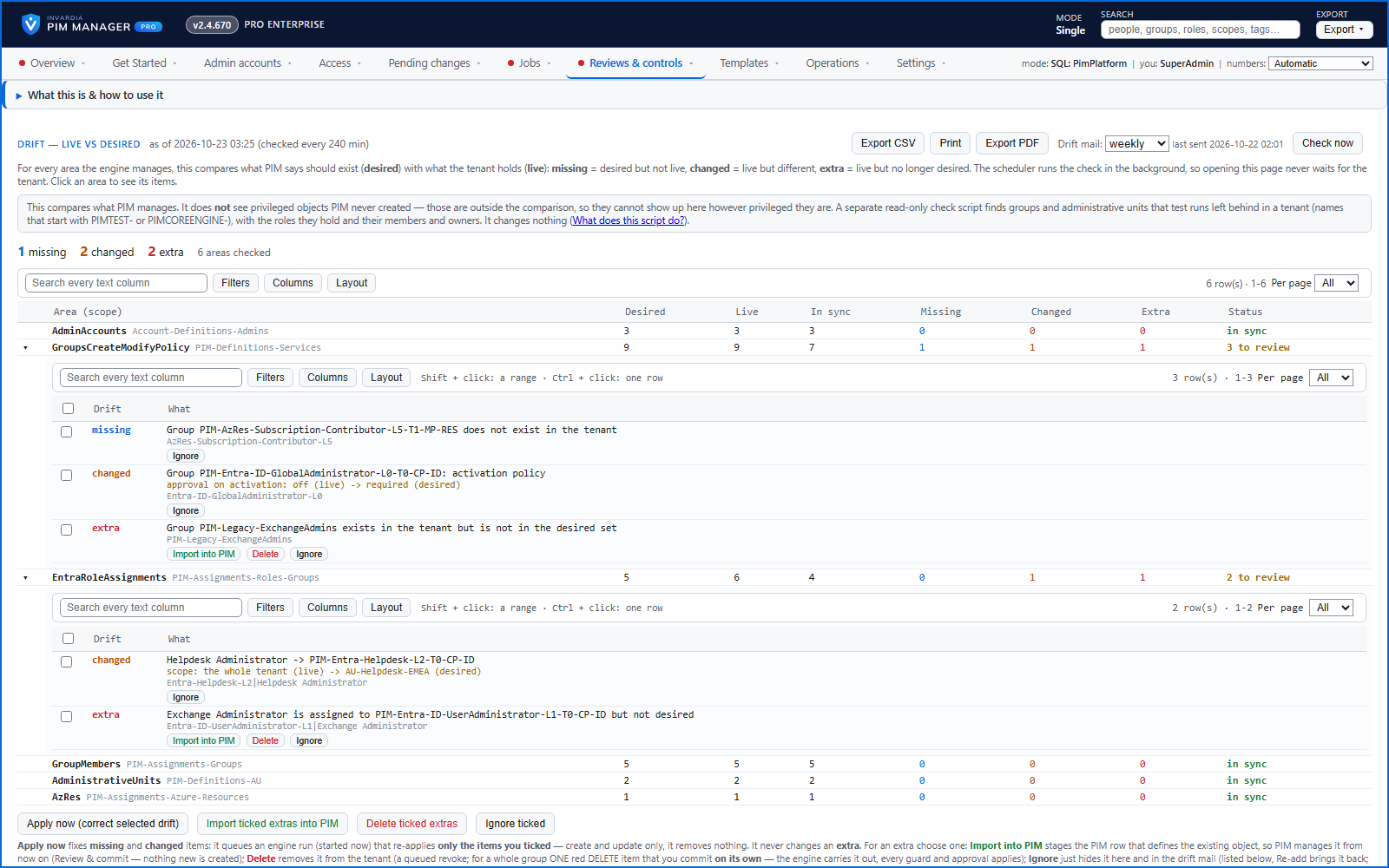
Drift: live versus desired, with a decision for each difference
See what is missing, what was changed and what is extra in the tenant - and decide what happens to each item: Apply now, Import into PIM, Delete, Ignore or Re-add.
How it works →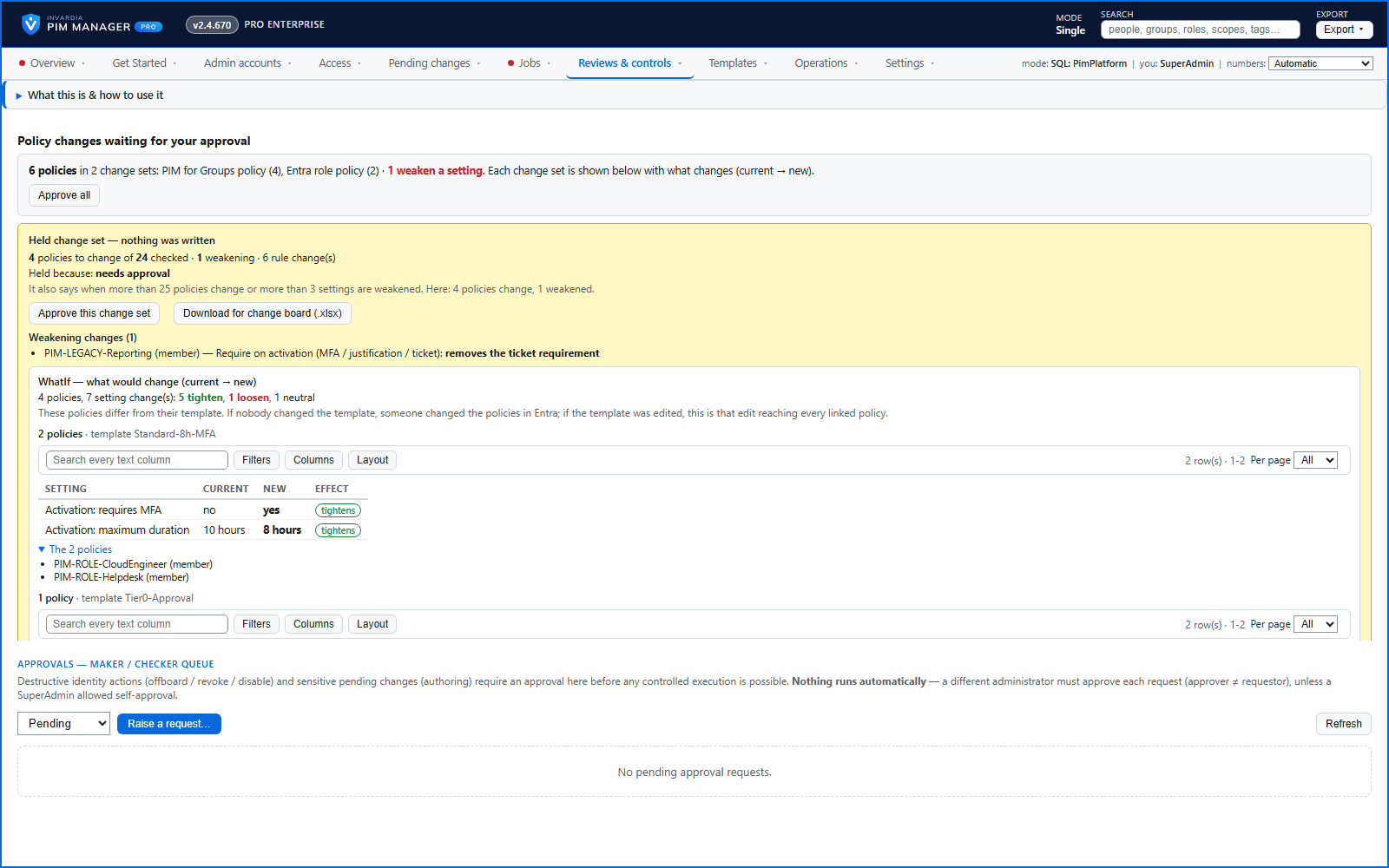
PIM policy changes wait for a SuperAdmin
A policy run plans its changes and holds them until a SuperAdmin approves that exact change set, with the setting that weakens protection marked.
How it works →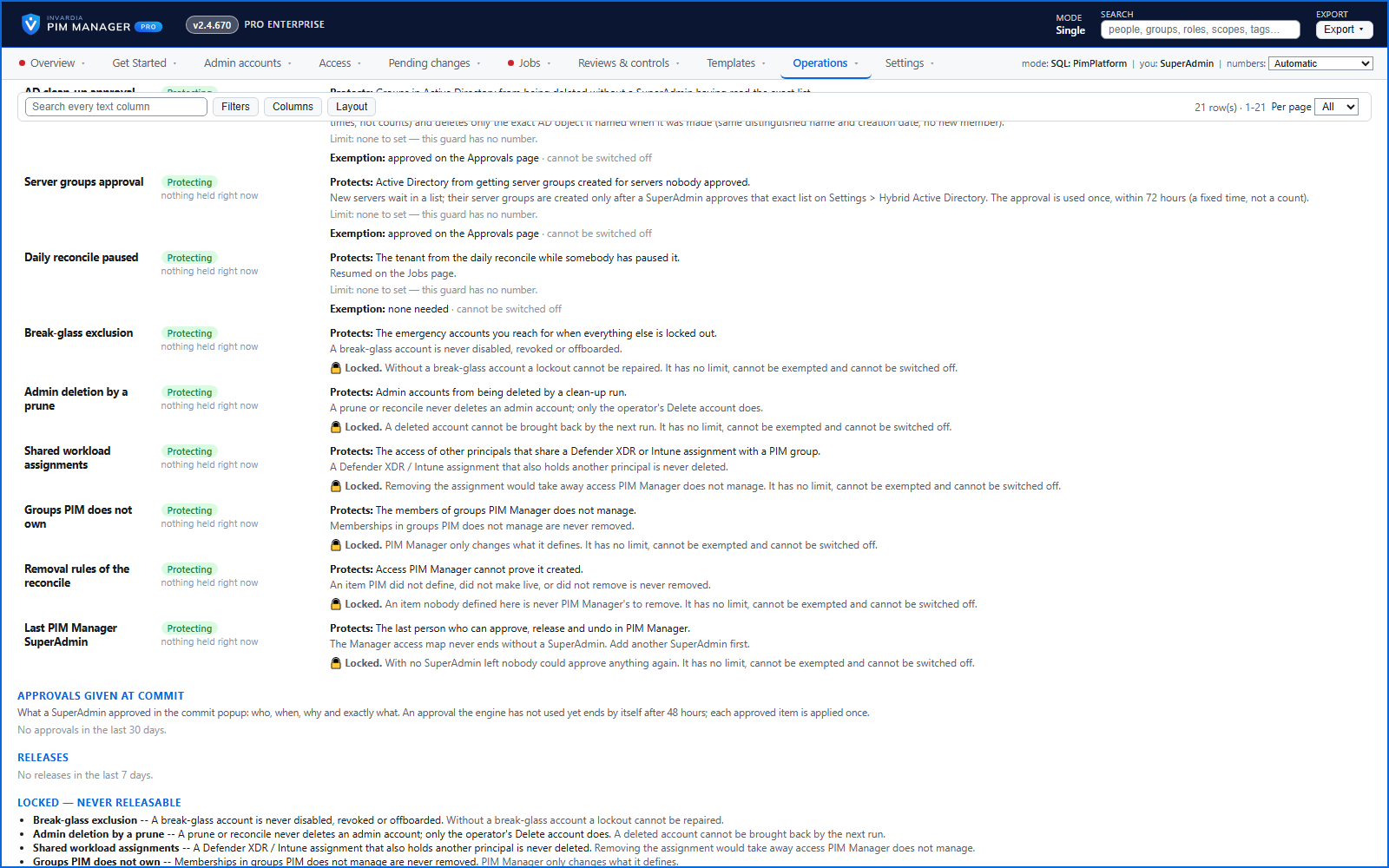
Changes only what you define - deleting an account is a person's decision
The engine changes groups, roles and admins only when your data defines them, does not disable, revoke or offboard your break-glass accounts, and does not delete a user account on its own.
How it works →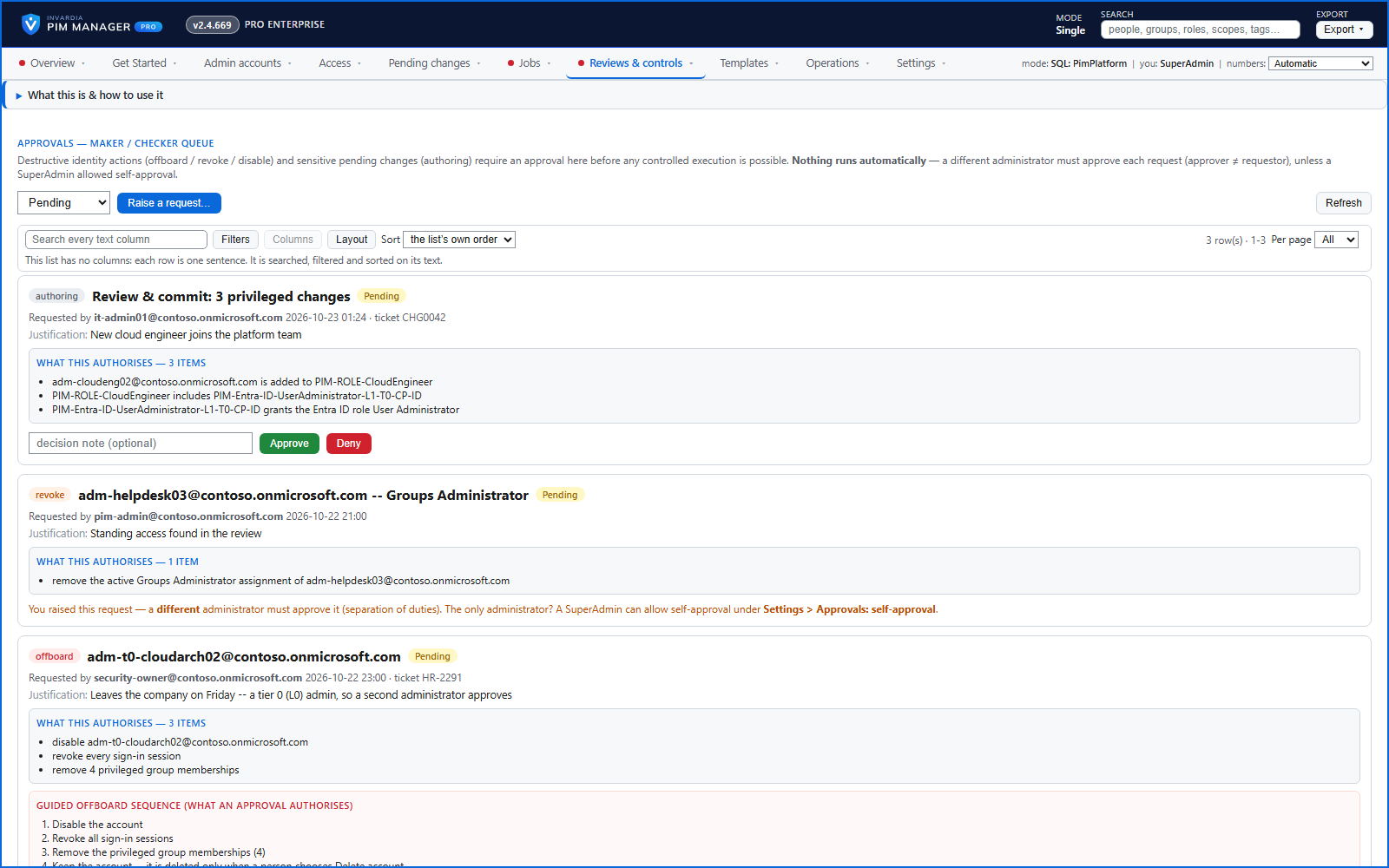
A second administrator for sensitive changes
Maker and checker: with the Pro second approver on, the most sensitive changes need a different administrator's approval before they are carried out. It is off by default.
How it works →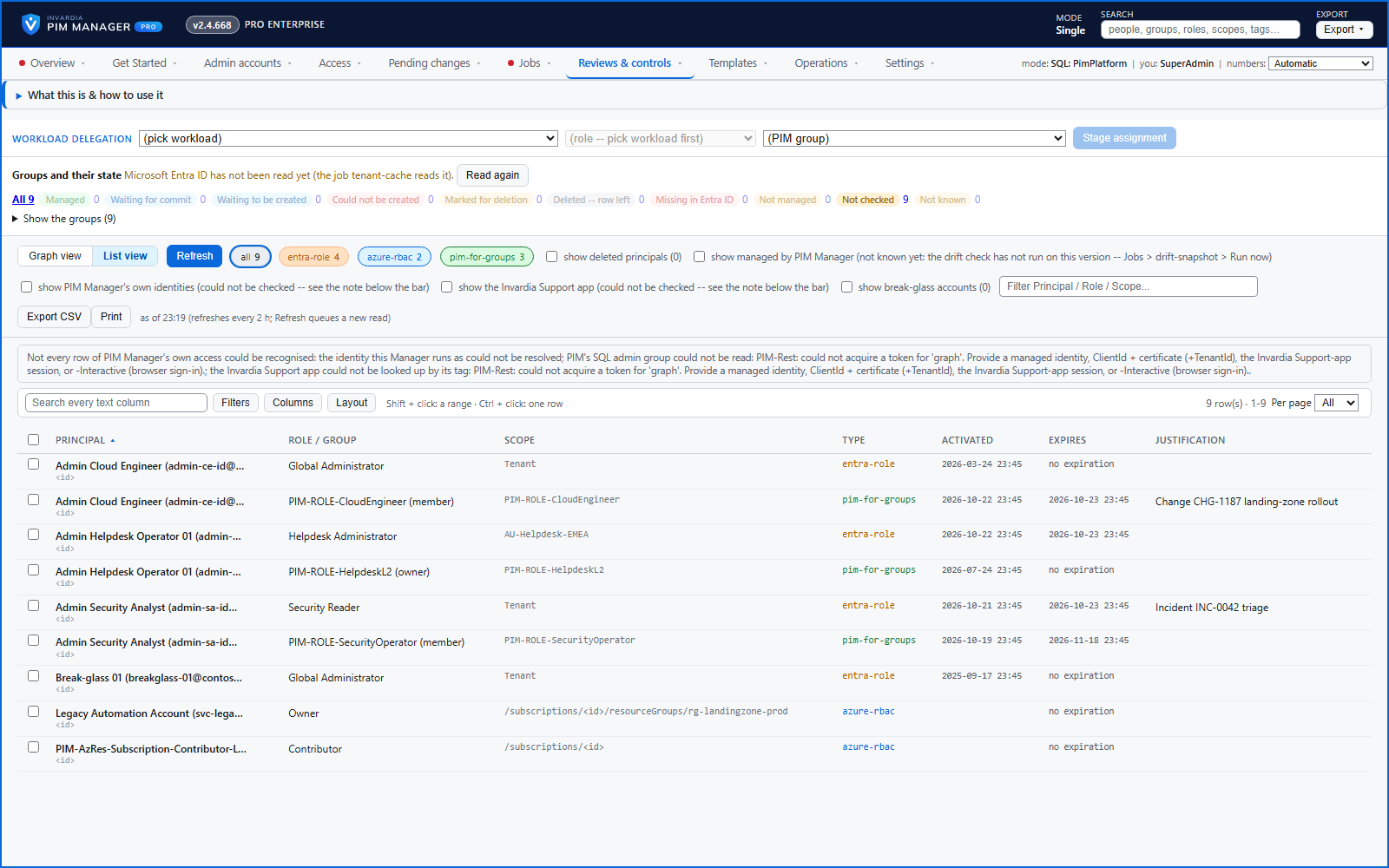
Delegation overview: the active privileged assignments right now
The active Entra ID role, Azure role and PIM for Groups assignments in your tenant in one view, opening at once from a stored snapshot.
How it works →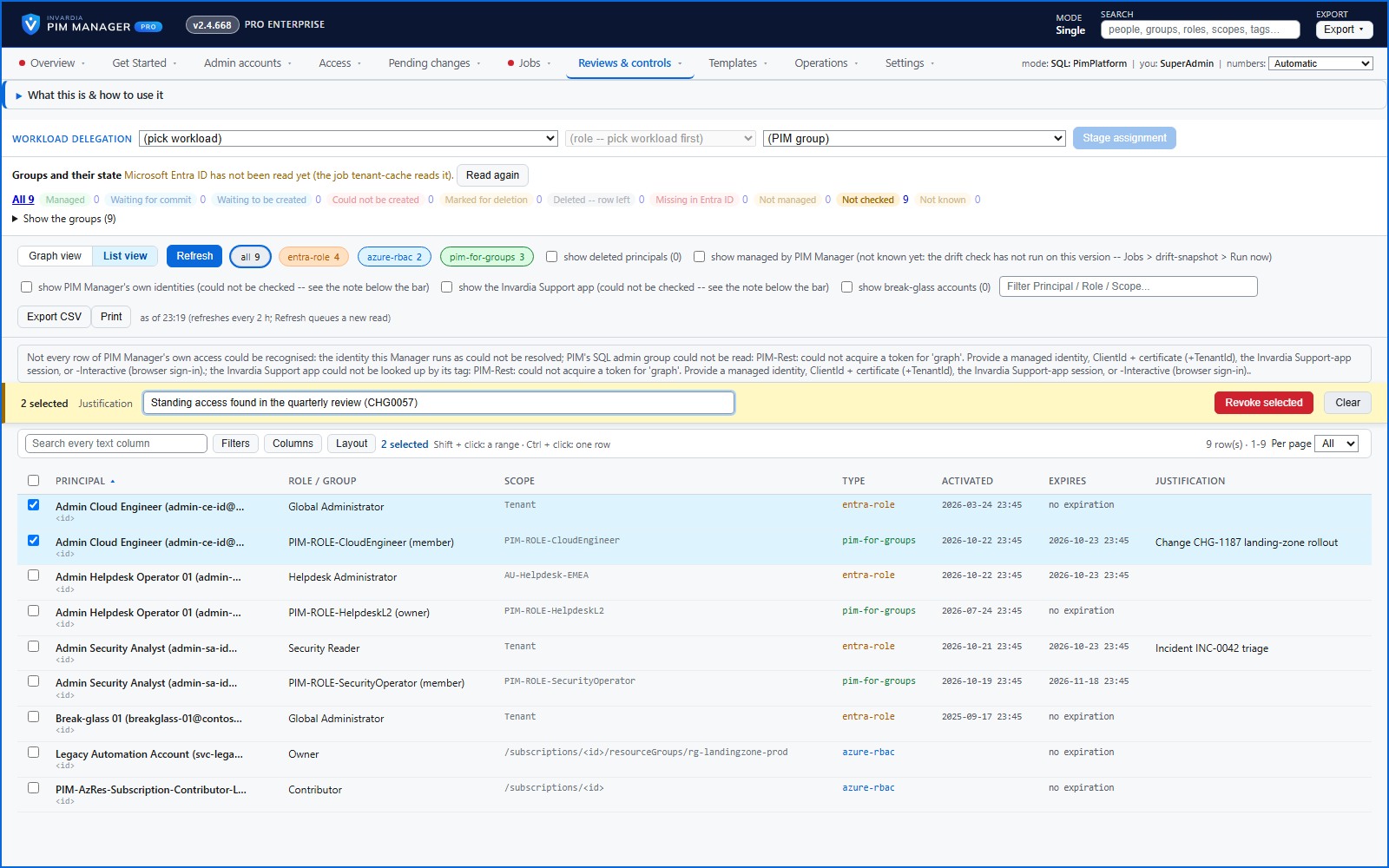
Revoke active access - staged, justified, break-glass accounts skipped
Select active assignments on Delegation overview and revoke them through Pending changes, with a business reason, break-glass accounts skipped and a second administrator for a large batch.
How it works →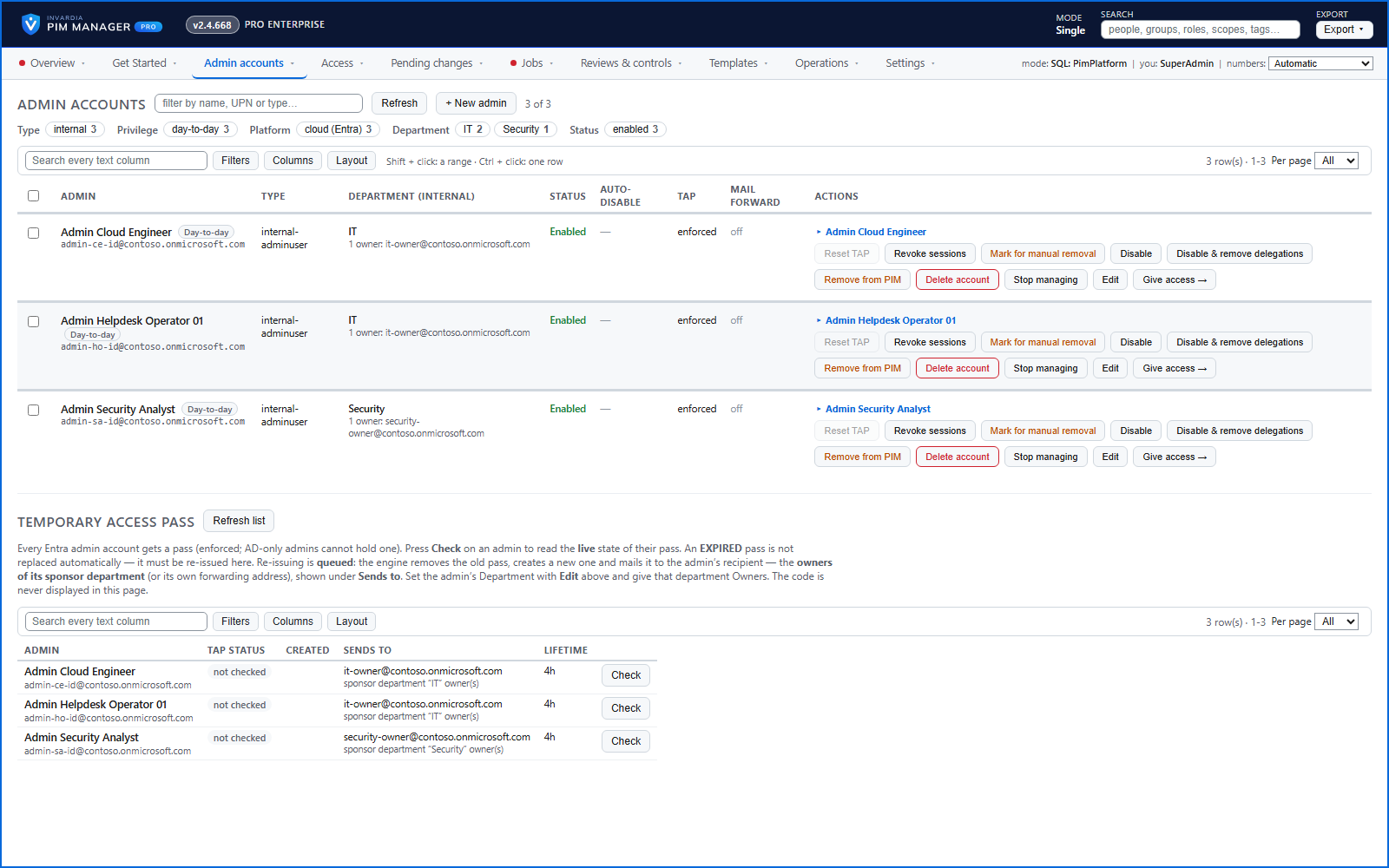
Admin accounts with the full lifecycle
Create admin accounts on a future date, hand over a first-time Temporary Access Pass safely, and disable them on an auto-disable date.
How it works →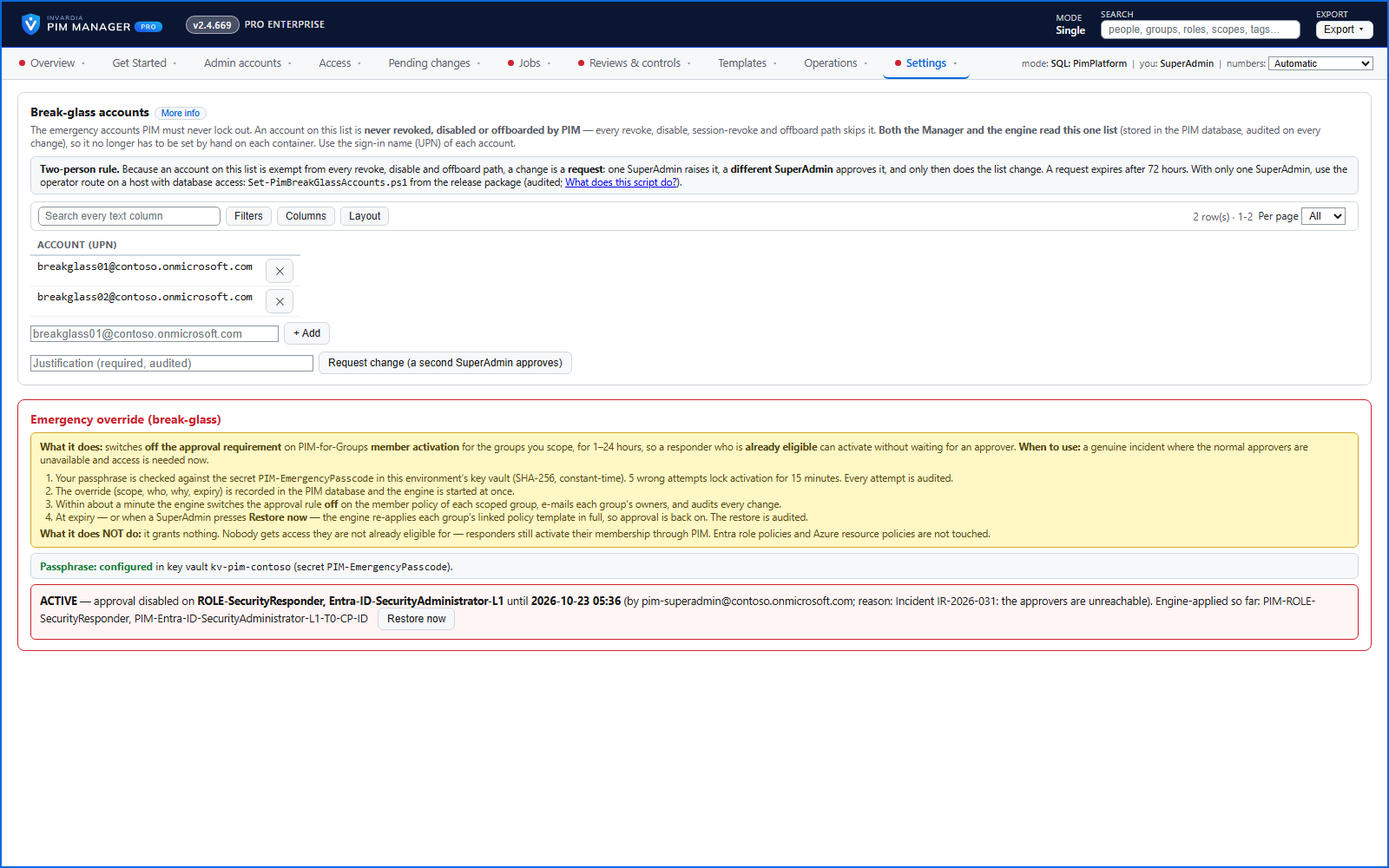
Emergency access: break-glass accounts and a time-boxed override
Your break-glass accounts are protected from PIM Manager's revoke, disable and offboard paths, and in an emergency a SuperAdmin can lift the approval requirement for a bounded time.
How it works →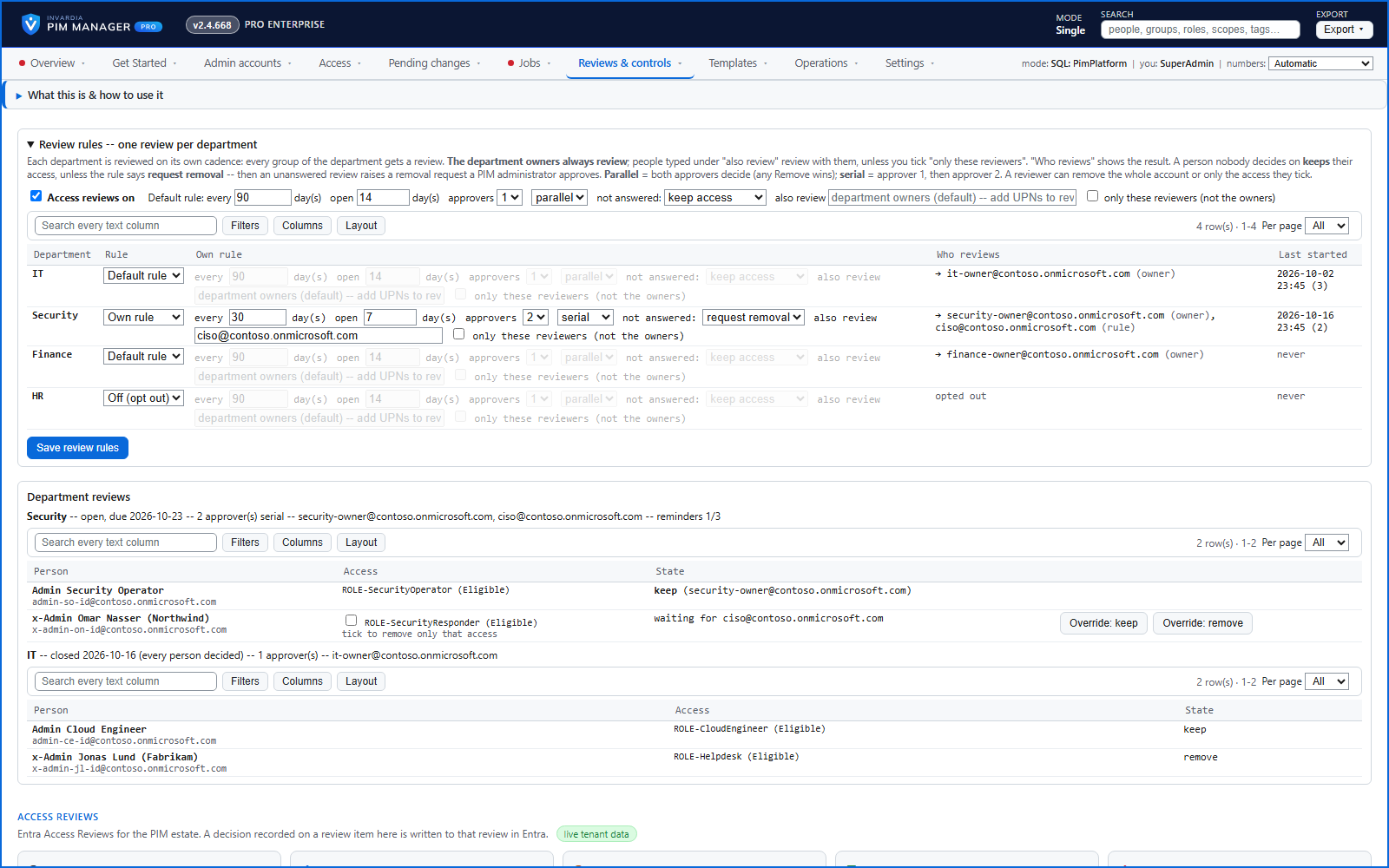
Access reviews per department, carried out by PIM Manager
Department owners decide Keep or Remove for each admin on a cadence you set; decisions pass through an approval or a commit and are recorded as evidence.
How it works →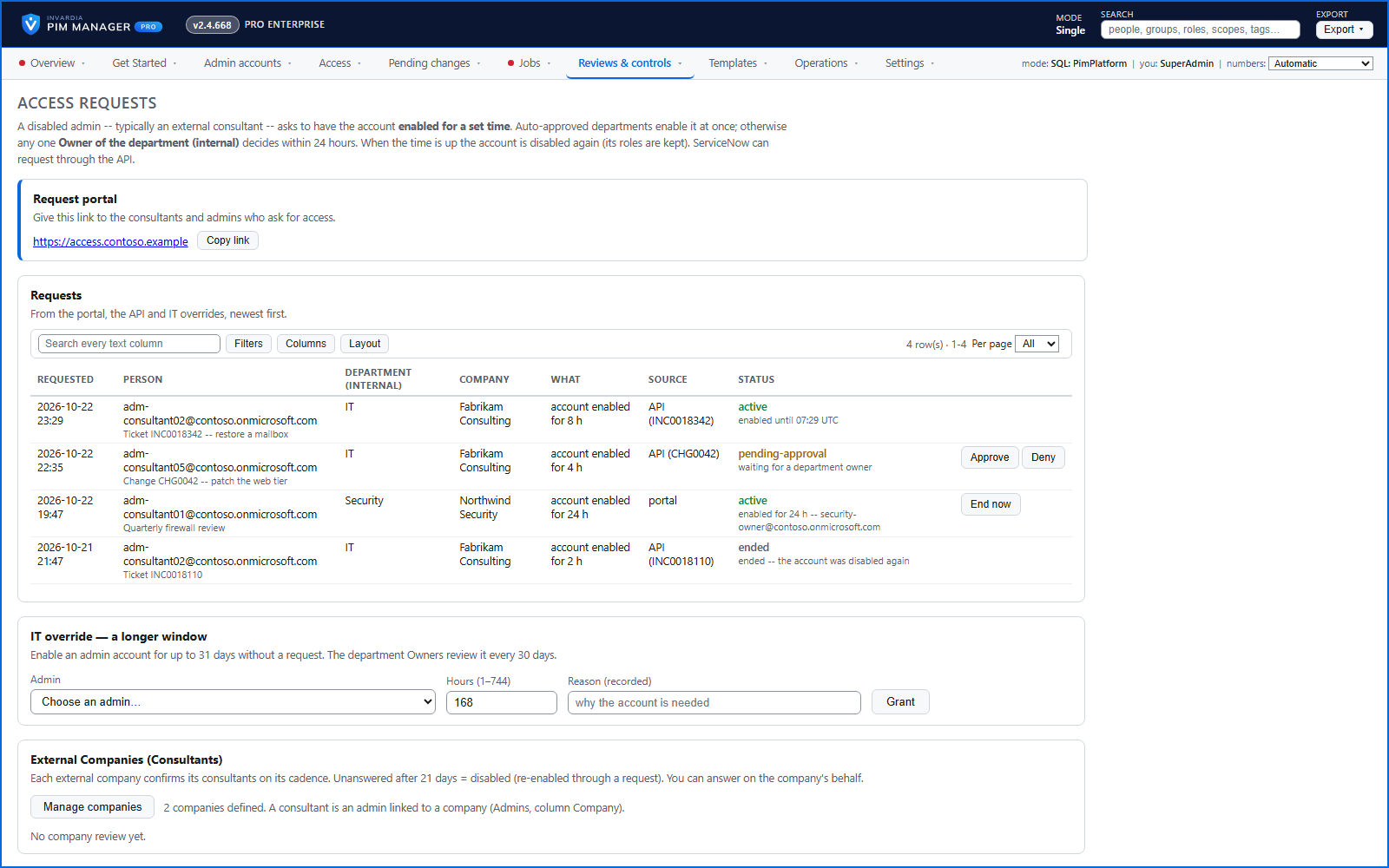
Access request portal: switch on an account, or get temporary group access
A disabled admin or consultant asks for their account back for a set time, or for short-term membership of a permission group you offer - approved, then switched off when the period ends.
How it works →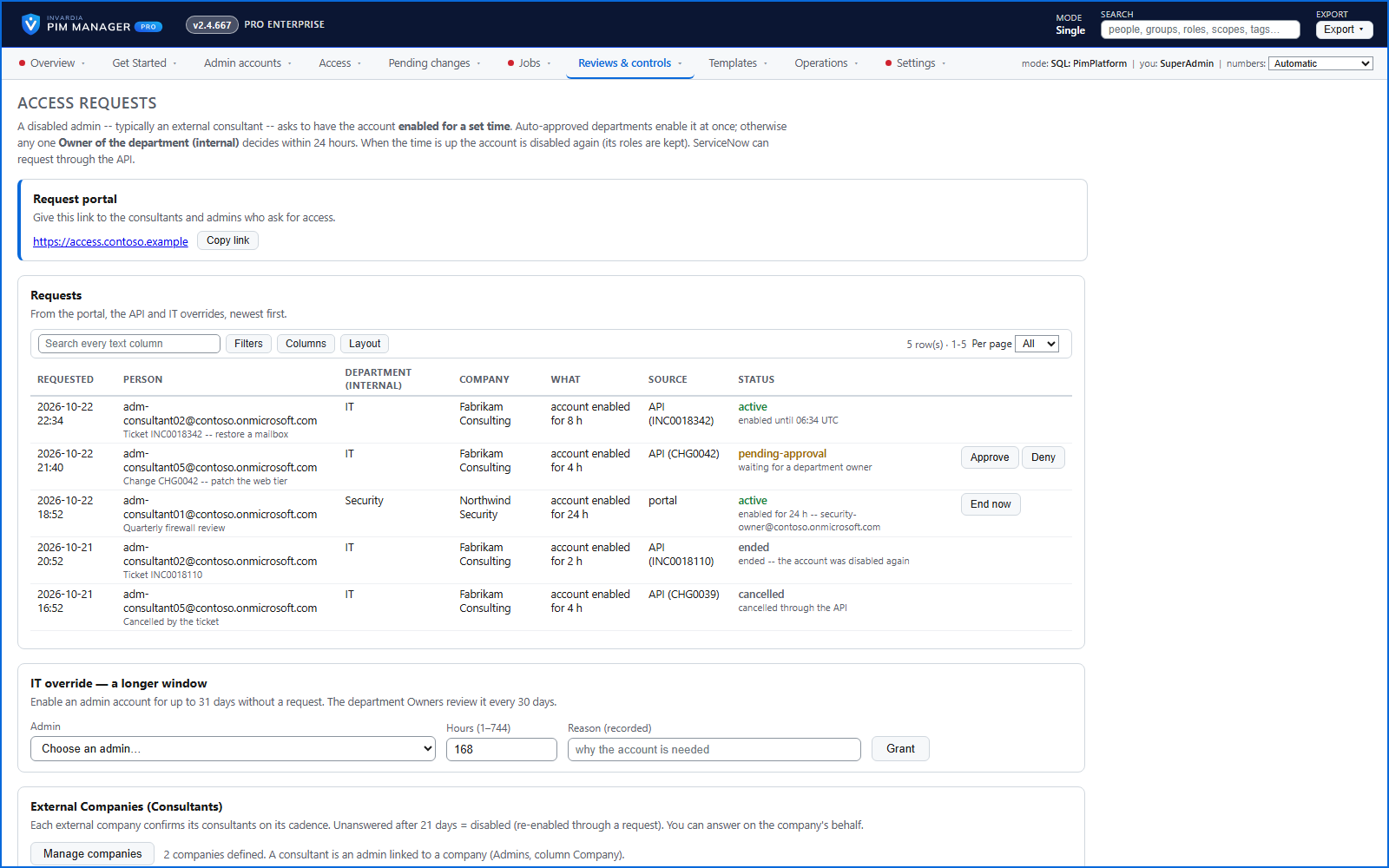
Let your ticketing system switch an admin account on for a set time
A REST API for systems such as ServiceNow: enable a disabled admin account or give a group membership for a period, read the status, cancel - or propose a change for an administrator to review.
How it works →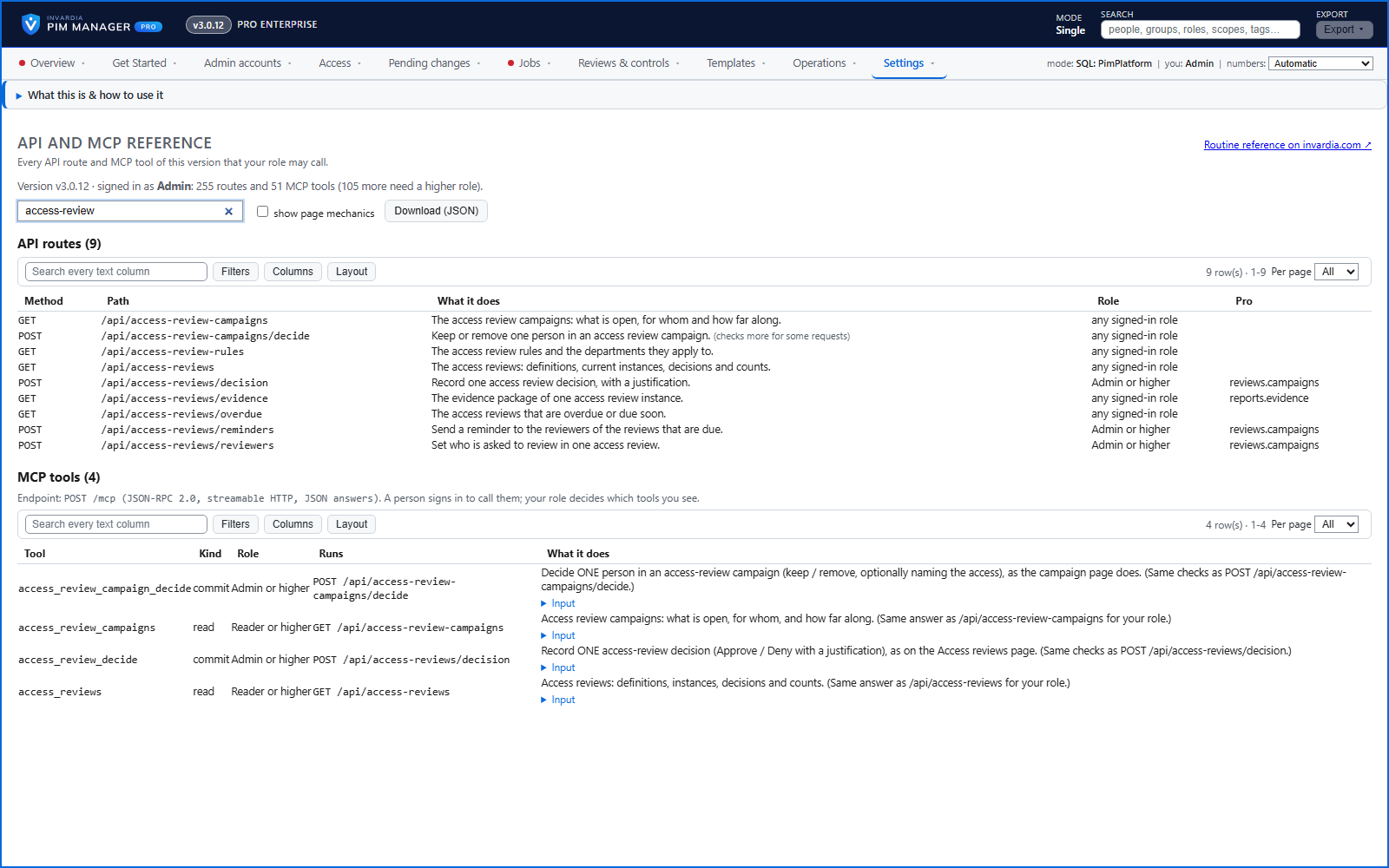
The API and MCP reference, inside the Manager
Settings > API and MCP reference shows every route and AI-assistant tool of the version you run that your own role may call, each with a plain description.
How it works →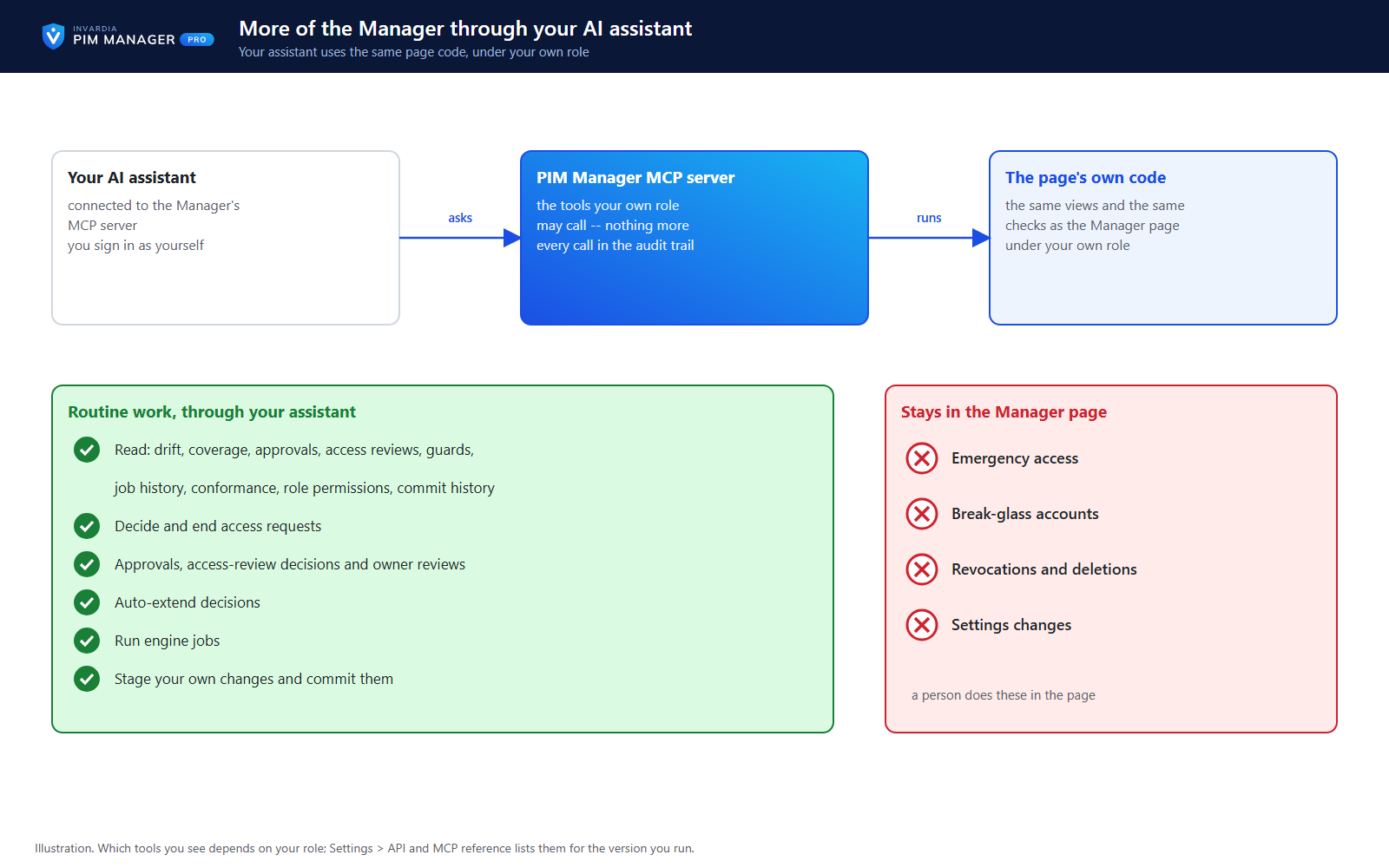
Routine work through your AI assistant
Your AI assistant reads every view of the Manager and does routine work - access requests, approvals, access reviews, owner reviews, auto-extend, jobs and staged changes - under your own role.
How it works →
Scripts and services on the Manager API, on your list only
Scripts and services use the Manager API only with an Entra application that a SuperAdmin lists and a second SuperAdmin approves, as Reader or Admin.
How it works →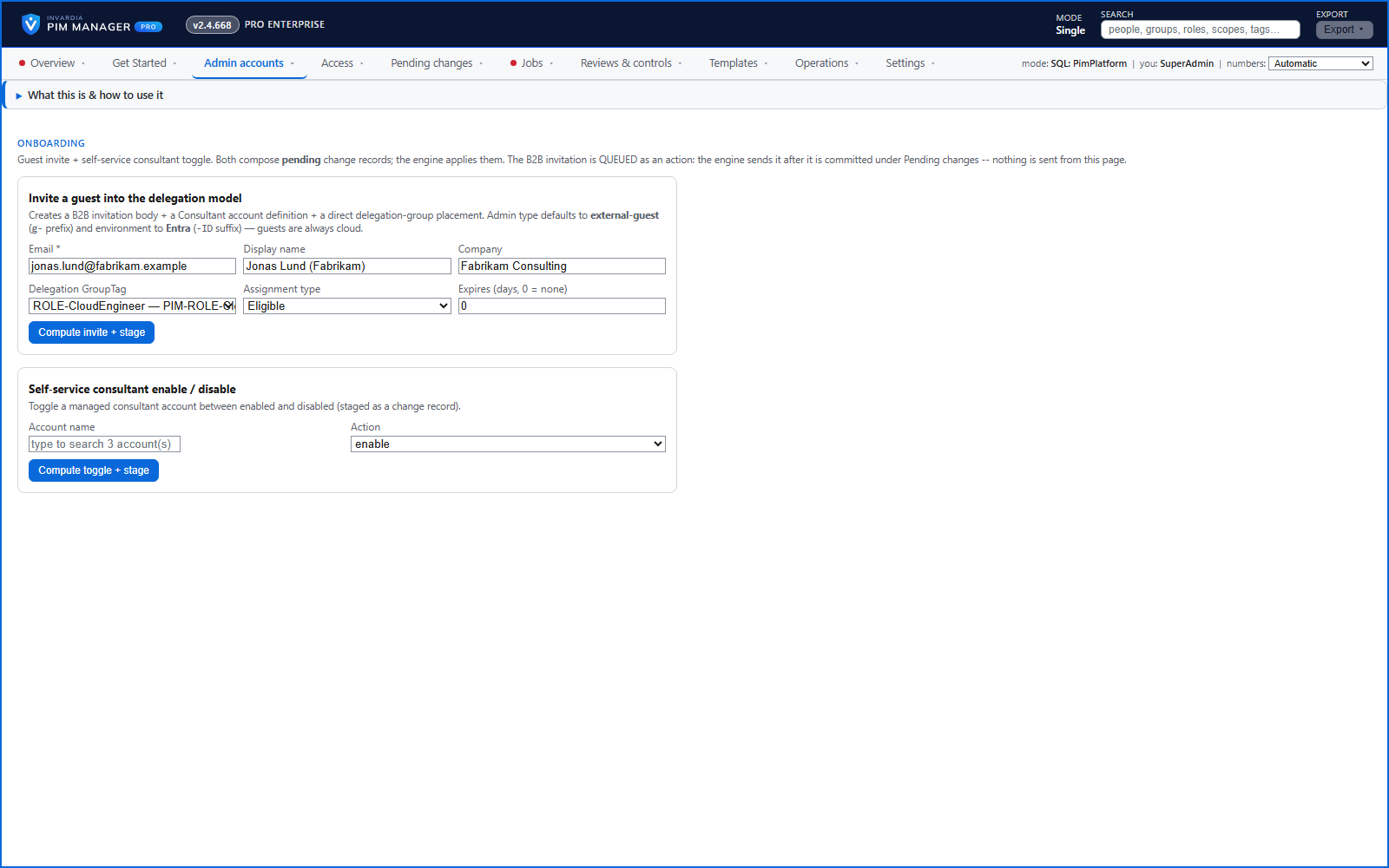
Invite external consultants straight into the delegation model
Invite a consultant as a guest and place them in a delegation group in one staged change; their owner can switch them on and off.
How it works →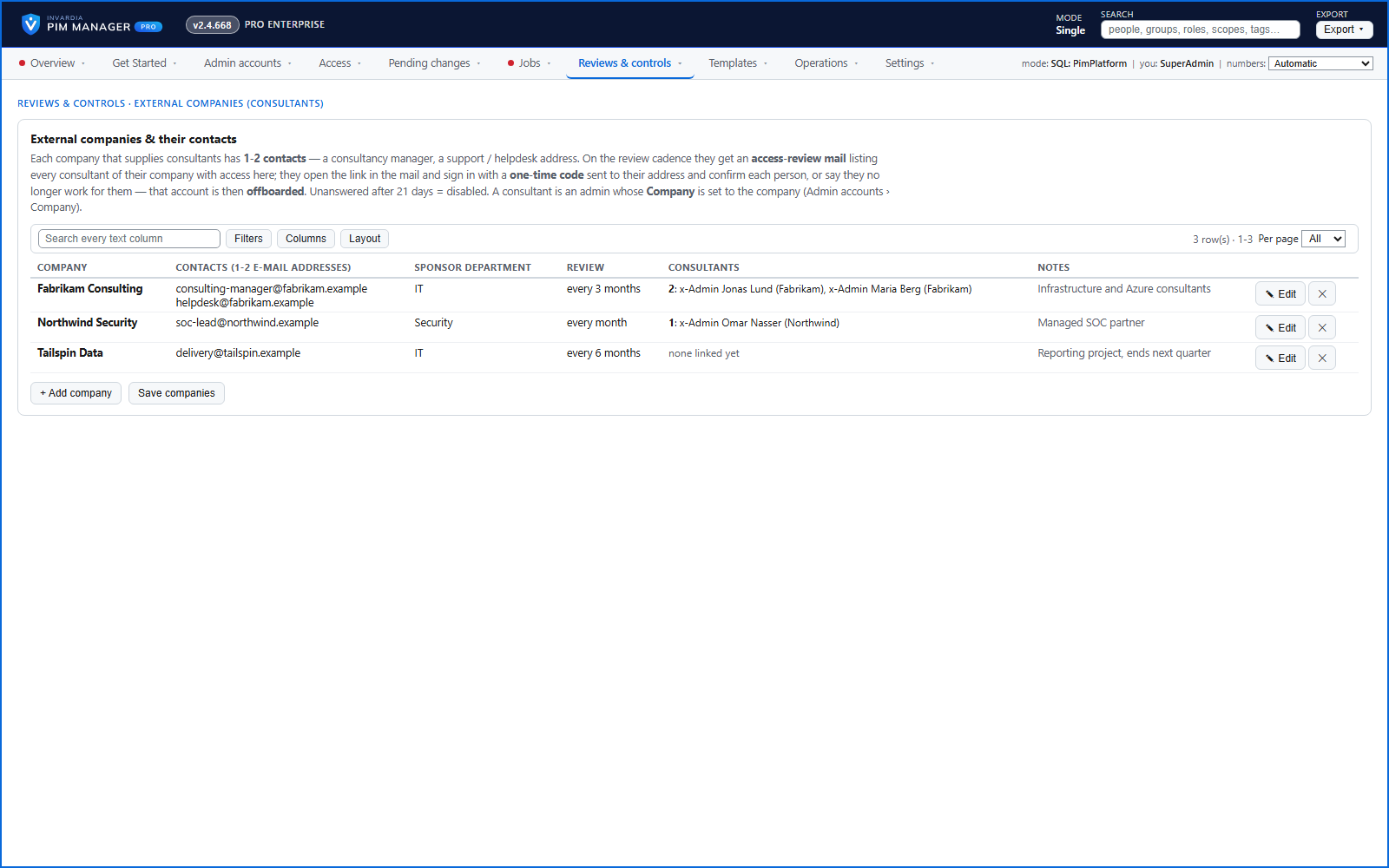
External companies confirm their consultants
Each external company confirms on a cadence who still works for them; a consultant reported as gone is disabled at once.
How it works →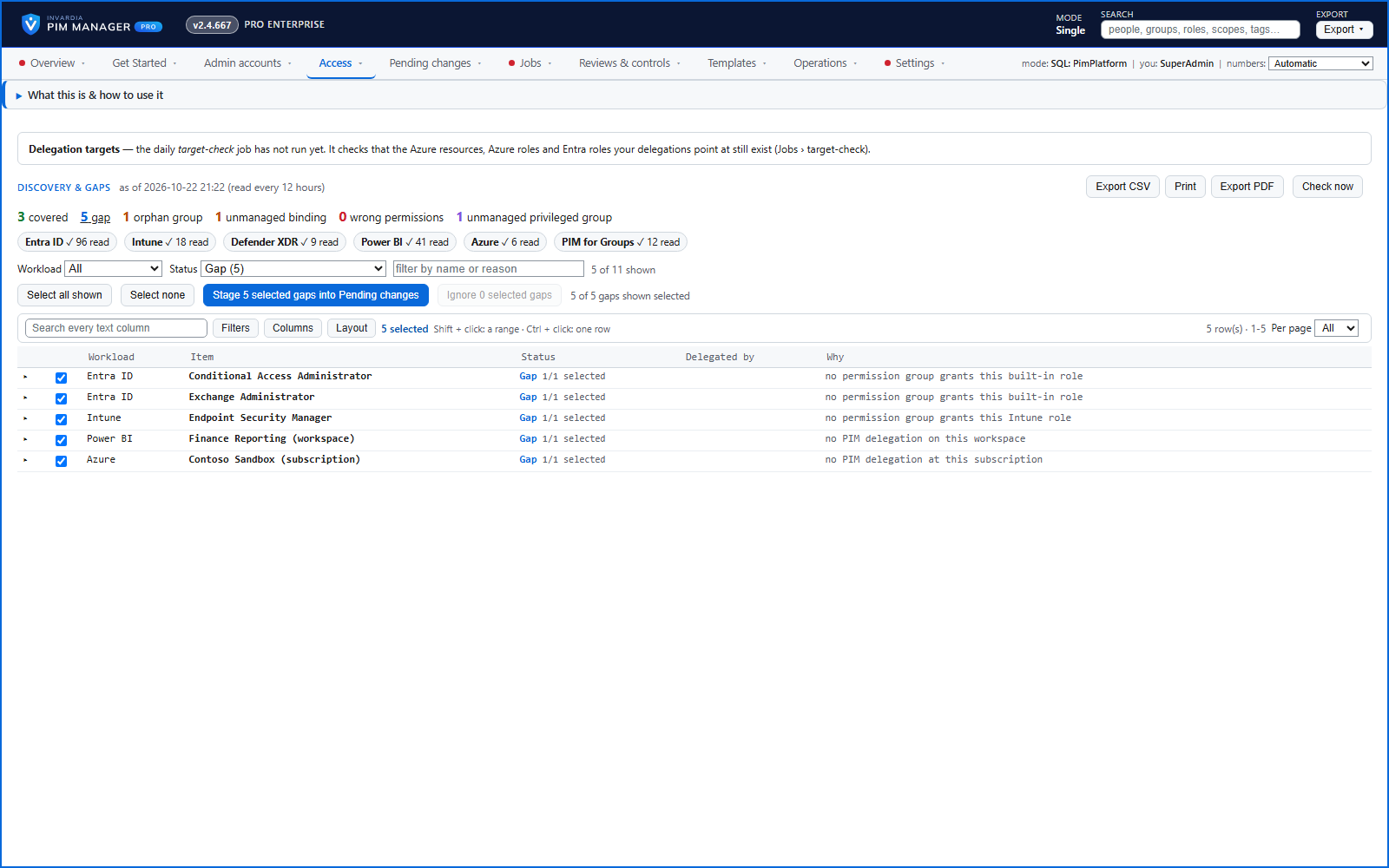
Discovery and gaps across your workloads
One page shows what is delegated through PIM Manager and what is not - across Entra ID, Intune, Defender XDR, Power BI, Azure and PIM for Groups - with ready proposals.
How it works →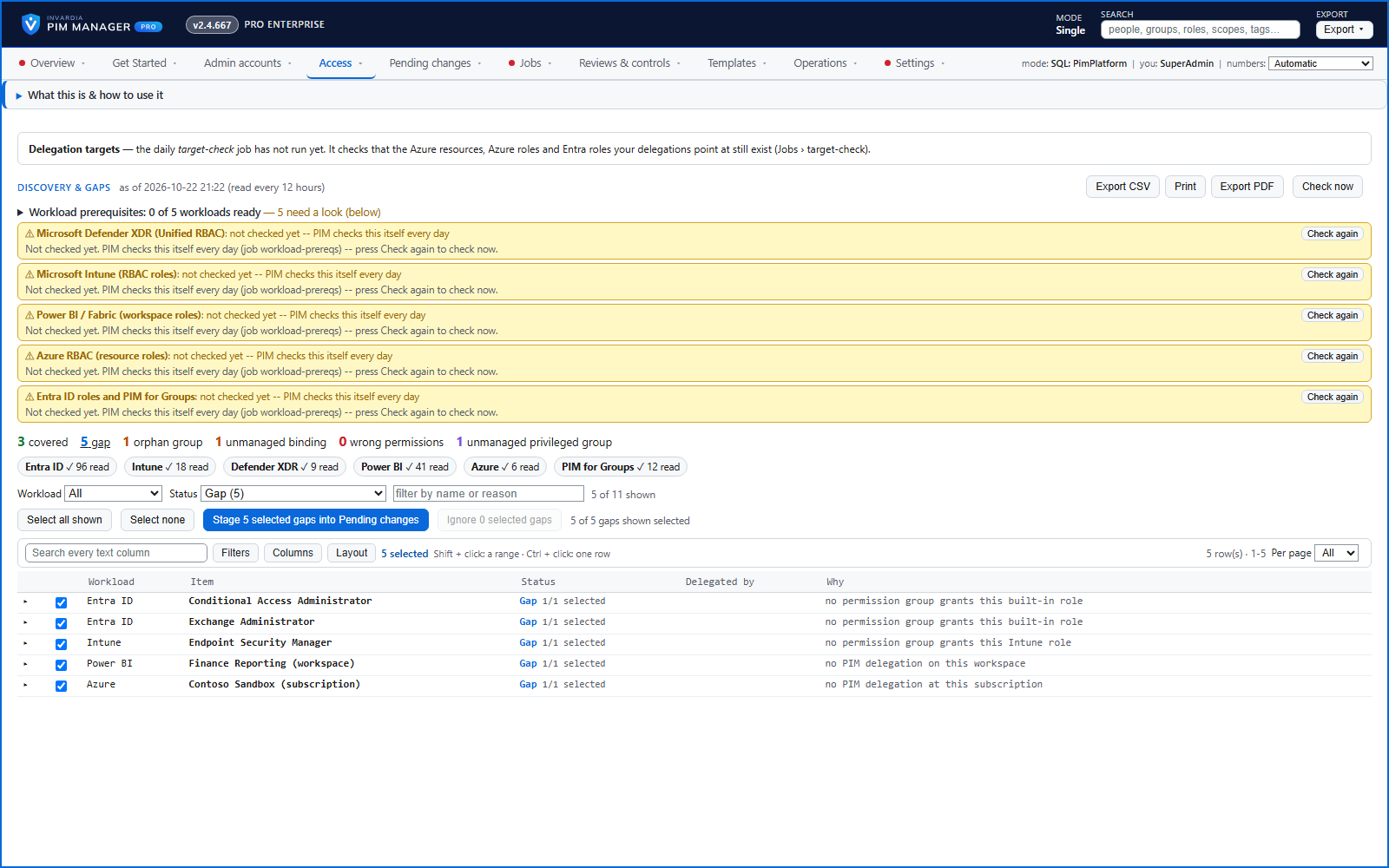
Discovery: new resources ready to delegate
New Azure subscriptions and management groups, Power BI workspaces, administrative units and new Entra ID, Intune and Defender XDR roles appear on Discovery and gaps - stage a proposal or ignore it.
How it works →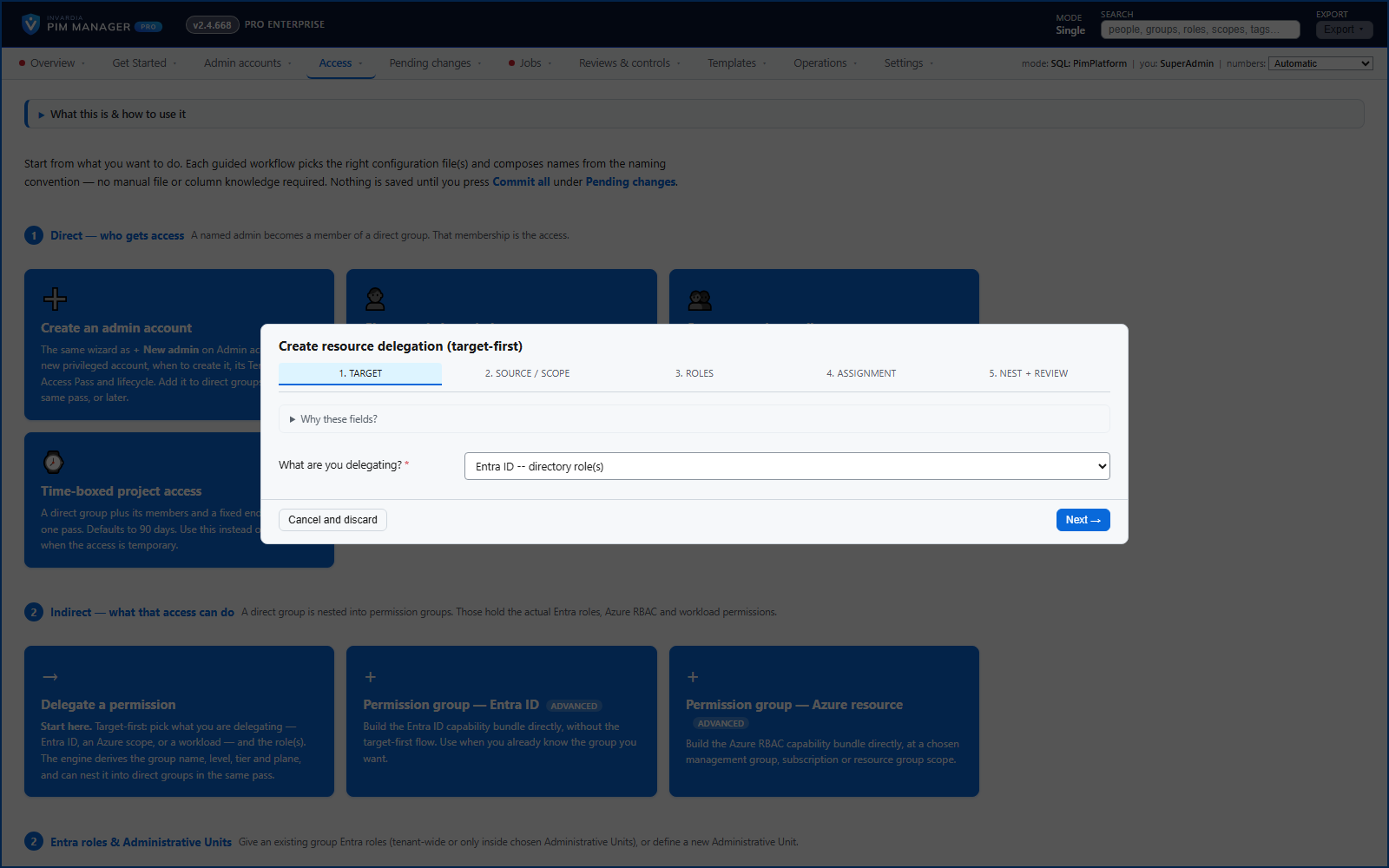
Entra ID, Azure, Intune and Defender XDR from one model
Entra ID roles, PIM for Groups, administrative units, Azure roles, Intune roles and Defender XDR roles - granted the same way, through groups.
How it works →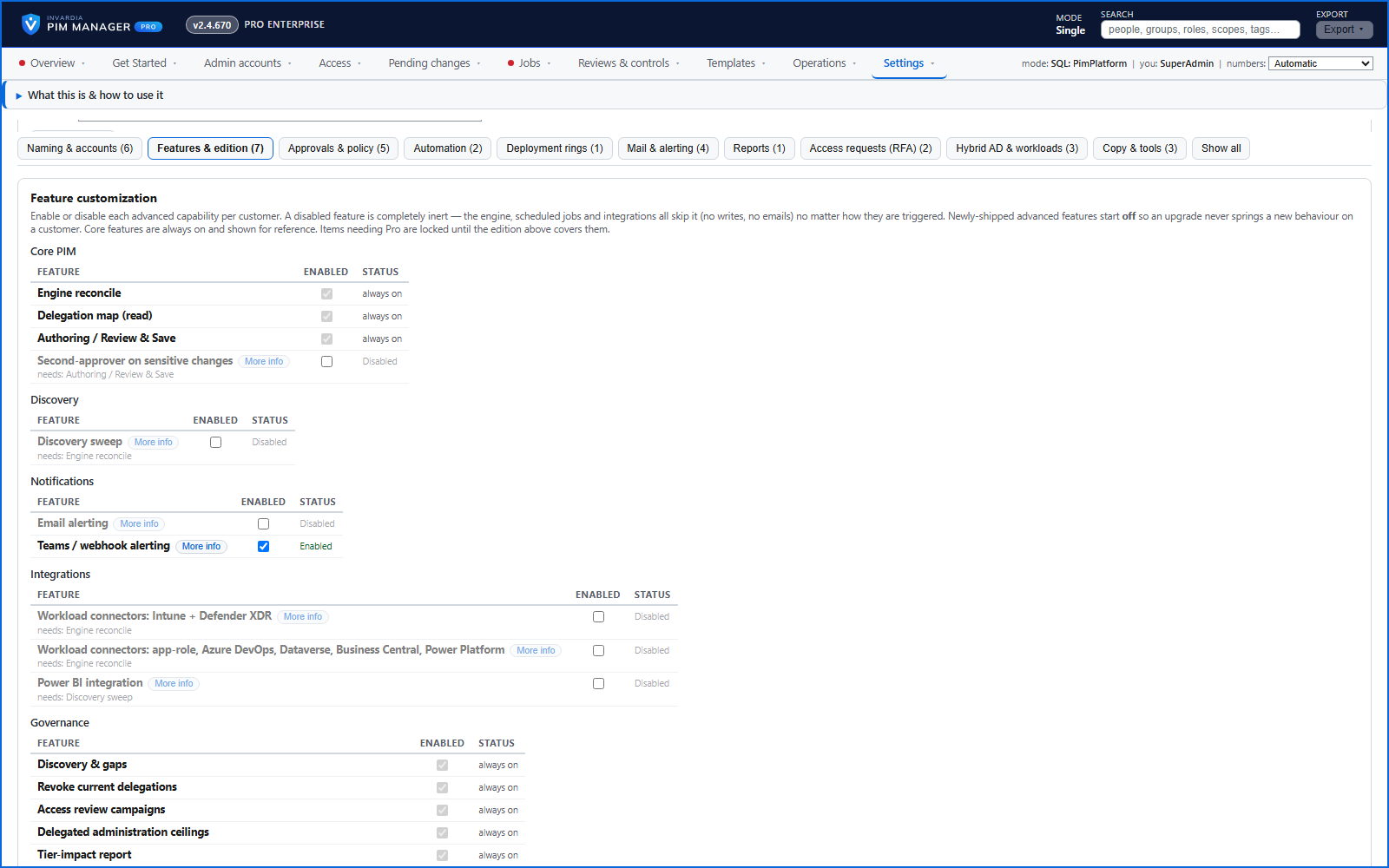
More workloads: Power BI, enterprise apps, Azure DevOps, Dataverse and more
Grant the same groups Power BI workspace access, app roles in enterprise applications, and roles in Azure DevOps, Dataverse, Business Central and Power Platform.
How it works →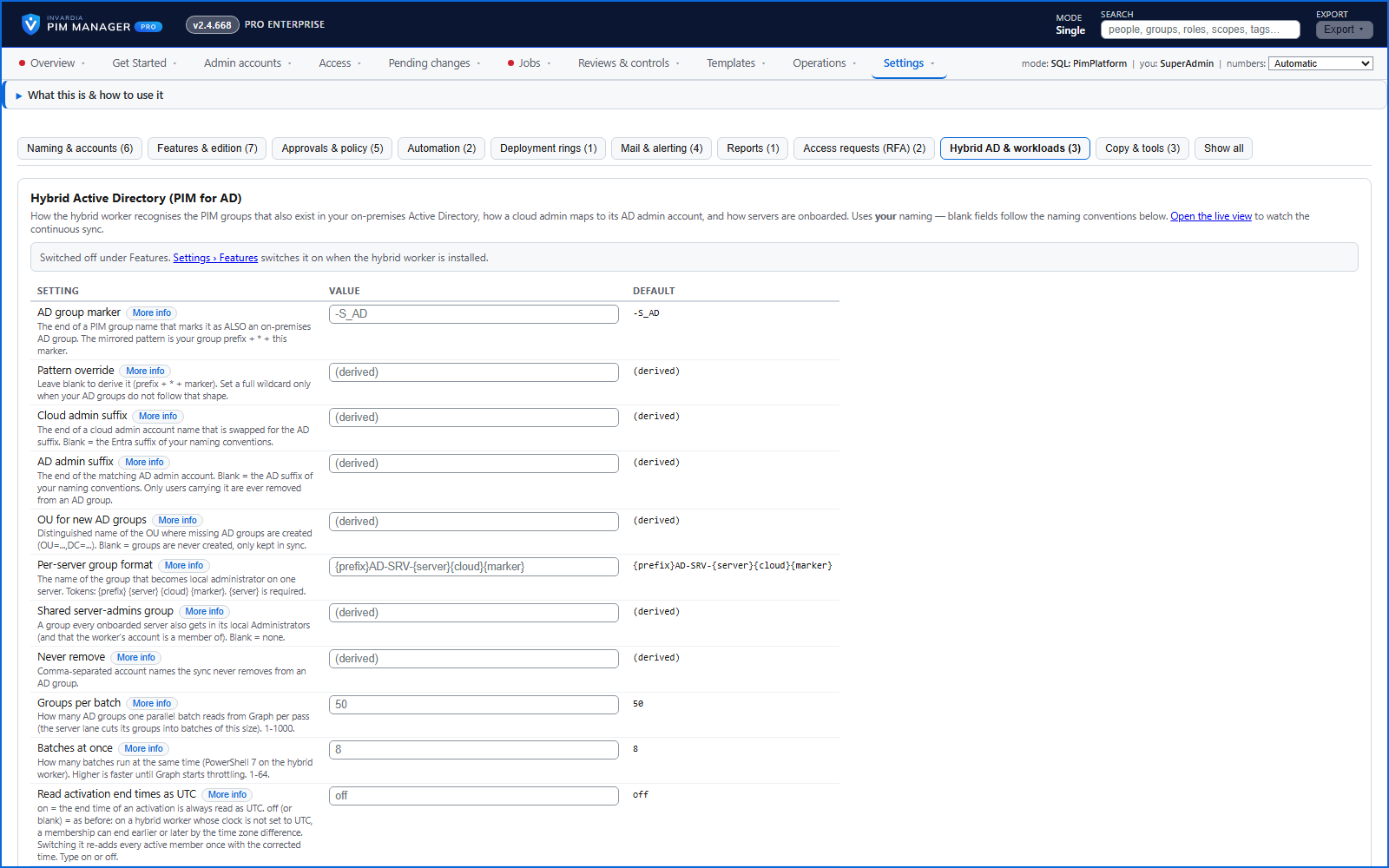
PIM for on-premises Active Directory
Just-in-time membership of on-premises AD groups, driven by PIM activation in the cloud and applied by a small hybrid worker.
How it works →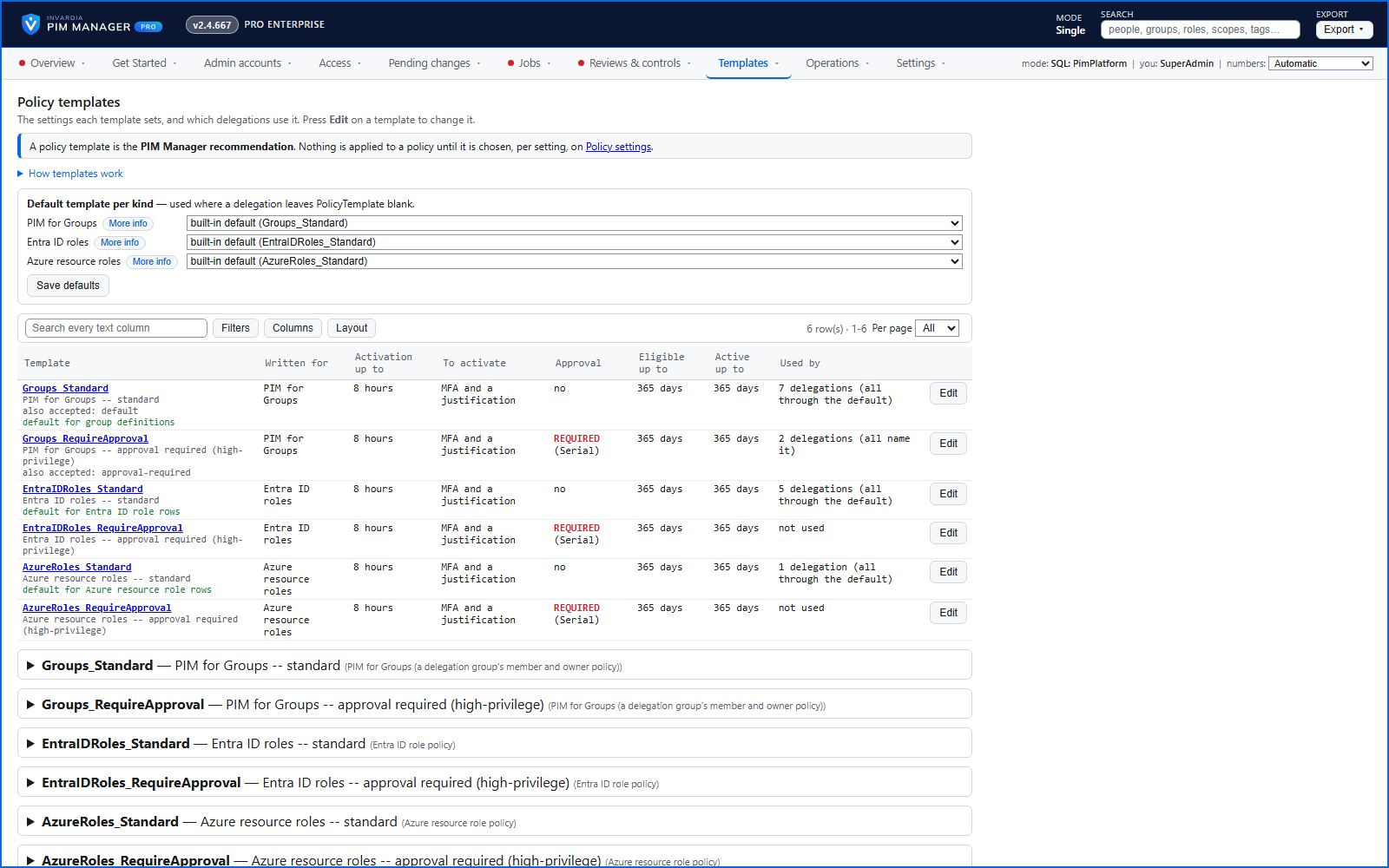
Policy templates you choose, changed only with approval
A Standard and a RequireApproval template per kind - PIM for Groups, Entra ID roles and Azure roles - shown in plain words with the delegations that use them.
How it works →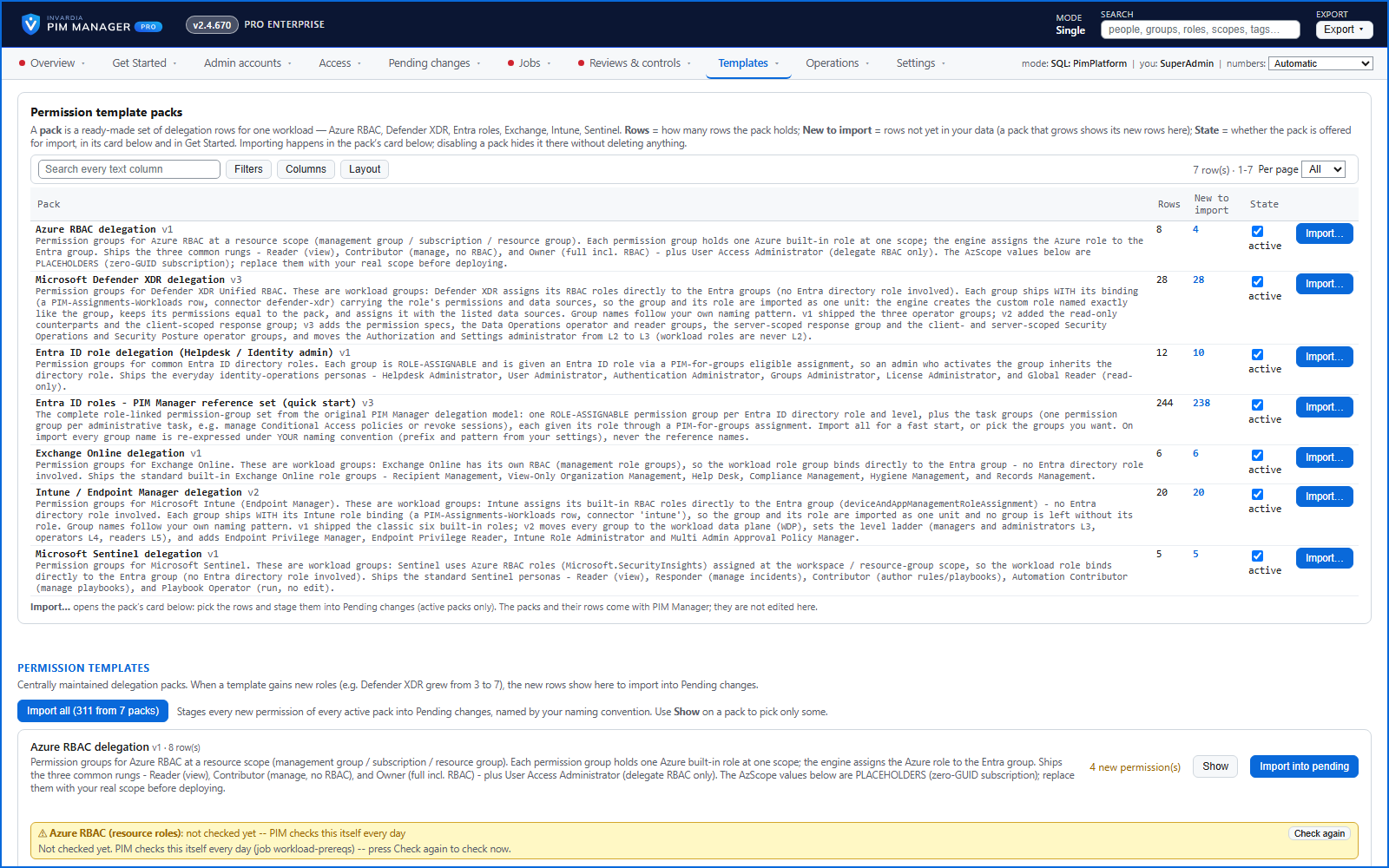
Ready-made permission packs
Ready-made permission groups for Azure RBAC, Defender XDR, Entra ID, Exchange Online, Intune and Microsoft Sentinel - import the rows you tick.
How it works →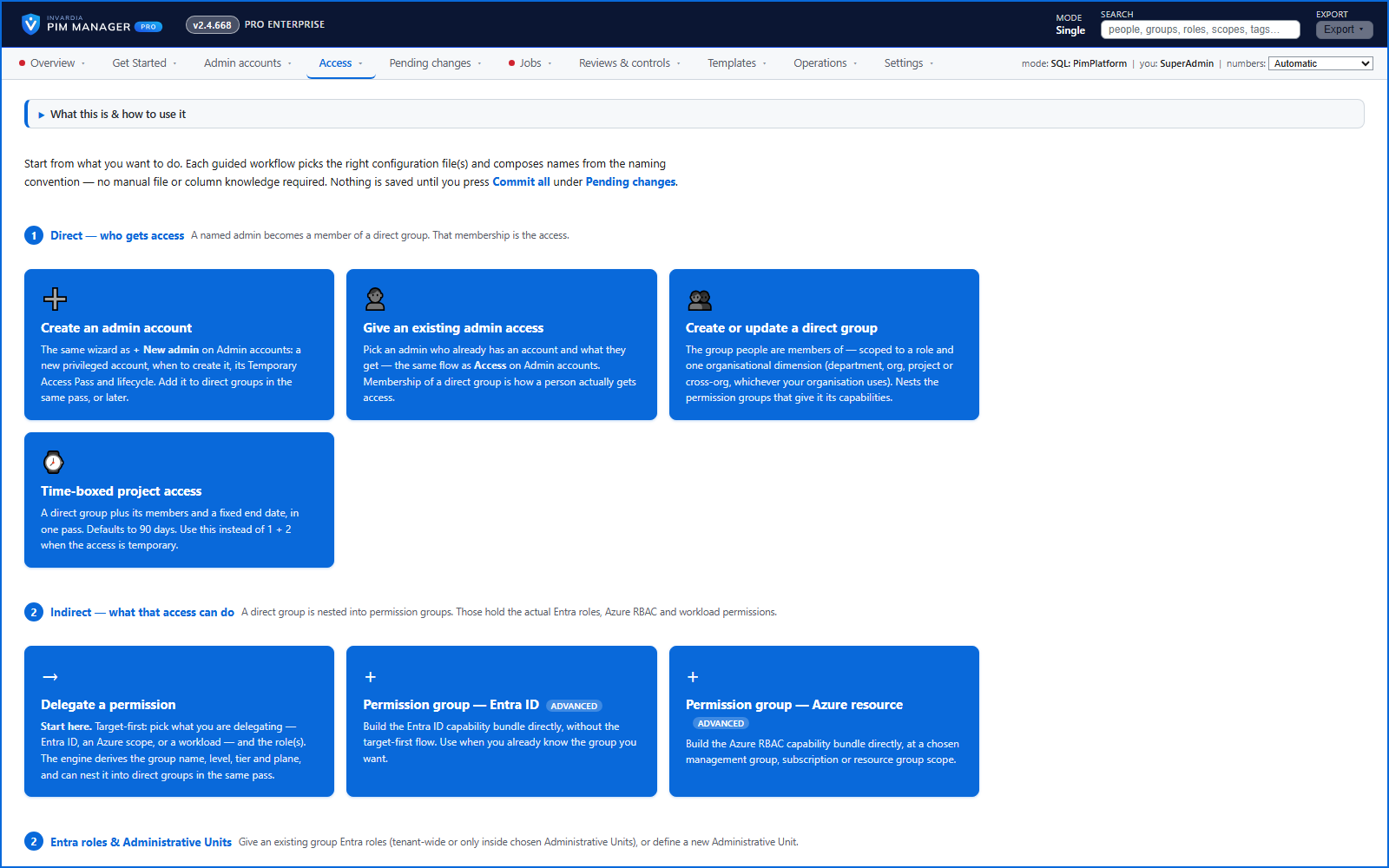
Create access the natural way round
Pick what you delegate, where, and which roles - the wizard works out the group, its name, level, tier and plane.
How it works →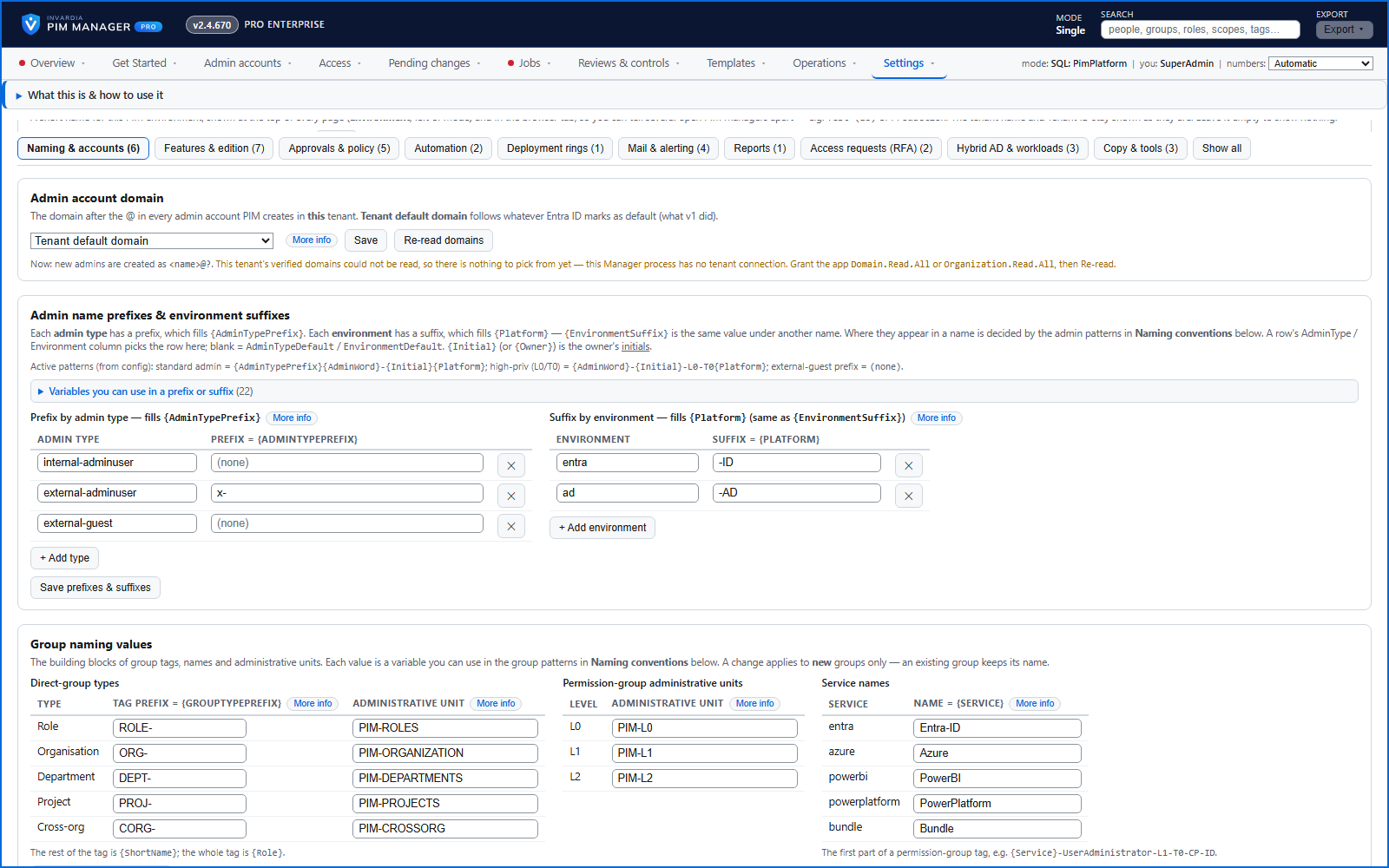
Naming that matches your organization
Admin, group and resource names follow patterns you set in Settings, with a preview of the names they produce.
How it works →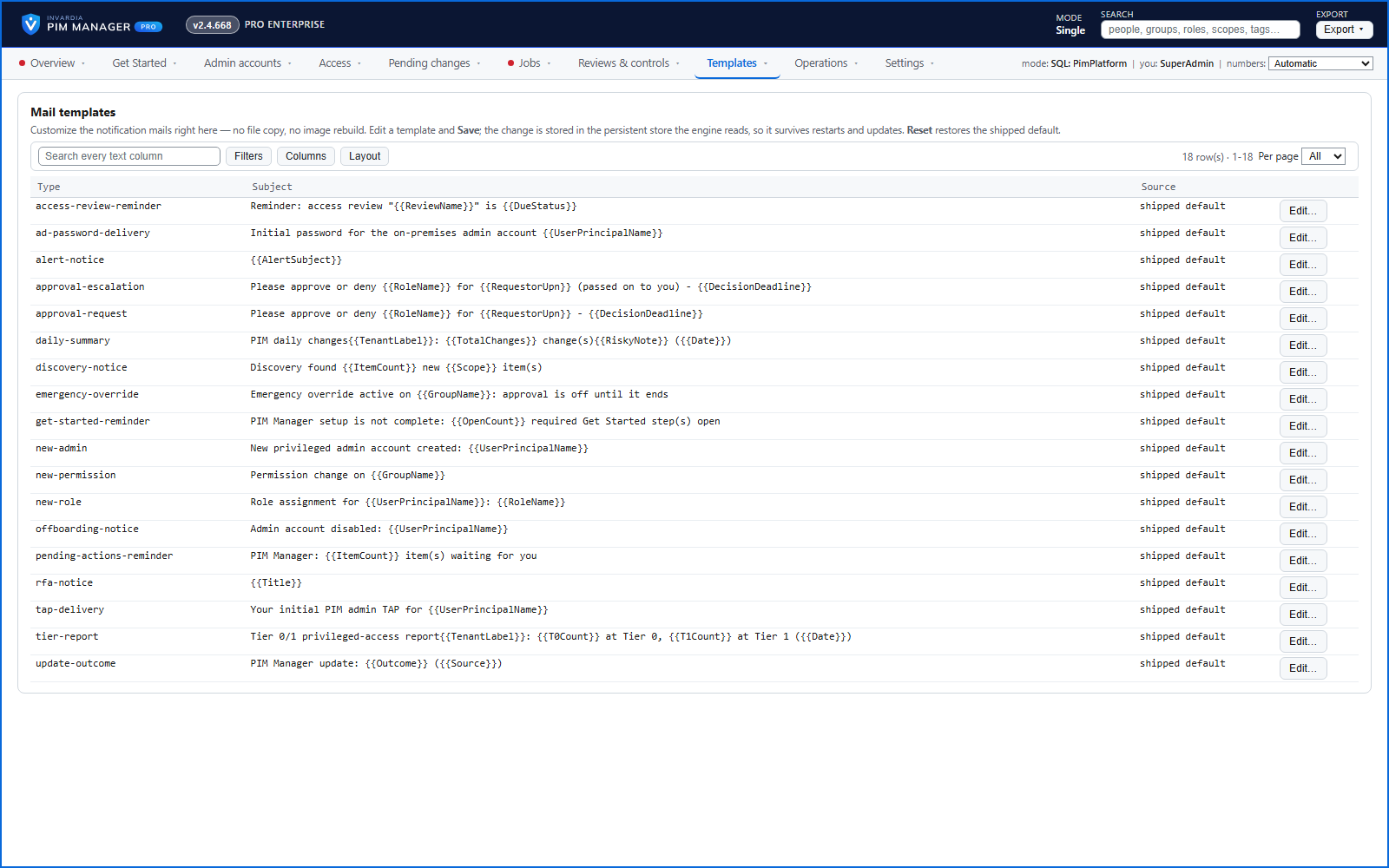
Alerts by mail and Teams
A failed run, drift, access expiring soon and break-glass use - by mail, to a Microsoft Teams channel or to another https webhook.
How it works →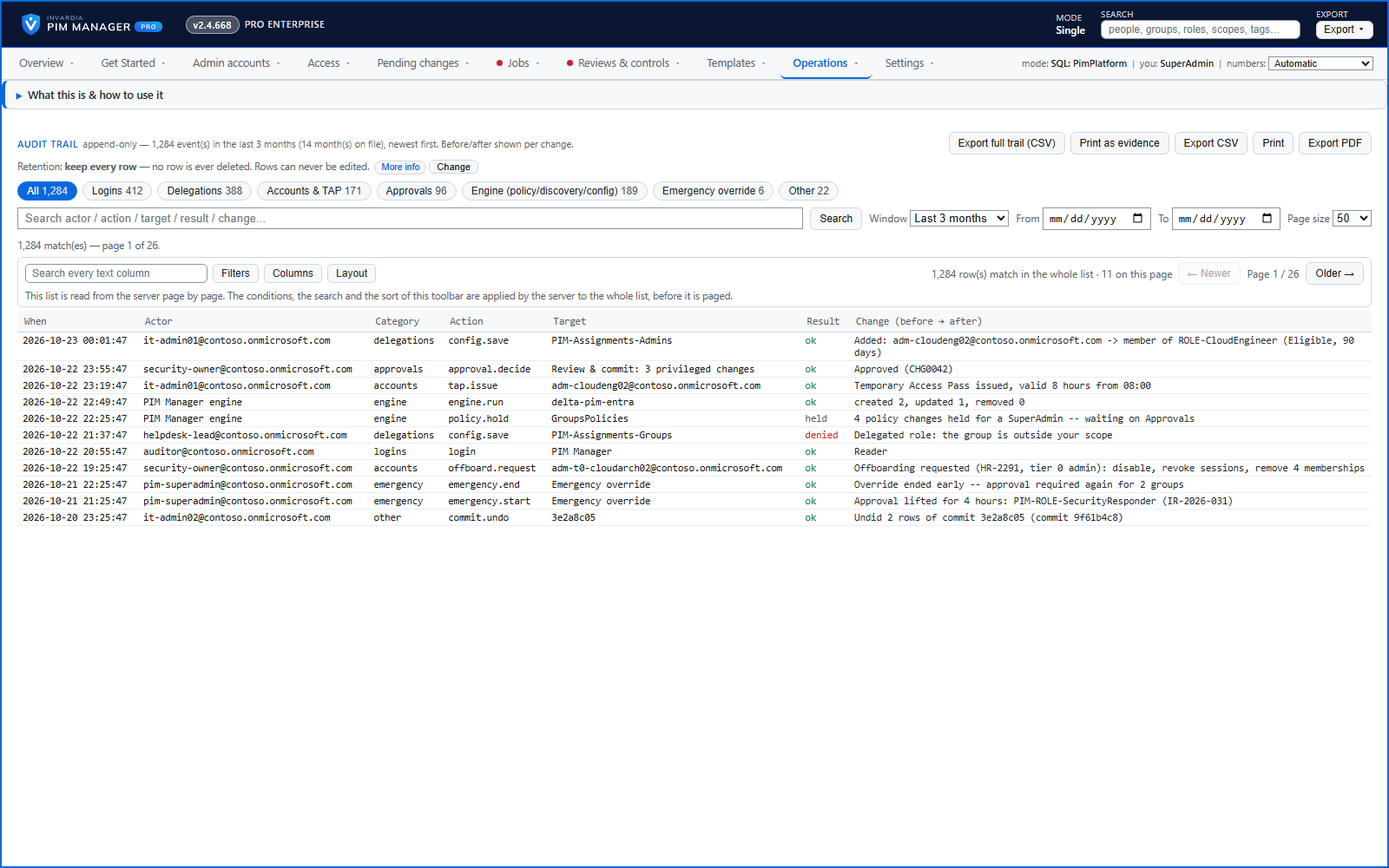
One audit trail, with before and after
Commits, approvals, setting changes, refusals and guard trips by the Manager and the engine in one append-only trail - who, what, when, the result, and the value before and after.
How it works →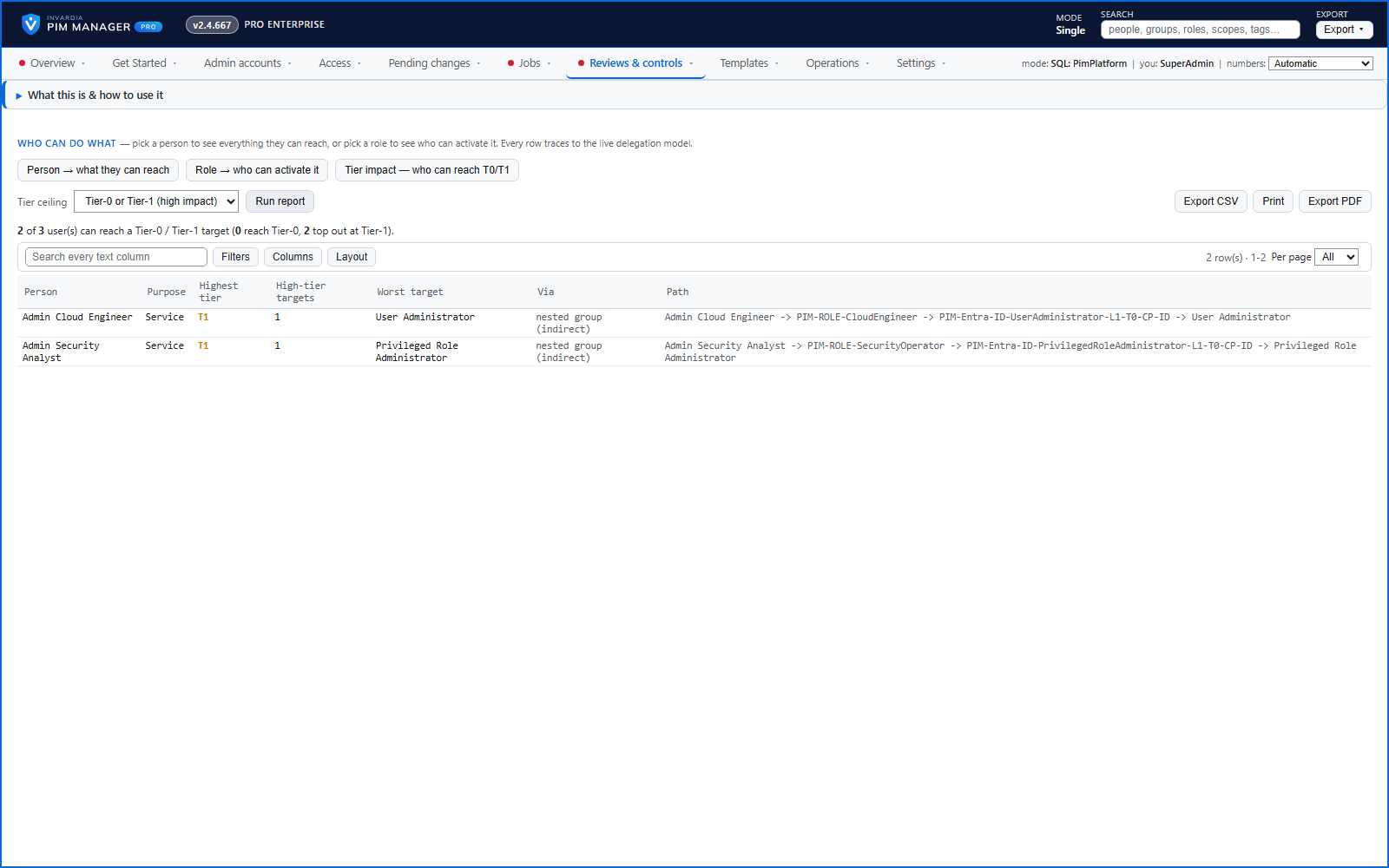
Tier impact report: who can reach Tier 0
The users with a path to Tier 0 or Tier 1 access - including through nested groups - sorted most-privileged first.
How it works →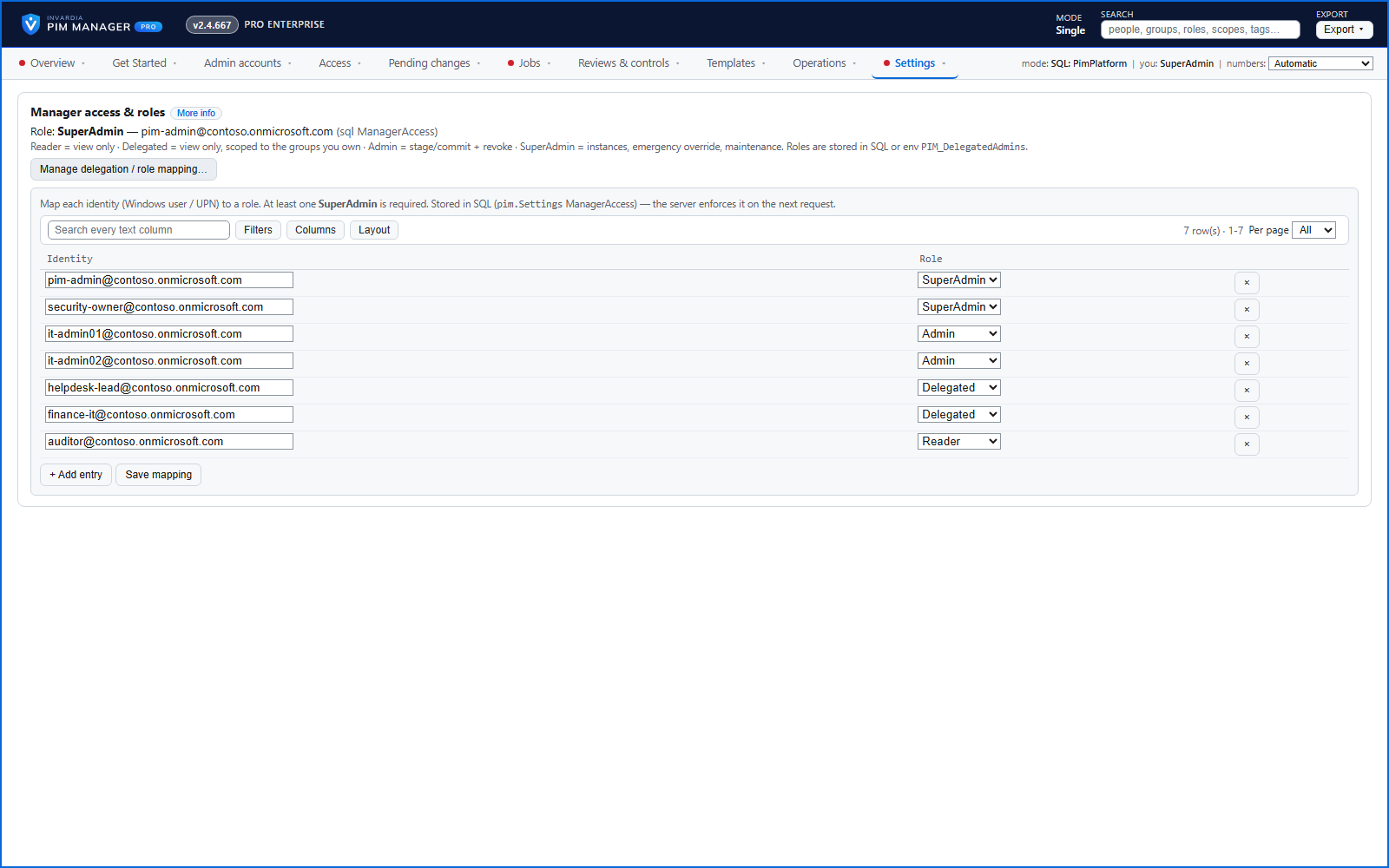
Delegated administration of the Manager
Each identity is a Reader, Delegated, Admin or SuperAdmin in the Manager; a Delegated user, limited by tier, level, service or scope, sees and changes only what they own.
How it works →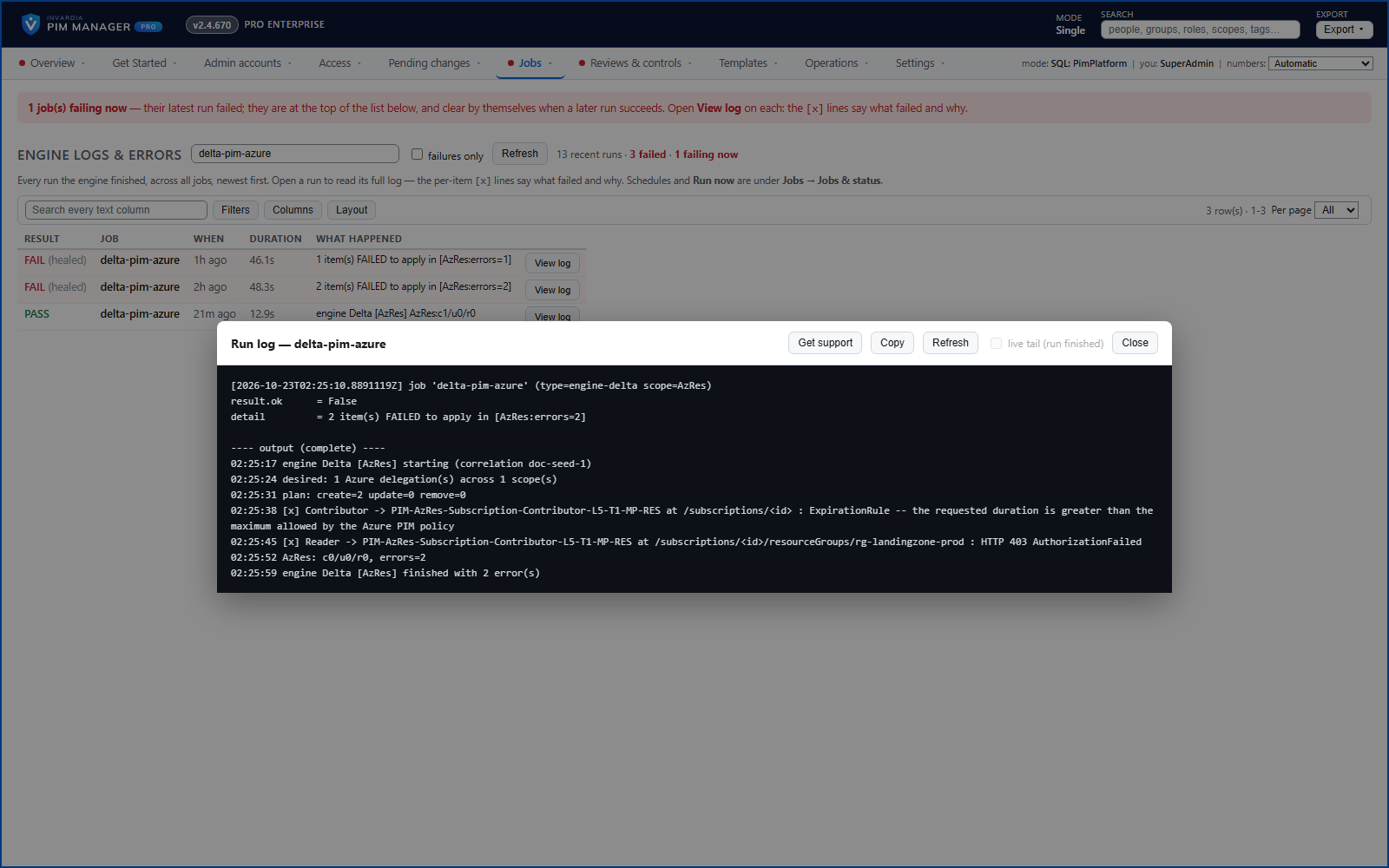
Engine logs and errors, in plain words
Jobs, schedules and each run's log in the Manager; failures named in plain words - the group, the role and the scope - with what to do.
How it works →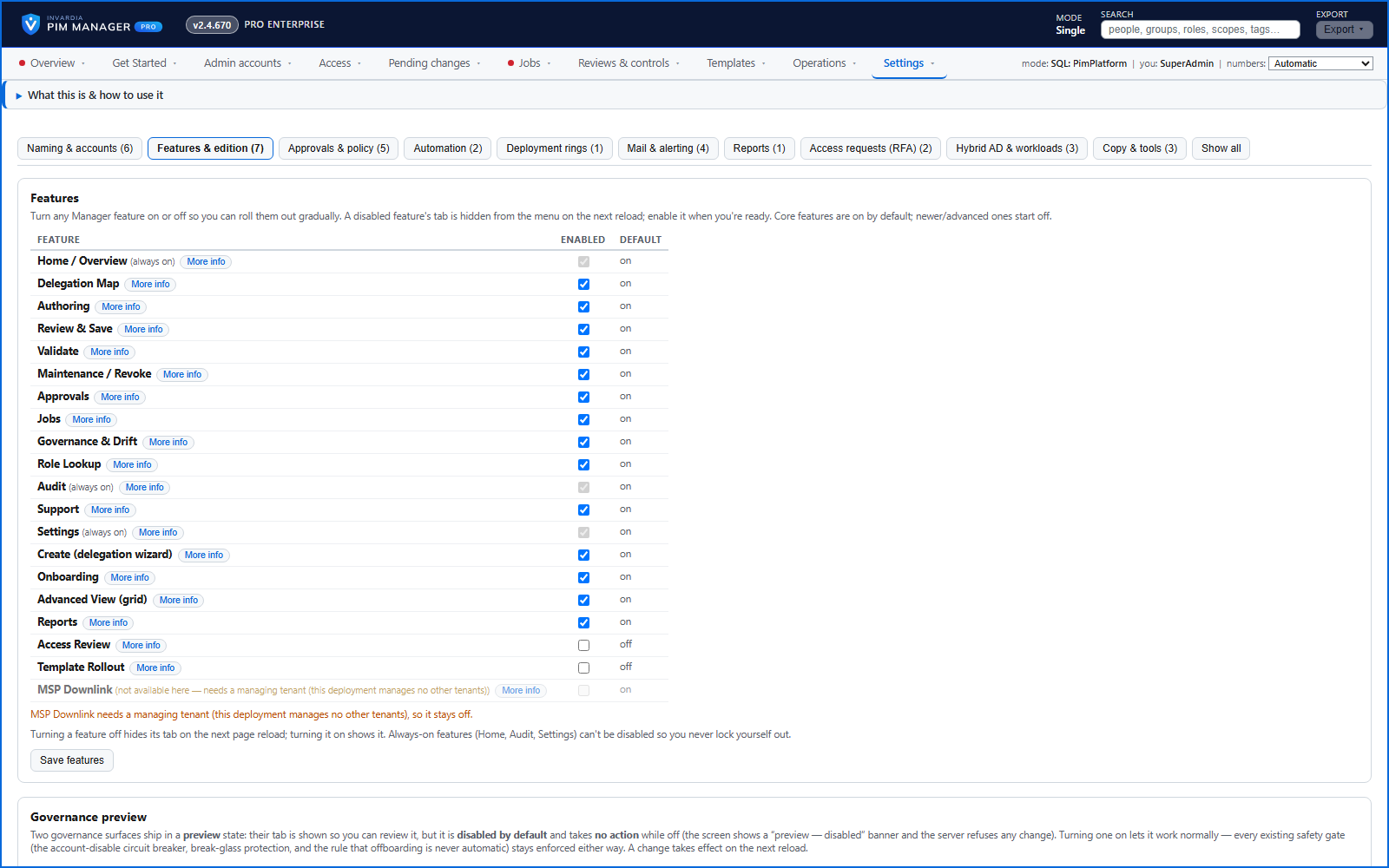
Switch capabilities on one at a time
Each optional capability has an on/off switch, advanced ones start off, and off means the engine and the scheduled jobs skip it.
How it works →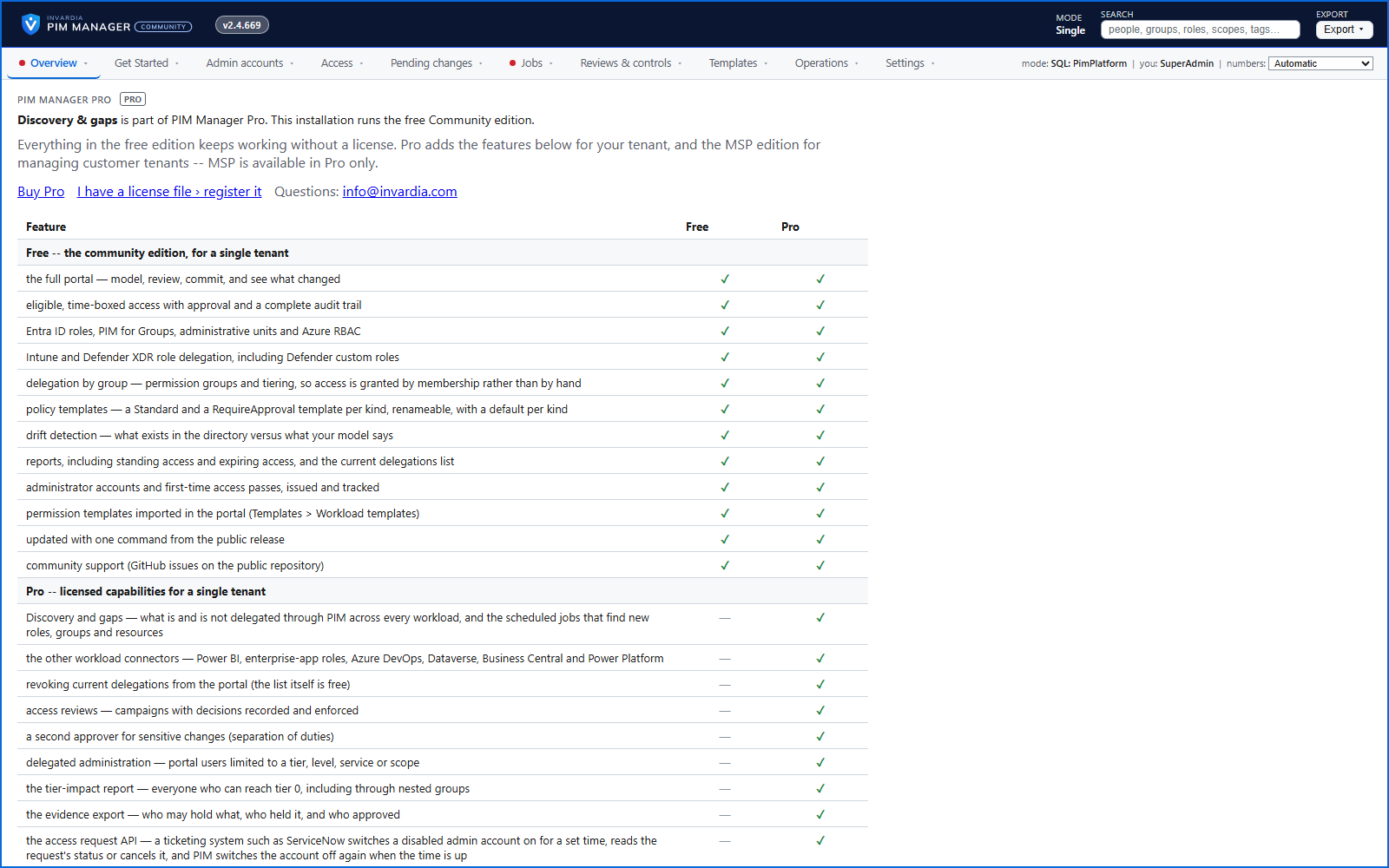
Community stays free - Pro is shown, not hidden
The Community edition is free for a single tenant and does not depend on a license; Pro capabilities are visible with the reason they are off.
How it works →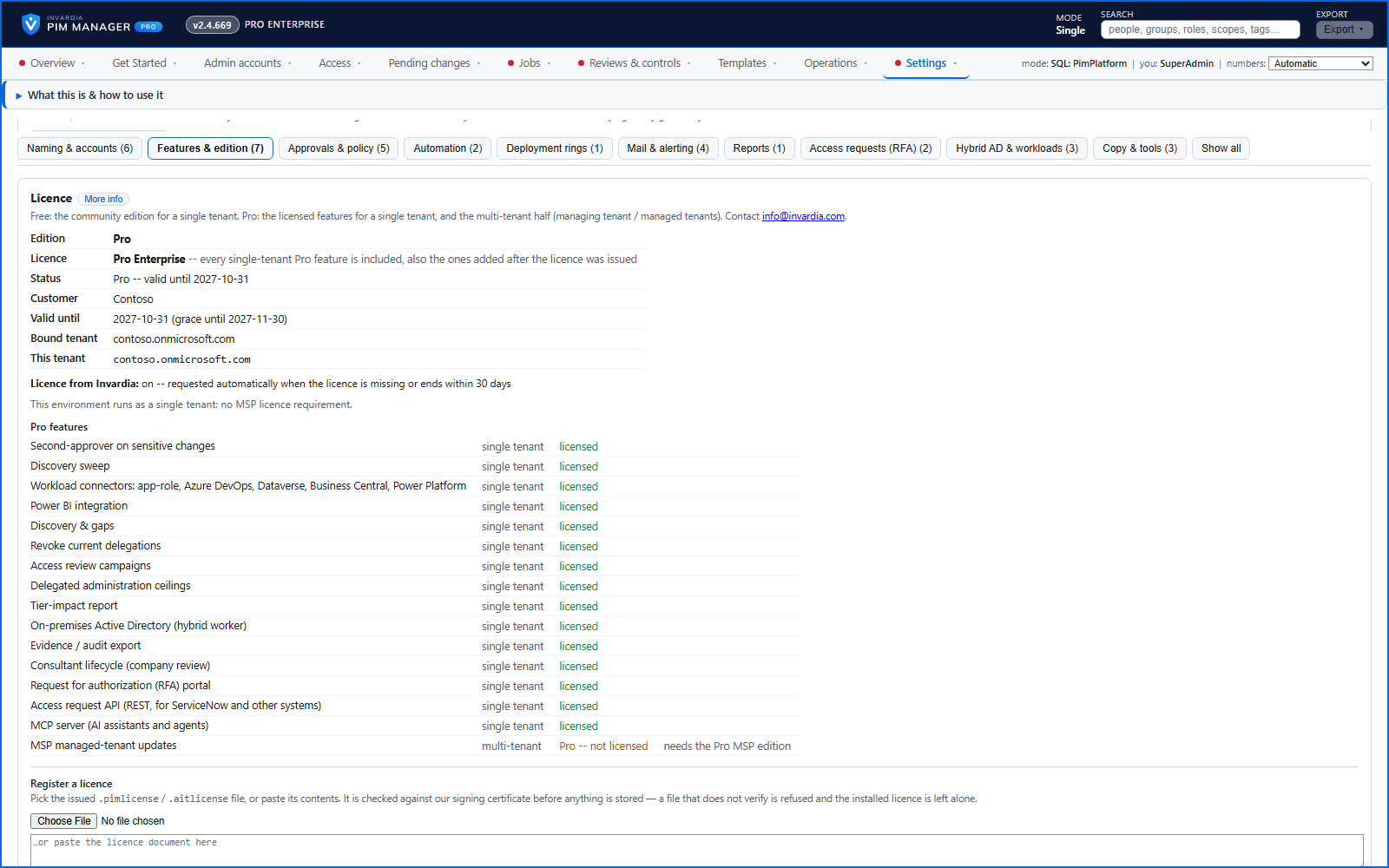
A signed license that works only in your tenant
The license is a signed document, checked offline and bound to the tenant it names - renewed through a request your installation proves.
How it works →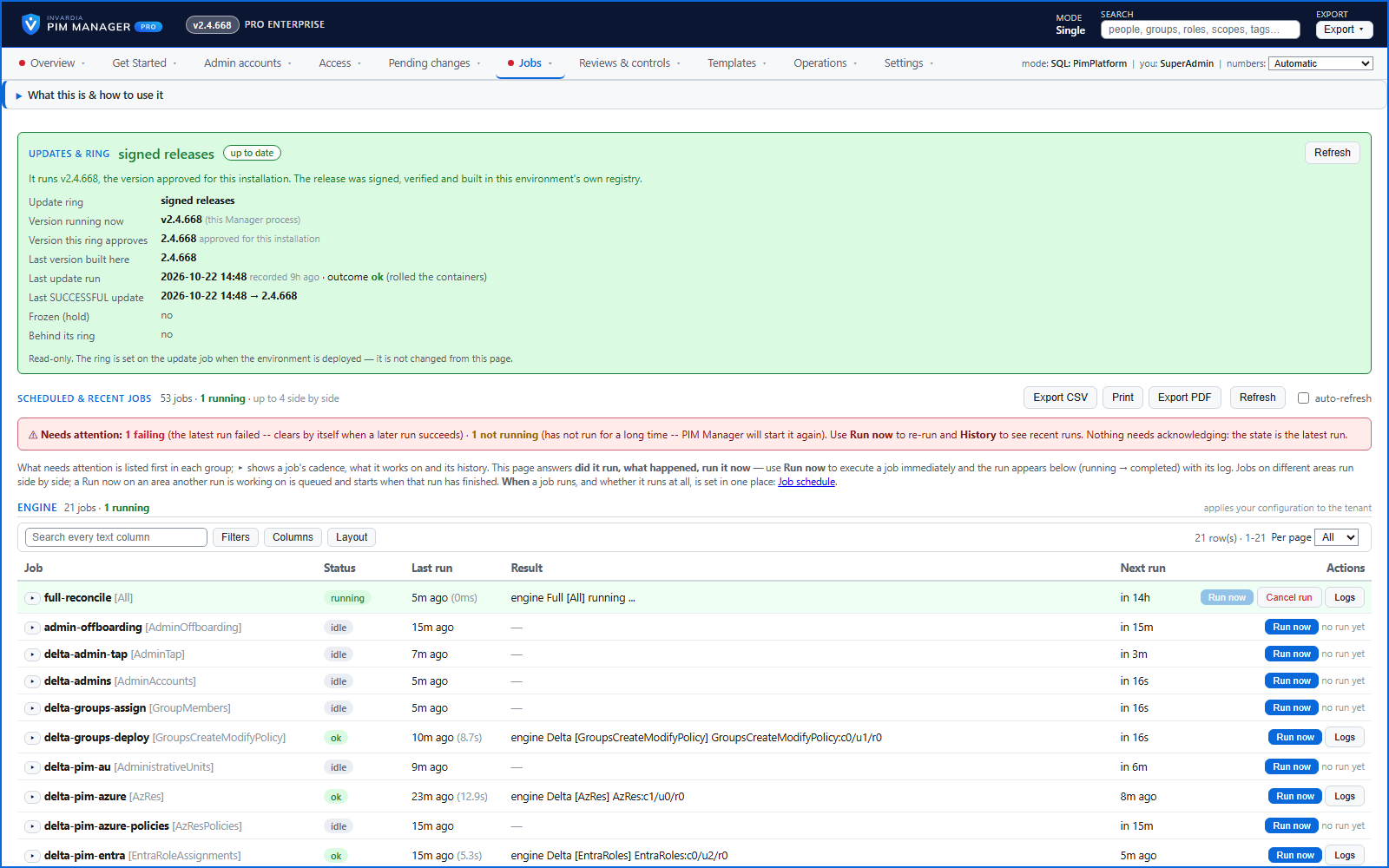
Signed updates, verified in your own subscription
A Pro installation updates only to signed releases, builds them in your own registry, updates the database first and rolls back when a component is not healthy - under the controls you set.
How it works →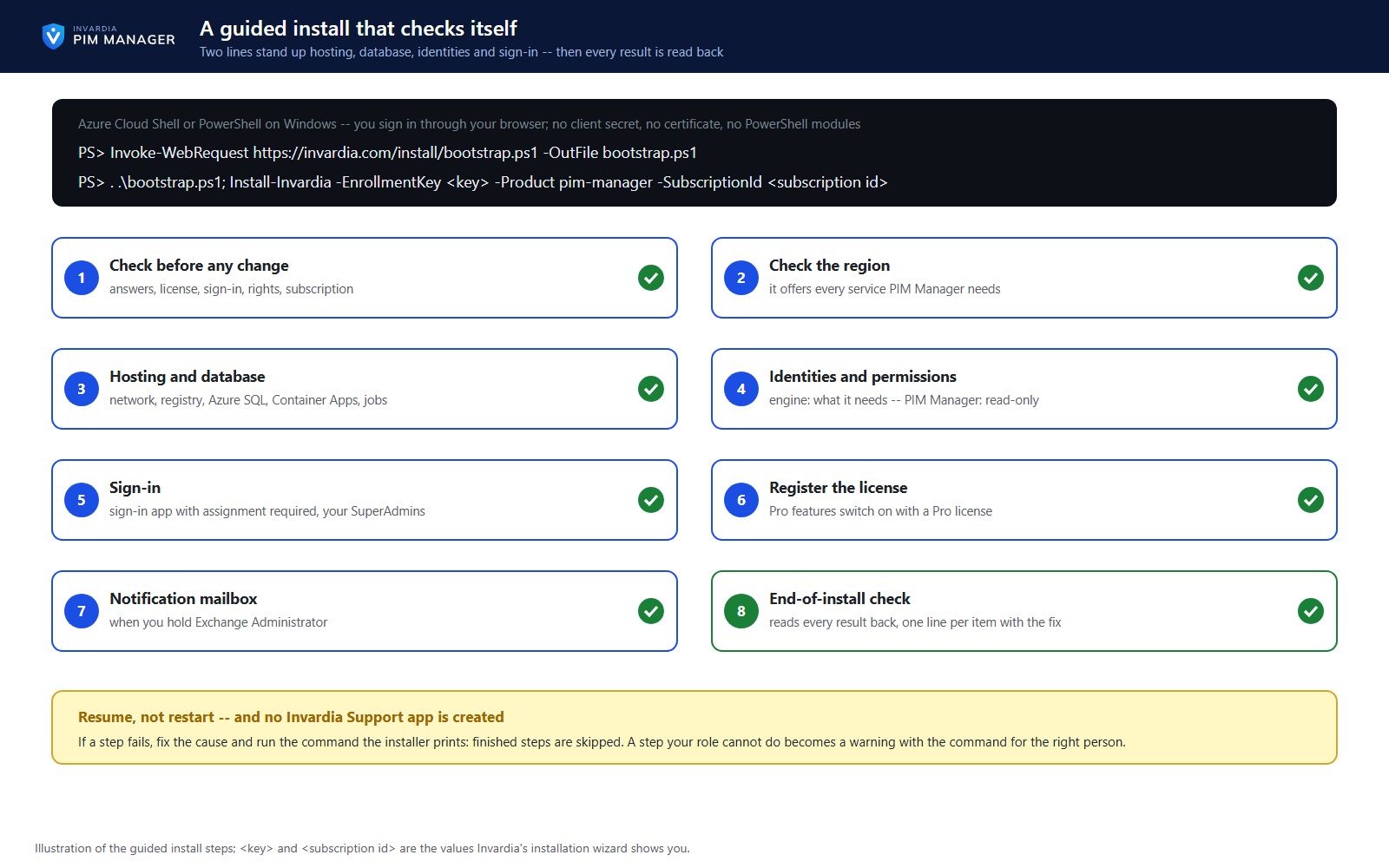
A guided install that proves itself
A guided two-line install stands up hosting, database, identities and permissions, and sign-in - then reads every result back, and resumes from a failed step once you fix the cause.
How it works →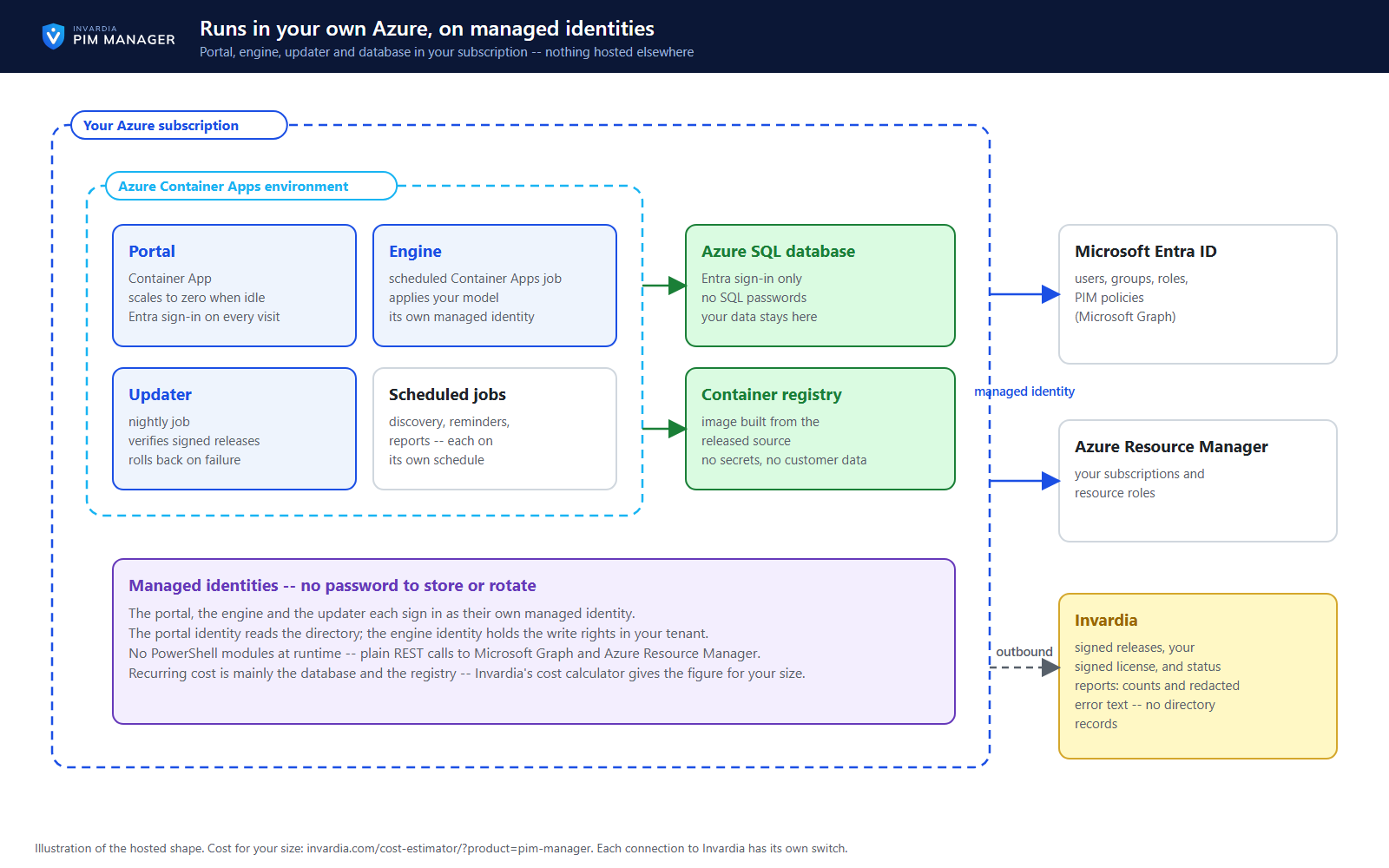
Runs in your own Azure, on managed identities
Manager, engine and database run in your own subscription on Azure Container Apps and Azure SQL - each component on its own managed identity, with no PowerShell modules.
How it works →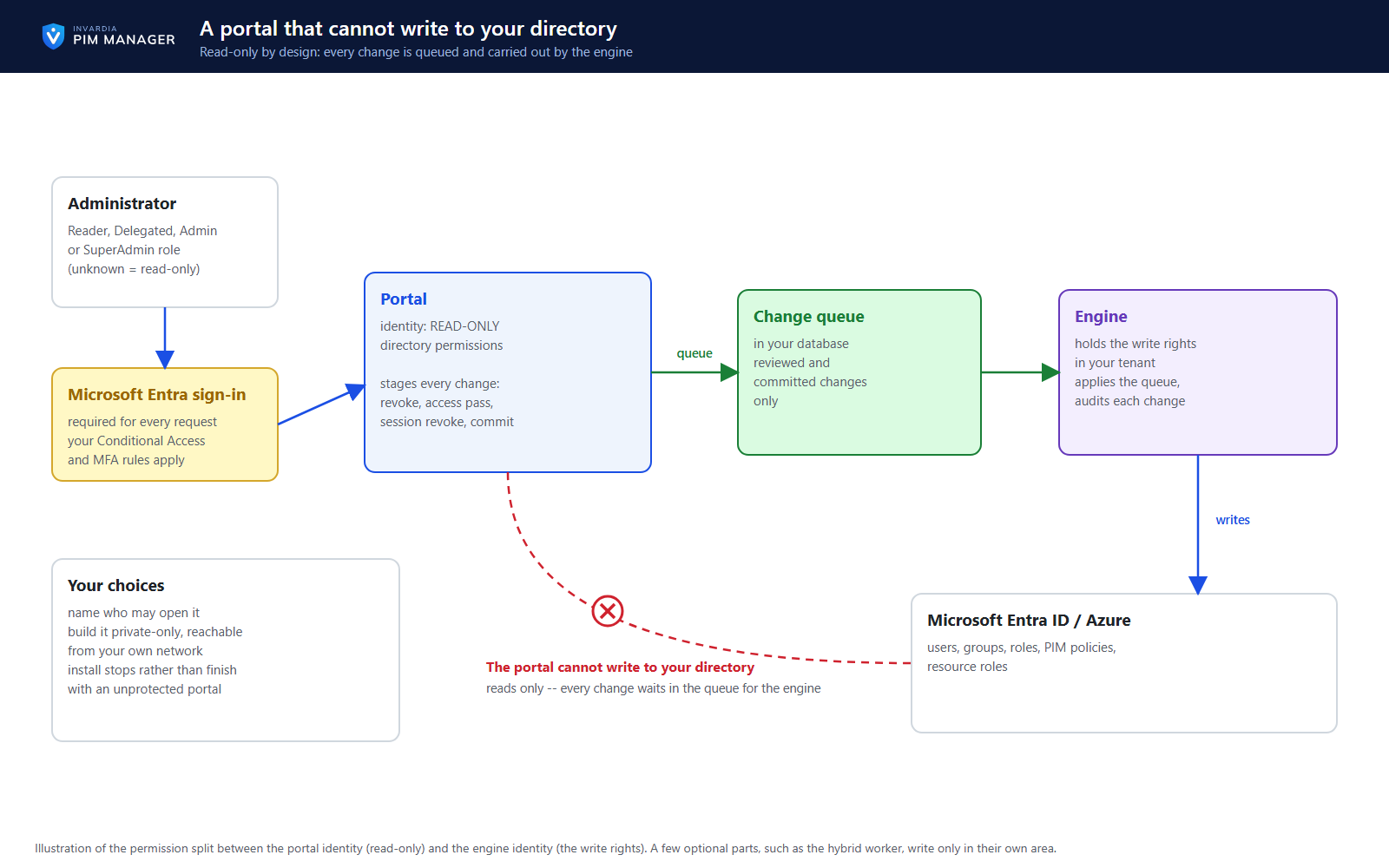
A portal whose identity only reads your directory
The portal's identity has read-only directory permissions; changes are queued and carried out by the engine. Each visit requires Entra sign-in.
How it works →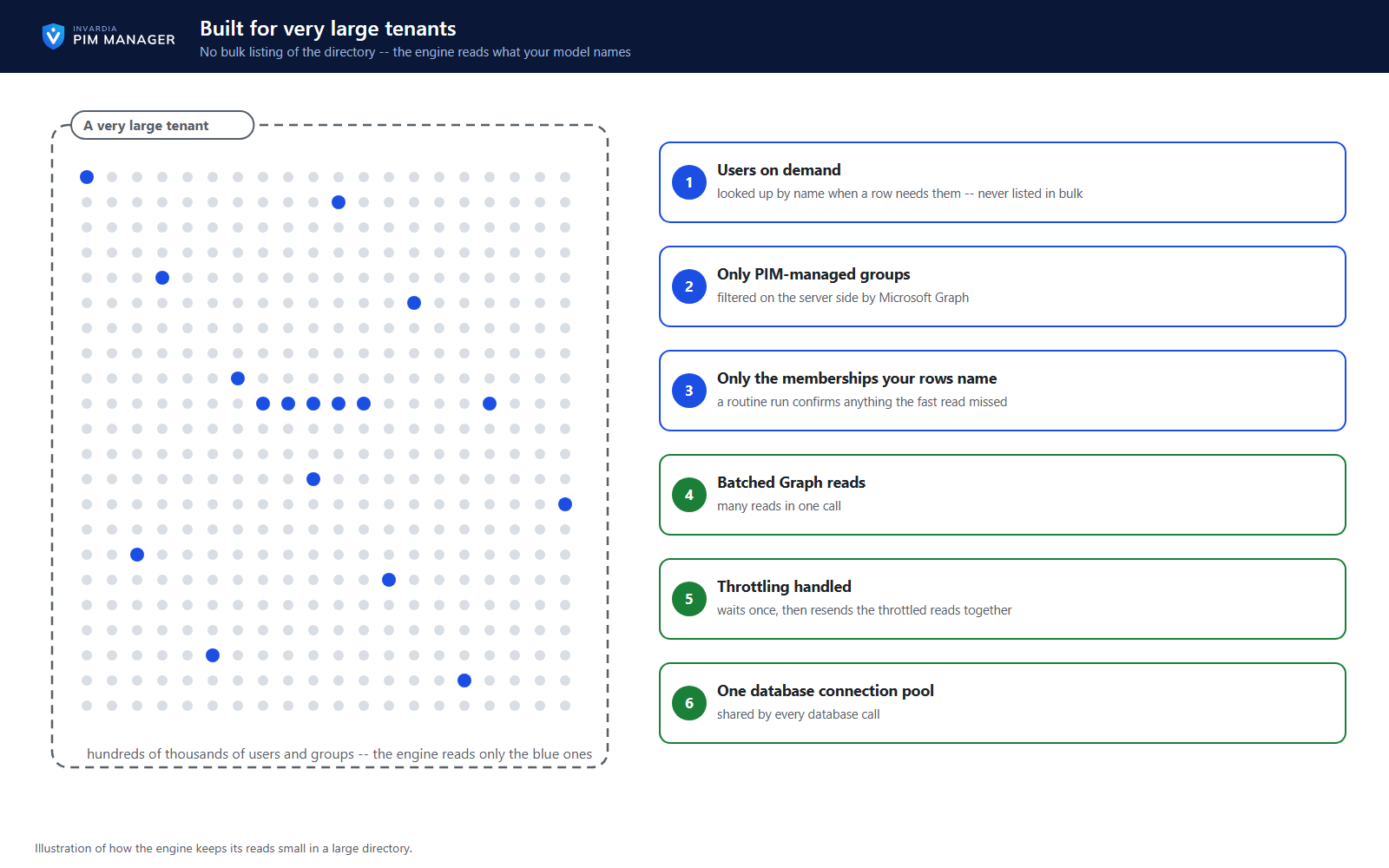
Built for very large tenants
No bulk listing of hundreds of thousands of users or groups: users are looked up on demand and only managed groups are read.
How it works →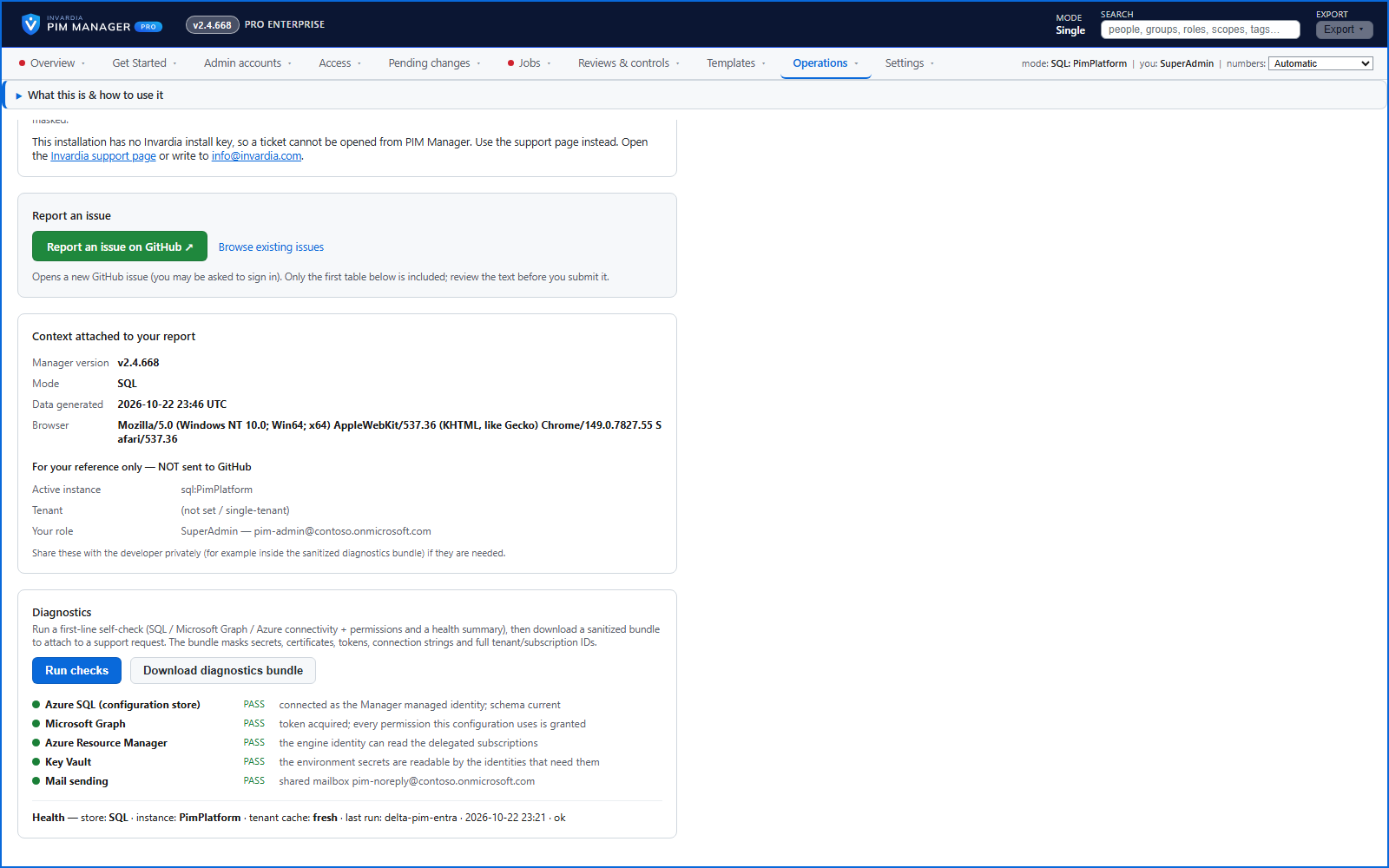
A self-check and a safe diagnostics bundle
Run checks tests the database, Microsoft Graph and Azure and explains each failure; the diagnostics bundle masks secrets before you share it.
How it works →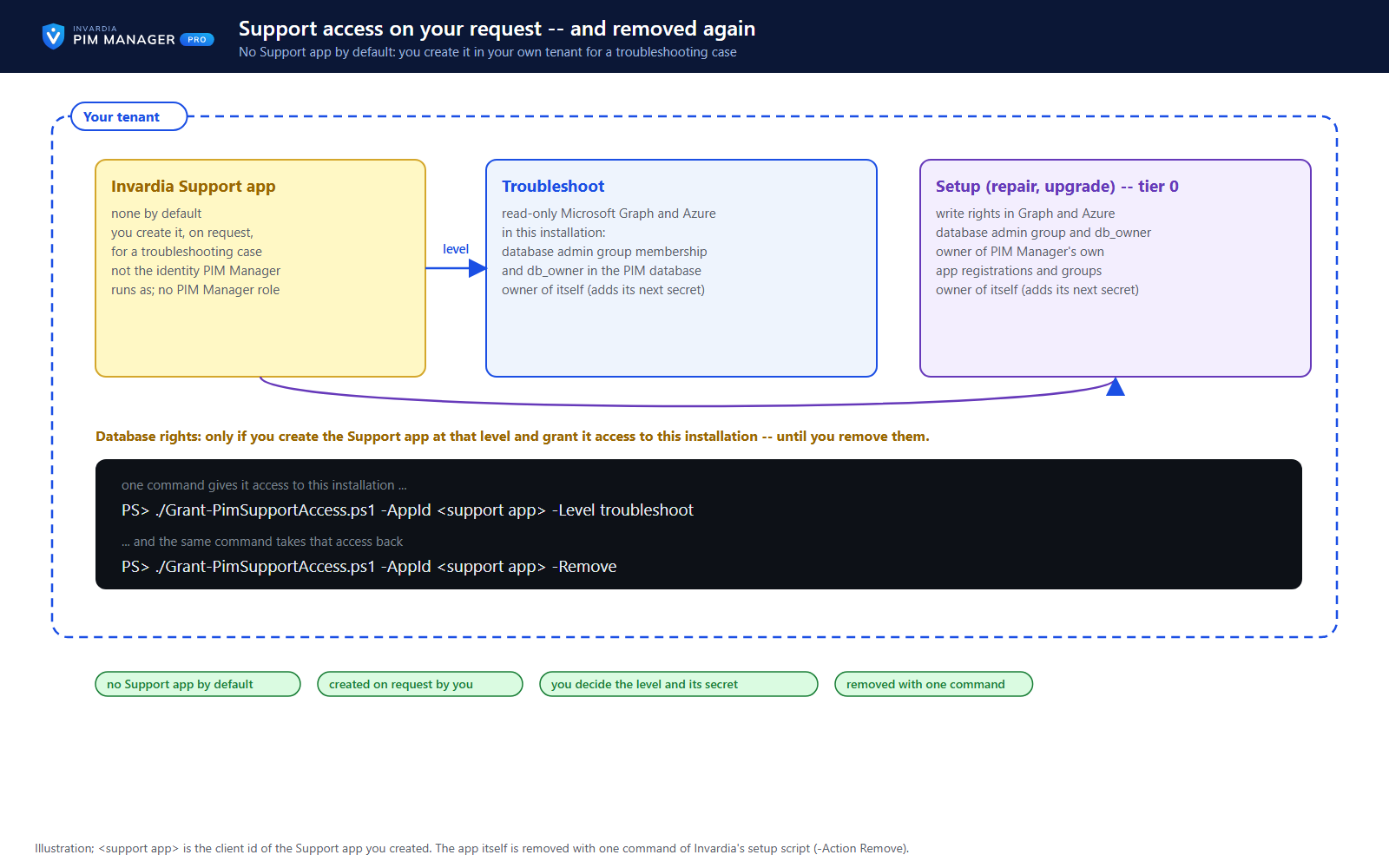
No vendor access by default - remote support only on your request
Invardia has no access to your installation by default. For a troubleshooting case you can create the Invardia Support app yourself, choose its level and its secret, and remove it when the case is done.
How it works →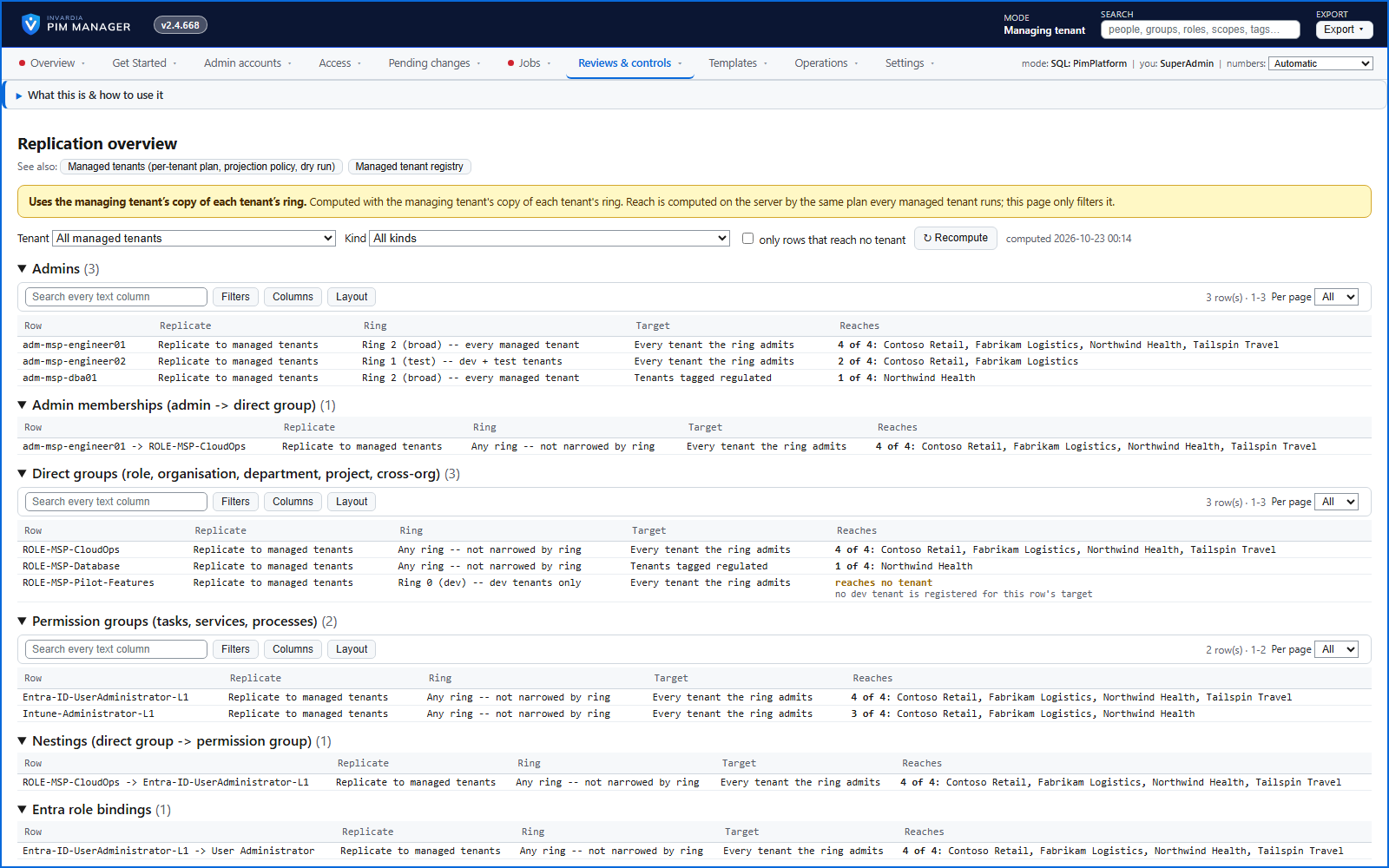
MSP: define once, roll out to your managed tenants
A provider defines admins and delegations once, and each managed tenant pulls a signed set into its own database - the managing tenant holds no rights in a managed tenant.
How it works →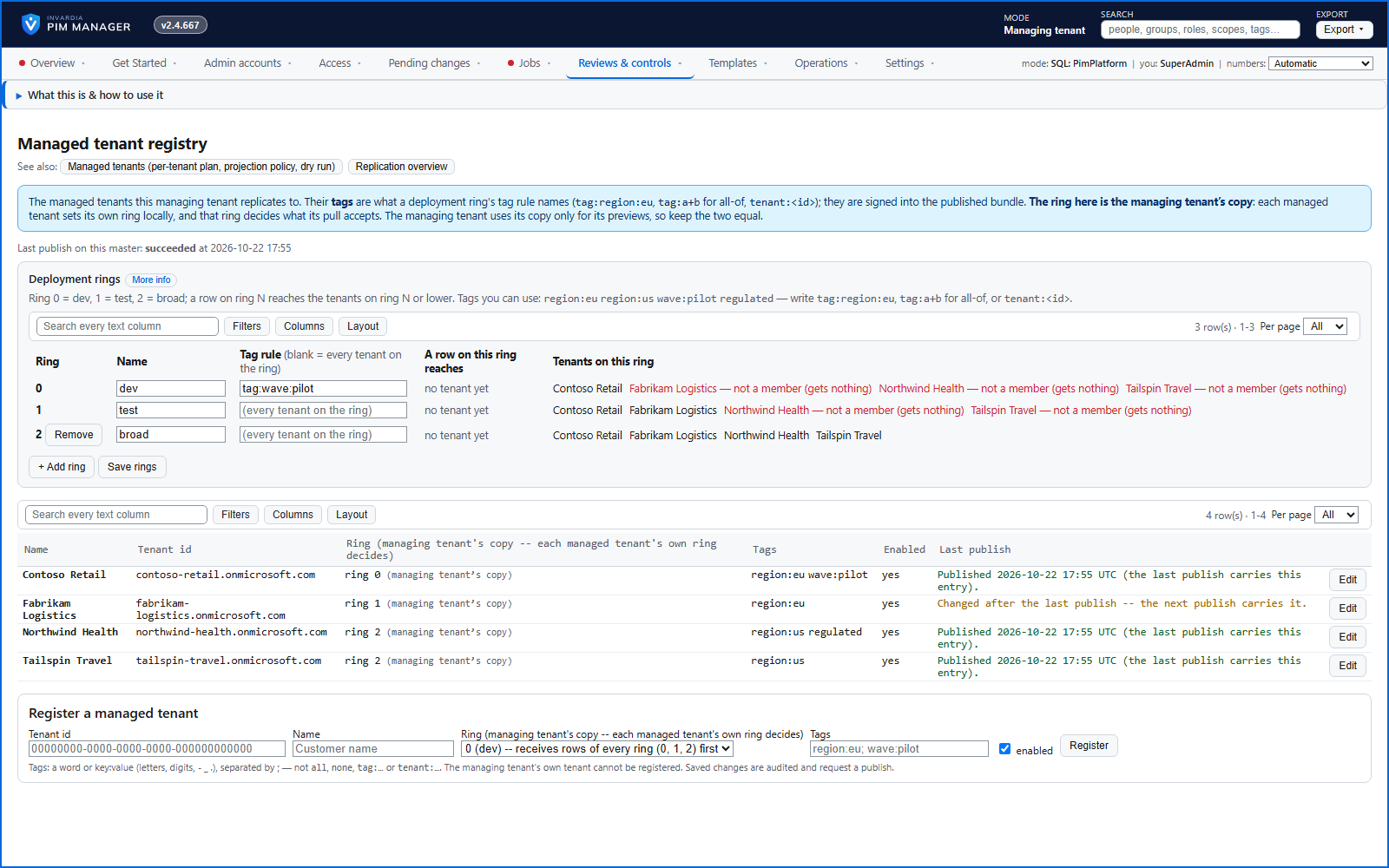
MSP: roll a change out to a first group of customers
Rollout waves decide which managed tenants receive each row, so a change reaches a first group of tenants before the rest.
How it works →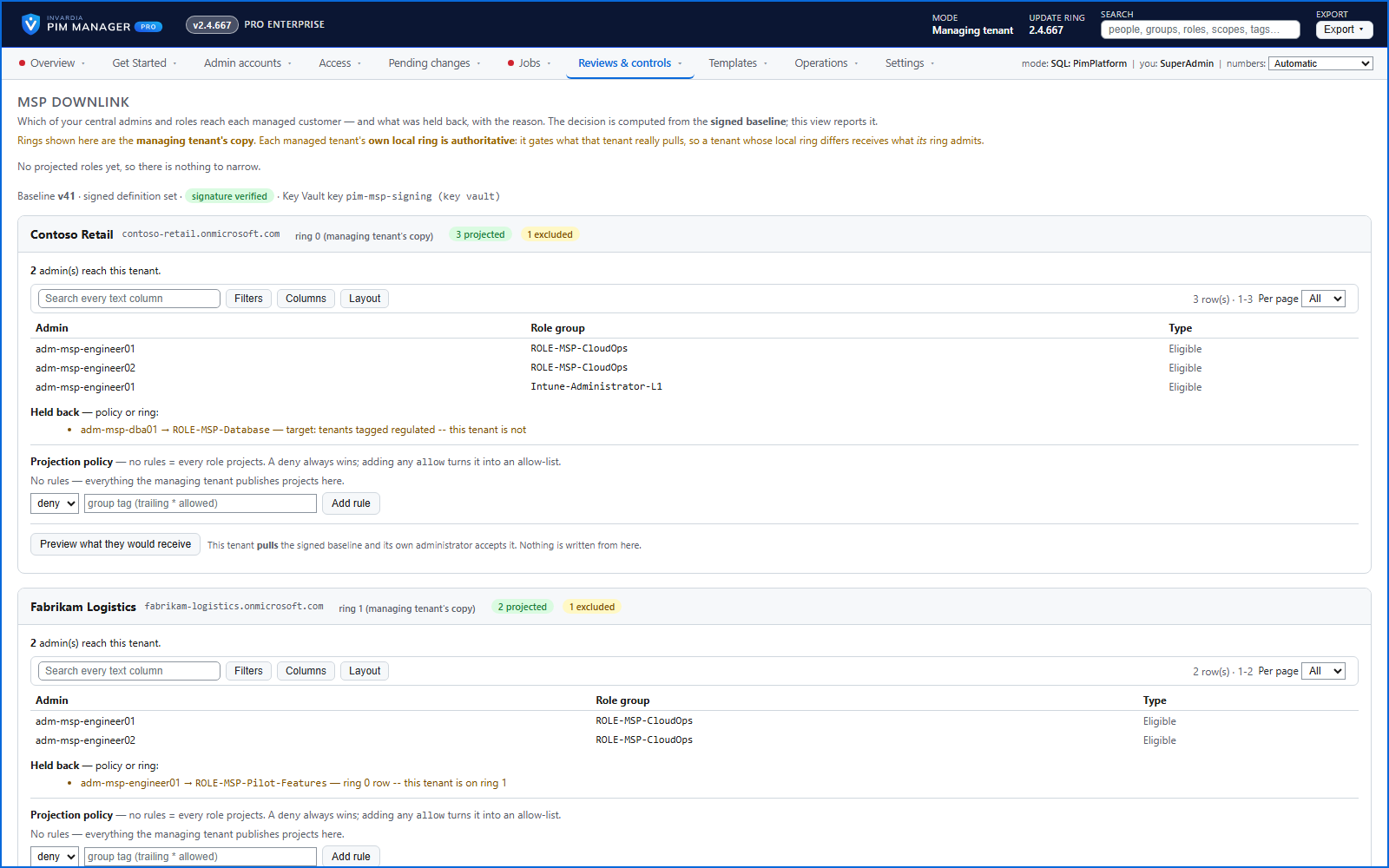
MSP: see what reaches each tenant before you send it
Per row and per tenant: what will arrive, and what is withheld with the reason - computed by the same plan a managed tenant runs.
How it works →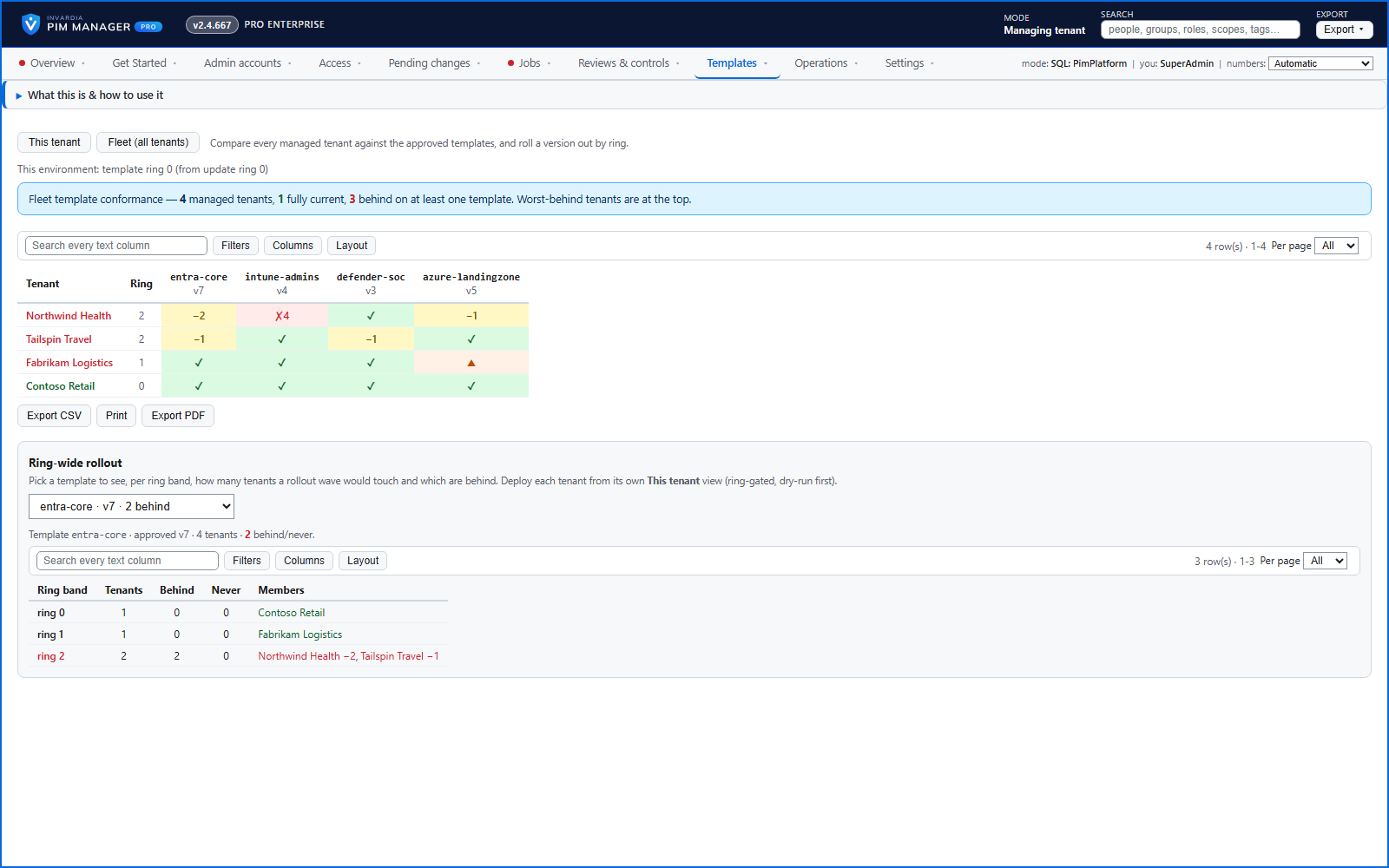
MSP: fleet conformance on one screen
A tenants by templates matrix shows which managed tenant is up to date, behind, not deployed yet or ahead - and plans the next rollout wave.
How it works →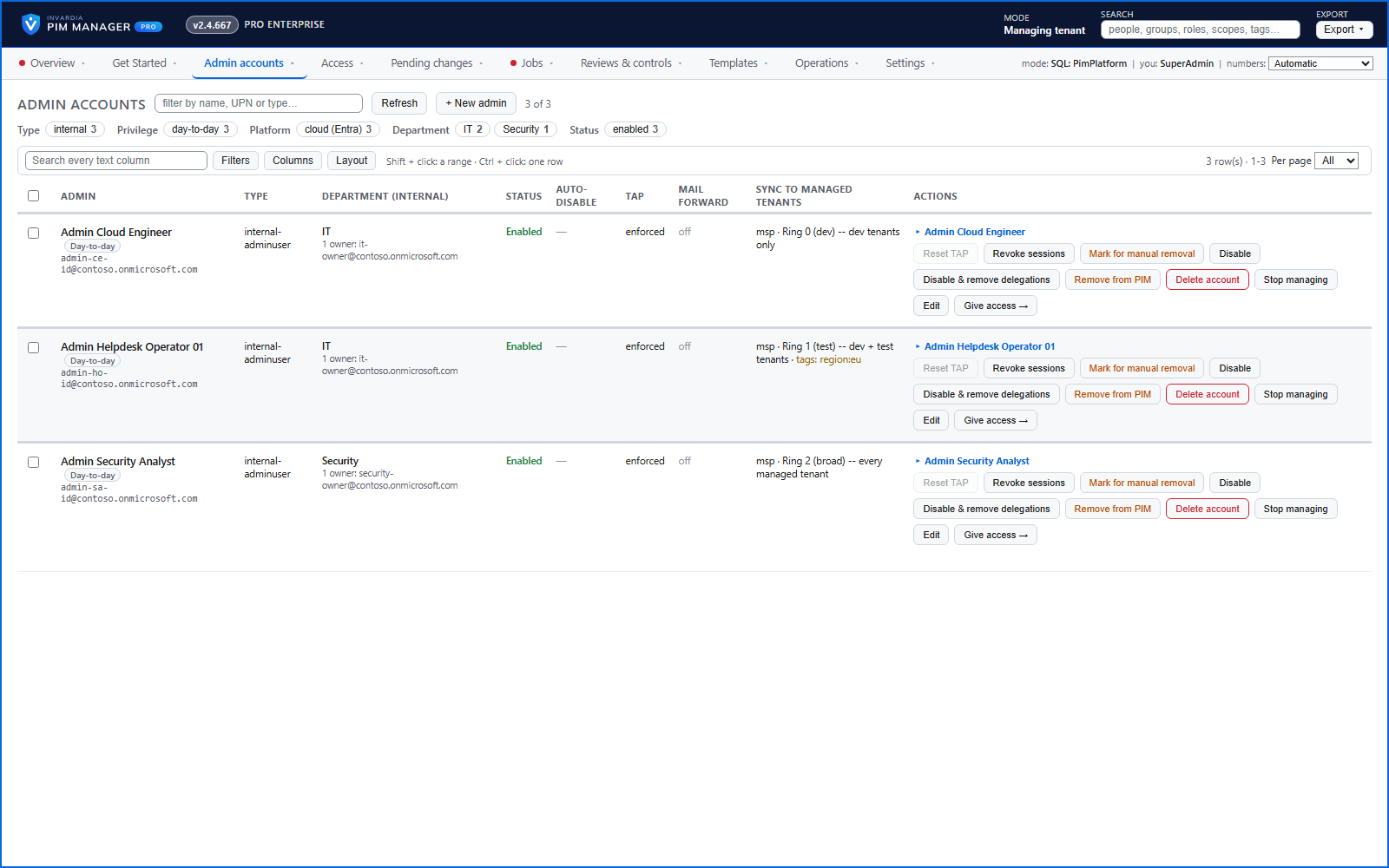
MSP: central admin accounts, removed across tenants at once
Provider admins flow down to the tenants that need them, with status and auto-disable date - and a leaver's access ends in the managed tenants on their next sync.
How it works →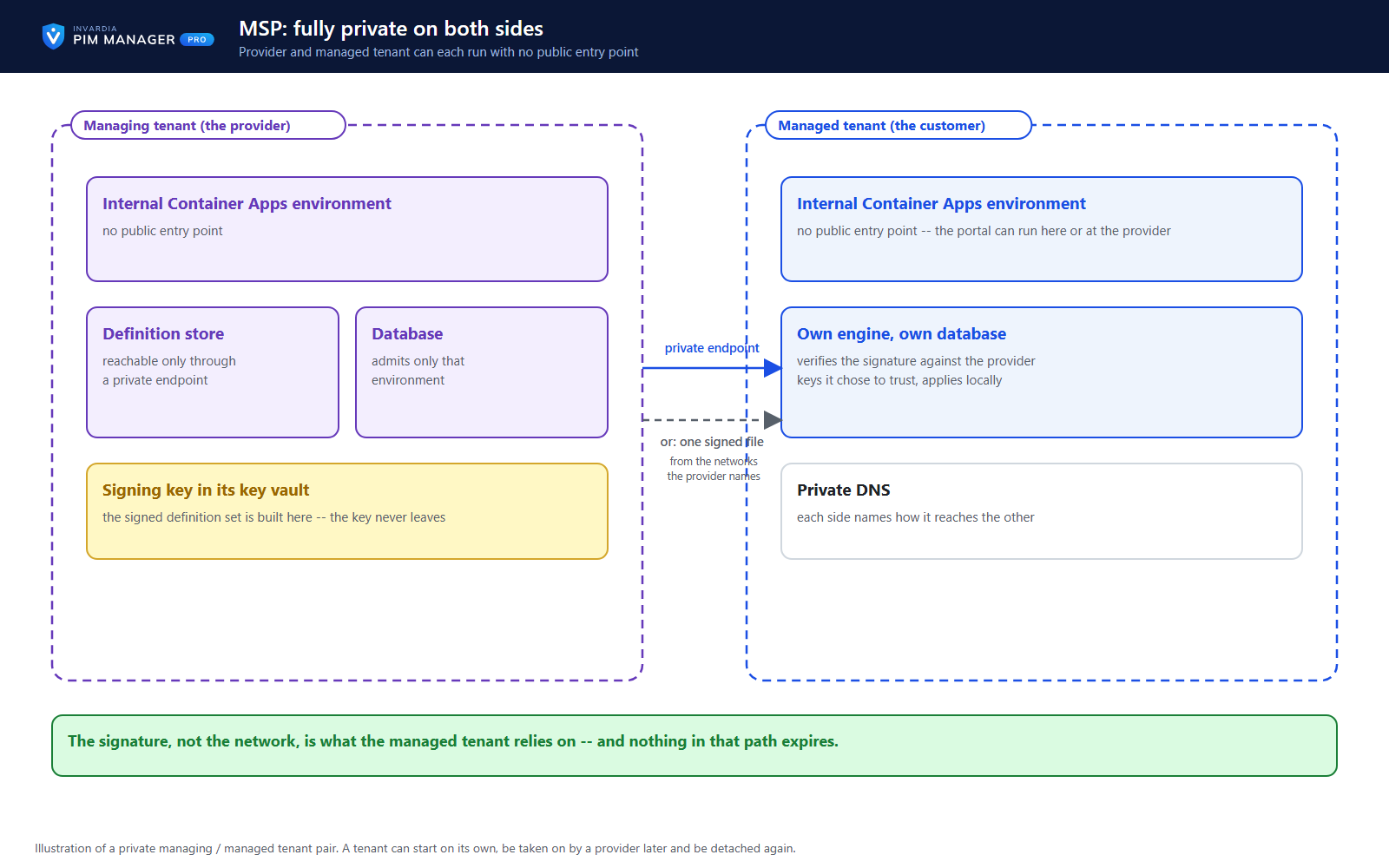
MSP: private on both sides, hosted where you choose
Provider and managed tenant can each run with no public entry point; the managed tenant's Manager can run in the provider's tenant or the customer's own.
How it works →

33 features. By edition →
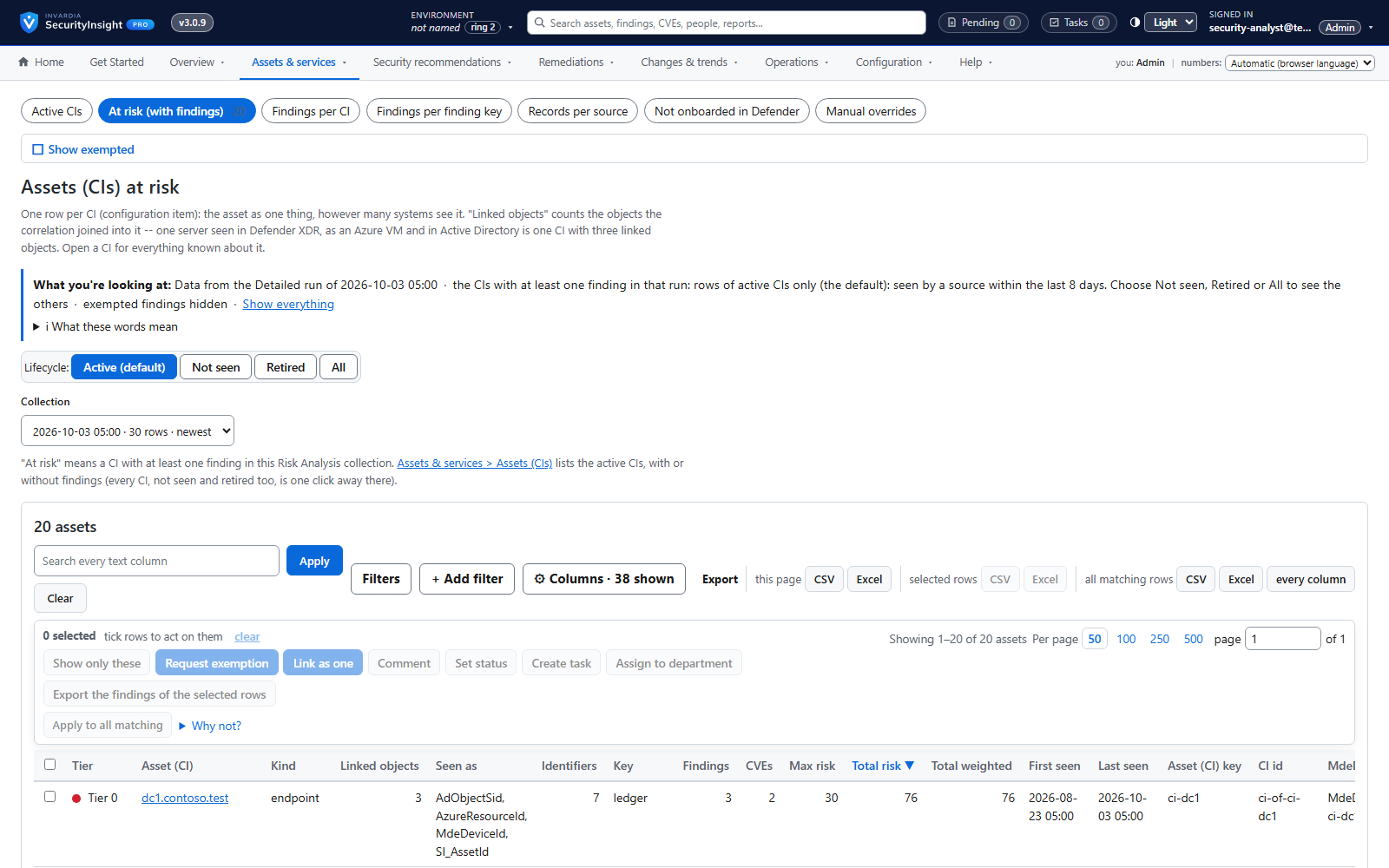
Asset profiling across endpoints, identities, Azure and public IPs
One profile per asset - device, identity, Azure resource or public IP - built automatically from the data you already have.
How it works →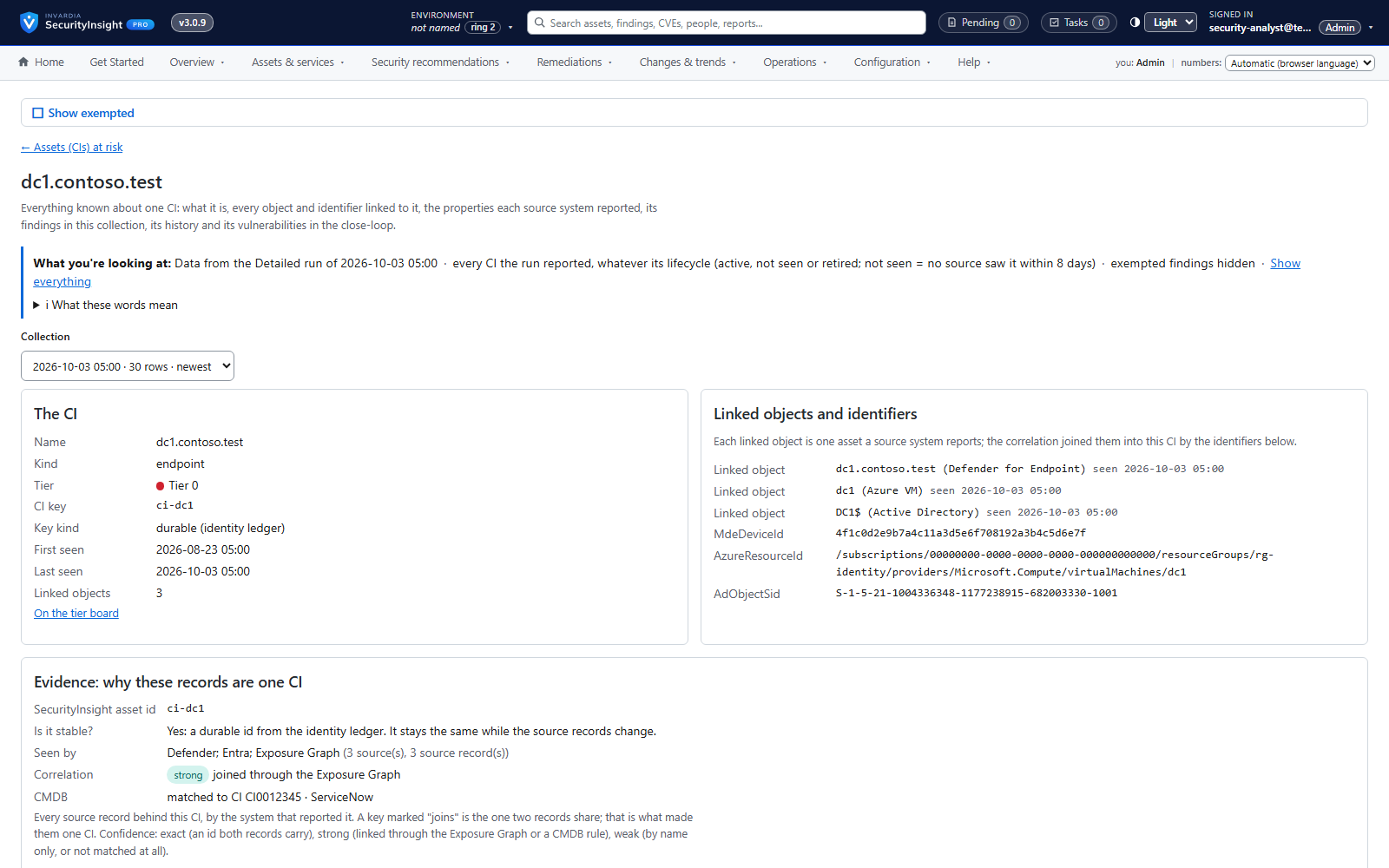
One asset, every source: cross-source correlation
A server seen by Defender, as an Azure VM and in Active Directory becomes one CI with one history.
How it works →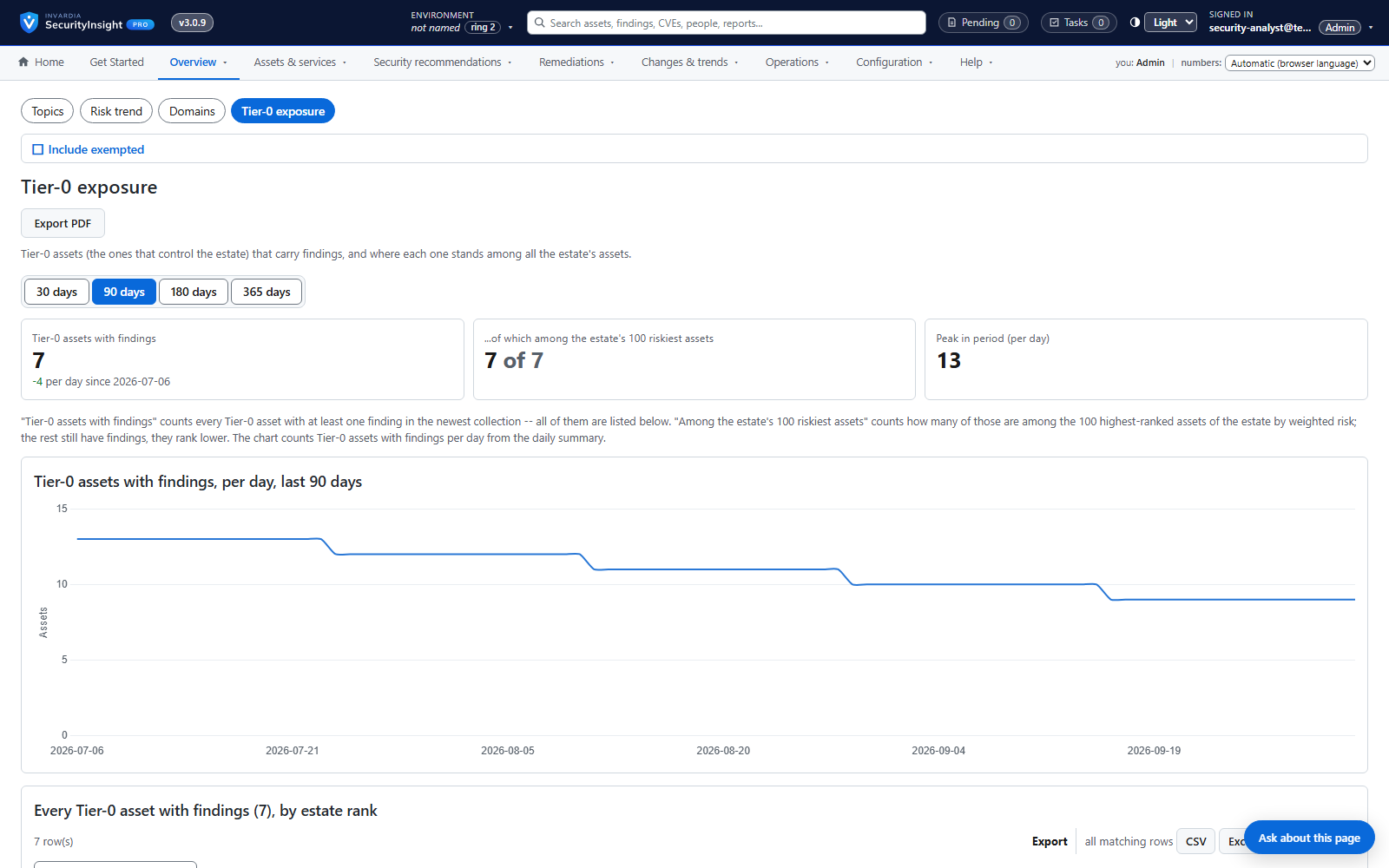
Privilege tier catalog
Every role and permission in your tenant ranked by what an attacker could do with it - Tier 0 to Tier 3.
How it works →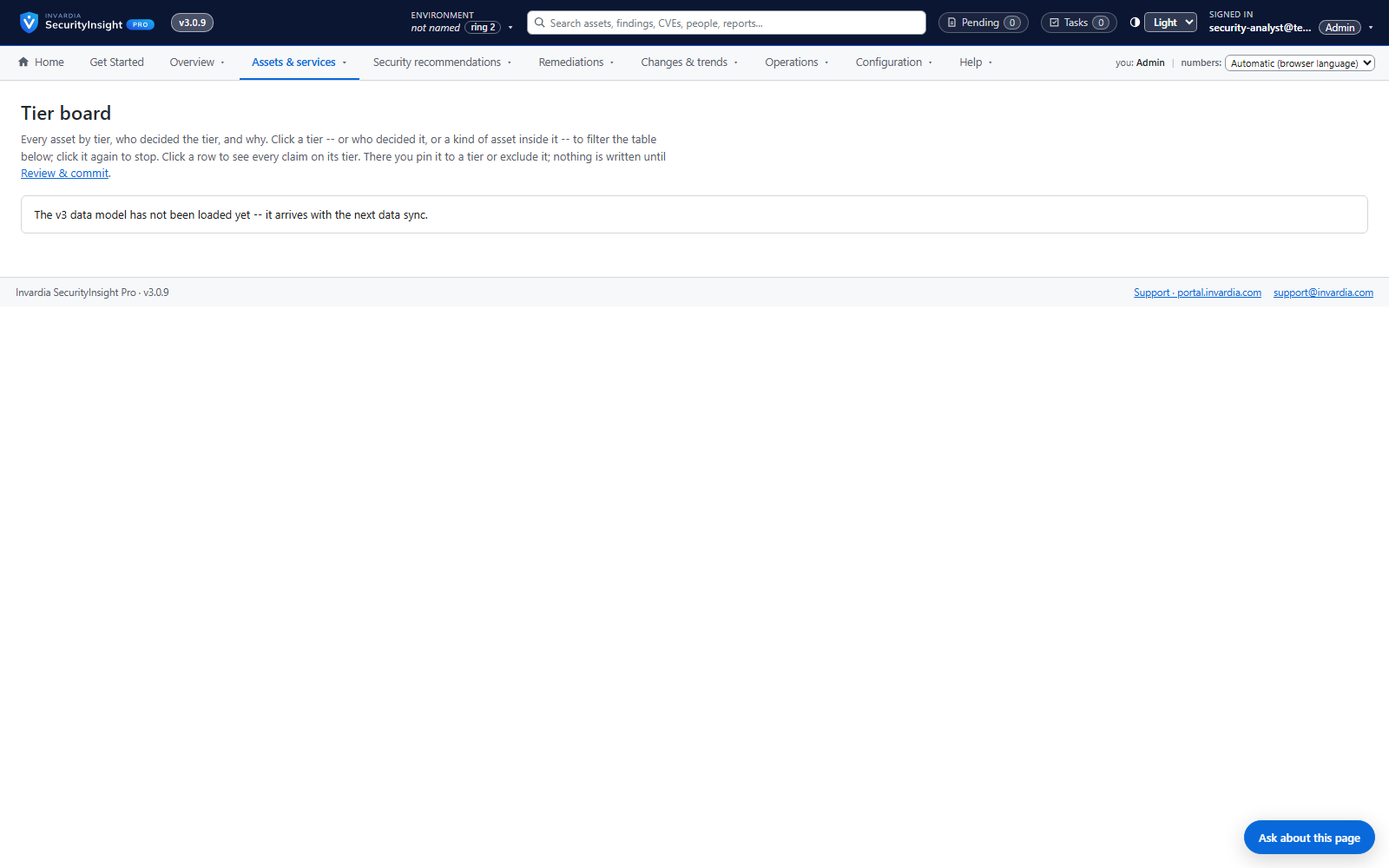
Tier board with explained decisions
See every asset in its tier and exactly which signal put it there - and move it with one drag.
How it works →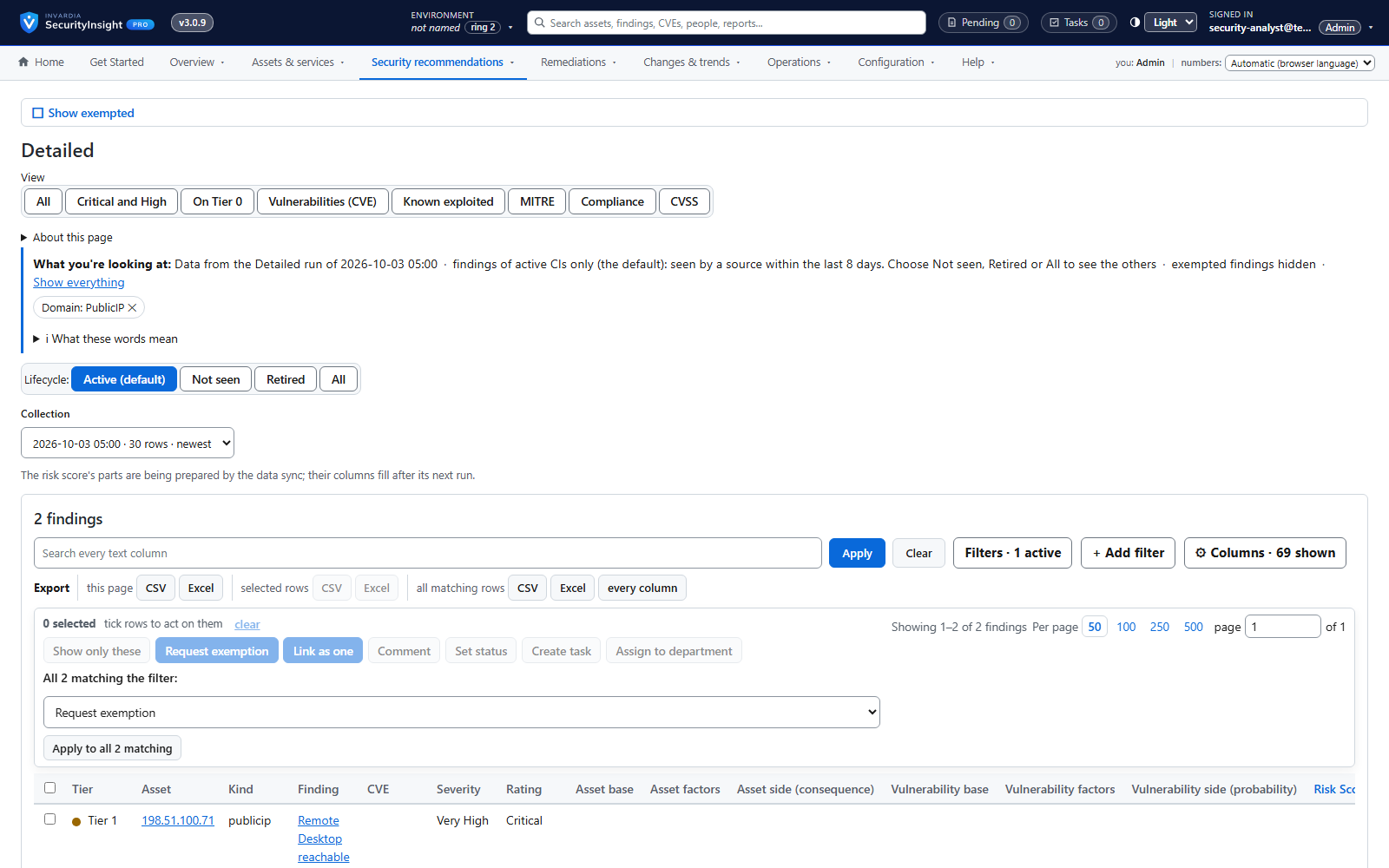
Public IP exposure with Shodan
See your internet-facing addresses the way an attacker does, tied to the asset behind them.
How it works →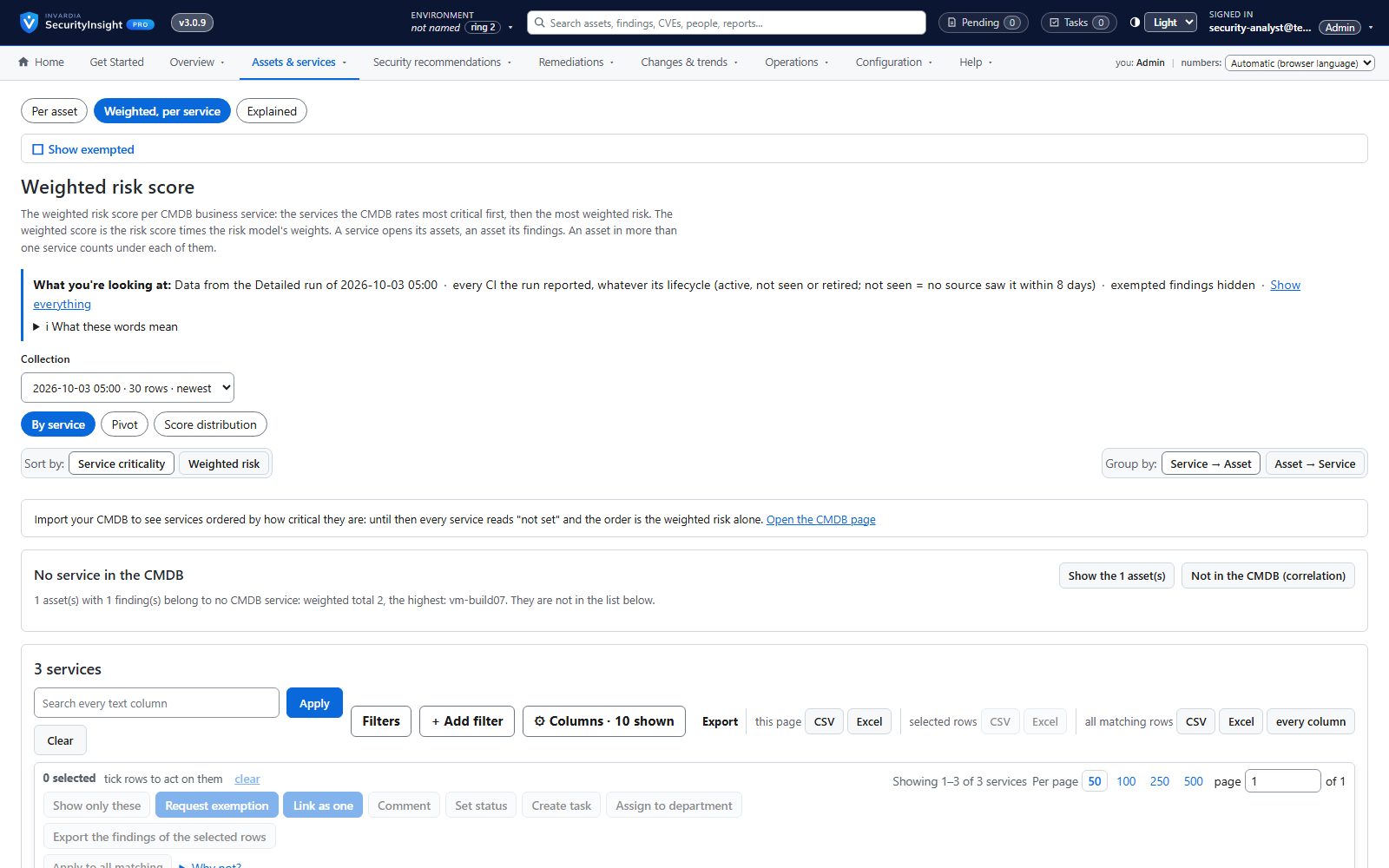
Risk score and weighted risk score
Every finding scored for severity and likelihood, then weighted by the business criticality of its asset.
How it works →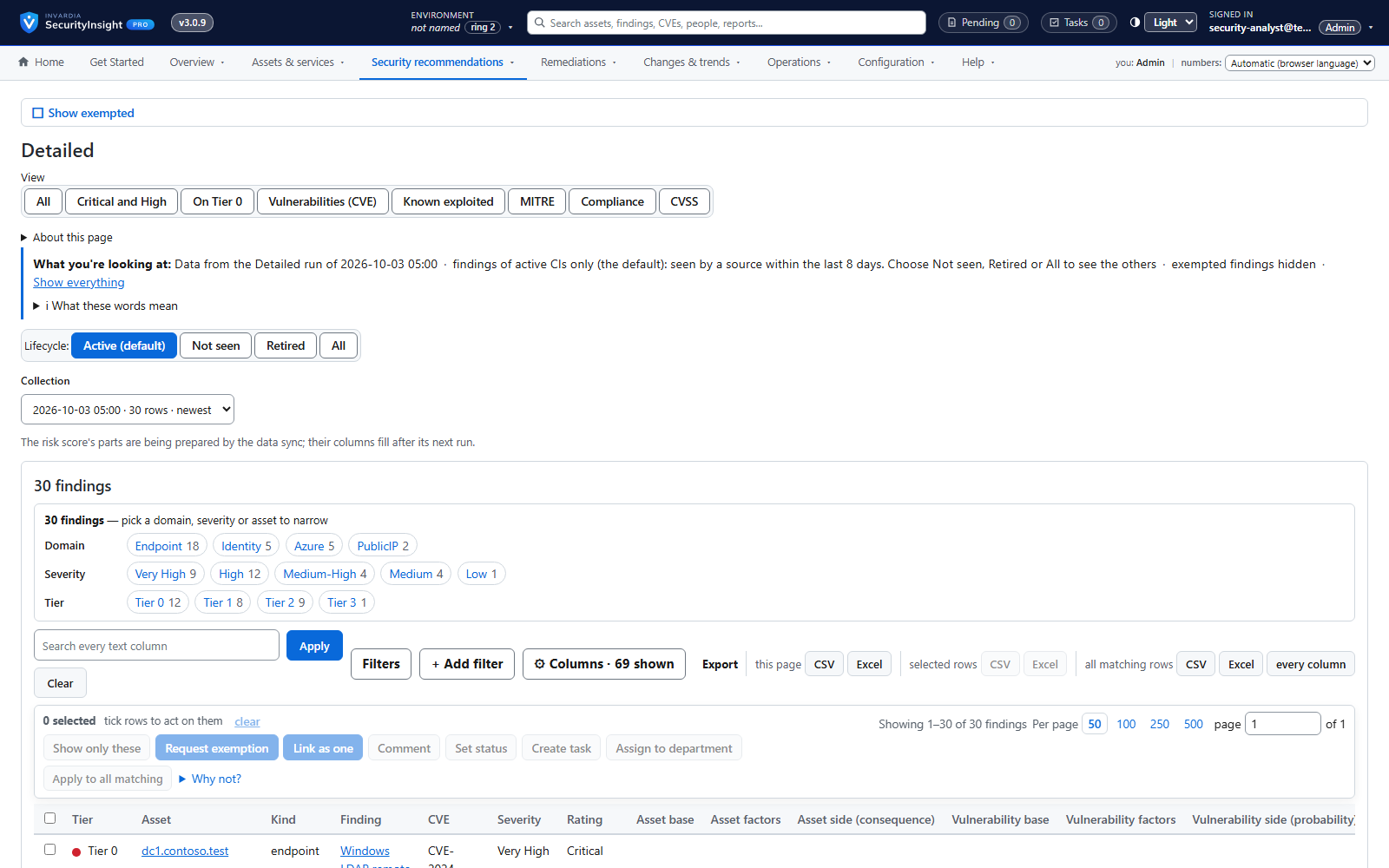
Risk Analysis reports: Excel, mail and AI summary
138 ready-made reports across identity, endpoint, Azure and public IP - delivered as a workbook, a mail and an optional AI summary.
How it works →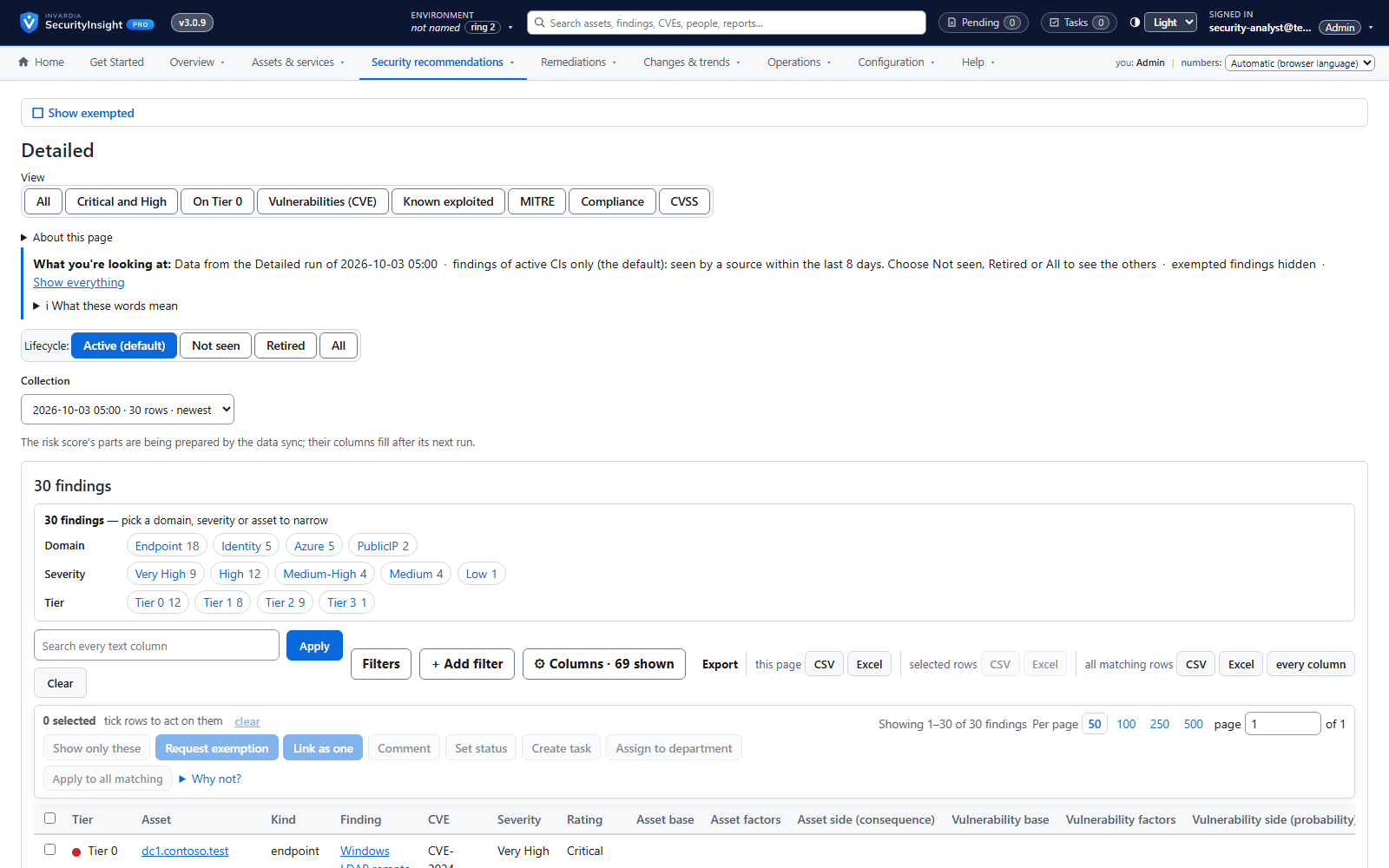
Findings workspace with Excel export
Every finding of a collection, most important first - filter, pivot, drill down and export to Excel.
How it works →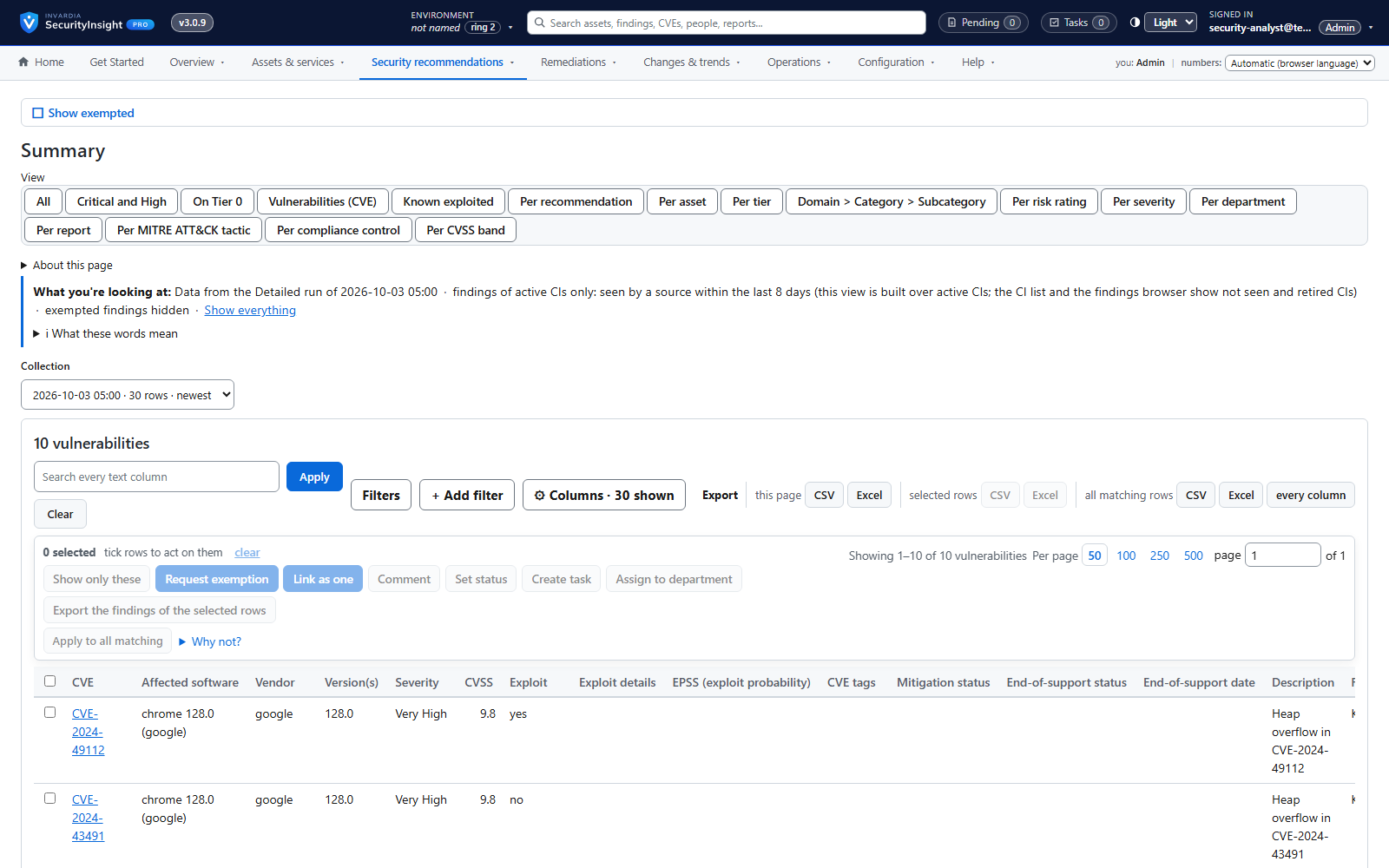
Fifteen views of every collection
Raw rows, correlated CIs, vulnerabilities, risk, MITRE, compliance, CVSS, exemptions, lifecycle, what changed, connector changes and services - for any collection.
How it works →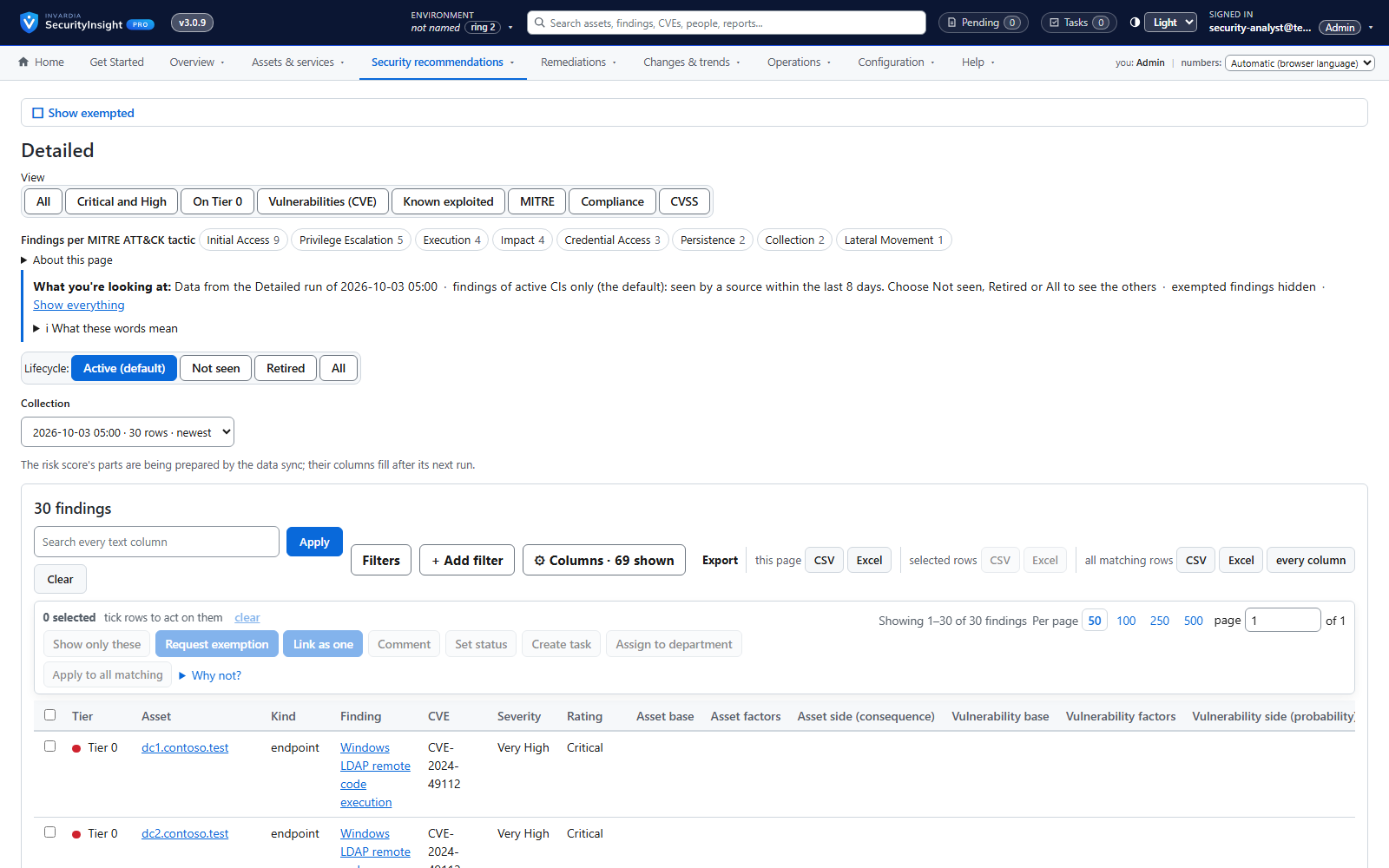
MITRE ATT&CK and compliance views
See which attack stages your findings leave open and which compliance controls they touch.
How it works →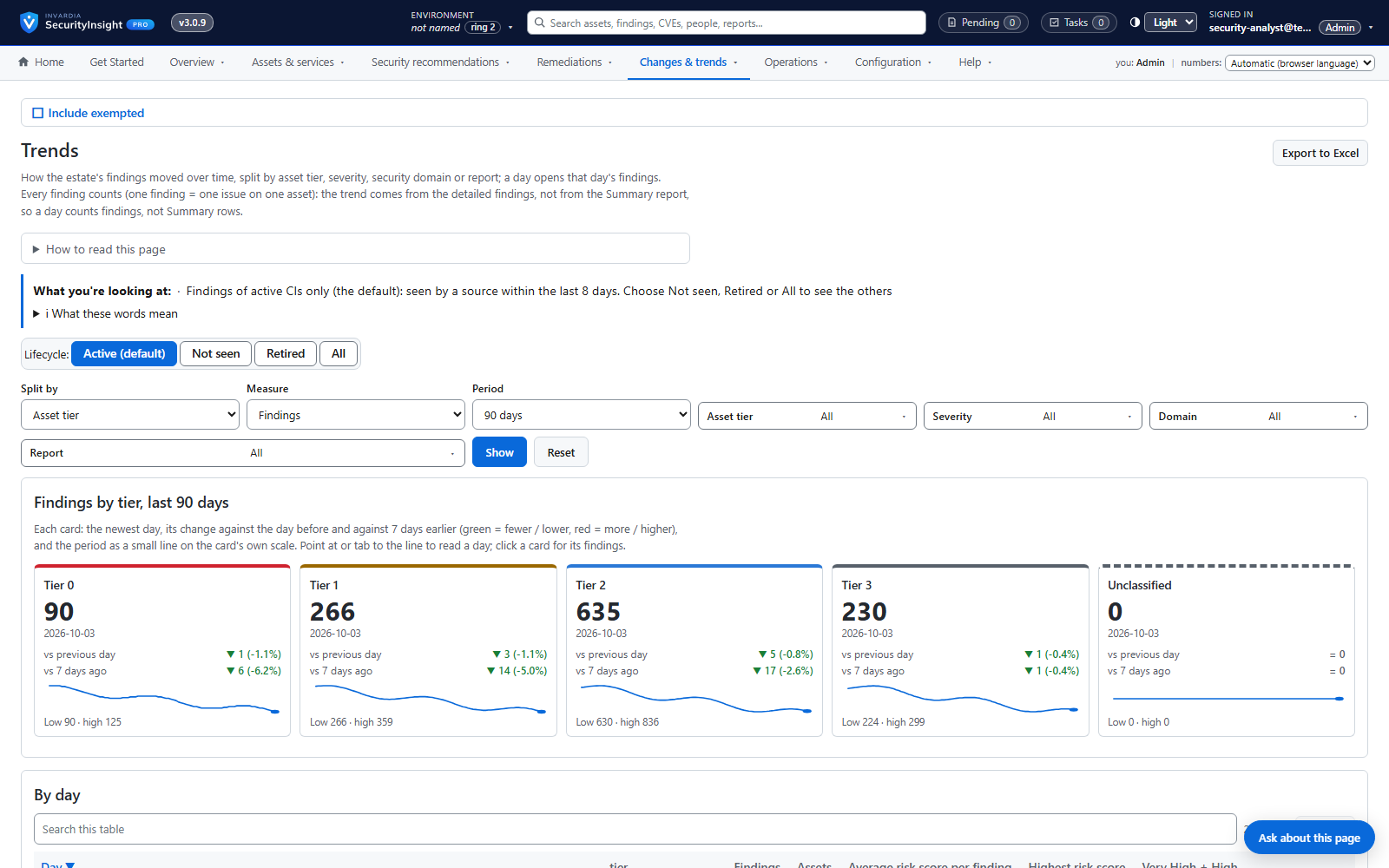
Risk trends over time
Is the estate getting safer? Daily trends by tier, severity, domain or report.
How it works →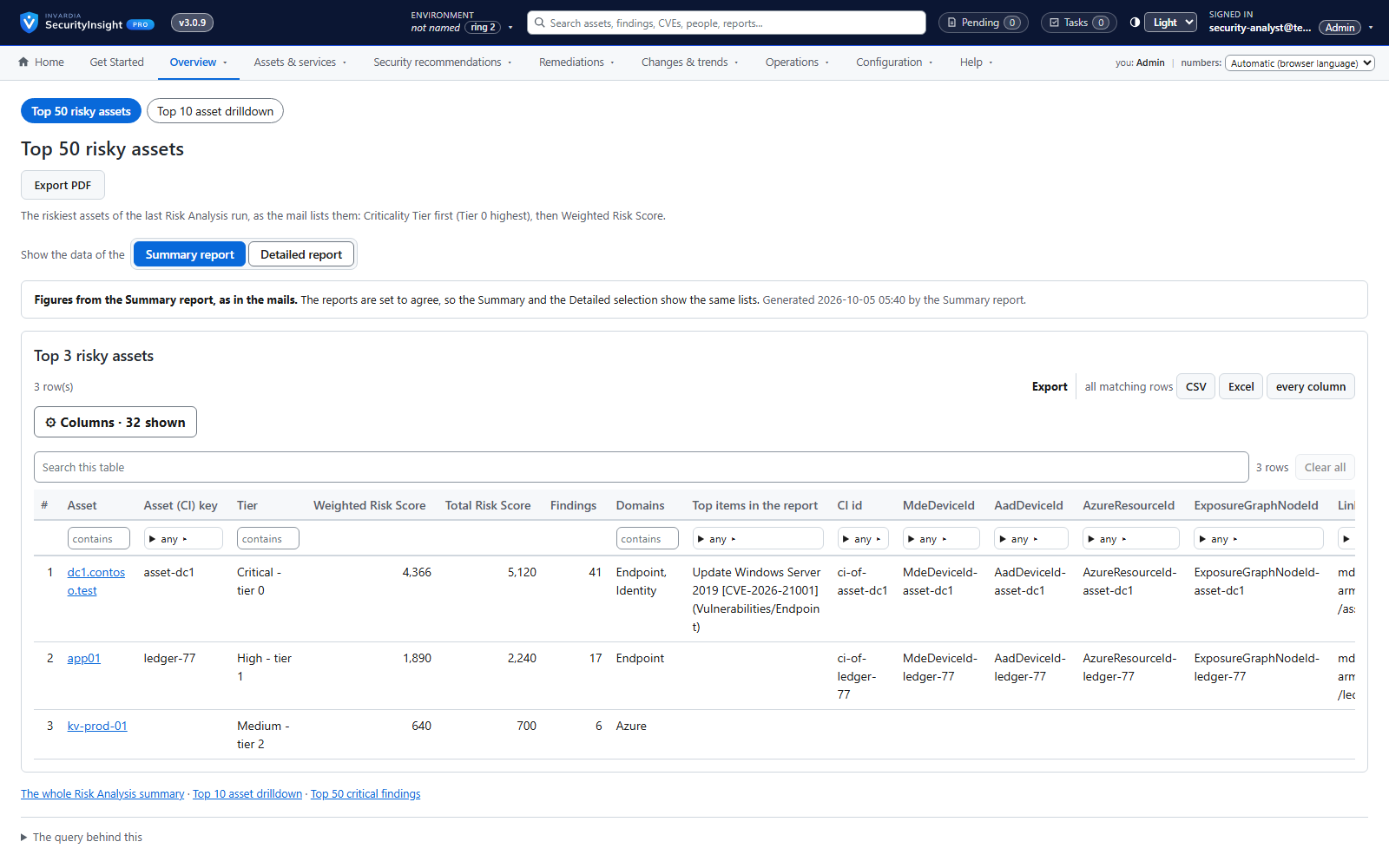
Management views and Tier-0 focus
Top risks, risk by domain, new versus fixed and Tier-0 exposure on one menu.
How it works →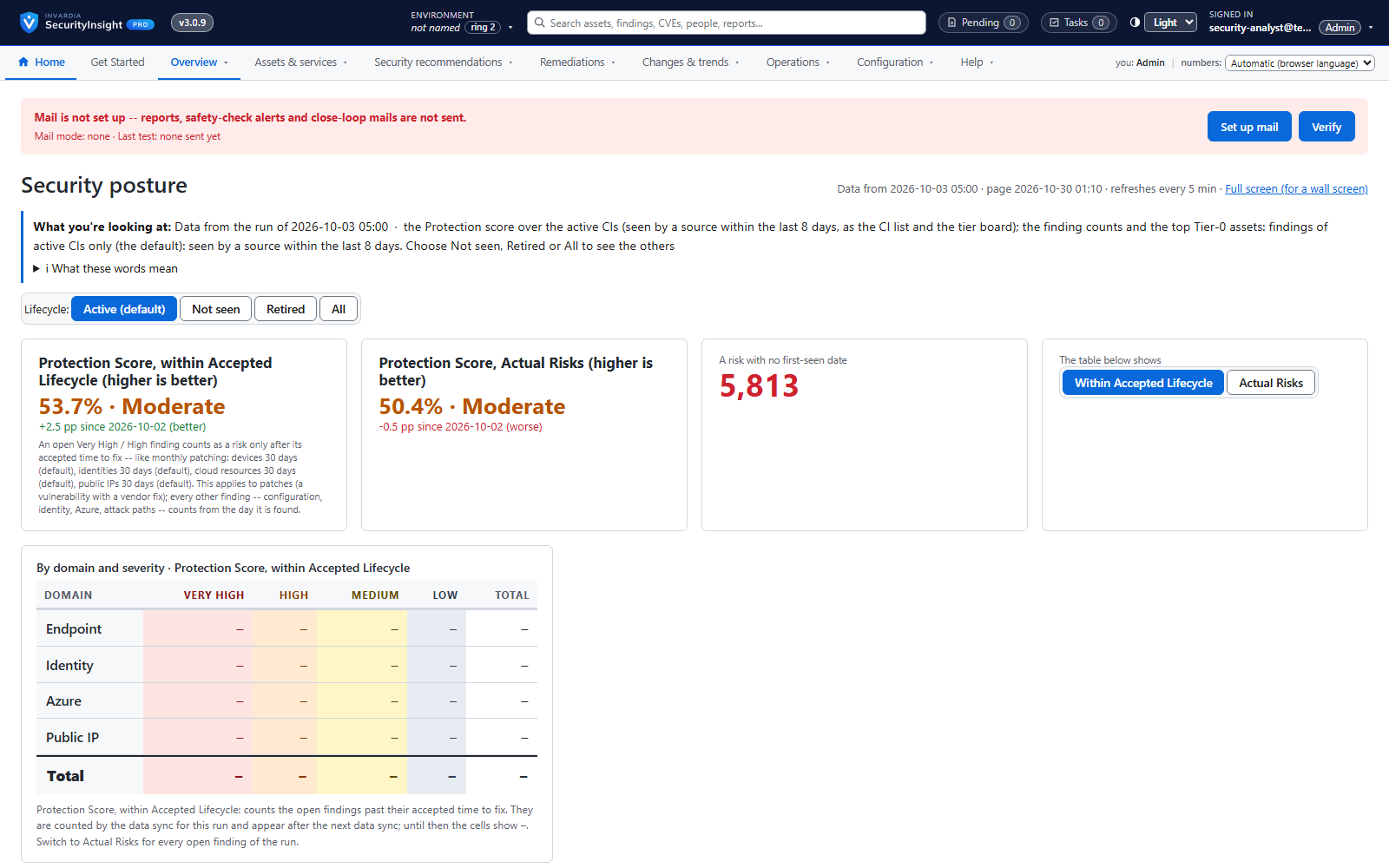
Wall board for the SOC
A big-screen view of today's posture that refreshes itself.
How it works →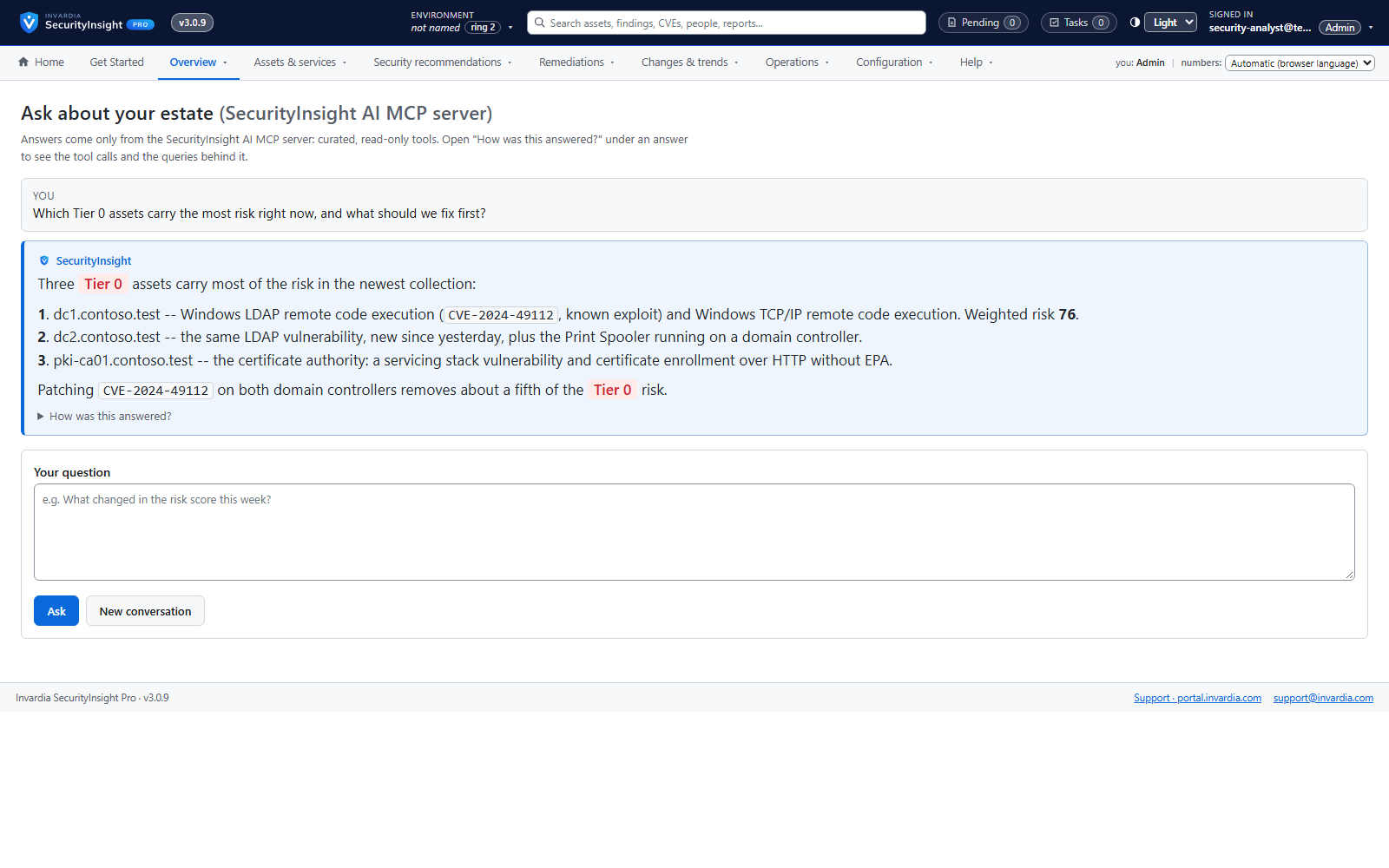
Ask SecurityInsight: chat on every view
Ask in plain language - "why is this Tier 0?", "top 3 here" - and get an answer that shows its queries.
How it works →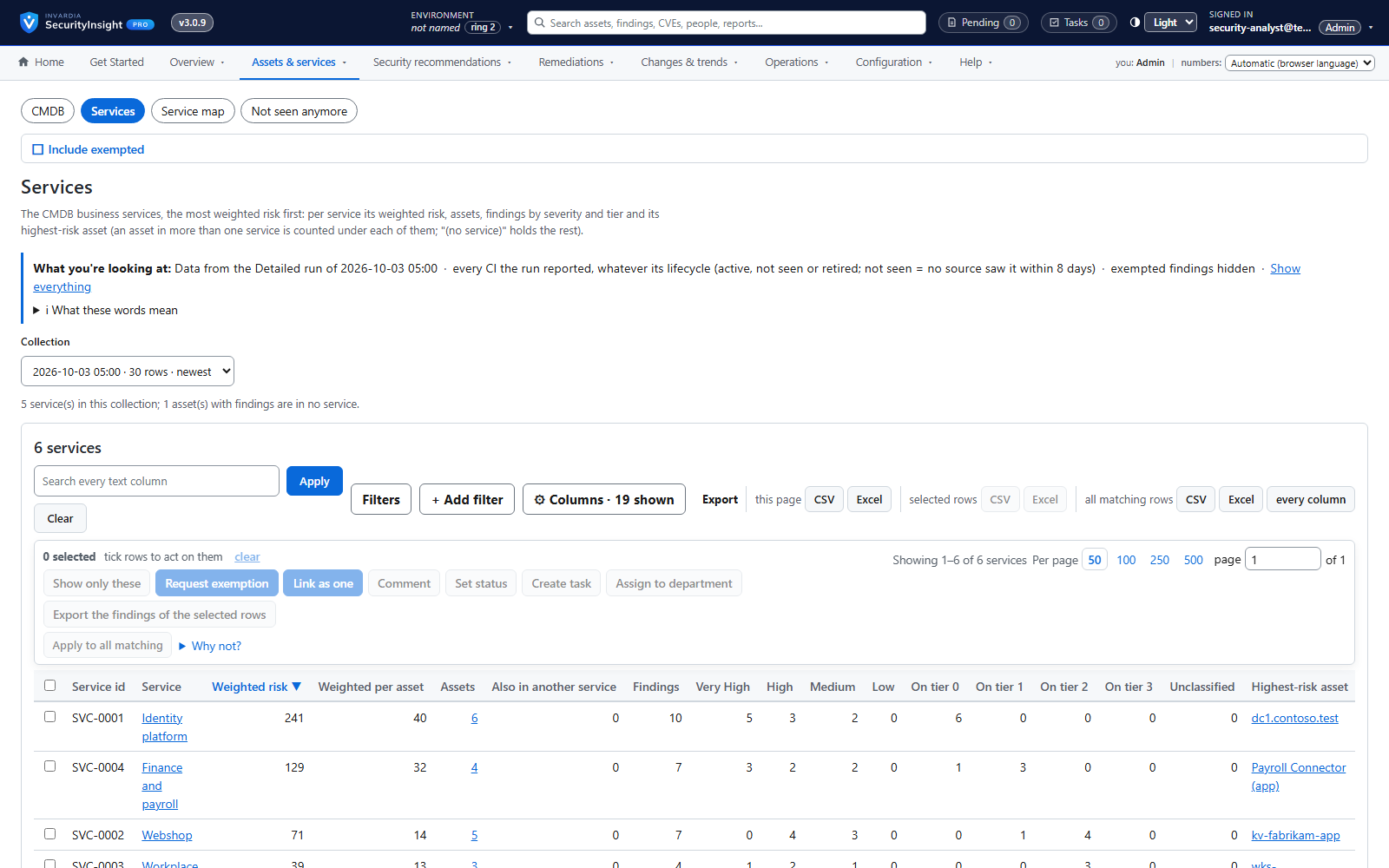
Business services ranked by weighted risk
See which business services carry the most risk, and drill down to the assets and findings behind them.
How it works →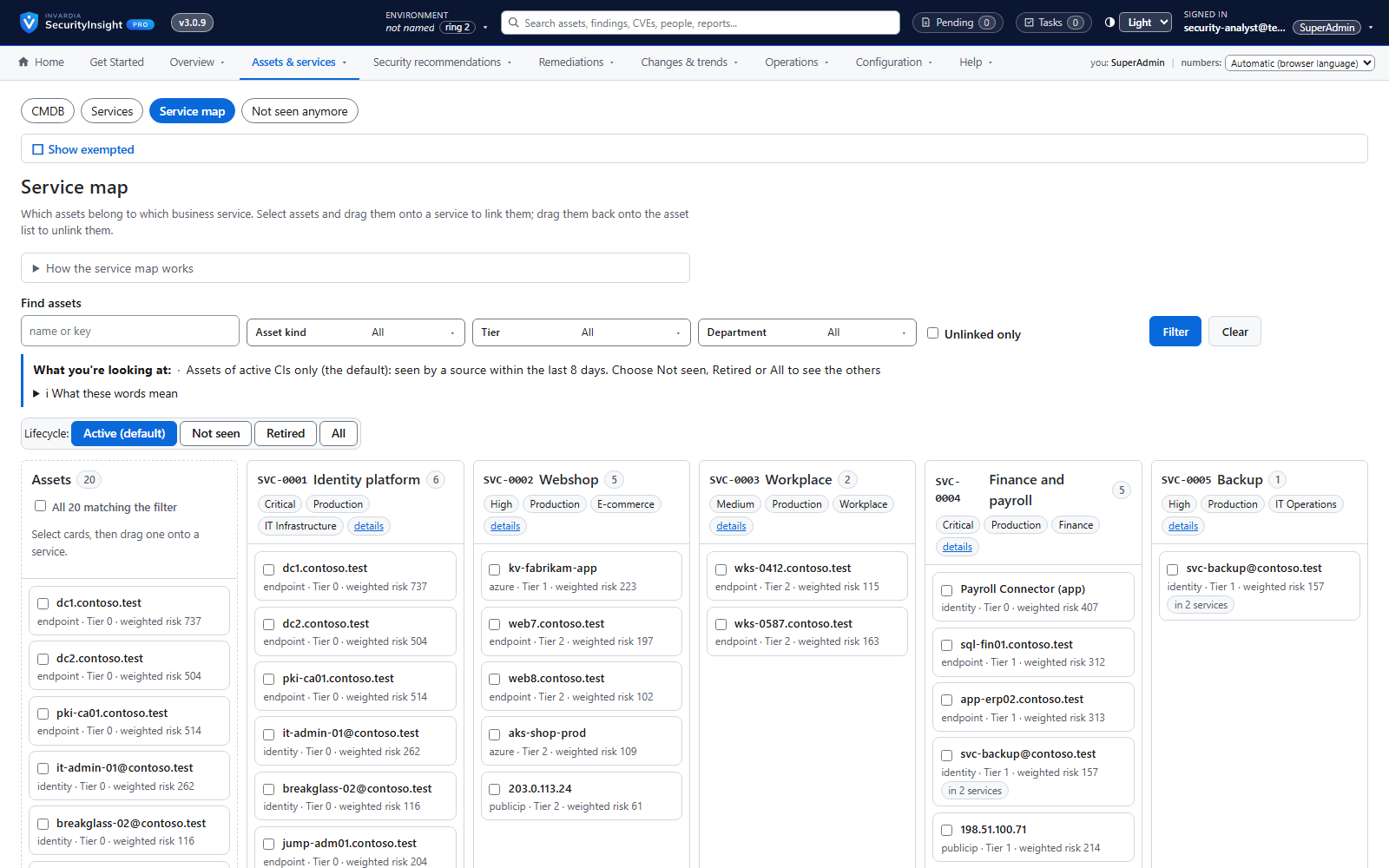
A CMDB in SecurityInsight - or your own
Keep your service catalog in SecurityInsight, or connect the CMDB you already have.
How it works →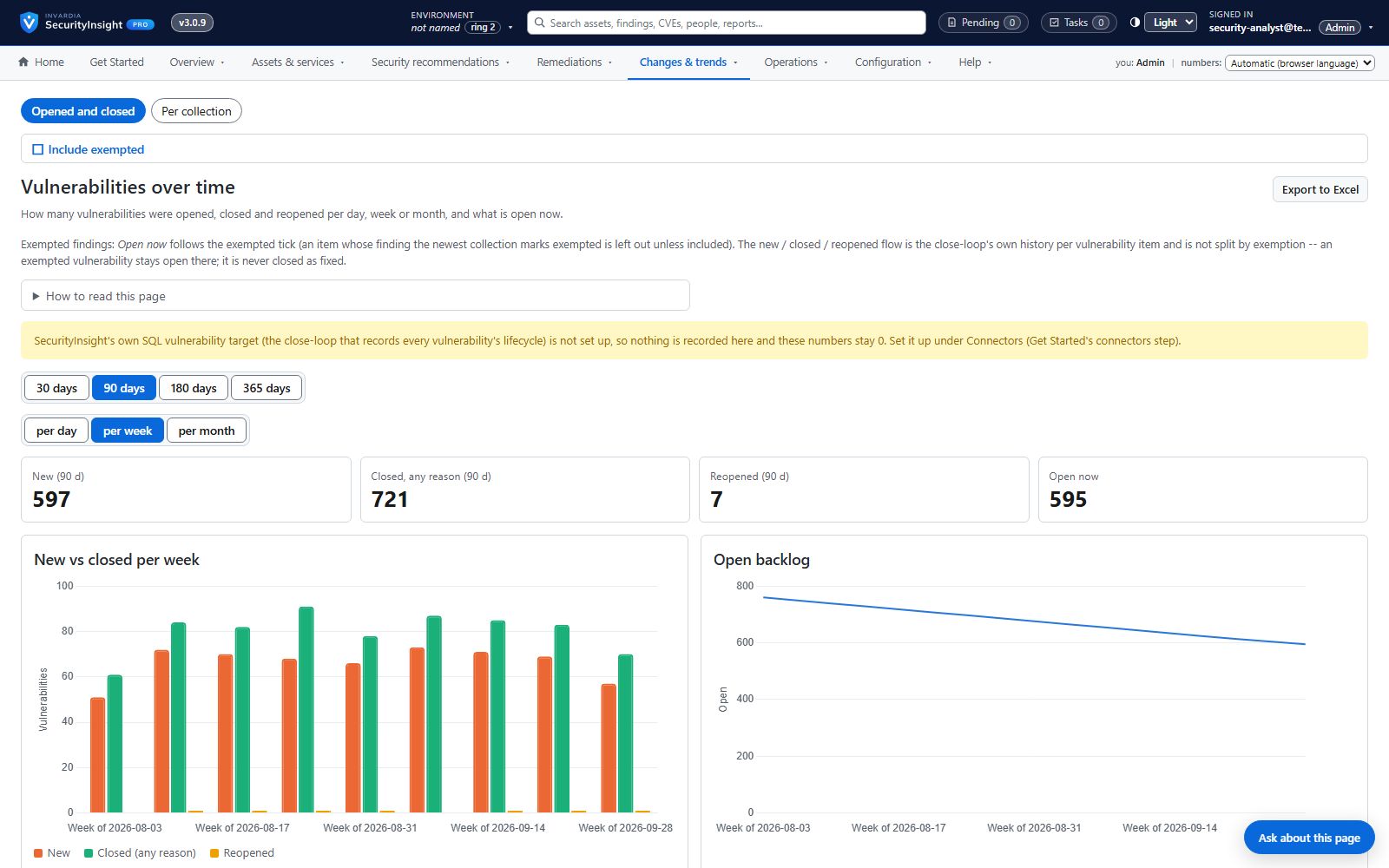
Vulnerability close-loop: absence is not remediation
Vulnerabilities are opened, kept current, closed with a reason and reopened if they come back - only on evidence.
How it works →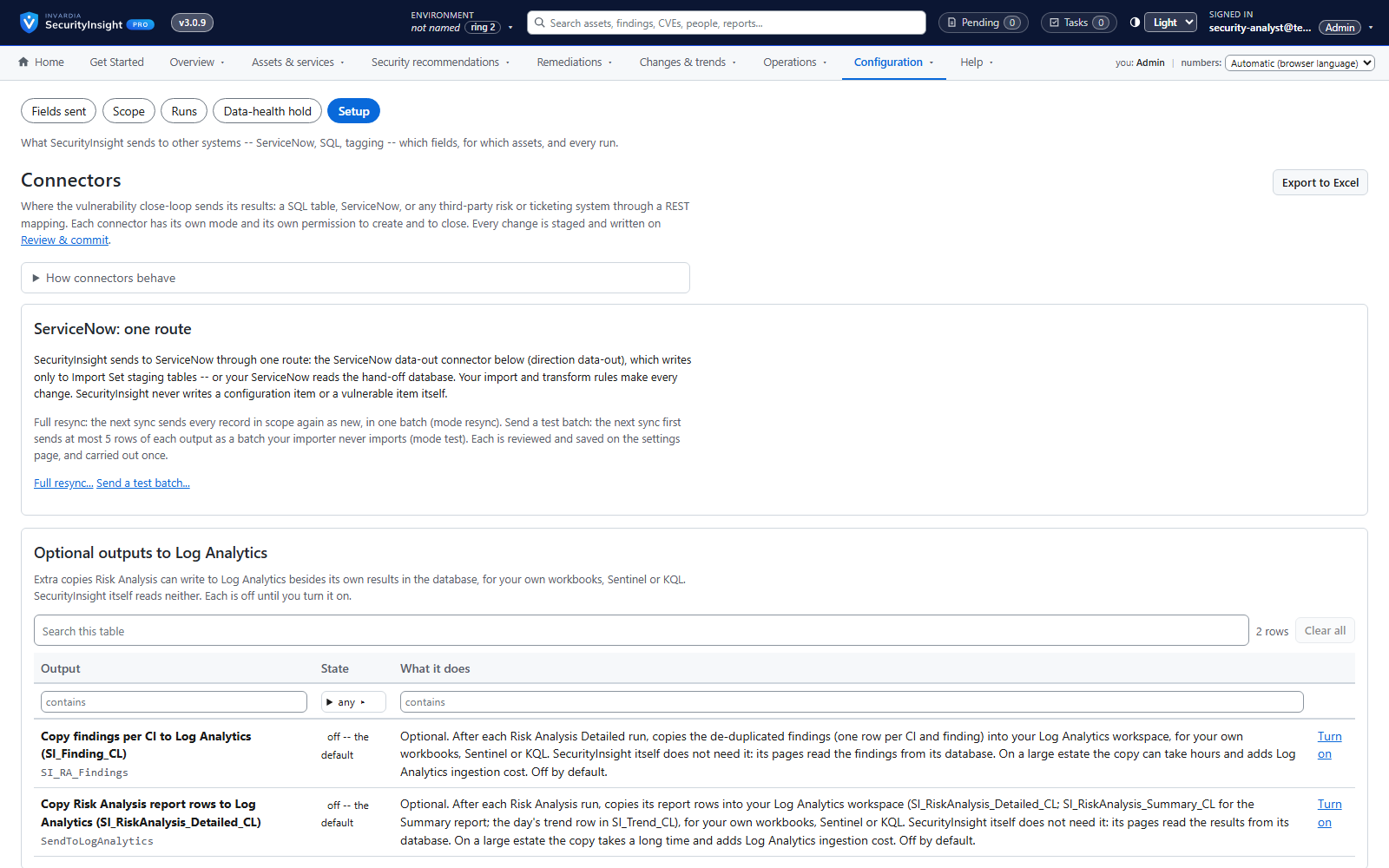
Connectors: ServiceNow, SQL and any REST system
Send vulnerabilities to ServiceNow, a SQL table or any risk or ticketing system - safely.
How it works →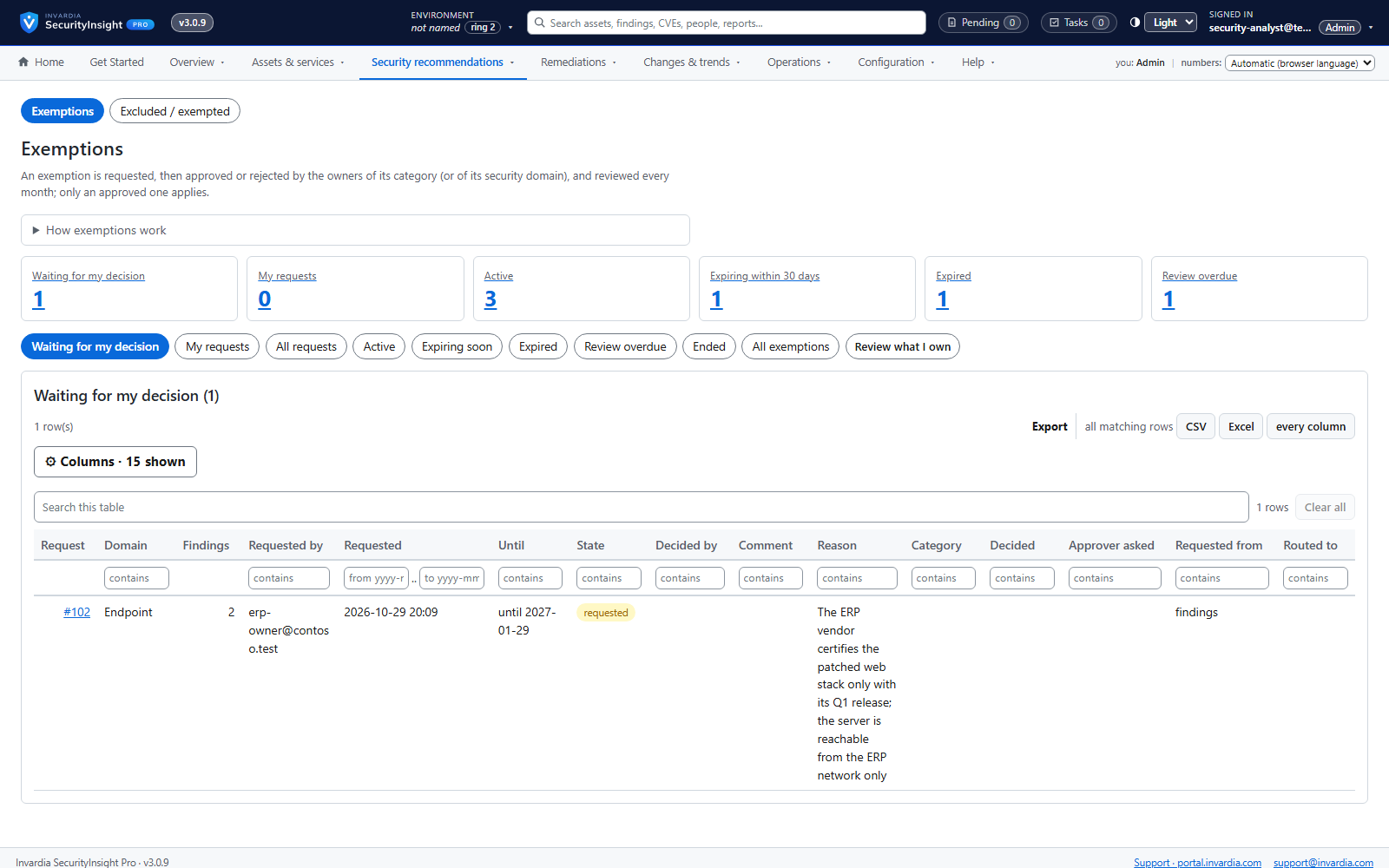
Governed exemptions
Accepted risk is requested, approved per security domain, time-limited and reviewed every month.
How it works →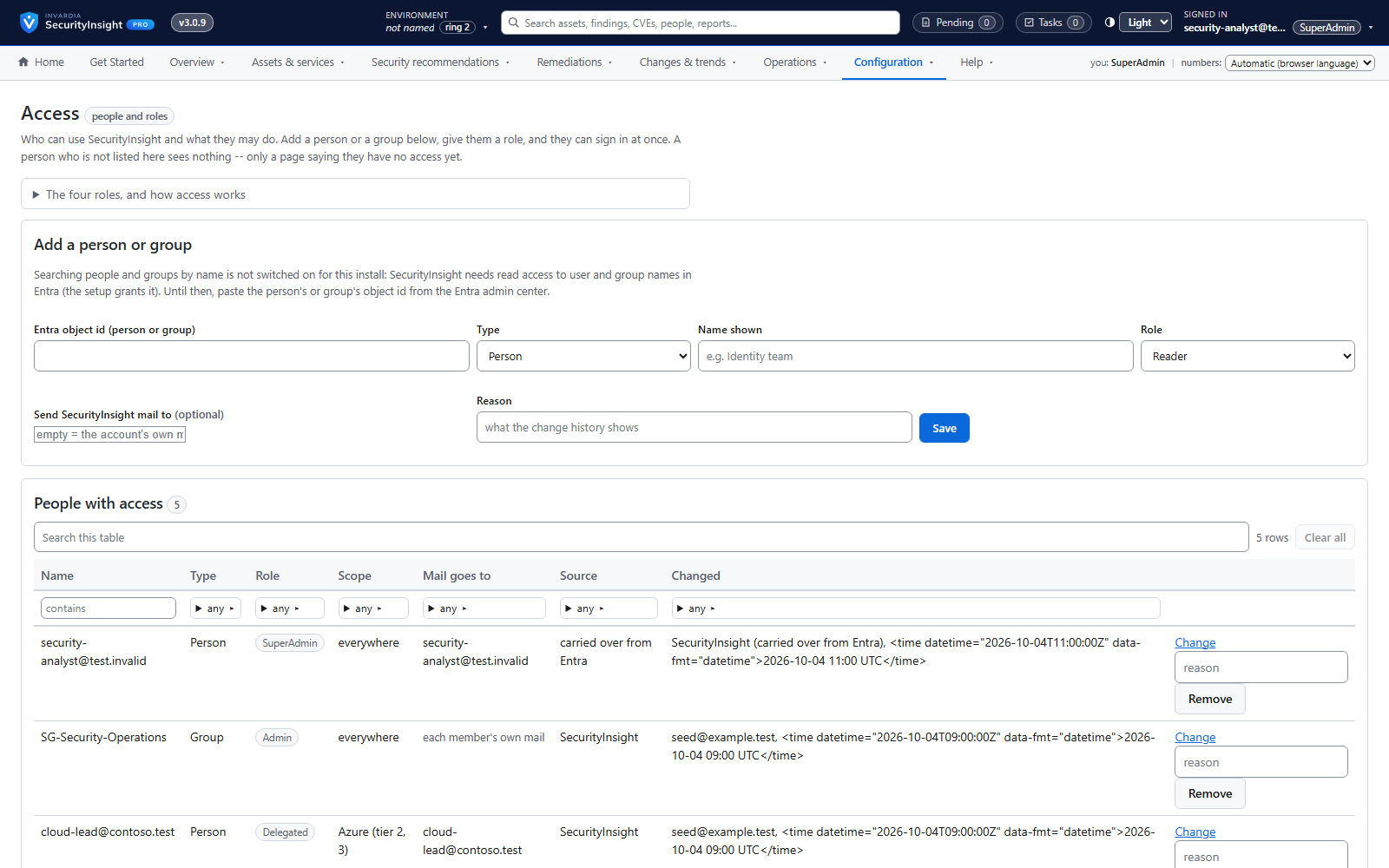
Roles and scoped access
Reader, Delegated, Admin and SuperAdmin - checked on the server for every page and every action.
How it works →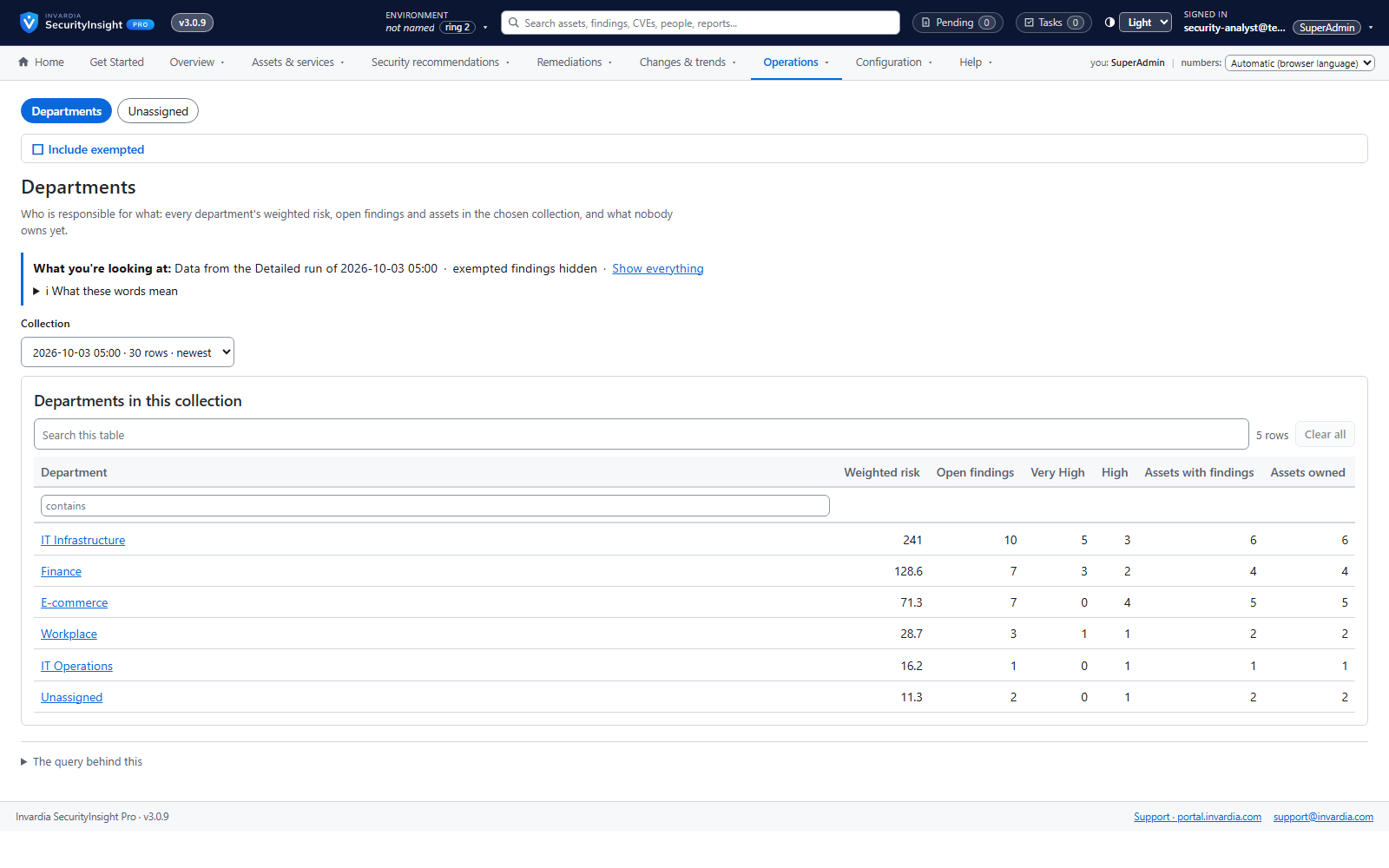
Departments own assets and recommendations
Every asset and recommendation has a department, its owners see their own work, and nothing falls between chairs.
How it works →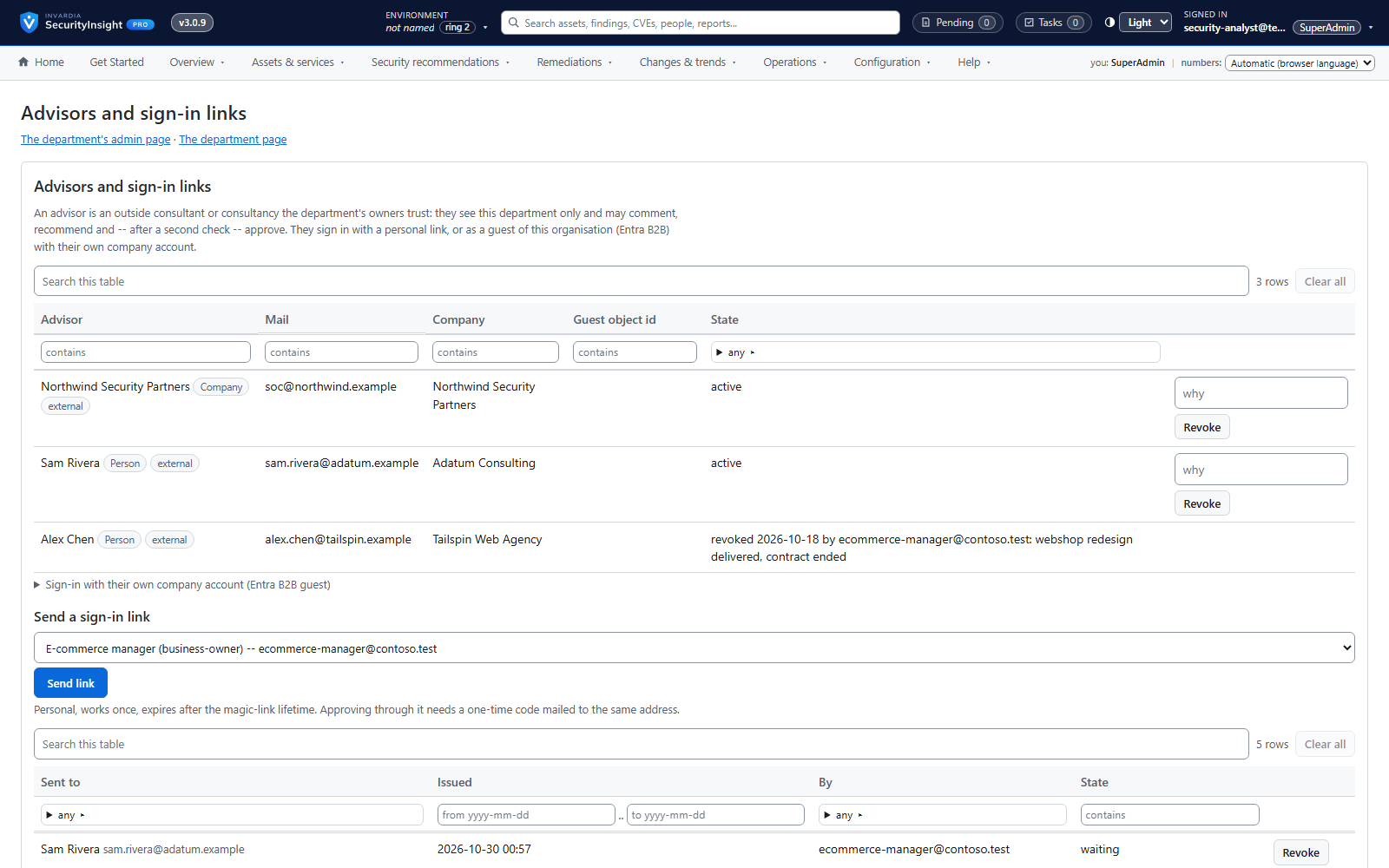
External advisors with a second check
Let trusted consultants review and recommend for a department - and approve only after a second check.
How it works →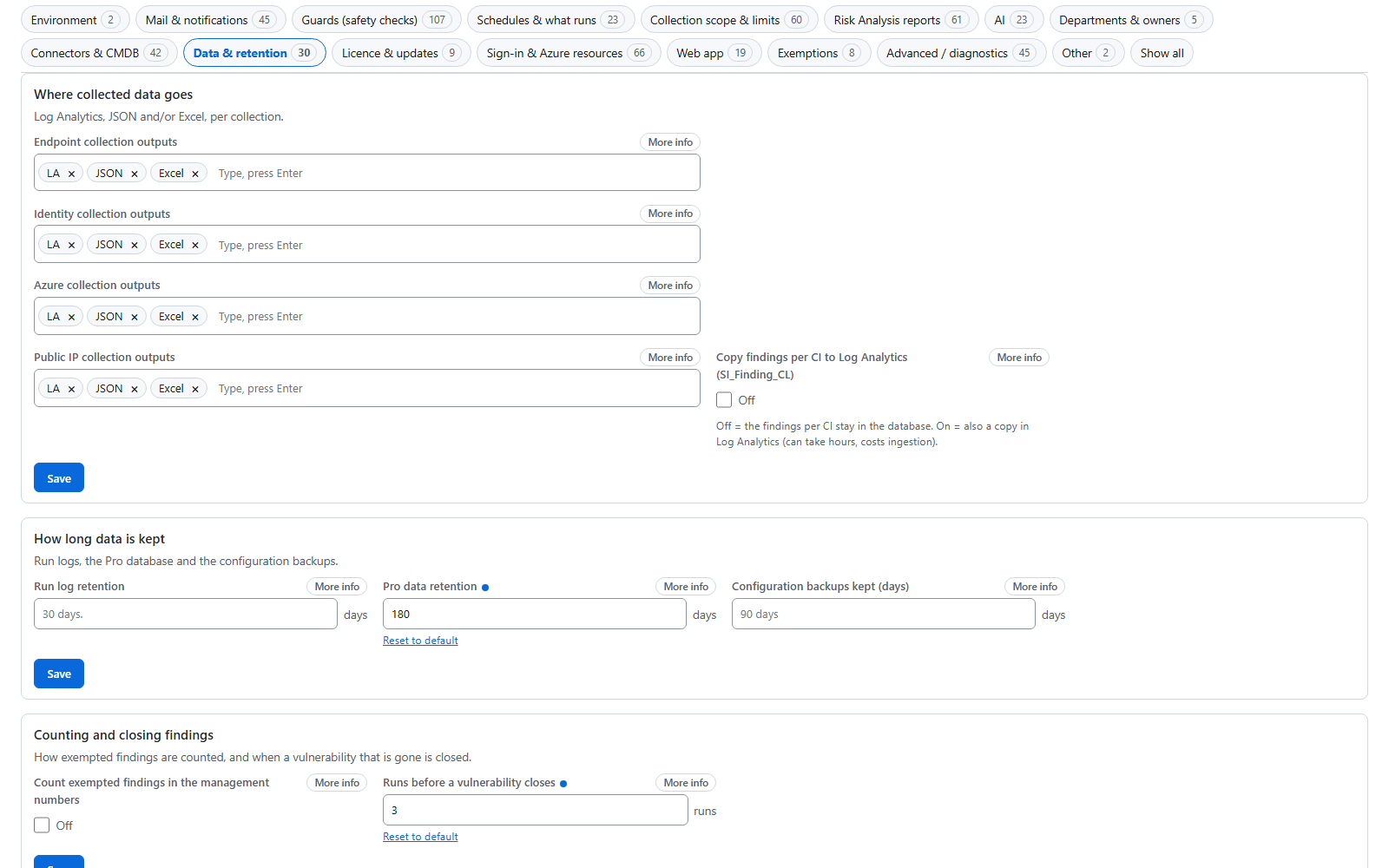
Settings explained in plain words
Every setting says what it is for, what the default really does and what changes if you change it.
How it works →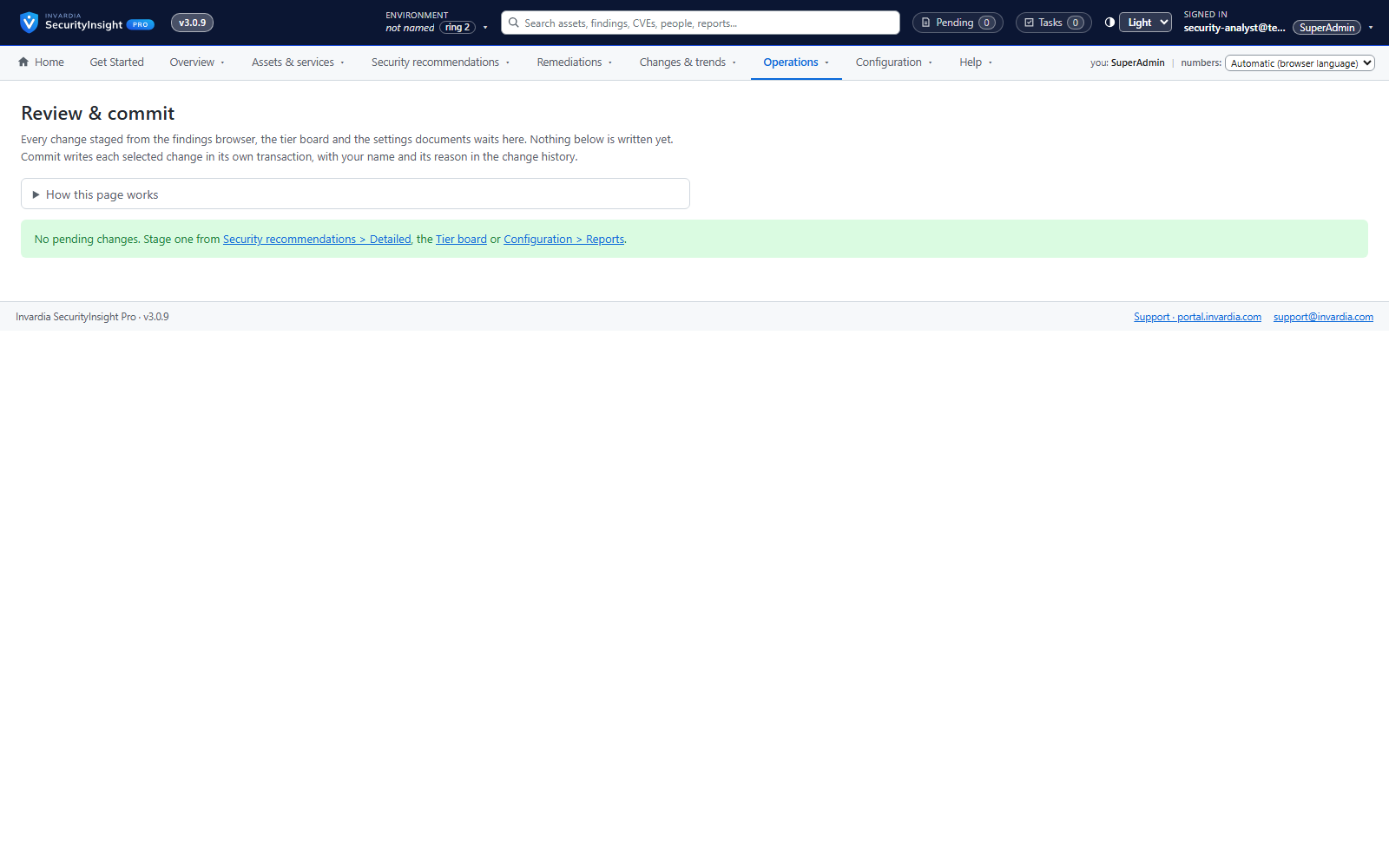
Review & commit and full change history
Nothing is written directly: changes are staged, reviewed and committed with a reason and an audit row.
How it works →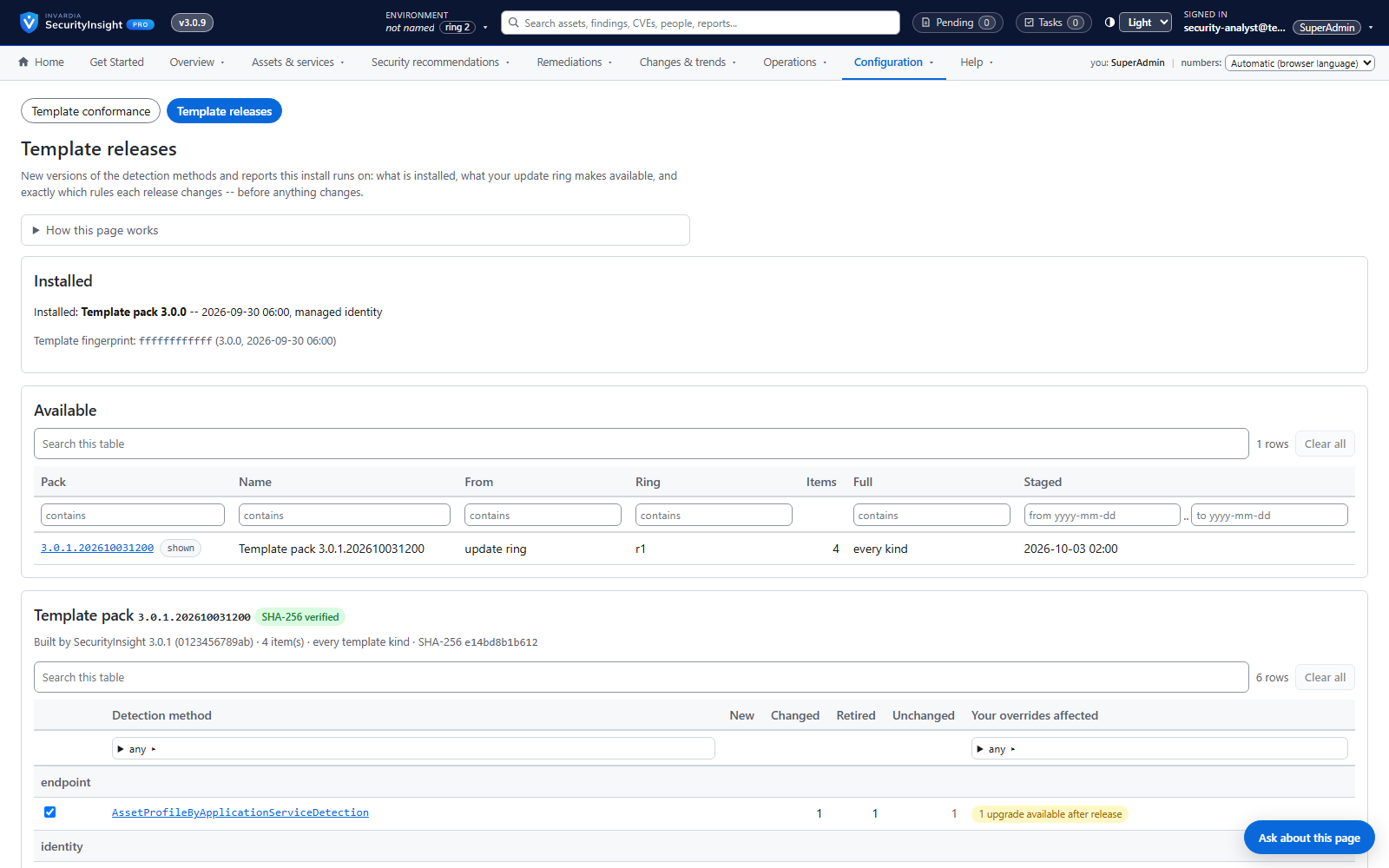
Template releases by update ring, with roll back
New detection rules and reports arrive by ring, are reviewed per detection method, and can be rolled back.
How it works →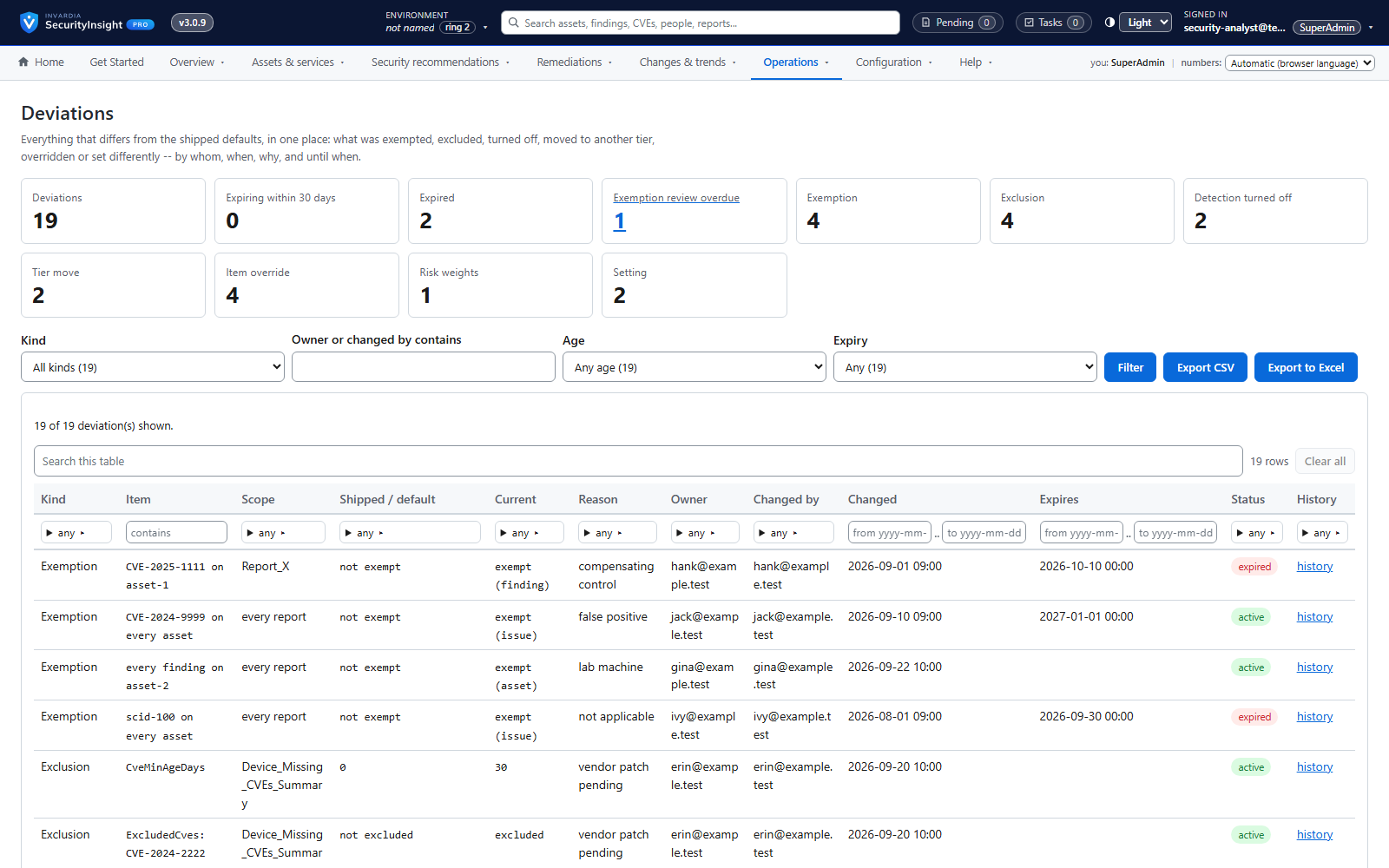
One report of every deviation
What have we switched off, changed or exempted - and why? One report answers it.
How it works →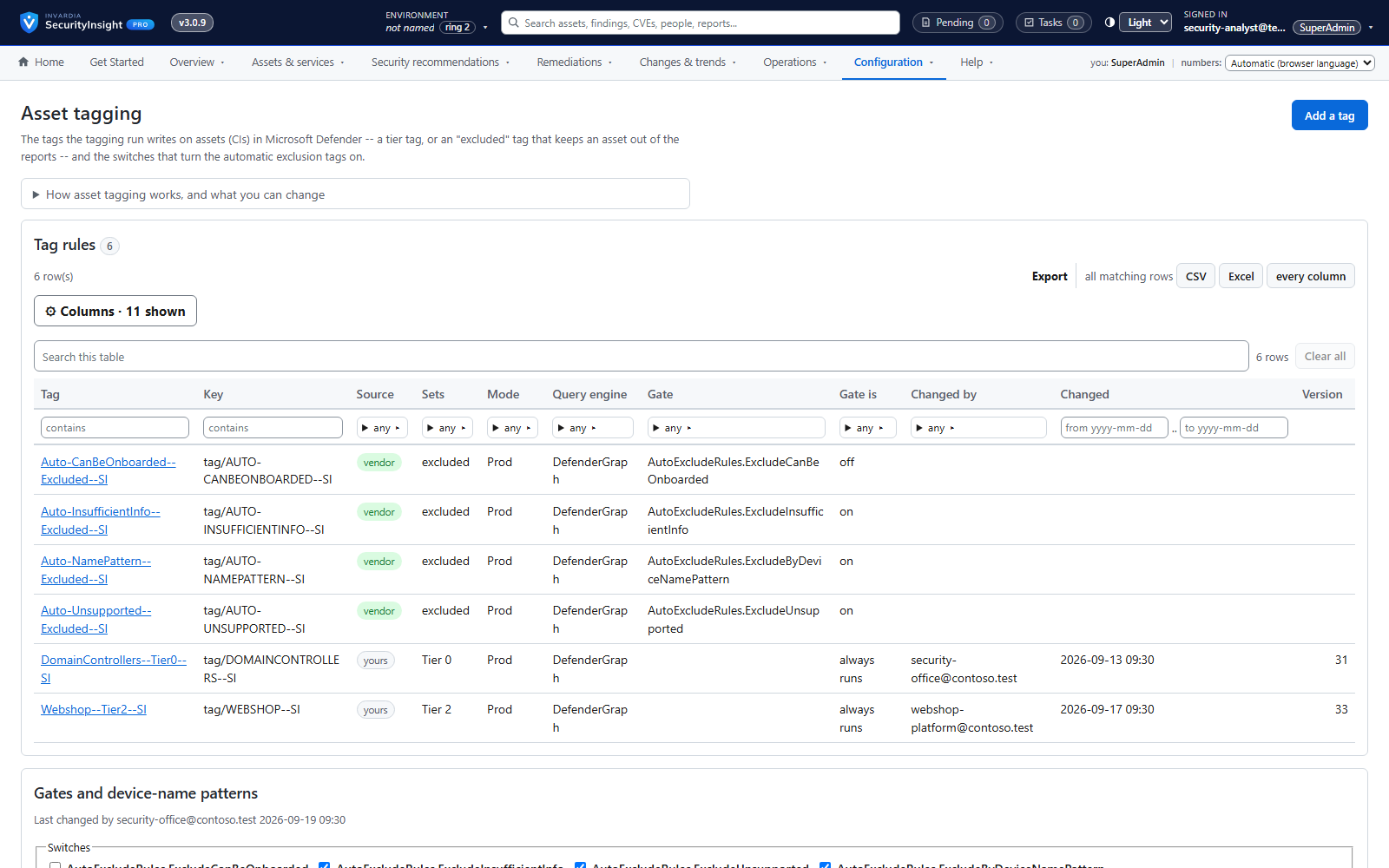
Asset tagging, with a dry run first
Write SecurityInsight's classification back as Defender tags, Azure tags and Entra attributes - after seeing what would change.
How it works →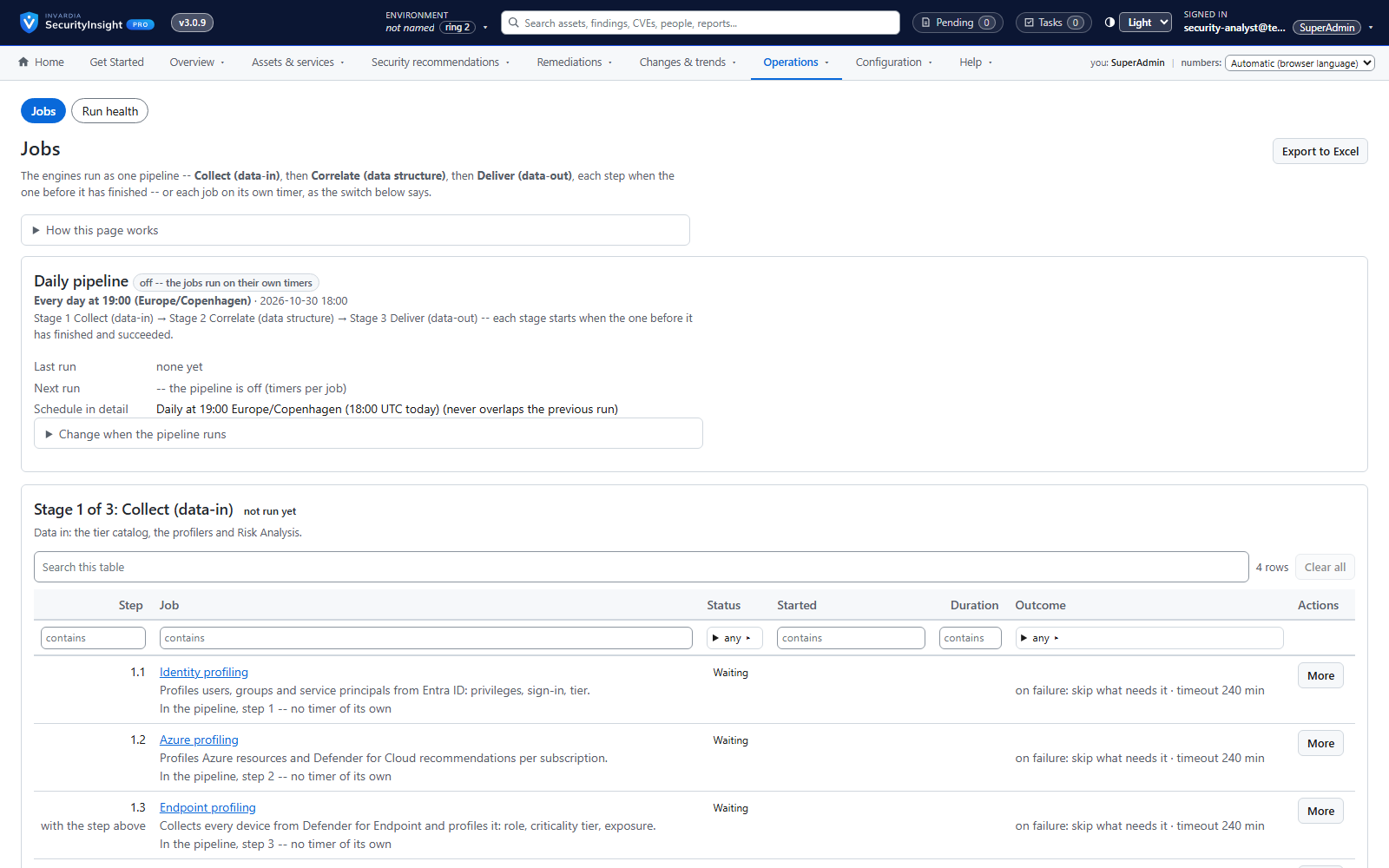
Runs in your Azure: containers or a server
Azure Container Apps jobs or a Windows server - every engine runs in your tenant, with run health you can see.
How it works →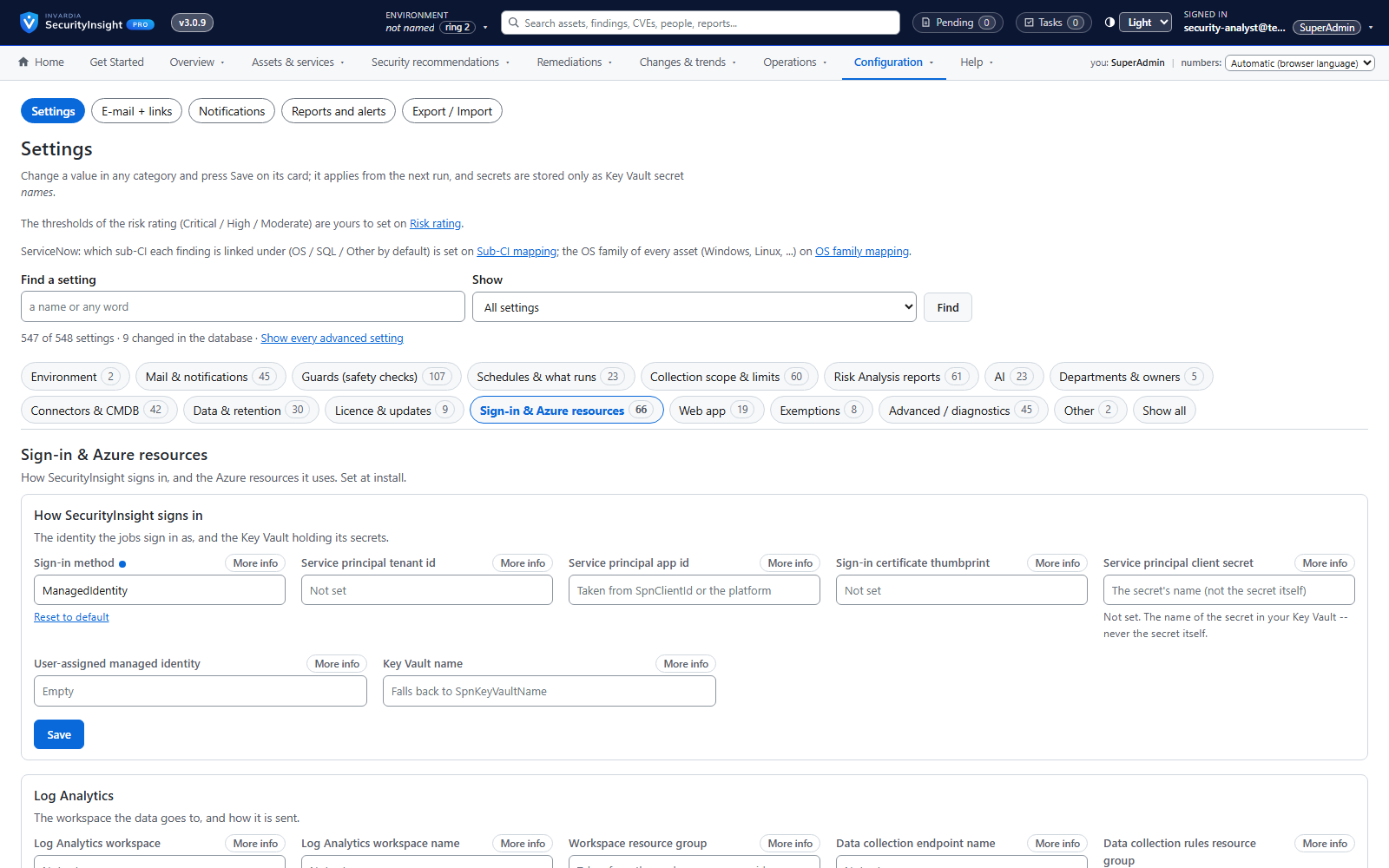
Managed identity first, managed identities by default and secrets only in your own Key Vault
Engines sign in with the host's managed identity by default; secrets live only in your Key Vault.
How it works →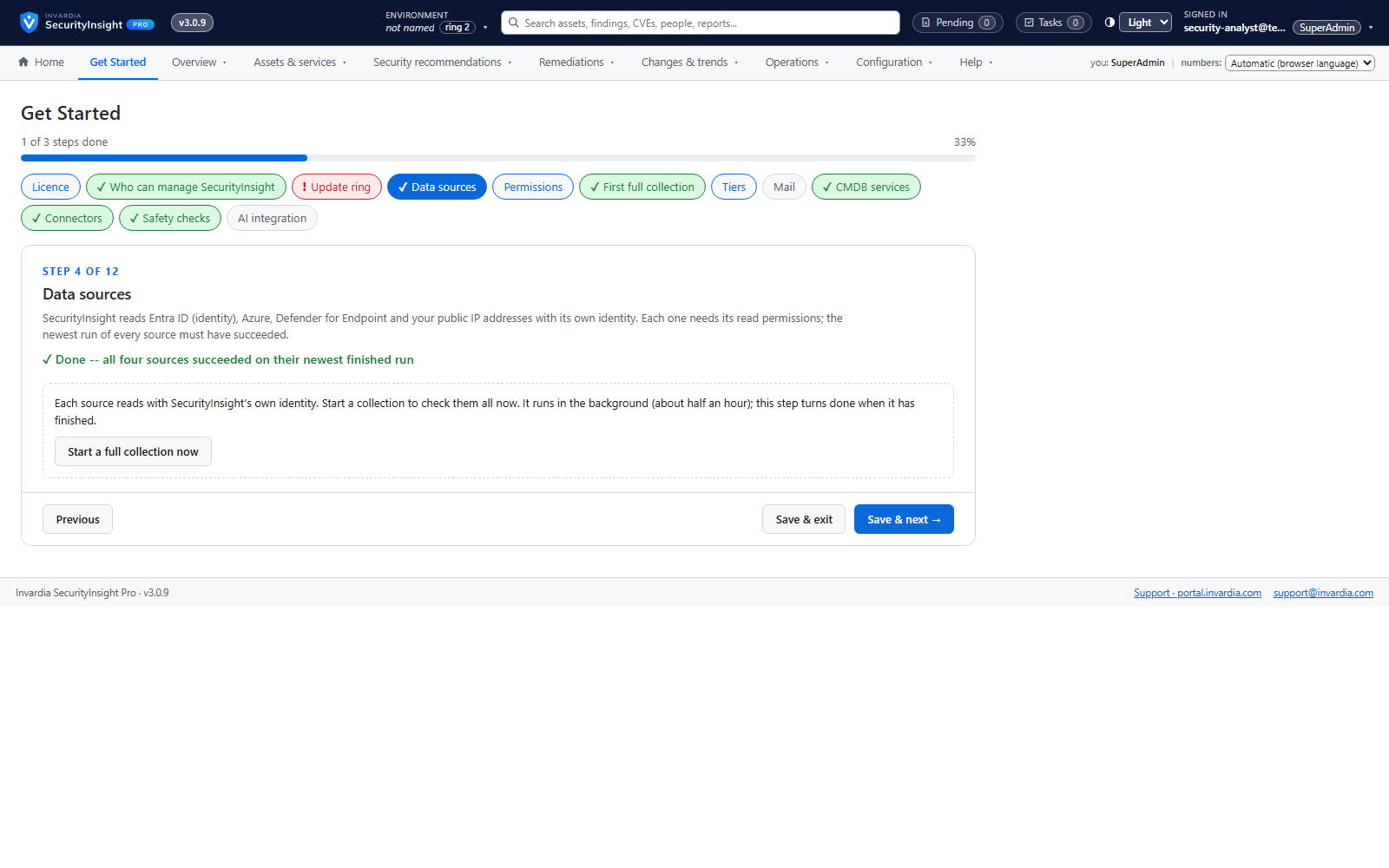
Guided install in one command
Answer a short wizard, run one Cloud Shell command, and watch every step complete.
How it works →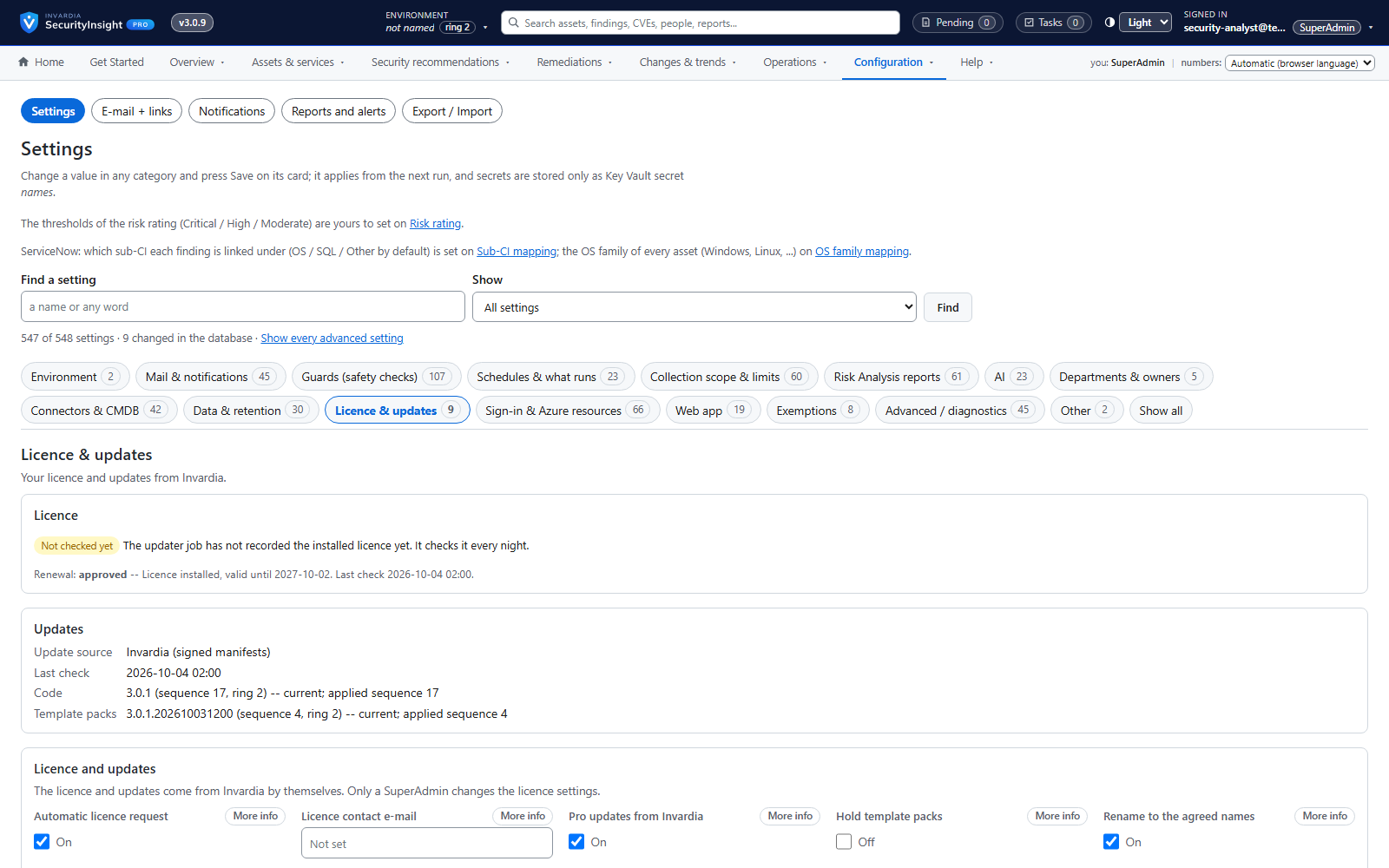
Signed licence, requested and renewed automatically
A signed, tenant-bound licence that the install requests and renews itself.
How it works →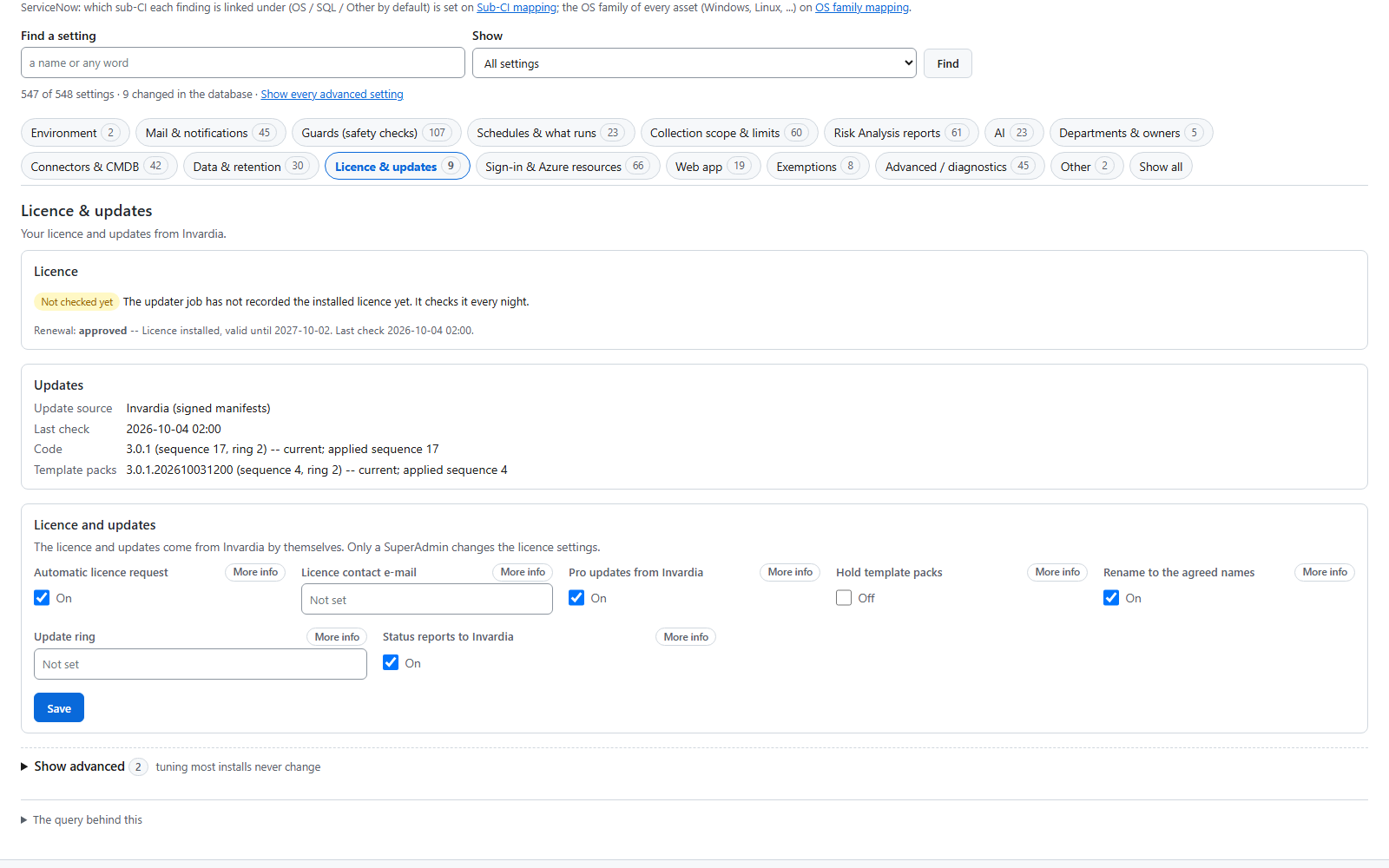
Signed updates by ring
Updates arrive ring by ring and are applied only when their signature, version and checksum verify.
How it works →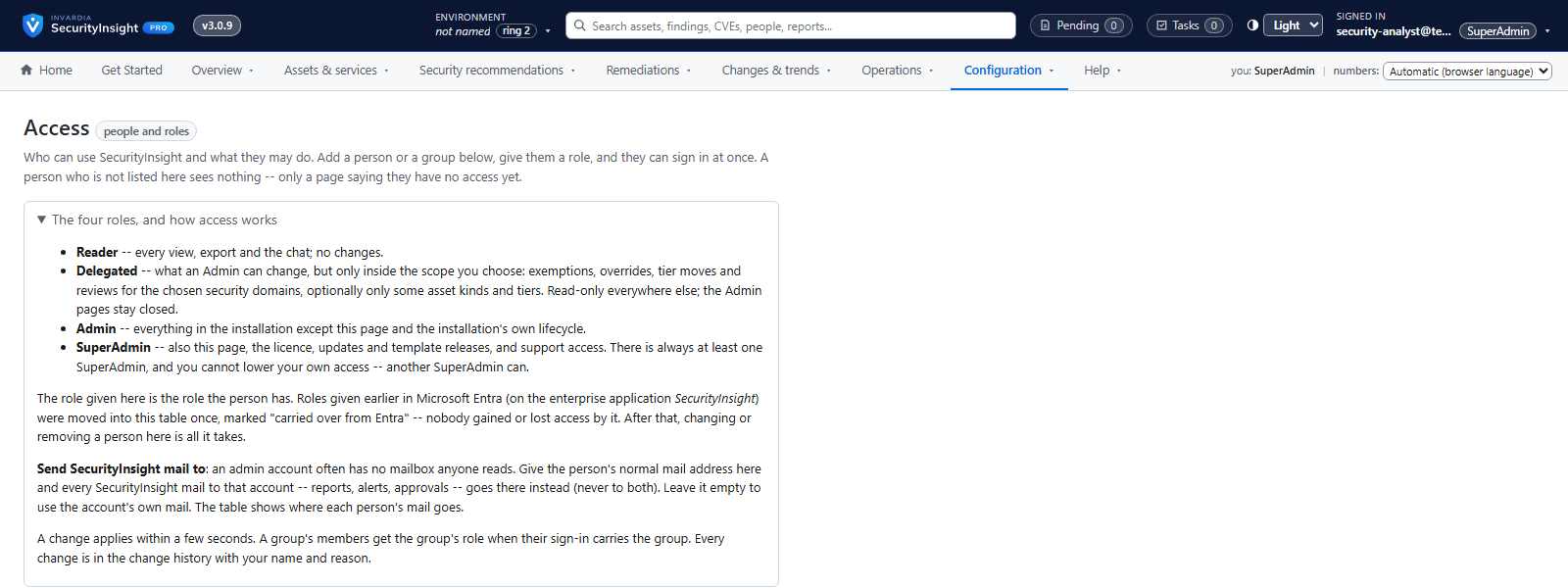
Support access you own
Remote support only through an app you create, scope and can remove at any time.
How it works →

26 features. By edition →
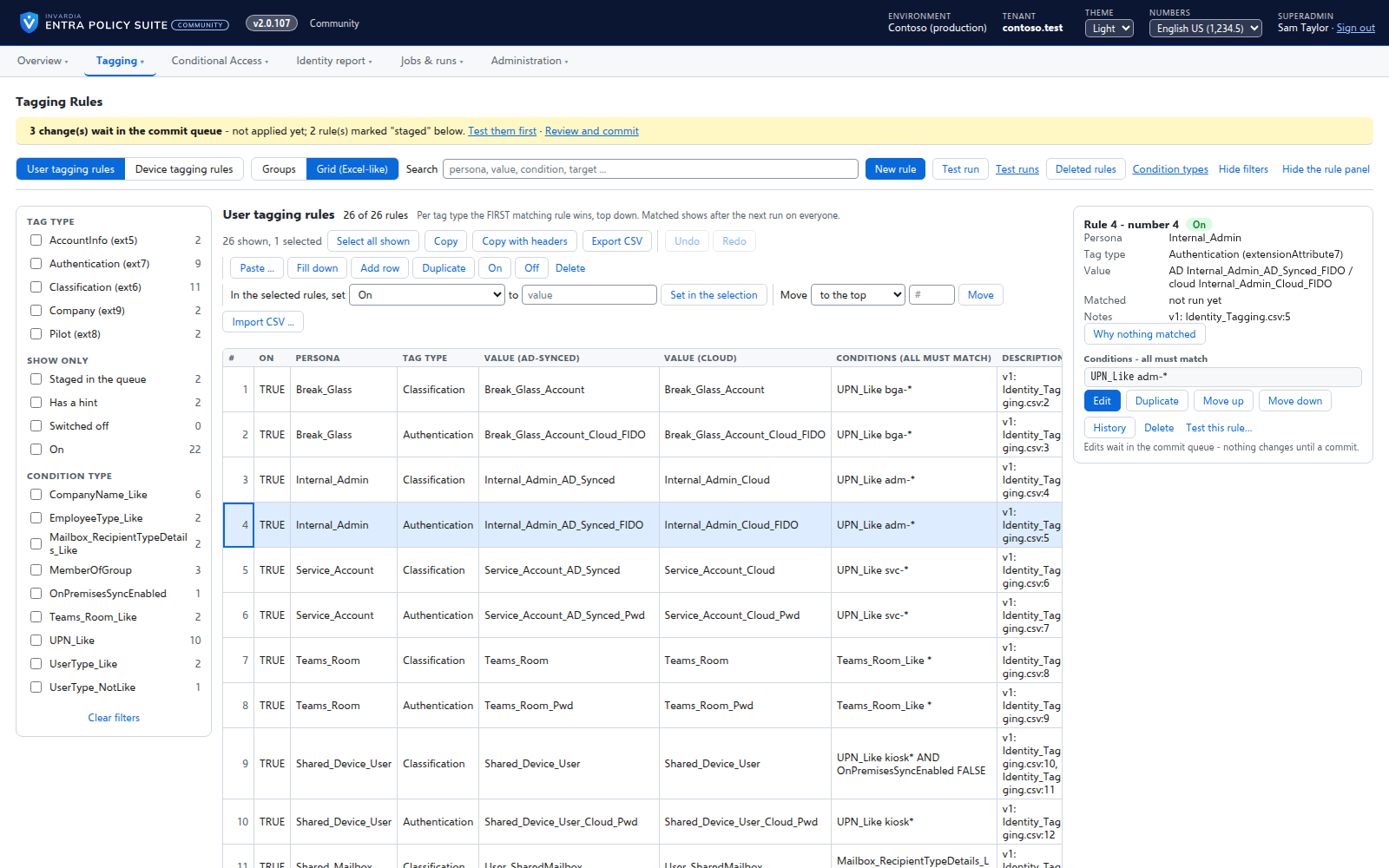
Rules you edit like a spreadsheet
Every tagging rule on one page, edited like Excel: select, copy and paste, fill down, duplicate, move and switch on or off - many rules at once.
How it works →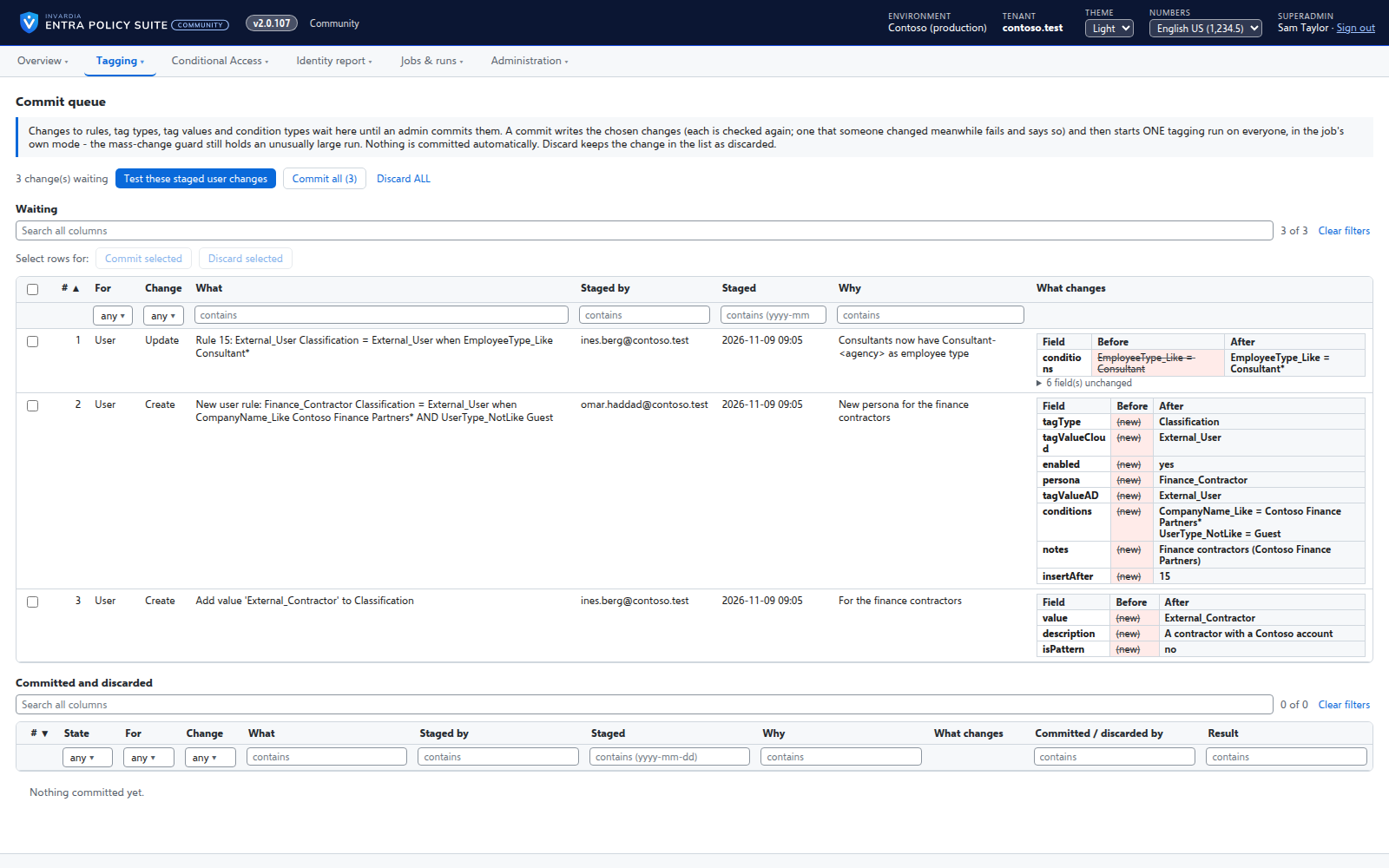
A commit queue for every rule change
A saved change waits until an admin commits it - nothing reaches the directory the moment someone types.
How it works →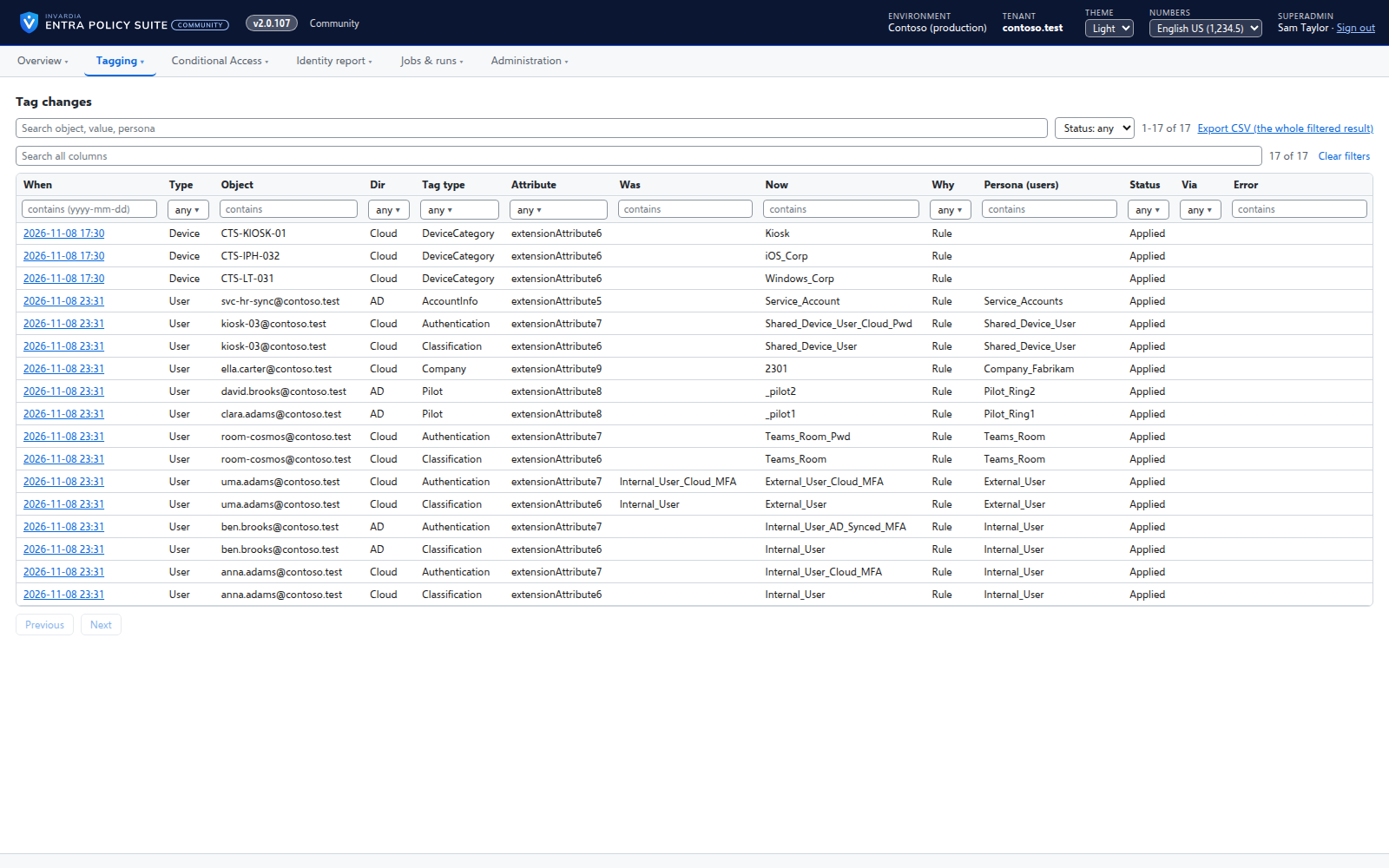
User tagging
Every user gets its tags from your rules - cloud users in Entra ID, AD-synced users in Active Directory.
How it works →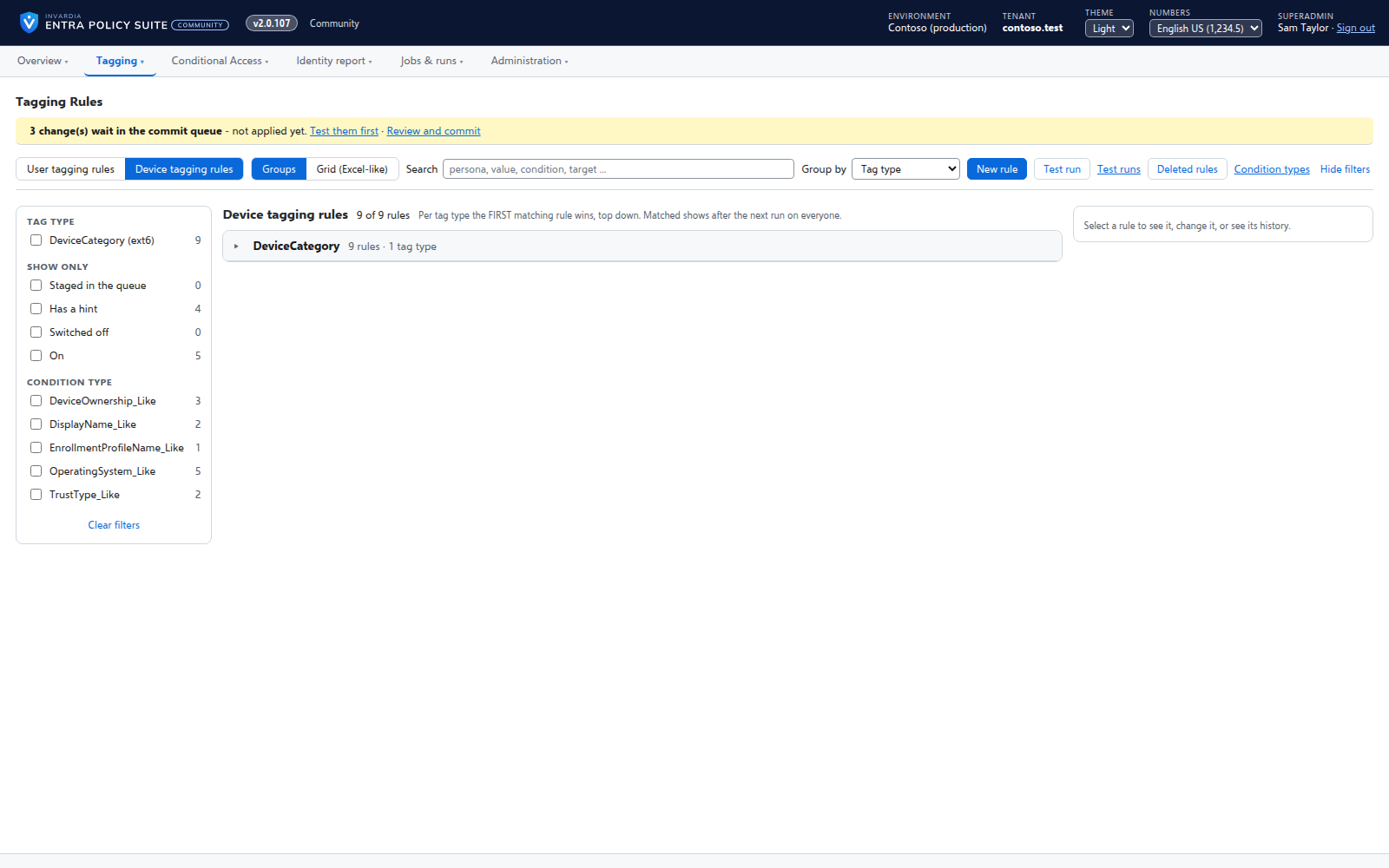
Device tagging
Every device gets its category - privileged access workstation, corporate Windows, kiosk, corporate or personal phone - from your device rules.
How it works →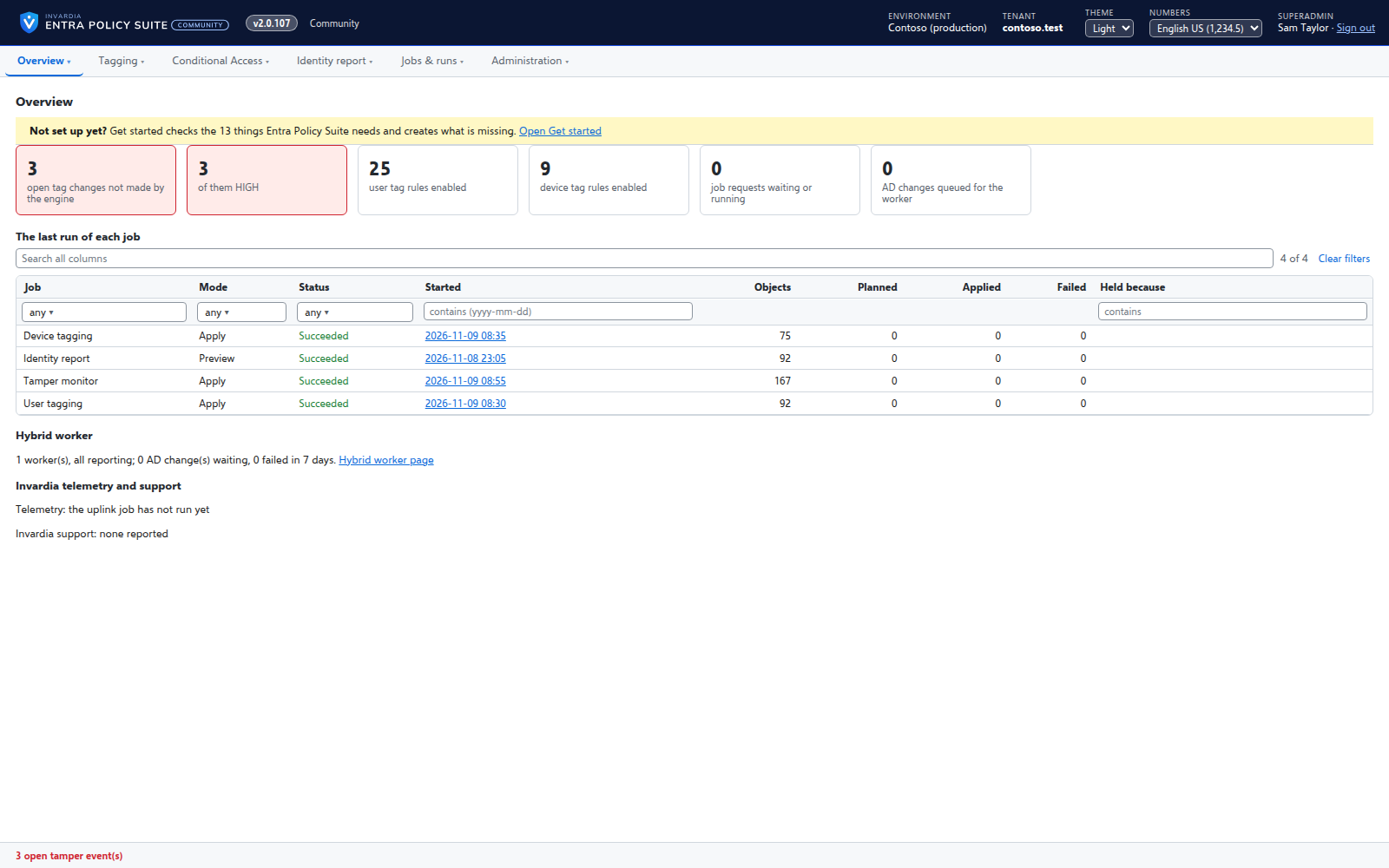
A hybrid worker for Active Directory
Tags of AD-synced users are written in Active Directory by a small worker that only connects out and has no password.
How it works →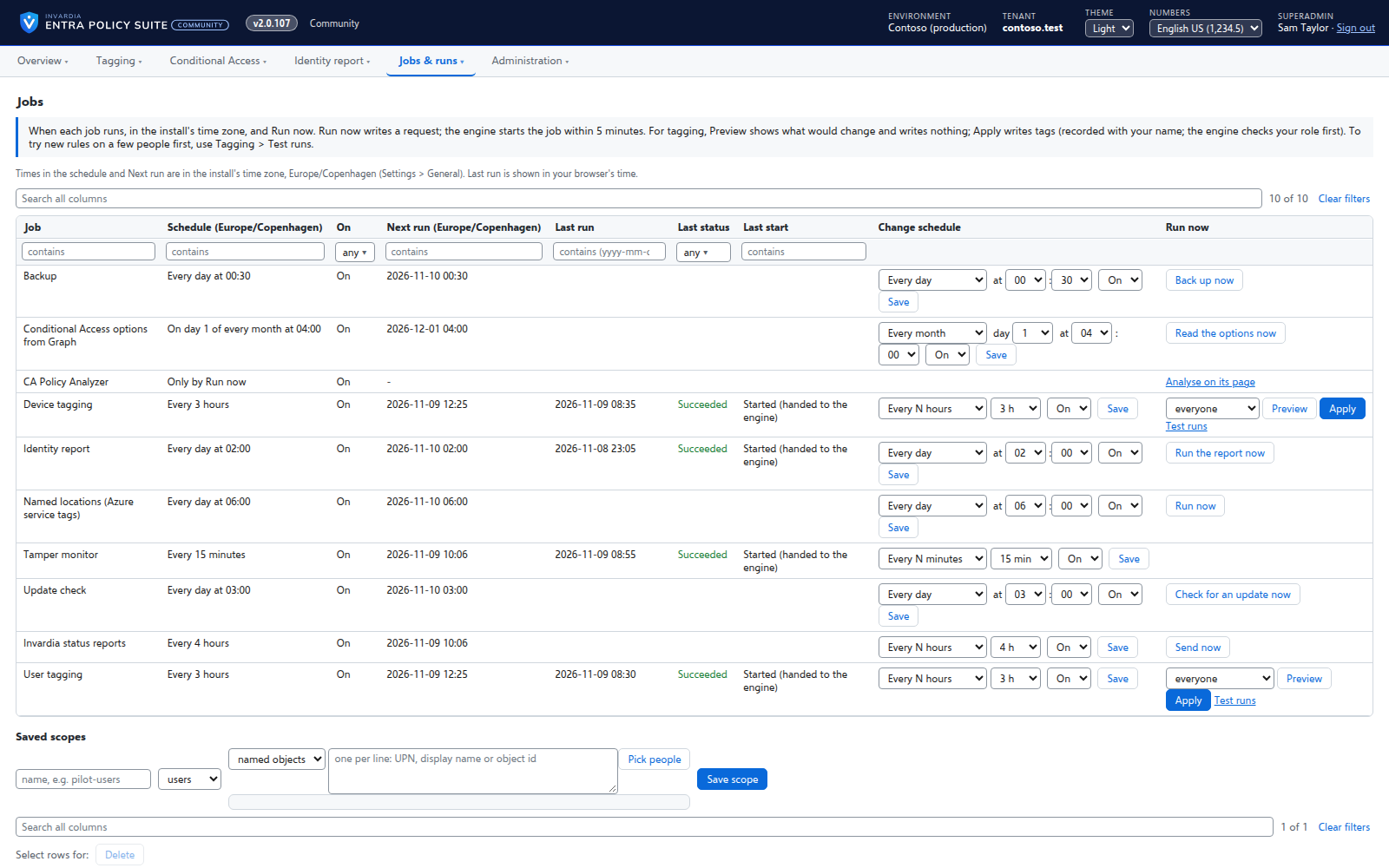
Jobs on your schedule
Every job runs on the schedule you set - daily, weekly or every few hours - with Preview and Apply on demand.
How it works →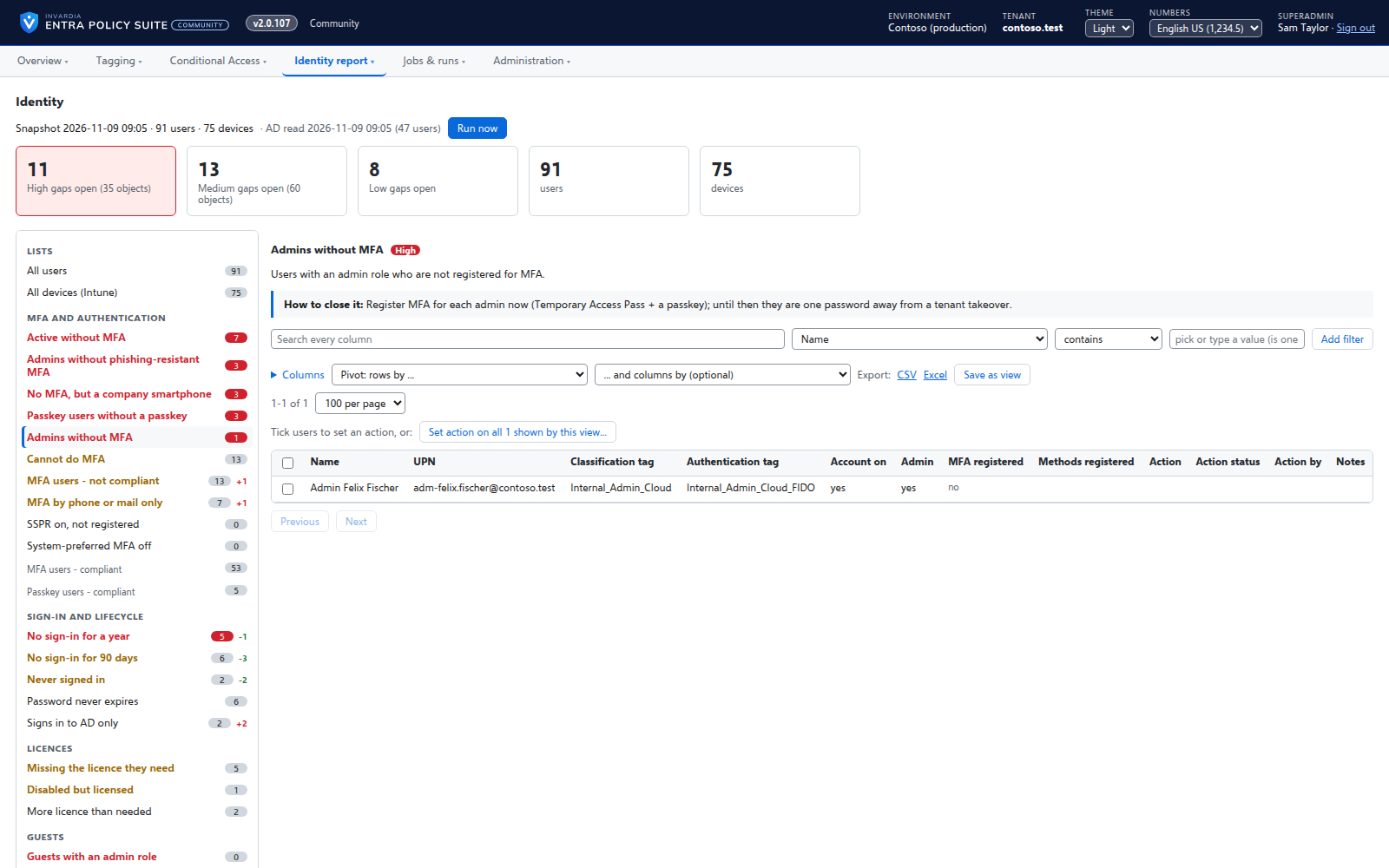
The identity report as gap views
A daily, read-only snapshot of every user and device, shown as gaps with a severity and how to close them.
How it works →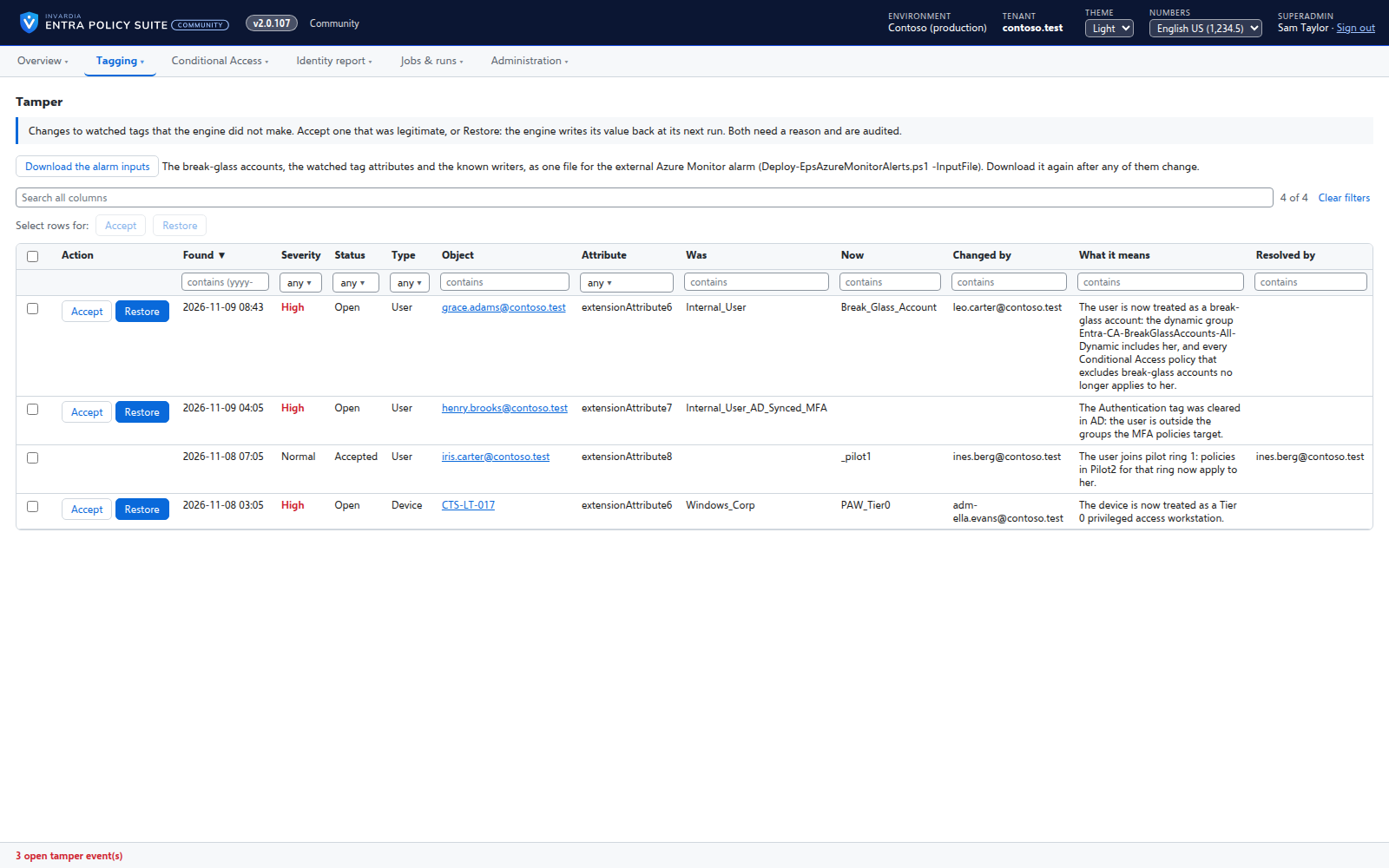
Tamper monitor
Reports every change to a watched tag that Entra Policy Suite did not make, with who made it and what it means.
How it works →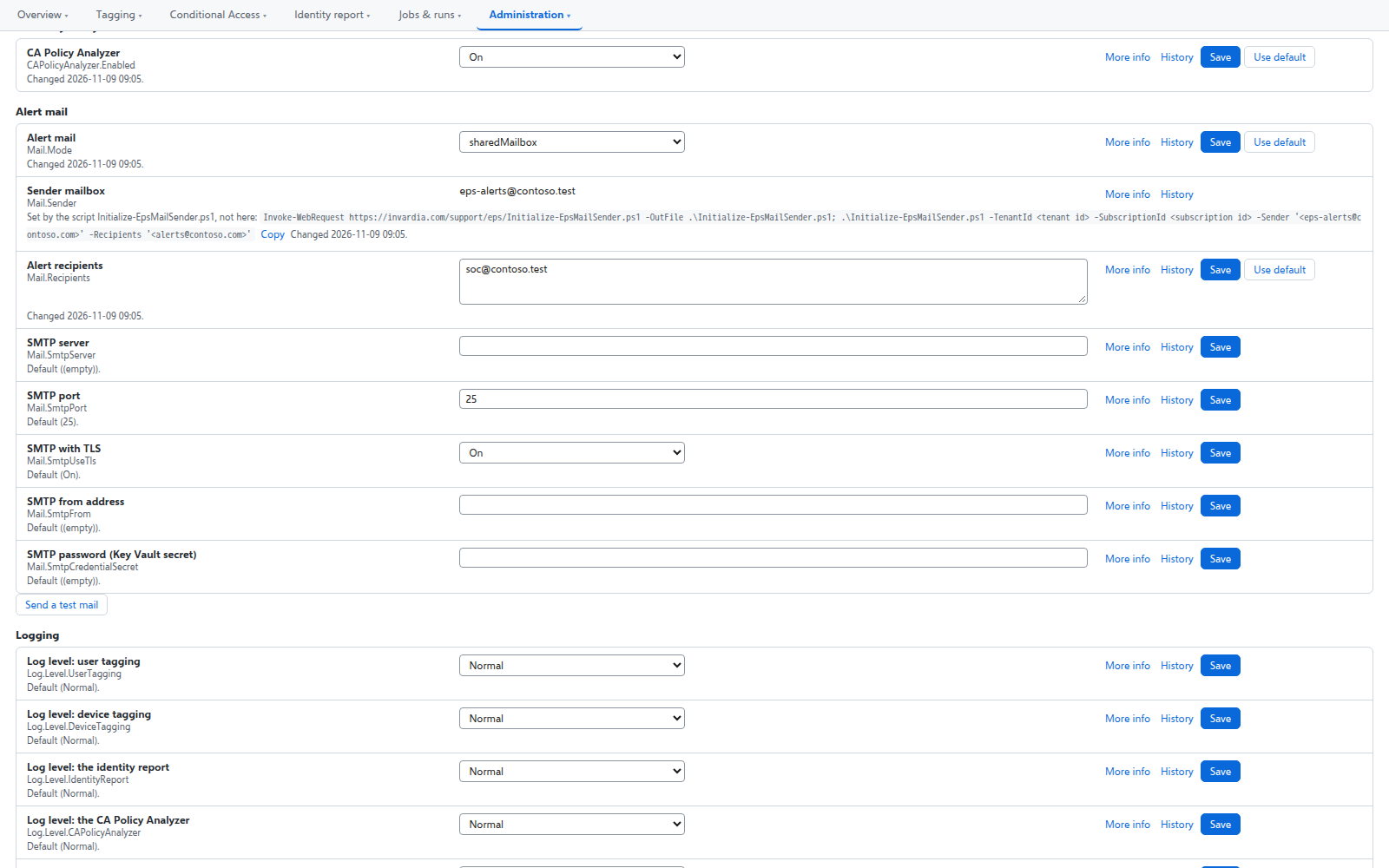
Alert mail from one mailbox only
Alerts are sent from a shared mailbox that the engine may send as - and no other mailbox in the tenant.
How it works →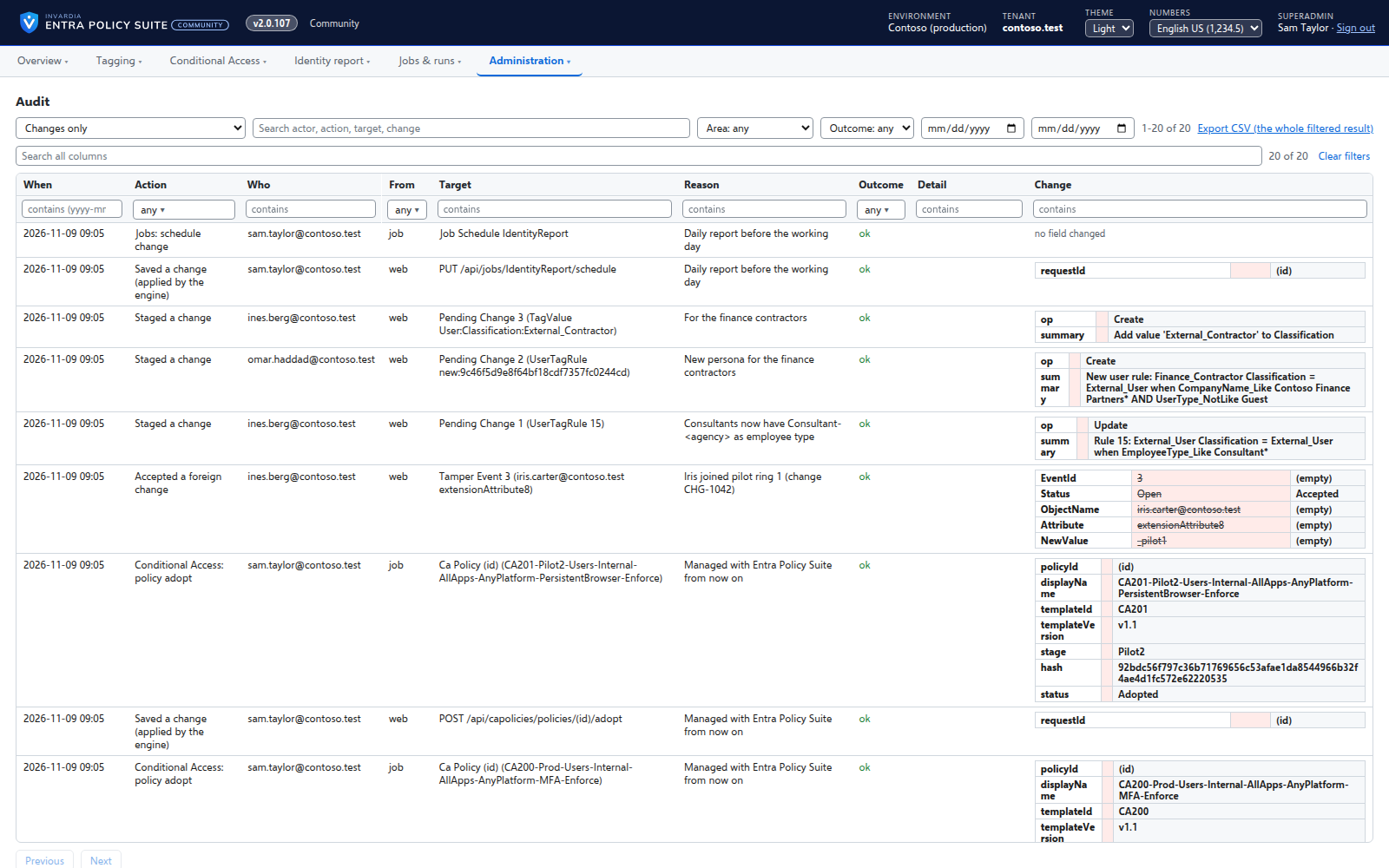
Changes applied by the engine, every one audited
A change made in the web app is carried out by the engine for the person who made it, and recorded in an append-only audit trail.
How it works →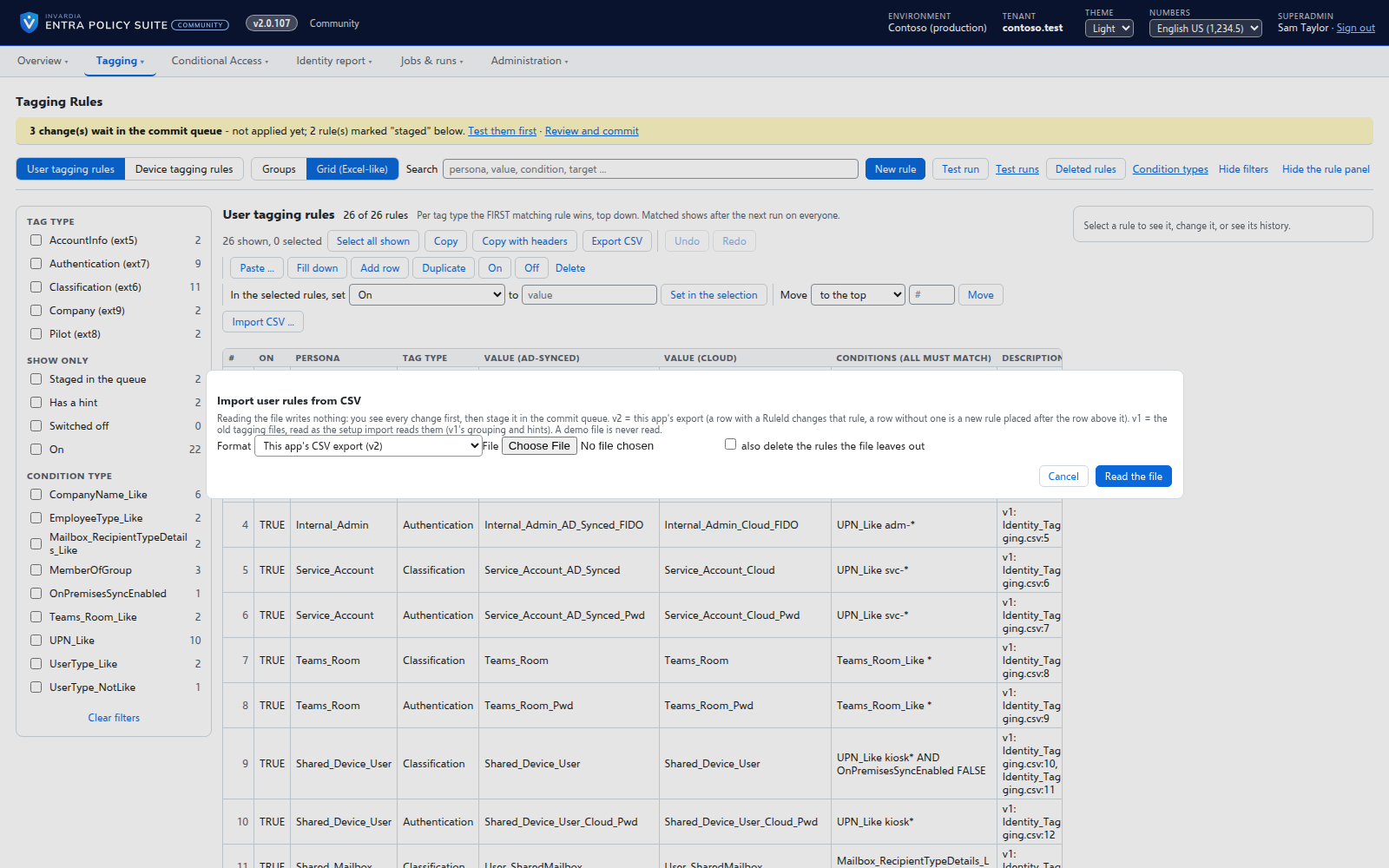
Bring your Entra Policy Suite 1 rules
The v1 rule files import as they are, so the tags your groups and policies read stay the same.
How it works →Runs in your Azure, one identity per part
Container Apps jobs, a web app and an Azure SQL database in your subscription, each part on its own managed identity with only its own rights.
How it works →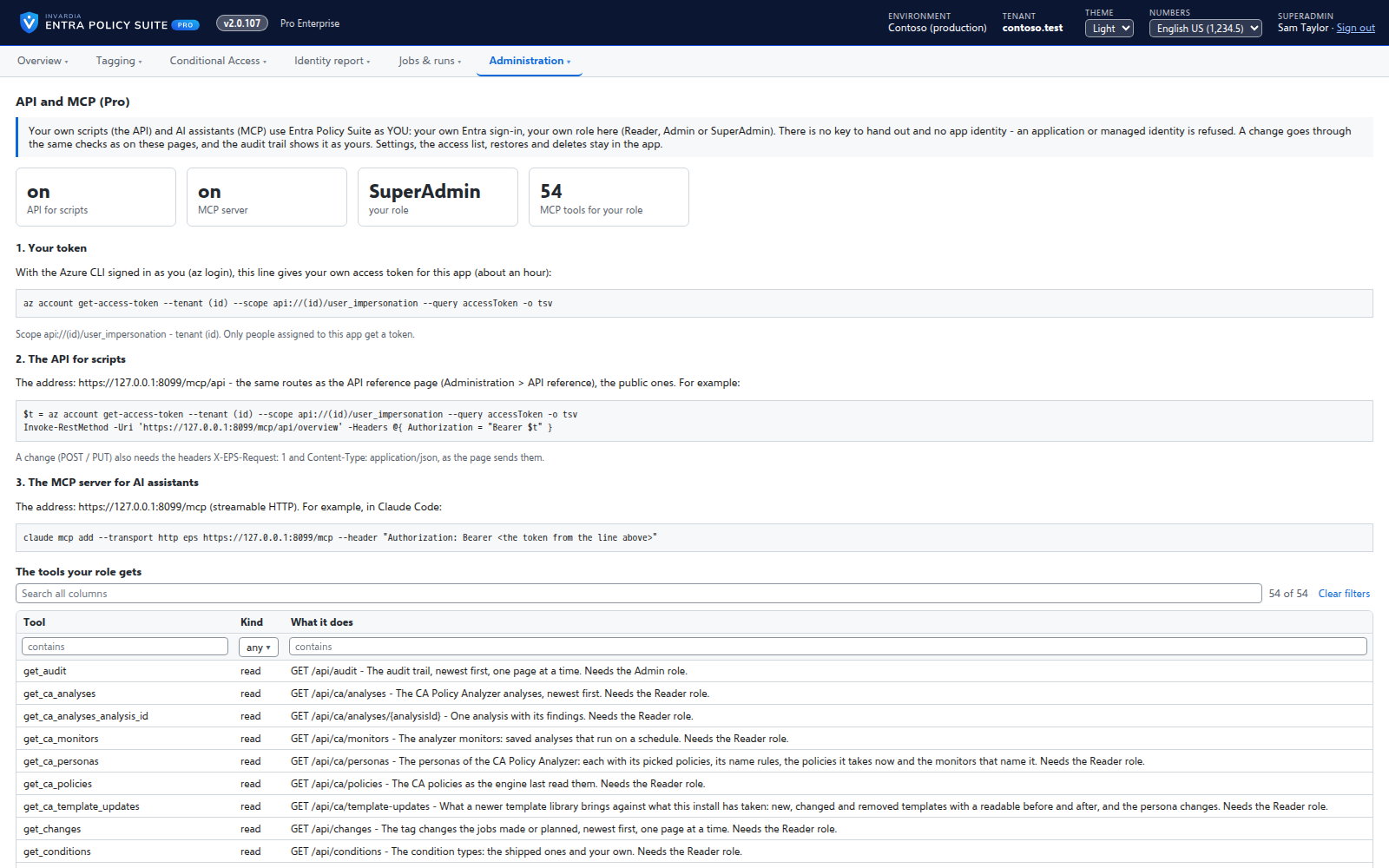
API and MCP access
Pro: your own scripts and AI assistants use Entra Policy Suite through its API and an MCP server, under the caller's own role.
How it works →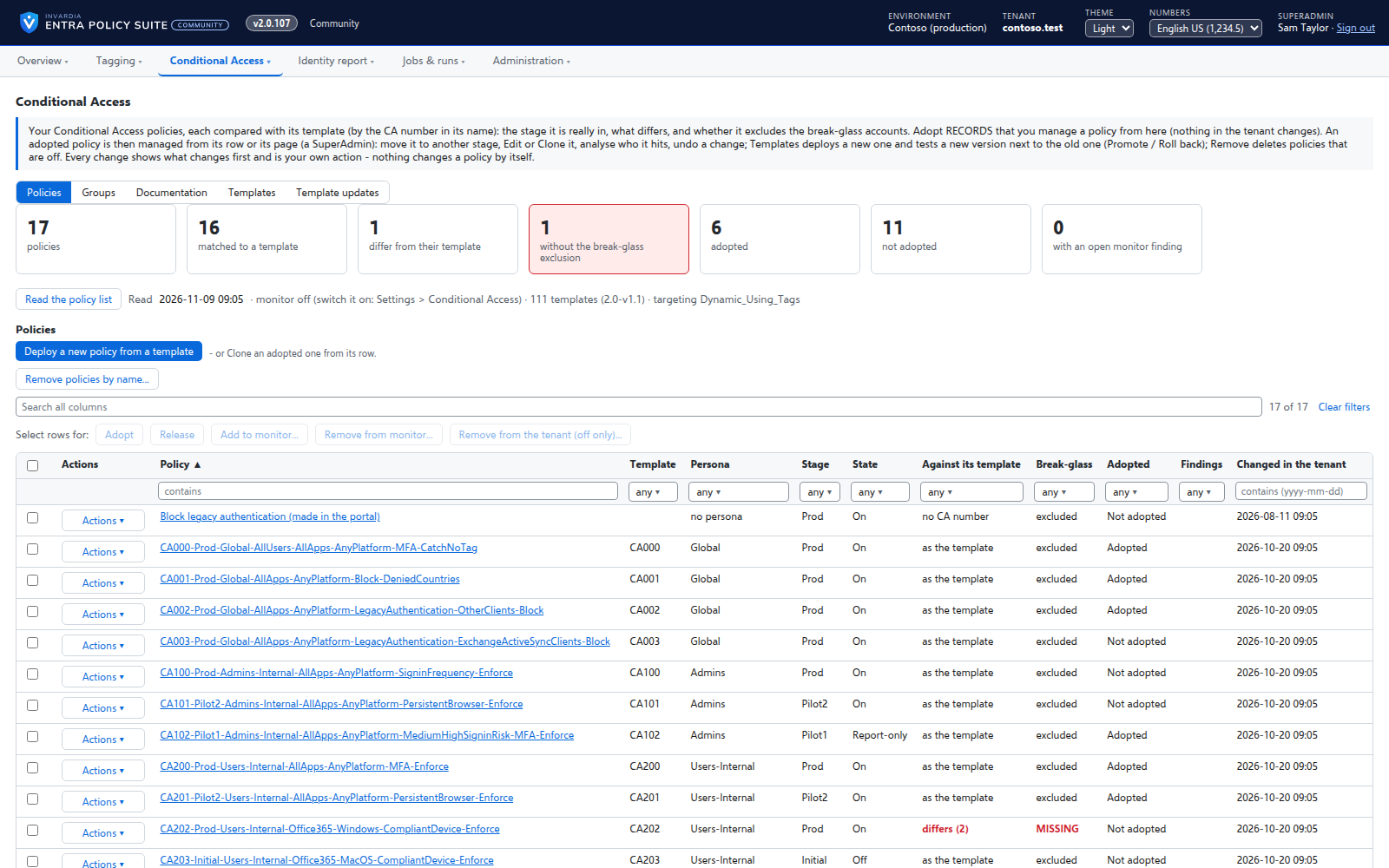
Conditional Access you move stage by stage
Adopt the Conditional Access policies you already have, move each one to Pilot or Prod with a button, and see when a policy drifts or loses its break-glass exclusion.
How it works →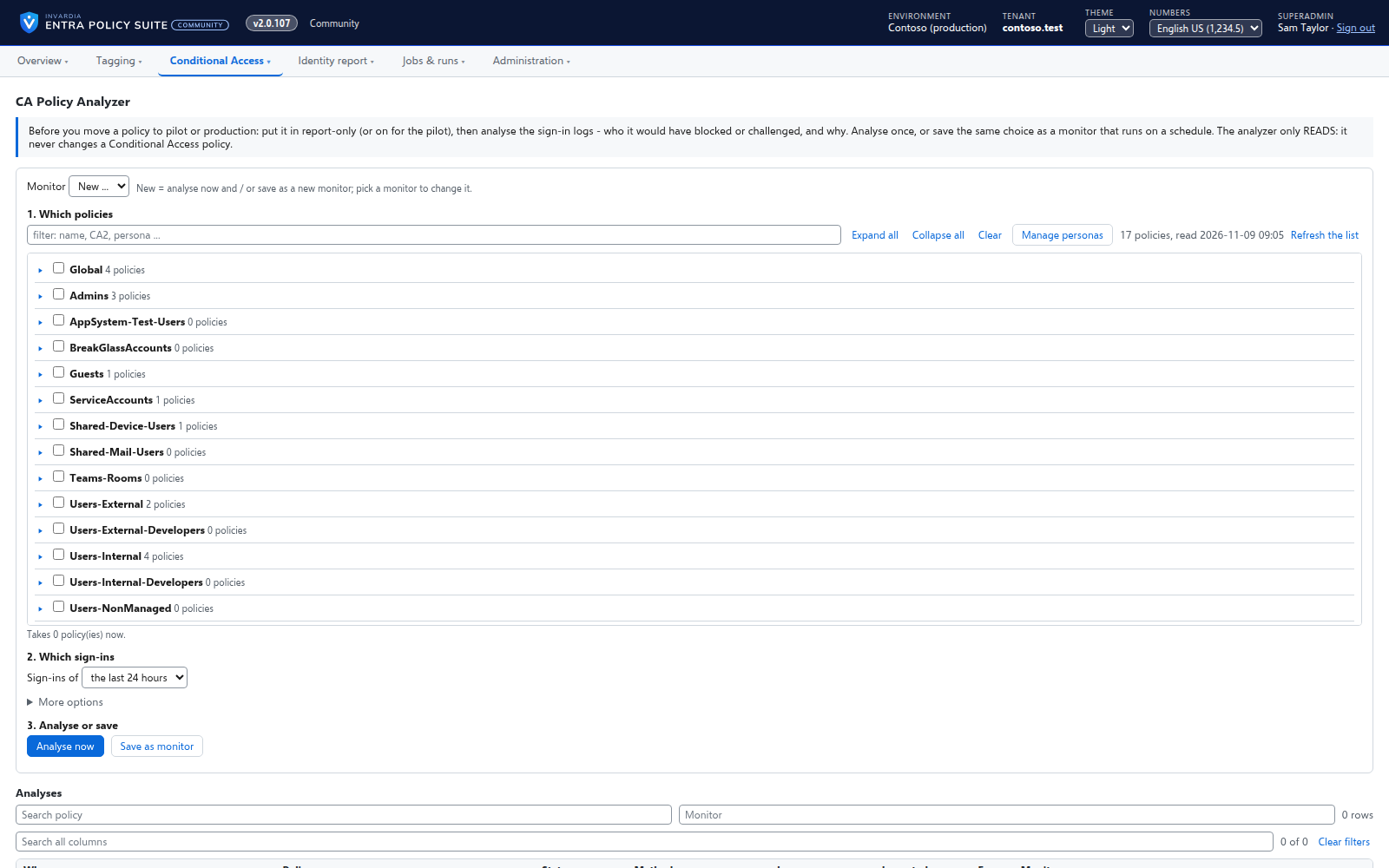
See who a Conditional Access policy will hit
Before you move a policy to the next stage, the CA Policy Analyzer reads the sign-in logs and shows which users the policy blocked or challenged, and why.
How it works →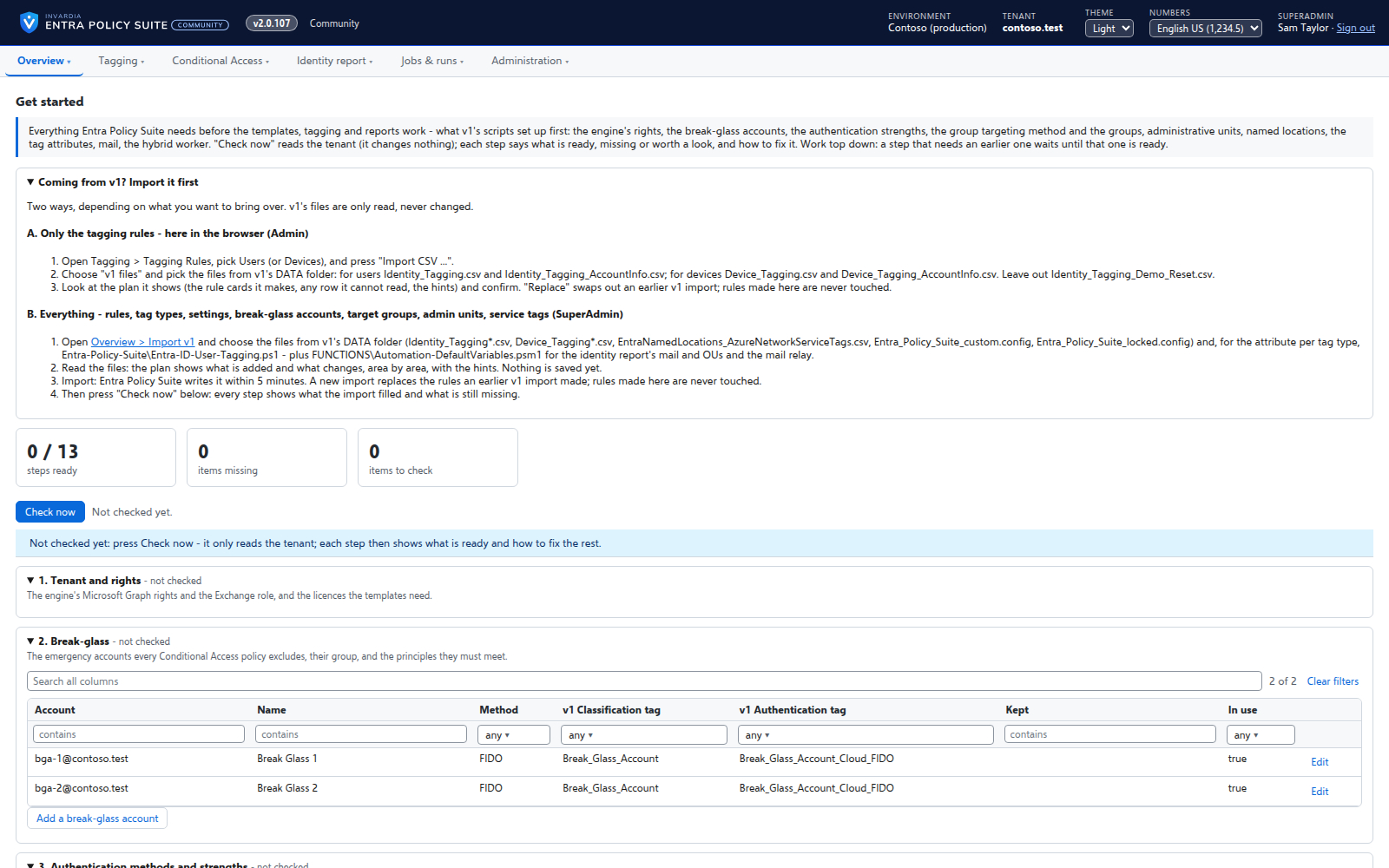
Get started: a checklist that fixes what is missing
One page checks everything Entra Policy Suite and the Conditional Access templates need in your tenant, and offers to create what is missing.
How it works →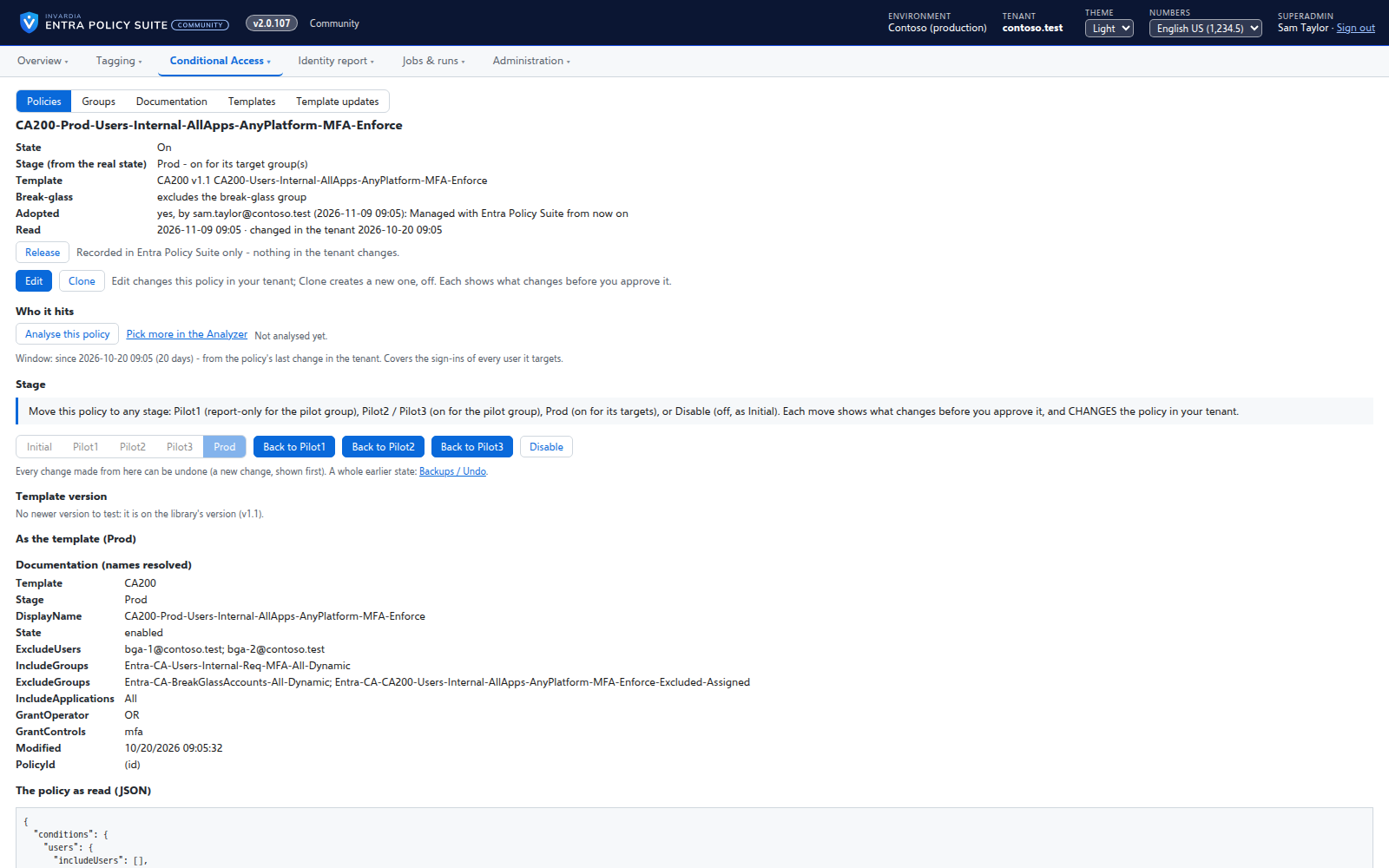
Edit, clone and version a Conditional Access policy
Change any part of a policy in a form, copy it into a new policy, deploy a new template version next to the old one and promote it when it is proven.
How it works →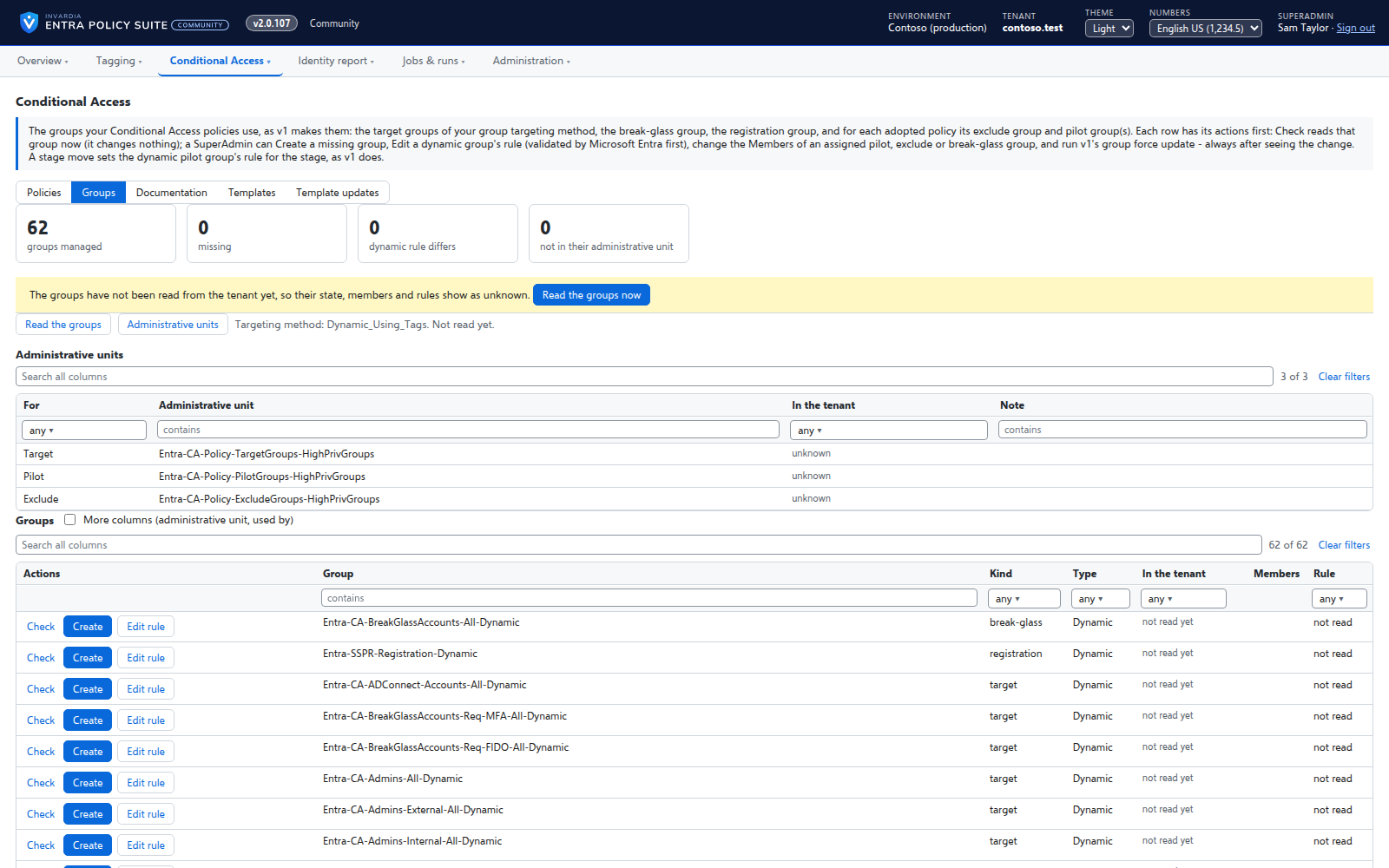
The groups your policies use, created and kept right
Every target, pilot, exclusion and break-glass group your policies use on one page - in the tenant or missing, its members, its dynamic rule - with the actions to fix each one.
How it works →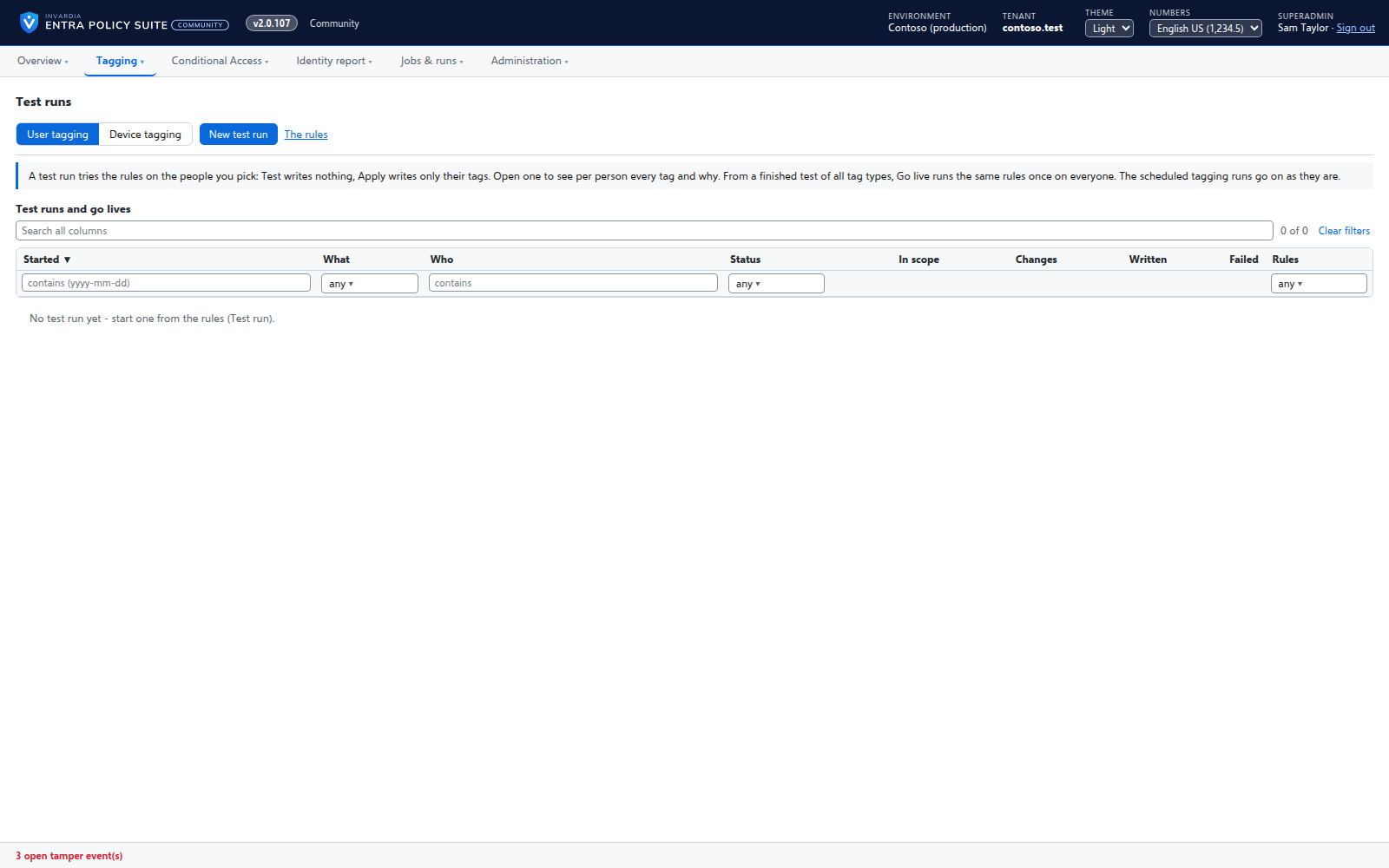
Test a rule change on the people you pick
Run your rules on a few users, a group or an OU first - with the changes still waiting in the queue - and see for each person which tag would change and why.
How it works →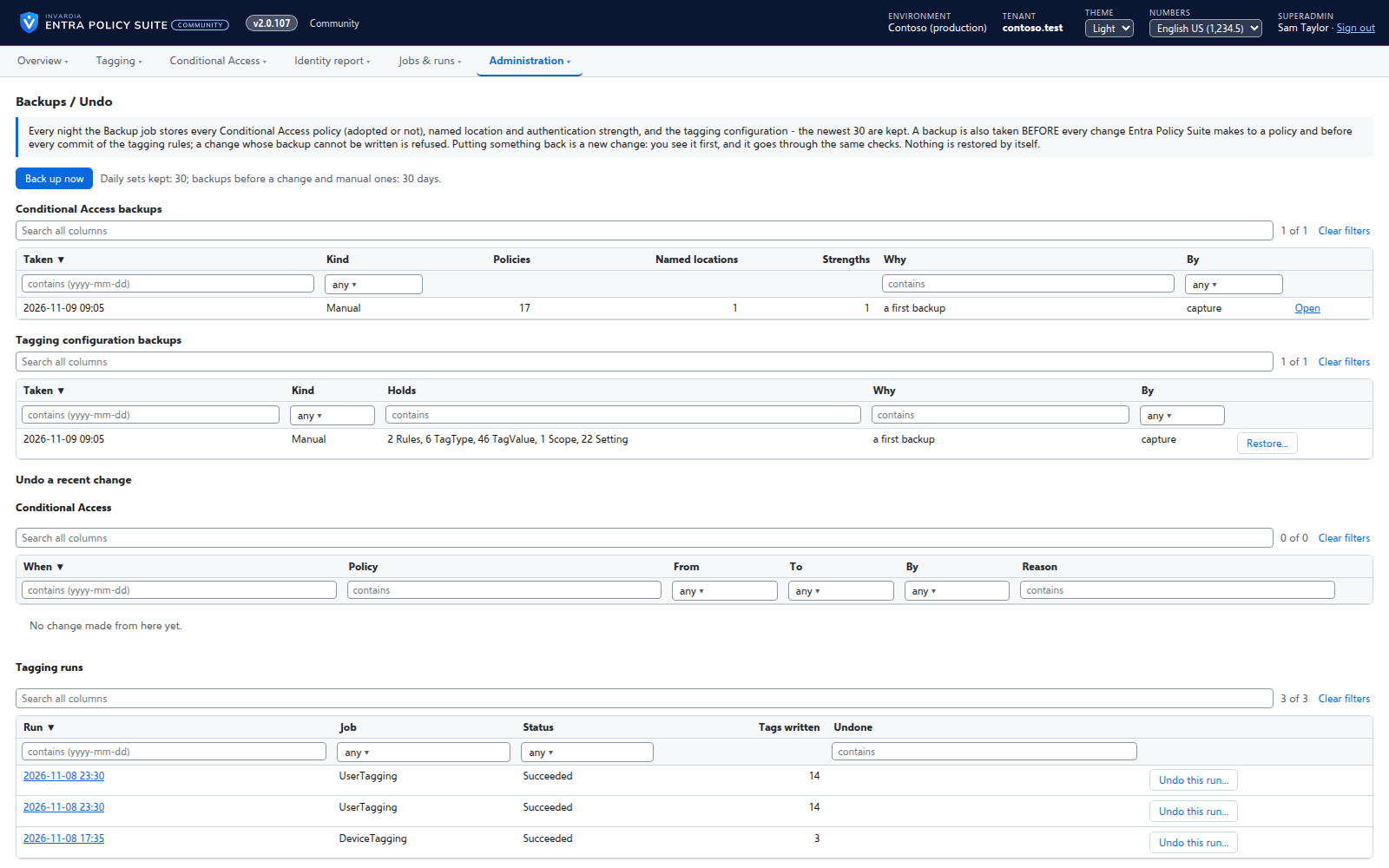
Backups and undo for policies and tagging
Every Conditional Access policy and the tagging configuration backed up every day and before every change, with restore and undo.
How it works →Support from the people who build it
Pro: support from Invardia - the support service, the Support app and just-in-time database access, each optional. Community: help on GitHub, and the Support app is optional.
How it works →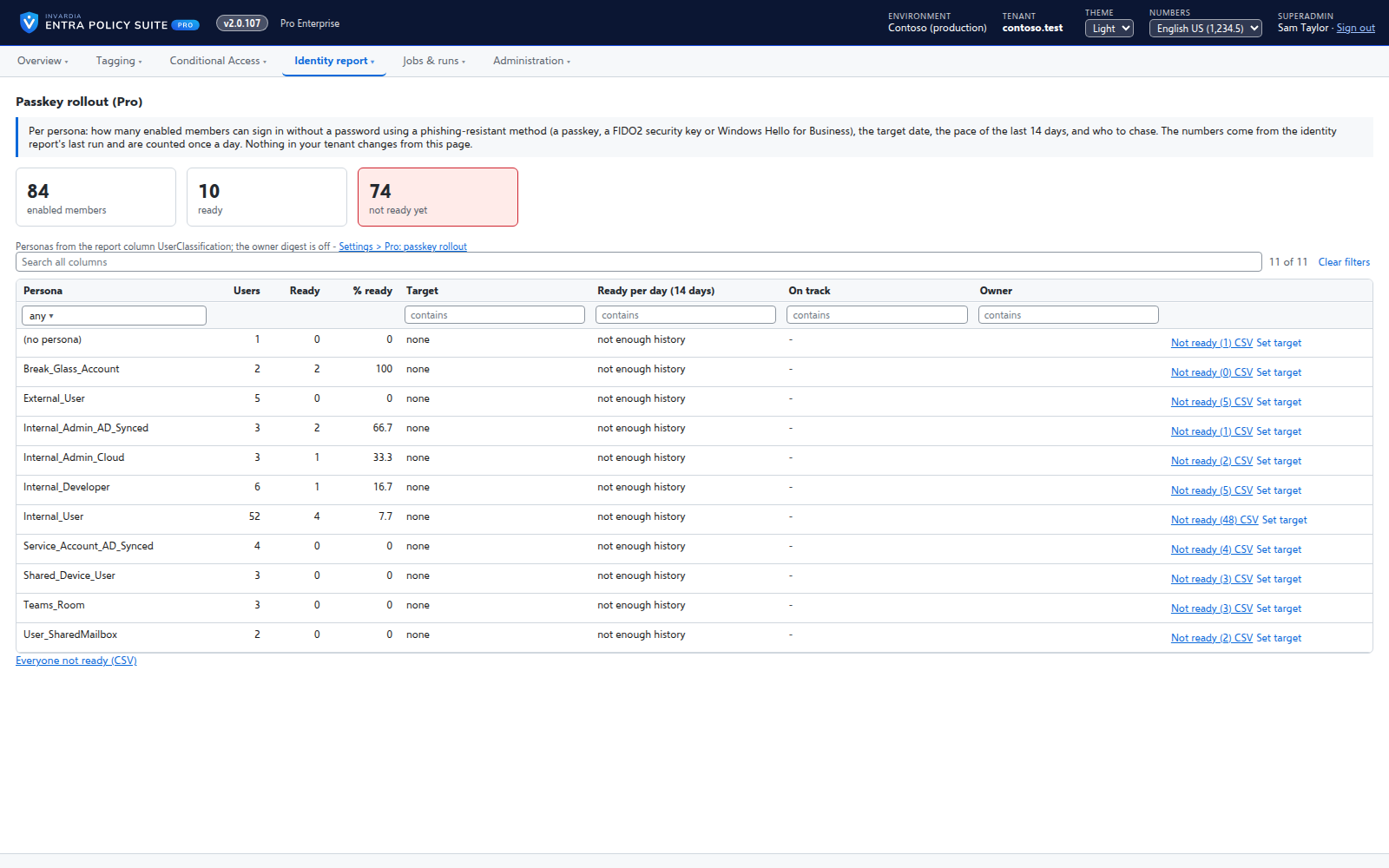
Passkey rollout tracker
Pro: per persona, how many people can sign in with a passkey, a security key or Windows Hello for Business, against a target date and an owner.
How it works →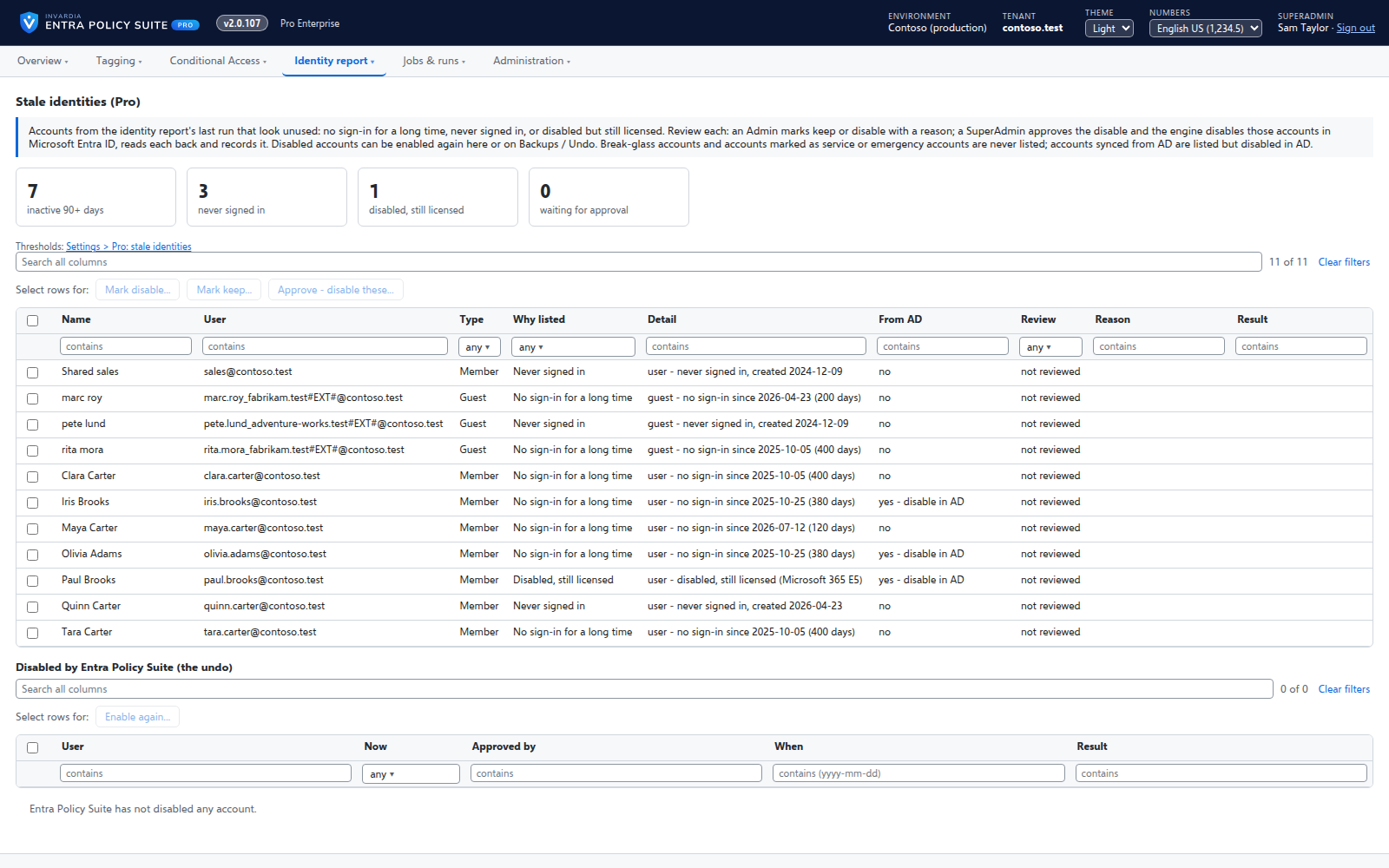
Stale identity clean-up
Pro: users and guests with no sign-in for 90 days, never signed in, or disabled but still licensed - reviewed, approved and only then disabled.
How it works →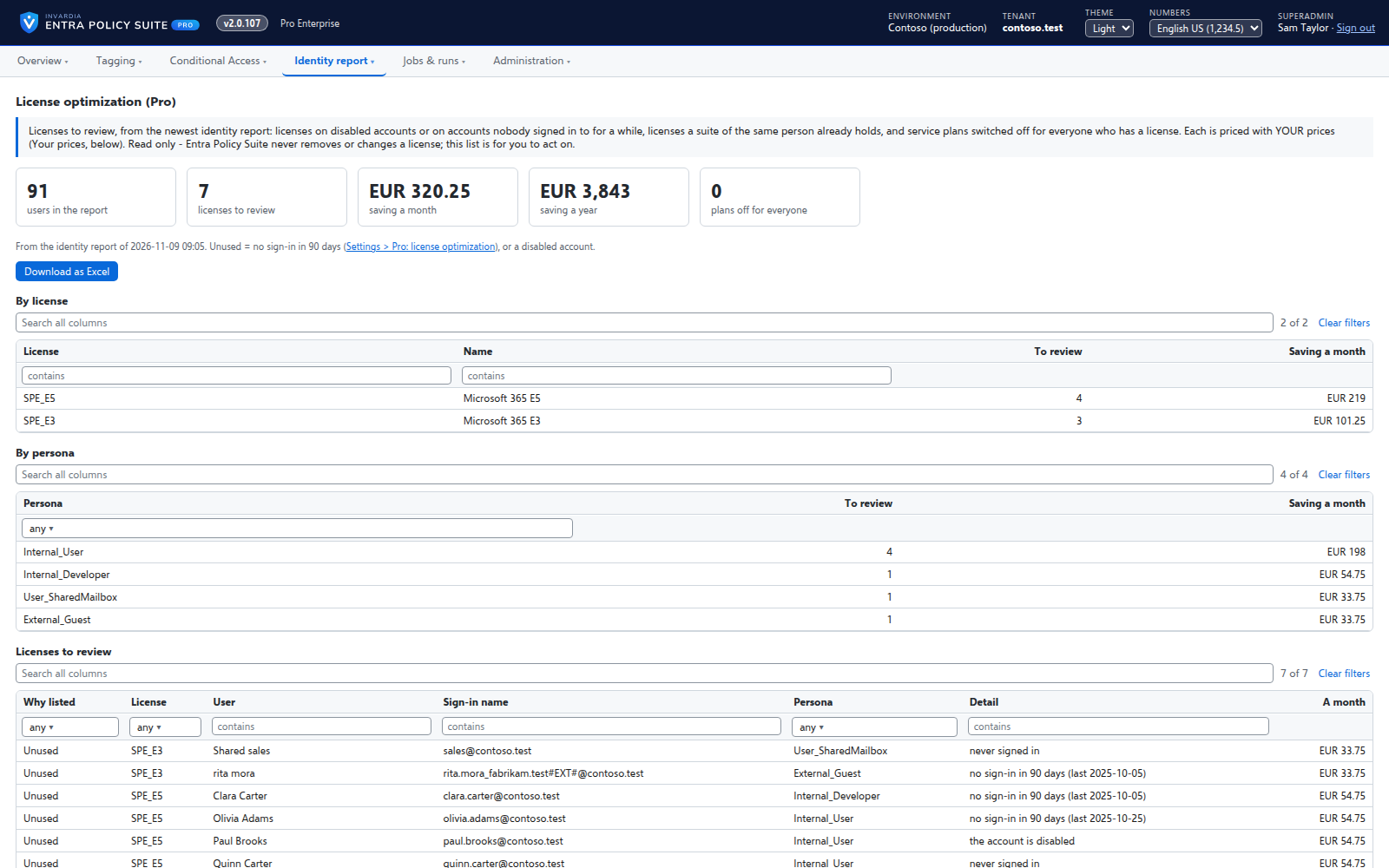
License optimization
Pro: the licenses to review - on disabled or inactive accounts, duplicated by a suite, or with plans switched off - priced with your own price table.
How it works →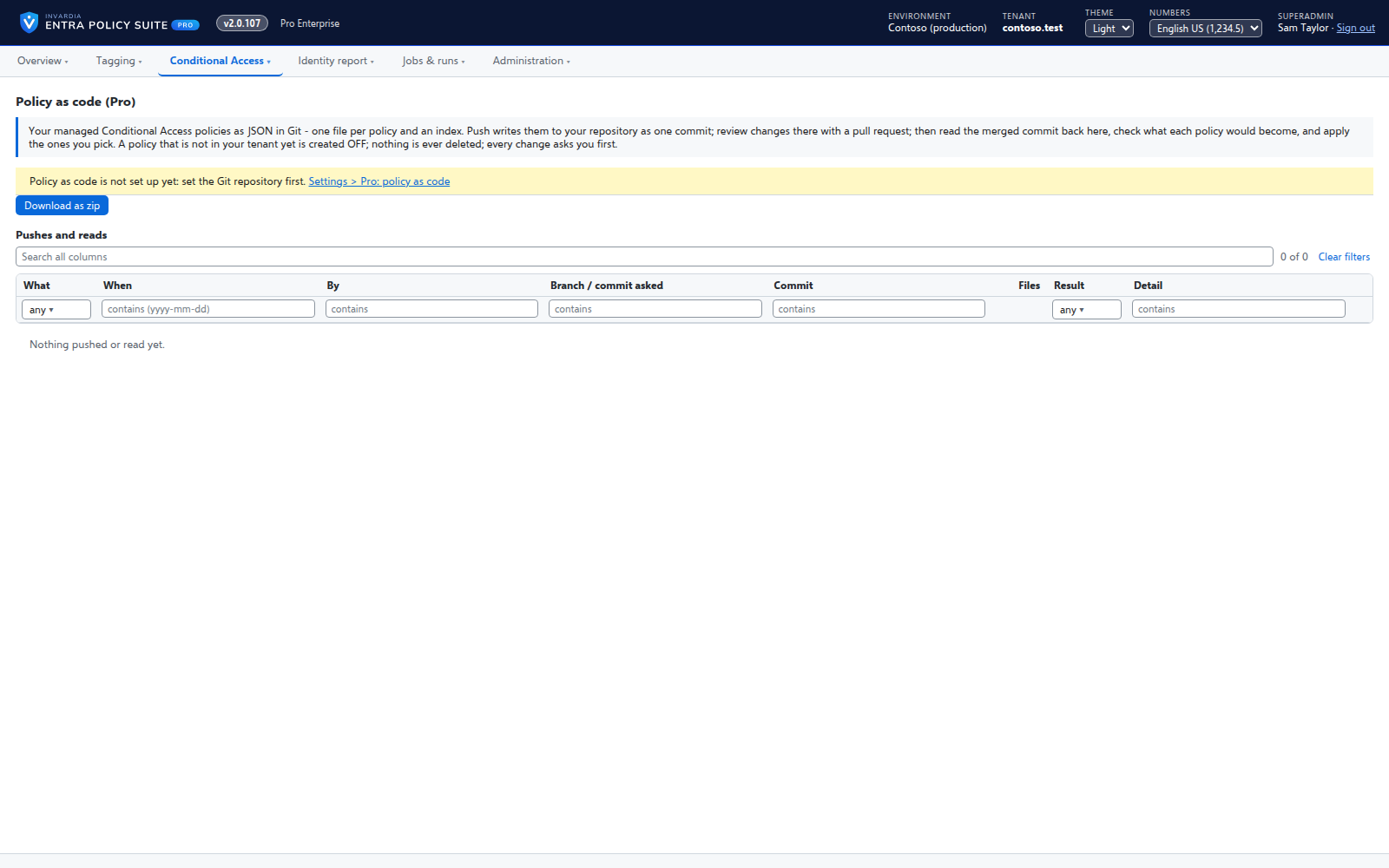
Conditional Access policy as code
Pro: your managed Conditional Access policies as JSON files - as a zip, or pushed to GitHub or Azure DevOps - reviewed in a pull request and read back.
How it works →Signed updates on the ring you choose
Pro: each update signed by Invardia, approved by a person before it reaches your ring, and installed between runs by the product itself.
How it works →