

Rules you edit like a spreadsheet
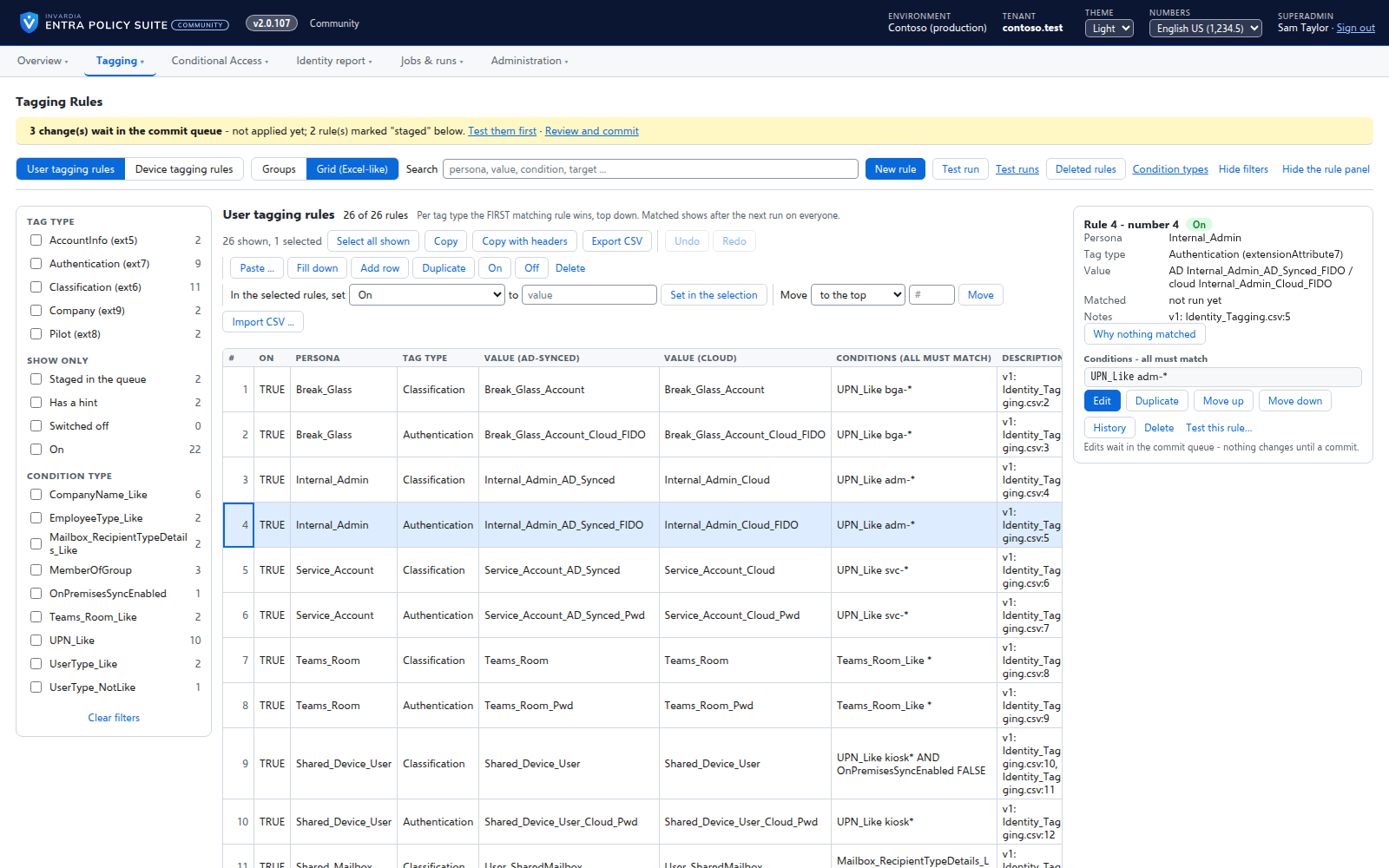
Every tagging rule on one page, edited like Excel: select, copy and paste, fill down, duplicate, move and switch on or off - many rules at once.
Purpose
A tagging rule set grows to dozens of personas and hundreds of conditions. Kept in CSV files it is easy to break: a copied row that keeps the wrong group number silently changes another rule, and nobody sees it until users move between policies.
Design
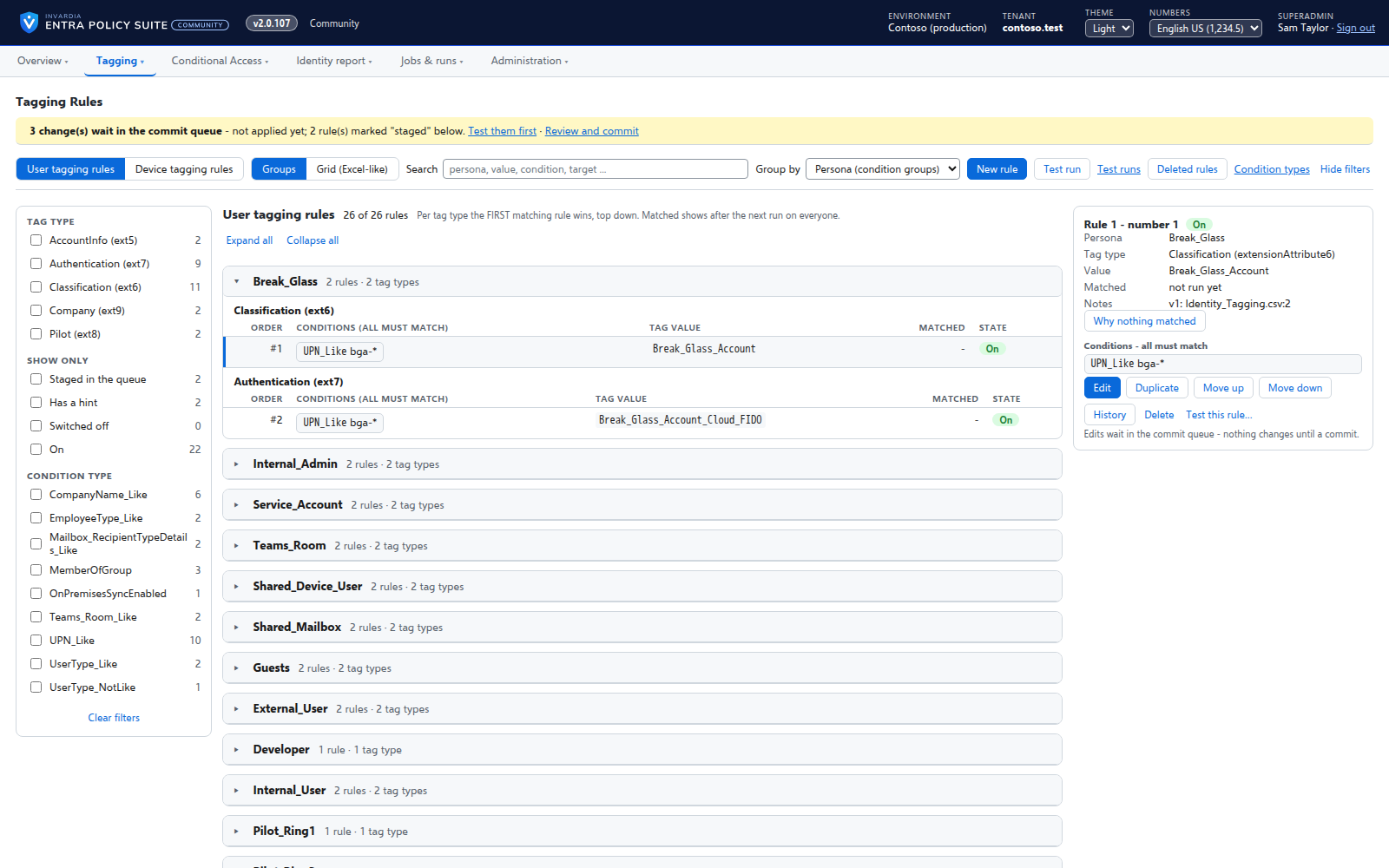
A rule is one row: a persona, a tag type, its value and its conditions. The Grid view works like a spreadsheet - multi-select, copy and paste to and from Excel, fill down, edit in place, duplicate, move a selection to a position, and switch on, off, delete or set a value for every selected rule. The Groups view shows the rules by persona with filters, search and how many objects each rule matched in the last run. Every edit is checked against the tag types and condition types before it is staged, and hints mark a rule that never wins, can never match or repeats a condition.
The rules can be exported and imported as CSV, and the Entra Policy Suite 1 rule files import into the same page.
Business opportunities
The team that owns Conditional Access changes the rules itself, in a tool it already knows how to use, without breaking the rule set - and every change is visible before it applies.
Related features
A commit queue for every rule change
A saved change waits until an admin commits it - nothing reaches the directory the moment someone types.
User tagging
Every user gets its tags from your rules - cloud users in Entra ID, AD-synced users in Active Directory.
Device tagging
Every device gets its category - privileged access workstation, corporate Windows, kiosk, corporate or personal phone - from your device rules.
A hybrid worker for Active Directory
Tags of AD-synced users are written in Active Directory by a small worker that only connects out and has no password.