



Think like the hacker. Act like the defender. Fix what matters - first.
What you see on your Defender dashboard is sorted by severity; an attacker's target list is sorted by opportunity. SecurityInsight scores every finding by consequence, probability (the Tier 0-3 criticality of the asset) and risk factors, so you fix what an attacker would reach for first.
See the features · Book an online demo · Buy now · Compare Community and Pro
Features
See what it does
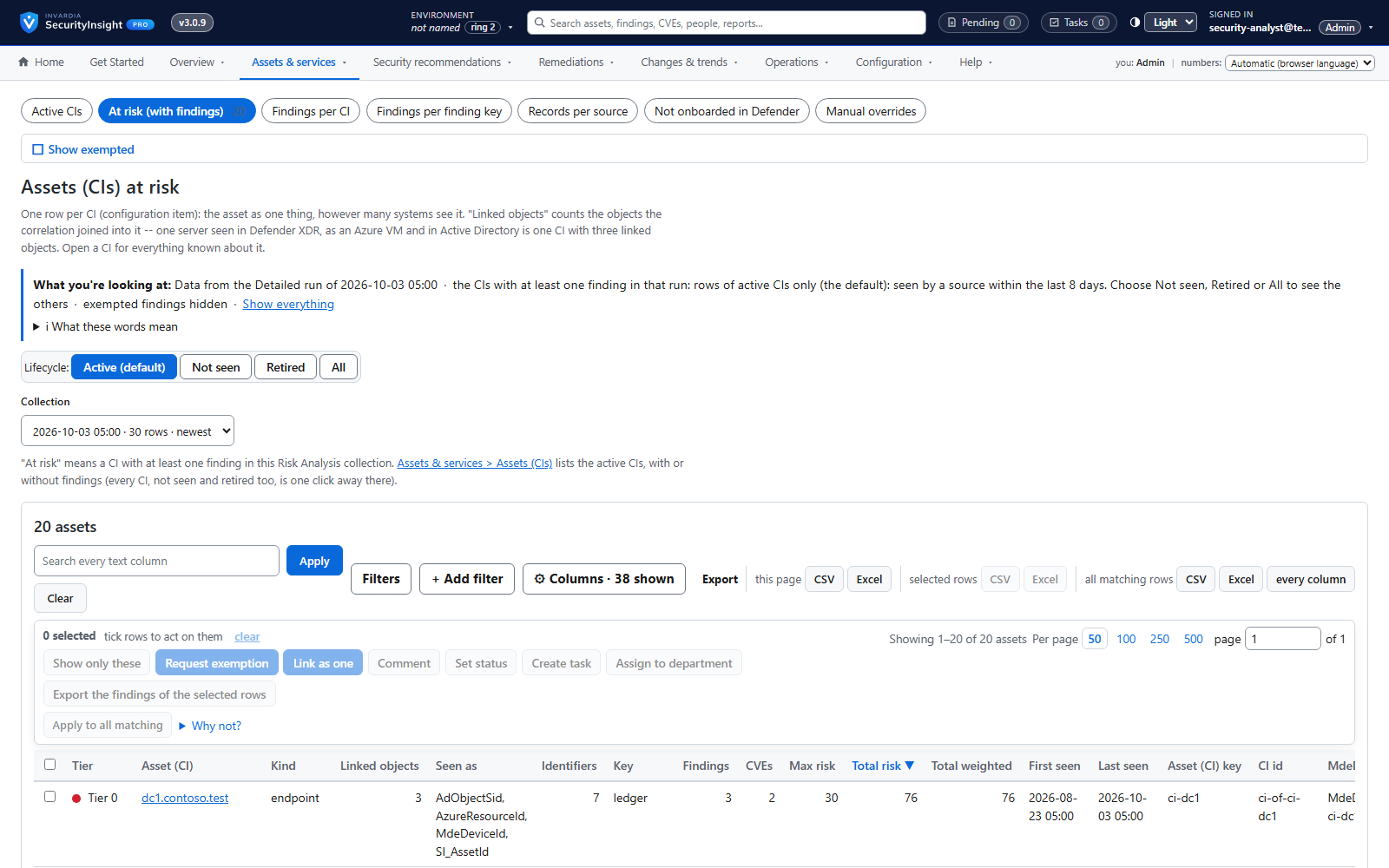
Asset profiling across endpoints, identities, Azure and public IPs
One profile per asset - device, identity, Azure resource or public IP - built automatically from the data you already have.
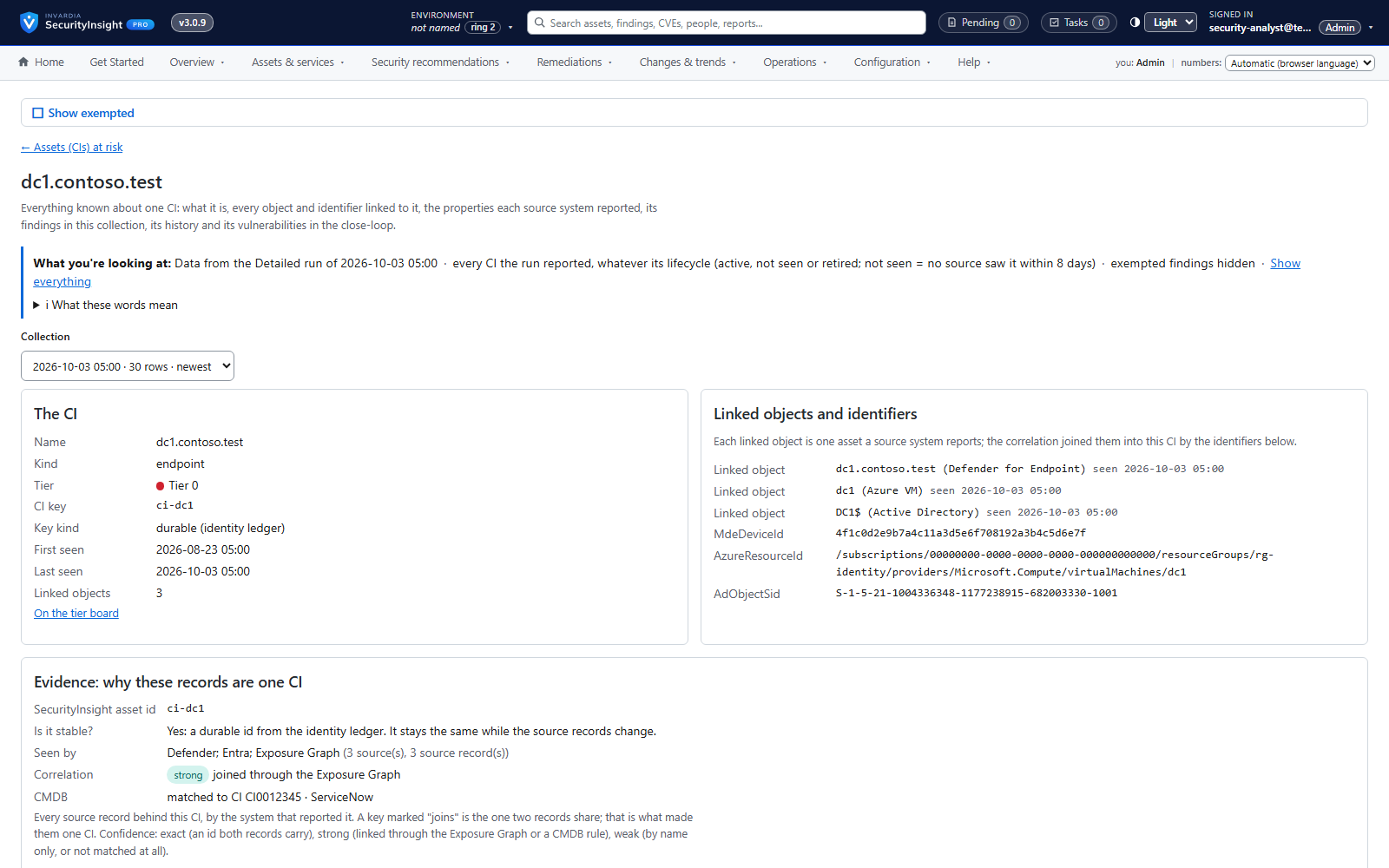
One asset, every source: cross-source correlation
A server seen by Defender, as an Azure VM and in Active Directory becomes one CI with one history.
Privilege tier catalog
Every role and permission in your tenant ranked by what an attacker could do with it - Tier 0 to Tier 3.
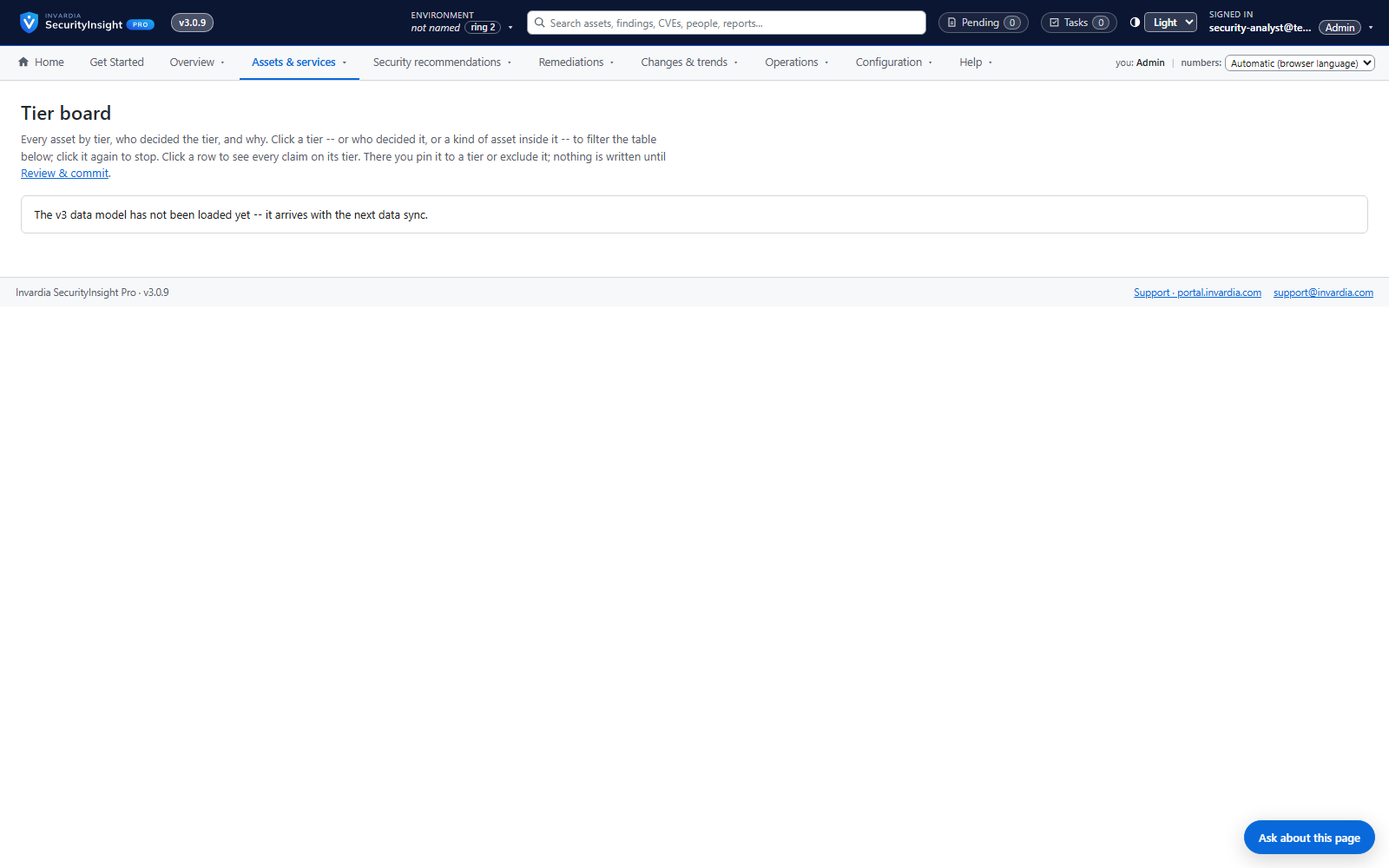
Tier board with explained decisions
See every asset in its tier and exactly which signal put it there - and move it with one drag.
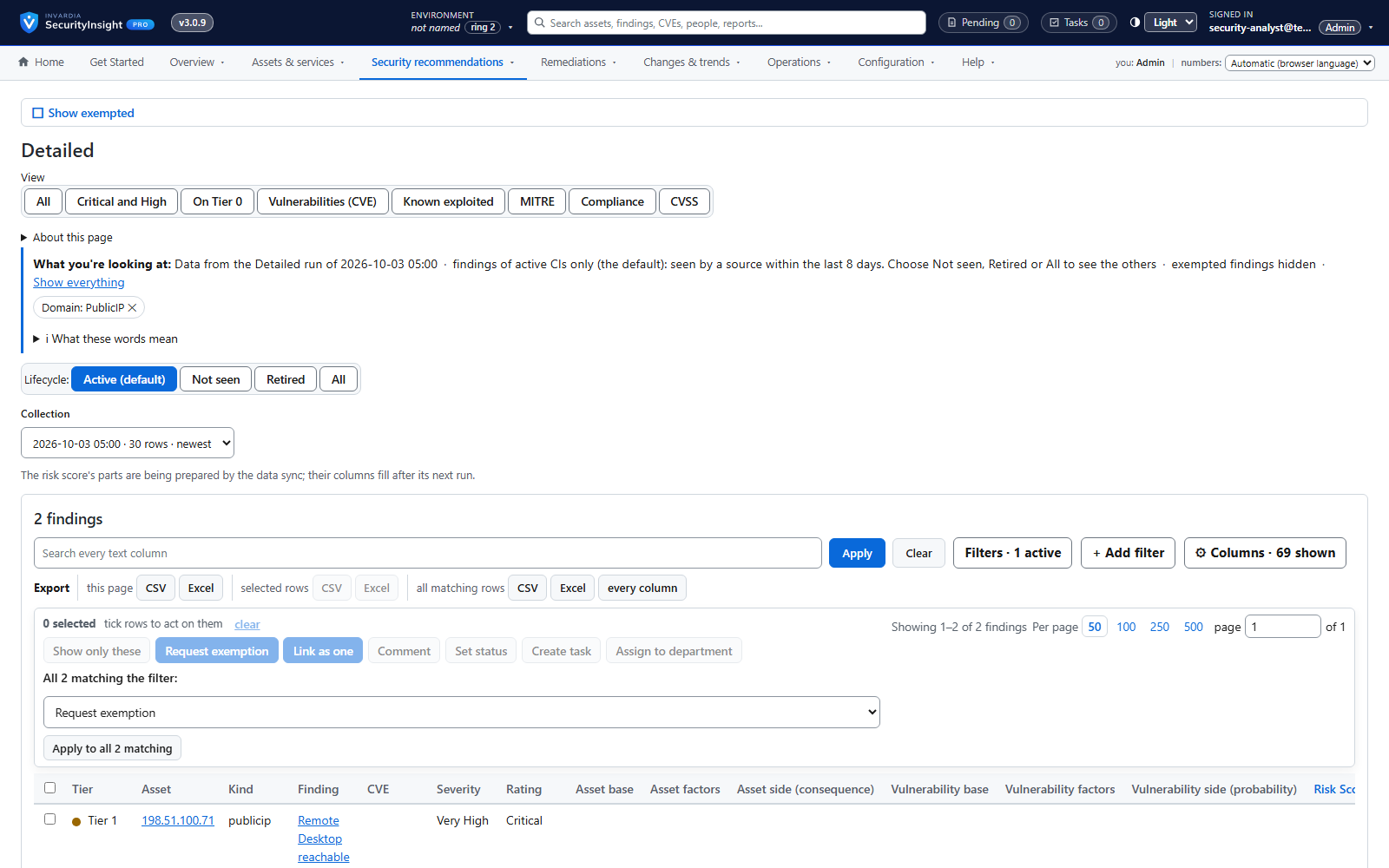
Public IP exposure with Shodan
See your internet-facing addresses the way an attacker does, tied to the asset behind them.
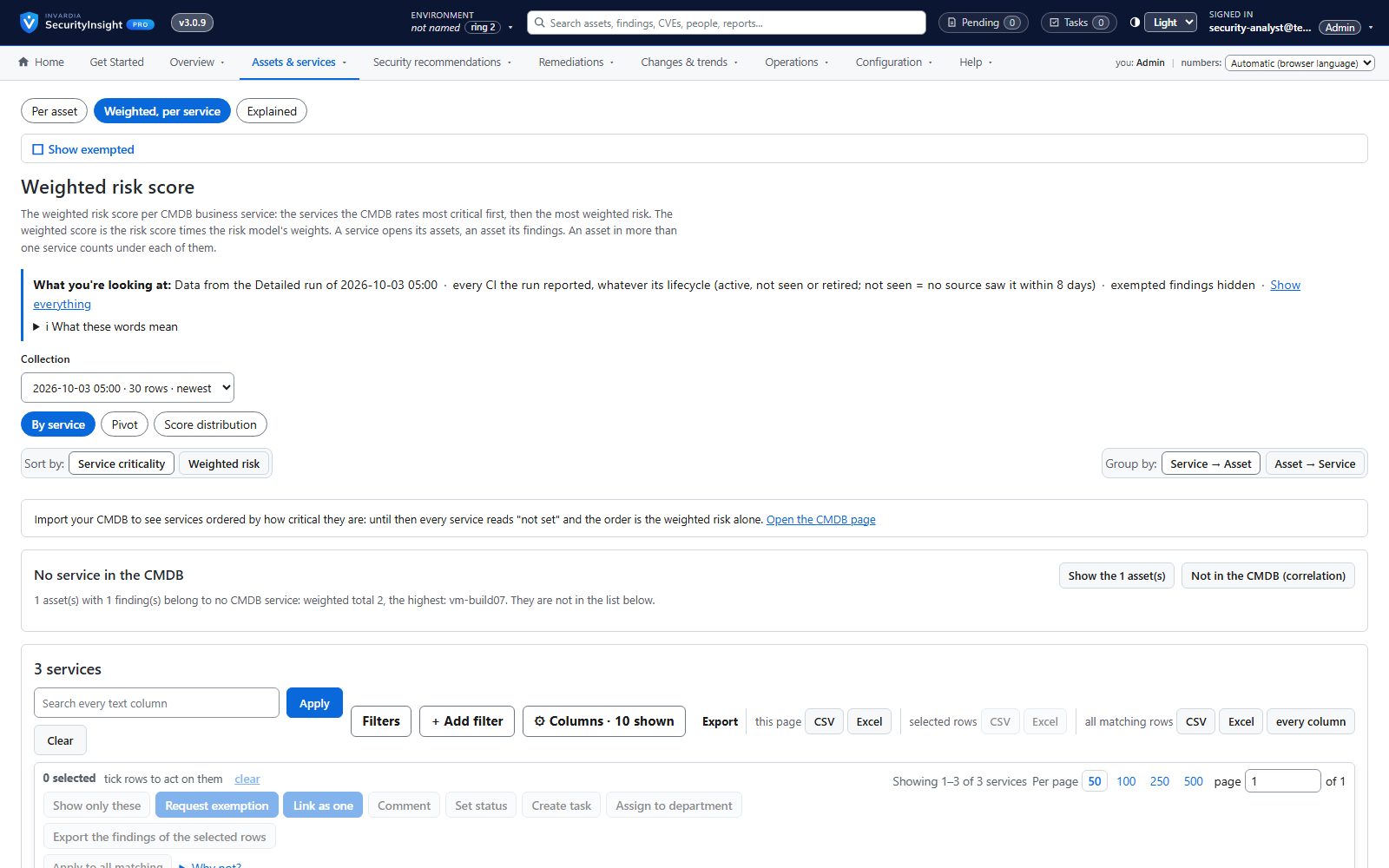
Risk score and weighted risk score
Every finding scored for severity and likelihood, then weighted by the business criticality of its asset.
Risk Analysis reports: Excel, mail and AI summary
138 ready-made reports across identity, endpoint, Azure and public IP - delivered as a workbook, a mail and an optional AI summary.
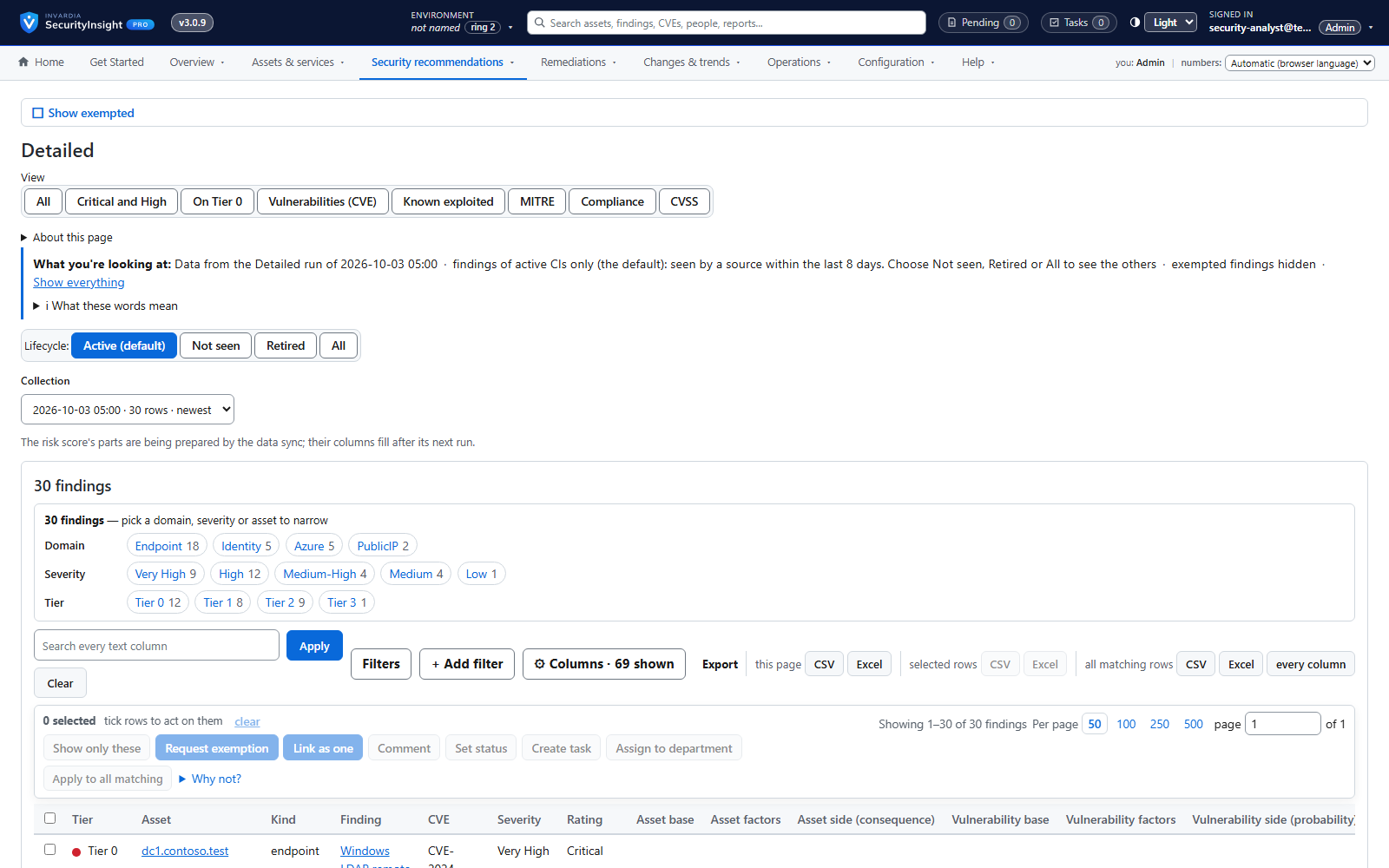
Findings workspace with Excel export
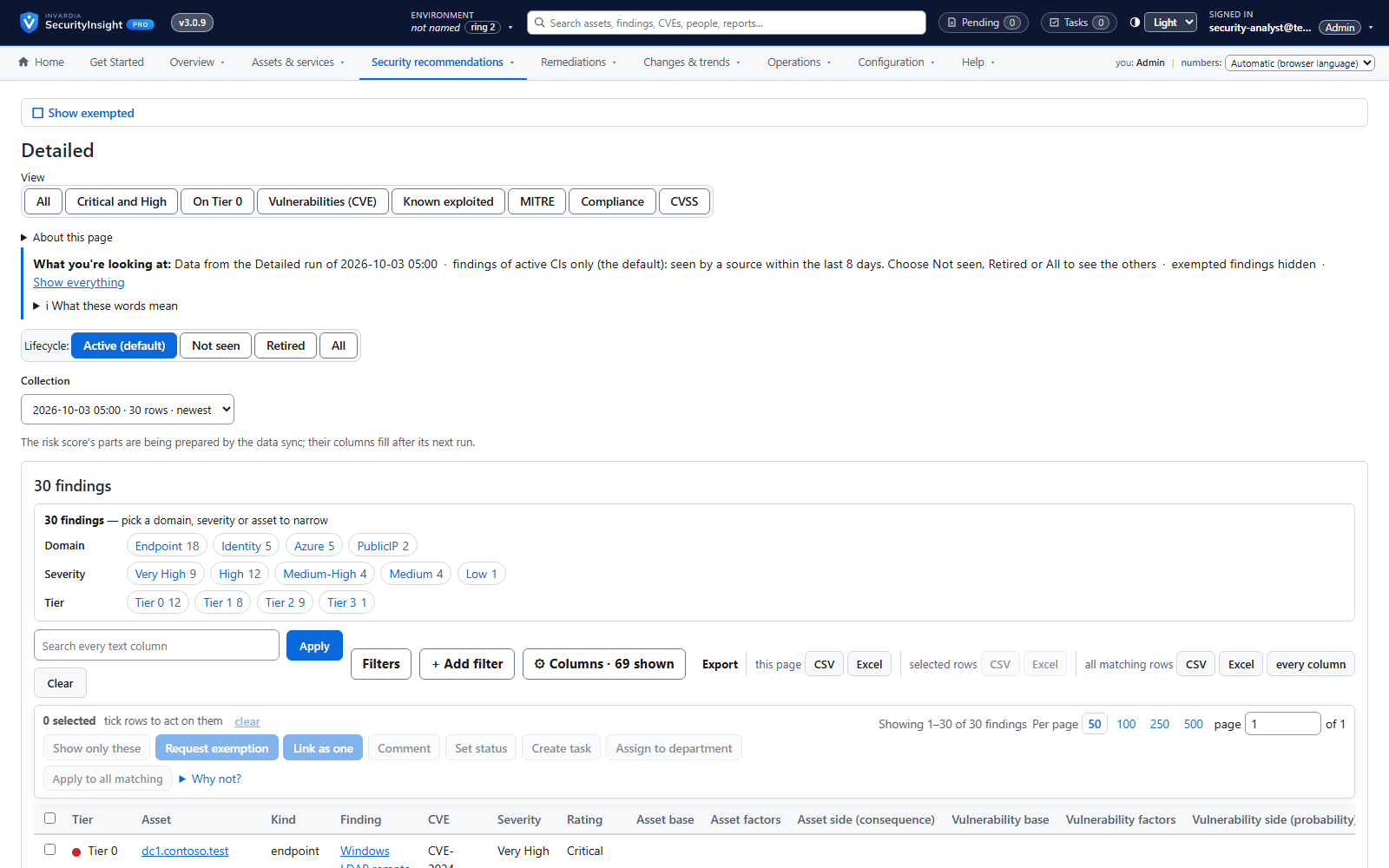
Every finding of a collection, most important first - filter, pivot, drill down and export to Excel.
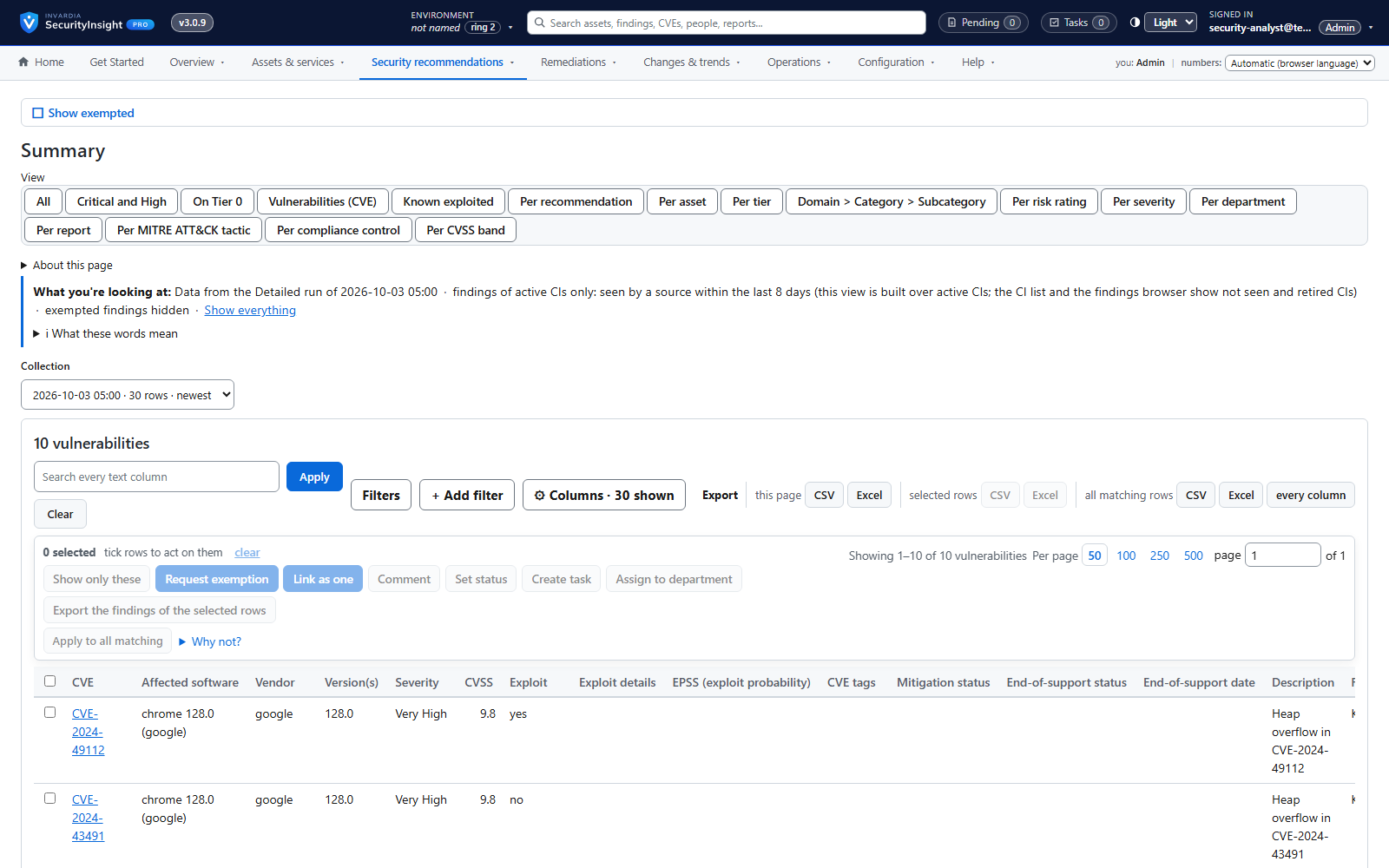
Fifteen views of every collection
Raw rows, correlated CIs, vulnerabilities, risk, MITRE, compliance, CVSS, exemptions, lifecycle, what changed, connector changes and services - for any collection.
Screenshots
See it in action
Findings: every finding of a collection, most critical asset first
Tier board: every asset in its tier, with the signal that put it thereWeighted risk score per business service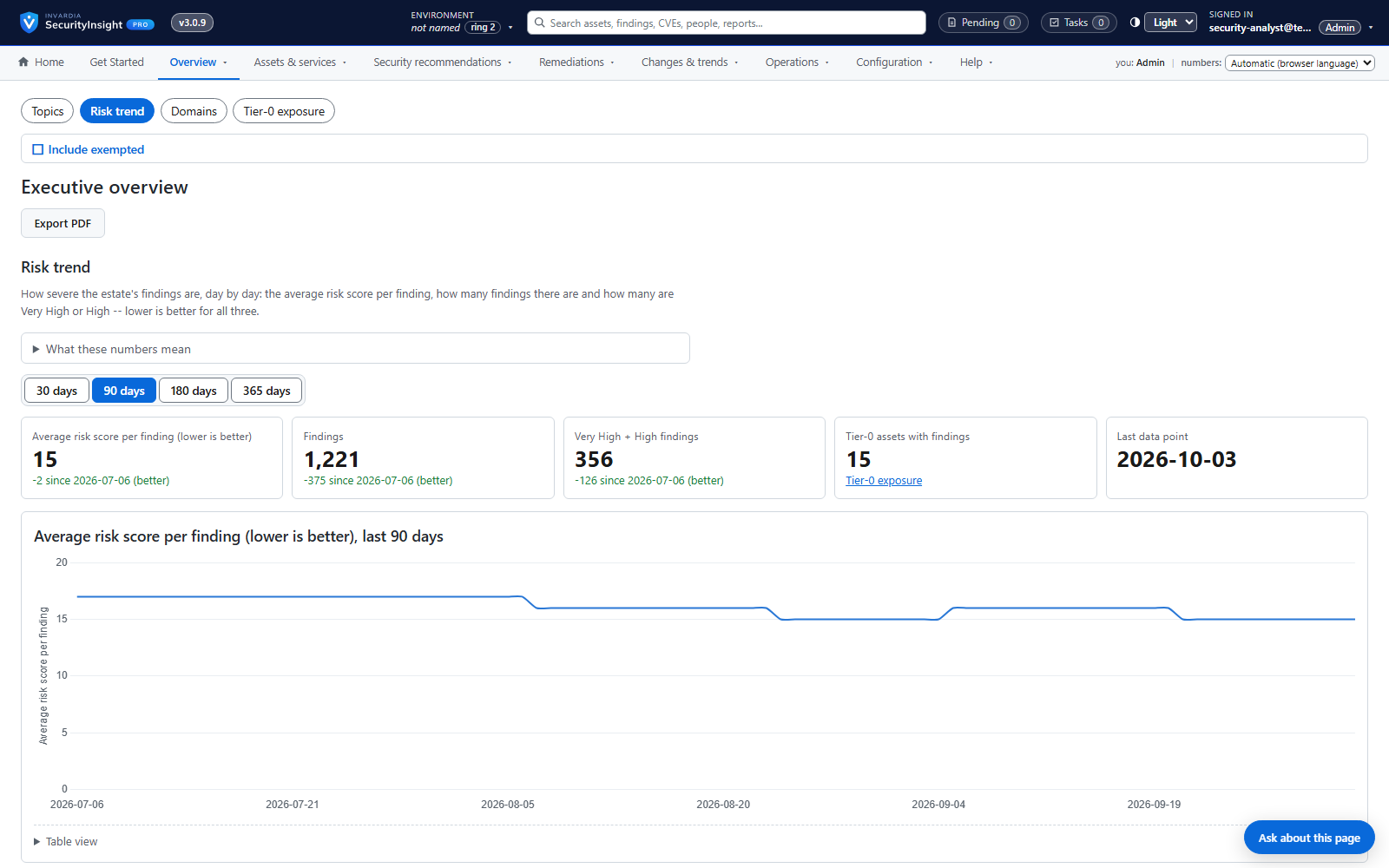 Management overview: the risk score and its trend
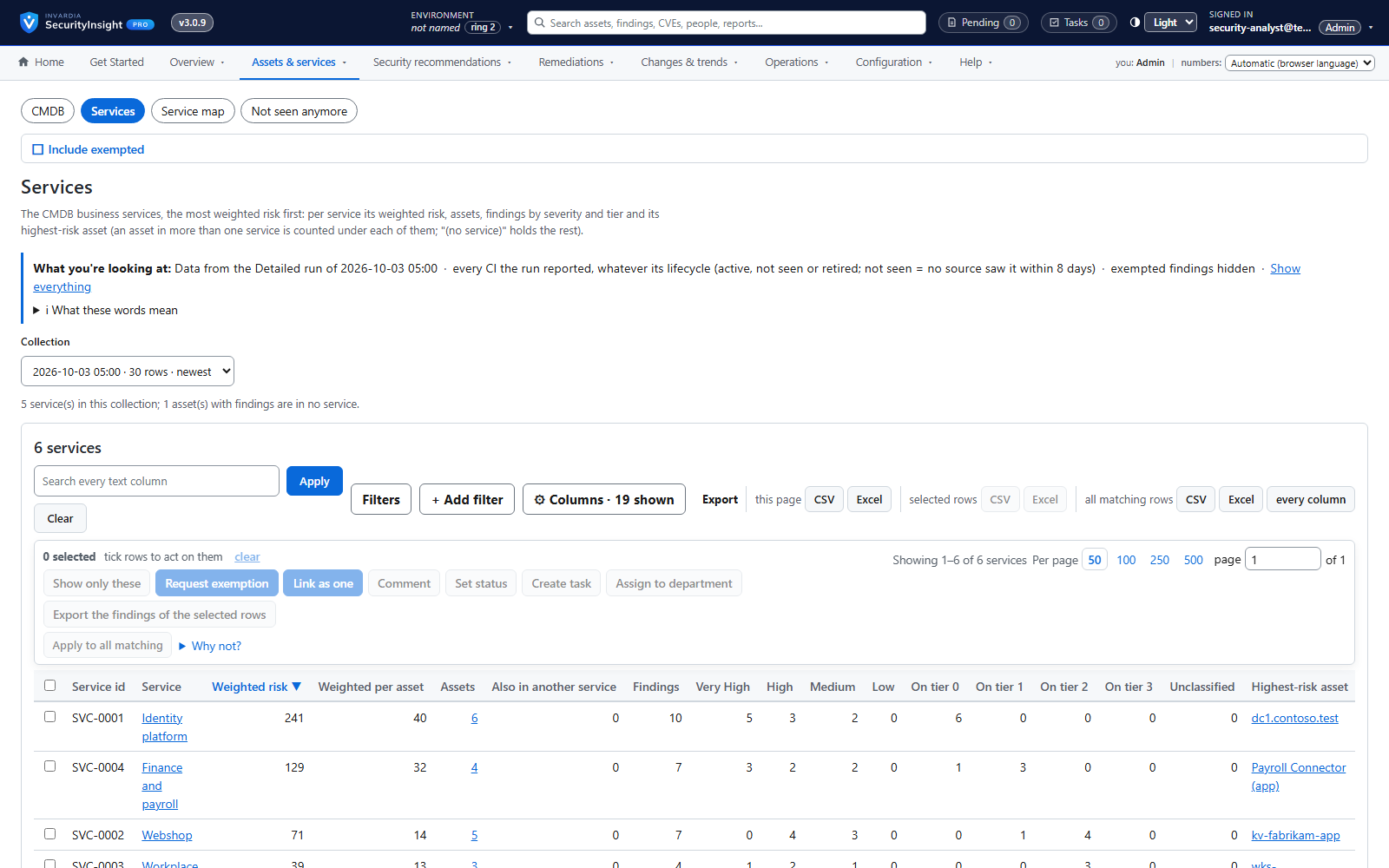 Business services ranked by weighted risk
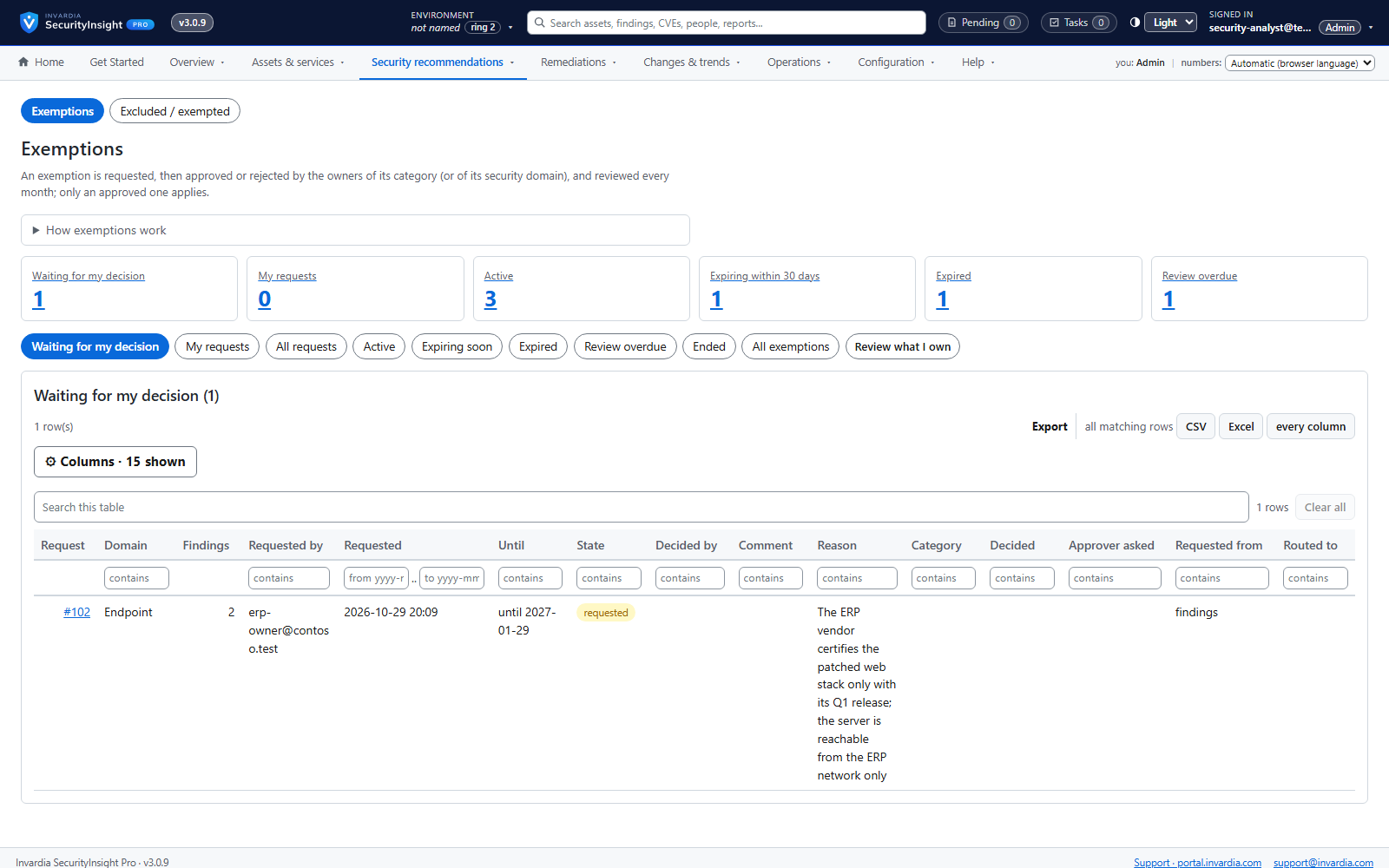 Governed exemptions: requested, approved and reviewed
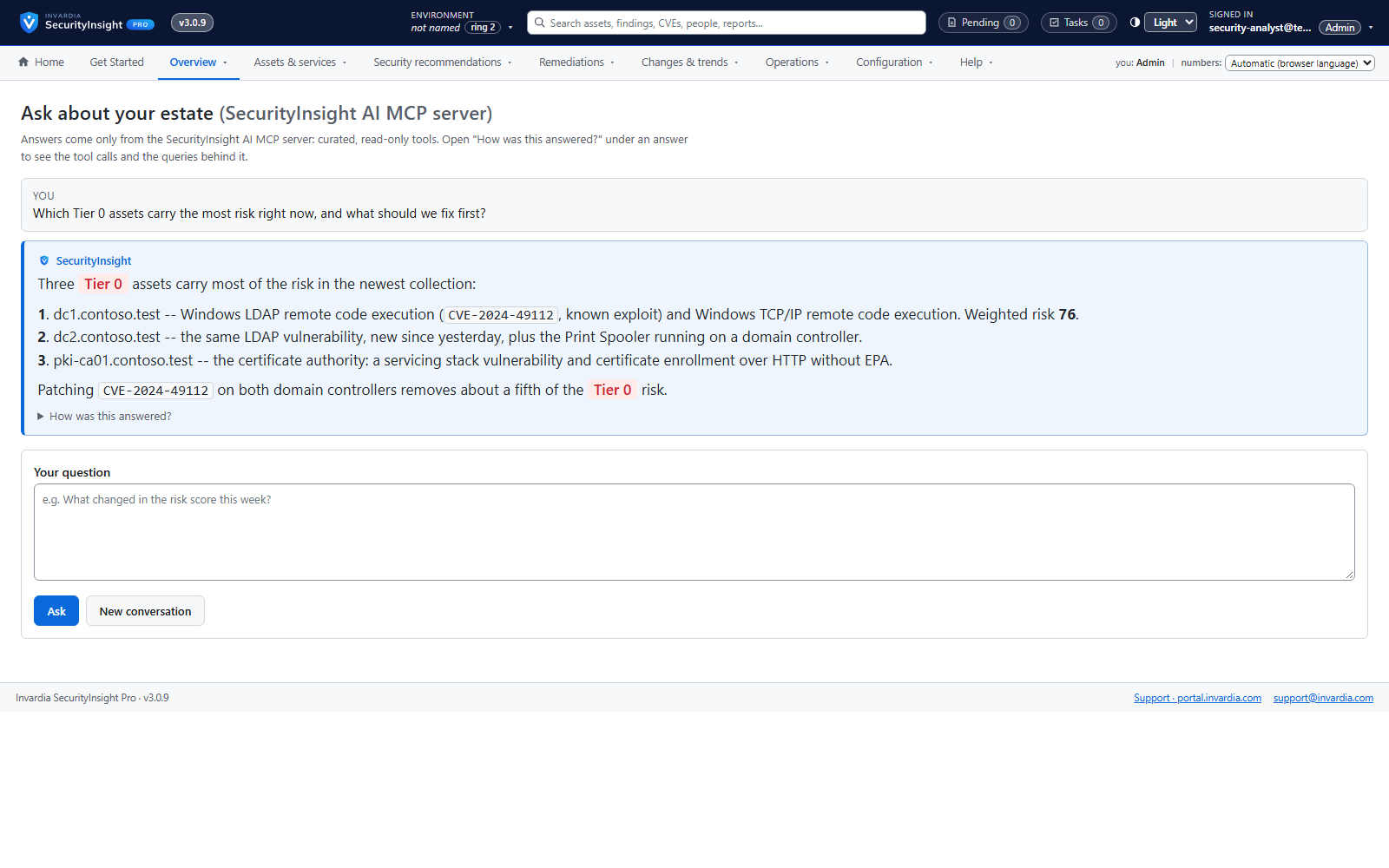 Ask SecurityInsight: answers that show the queries behind them
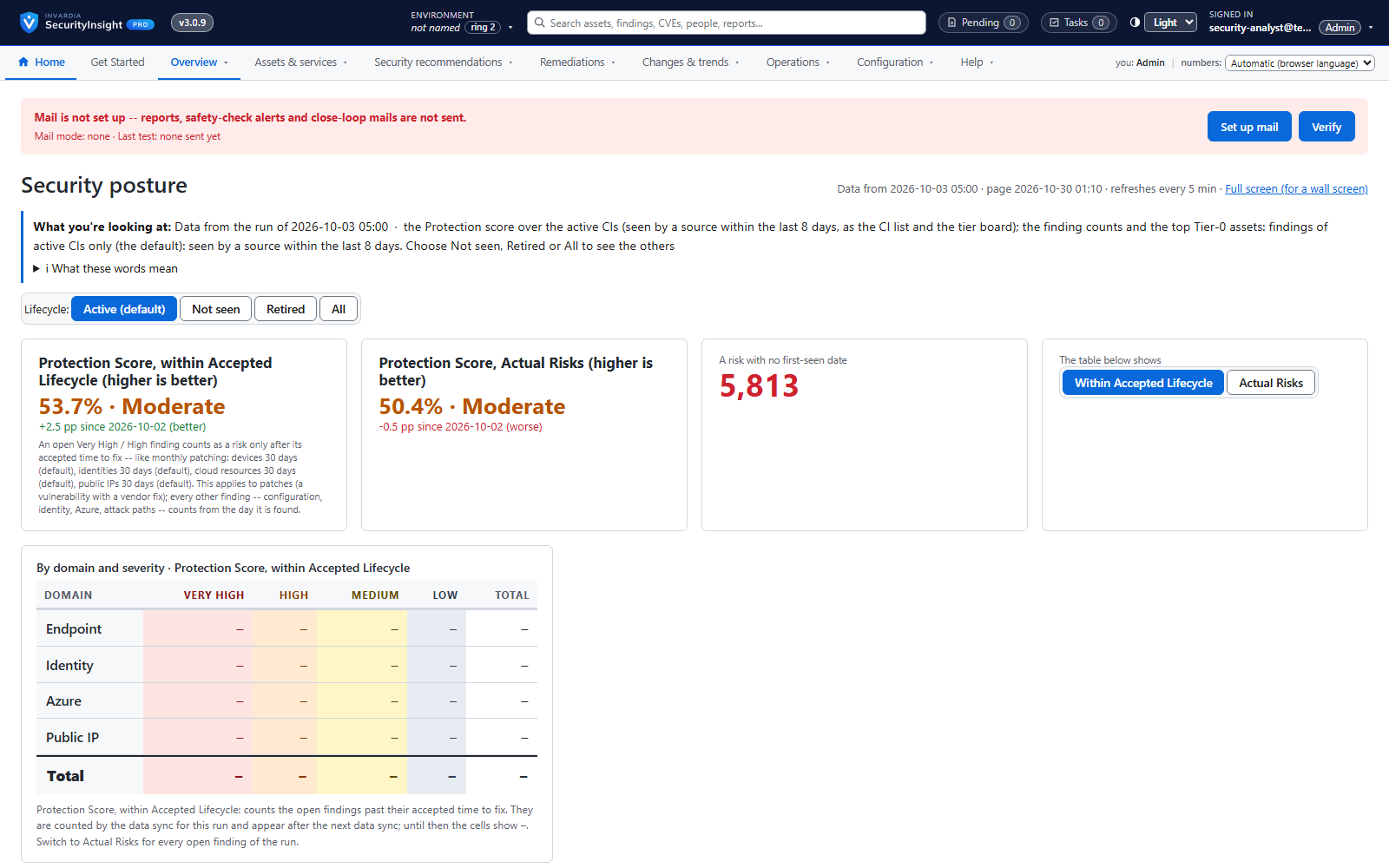 Wall board for the SOC
Screenshots use synthetic demo data.
Why SecurityInsight
SecurityInsight turns your Microsoft security data into one ranked list of what to fix first - weighted by how critical each asset really is, governed, and running entirely in your own Azure.
Stay in control
Know every asset, who owns it and how critical it is - across endpoints, identities, Azure and the internet edge - and see the whole picture in one place.
- Asset profiling across endpoints, identities, Azure and public IPs
- One asset, every source: cross-source correlation
- Privilege tier catalog
- Tier board with explained decisions
- Fifteen views of every collection
- Wall board for the SOC
- A CMDB in SecurityInsight - or your own
- Asset tagging, with a dry run first
Reduce real risk
Fix what matters first. Every finding is scored and weighted by the business criticality of the asset it sits on, so a domain controller never hides behind a test laptop.
- Asset profiling across endpoints, identities, Azure and public IPs
- Privilege tier catalog
- Public IP exposure with Shodan
- Risk score and weighted risk score
- Findings workspace with Excel export
- Risk trends over time
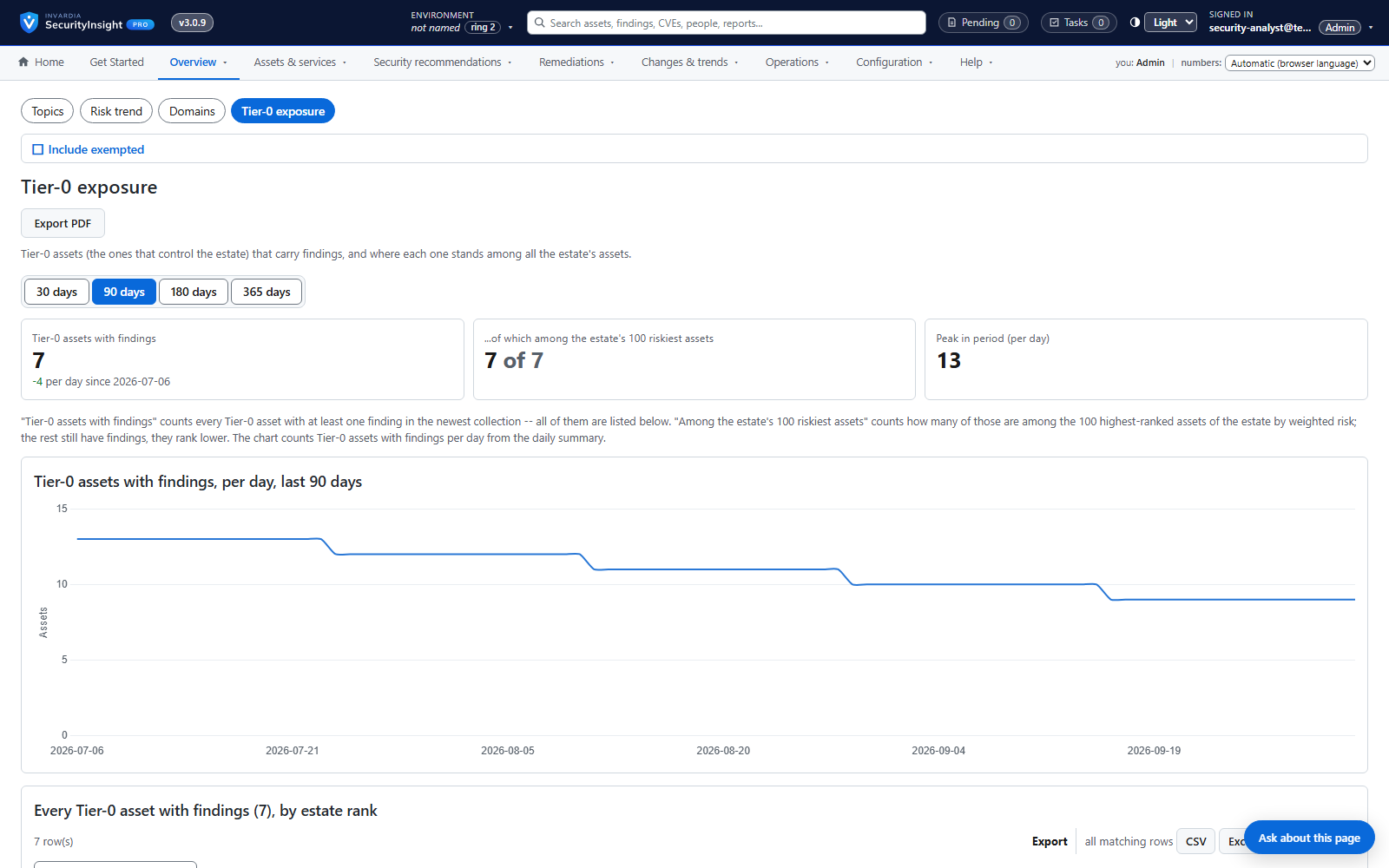
- Management views and Tier-0 focus
- Business services ranked by weighted risk
- Vulnerability close-loop: absence is not remediation
Prove compliance
Show auditors and boards what was found, what was fixed, what was accepted and why - mapped to MITRE ATT&CK and your compliance frameworks, with a full change history.
Save time
Replace spreadsheets and manual triage with automated collection, ready-made reports, an assistant that answers in plain language, and tickets that open and close themselves.
- Risk Analysis reports: Excel, mail and AI summary
- Findings workspace with Excel export
- Fifteen views of every collection
- Ask SecurityInsight: chat on every view
- Connectors: ServiceNow, SQL and any REST system
- Settings explained in plain words
- Runs in your Azure: containers or a server
- Guided install in one command
- Signed licence, requested and renewed automatically
Govern responsibility
Put decisions with the people accountable for them: owners and approvers per domain and department, roles with scopes, reviewed exemptions and changes that are approved before they apply.
- Tier board with explained decisions
- Business services ranked by weighted risk
- A CMDB in SecurityInsight - or your own
- Connectors: ServiceNow, SQL and any REST system
- Governed exemptions
- Roles and scoped access
- Departments own assets and recommendations
- External advisors with a second check
- Settings explained in plain words
- Review & commit and full change history
- Template releases by update ring, with roll back
- One report of every deviation
Secure by design
Runs in your own tenant with managed identities and managed identities by default and secrets only in your own Key Vault, read-only by default, with a signed licence and signed updates you can verify.
- Roles and scoped access
- External advisors with a second check
- Template releases by update ring, with roll back
- Asset tagging, with a dry run first
- Runs in your Azure: containers or a server
- Managed identity first, managed identities by default and secrets only in your own Key Vault
- Signed licence, requested and renewed automatically
- Signed updates by ring
- Support access you own
How SecurityInsight is built and secured →
SecurityInsight Pro documentation →
Editions
Compare editions


Community
Free, on GitHub.
- Free on GitHub (PolyForm Shield 1.0.0 from version 3.0)
- Runs in your own Azure as Azure Container Apps jobs, with its own database and the SecurityInsight web app
- Four profilers: endpoints, identities, Azure resources and public IPs, and one asset across every source (correlation)
- Risk Analysis (138 reports) as an Excel workbook and a report mail from a shared mailbox or your own SMTP relay, with an optional AI summary, and in the web app
- Web app: findings, assets, tier board, management views, trends and a wall board, with export to Excel or CSV
- Risk trend, CMDB from a CSV file, AI tier classification, Shodan, asset tagging
- Signed updates every evening from the Community channel: update ring 2 (early) or 3 (broad, the default)


Pro BusinessLimitations apply
Every Pro feature for one Microsoft tenant, at a smaller-business price.
- Up to 250 devices (PCs and servers)
- Every Pro Enterprise feature:
- Governed exemptions, departments, follow-up tasks, security owners and external advisors (new)
- A CMDB in SecurityInsight - or your own - with services ranked by weighted risk (new)
- Vulnerability close-loop to ServiceNow, SQL or any REST system
- Alert mails, management summary mails and management presentations (new)
- Roles and scopes for people and groups, and an audit trail (new)
- Ask SecurityInsight and an MCP server for AI assistants (new)
- Signed licence and signed updates through Invardia, by update ring (new)
Pro Enterprise
Pro features for one Microsoft tenant.
- Everything in Community, plus:
- Governed exemptions, departments, follow-up tasks, security owners and external advisors (new)
- A CMDB in SecurityInsight - or your own - with services ranked by weighted risk (new)
- Vulnerability close-loop to ServiceNow, SQL or any REST system
- Alert mails, management summary mails and management presentations (new)
- Roles and scopes for people and groups, and an audit trail (new)
- Ask SecurityInsight and an MCP server for AI assistants (new)
- Signed licence and signed updates through Invardia, by update ring (new)
Pro MSP
For managed service providers.
Prices in EUR excl. VAT, invoiced in advance, yearly or every 6 months (+5 %). For businesses.
Why SecurityInsight
Built for how you work
Zero footprint
Collection is read-only, with no agents and no schema changes in your tenant. The one engine that writes - asset tagging - runs under its own identity and stays report-only until you switch it on.
Risk, not noise
Not thousands of recommendations, but the small set of fixes that most reduce lateral movement and tenant takeover risk, most critical asset first.
Tiers from real permissions
Identities are tiered from the permissions they actually hold, including nested group chains, and every tier shows the signal that set it. Optional AI places roles the catalog has not seen before.
Weighted Risk Score for your crown jewels
Connect a CMDB and the same finding ranks higher on a payroll server than on a sandbox. Pro ranks your business services by weighted risk.
A management-friendly KPI
One headline Risk Score with a breakdown per security domain, in the mail and in Log Analytics, and a daily trend that shows whether the estate is getting safer.
Governed, not ad hoc
Pro: accepted risk is requested, approved per security domain, time-limited and reviewed every month; every change is staged, reviewed and written with a reason and an audit row.
Absence is not remediation
Pro: a vulnerability closes as fixed only after complete runs without it on an asset that was actually seen, and reopens if it comes back.
Scales to large enterprises
Container Apps jobs scale out, and queries split themselves to stay inside Defender's limits.
How it works
- Collect: read-only signals from Defender XDR, Exposure Graph, Entra ID, Azure and Log Analytics, on a managed identity.
- Profile: every endpoint, identity, Azure resource and public IP gets a Tier 0-3 criticality and the evidence behind it.
- Score: every finding by consequence x probability x risk factors, in 138 Risk Analysis reports, weighted by your CMDB.
- Act: ranked Excel and an AI-written executive mail, the web app's findings and management views - and in Pro exemptions, departments and connectors.
Works with
- Microsoft Defender XDR
- Microsoft Defender Exposure Graph
- Microsoft Defender for Endpoint
- Microsoft Defender for Identity
- Microsoft Entra ID
- Azure Resource Graph
- Log Analytics
- Azure OpenAI
- Shodan
- ServiceNow
Helps you evidence
- NIS2
- DORA
- ISO 27001
- GDPR Art. 32
How it deploys
Runs in your own Azure subscription as Azure Container Apps jobs or on a Windows server (an Azure VM or an Azure Arc-enabled server), signed in with the host's managed identity by default. A guided install checks permissions first and changes nothing until they pass; nothing is installed on your other servers.
Features
Every feature, edition by edition
The complete SecurityInsight feature list - Community, Pro - grouped by what you want to get done.
Ready to fix what matters first?
Order SecurityInsight Pro online - we confirm your order, invoice you and release your licence to the customer portal. Or talk to us first.