

Entra Policy Suite
Conditional Access you change on purpose.
Conditional Access decides who gets into your tenant, and it is usually changed by hand in the portal, with no review and no way back. Entra Policy Suite turns every policy change into a reviewed, recorded and reversible step - and keeps the groups and tags your policies depend on right, so they protect the accounts they should.
See the features · Book an online demo · Buy now · Compare Community and Pro
Install in two lines
The quickest install. In PowerShell 7:
Invoke-WebRequest https://github.com/KnudsenMorten/EntraPolicySuite/releases/latest/download/Start-EpsInstall.ps1 -OutFile Start-EpsInstall.ps1
./Start-EpsInstall.ps1 -TenantId <tenant id> -SubscriptionId <subscription id>
4 more ways to install
See the plan first (nothing is created):
Invoke-WebRequest https://github.com/KnudsenMorten/EntraPolicySuite/releases/latest/download/Start-EpsInstall.ps1 -OutFile Start-EpsInstall.ps1
./Start-EpsInstall.ps1 -TenantId <tenant id> -SubscriptionId <subscription id> -WhatIf
Another region than westeurope:
Invoke-WebRequest https://github.com/KnudsenMorten/EntraPolicySuite/releases/latest/download/Start-EpsInstall.ps1 -OutFile Start-EpsInstall.ps1
./Start-EpsInstall.ps1 -TenantId <tenant id> -SubscriptionId <subscription id> -Location <region>
A private network:
Invoke-WebRequest https://github.com/KnudsenMorten/EntraPolicySuite/releases/latest/download/Start-EpsInstall.ps1 -OutFile Start-EpsInstall.ps1
./Start-EpsInstall.ps1 -TenantId <tenant id> -SubscriptionId <subscription id> -PrivateNetwork
Continue an install that stopped:
Invoke-WebRequest https://github.com/KnudsenMorten/EntraPolicySuite/releases/latest/download/Start-EpsInstall.ps1 -OutFile Start-EpsInstall.ps1
./Start-EpsInstall.ps1 -TenantId <tenant id> -SubscriptionId <subscription id> -Resume
Two lines in PowerShell 7 or Azure Cloud Shell; no PowerShell modules. Every feature is off until you switch it on.
Features
See what it does
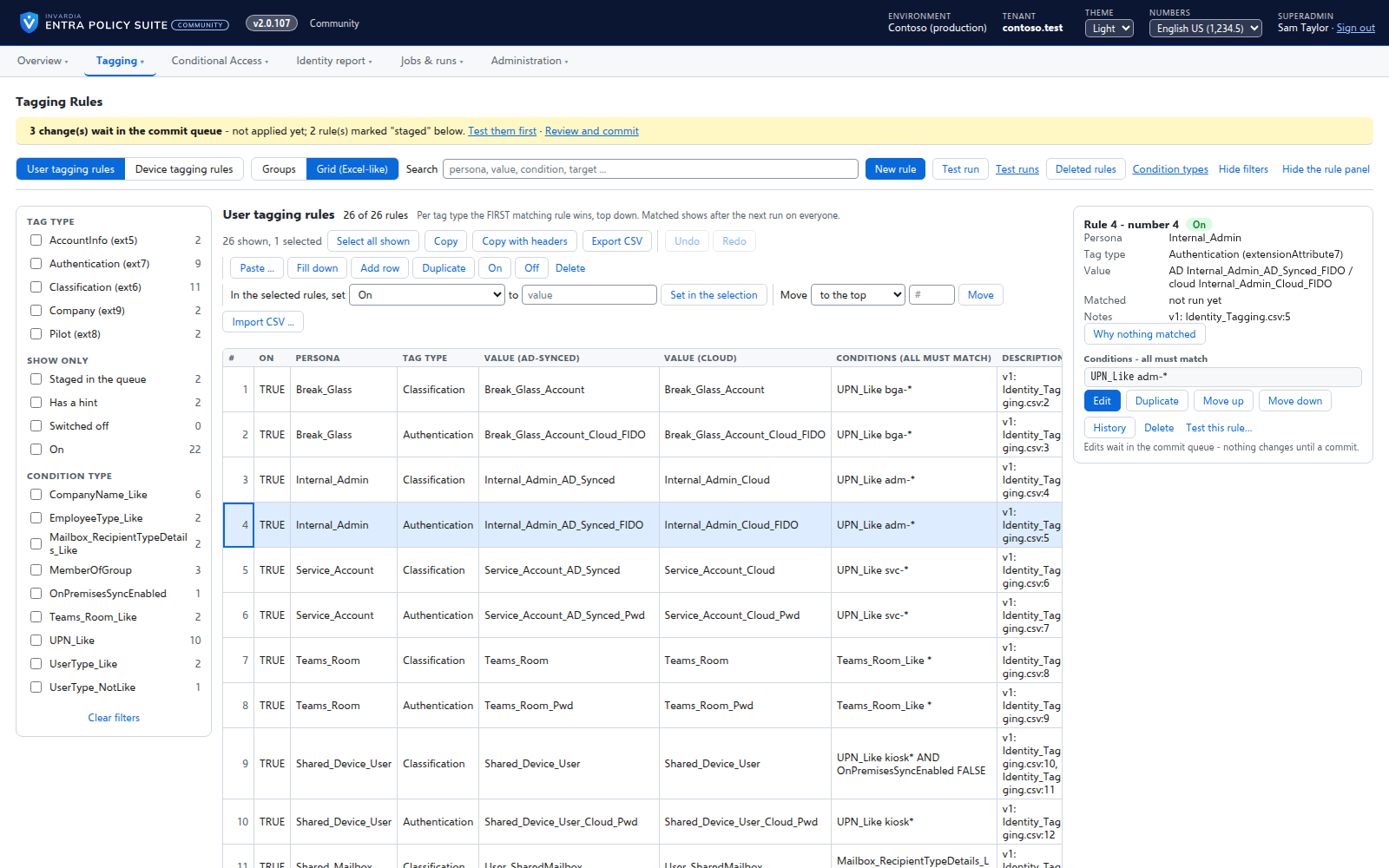
Rules you edit like a spreadsheet
Every tagging rule on one page, edited like Excel: select, copy and paste, fill down, duplicate, move and switch on or off - many rules at once.
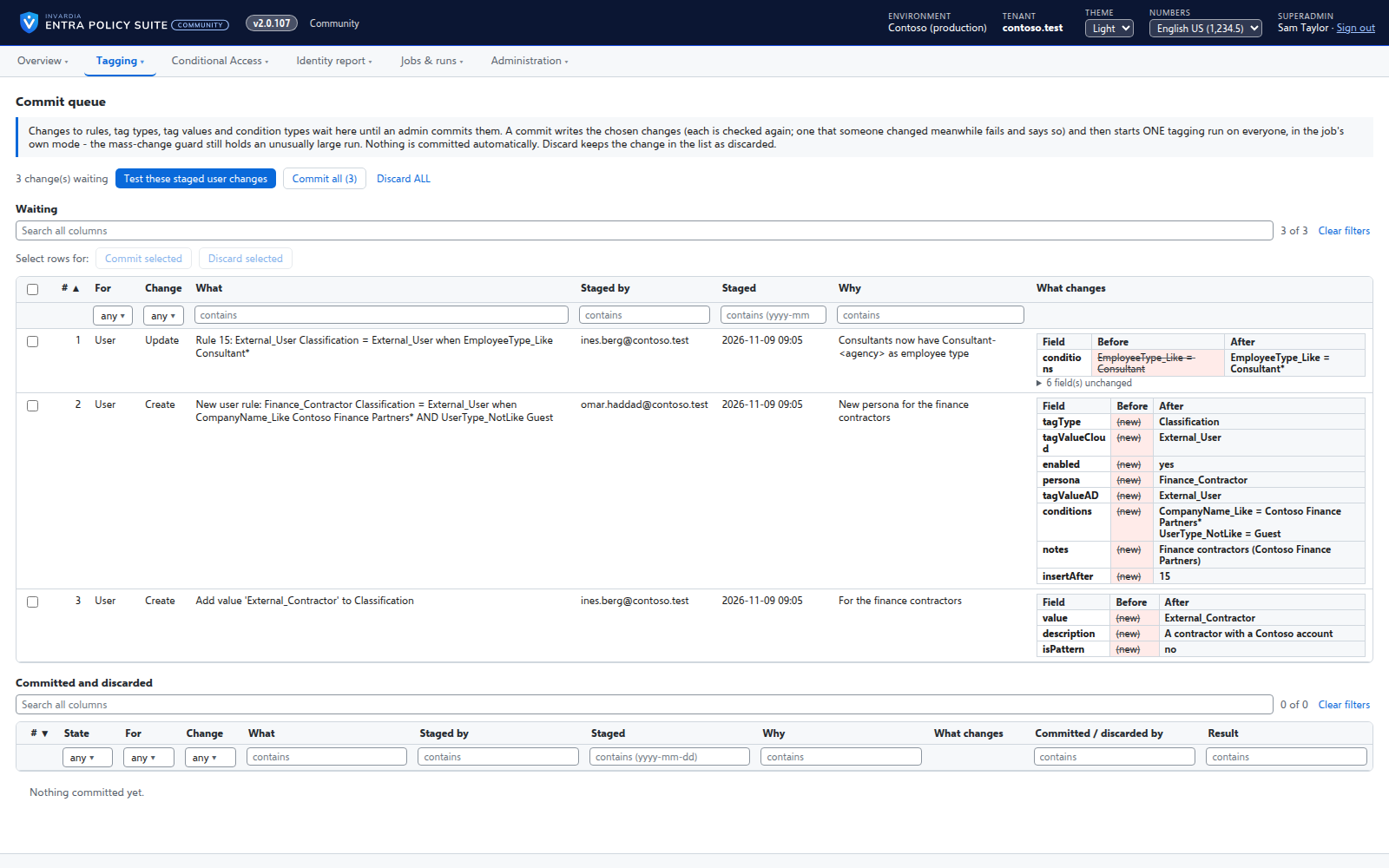
A commit queue for every rule change
A saved change waits until an admin commits it - nothing reaches the directory the moment someone types.
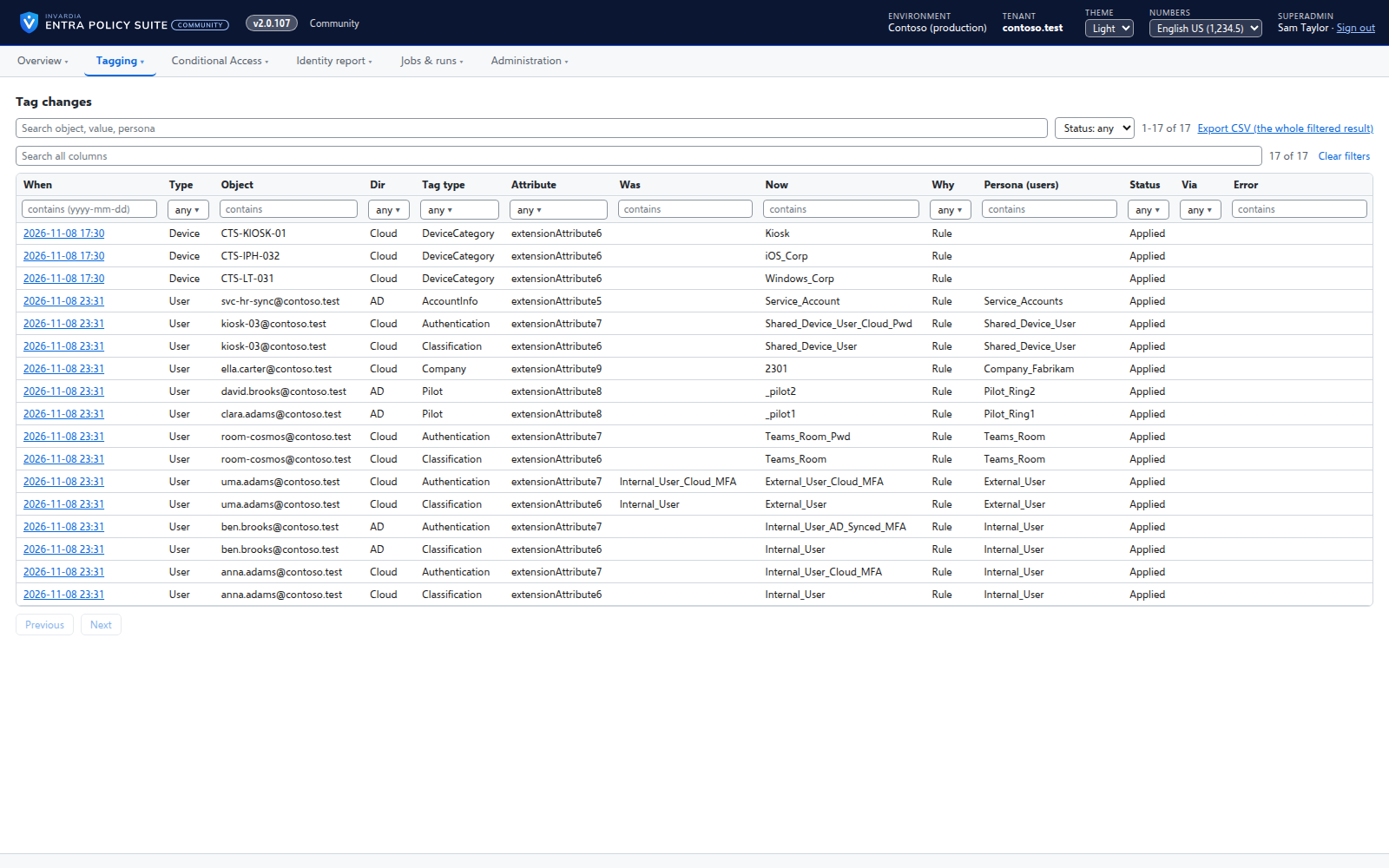
User tagging
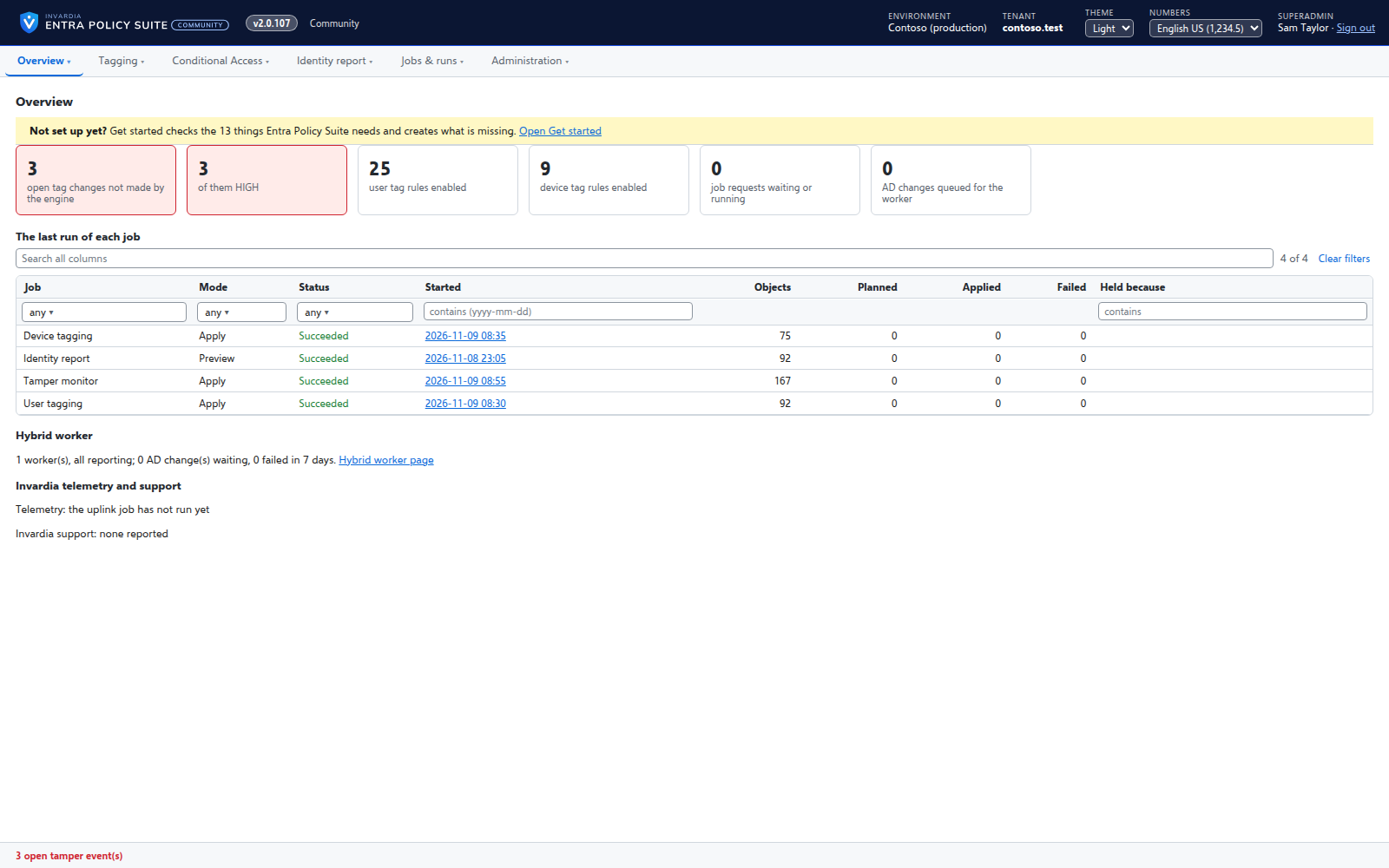
Every user gets its tags from your rules - cloud users in Entra ID, AD-synced users in Active Directory.
Device tagging
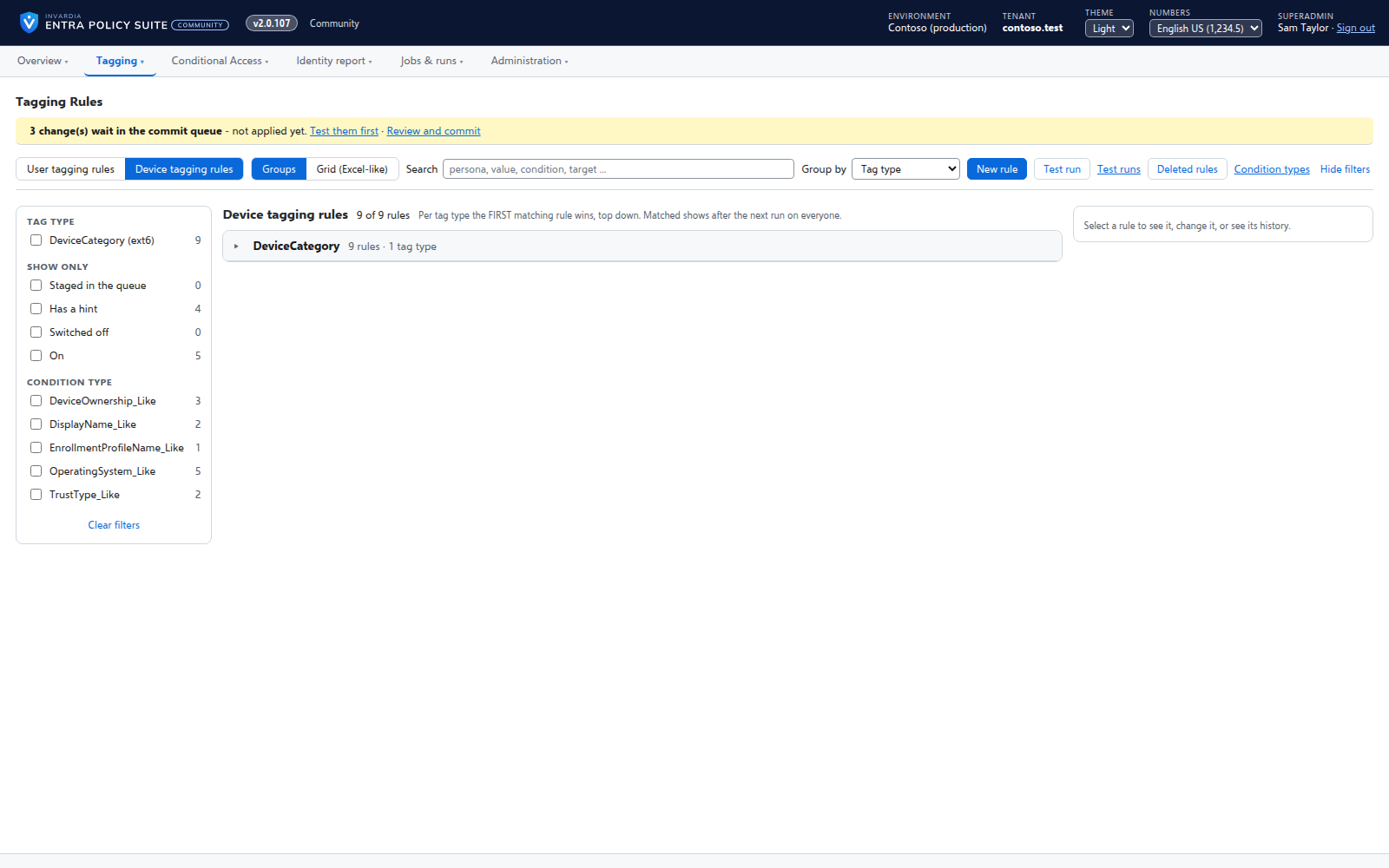
Every device gets its category - privileged access workstation, corporate Windows, kiosk, corporate or personal phone - from your device rules.
A hybrid worker for Active Directory
Tags of AD-synced users are written in Active Directory by a small worker that only connects out and has no password.
Jobs on your schedule
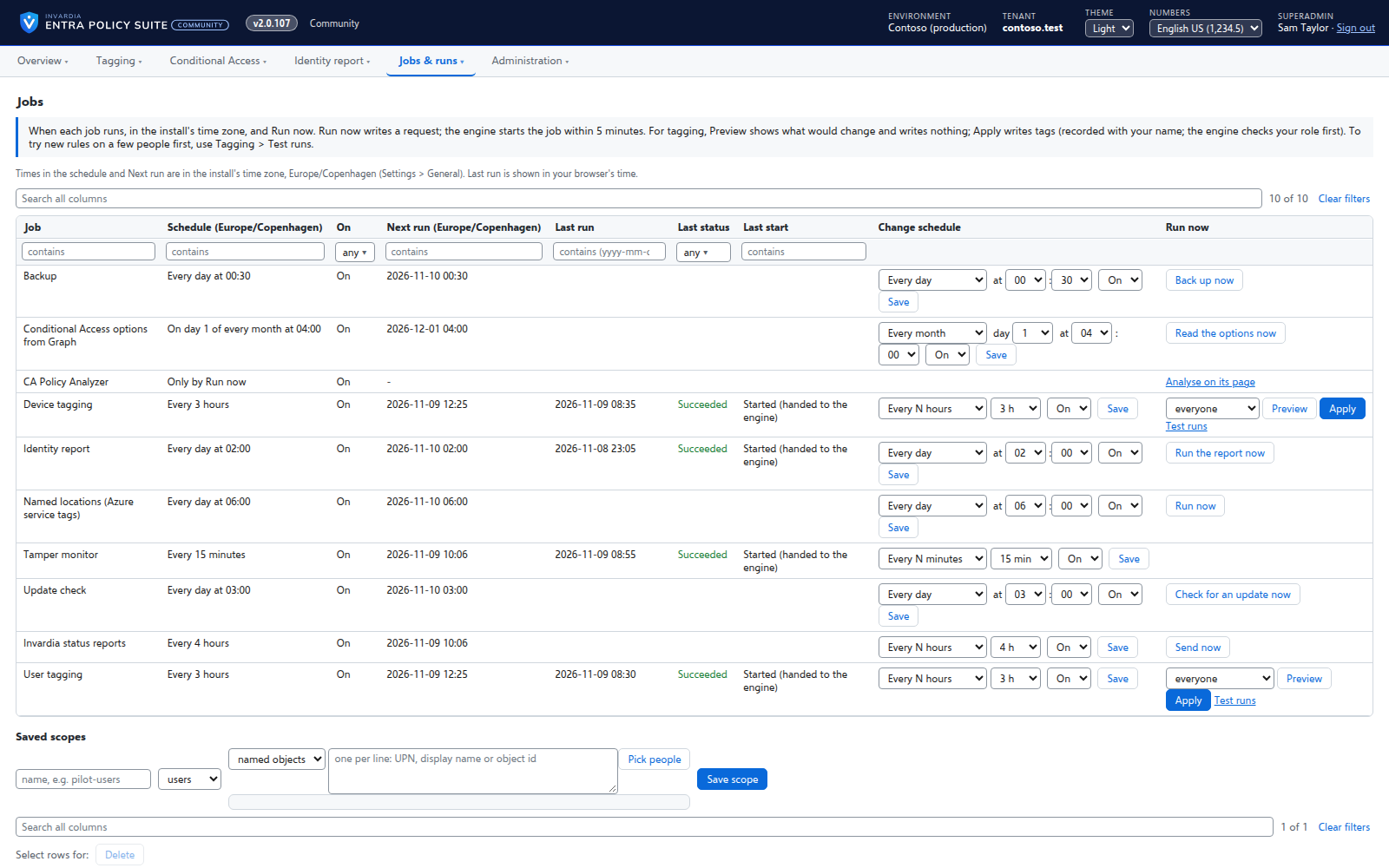
Every job runs on the schedule you set - daily, weekly or every few hours - with Preview and Apply on demand.
The identity report as gap views
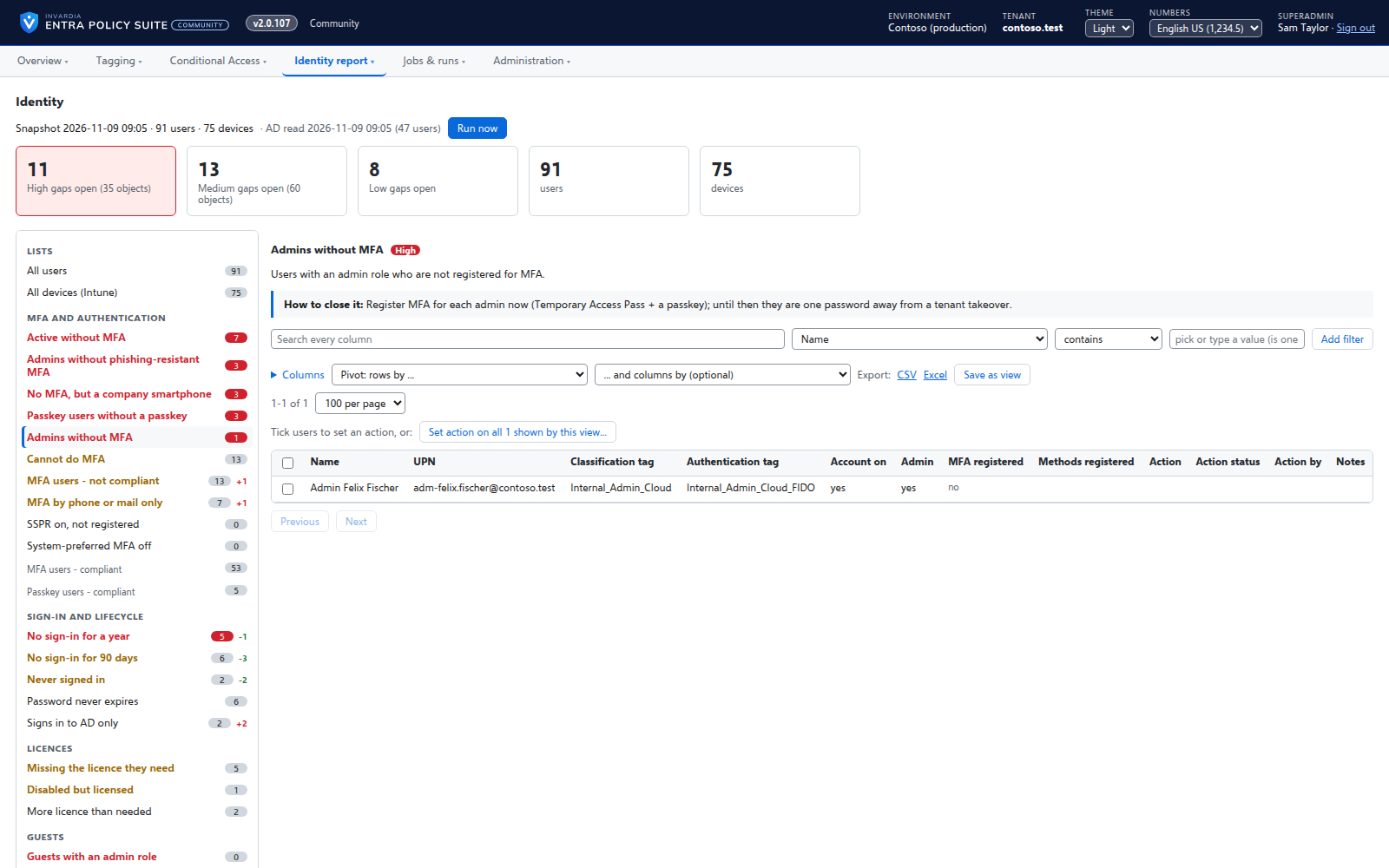
A daily, read-only snapshot of every user and device, shown as gaps with a severity and how to close them.
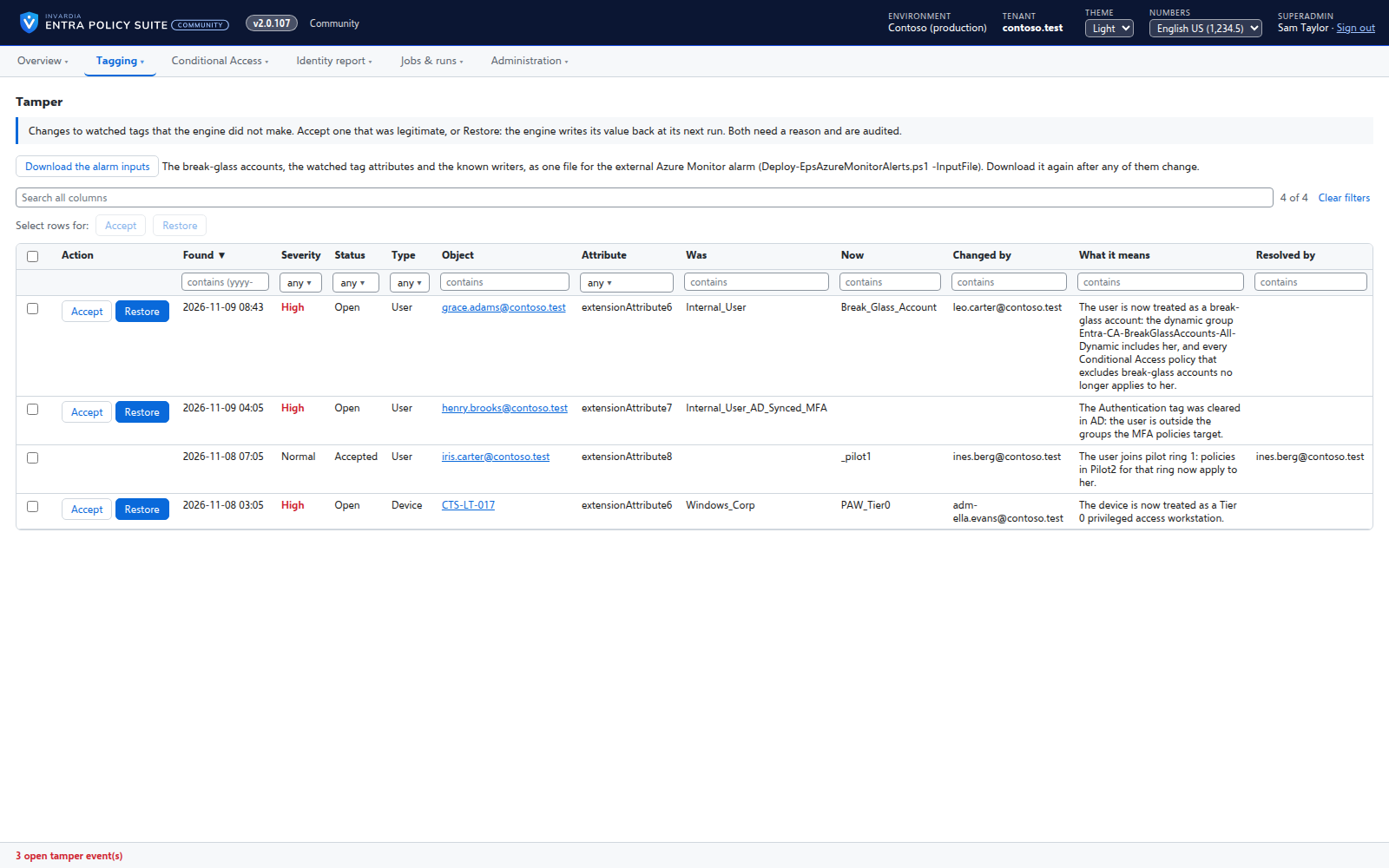
Tamper monitor
Reports every change to a watched tag that Entra Policy Suite did not make, with who made it and what it means.
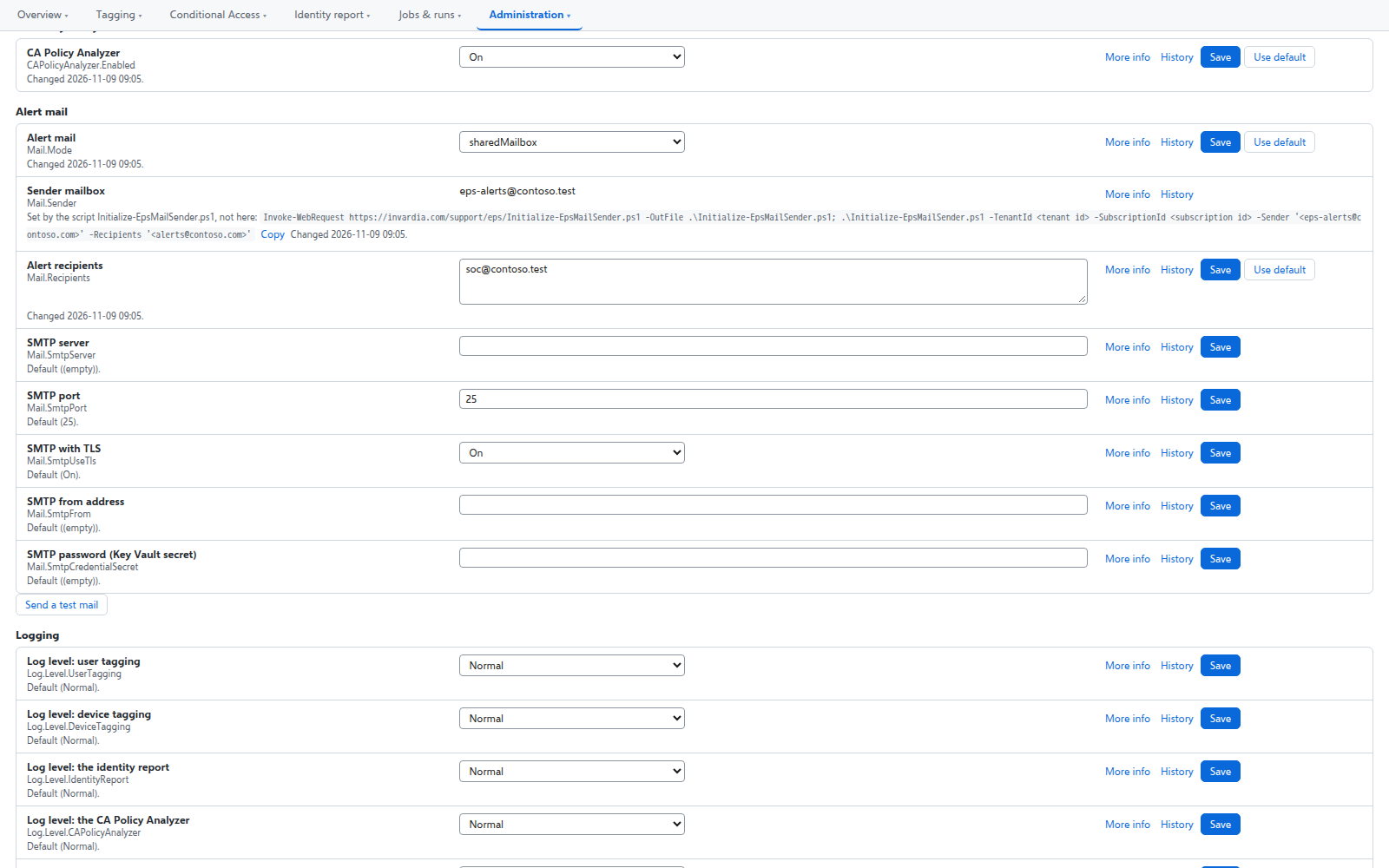
Alert mail from one mailbox only
Alerts are sent from a shared mailbox that the engine may send as - and no other mailbox in the tenant.
Screenshots
See it in action
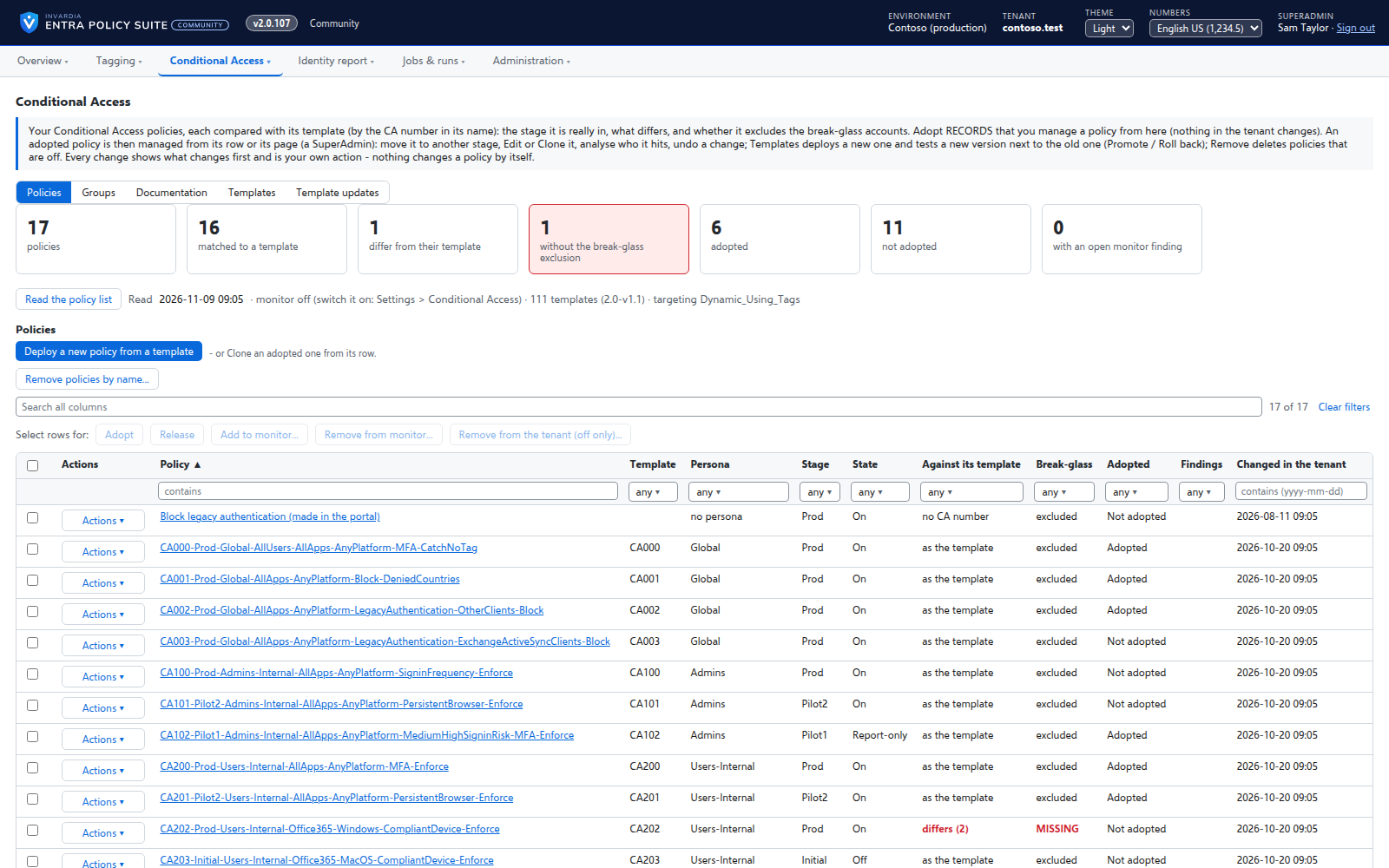
Every Conditional Access policy with its stage and the actions for it
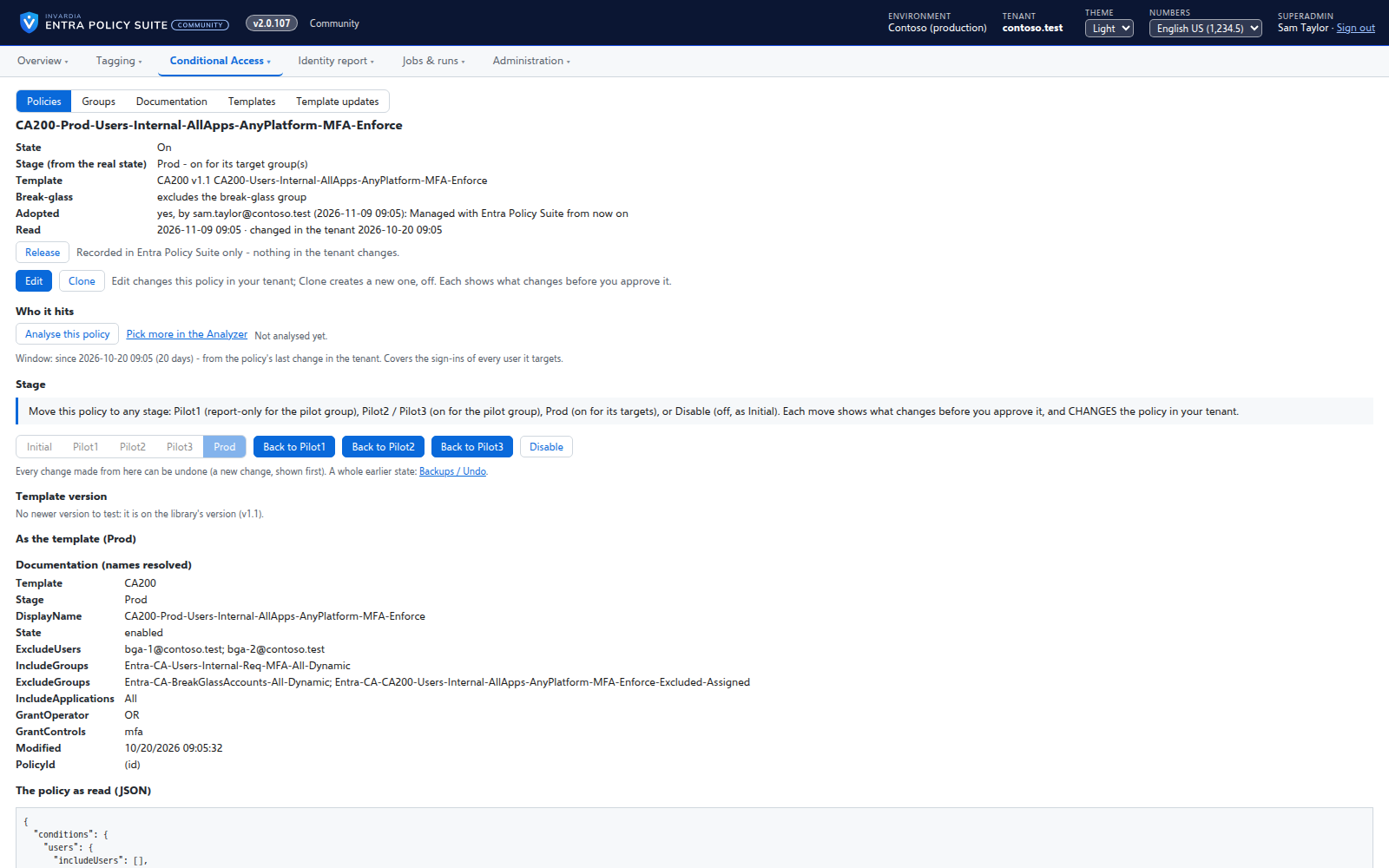 One policy: its stage, who it hits and what you can do with it
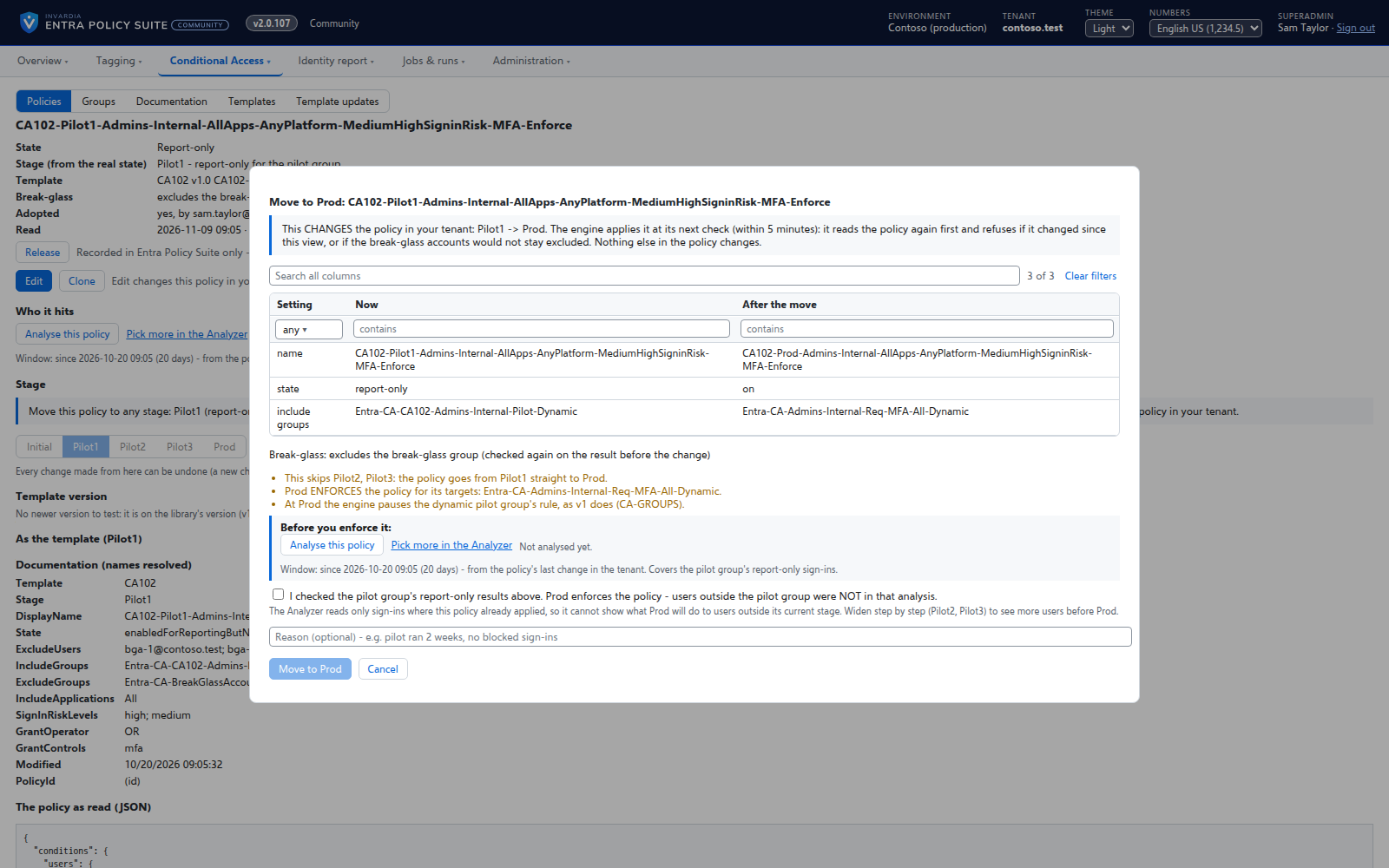 Moving a policy from Pilot1 to Prod, with whose sign-ins were checked
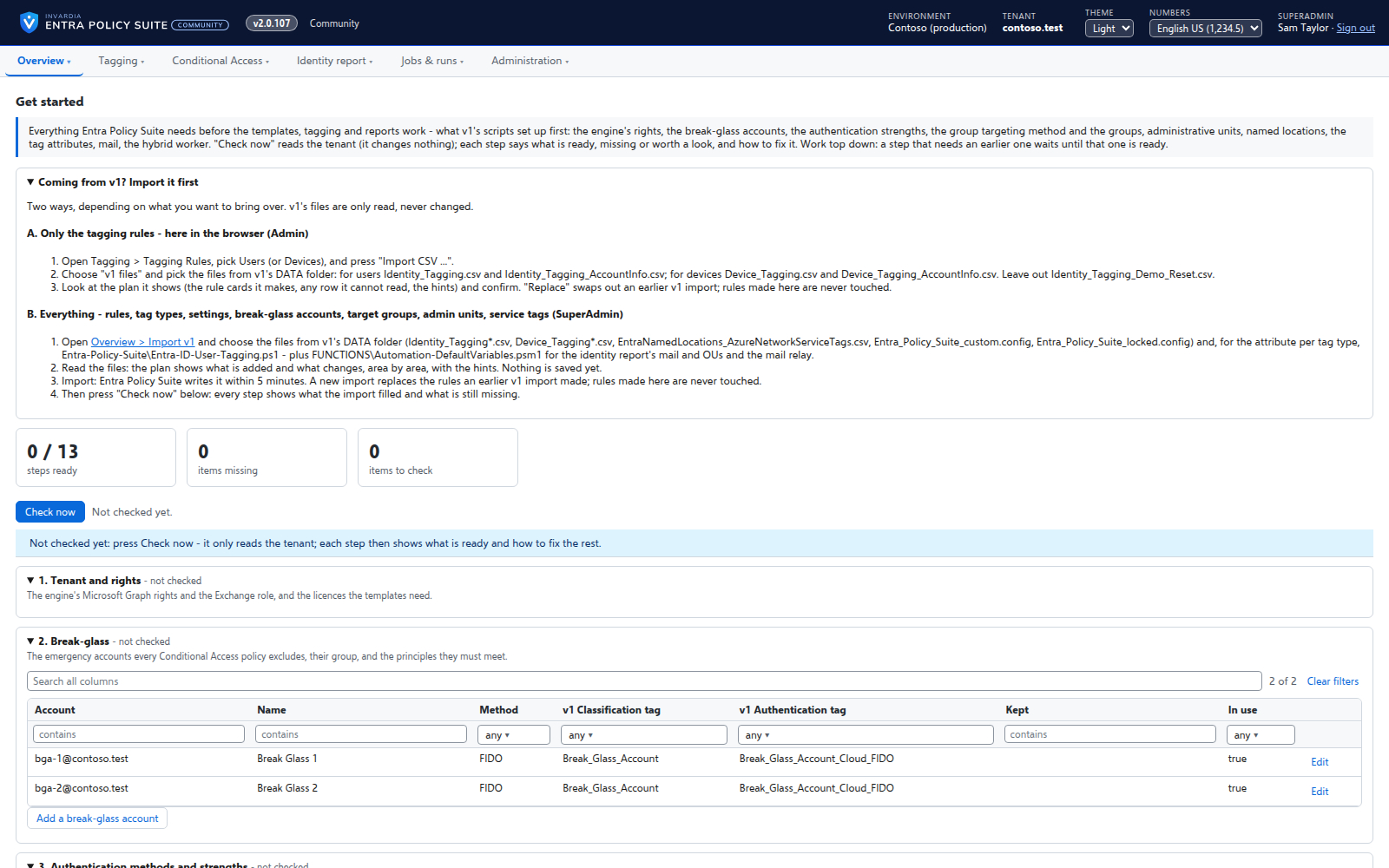 Get started: what your tenant has, what is missing and how to fix it
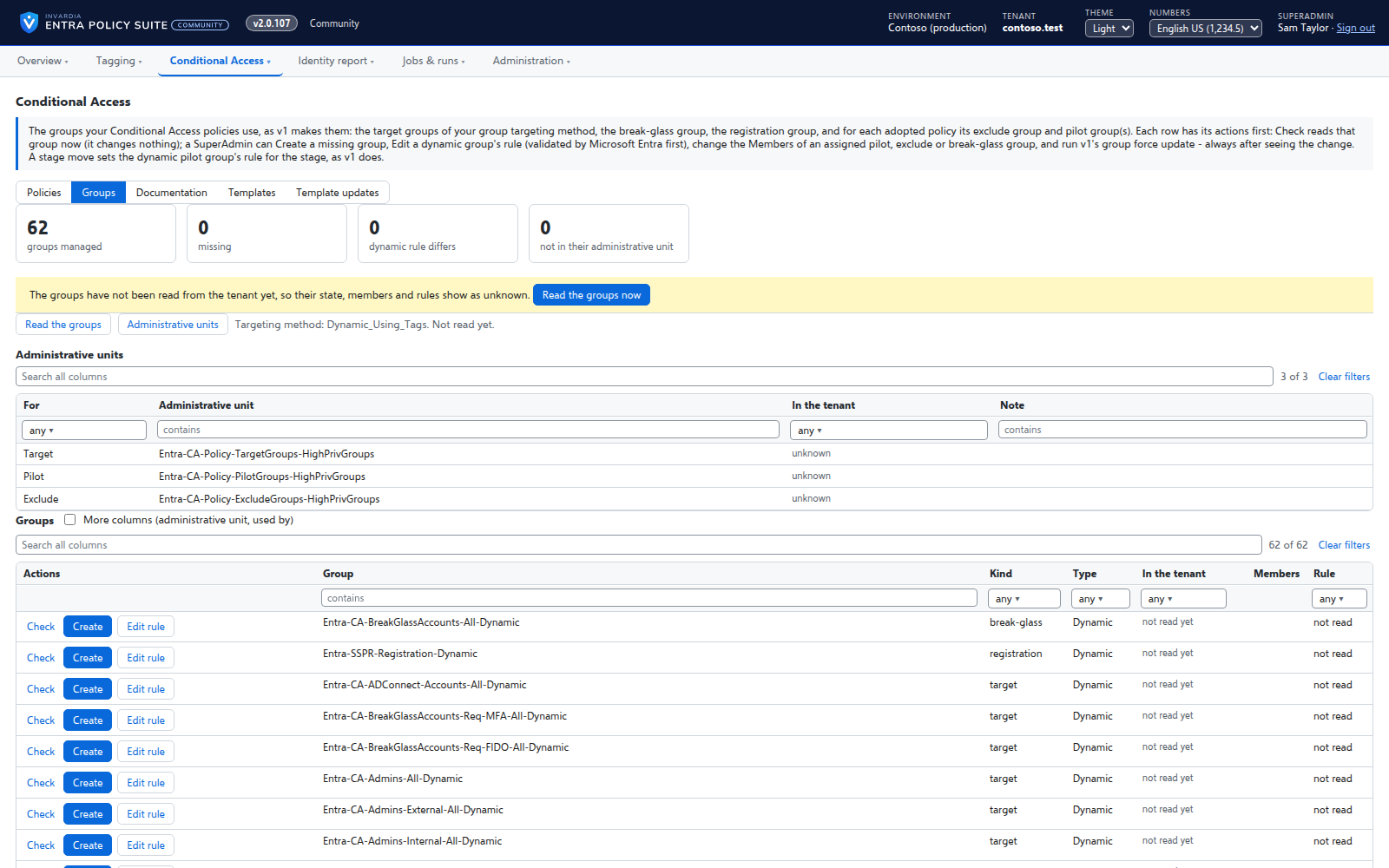 The groups behind your policies, with the actions on every rowTagging rules as a grid: select, copy and paste with Excel, fill down, move
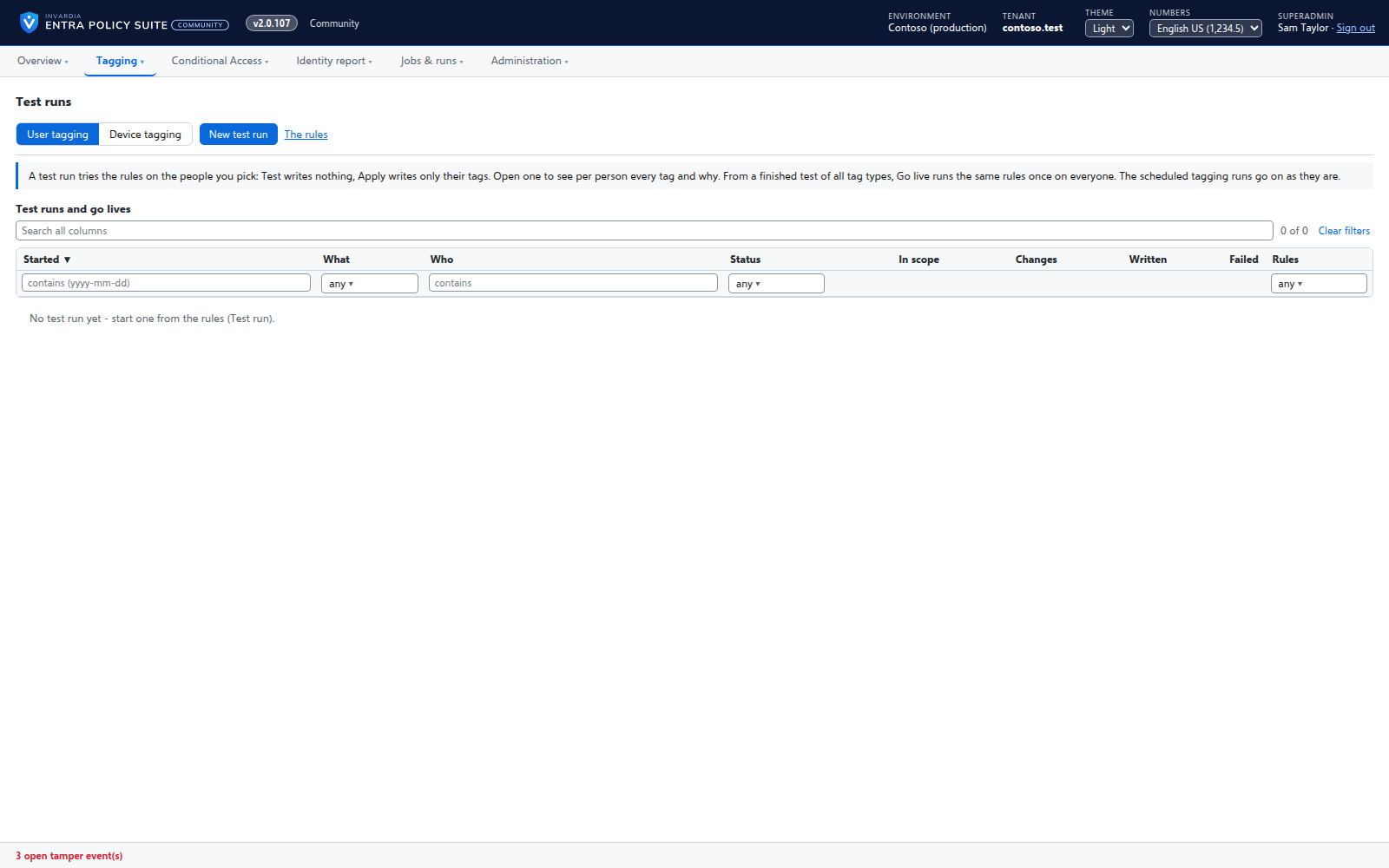 Test runs: a rule change tried on the people you pickThe identity report: open gaps by severity, every view by topic
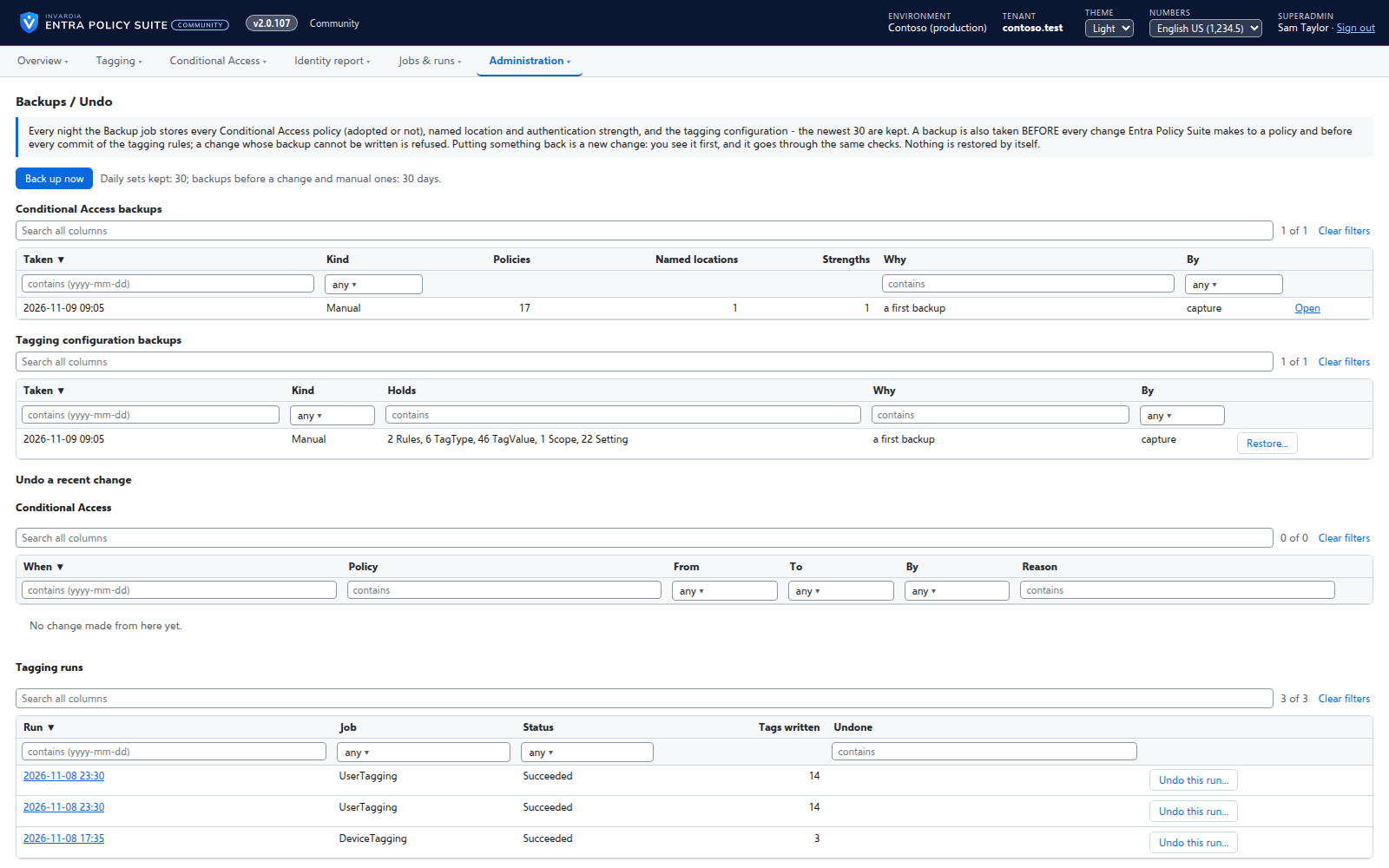 Backups and undo for Conditional Access and taggingTag changes the engine did not make, with who made them
Screenshots use synthetic demo data.
Why Entra Policy Suite
Entra Policy Suite manages your Conditional Access policies stage by stage, gives every user and device the tags those policies depend on, and shows your identity gaps every day - running in your own Azure, every change made only when a person decides.
Manage Conditional Access
Adopt the policies you have or deploy them from a library of templates, edit and clone them in a form, move each one through pilot stages, and put any earlier version back - each change shown first and made only when a person approves it.
Tag every identity
Every user and device gets its persona, classification and authentication tags from your rules - in Entra ID and, for synced users, in Active Directory - so the groups and policies that read them are right.
Change with control
Rules are edited like a spreadsheet but applied on purpose: every change is checked, waits in a commit queue, and is in an audit trail with who, when and why.
- Rules you edit like a spreadsheet
- A commit queue for every rule change
- Changes applied by the engine, every one audited
- Bring your Entra Policy Suite 1 rules
- Conditional Access you move stage by stage
- See who a Conditional Access policy will hit
- Edit, clone and version a Conditional Access policy
- Test a rule change on the people you pick
- Backups and undo for policies and tagging
- Stale identity clean-up
- Conditional Access policy as code
See your identity gaps
A daily report turns MFA, sign-in, licenses, Active Directory and Intune data into gap views with a severity and a fix, so you know what to close first.
Catch tampering
A changed tag can take a user out of your MFA policies without touching a policy. Entra Policy Suite reports every change to a watched tag that it did not make.
Runs in your Azure
Everything runs in your subscription and keeps its data in your database, each part on its own managed identity, with no client secret to rotate and no PowerShell module to install.
Editions
Compare editions


Community
Free, on GitHub.
- Free, runs in your own Azure subscription, one tenant
- Conditional Access: adopt, deploy from 111 templates, edit, clone, move stage by stage, versions side by side
- Get started: checks your tenant and creates what is missing
- User and device tagging from rules, with test runs and a hybrid worker for AD-synced users
- Identity report with 43 gap views, and the option to send it to Log Analytics
- Backups, restore and undo for policies and tagging
- Imports your Entra Policy Suite 1 rule files and settings


Pro BusinessLimitations apply
Every Pro feature for one Microsoft tenant, at a smaller-business price.
- Up to 1,000 users in scope in one tenant
- Every Pro Enterprise feature:
- Support from Invardia: the support service, the Support app and just-in-time database access - each optional
- Passkey rollout tracker per persona
- Stale identity clean-up: reviewed, approved, then disabled
- License optimization priced with your own price table
- Conditional Access policy as code: zip, GitHub or Azure DevOps
- Signed updates on the release ring you choose, installed by the product itself between runs
- API and MCP access: your own scripts and AI assistants under the caller's own role
- A 60-day trial
- Pro Enterprise: one tenant, no user limit
Pro Enterprise
Pro features for one Microsoft tenant.
- Everything in Community, plus:
- Support from Invardia: the support service, the Support app and just-in-time database access - each optional
- Passkey rollout tracker per persona
- Stale identity clean-up: reviewed, approved, then disabled
- License optimization priced with your own price table
- Conditional Access policy as code: zip, GitHub or Azure DevOps
- Signed updates on the release ring you choose, installed by the product itself between runs
- API and MCP access: your own scripts and AI assistants under the caller's own role
- A 60-day trial
- Pro Enterprise: one tenant, no user limit
Prices in EUR excl. VAT, invoiced in advance, yearly or every 6 months (+5 %). For businesses.
Why Entra Policy Suite
Built for how you work
Every policy change on purpose
Adopt the policies you have or deploy them from the template library, edit or clone them in a form where users, groups and apps are picked by name, and move each one through Pilot1, Pilot2, Pilot3 and Prod. Every change shows the policy before and after, needs a reason and is refused if the break-glass accounts would no longer be excluded.
A new version next to the old one
A new template version is deployed as a second policy beside the one in production, tested in a pilot stage and promoted when it is proven - with the old one kept, switched off, to roll back to.
Put it back
Every Conditional Access policy and the tagging configuration is backed up every day and before every change. Restore a policy, undo a change or undo a tagging run, each as a new approved change.
Policies that hit the right people
Admins, internal users, external users, guests, service accounts, shared mailboxes, shared devices and Teams Rooms each get their own tags, so the dynamic groups your Conditional Access policies target hold exactly the accounts they should.
Rules people can read
A rule is a persona, a tag and its conditions. The Tagging Rules page groups them by persona, shows how many objects each rule matched in the last run, and explains for any user which rule won and why.
Edit like Excel, apply on purpose
Select, copy, paste, fill down and move rules like cells in a spreadsheet. Nothing reaches the directory until an admin commits the change from the commit queue.
Preview before it writes
Every run builds a plan first. Run it in Preview on everyone, apply it on a test scope, and only then let the schedule write. A run far larger than usual is held for approval.
Gaps, not spreadsheets
The identity report turns users, MFA registration, sign-in activity, licenses, Active Directory and Intune into gap views with a severity, what each gap means and how to close it - with filters, pivots and saved views.
Tampering is seen
Set a user's tag to a break-glass value and the user drops out of your MFA policies. Entra Policy Suite reports every change to a watched tag that it did not make, with who made it and what it means.
Hybrid without a password
A hybrid worker on a domain-joined server writes the tags of AD-synced users in Active Directory as a group managed service account. It only connects out, and only to its own work.
Your Azure, your data
Everything runs in your subscription and keeps its data in your database. Each part has its own managed identity and only its own rights; there is no client secret to rotate.
How it works
- Install: two lines show the plan, then create Entra Policy Suite in a resource group of your subscription.
- Get started: the checklist reads your tenant and creates the groups, strengths, locations and break-glass accounts the templates need.
- Manage: adopt or deploy your Conditional Access policies, and move each one stage by stage with a reason.
- Tag and watch: rules tag every user and device, the identity report shows the gaps every day, and changes made outside Entra Policy Suite are reported.
Works with
- Microsoft Entra ID
- Microsoft Entra Connect
- Active Directory
- Microsoft Intune
- Exchange Online
- Microsoft Graph
- Azure Container Apps
- Azure SQL Database
How it deploys
Runs in your own Azure subscription as Azure Container Apps jobs and a web app with an Azure SQL database, each part signed in with its own managed identity. Two lines in PowerShell 7 or Azure Cloud Shell show the plan first and then install it; every feature is off until you switch it on. A small hybrid worker on a domain-joined server writes the tags of AD-synced users.
Features
Every feature, edition by edition
The complete Entra Policy Suite feature list - Community, Pro - grouped by what you want to get done.
Ready to get started with Entra Policy Suite?
Order Entra Policy Suite Pro online - we confirm your order, invoice you and release your licence to the customer portal. Or talk to us first.