



Every feature, edition by edition
Start free with Community. Pro adds everything below it - and you can try any Pro edition free for 60 days.
Manage Conditional Access
Adopt the policies you have or deploy them from a library of templates, edit and clone them in a form, move each one through pilot stages, and put any earlier version back - each change shown first and made only when a person approves it.
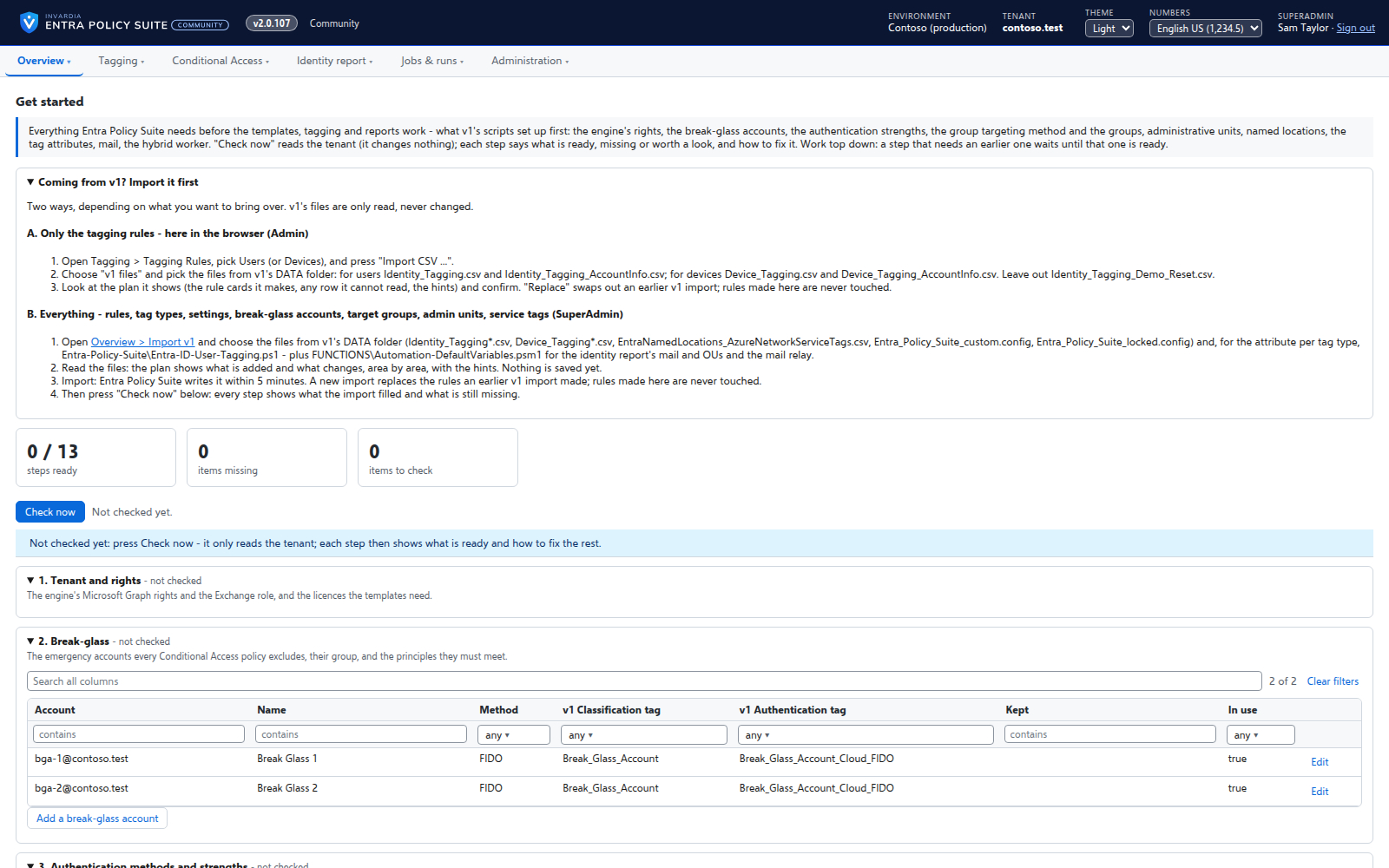
Get started: a checklist that fixes what is missing
One page checks everything Entra Policy Suite and the Conditional Access templates need in your tenant, and offers to create what is missing.
How it works →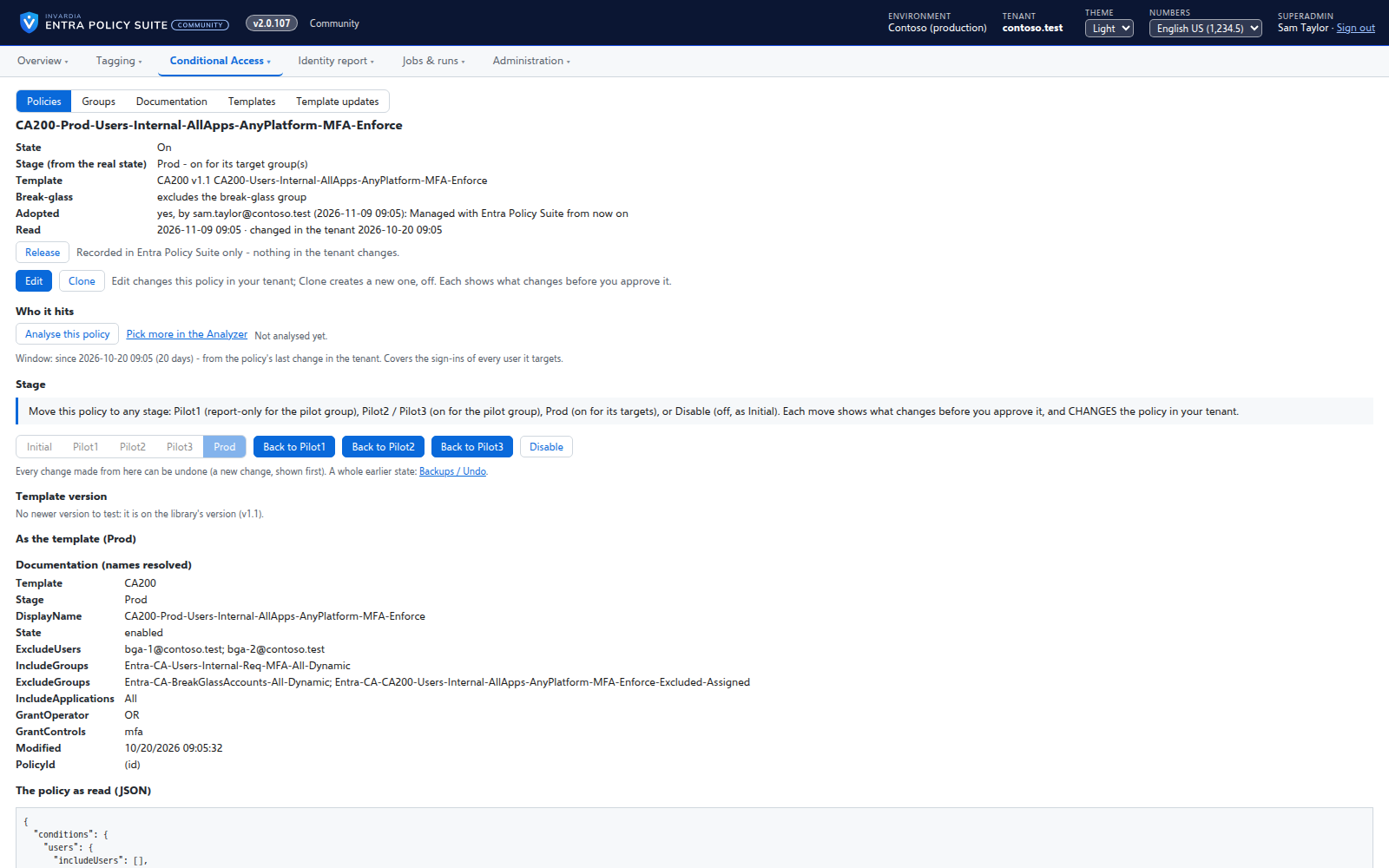
Edit, clone and version a Conditional Access policy
Change any part of a policy in a form, copy it into a new policy, deploy a new template version next to the old one and promote it when it is proven.
How it works →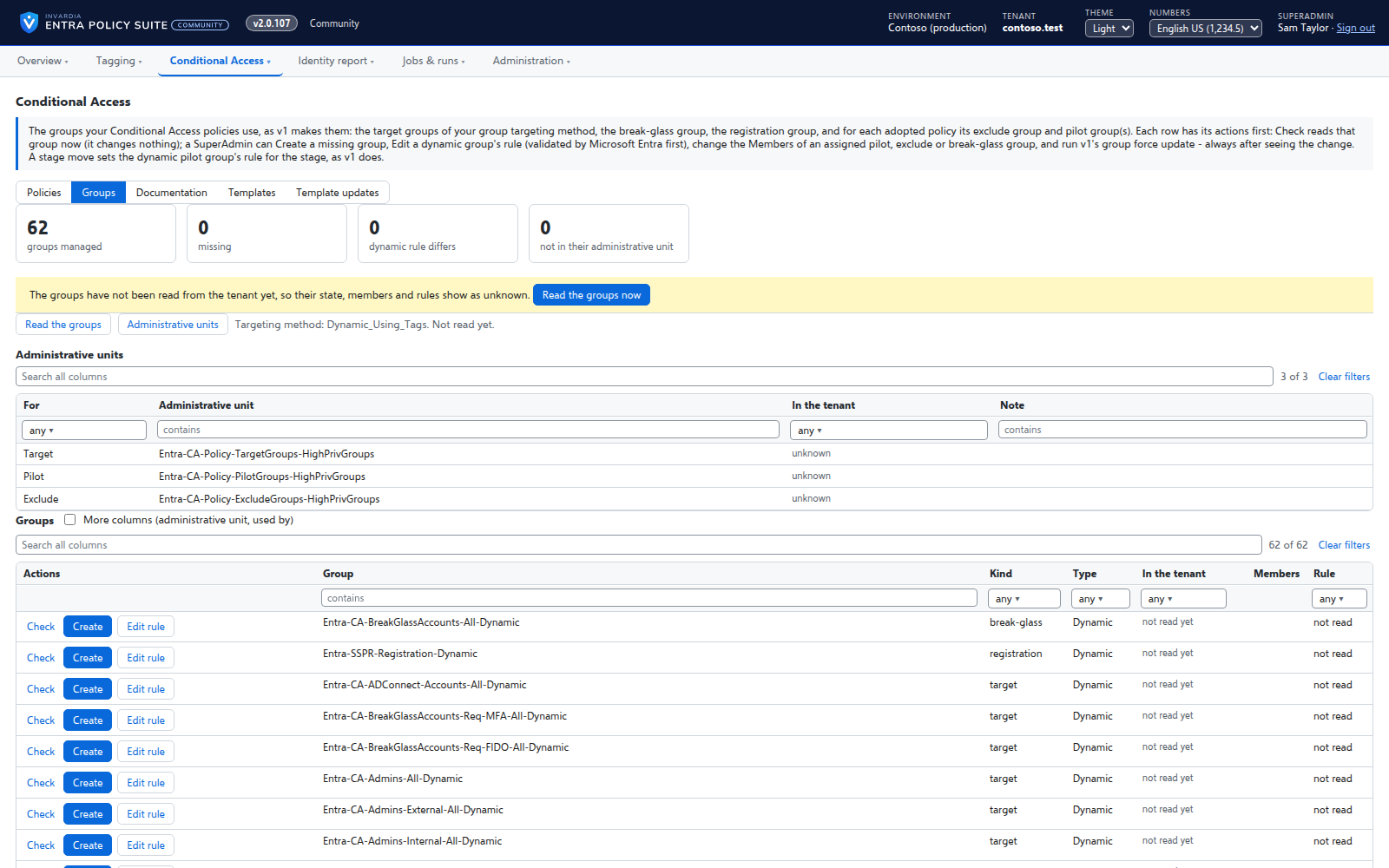
The groups your policies use, created and kept right
Every target, pilot, exclusion and break-glass group your policies use on one page - in the tenant or missing, its members, its dynamic rule - with the actions to fix each one.
How it works →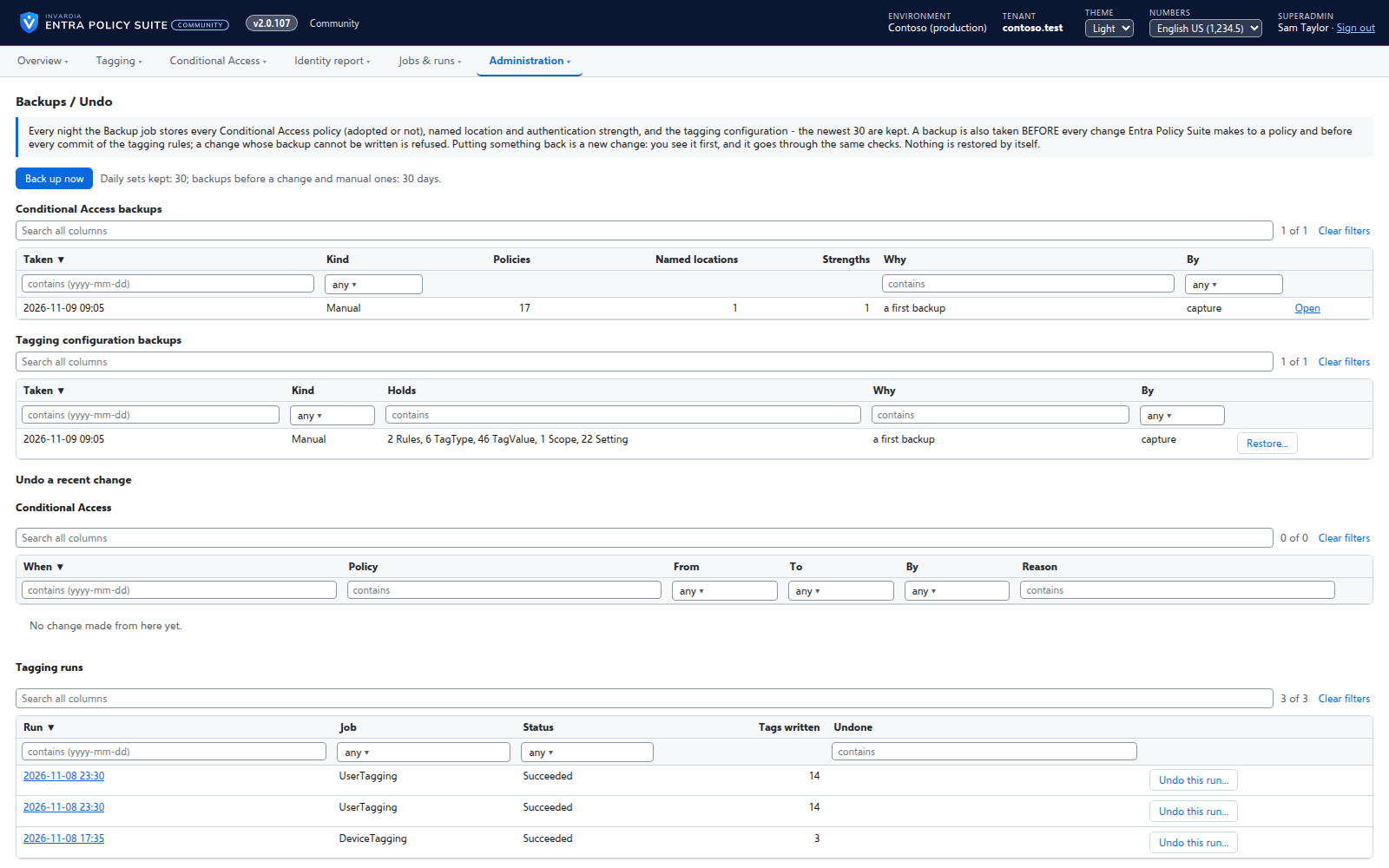
Backups and undo for policies and tagging
Every Conditional Access policy and the tagging configuration backed up every day and before every change, with restore and undo.
How it works →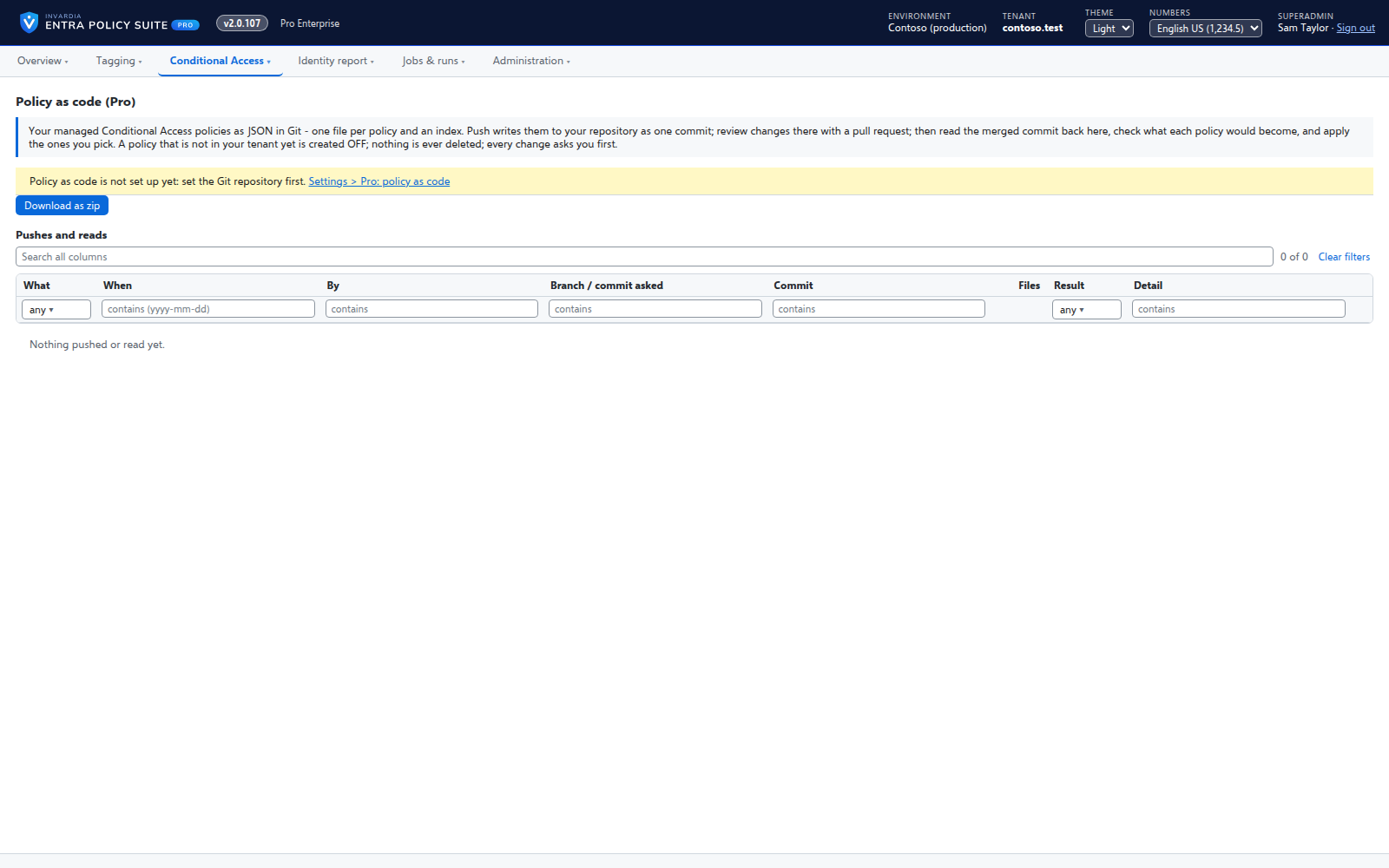
Conditional Access policy as code
Pro: your managed Conditional Access policies as JSON files - as a zip, or pushed to GitHub or Azure DevOps - reviewed in a pull request and read back.
How it works →Tag every identity
Every user and device gets its persona, classification and authentication tags from your rules - in Entra ID and, for synced users, in Active Directory - so the groups and policies that read them are right.
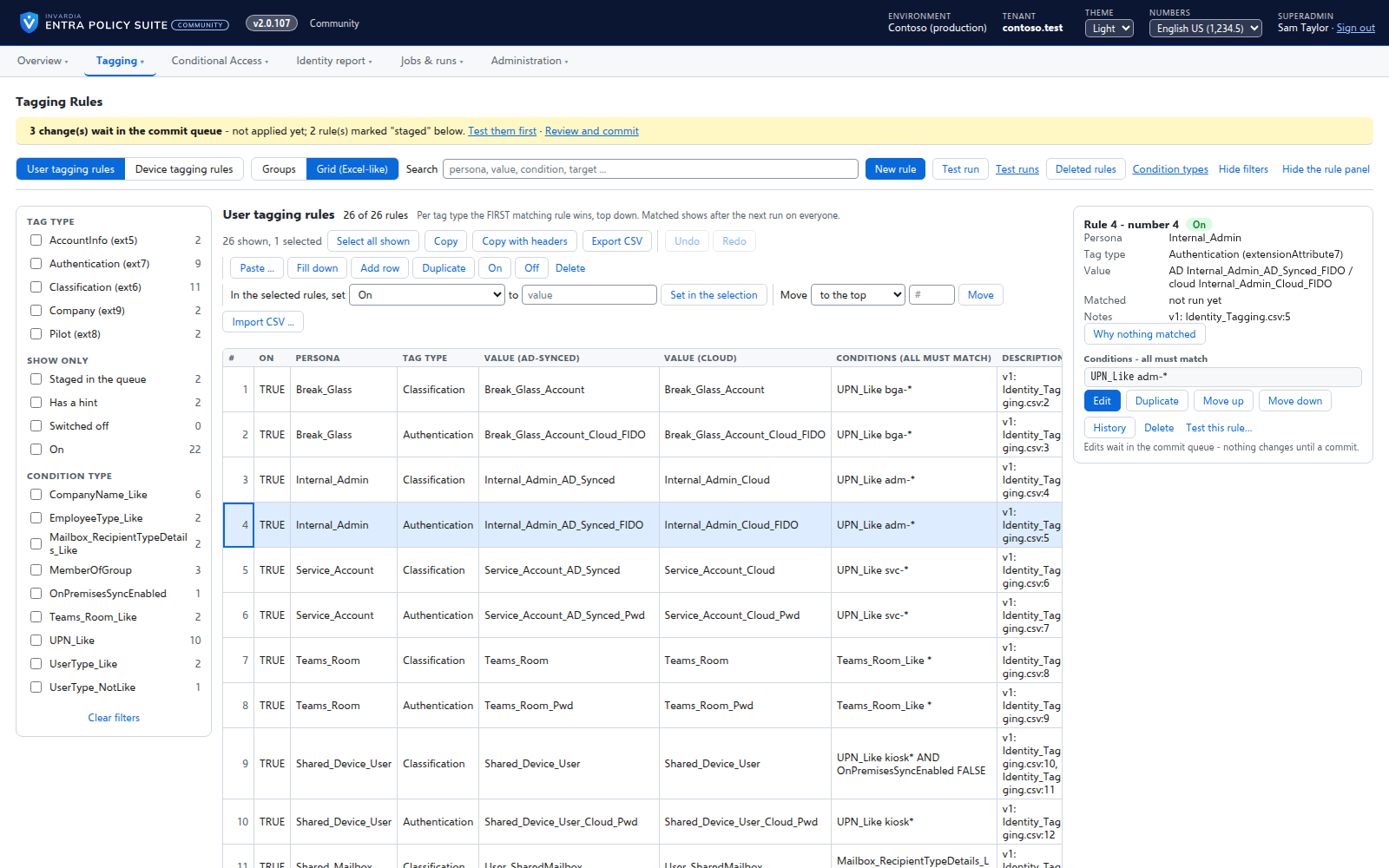
Rules you edit like a spreadsheet
Every tagging rule on one page, edited like Excel: select, copy and paste, fill down, duplicate, move and switch on or off - many rules at once.
How it works →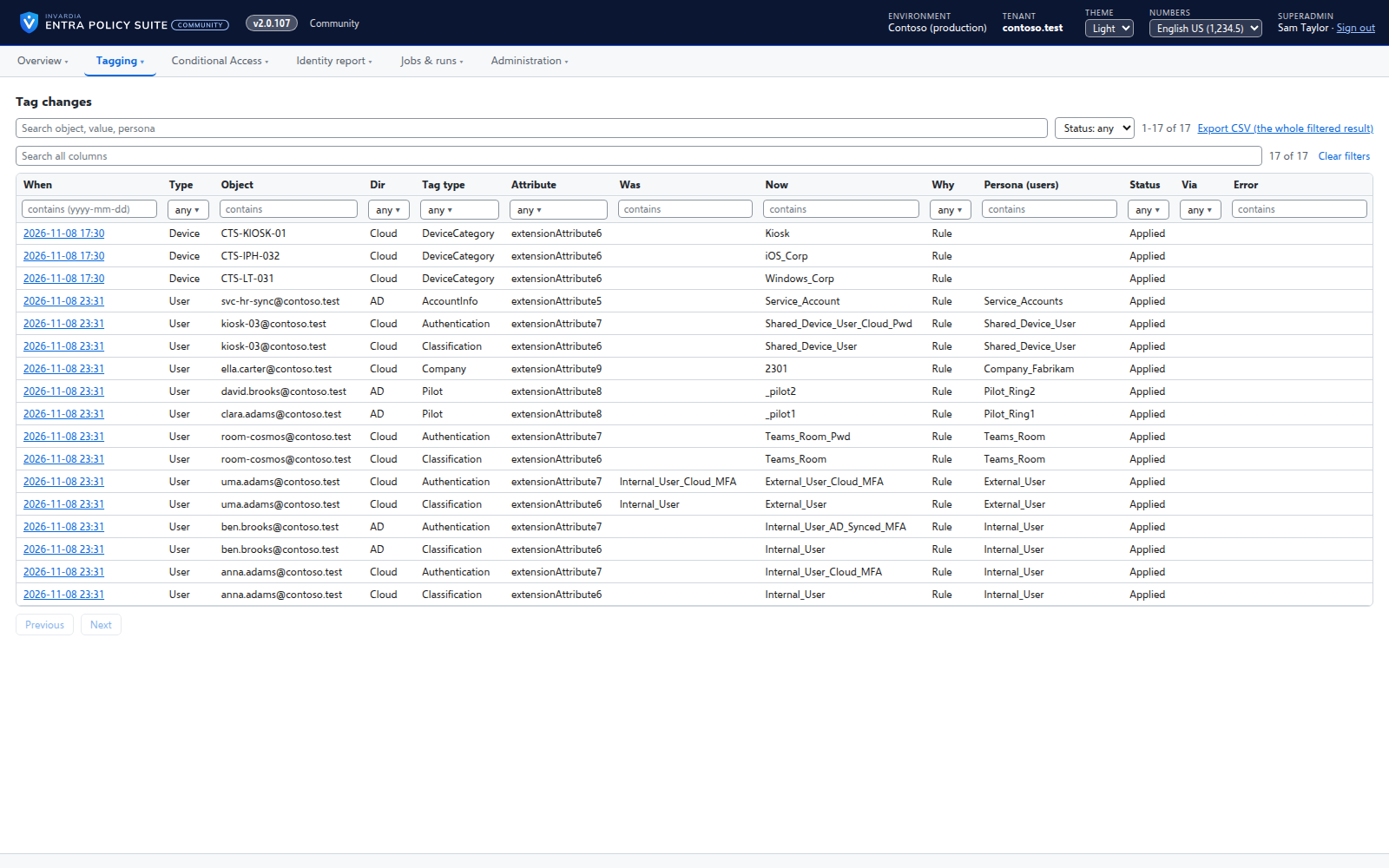
User tagging
Every user gets its tags from your rules - cloud users in Entra ID, AD-synced users in Active Directory.
How it works →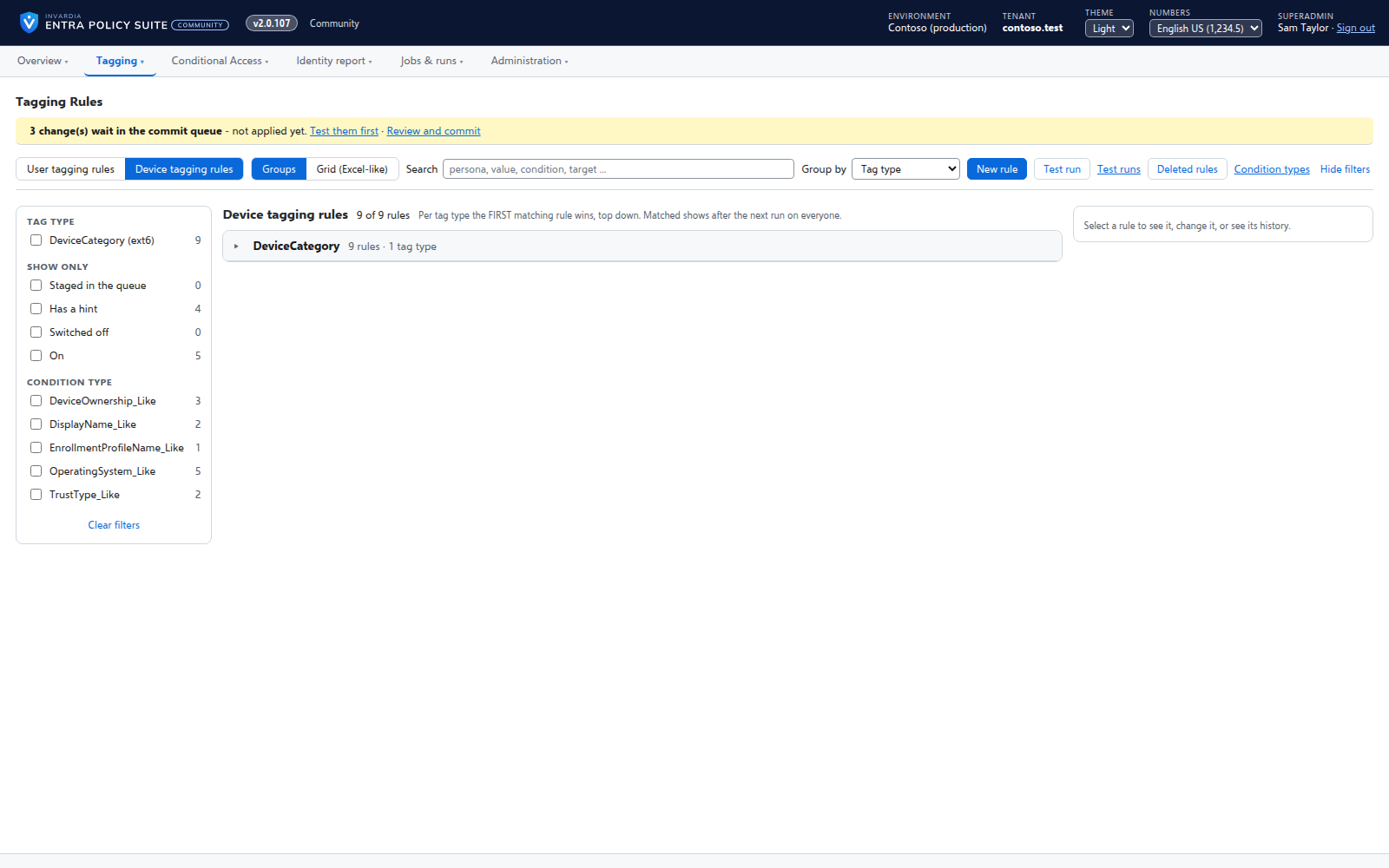
Device tagging
Every device gets its category - privileged access workstation, corporate Windows, kiosk, corporate or personal phone - from your device rules.
How it works →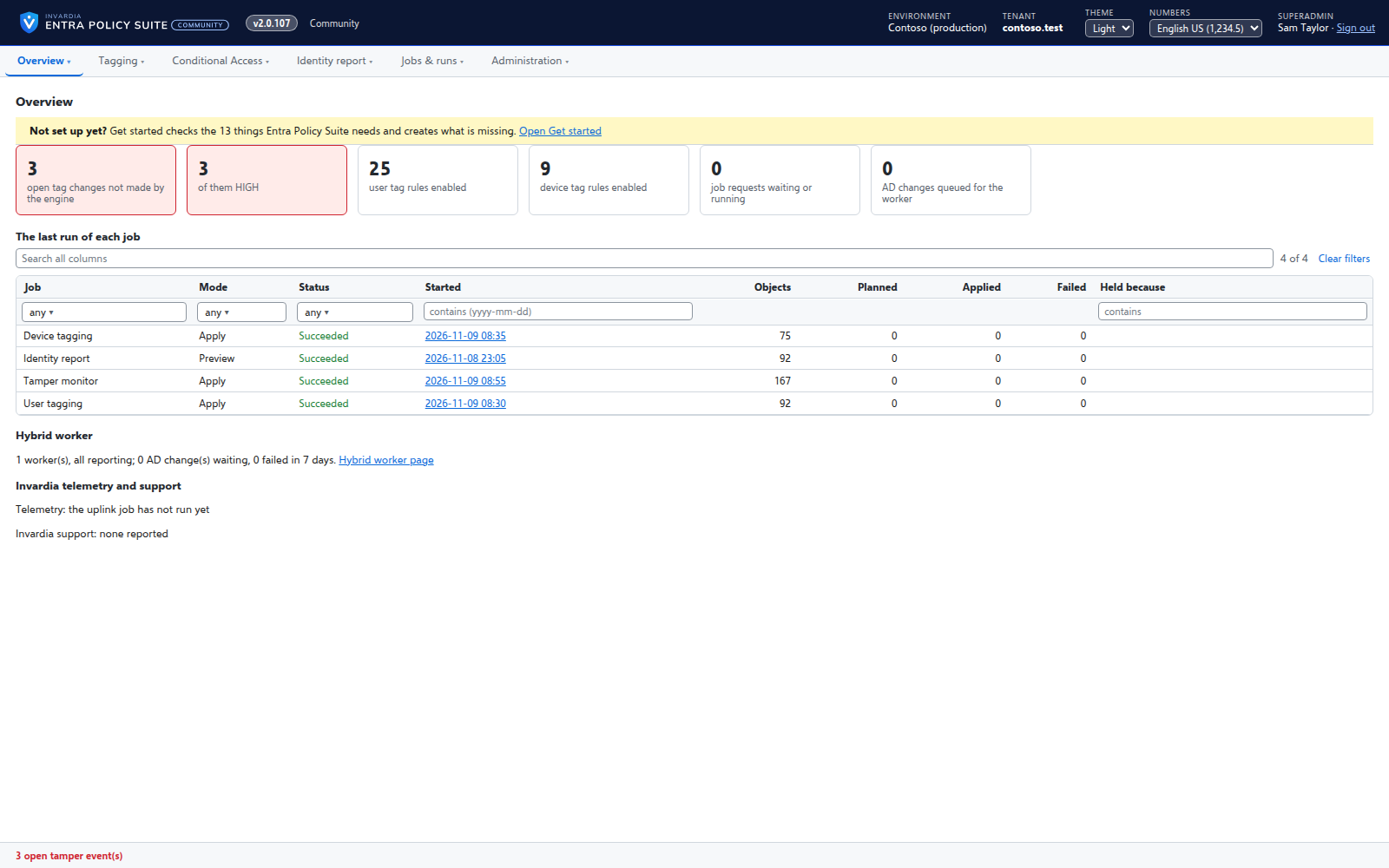
A hybrid worker for Active Directory
Tags of AD-synced users are written in Active Directory by a small worker that only connects out and has no password.
How it works →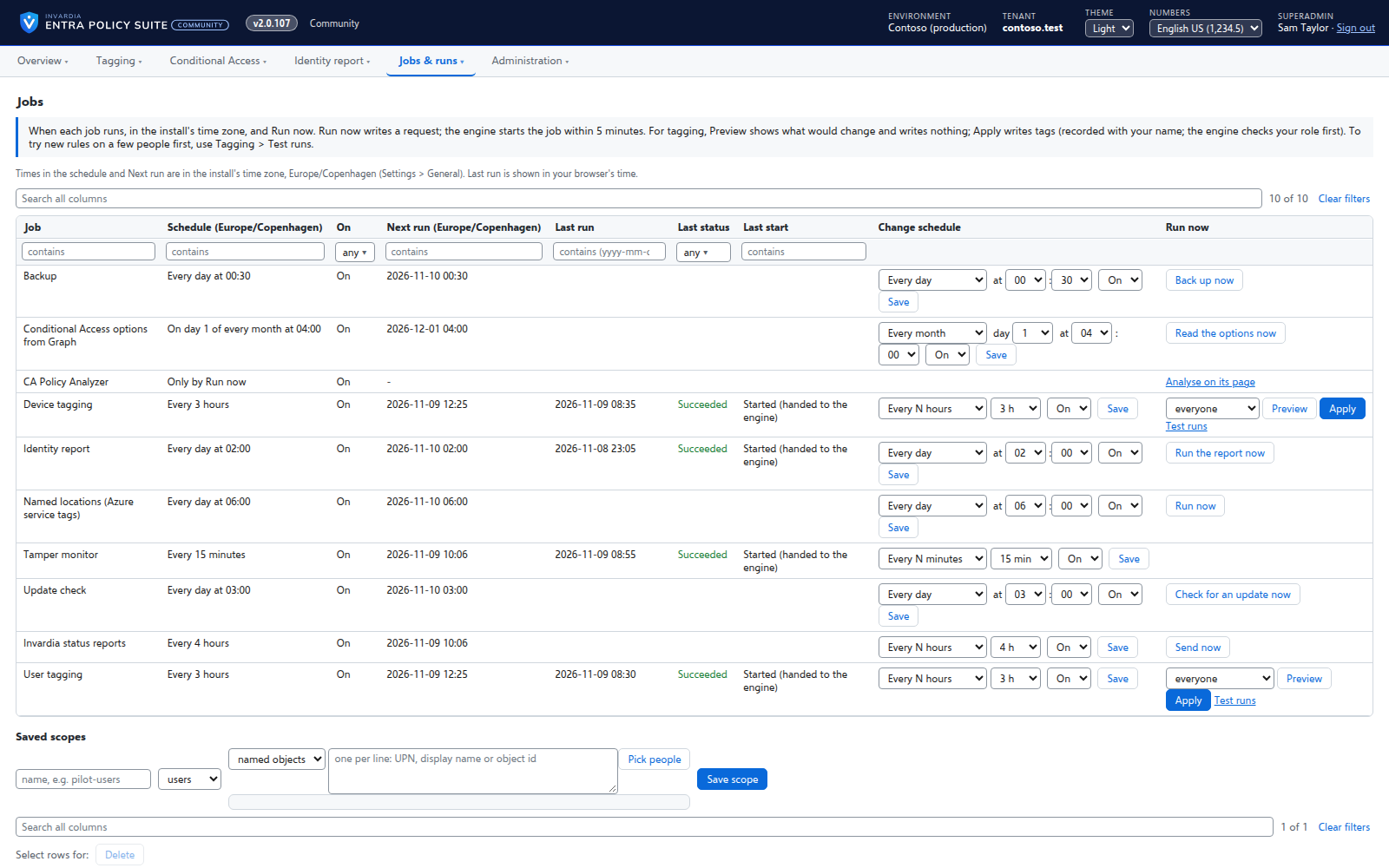
Jobs on your schedule
Every job runs on the schedule you set - daily, weekly or every few hours - with Preview and Apply on demand.
How it works →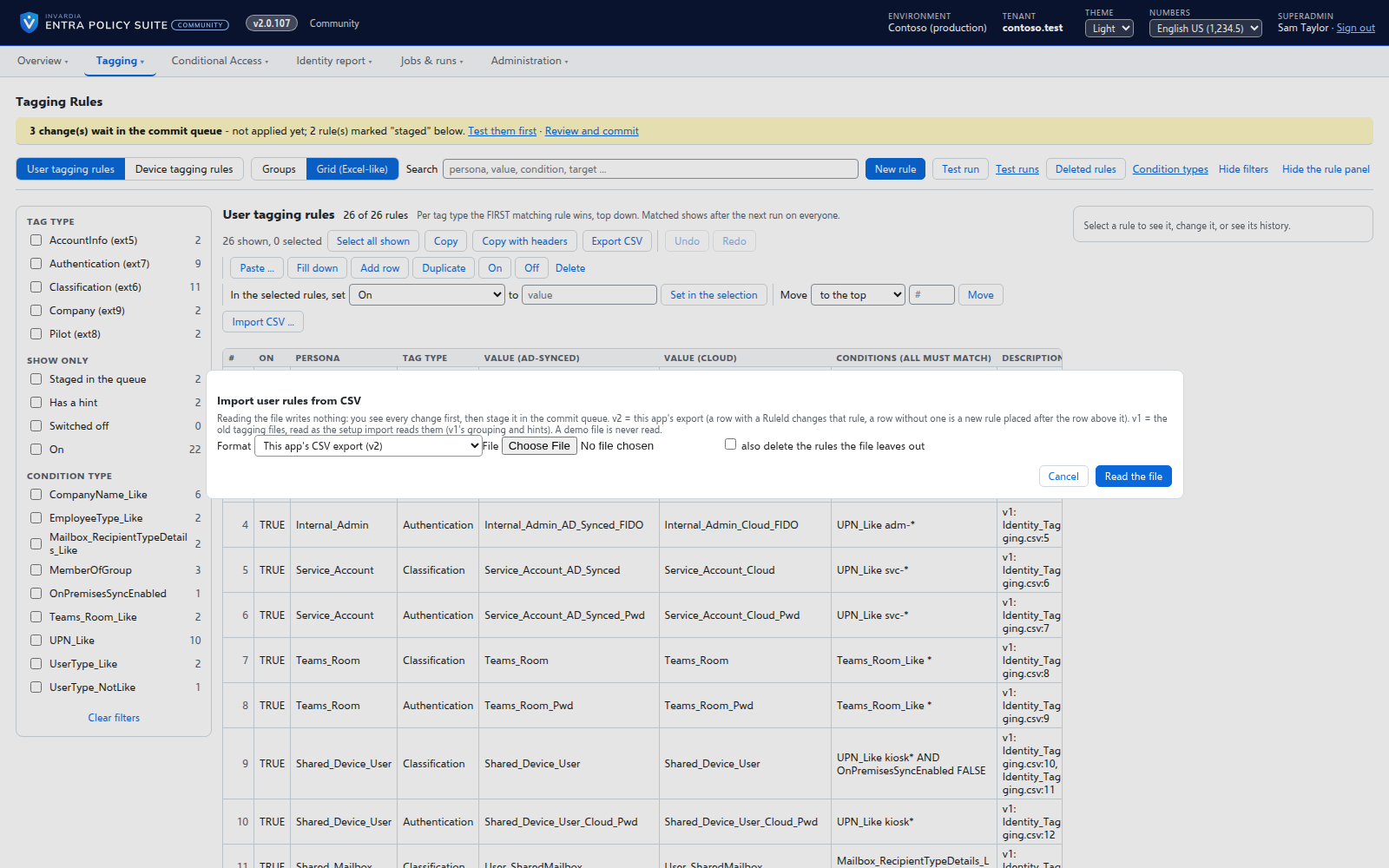
Bring your Entra Policy Suite 1 rules
The v1 rule files import as they are, so the tags your groups and policies read stay the same.
How it works →The groups your policies use, created and kept right
Every target, pilot, exclusion and break-glass group your policies use on one page - in the tenant or missing, its members, its dynamic rule - with the actions to fix each one.
How it works →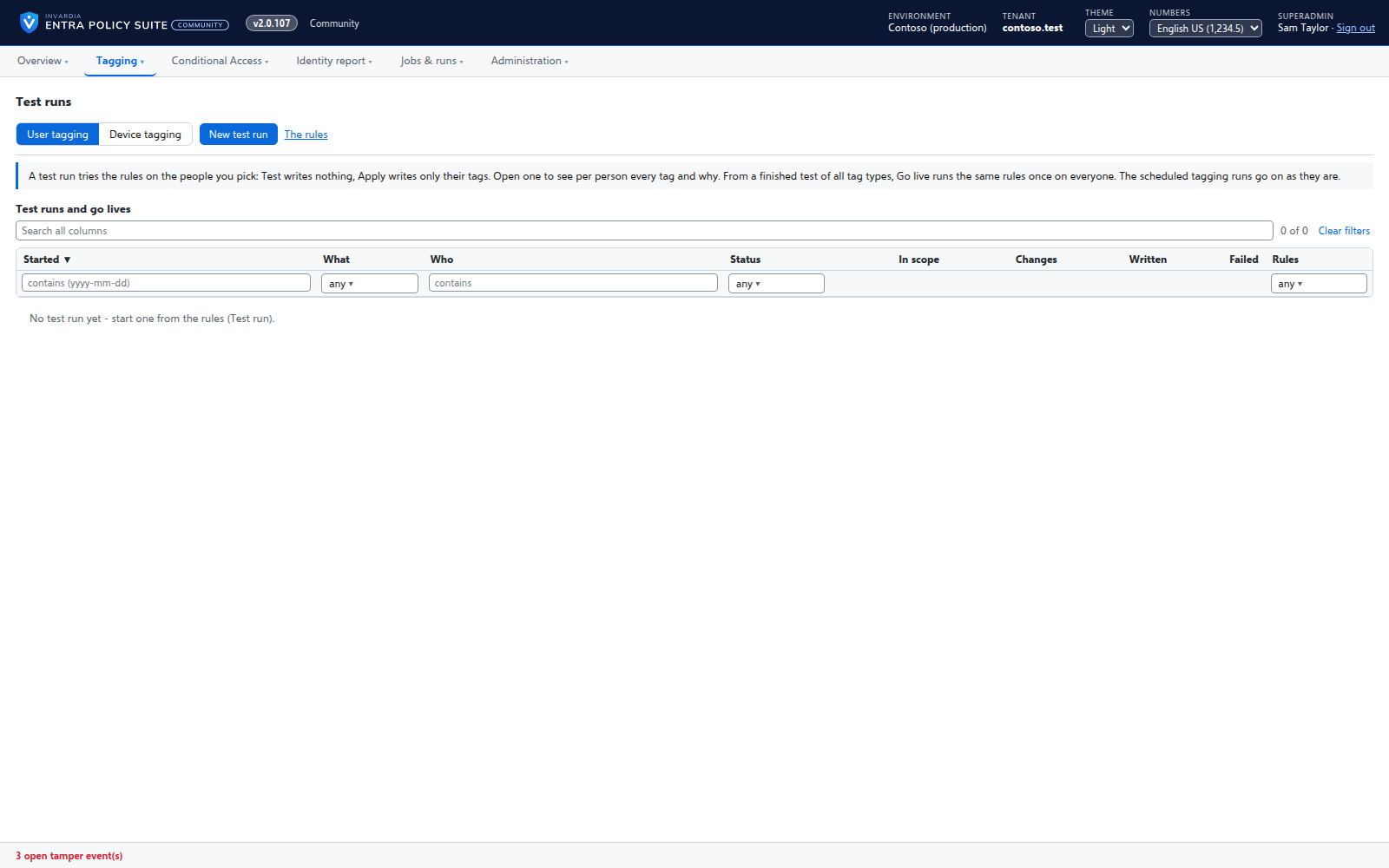
Test a rule change on the people you pick
Run your rules on a few users, a group or an OU first - with the changes still waiting in the queue - and see for each person which tag would change and why.
How it works →Change with control
Rules are edited like a spreadsheet but applied on purpose: every change is checked, waits in a commit queue, and is in an audit trail with who, when and why.
Rules you edit like a spreadsheet
Every tagging rule on one page, edited like Excel: select, copy and paste, fill down, duplicate, move and switch on or off - many rules at once.
How it works →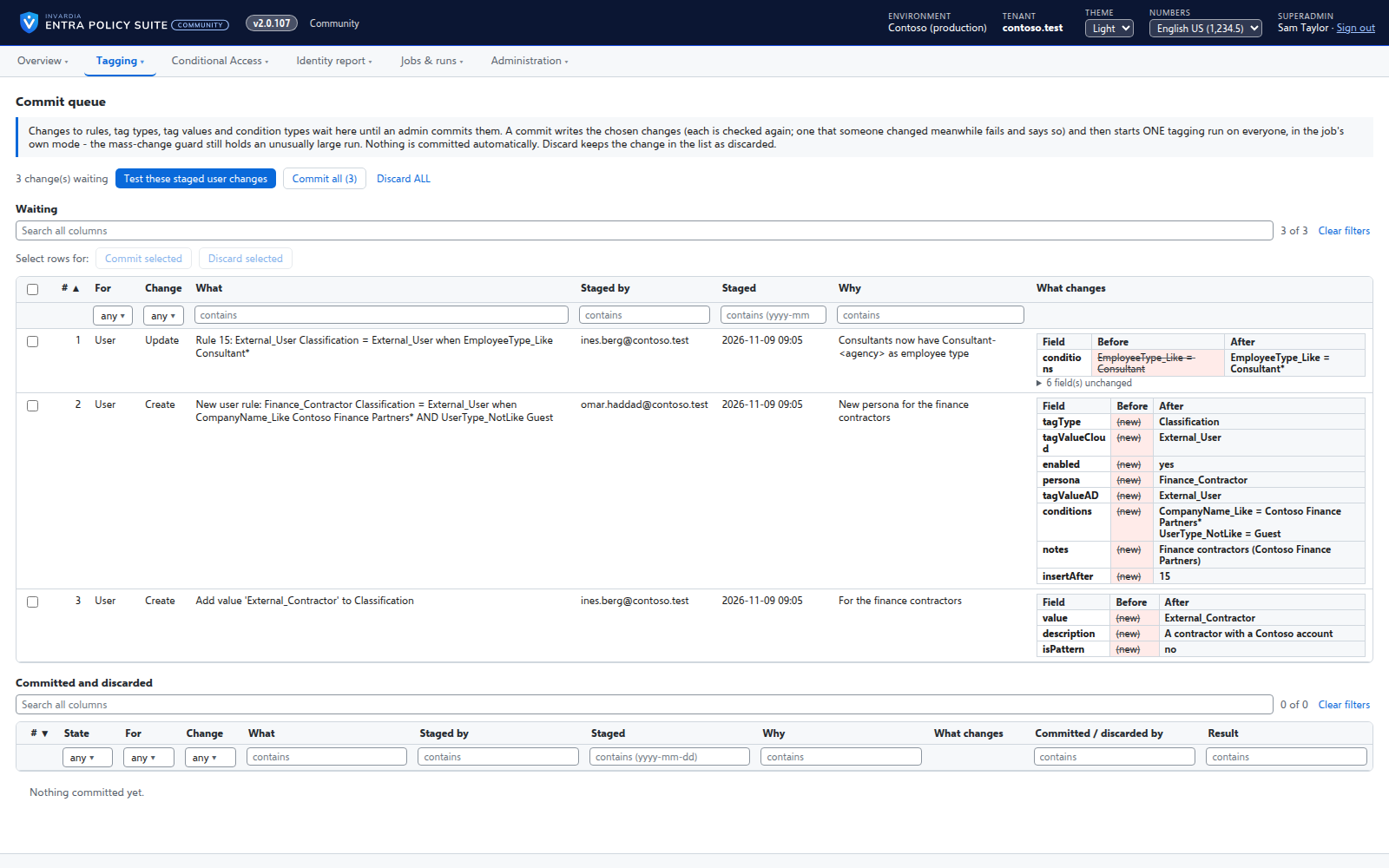
A commit queue for every rule change
A saved change waits until an admin commits it - nothing reaches the directory the moment someone types.
How it works →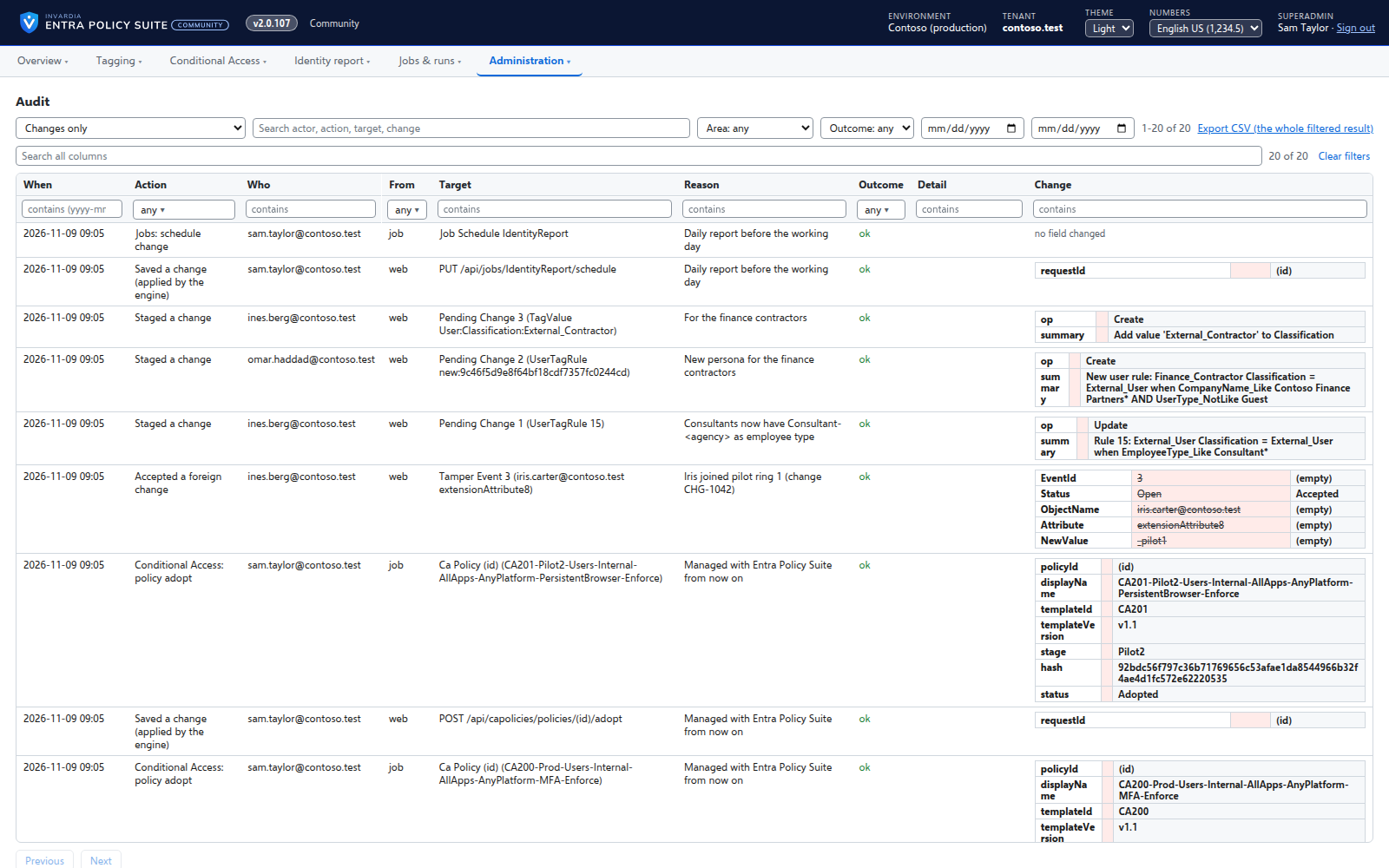
Changes applied by the engine, every one audited
A change made in the web app is carried out by the engine for the person who made it, and recorded in an append-only audit trail.
How it works →Bring your Entra Policy Suite 1 rules
The v1 rule files import as they are, so the tags your groups and policies read stay the same.
How it works →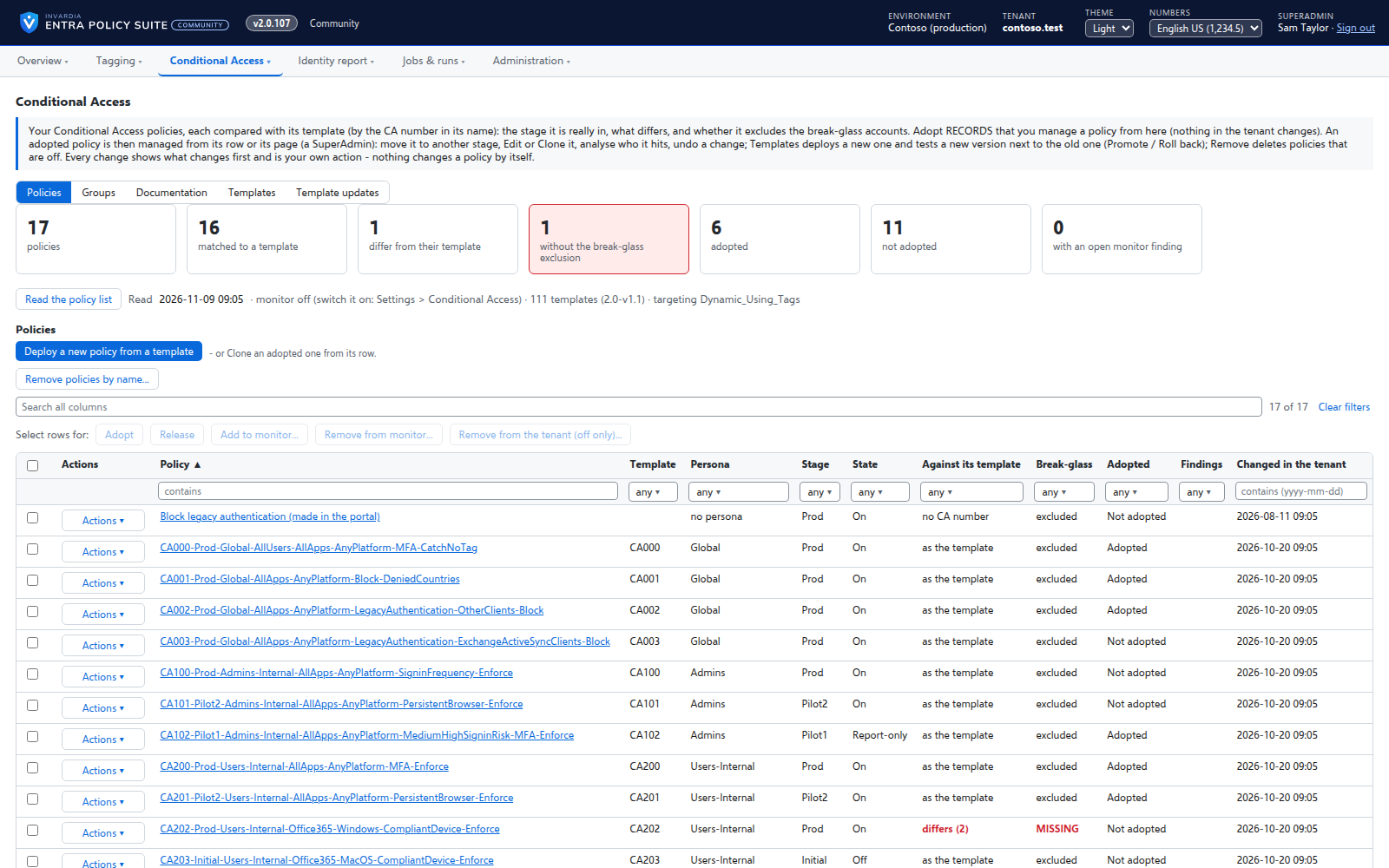
Conditional Access you move stage by stage
Adopt the Conditional Access policies you already have, move each one to Pilot or Prod with a button, and see when a policy drifts or loses its break-glass exclusion.
How it works →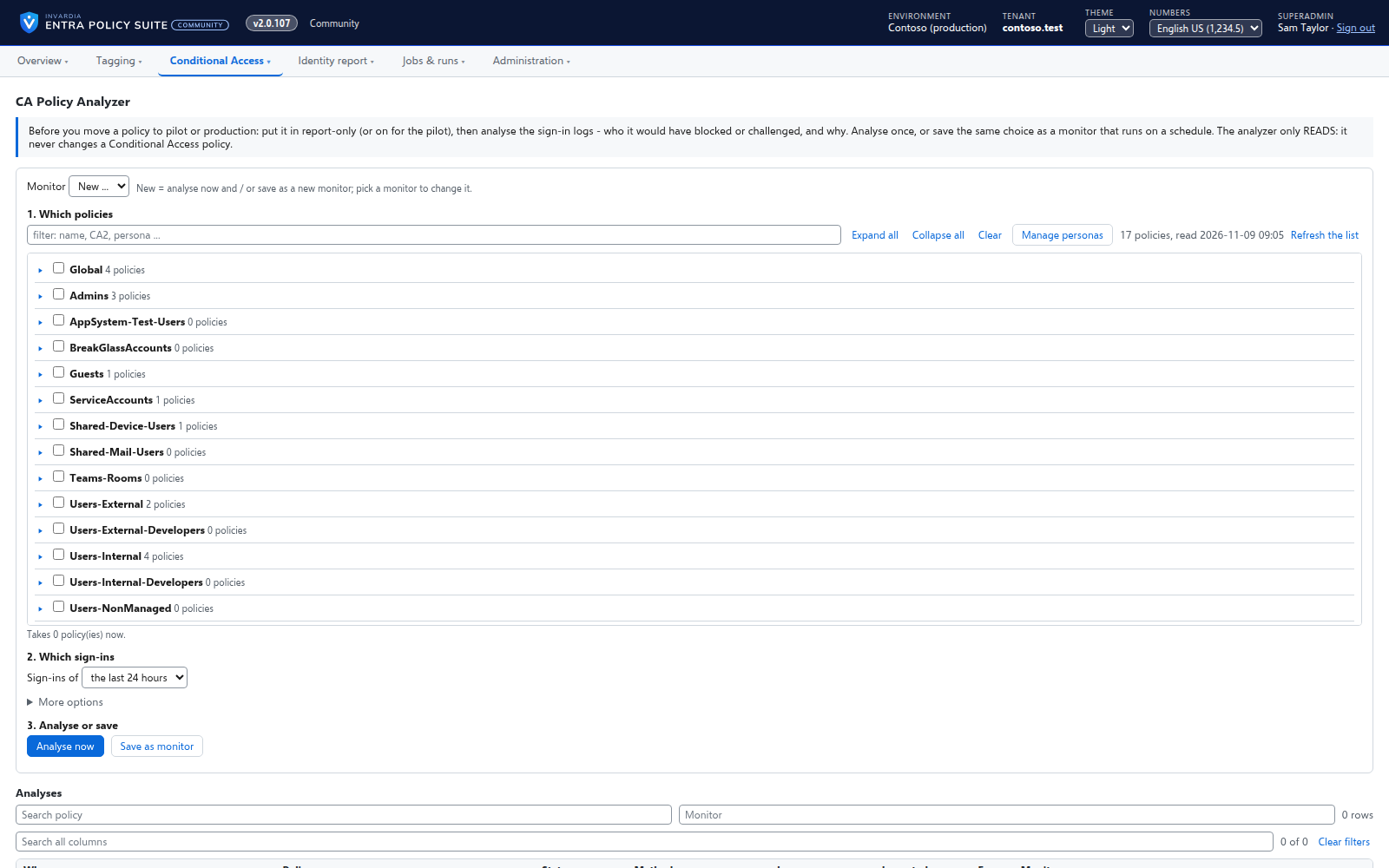
See who a Conditional Access policy will hit
Before you move a policy to the next stage, the CA Policy Analyzer reads the sign-in logs and shows which users the policy blocked or challenged, and why.
How it works →Edit, clone and version a Conditional Access policy
Change any part of a policy in a form, copy it into a new policy, deploy a new template version next to the old one and promote it when it is proven.
How it works →Test a rule change on the people you pick
Run your rules on a few users, a group or an OU first - with the changes still waiting in the queue - and see for each person which tag would change and why.
How it works →Backups and undo for policies and tagging
Every Conditional Access policy and the tagging configuration backed up every day and before every change, with restore and undo.
How it works →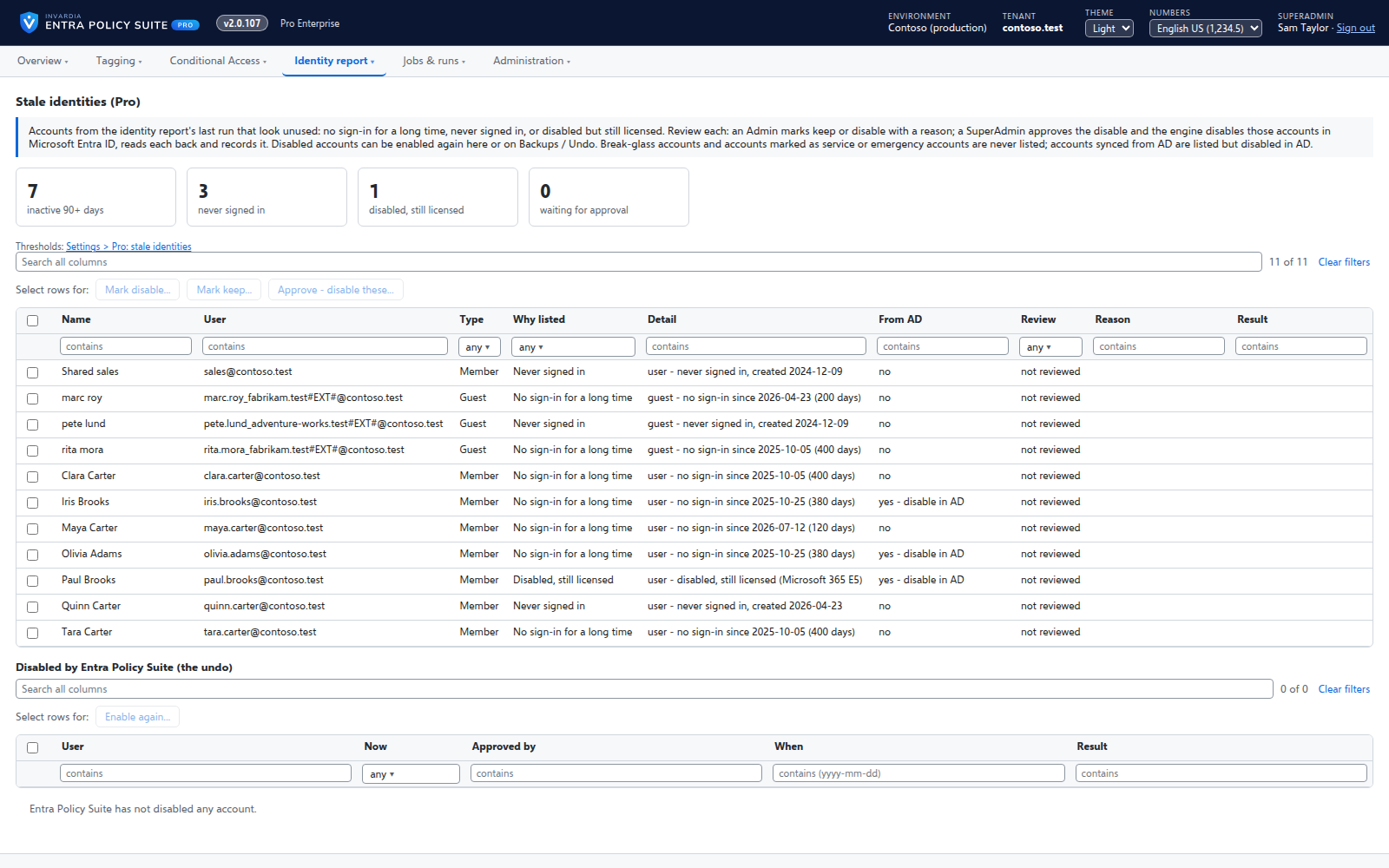
Stale identity clean-up
Pro: users and guests with no sign-in for 90 days, never signed in, or disabled but still licensed - reviewed, approved and only then disabled.
How it works →Conditional Access policy as code
Pro: your managed Conditional Access policies as JSON files - as a zip, or pushed to GitHub or Azure DevOps - reviewed in a pull request and read back.
How it works →See your identity gaps
A daily report turns MFA, sign-in, licenses, Active Directory and Intune data into gap views with a severity and a fix, so you know what to close first.
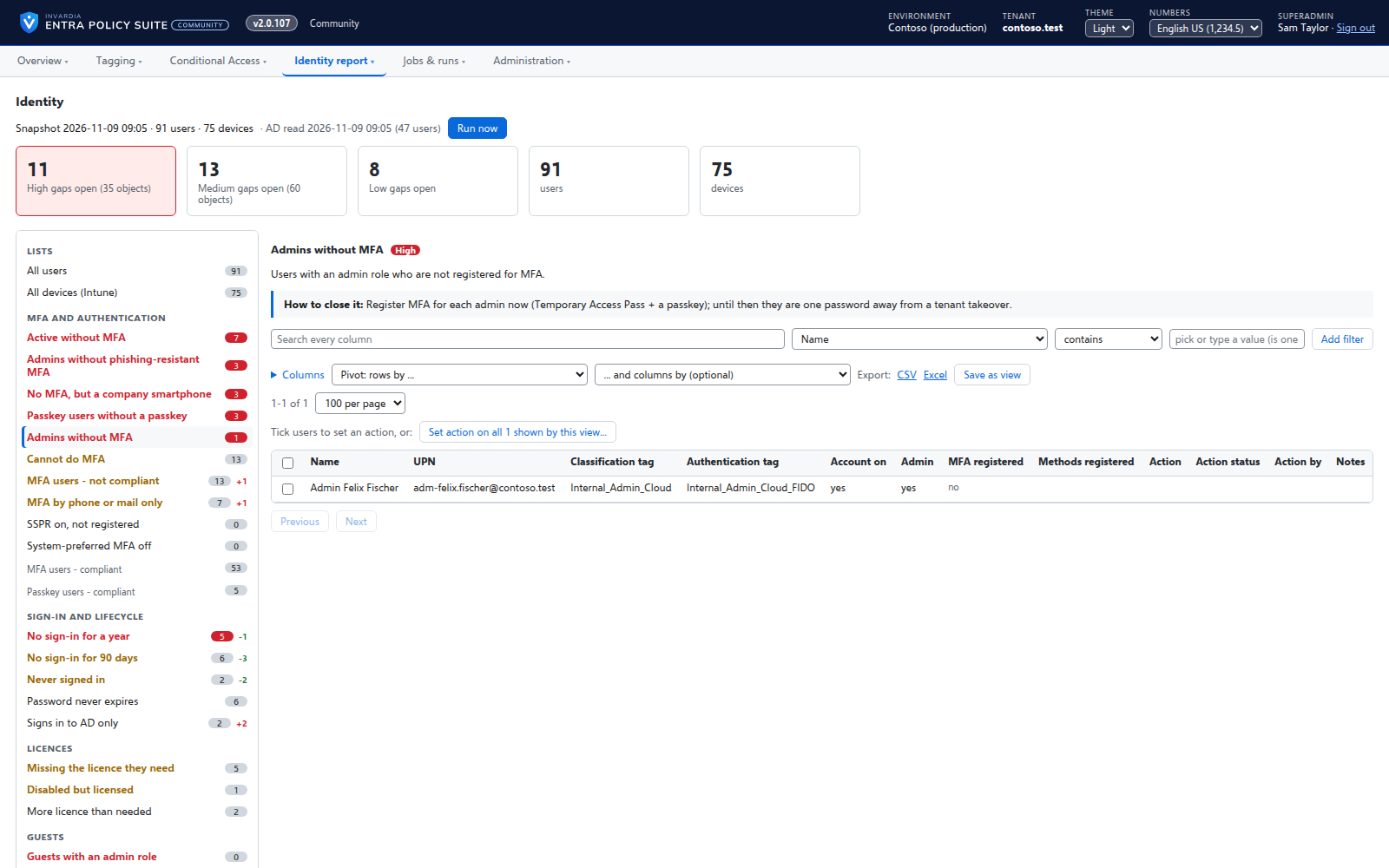
The identity report as gap views
A daily, read-only snapshot of every user and device, shown as gaps with a severity and how to close them.
How it works →See who a Conditional Access policy will hit
Before you move a policy to the next stage, the CA Policy Analyzer reads the sign-in logs and shows which users the policy blocked or challenged, and why.
How it works →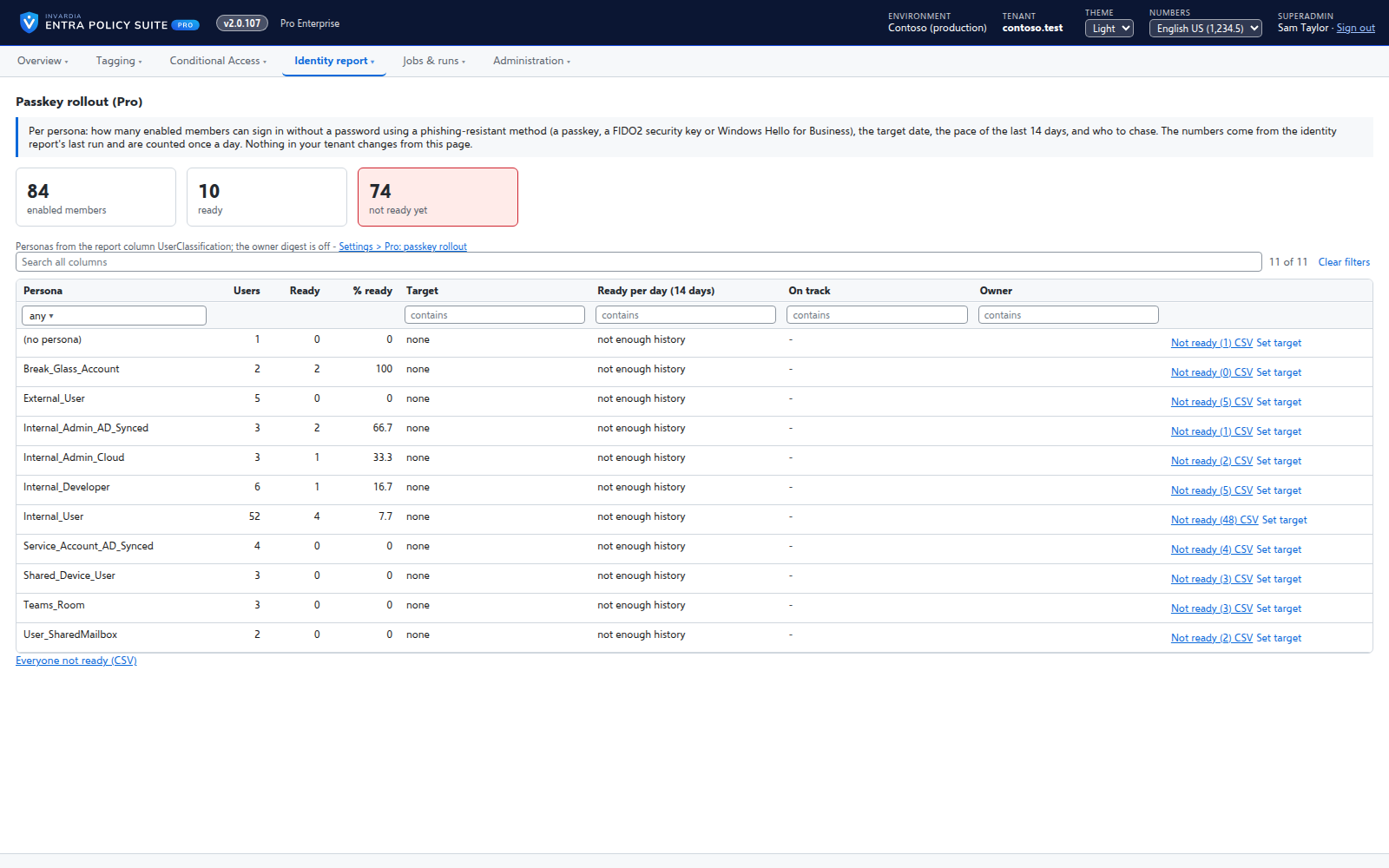
Passkey rollout tracker
Pro: per persona, how many people can sign in with a passkey, a security key or Windows Hello for Business, against a target date and an owner.
How it works →Stale identity clean-up
Pro: users and guests with no sign-in for 90 days, never signed in, or disabled but still licensed - reviewed, approved and only then disabled.
How it works →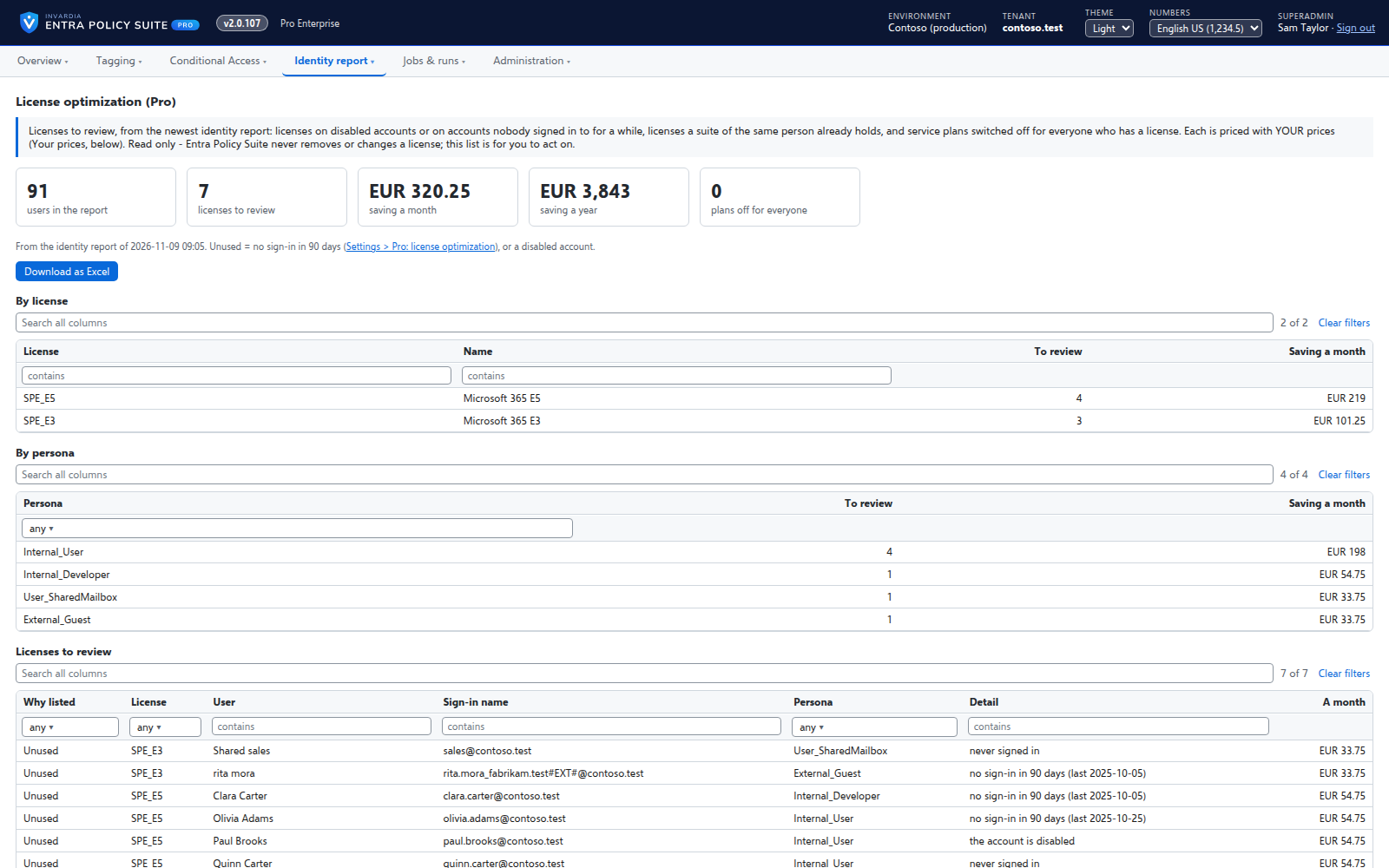
License optimization
Pro: the licenses to review - on disabled or inactive accounts, duplicated by a suite, or with plans switched off - priced with your own price table.
How it works →Catch tampering
A changed tag can take a user out of your MFA policies without touching a policy. Entra Policy Suite reports every change to a watched tag that it did not make.
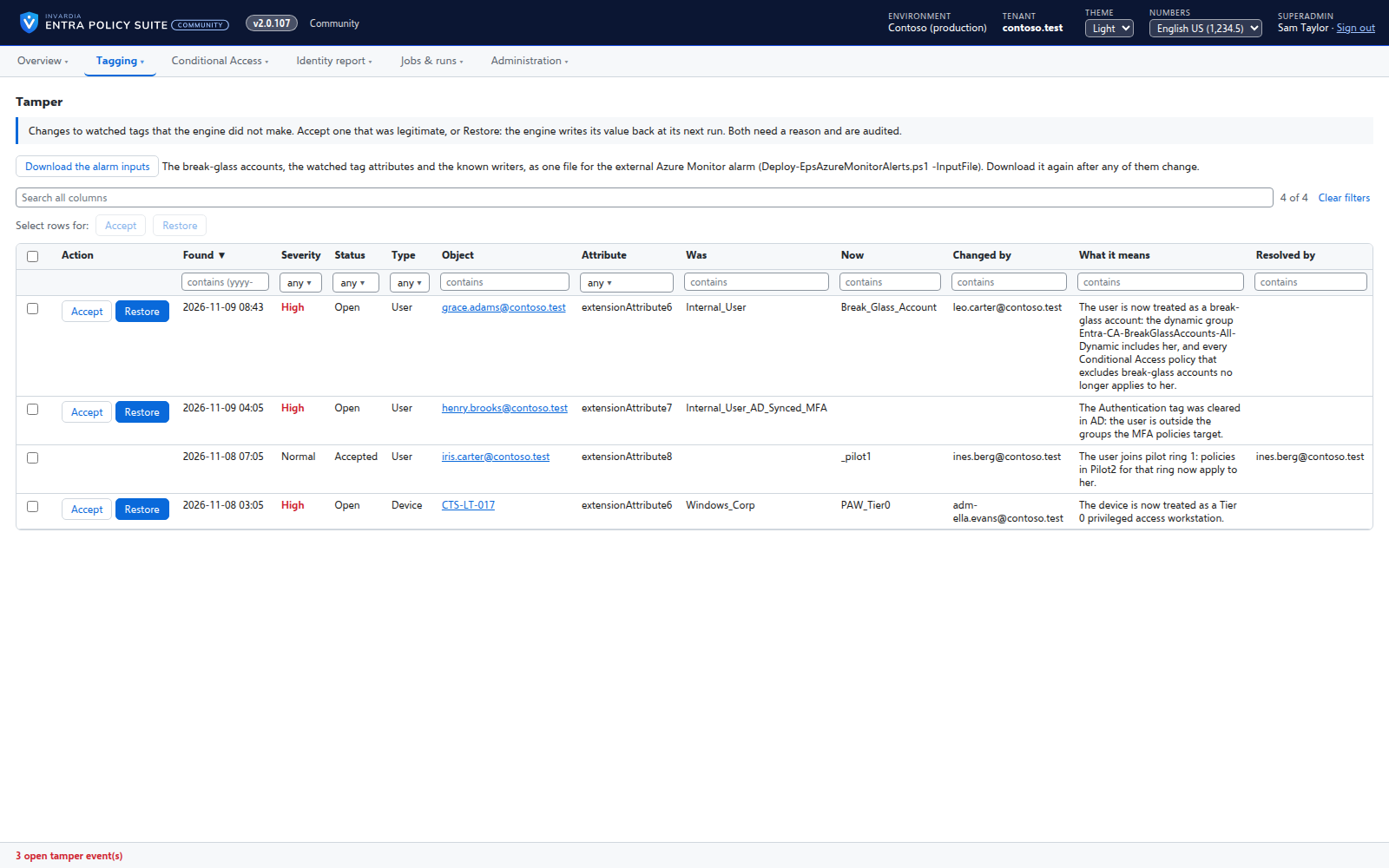
Tamper monitor
Reports every change to a watched tag that Entra Policy Suite did not make, with who made it and what it means.
How it works →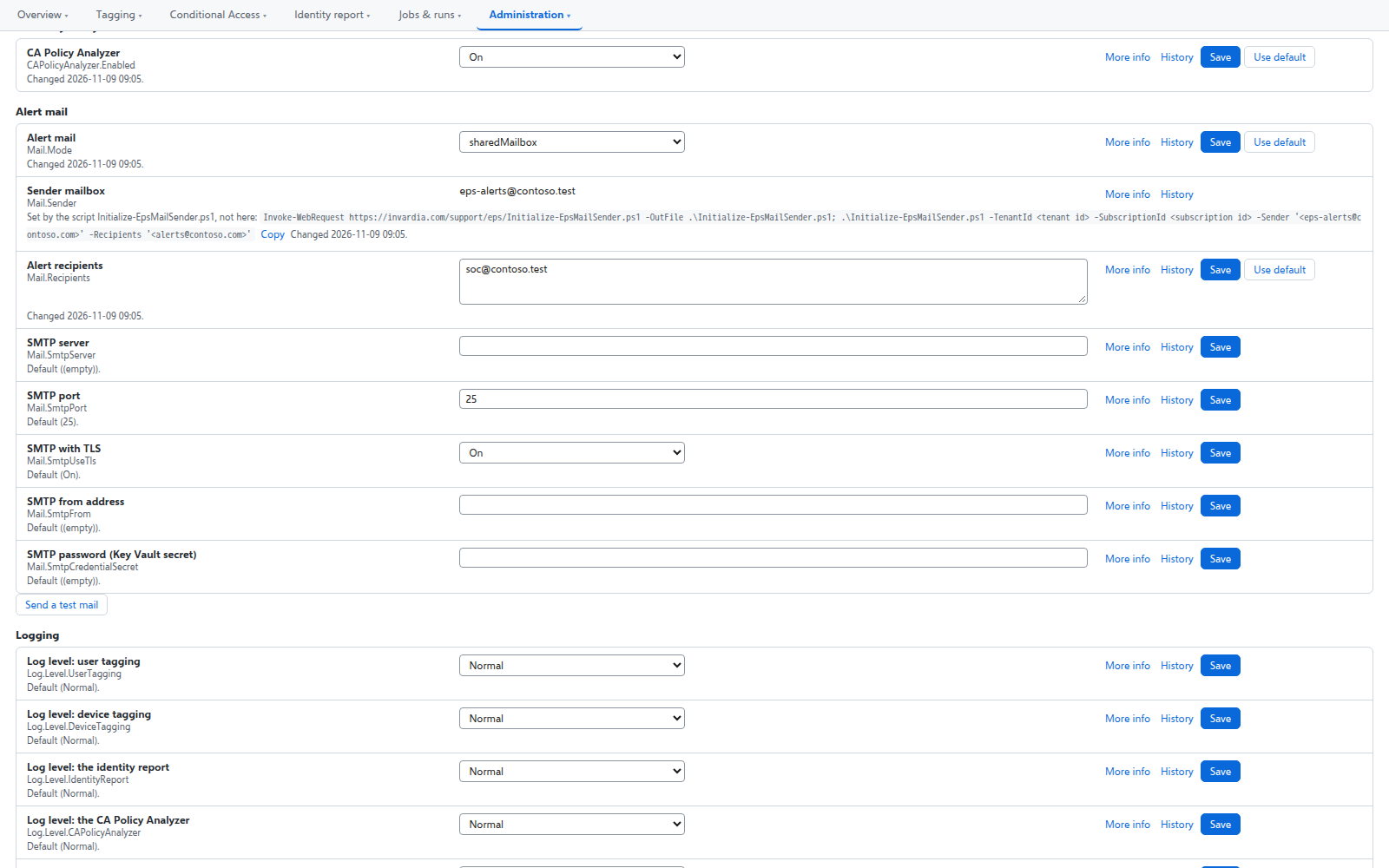
Alert mail from one mailbox only
Alerts are sent from a shared mailbox that the engine may send as - and no other mailbox in the tenant.
How it works →Conditional Access you move stage by stage
Adopt the Conditional Access policies you already have, move each one to Pilot or Prod with a button, and see when a policy drifts or loses its break-glass exclusion.
How it works →Runs in your Azure
Everything runs in your subscription and keeps its data in your database, each part on its own managed identity, with no client secret to rotate and no PowerShell module to install.
A hybrid worker for Active Directory
Tags of AD-synced users are written in Active Directory by a small worker that only connects out and has no password.
How it works →Jobs on your schedule
Every job runs on the schedule you set - daily, weekly or every few hours - with Preview and Apply on demand.
How it works →Alert mail from one mailbox only
Alerts are sent from a shared mailbox that the engine may send as - and no other mailbox in the tenant.
How it works →Runs in your Azure, one identity per part
Container Apps jobs, a web app and an Azure SQL database in your subscription, each part on its own managed identity with only its own rights.
How it works →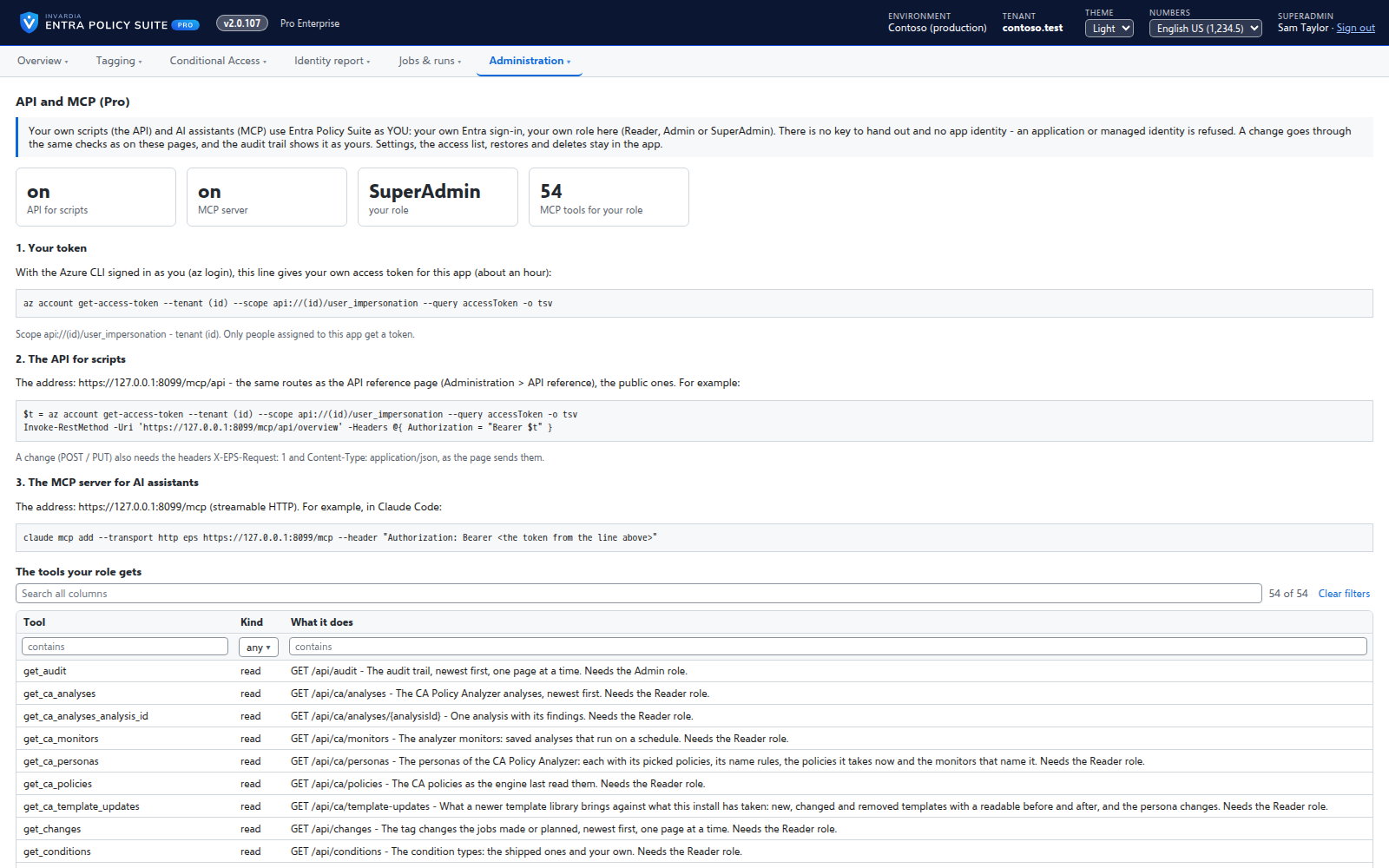
API and MCP access
Pro: your own scripts and AI assistants use Entra Policy Suite through its API and an MCP server, under the caller's own role.
How it works →Get started: a checklist that fixes what is missing
One page checks everything Entra Policy Suite and the Conditional Access templates need in your tenant, and offers to create what is missing.
How it works →Support from the people who build it
Pro: support from Invardia - the support service, the Support app and just-in-time database access, each optional. Community: help on GitHub, and the Support app is optional.
How it works →Signed updates on the ring you choose
Pro: each update signed by Invardia, approved by a person before it reaches your ring, and installed between runs by the product itself.
How it works →Every feature, edition by edition
Conditional Access management, tagging, the identity report, backups and tamper monitoring are in the free Community edition for one tenant, and keep working without a license. Pro adds support from Invardia (the support service, the Support app and just-in-time database access - each optional), the passkey rollout tracker, stale identity clean-up, license optimization, policy as code, signed updates on the ring you choose and a 60-day trial; API and MCP access for your own scripts and AI assistants. Pro Business has the same for up to 1,000 users in scope in one tenant. In Community, help is on GitHub and the Support app is optional.


Community 42 features
Free, on GitHub:
Conditional Access
- Read every policy, matched to its template, with its stage, its differences and whether it excludes the break-glass accounts
- Adopt the policies you have; deploy a template as a new policy, off or report-only for the pilot group
- Edit any part of a policy in a form, with users, groups, roles, applications and locations picked by name; clone a policy (created off)
- Move a policy to any stage - Pilot1, Pilot2, Pilot3, Prod or off - with the change shown first and a reason; a stage move also sets the pilot group
- Test a new template version next to the old one, promote it, roll back, and remove the old version when you are sure
- An analysis per policy: whose sign-ins it blocked or challenged in its stage; monitors that mail when users are impacted
- The groups the policies use: created, their rules and members kept right; administrative units
- Remove policies that are off, by selection or by name pattern, after a backup
Get started
- A checklist of everything the templates need, in the order the steps depend on each other
- Creates missing groups, administrative units, authentication strengths, named locations (denied countries, trusted, Azure service tags) and break-glass accounts as v1 made them
Rules
- Personas, tag types, values and conditions; the conditions of a rule joined by AND, the rules of a tag type tried in run order
- Value modes First, Last and Multiple, and a fallback value per tag type
- 56 shipped condition types (20 user, 36 device), plus your own property conditions for any Entra property
- A grid that works like Excel: multi-select, copy and paste, fill down, edit in place, duplicate, move to a position, bulk on / off / delete / set a value
- Rules grouped by persona with filters, search and the number of objects each rule matched
- Hints on rules that never win, can never match or repeat a condition
- CSV export and import, and the Entra Policy Suite 1 rule files imported in the web app
Change control
- Every rule, tag type, value and condition type change waits in a commit queue until an admin commits it
- Each change checked before it is staged; a stale change is refused
- Changes made in the web app are applied by the engine; the web app itself cannot change the directory or the configuration
- An append-only audit trail with who, when, why, before and after
Tagging
- User tagging: cloud users through Microsoft Graph, AD-synced users in Active Directory through the hybrid worker
- Device tagging in Entra ID
- Preview or Apply, on everyone or on a saved test scope
- Users and devices that are never tagged
- Every tag change listed with the old value, the new value and the rule behind it
- Schedules you set per job (daily, weekly, every few hours or minutes)
- Test runs on the people you pick, with the changes still waiting in the queue, and Go live once it is right
- For every rule, who it matched in the last run and why a rule matched nobody
Identity report
- A daily, read-only snapshot of users, MFA registration, sign-in, licenses, Exchange mailbox types, Active Directory and Intune devices
- 43 gap views with a severity, what it means and how to close it, and the change since the last run
- 21 views of the Entra Policy Suite 1 report
- The report sent to your own Log Analytics workspace, with the exposure lists of service accounts and shared device users
Monitoring and alerts
- Tamper monitor: tag changes the engine did not make, with who made them and what they mean
- Alert mail from a shared mailbox the engine may send as - and no other mailbox
Runs in your Azure
- Azure Container Apps jobs and a web app with an Azure SQL database, in one resource group
- One managed identity per part; no client secret or certificate
- Microsoft Entra sign-in to the web app with three roles: Reader, Admin, SuperAdmin
- No PowerShell modules: REST and .NET only
Backups and undo
- Daily backups of every Conditional Access policy, named location and authentication strength, and of the tagging configuration - the last 30 kept
- A backup before every change; restore a policy or a set; undo a policy change, a tagging run or a rule commit
- Export and import the whole configuration as one file
Coming next
On the roadmap, not in the current release:
- Pro: API and MCP access - your own scripts and AI assistants under the caller's own role
- Pro Enterprise: MSP - one template library and the same stages across many managed tenants