

Get started: a checklist that fixes what is missing
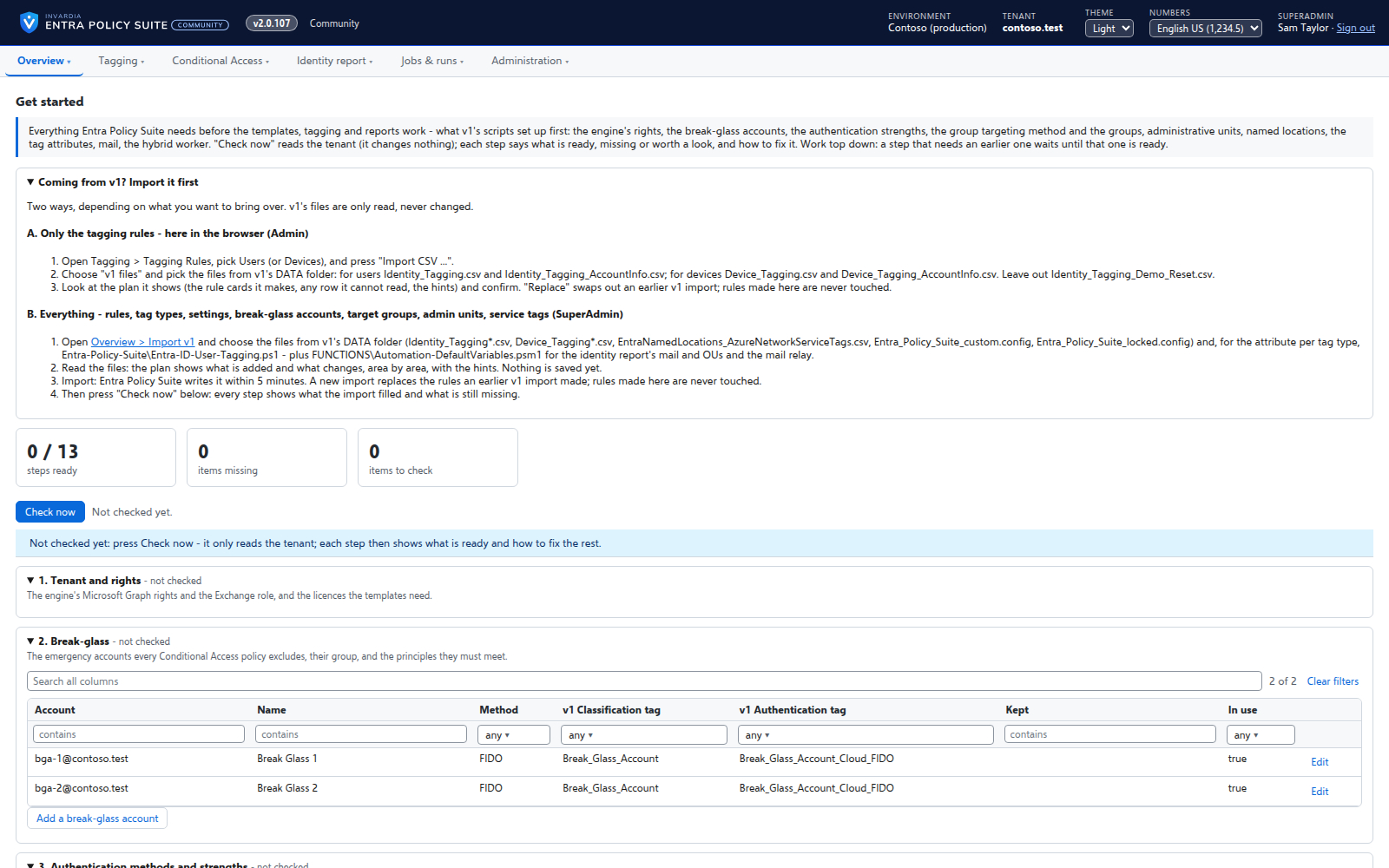
One page checks everything Entra Policy Suite and the Conditional Access templates need in your tenant, and offers to create what is missing.
Purpose
Conditional Access templates expect target and pilot groups, administrative units, authentication strengths, named locations and break-glass accounts. Setting these up by hand is where an onboarding stalls.
Design
Check now reads your tenant and shows each step as ready, missing or to check, in the order the steps depend on each other. A step with something missing has a Fix it action: create the missing groups, administrative units, authentication strengths, named locations or break-glass accounts as v1 made them, or the exact command to run. Every create shows its plan first and needs a reason; the engine makes the change and reads it back.
Business opportunities
A new tenant is ready for the templates in an afternoon instead of a project, and nothing is created that you did not see first.
Related features
A hybrid worker for Active Directory
Tags of AD-synced users are written in Active Directory by a small worker that only connects out and has no password.
Jobs on your schedule
Every job runs on the schedule you set - daily, weekly or every few hours - with Preview and Apply on demand.
Alert mail from one mailbox only
Alerts are sent from a shared mailbox that the engine may send as - and no other mailbox in the tenant.
Runs in your Azure, one identity per part
Container Apps jobs, a web app and an Azure SQL database in your subscription, each part on its own managed identity with only its own rights.