

A commit queue for every rule change
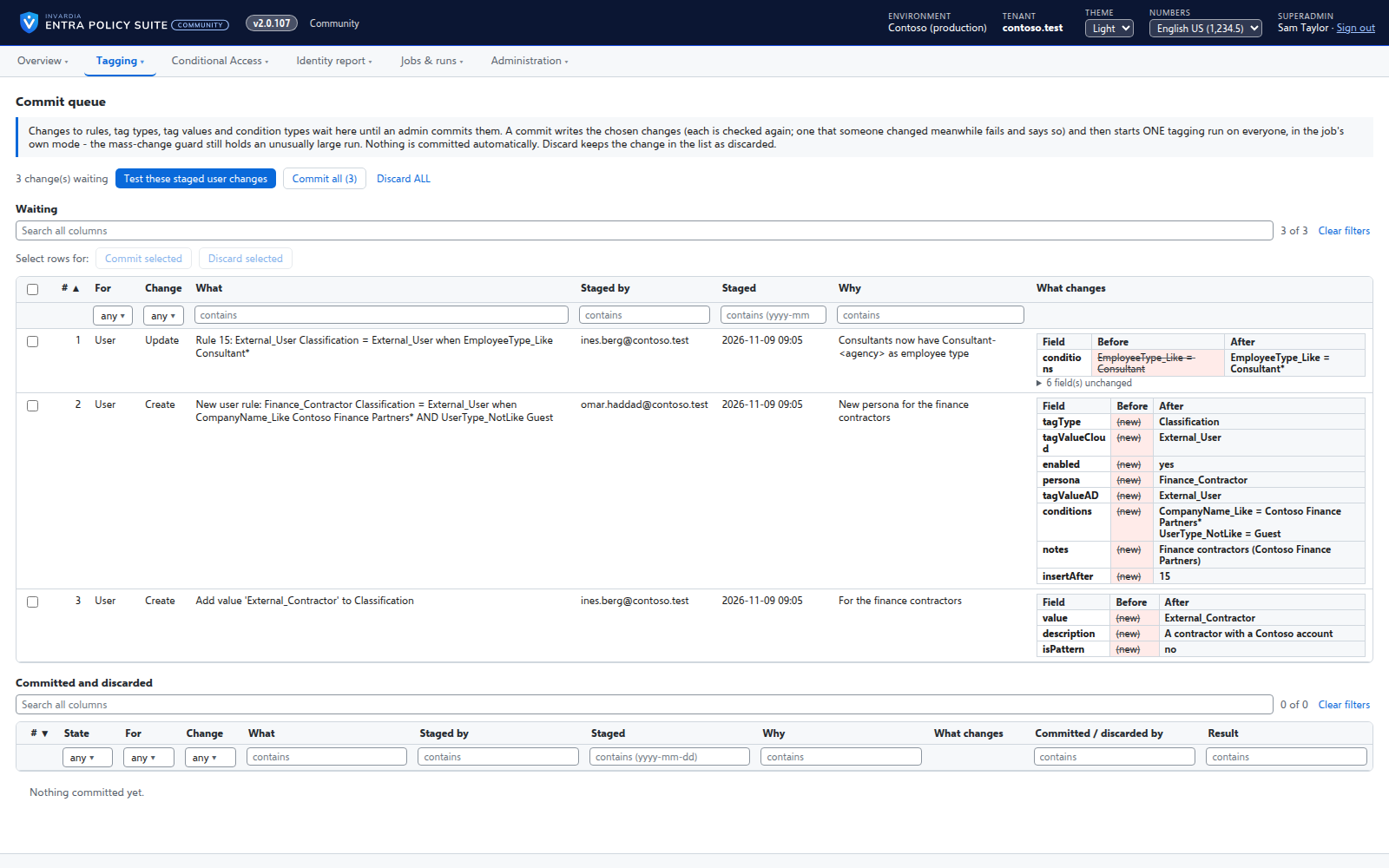
A saved change waits until an admin commits it - nothing reaches the directory the moment someone types.
Purpose
A tagging rule decides which Conditional Access policies a user falls under. A change that applies the moment it is saved can move thousands of users between policies before anyone has looked at it.
Design
Changes to rules, tag types, values and condition types are staged with what they were before, what they become, who staged them and why. A later change to the same thing replaces the waiting one. An admin commits the chosen changes: each is written through the same checks as a direct save, a change to something that was edited in the meantime fails, and one tagging run on everyone is then requested in the job's own mode. Discarded changes stay visible. A second approver can be required, so nobody commits their own change.
Business opportunities
Rule changes become planned changes with a reviewer, instead of live edits - the same discipline your change management expects, built into the tool.
Related features
Rules you edit like a spreadsheet
Every tagging rule on one page, edited like Excel: select, copy and paste, fill down, duplicate, move and switch on or off - many rules at once.
Changes applied by the engine, every one audited
A change made in the web app is carried out by the engine for the person who made it, and recorded in an append-only audit trail.
Bring your Entra Policy Suite 1 rules
The v1 rule files import as they are, so the tags your groups and policies read stay the same.
Conditional Access you move stage by stage
Adopt the Conditional Access policies you already have, move each one to Pilot or Prod with a button, and see when a policy drifts or loses its break-glass exclusion.