

Bring your Entra Policy Suite 1 rules
The v1 rule files import as they are, so the tags your groups and policies read stay the same.
Purpose
Teams that run Entra Policy Suite 1 have years of rules in CSV files. Rewriting them by hand risks changing who gets which tag.
Design
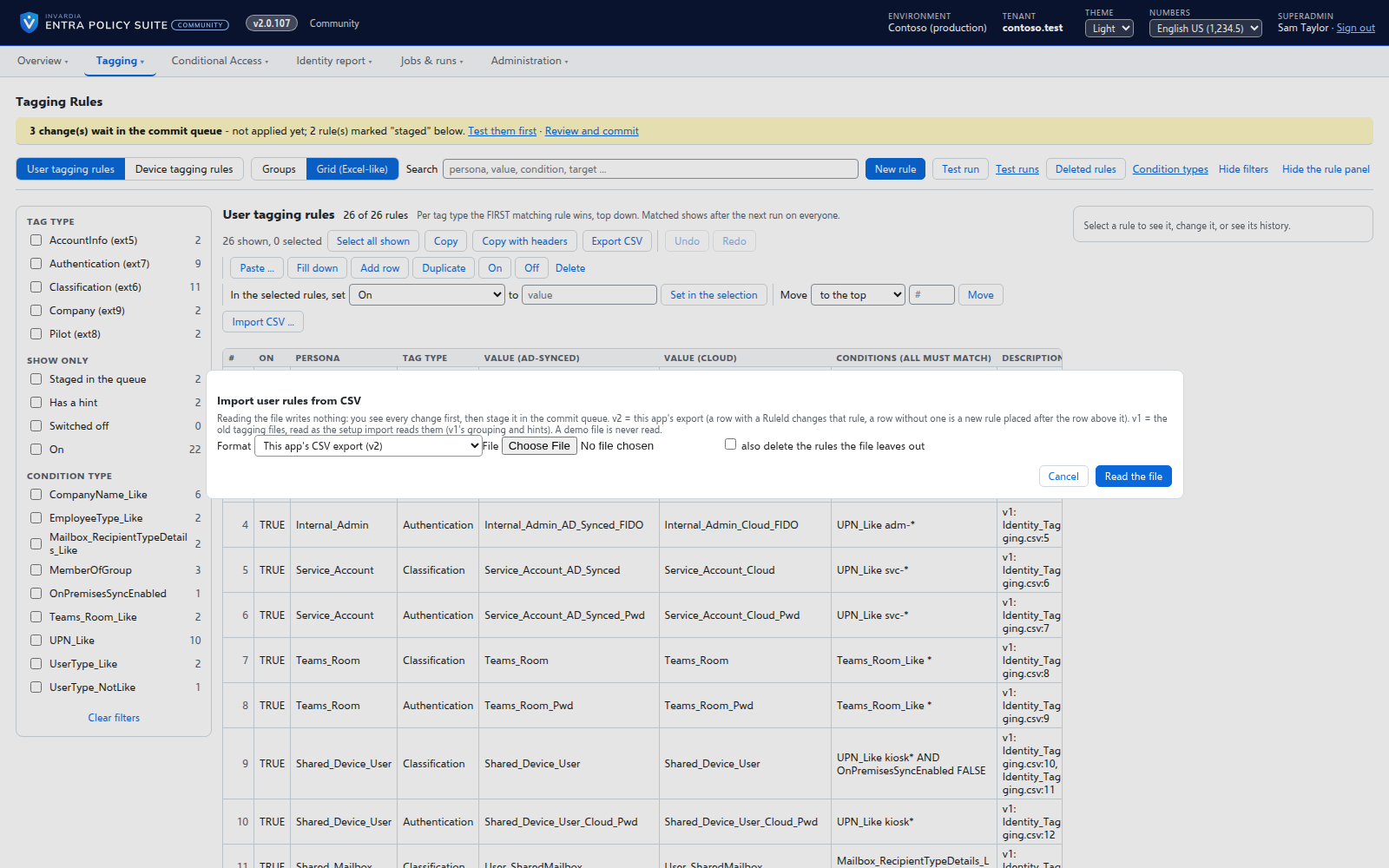
On the Tagging Rules page, Import CSV reads the v1 user or device rule file, groups its rows into rules exactly as v1 does, and shows the plan with hints and any value the install does not have yet before anything is staged. The import then goes through the commit queue. A setup script imports a whole v1 folder - rules, tag types, settings, break-glass accounts and target groups - with a plan first. v1 itself is never changed.
Business opportunities
A v1 customer moves to the managed service with the rules they trust, and can compare both before switching v1 off.
Related features
Rules you edit like a spreadsheet
Every tagging rule on one page, edited like Excel: select, copy and paste, fill down, duplicate, move and switch on or off - many rules at once.
A commit queue for every rule change
A saved change waits until an admin commits it - nothing reaches the directory the moment someone types.
User tagging
Every user gets its tags from your rules - cloud users in Entra ID, AD-synced users in Active Directory.
Device tagging
Every device gets its category - privileged access workstation, corporate Windows, kiosk, corporate or personal phone - from your device rules.