

The identity report as gap views
A daily, read-only snapshot of every user and device, shown as gaps with a severity and how to close them.
Purpose
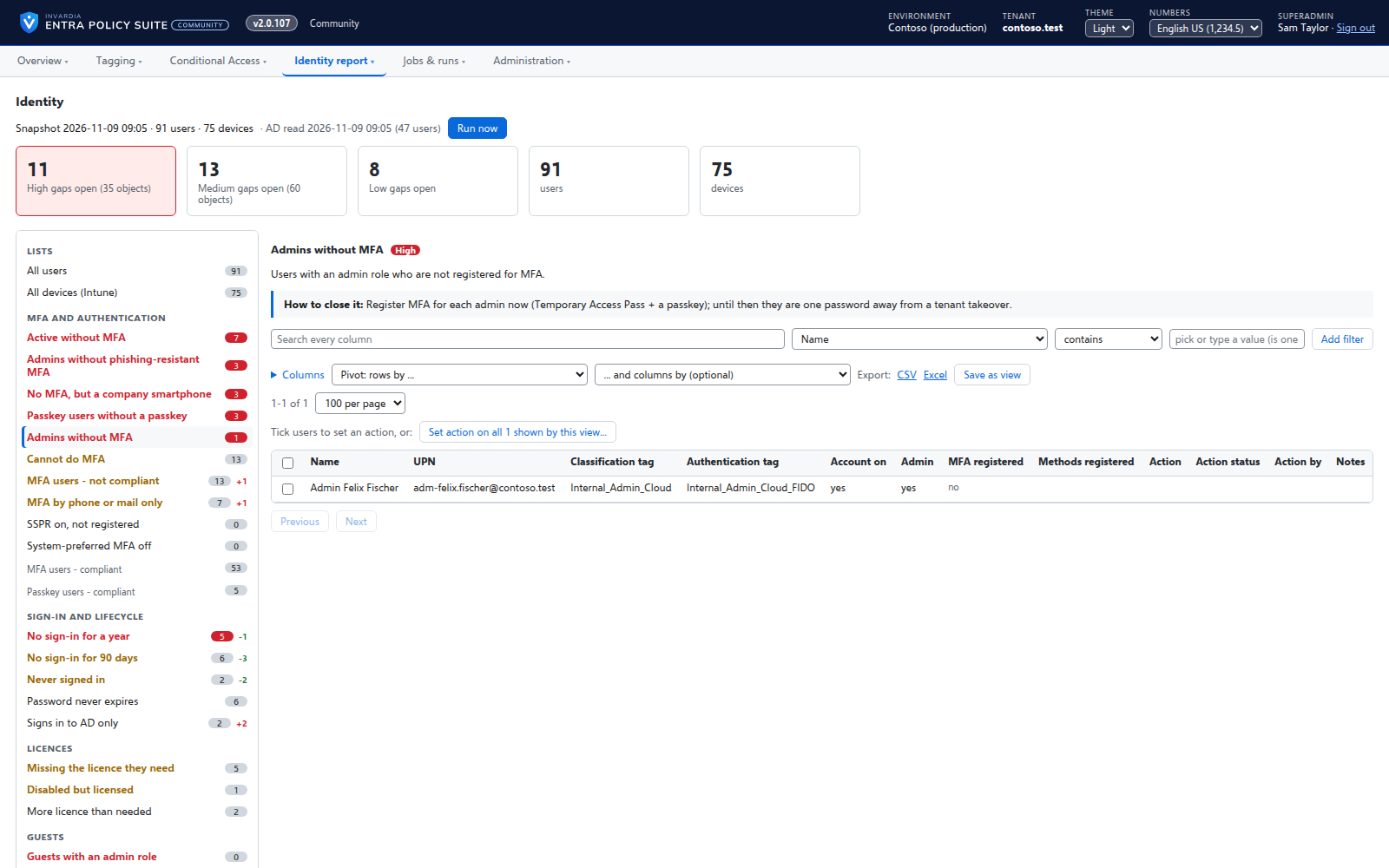
Identity risk hides in plain data: admins without phishing-resistant MFA, accounts disabled in AD but enabled in Entra ID, licensed users who never sign in, guests with admin roles, non-compliant devices. Collecting it from Graph, Exchange, Active Directory and Intune into one spreadsheet takes a day, every time.
Design
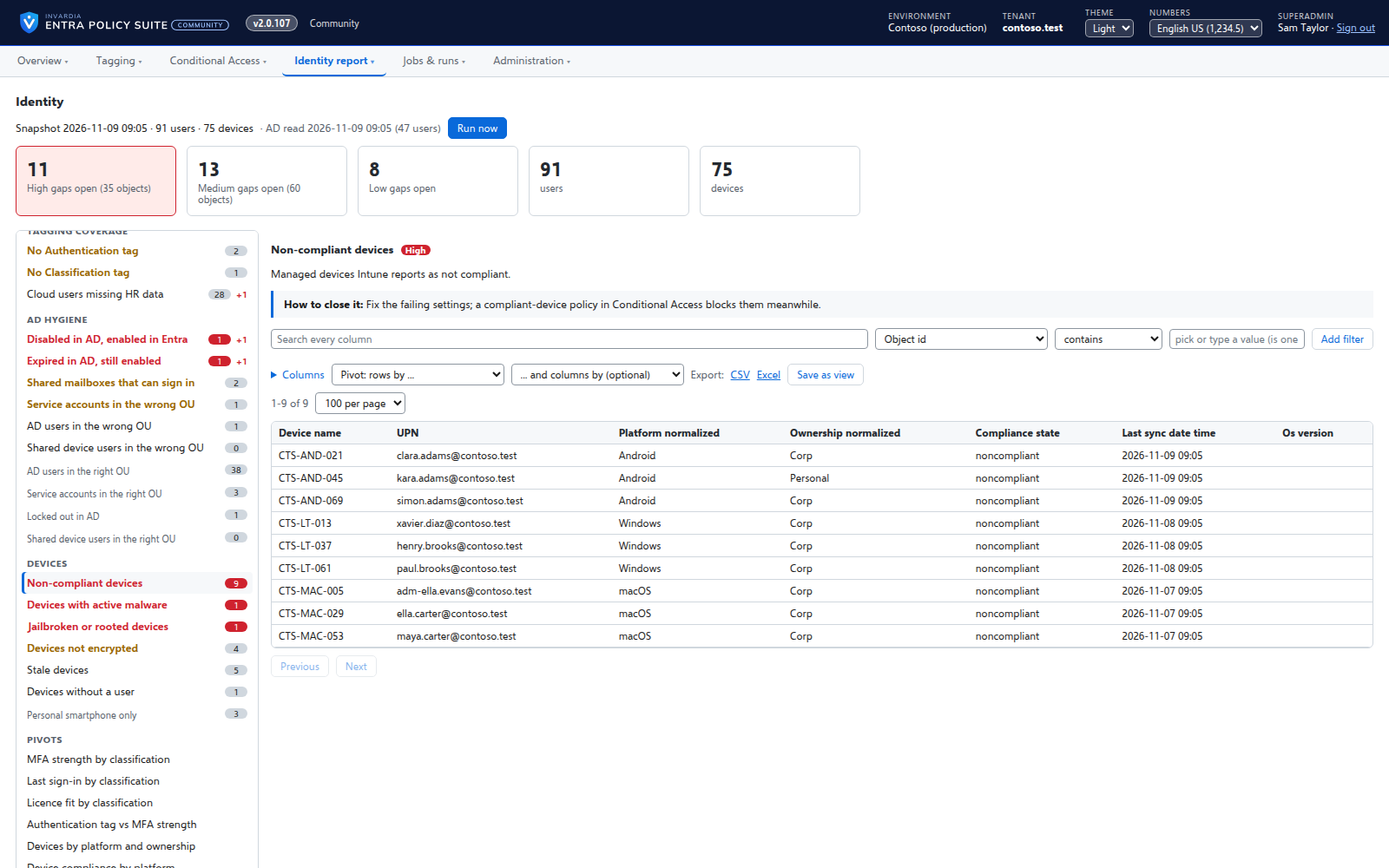
Once a day the report reads users, MFA registration, sign-in activity, licenses, Exchange mailbox types, Intune devices and, through the hybrid worker, Active Directory, and stores one snapshot. The Identity page opens on the open gaps: 43 gap views grouped by topic (MFA, sign-in and lifecycle, guests, licenses, tagging coverage, AD hygiene, devices), each with a severity, what it means, how to close it and the change since the last run. 21 of them are the views of the Entra Policy Suite 1 report. Nothing in the tenant or AD is changed.
Business opportunities
Security and identity teams see every day which gaps are open and whether they are closing, without building a report.
Related features
See who a Conditional Access policy will hit
Before you move a policy to the next stage, the CA Policy Analyzer reads the sign-in logs and shows which users the policy blocked or challenged, and why.
Passkey rollout tracker
Pro: per persona, how many people can sign in with a passkey, a security key or Windows Hello for Business, against a target date and an owner.
Stale identity clean-up
Pro: users and guests with no sign-in for 90 days, never signed in, or disabled but still licensed - reviewed, approved and only then disabled.
License optimization
Pro: the licenses to review - on disabled or inactive accounts, duplicated by a suite, or with plans switched off - priced with your own price table.