



Architecture and security
How SecurityInsight is built and secured. It runs entirely in your own Microsoft environment.
SecurityInsight - Technical architecture and security
For: Security teams (CISO, security architects) and IT architects evaluating or onboarding SecurityInsight Pro.
Download the presentation (PDF)PowerPoint
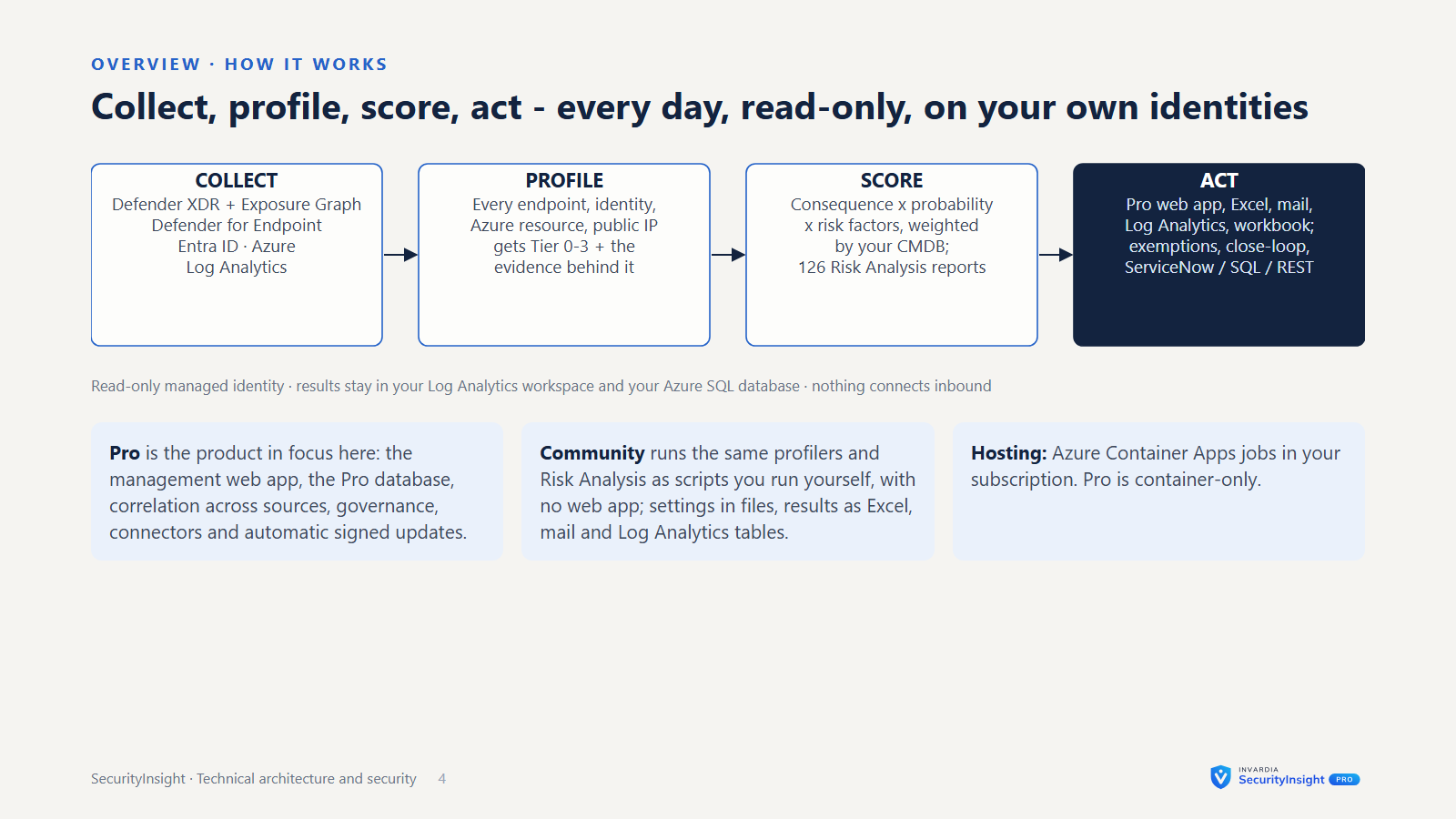
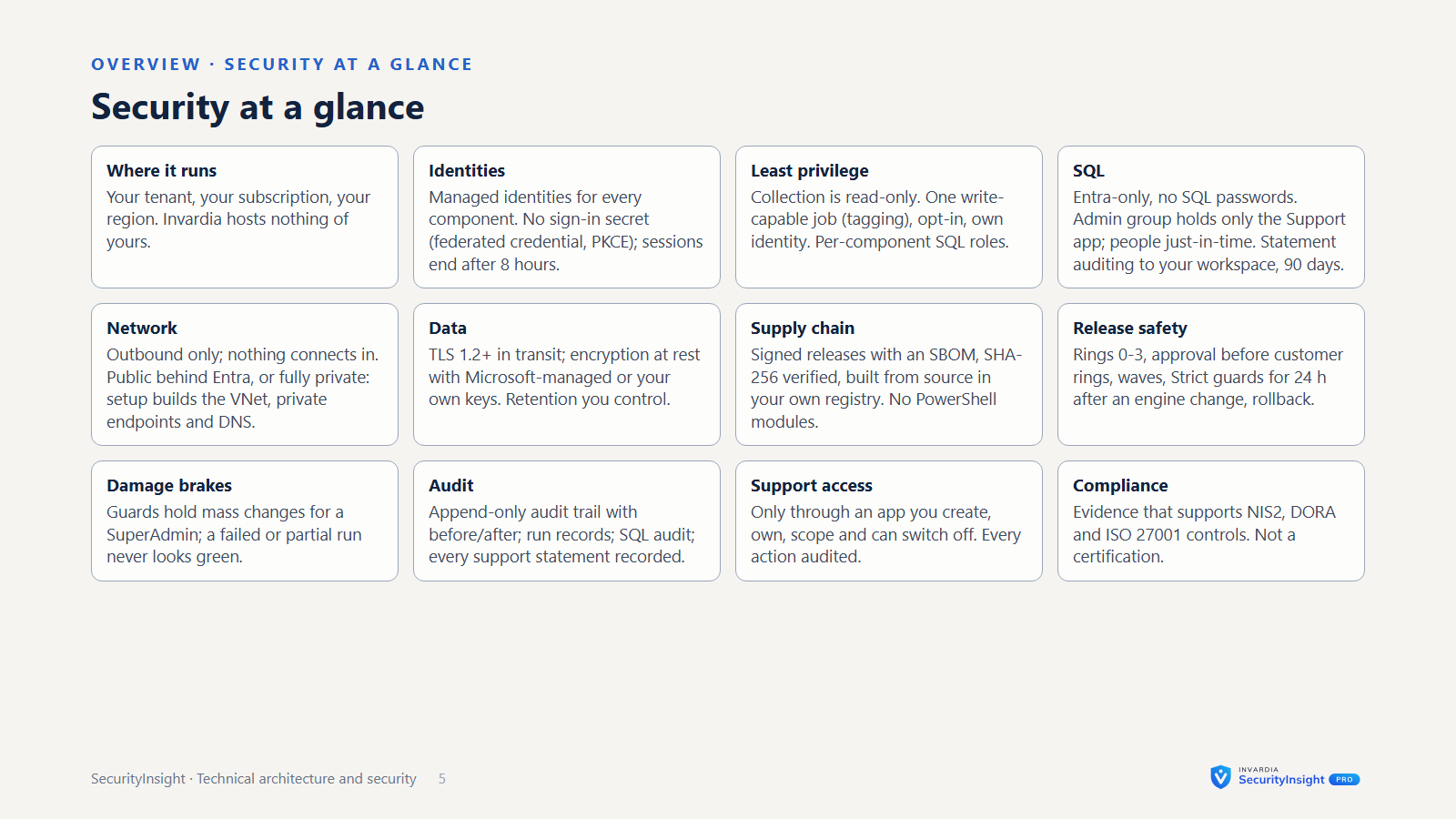
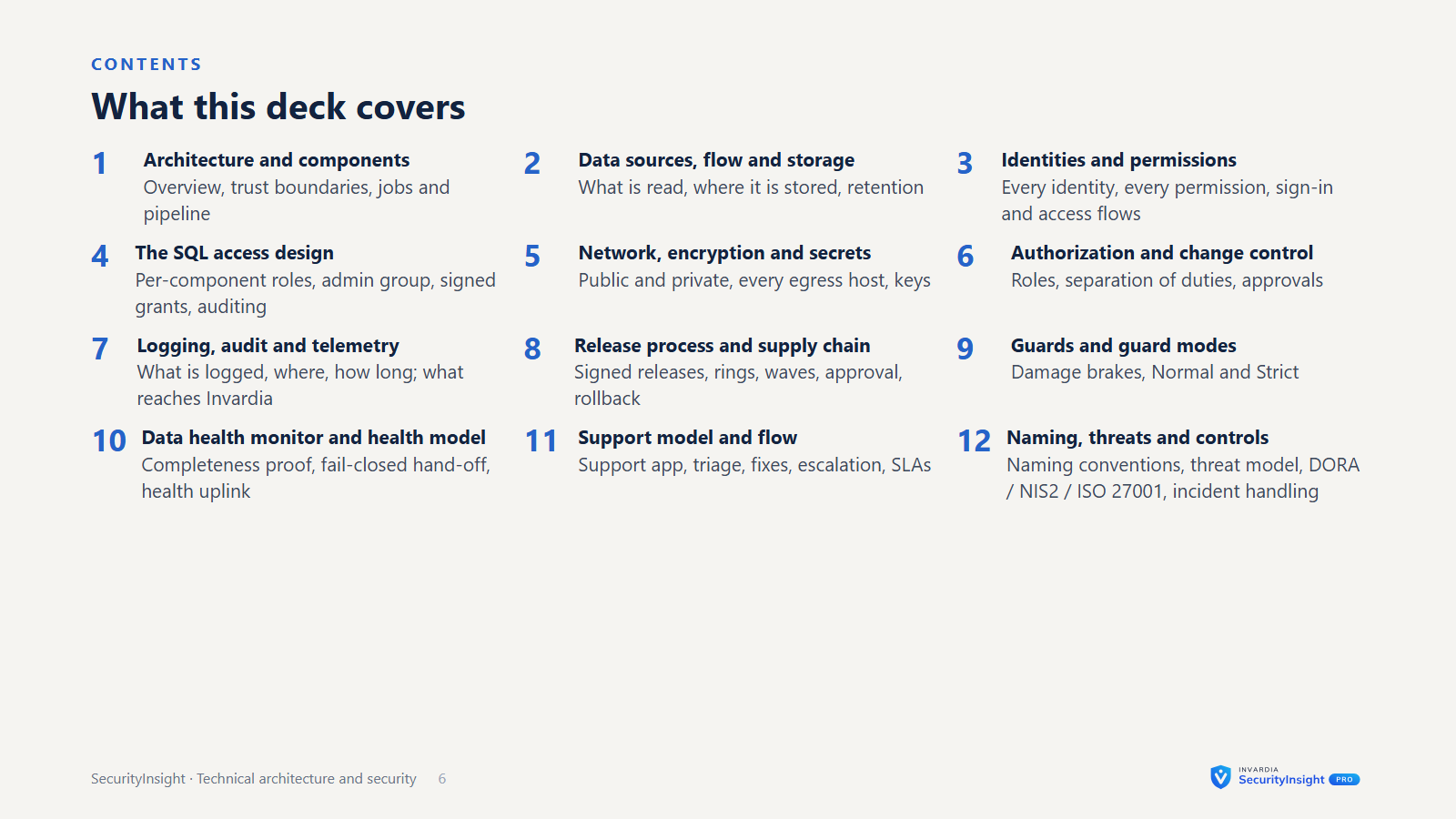
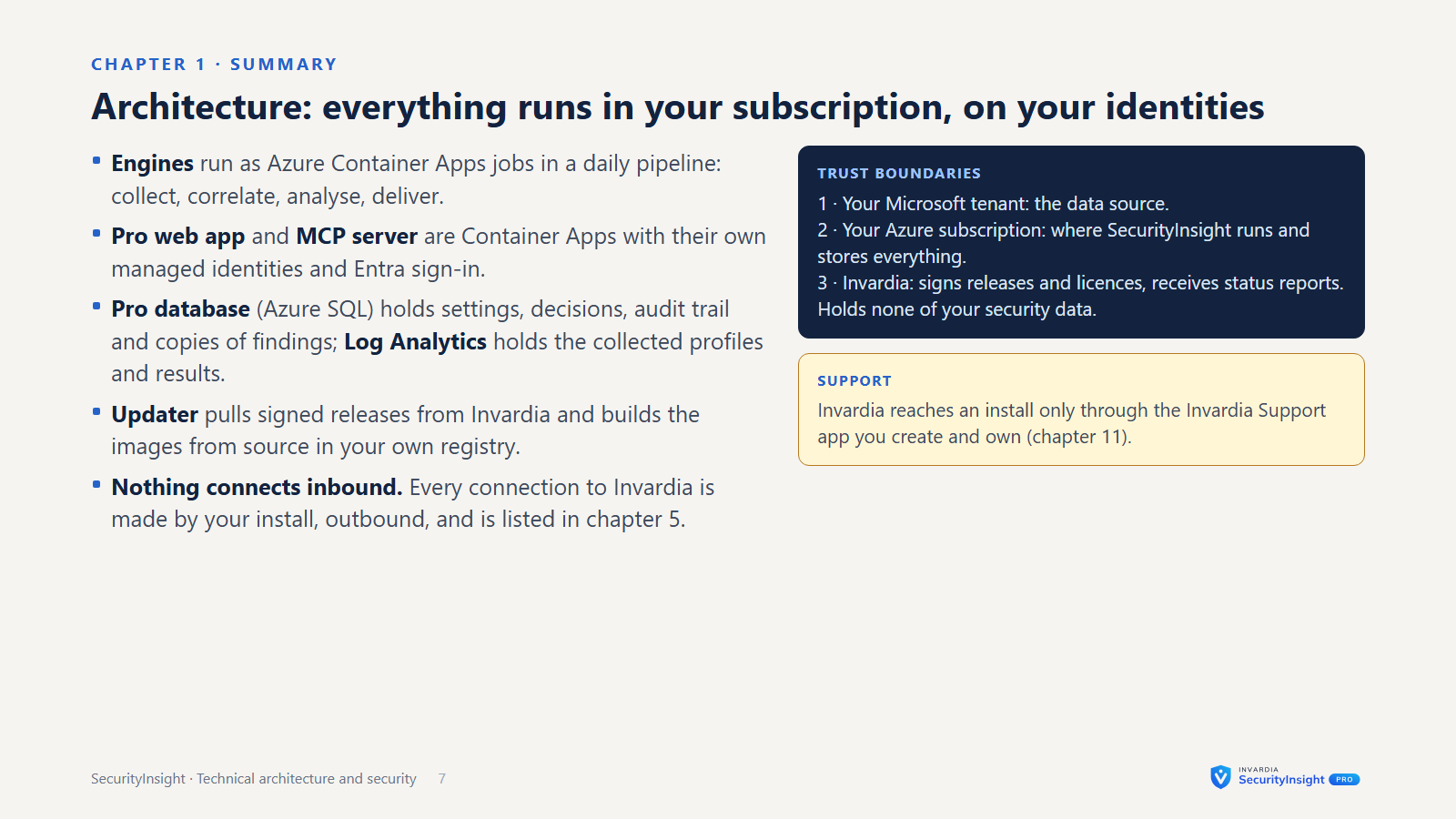
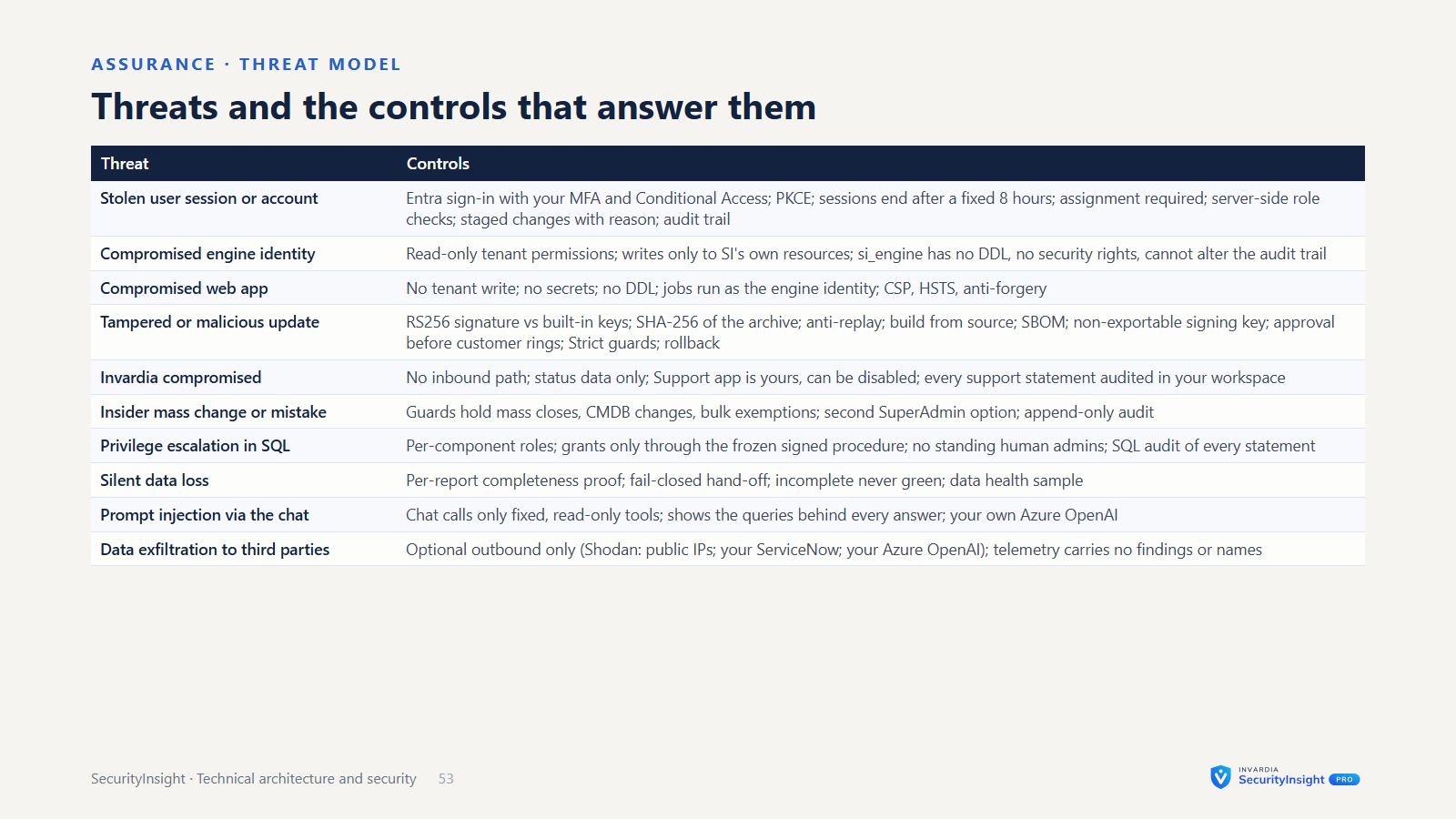
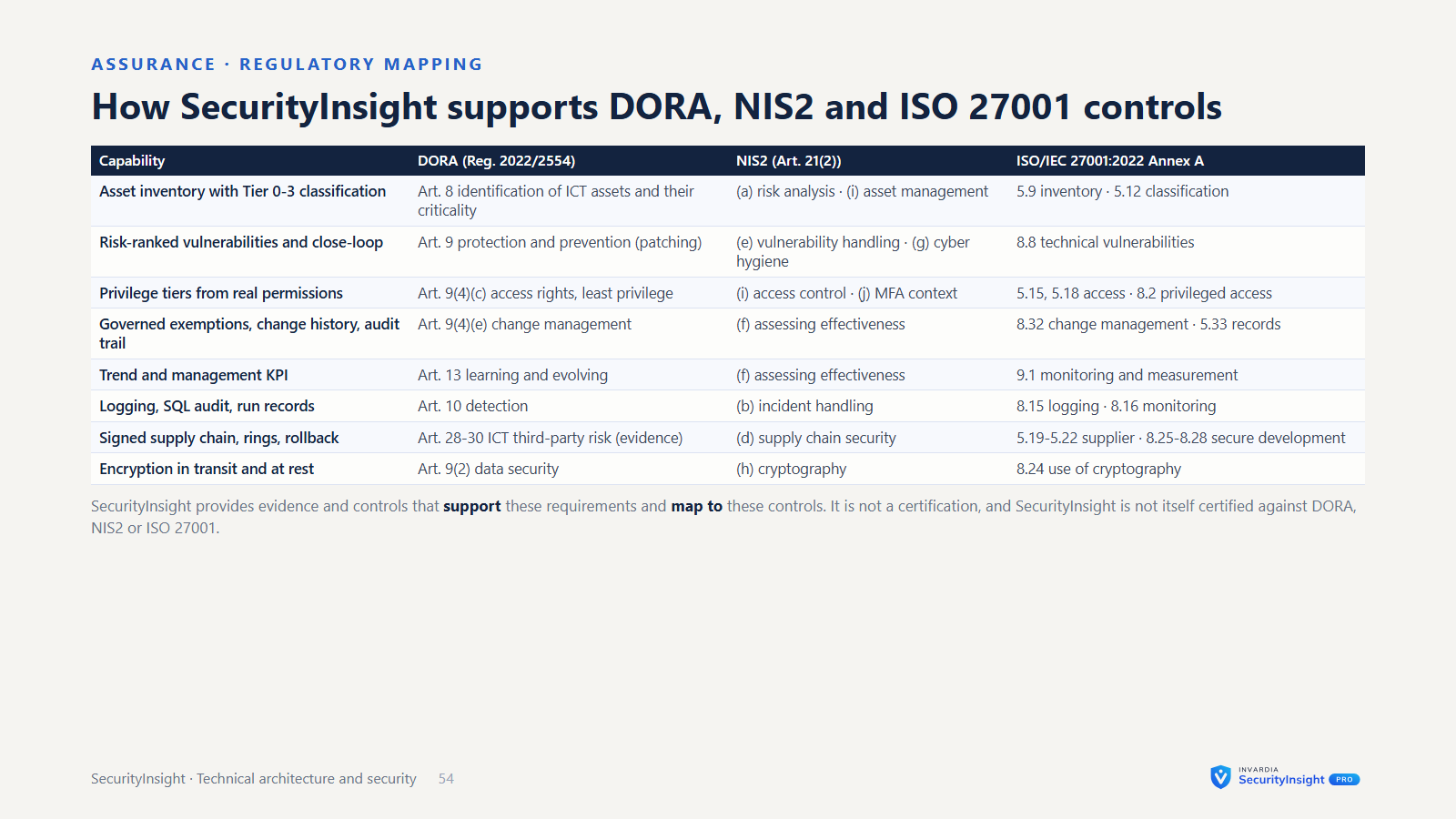
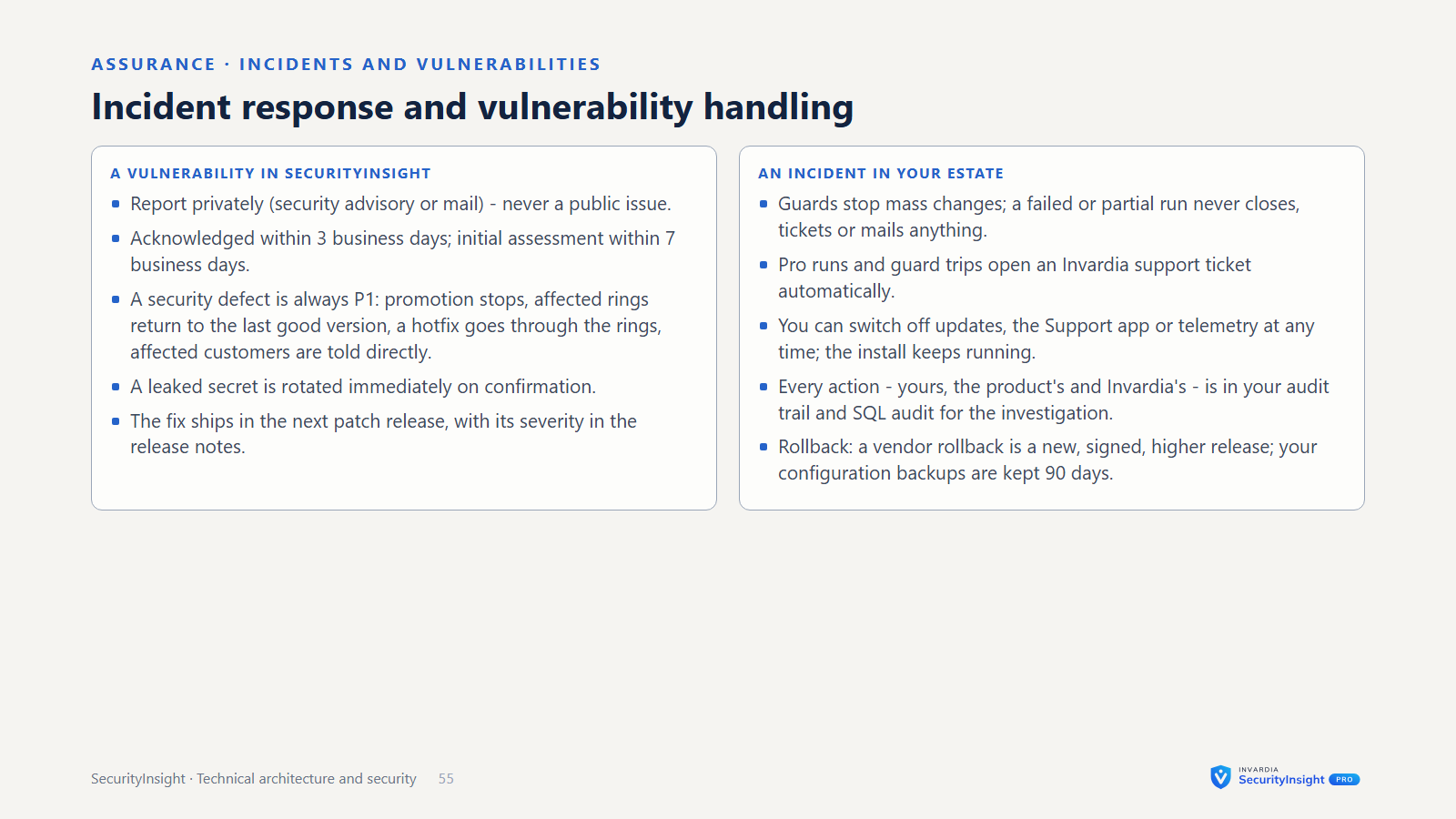
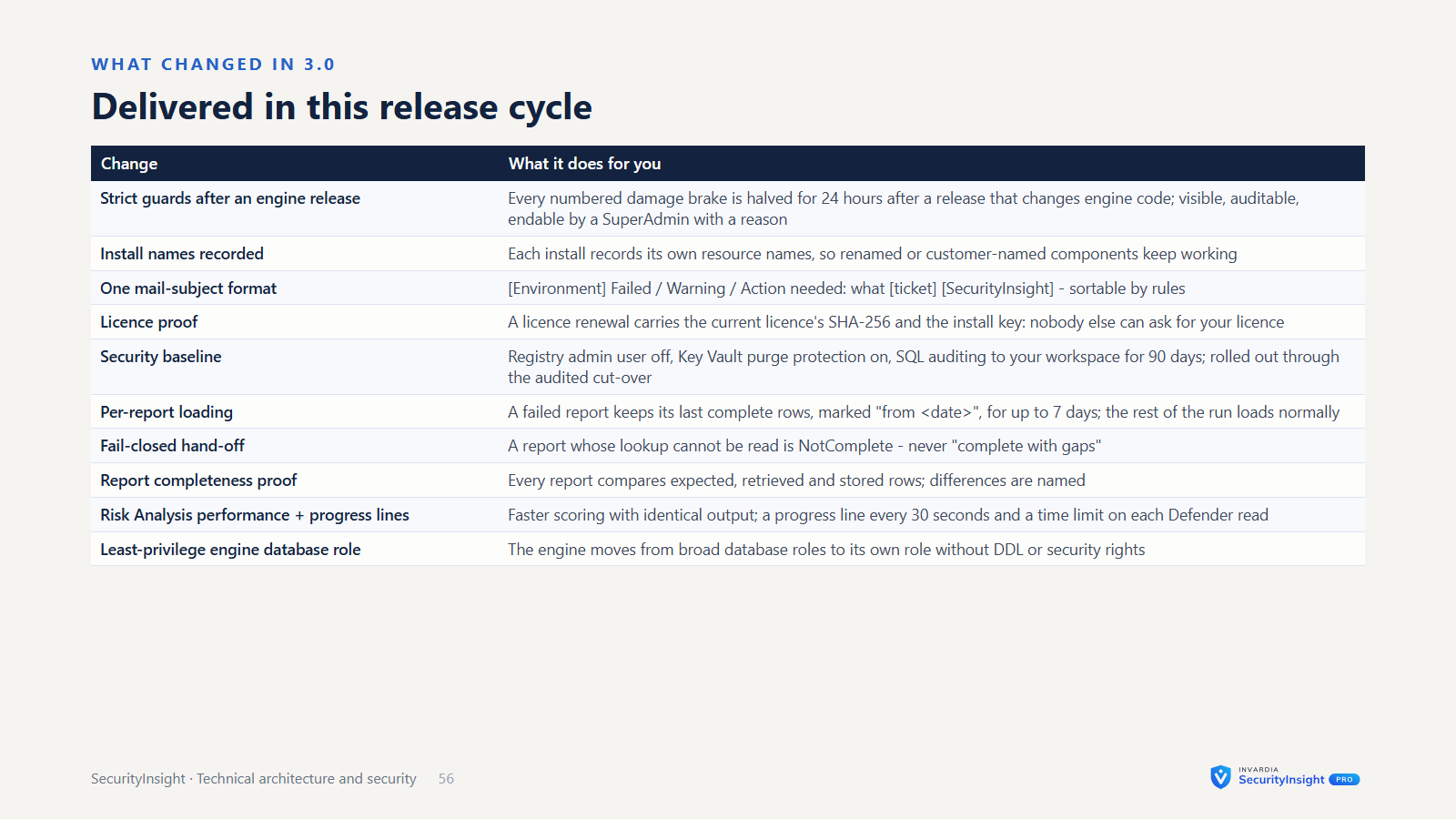
SecurityInsight turns your Microsoft security telemetry into a risk-based view of what to fix first. It profiles every asset, ranks it by business criticality and scores every finding. It runs in your own Azure, reads your tenant without agents, and keeps its results in your own workspace and database. This page covers SecurityInsight 3.0: how the parts fit together, how they sign in, who can do what, how long data is kept, and every point where the product talks to Invardia.
At a glance
- Runs in your own tenant and subscription. Engines, web app, database and Key Vault are installed into your Azure subscription. Each install has its own workspace, SQL database and Key Vault.
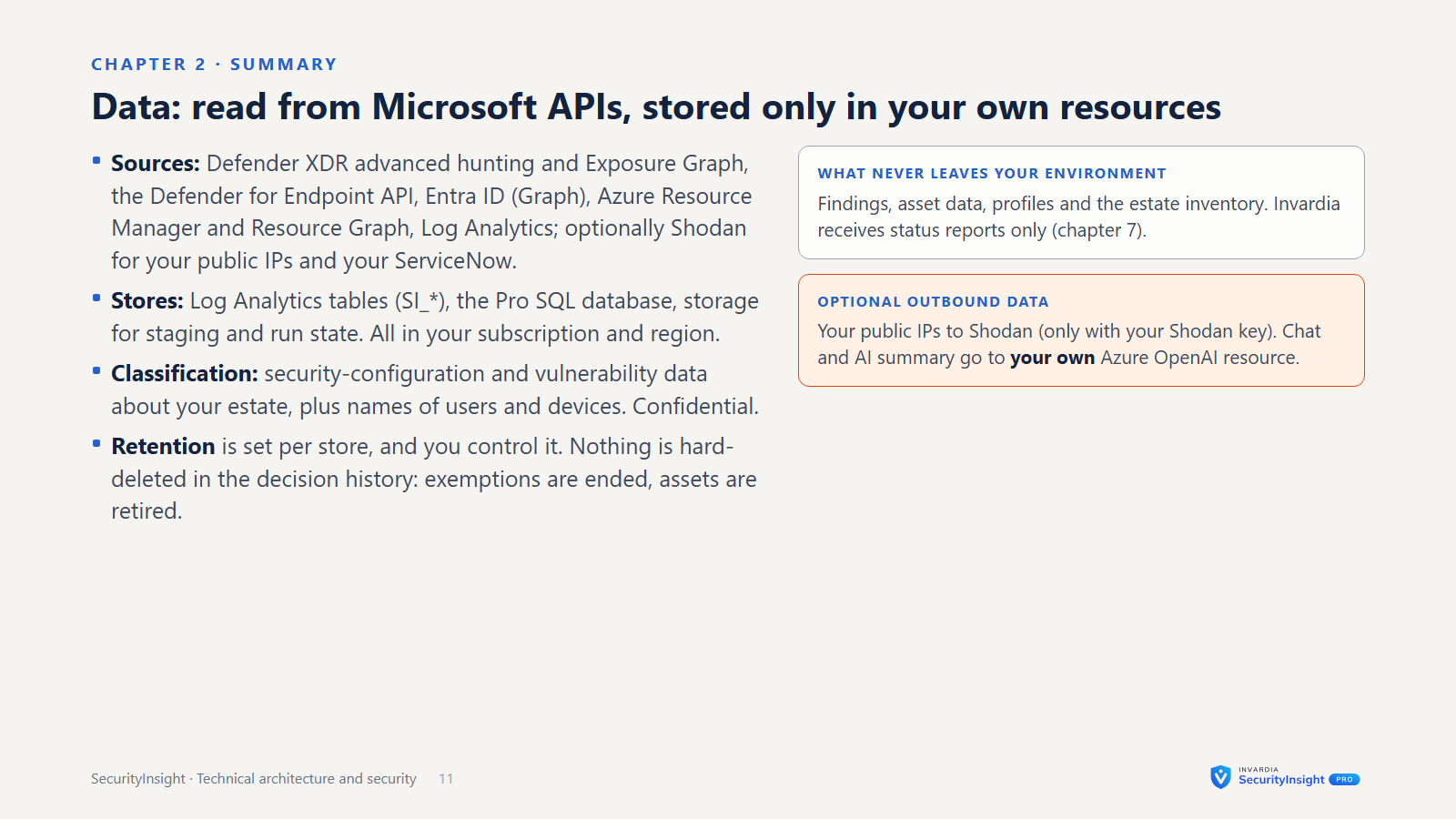
- Your data stays in your environment. Findings live in your Log Analytics workspace and, in Pro, your own Azure SQL database. A few outbound uses are optional or can be switched off, and all are listed below: the AI features use your own Azure OpenAI resource; public-IP enrichment sends your public IP addresses to Shodan when you add a Shodan key; status reports go to Invardia (on by default, one setting turns them off); and Pro asks Invardia for its licence and its updates.
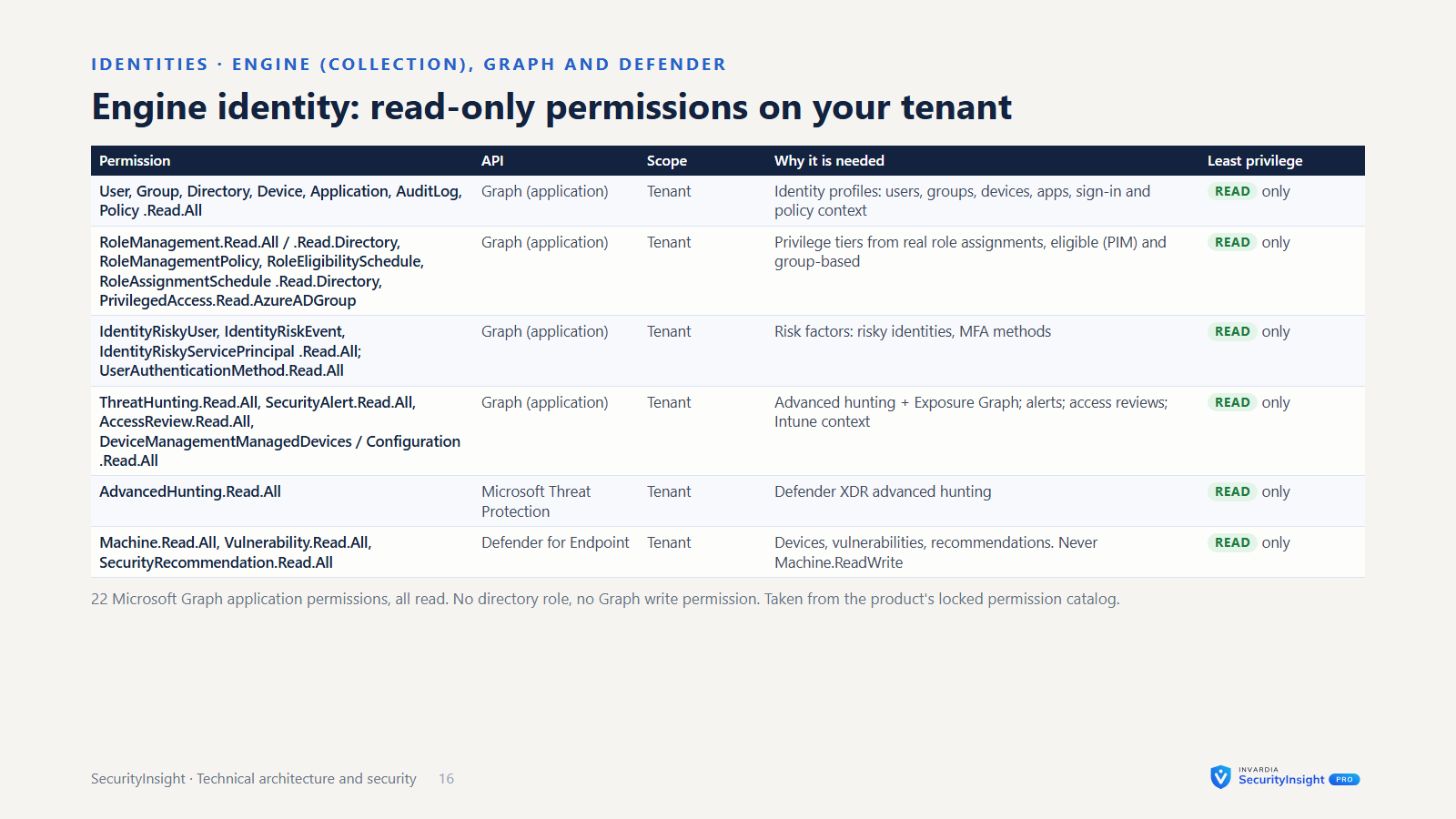
- Read-only by design. Collection reads Microsoft Defender XDR, Entra ID, Azure Resource Graph and Log Analytics. It installs no agents and writes nothing to your security systems. Asset tagging is the one engine that writes, and it runs under its own identity in report-only mode until you switch it on.
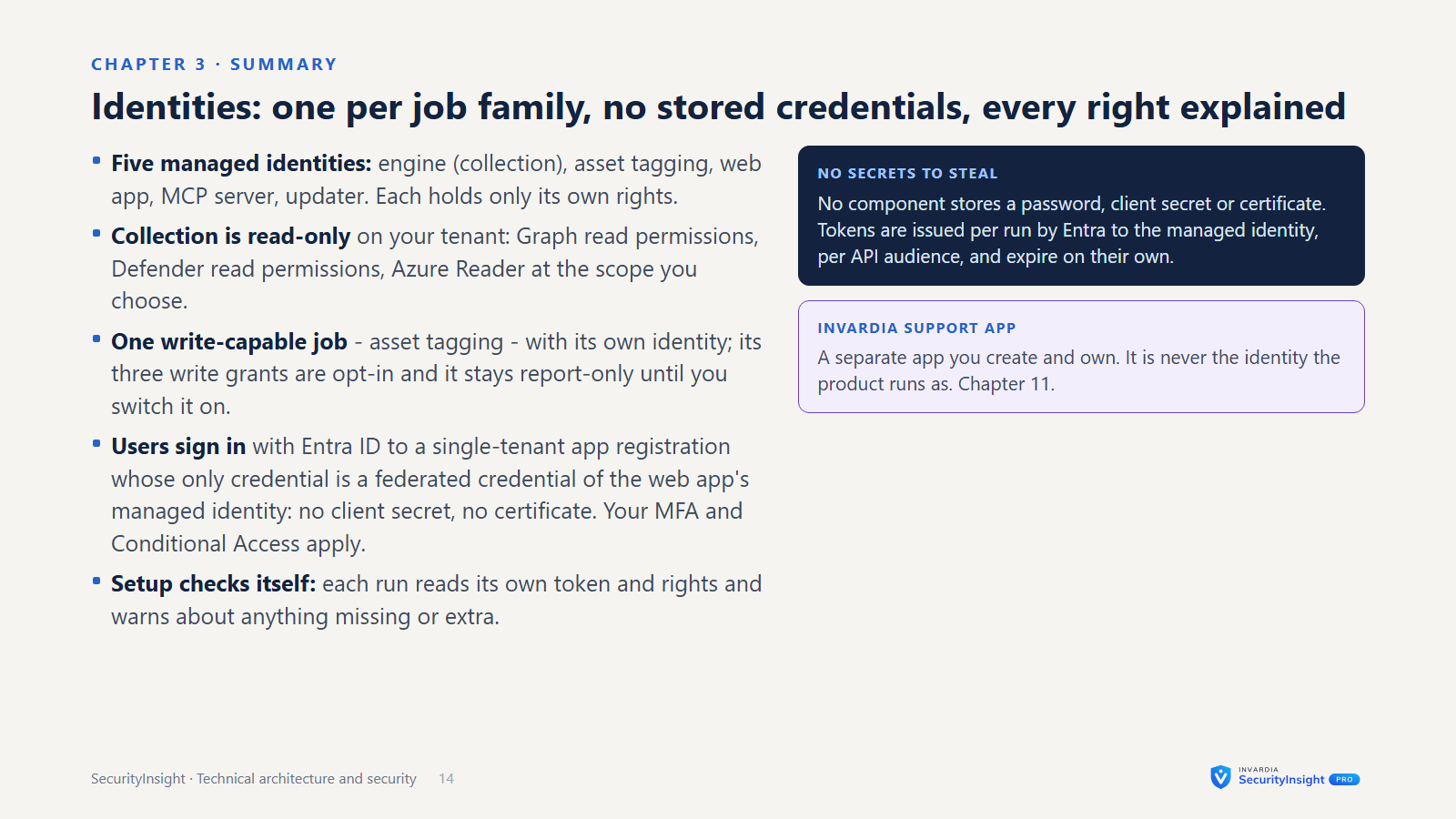
- Managed identity is the default sign-in. No secret or certificate to create, store or rotate for the engines, the web app or the MCP server. A service principal with a certificate is the alternative; the updater job is the one component that uses one.
- Signed, tenant-bound licence. The licence is checked against the tenant the install really runs in.
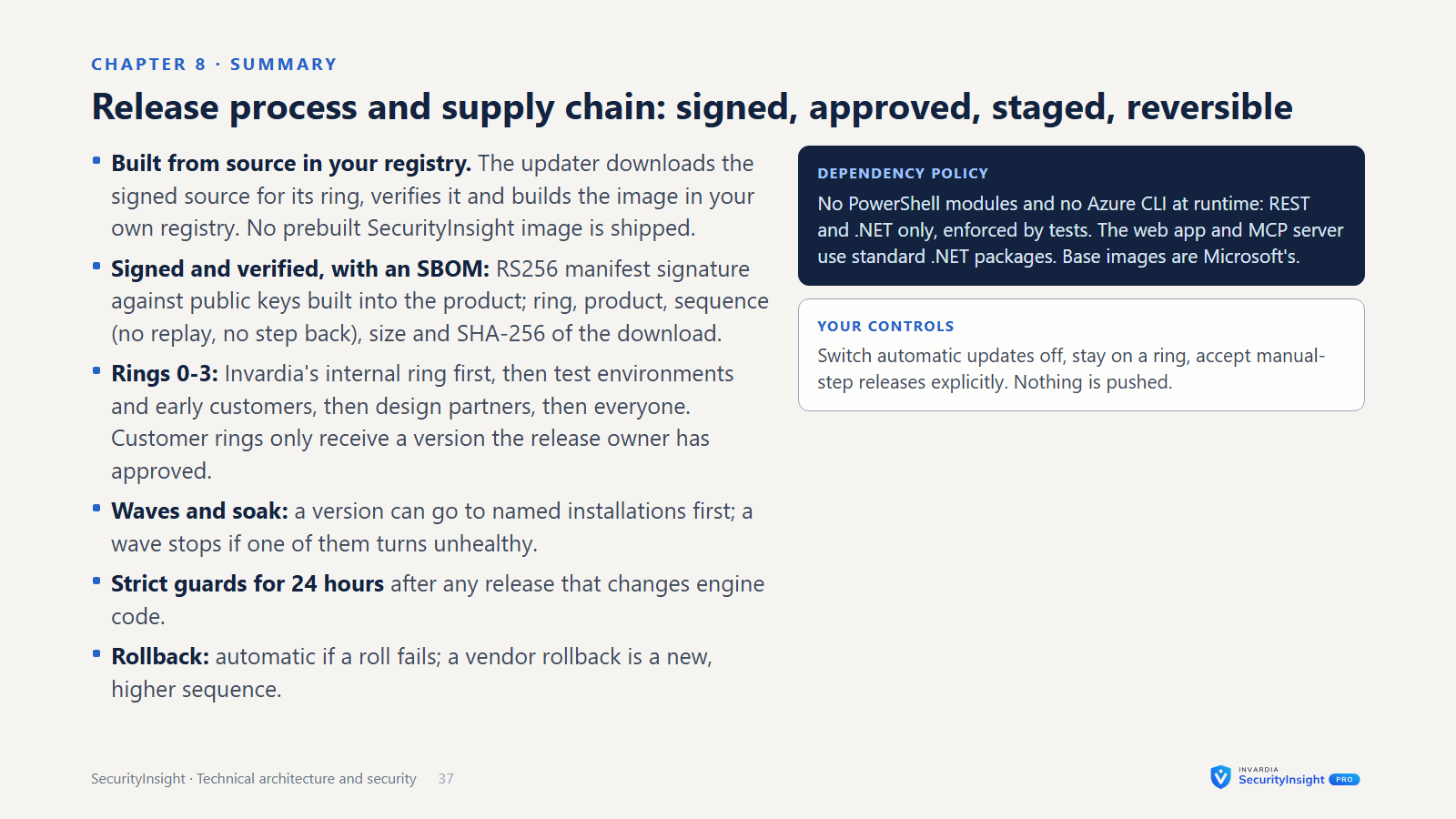
- Signed updates. Pro code and template packs come through Invardia’s update platform. They are released ring by ring, and each manifest is checked against public keys built into the product.
- Governed changes. Exemptions, settings, access and template releases go through review, approval, change history and an audit trail the database protects from change.
Components
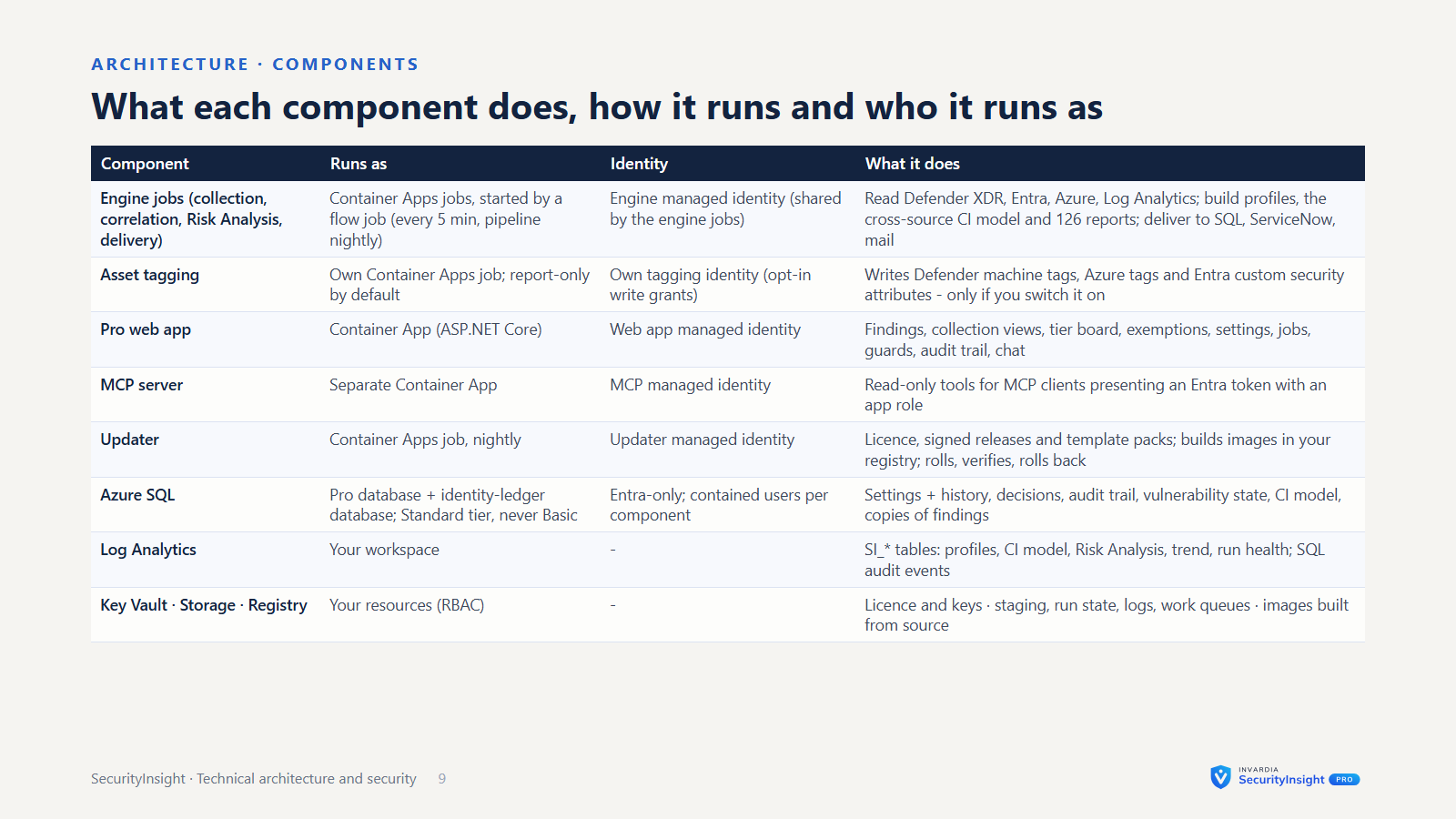
| Component | What it does |
|---|---|
| Collection engines | Endpoints, identities, Azure resources and public IPs, plus the privilege-tier classifier. Each one profiles assets and assigns a tier. |
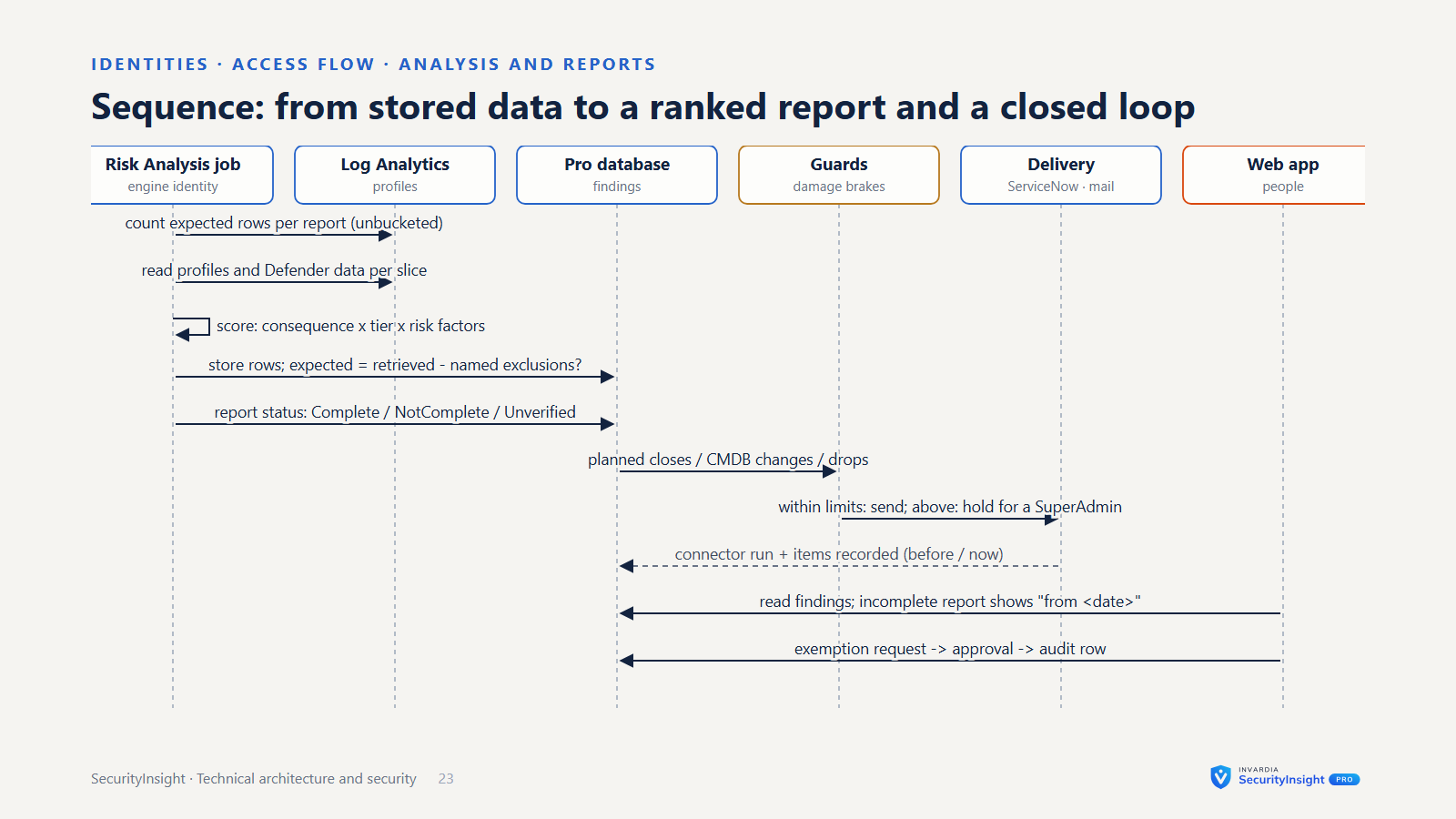
| Risk Analysis and trend | Turns profiles into ranked findings across Identity, Azure, Endpoint and Public IP, delivers them as Excel, JSON, mail and an optional AI summary, and keeps the daily risk trend. |
| Pro engines | Cross-engine correlation (one asset across many sources), asset properties, the data sync into SQL, the vulnerability close-loop and its connectors (SQL, ServiceNow, REST), the ServiceNow CMDB feed, the close-loop and exemption mails, asset tagging and the template release job. |
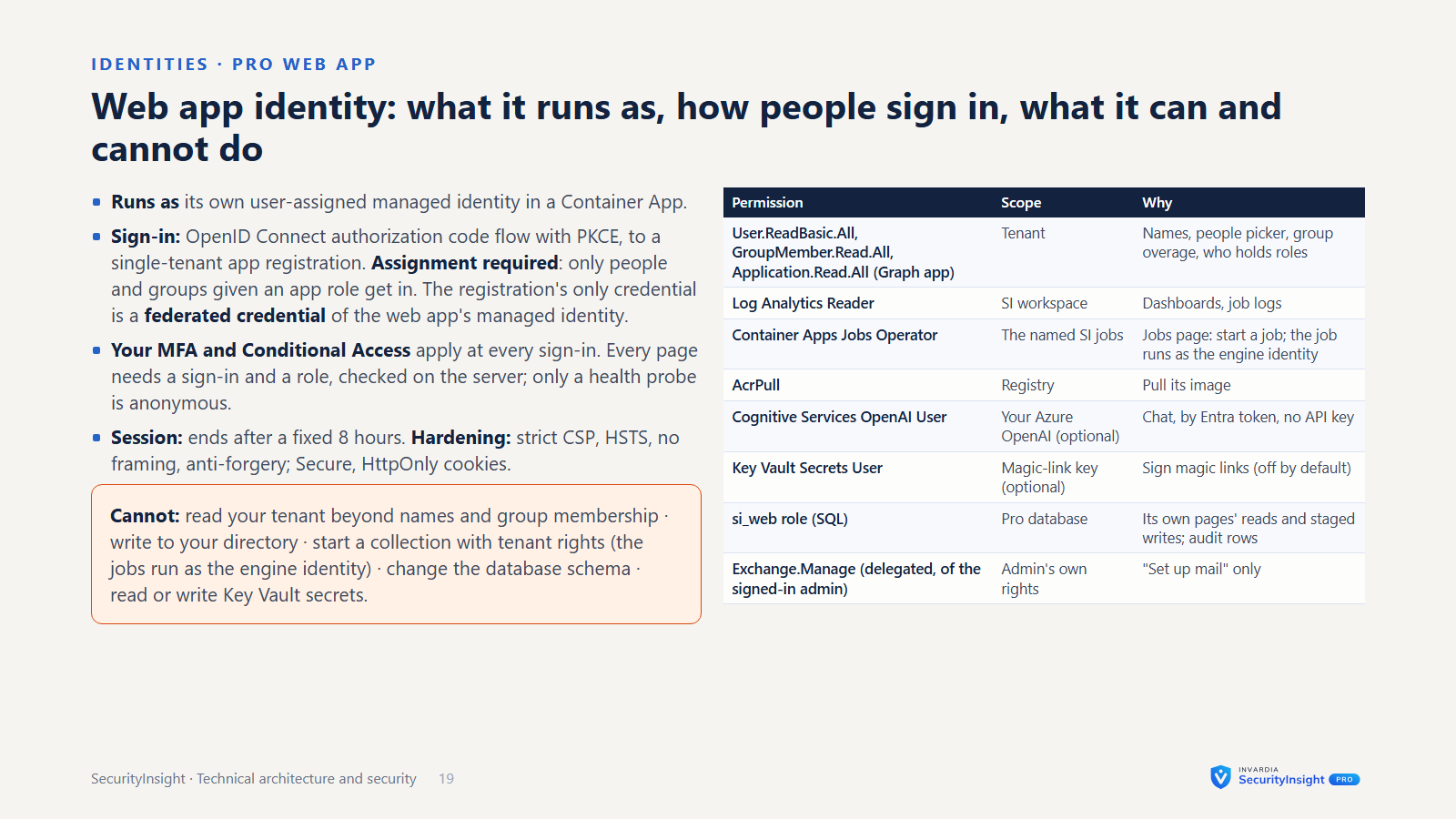
| Pro web app | A container in your own Container Apps environment, with Entra single sign-on: findings, fifteen collection views, tier board, exemptions, management views, wall board, Ask about this page, settings, access, template releases, deviations, jobs and the audit trail. |
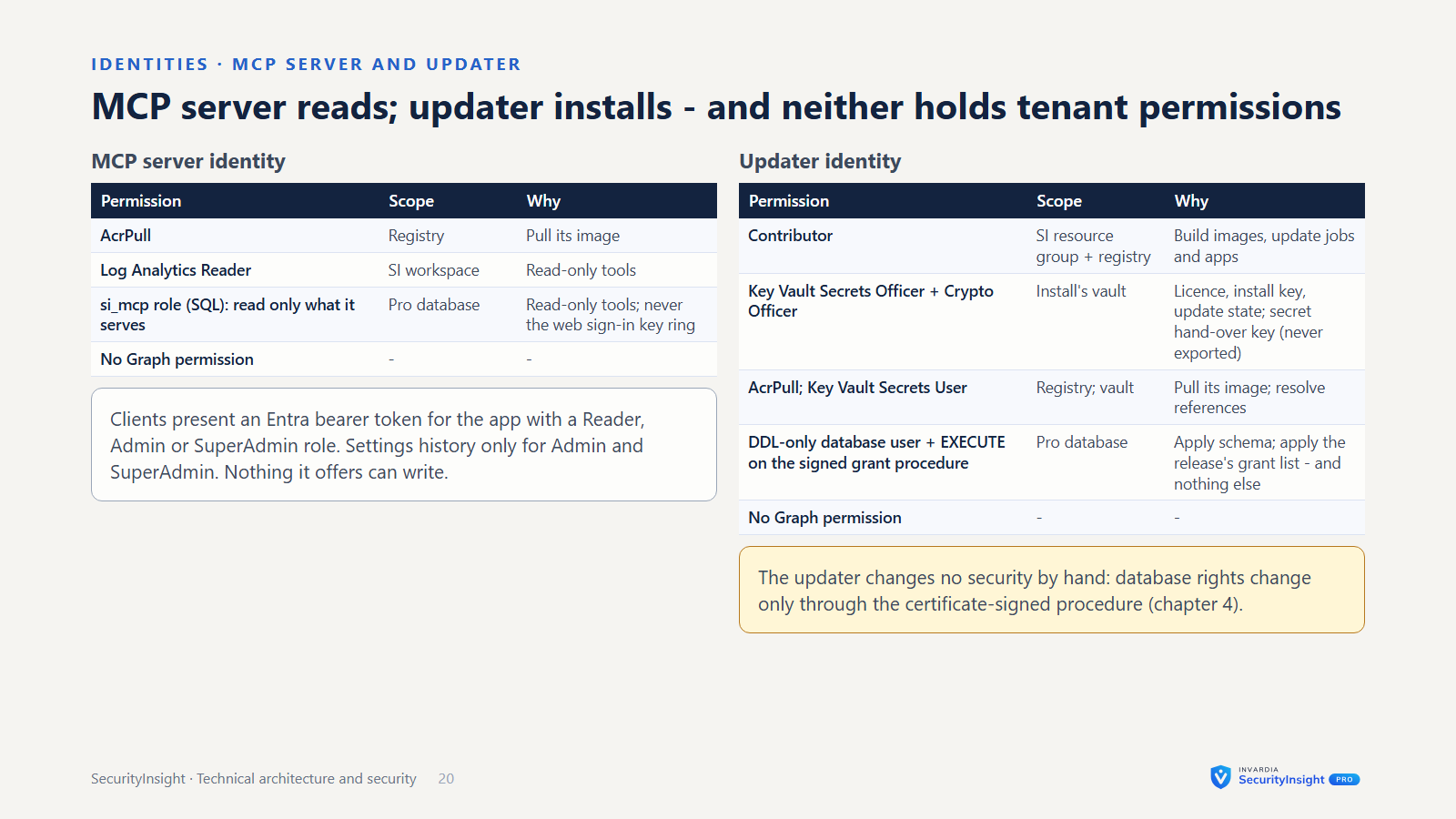
| MCP server | A separate container with its own managed identity and read-only database access. It offers the chat’s read-only tools to MCP clients that present an Entra token. |
| Updater job | Requests and renews the licence, pulls signed releases and template packs, builds the image in your own registry, rolls the jobs, verifies, and rolls back on failure. |
| Azure SQL (Pro) | Settings with change history, templates and your overrides, exemptions, access mappings, the identity ledger, vulnerability state, the audit trail and copies of findings for the web app. Entra ID authentication only. |
| Log Analytics | The SecurityInsight tables: profiles, Risk Analysis results, trend, run health and tag activity. Your workbooks and queries keep working. |
| Key Vault | The licence, the install key and connector credentials. Optional keys (Azure OpenAI, Shodan, SMTP) go straight in here and are never wizard answers. |
| Storage and registry | Run output and logs (reached with the job’s identity, no shared key), and the container image. |
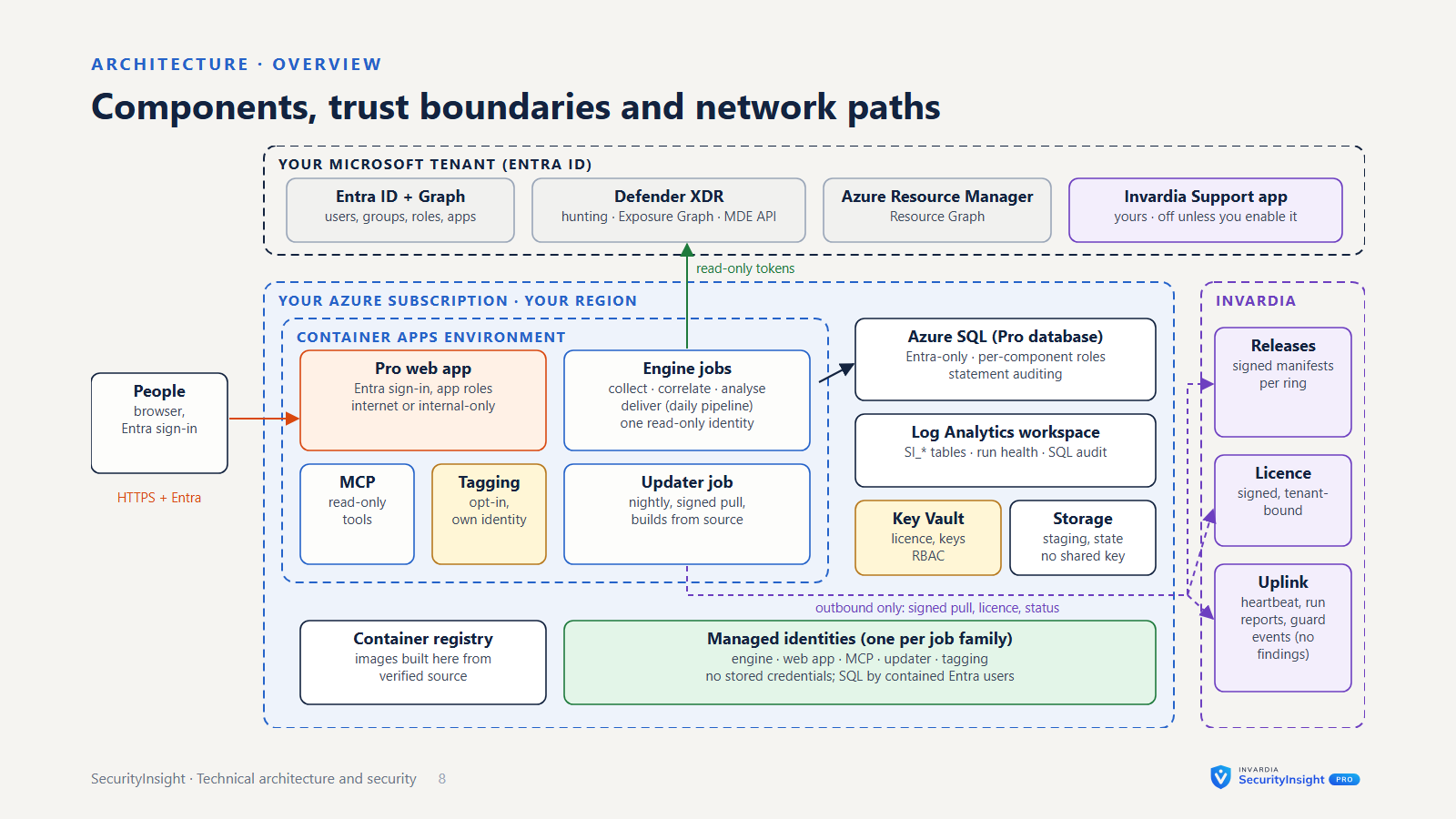
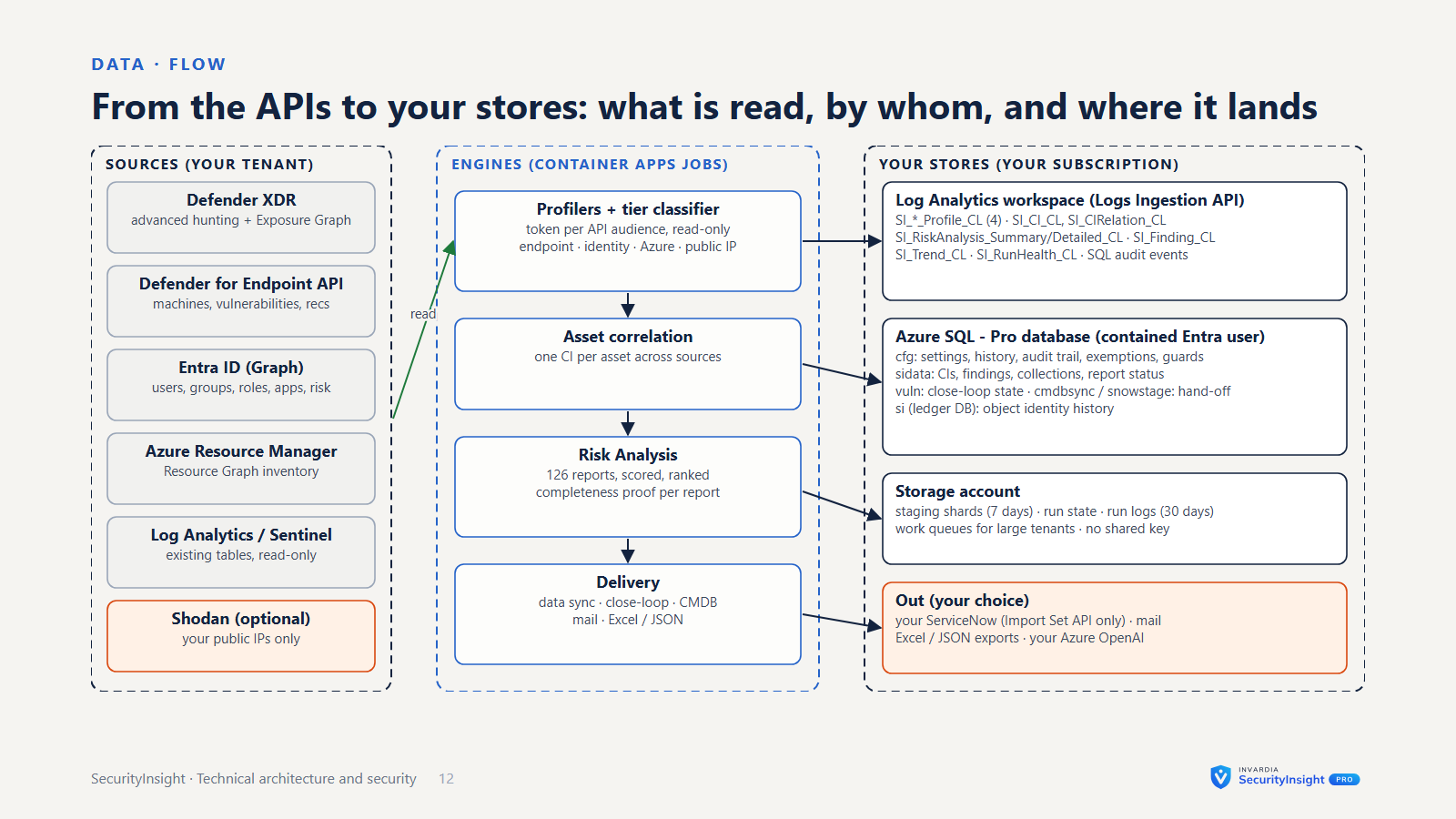
   Microsoft Defender XDR · Entra ID · Azure · Log Analytics
                  ▲  read-only, managed identity
 ┌────────────────┴───────────────────────────────────────┐
 │ Your Azure subscription                                │
 │                                                        │
 │  Container Apps jobs (or a Windows server)             │
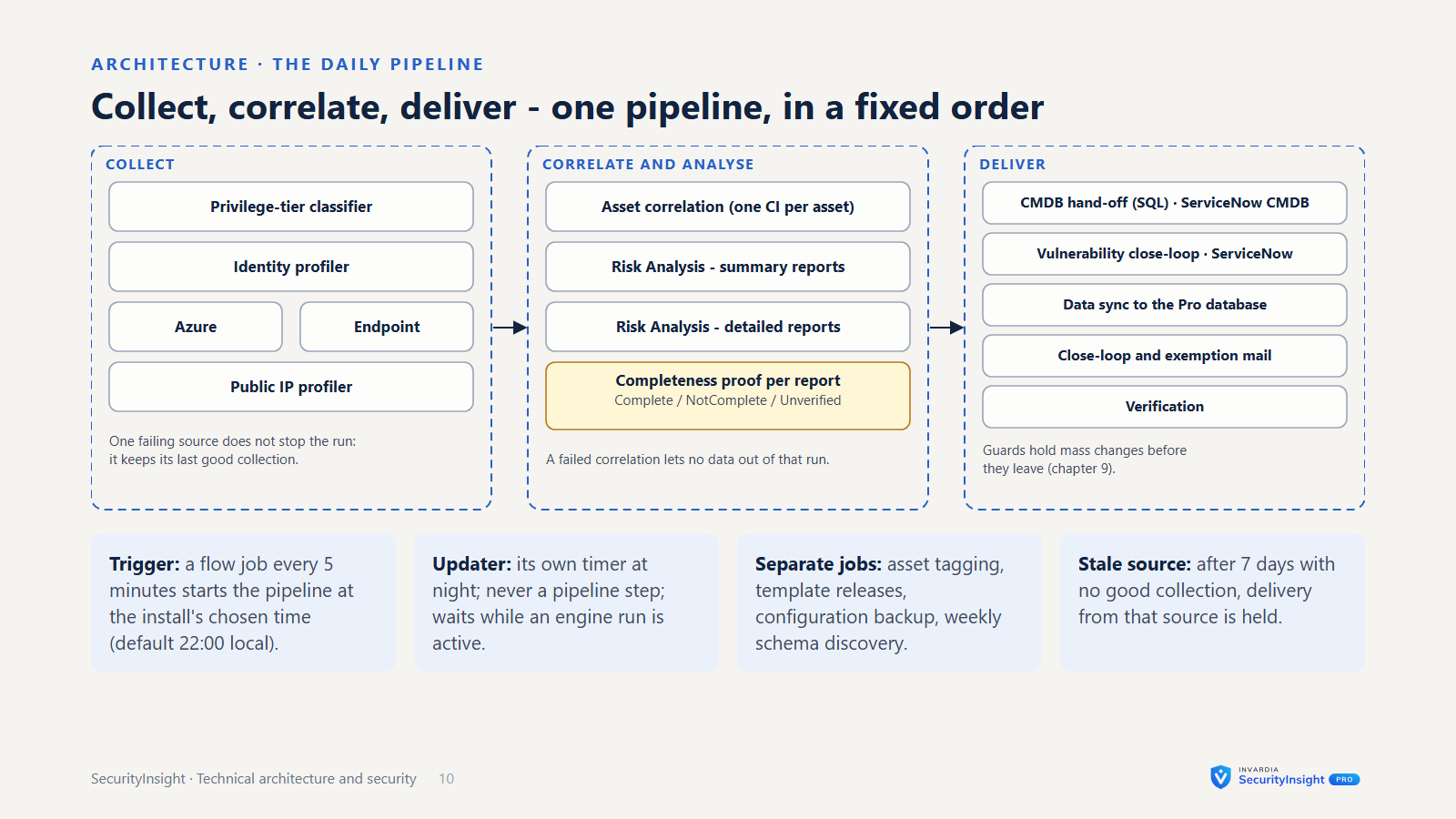
 │  profilers → classifier → correlation → Risk Analysis  │
 │        │ results             │ Pro data                │
 │        ▼                     ▼                         │
 │  Log Analytics          Azure SQL (Entra-only)         │
 │                              ▲                         │
 │  Pro web app + MCP server ───┘        Key Vault        │
 │  (Entra SSO; internet or internal - your choice)       │
 │  Asset tagging job (own identity, report-only)         │
 │  Updater job ──── signed pull ────► invardia.com       │
 └────────────────────────────────────────────────────────┘
The engines run as Azure Container Apps jobs or on a Windows server (an Azure VM or an Azure Arc-enabled server). The guided install builds the Container Apps shape; Pro runs in containers.
Identities and secrets
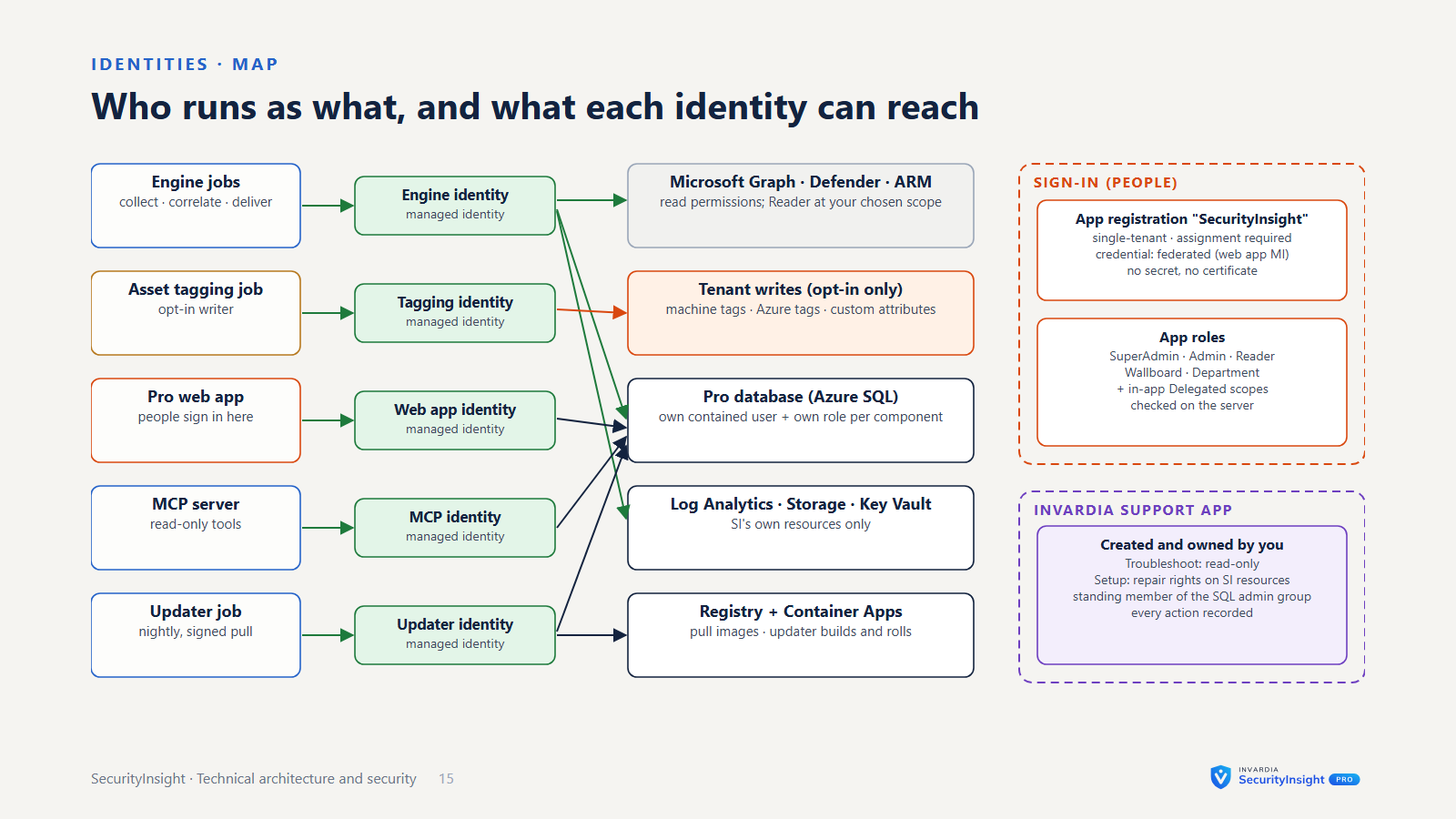
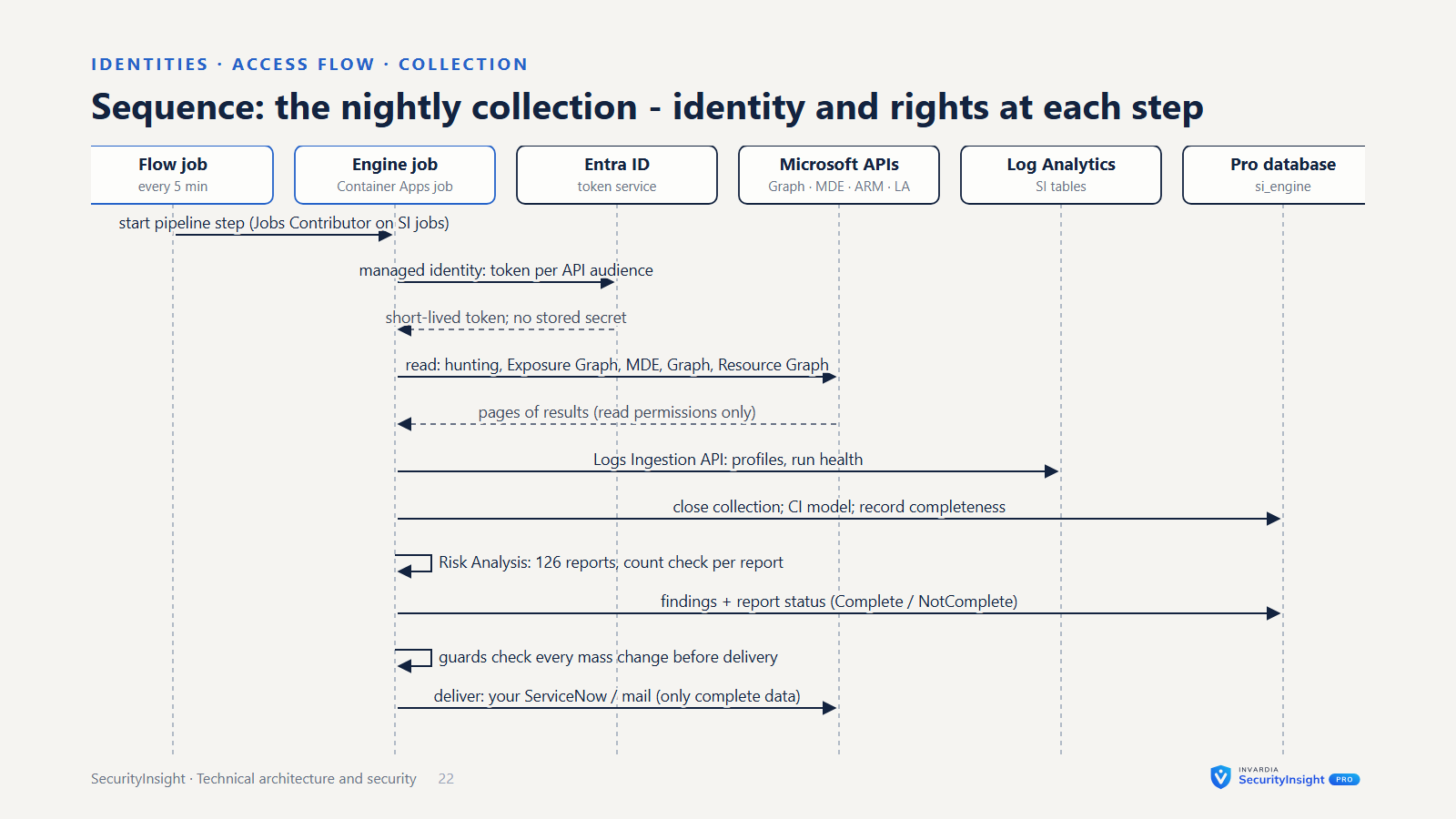
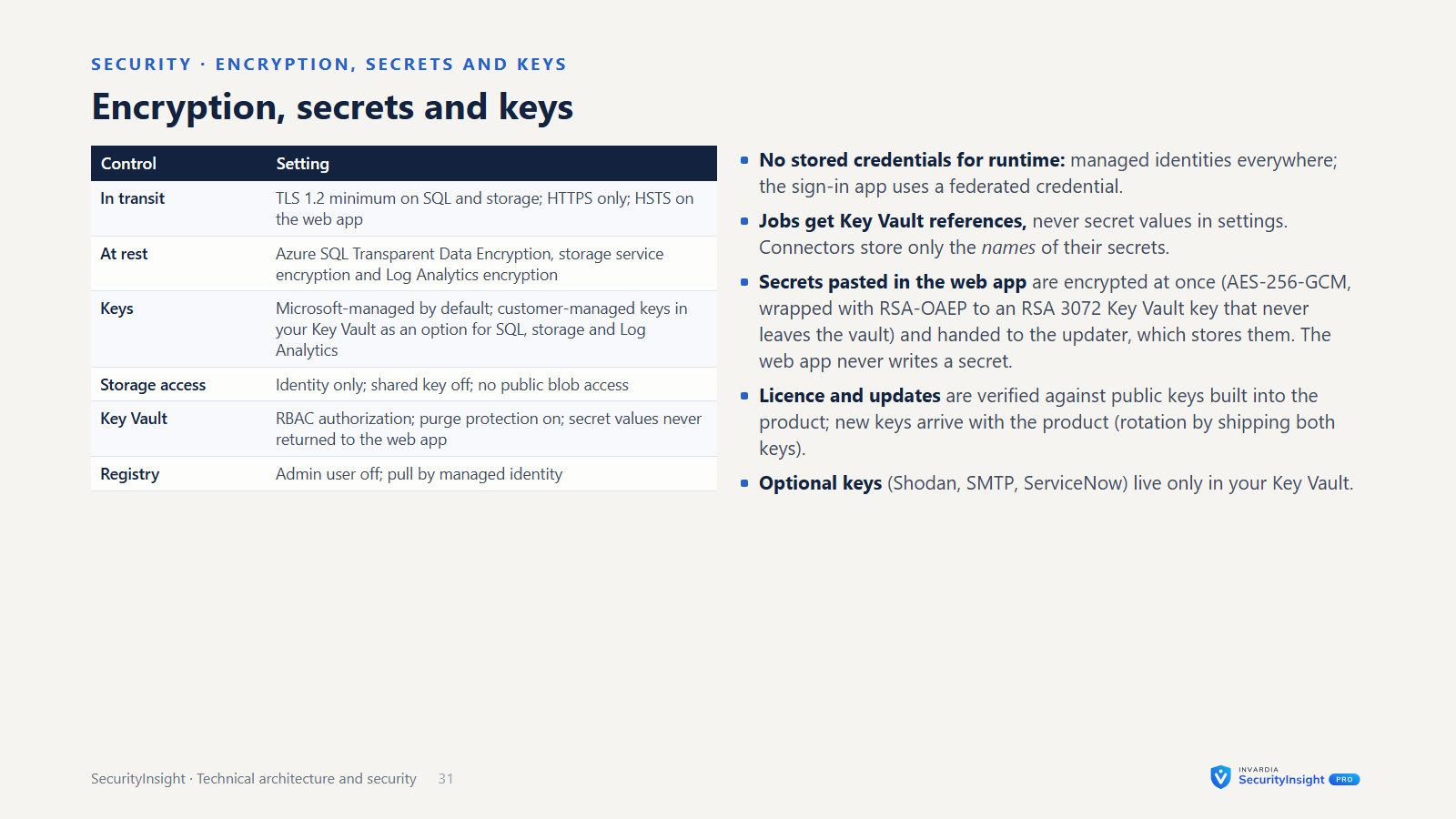
- Managed identity first. One setting decides the sign-in method for the whole run: Microsoft Graph, Defender, Azure, Log Analytics, storage, Key Vault and SQL. The default is the host’s managed identity - a container job’s, an Azure VM’s or an Azure Arc server’s, system-assigned or user-assigned.
- Service principal with a certificate is the recommended alternative where a service principal is needed. Client secrets are supported only so that Community and existing installations keep working, and are never recommended. The updater job signs in as a service principal with a certificate held in your Key Vault.
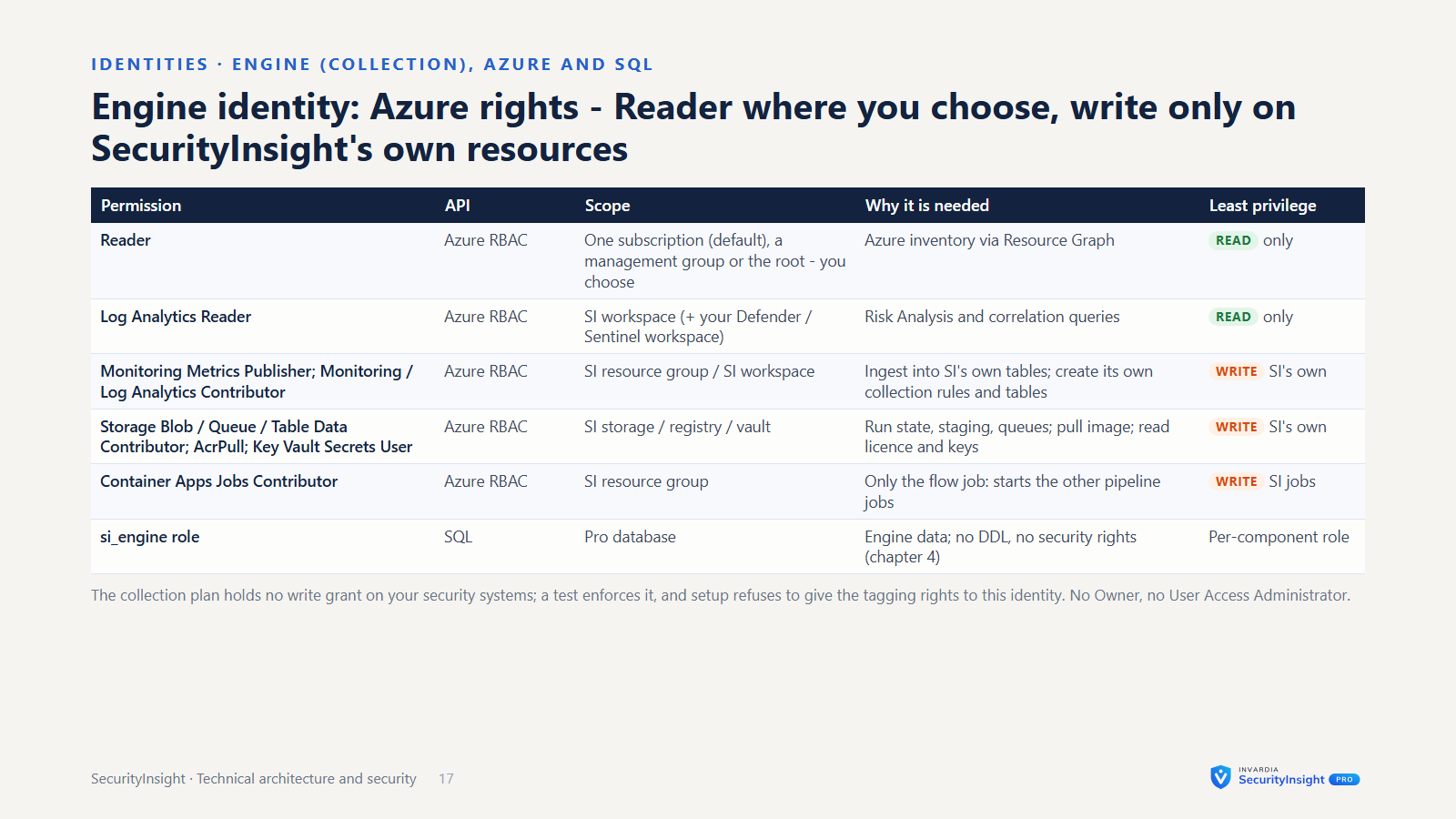
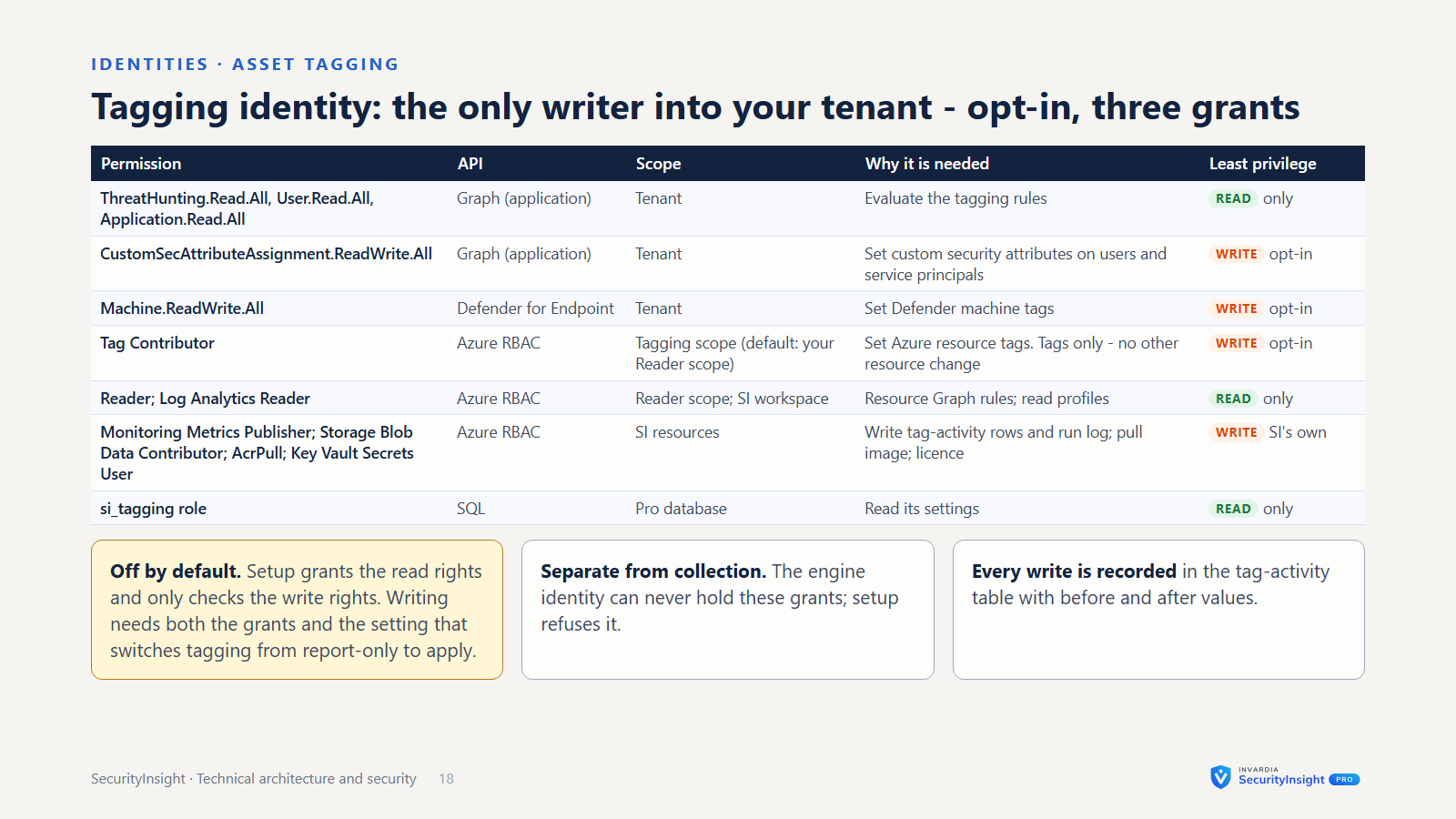
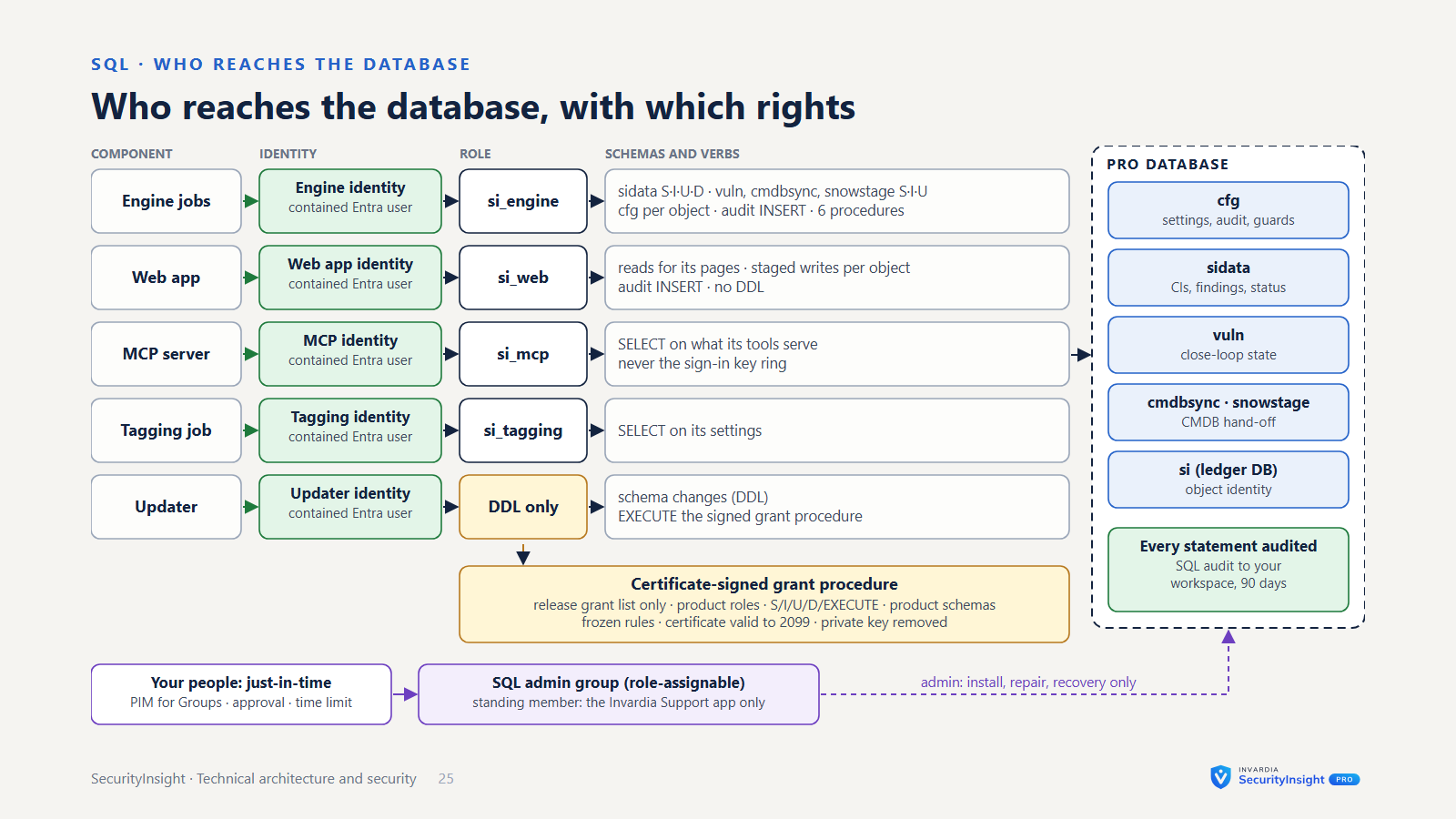
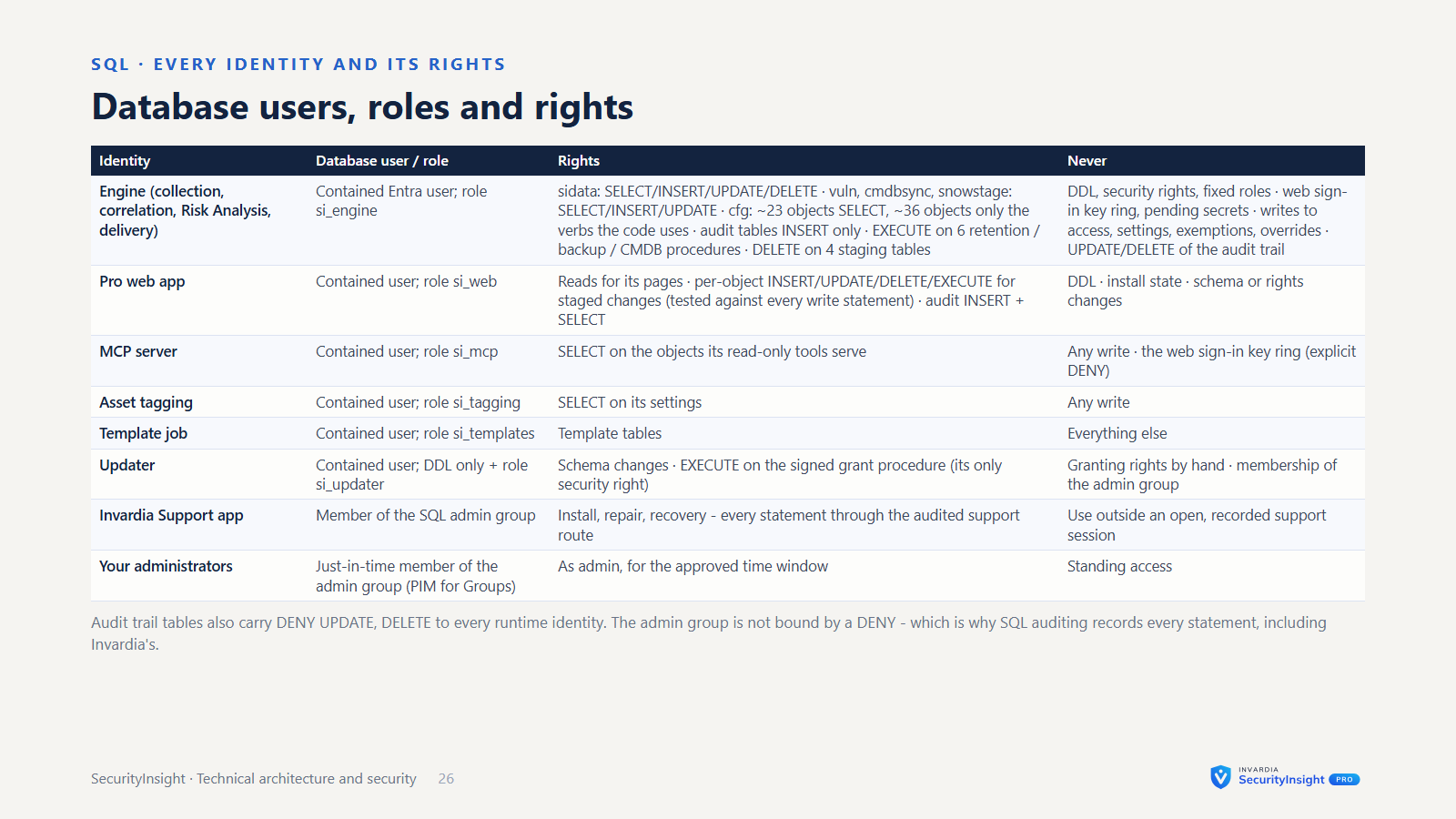
- Separate identities per job. Collection jobs share one identity that holds no write permission on your tenant’s security systems; it writes only to SecurityInsight’s own workspace and storage. Asset tagging has its own identity, which can write only three things: Defender machine tags, Azure tags at the tagging scope, and Entra custom security attributes - granted only if you opt in. The web app and the MCP server each have their own managed identity and hold no secret.
- Secrets stay in Key Vault. Containers get non-secret settings as environment variables. Anything that looks like a secret is never passed that way; it reaches a job only as a Key Vault-backed job secret. Connectors and settings store only the names of their passwords and tokens.
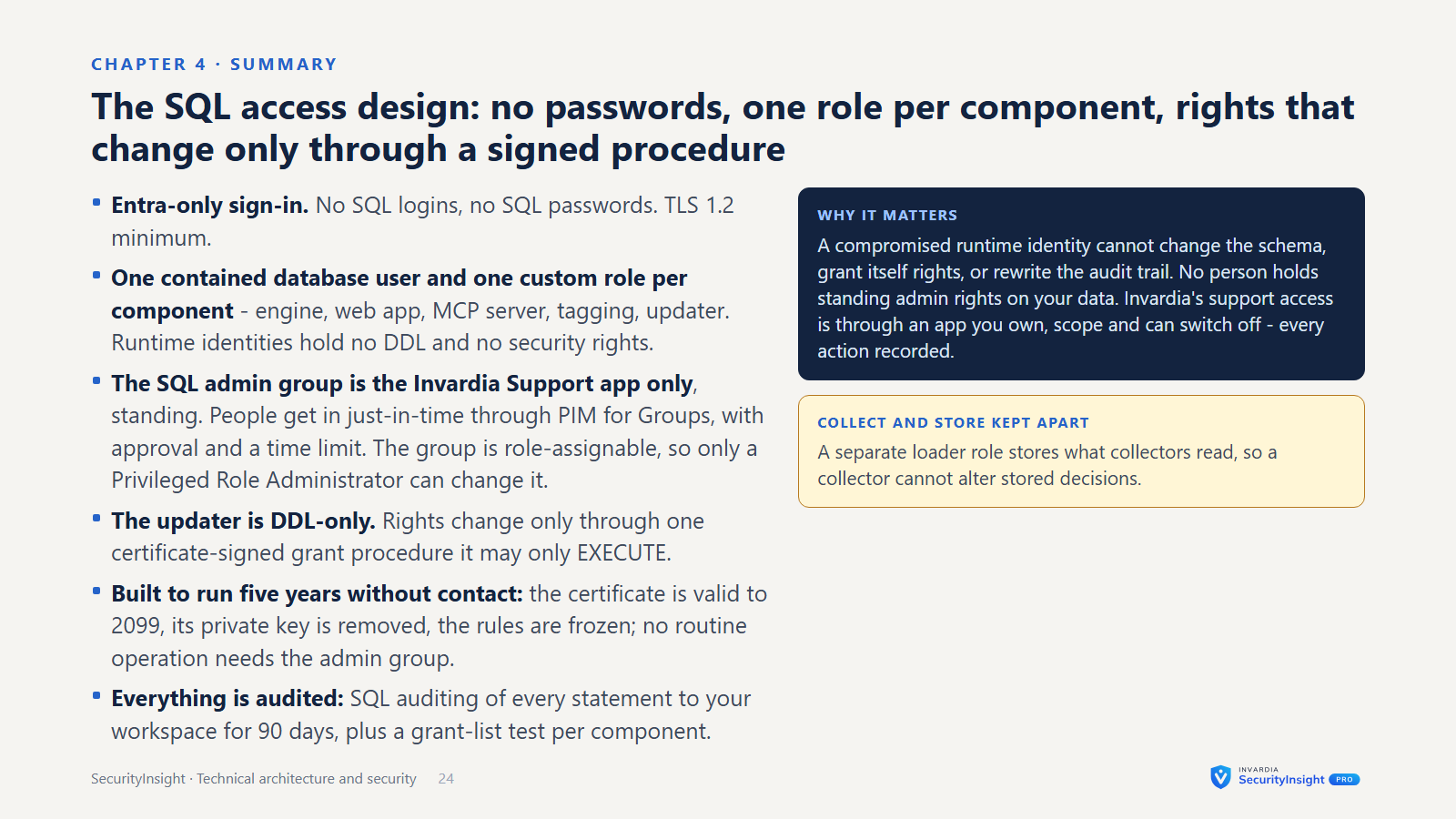
- Entra-only SQL. The Pro database accepts Entra identities only. It is administered by a role-assignable security group, so nobody who merely manages group membership can take it over. Job and app identities are contained database users with only the rights they need.
- Least privilege at setup. You choose where collection may read: one subscription (the default), a management group or the tenant root - Reader, never Owner. The person installing needs Contributor and Role Based Access Control Administrator on the install’s resource group (subscription rights only to create that group or register providers); grants they cannot make are printed as commands for someone who can. Install diagnostics check that the install’s identity holds no write role outside its resource group beyond the documented grants.
Network
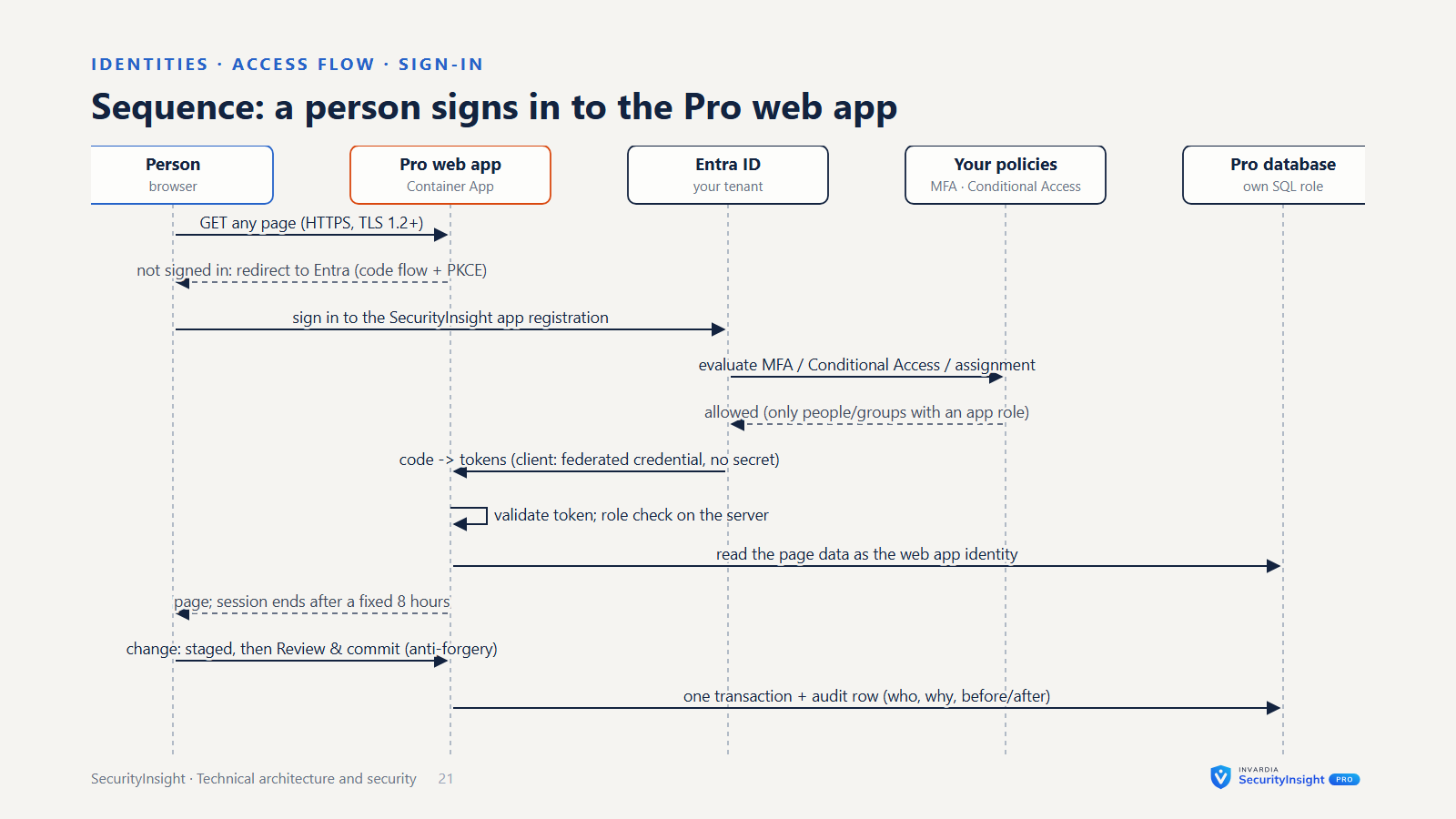
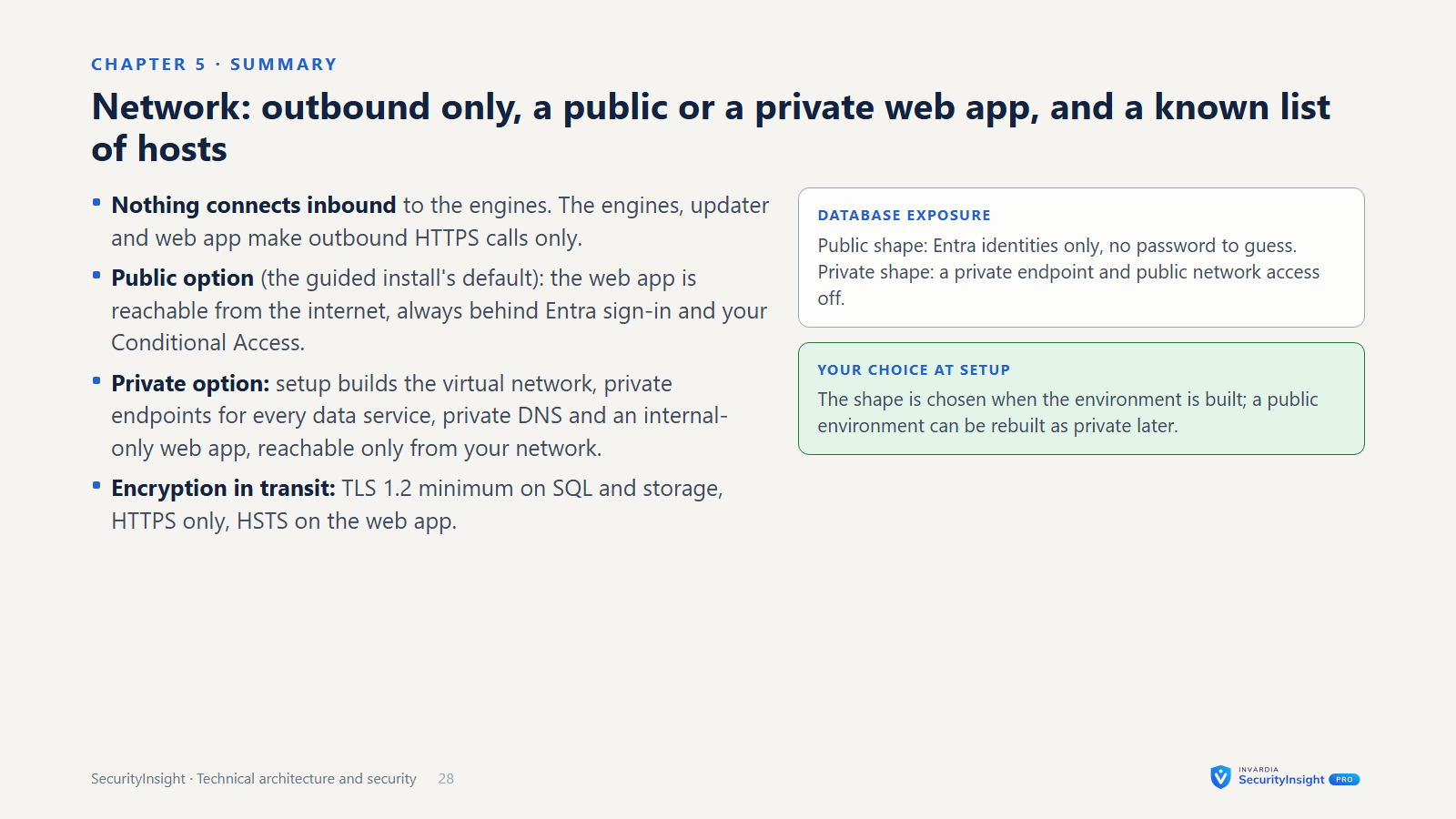
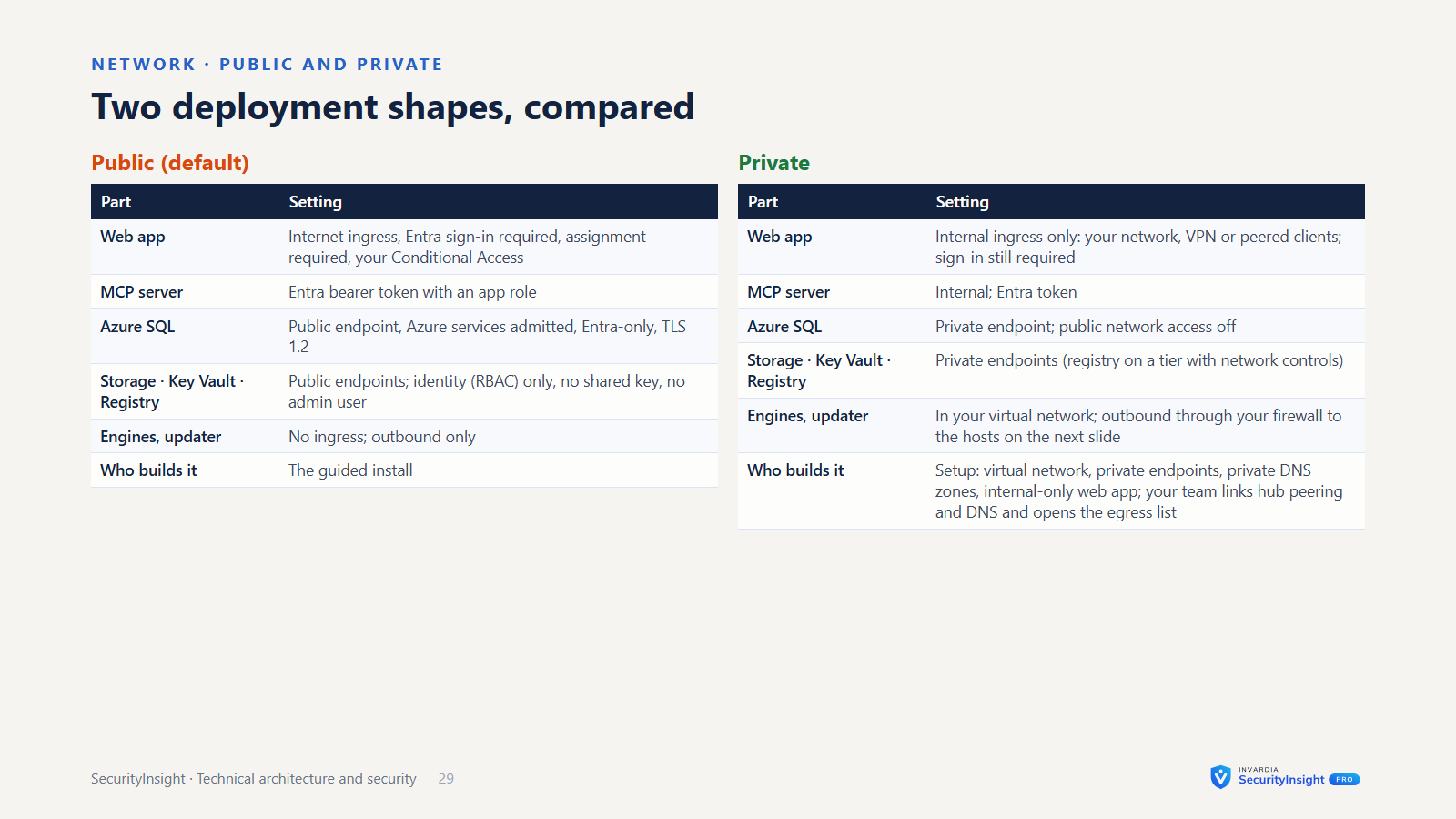
- You choose how the Pro web app is reached: from the internet behind Entra sign-in (the guided install’s default; add Conditional Access), or from your own network only (internal; also the default when the web app is deployed with its own deployment script). Either way it runs in your own Container Apps environment, every page needs an Entra sign-in and an app role, and the MCP server accepts Entra tokens only.
- No virtual network is created by default. The database is reached over its Azure endpoint, admits Azure services, and accepts Entra identities only. Adding a virtual network and private endpoints is supported and recommended for stricter networks.
- Storage is accessed with the job’s own identity (OAuth and RBAC); there is no storage-key option.
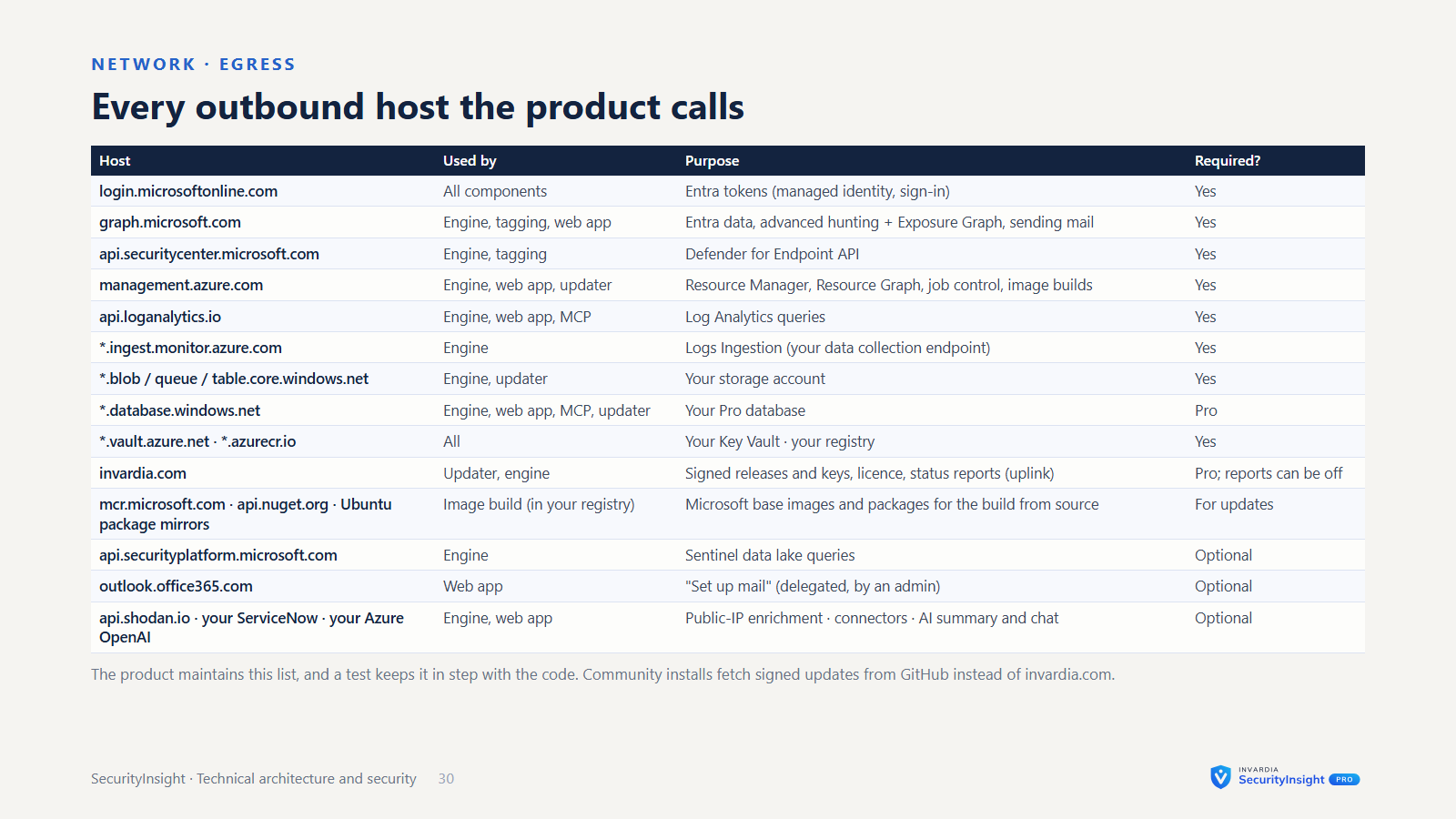
- Outbound only. Nothing connects inbound to your environment. The engines call Microsoft’s APIs, optionally your Azure OpenAI resource and Shodan, and Invardia for status reports (unless turned off) and - Pro only - licences and updates.
- Browser hardening. A strict Content Security Policy, HSTS, no framing, and anti-forgery protection on every change.
Sign-in and access layers
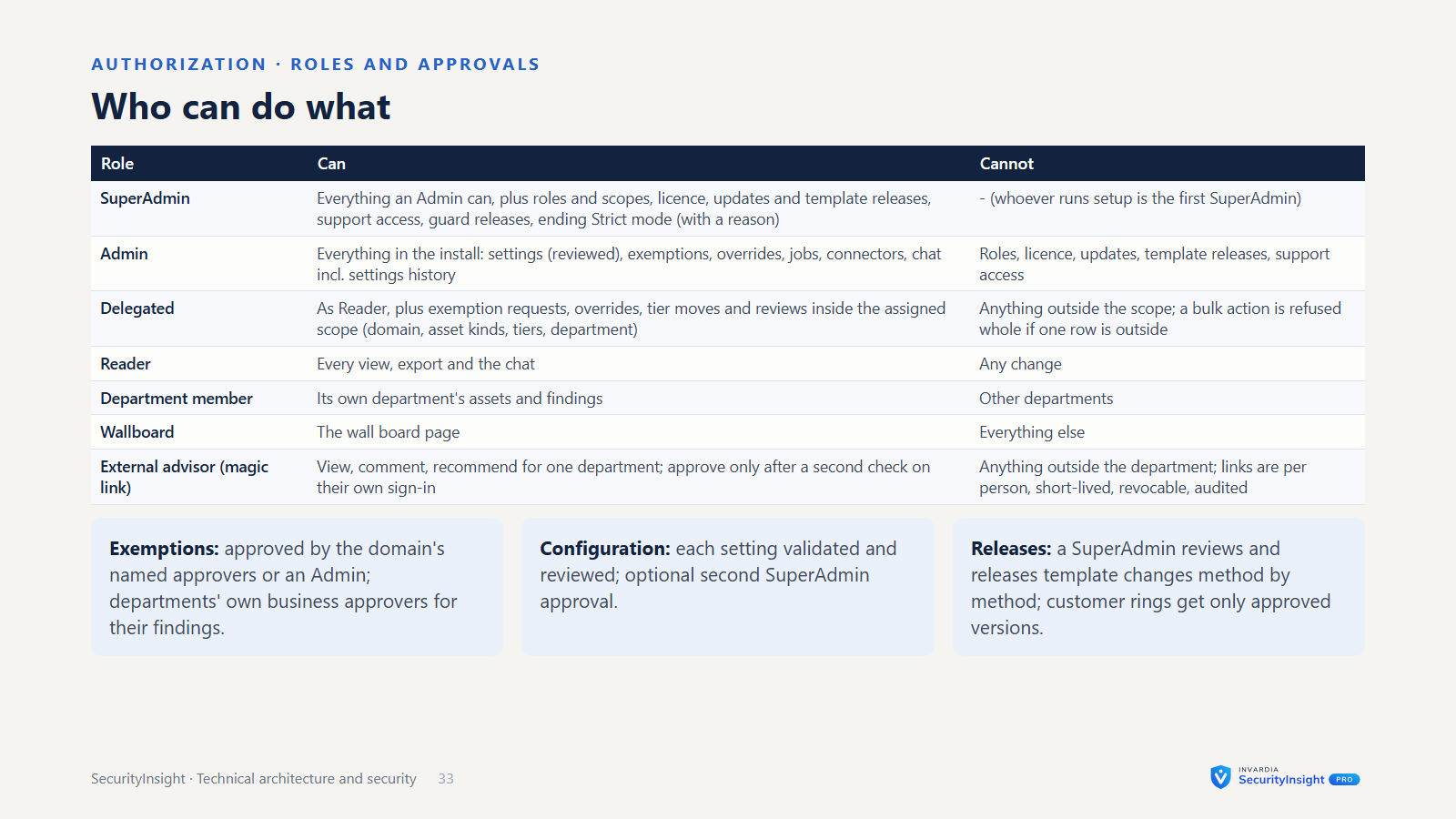
- Entra single sign-on to the web app. Only people and groups given one of its app roles can sign in. Four roles, the same model as PIM Manager, checked on the server for every page and action:
- Reader: every view, export and the chat; no changes.
- Delegated: as Reader, plus exemptions, overrides, tier moves and reviews inside the scopes assigned (security domain, optionally narrowed to asset kinds and tiers, or a department); read-only elsewhere and no admin pages. A bulk action is refused as a whole if any row is outside the scope, and the scope is checked again when the change is committed.
- Admin: everything in the install except role management, the licence, updates and template releases, and support access.
- SuperAdmin: also roles and scopes, the licence, updates and template releases, and support access. Whoever runs setup gets it.
- A kiosk Wallboard sign-in sees the wall board and nothing else.
- Exemption approval is done by the approvers named for the security domain or category (or an Admin) and, for a department’s own findings, that department’s business approvers. Only an approved exemption applies.
- The chat is read-only. Ask about this page and the chat can only call SecurityInsight’s fixed, read-only tools, and every answer shows the queries behind it. The chat follows the user’s role; only an Admin’s or SuperAdmin’s chat can read the settings history.
- Departments own assets and recommendations. An asset’s department comes from a policy - platform tags first, then SecurityInsight rules - or from an override per asset or per recommendation (the recommendation override wins, then the asset override, then the policy); the rest is in an Unassigned queue. Each department has technical and business owners, approvers and delegates, and its members see only their own assets and findings.
- External advisors are linked to a department. With a magic link they can view, comment and recommend. To approve, they pass a second check on their own sign-in: a one-time code sent to the same mailbox, or an Entra sign-in as a B2B guest with their own company account (your Conditional Access applies, and you revoke them in Entra). Links are per person, short-lived, revocable, scoped to the department and audited; the sign-in method is recorded on every session.
- Plain magic links in mails are off by default. When switched on they are signed, single-use, valid for 60 minutes by default and open one page read-only. Conditional Access does not see such a link, which is why it is off by default.
Change control
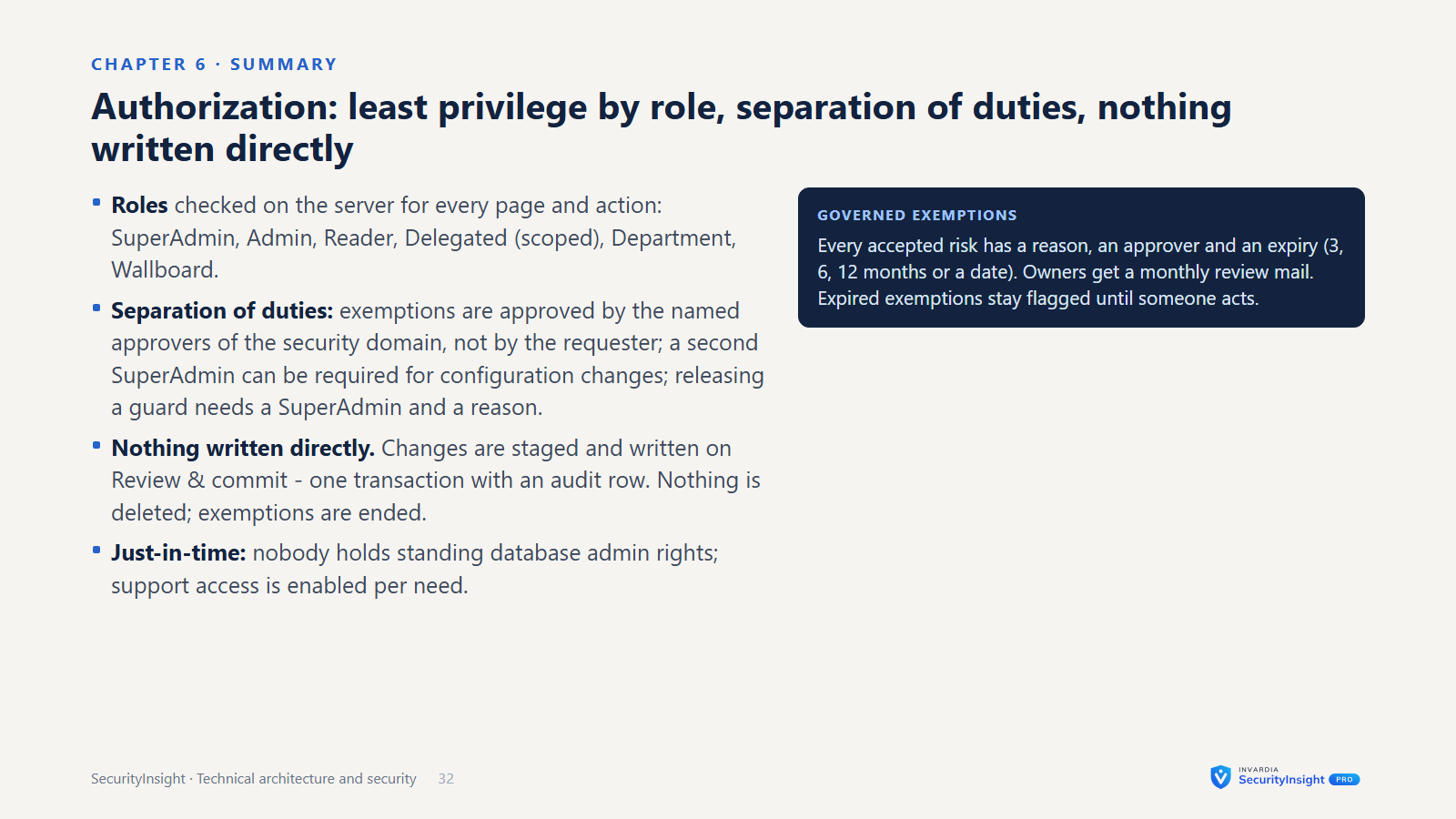
- Nothing is written directly. Tier changes, documents and settings are staged and written on Review & commit. Each commit is one transaction with an audit row. Nothing is deleted, and an exemption is ended rather than removed.
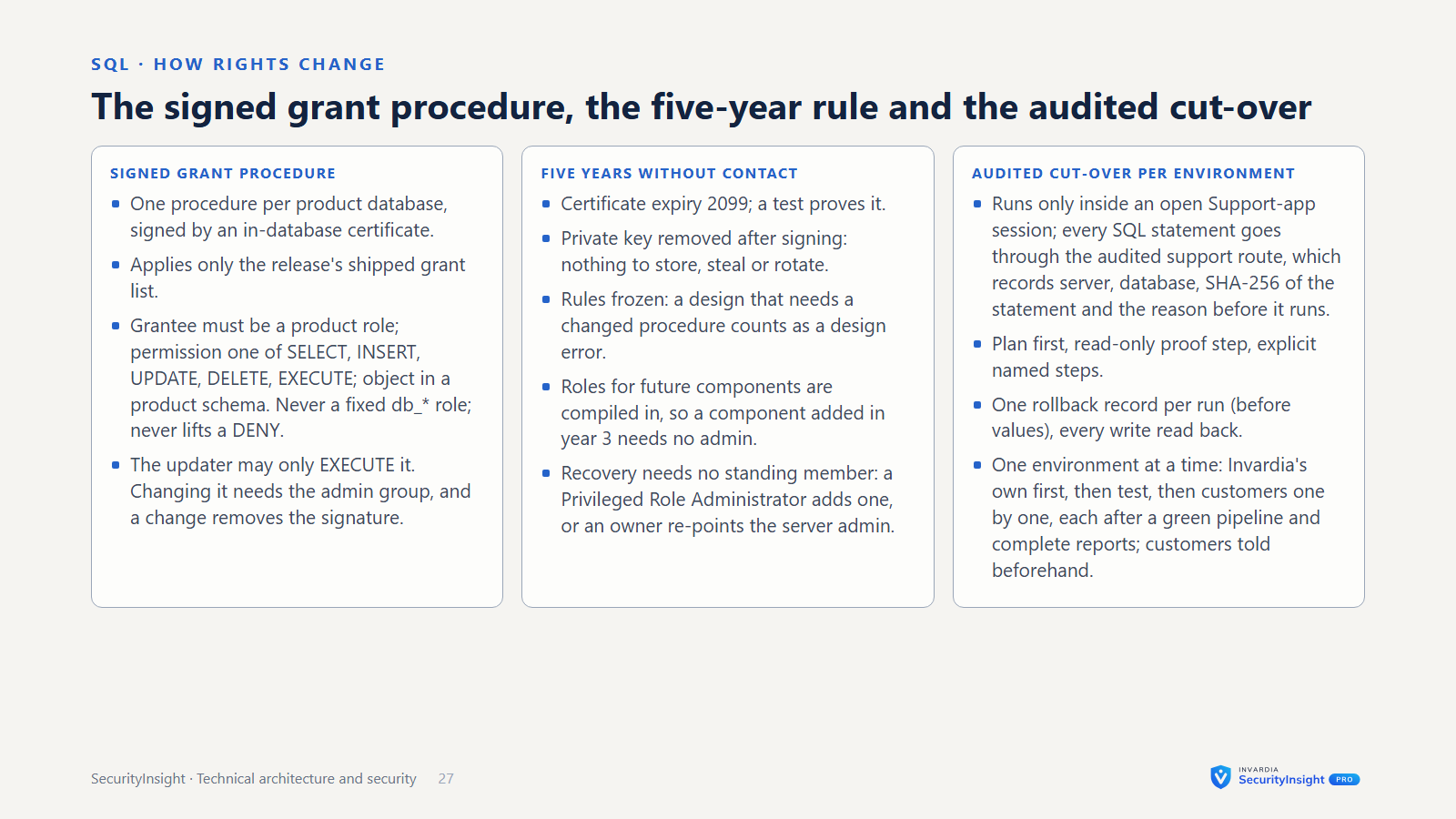
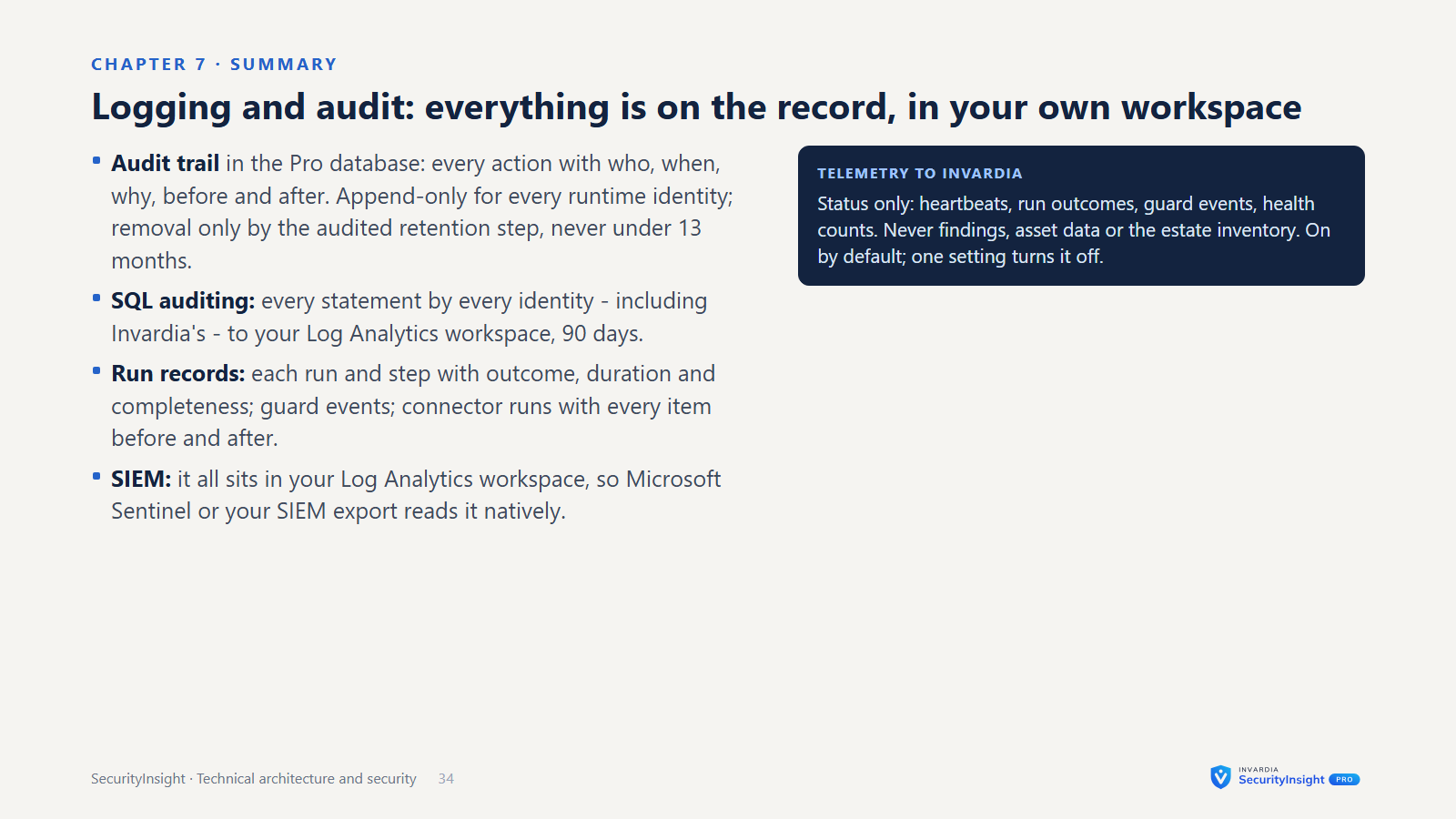
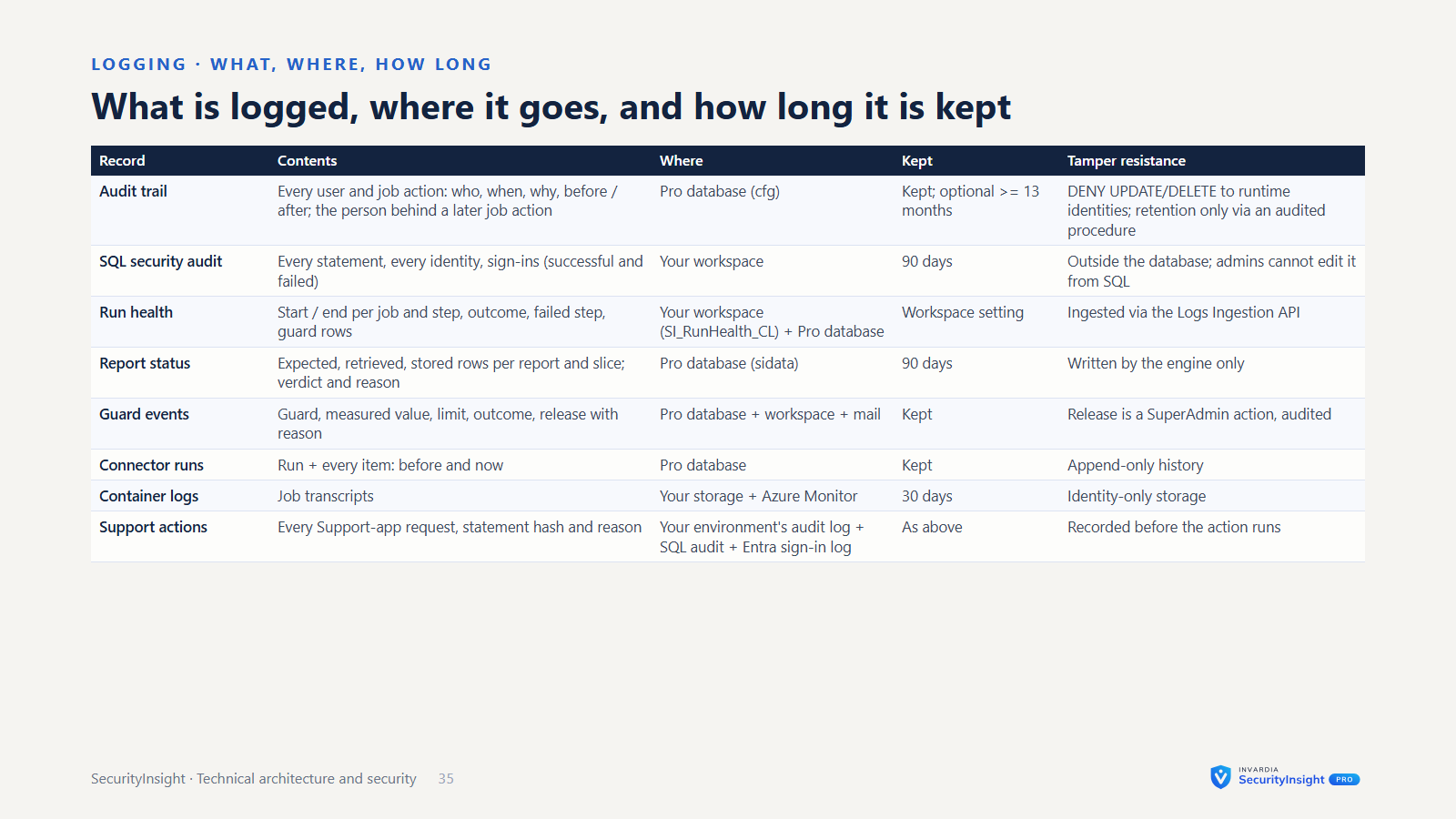
- An audit trail that cannot be edited. Every action is recorded with who, when, why, and the value before and after. The database refuses changes and deletions of the trail to every runtime identity; the only way rows leave it is the audited retention step, which never removes anything younger than 13 months. A change that a job carries out later still names the person who asked for it.
- Governed exemptions. Each security domain has owners and approvers. Each exemption has a reason and an expiry: 3, 6 or 12 months, or a custom date. Owners get a monthly review mail and extend, keep or end; expired exemptions stay flagged until someone acts.
- Settings with history. Each setting is validated and reviewed before it is saved. The history records who changed what, when and why - settings, role assignments, exemptions and releases alike.
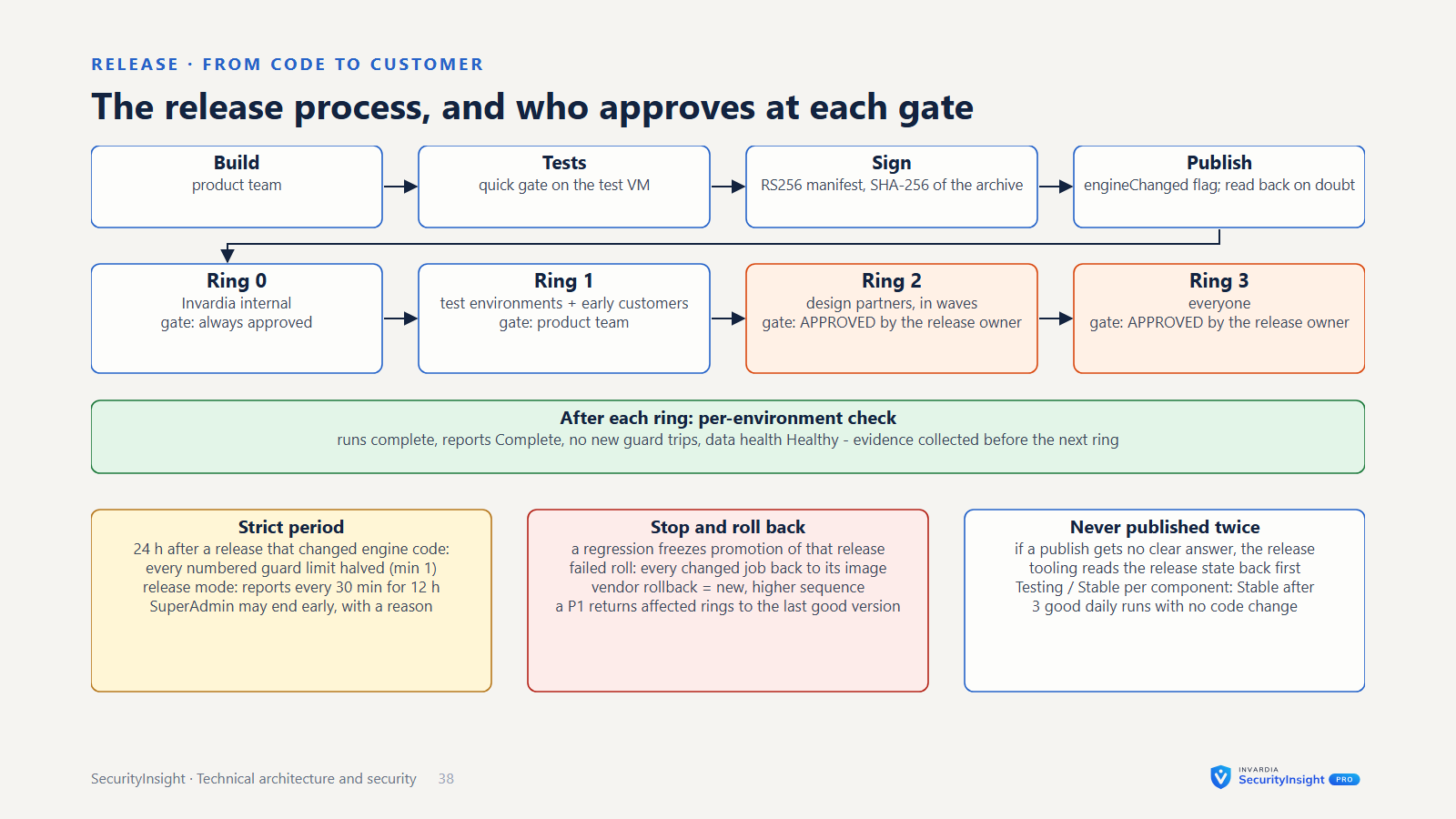
- Template releases by update ring. Template packs (detection rules and Risk Analysis reports) are released ring by ring and checked against their SHA-256. On Template releases, a SuperAdmin reviews each detection method and releases all of them or only selected ones. Your overrides are never changed, and any method can be rolled back.
- One deviation report. Every override, exemption, exclusion, disabled detection, tier move and changed setting is in one report, with its owner, reason and expiry.
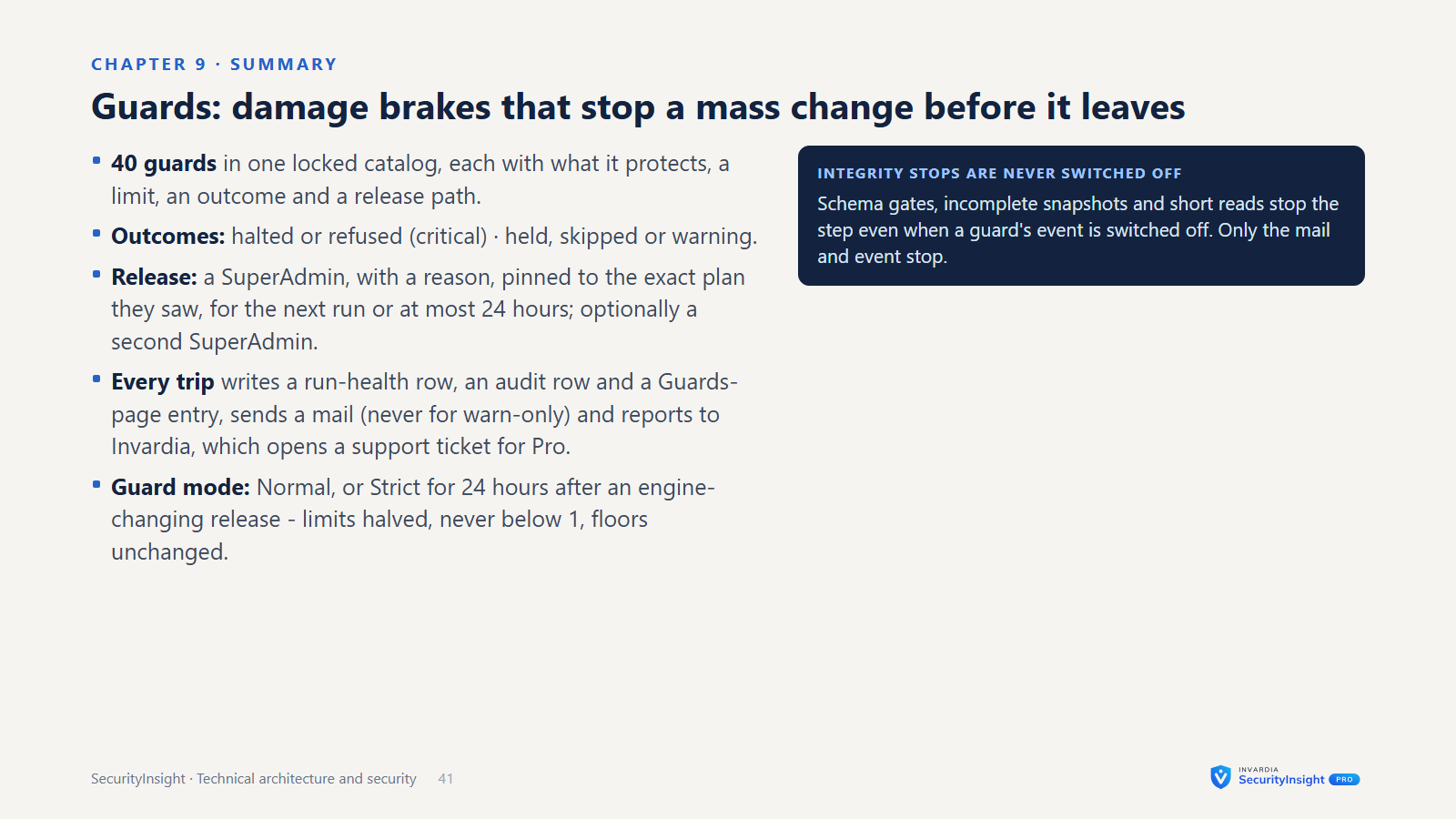
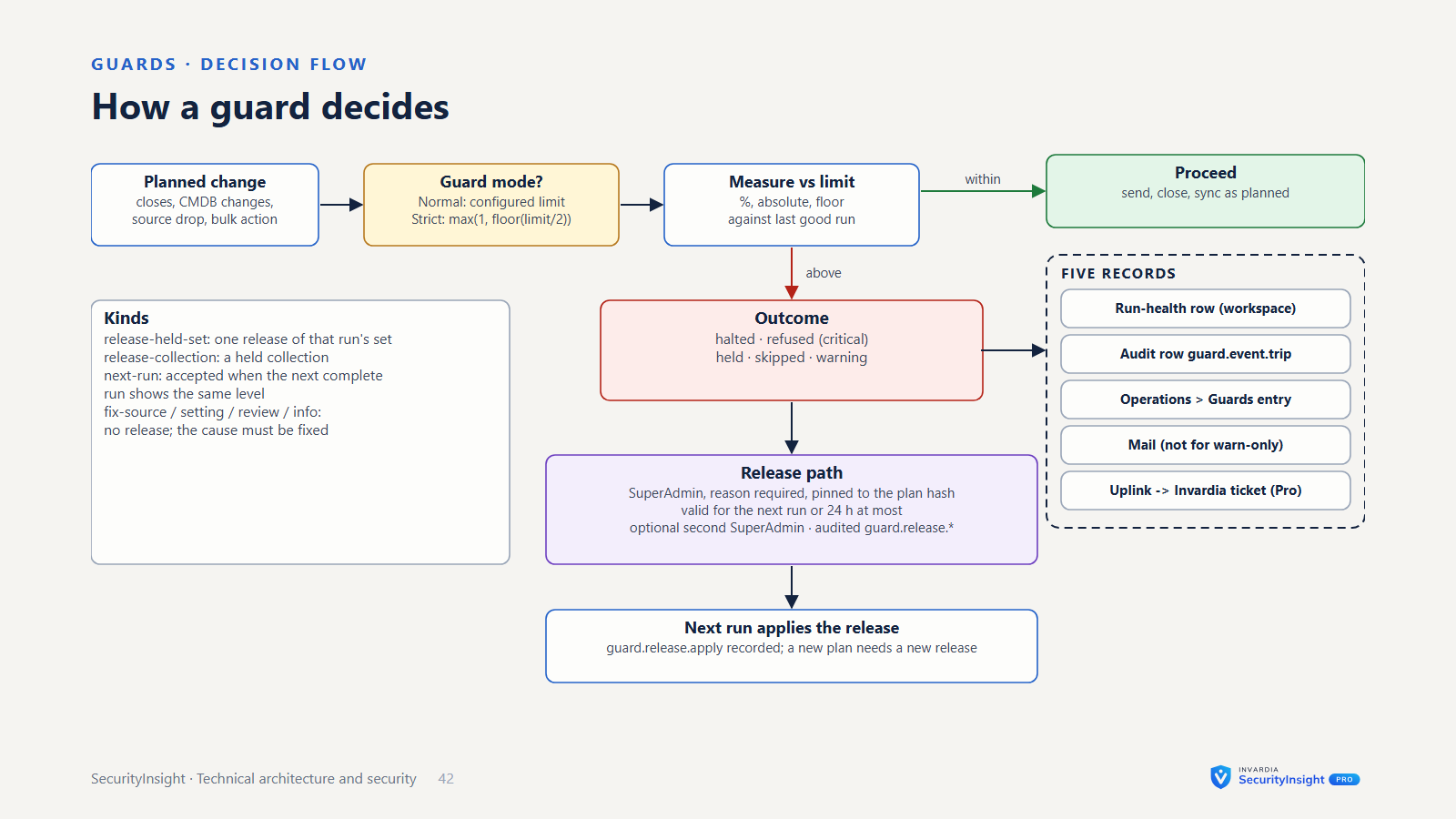
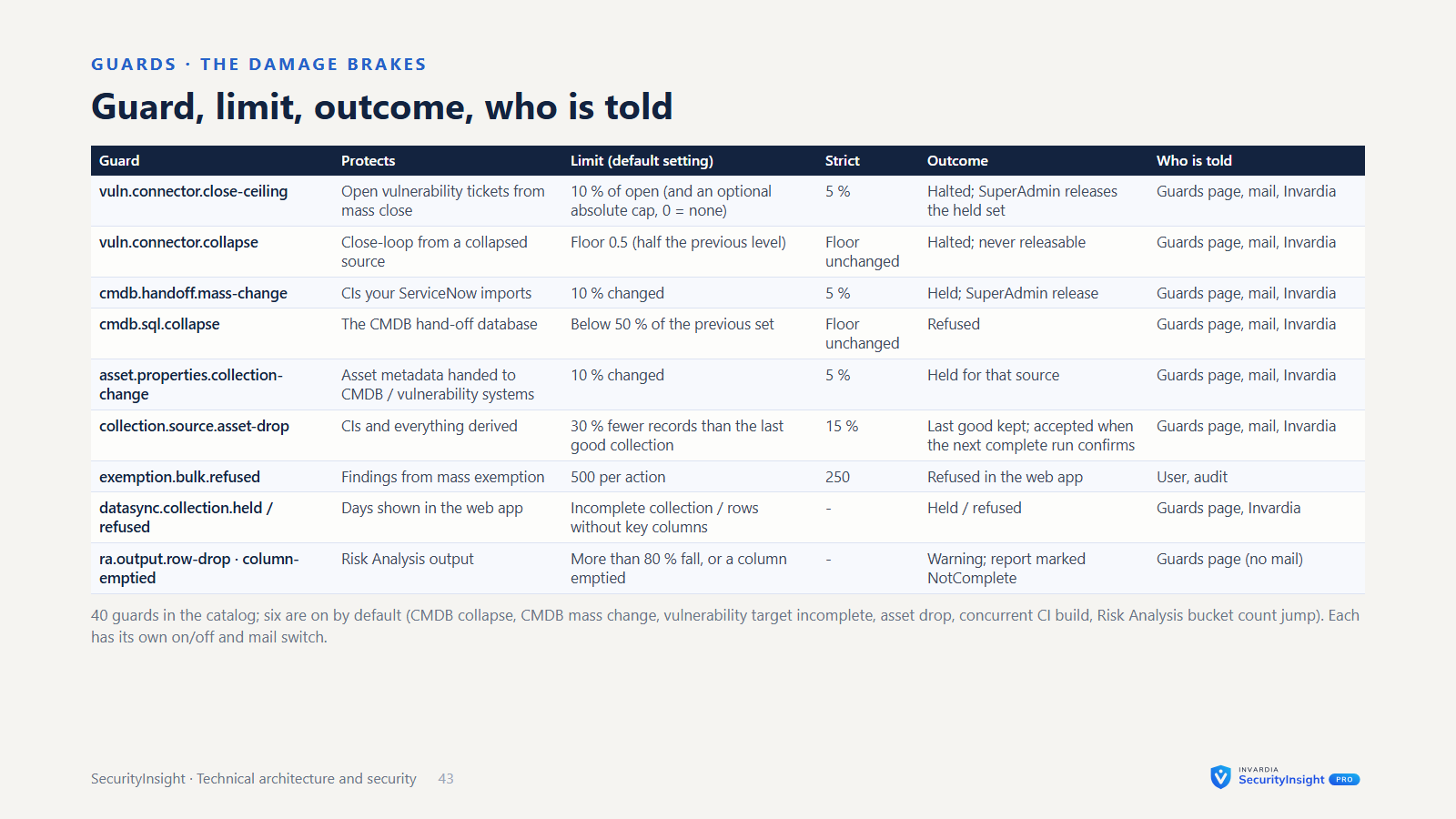
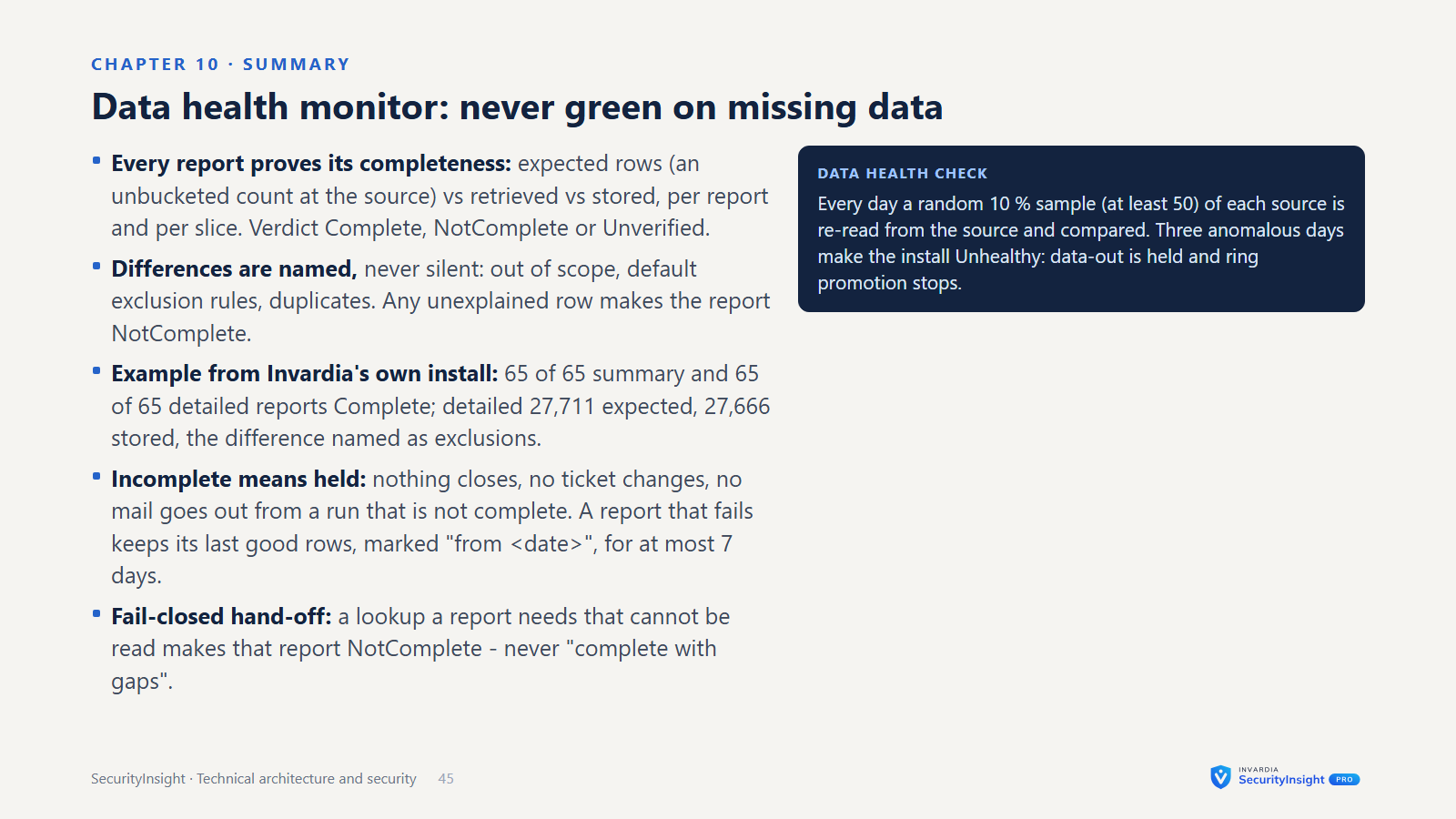
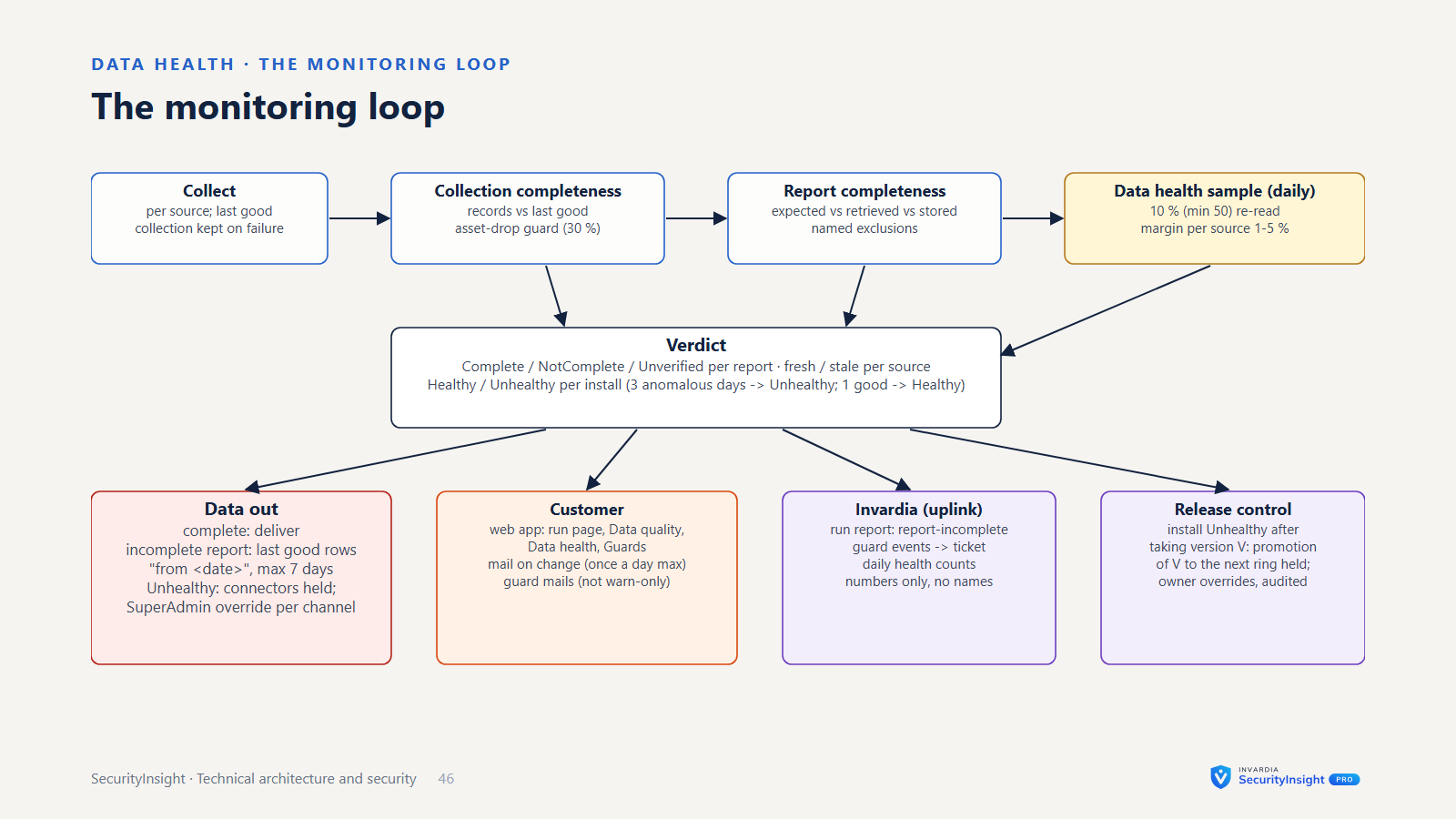
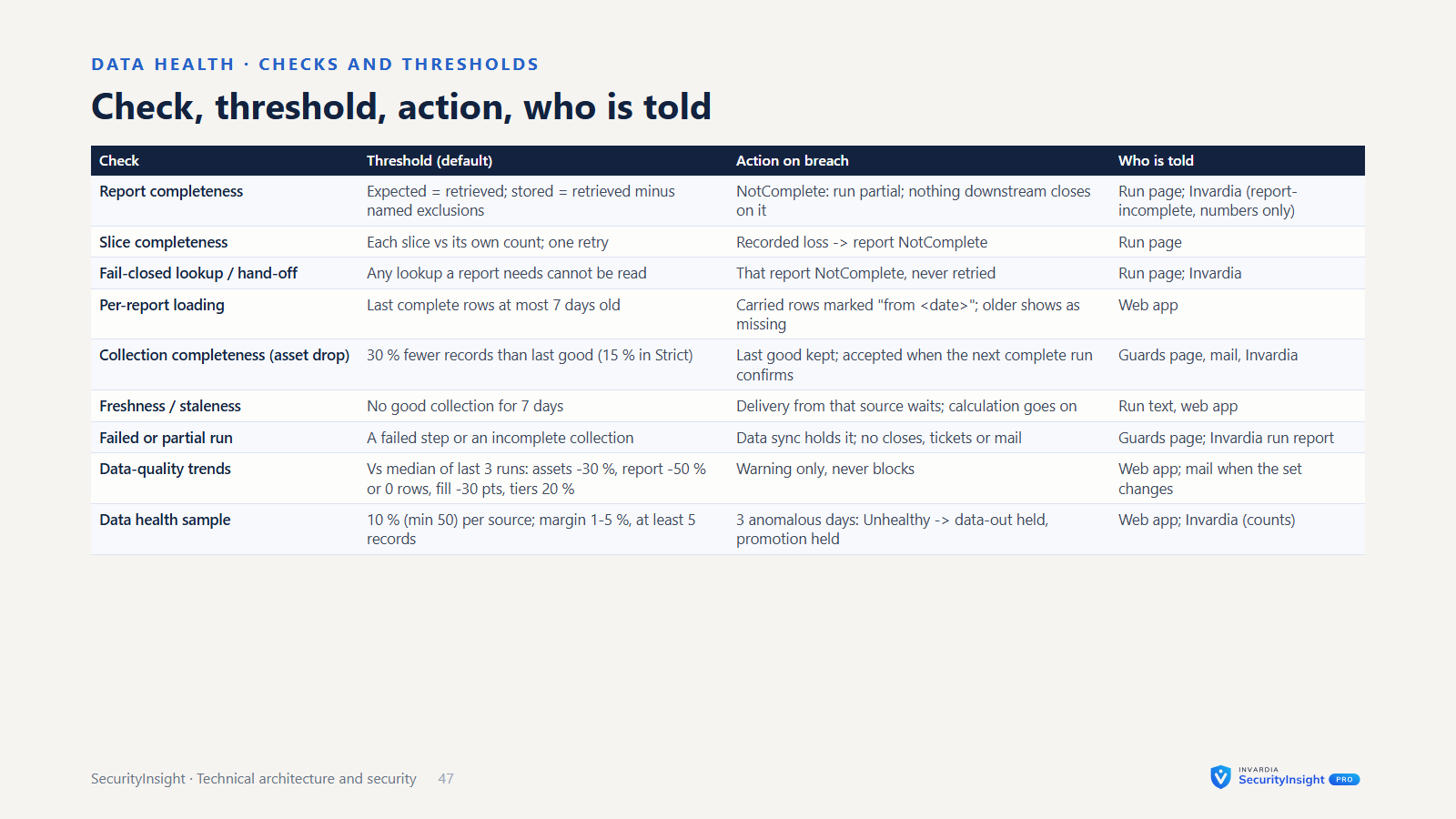
- Guarded connectors. Connectors plan first and send only in apply mode. They only change items they created. A large or sudden drop in vulnerabilities is held for a person to review, and every guard that trips is shown in the web app and sent as a mail.
Licensing and integrity
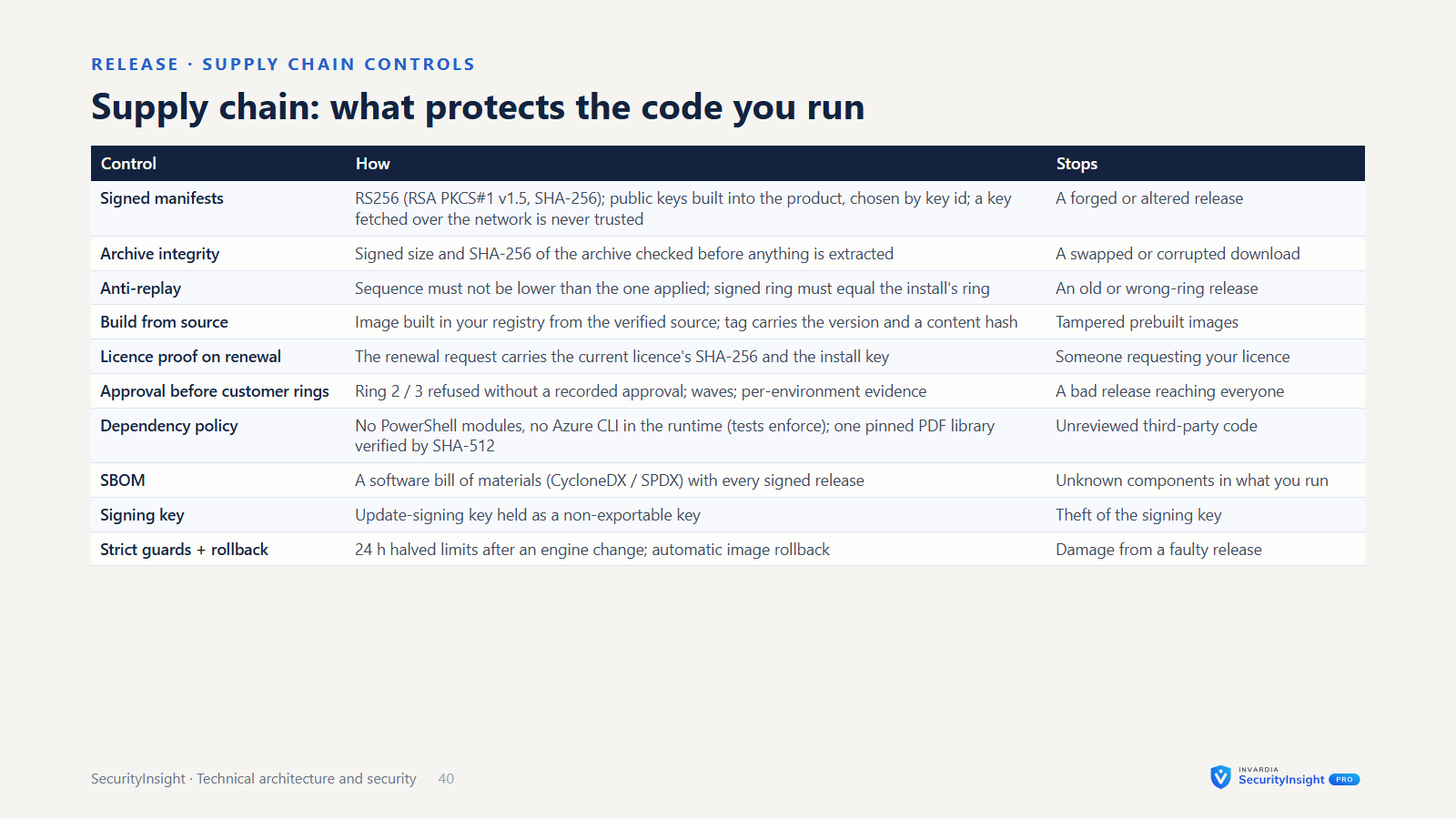
- Signed licence. The licence is a signed file (RSA with SHA-256) stored as a Key Vault secret. It names the features, the validity dates, a grace period (30 days unless the licence says otherwise) and the tenants it covers. It is checked offline. A licence that does not verify, or names another tenant, is refused and nothing is written.
- Bound to your tenant. With a managed identity, the tenant is taken from the identity’s own sign-in token, which no setting can change; with a service principal, it is the tenant it signs in to. A licence copied to another tenant does not unlock Pro there. Without a valid licence, the install keeps running as the Community edition.
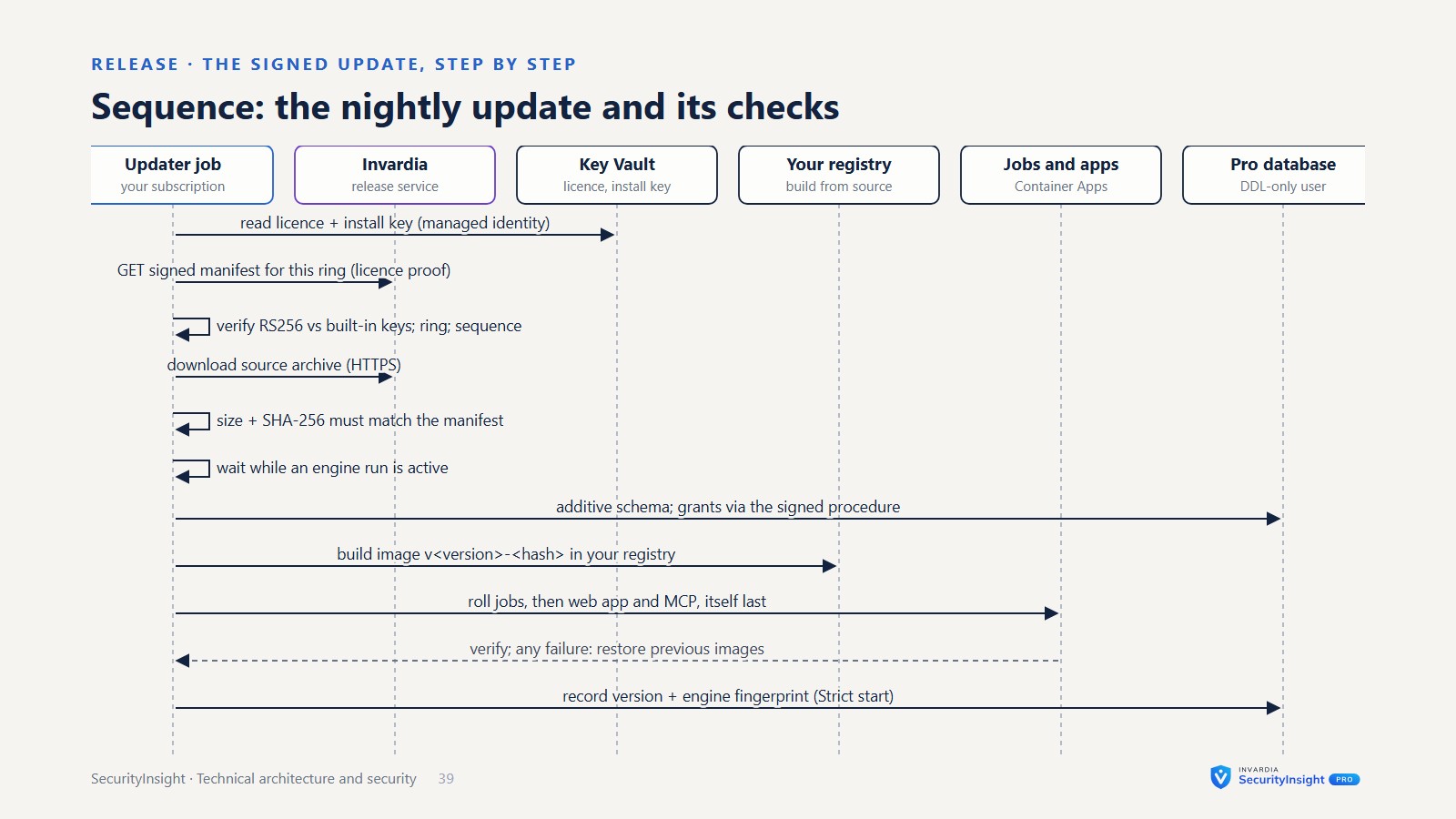
- Signed updates. For each update ring, Invardia signs a manifest with the release’s size and SHA-256. Before anything changes, the updater checks:
- the signature, against public keys built into the product (a key list fetched over the network is never trusted on its own; new keys arrive with the product, which is also how keys are rotated)
- the product and the kind (code or templates)
- that the sequence number is not lower than the one already applied, so an old manifest cannot be replayed
- the downloaded file’s size and SHA-256
- Update rings. Releases reach the rings one after the other, always in the same order. A rollback is a new, higher sequence. A manifest that names a manual step is held until you accept it. Community installs update from a signed channel on GitHub.
Invardia’s touch points
Every connection to Invardia is made by your install, outbound, and is listed here.
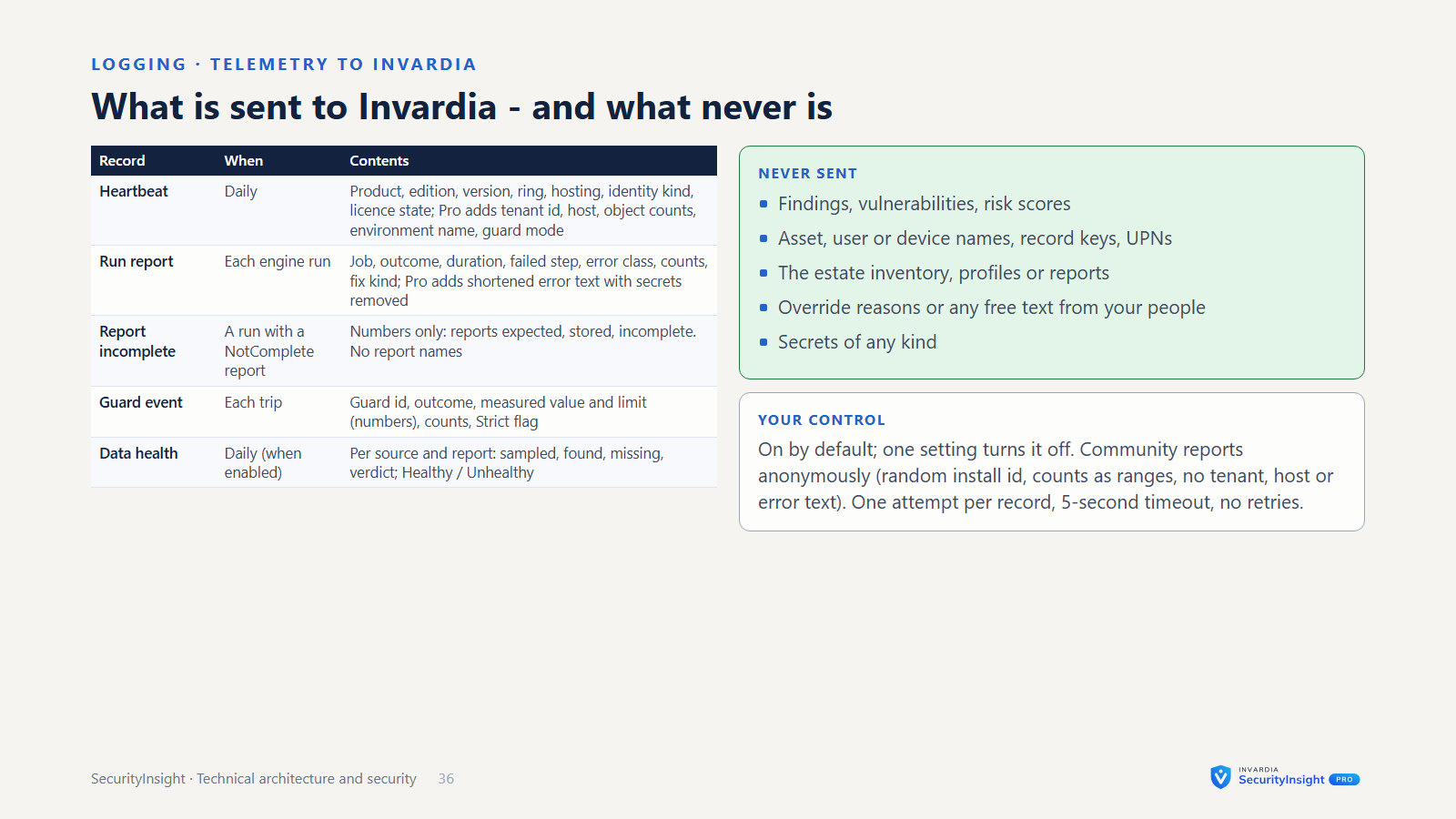
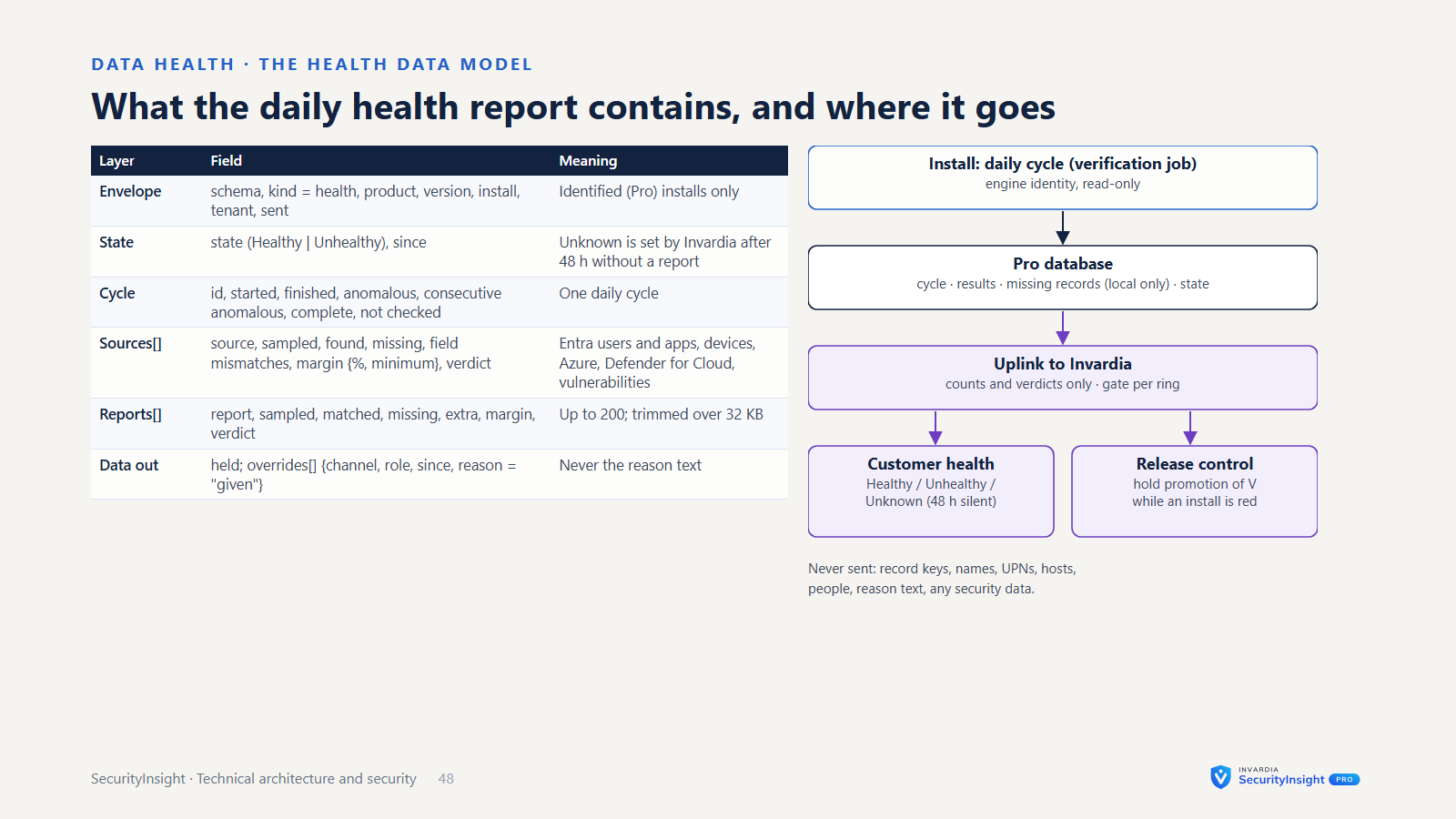
- Status reports (both editions; on by default, one setting turns them off). A daily heartbeat and one report per engine run. Community reports anonymously: a random install id, the product, edition, version, hosting type, the kind of sign-in identity, the licence state, and per run the job, outcome, duration, failed stage, an error class and counts as ranges - no tenant, host name or error text. Pro sends the same, identified by its install key, with the tenant, the host and the error text (shortened, secrets removed). When a safety guard trips, a detailed report of that guard is sent too.
- Licence requests (Pro). When there is no valid licence, or it ends within 30 days, the install asks Invardia for one. It sends the product, its version, the tenant from its own token and an installation id, plus a contact email if you set one. It verifies the file offline before installing it.
- Pro updates. The install pulls updates with its licence and its install key. The key is claimed automatically with the licence when the install has none, kept in your Key Vault and never logged. You need no repository credential.
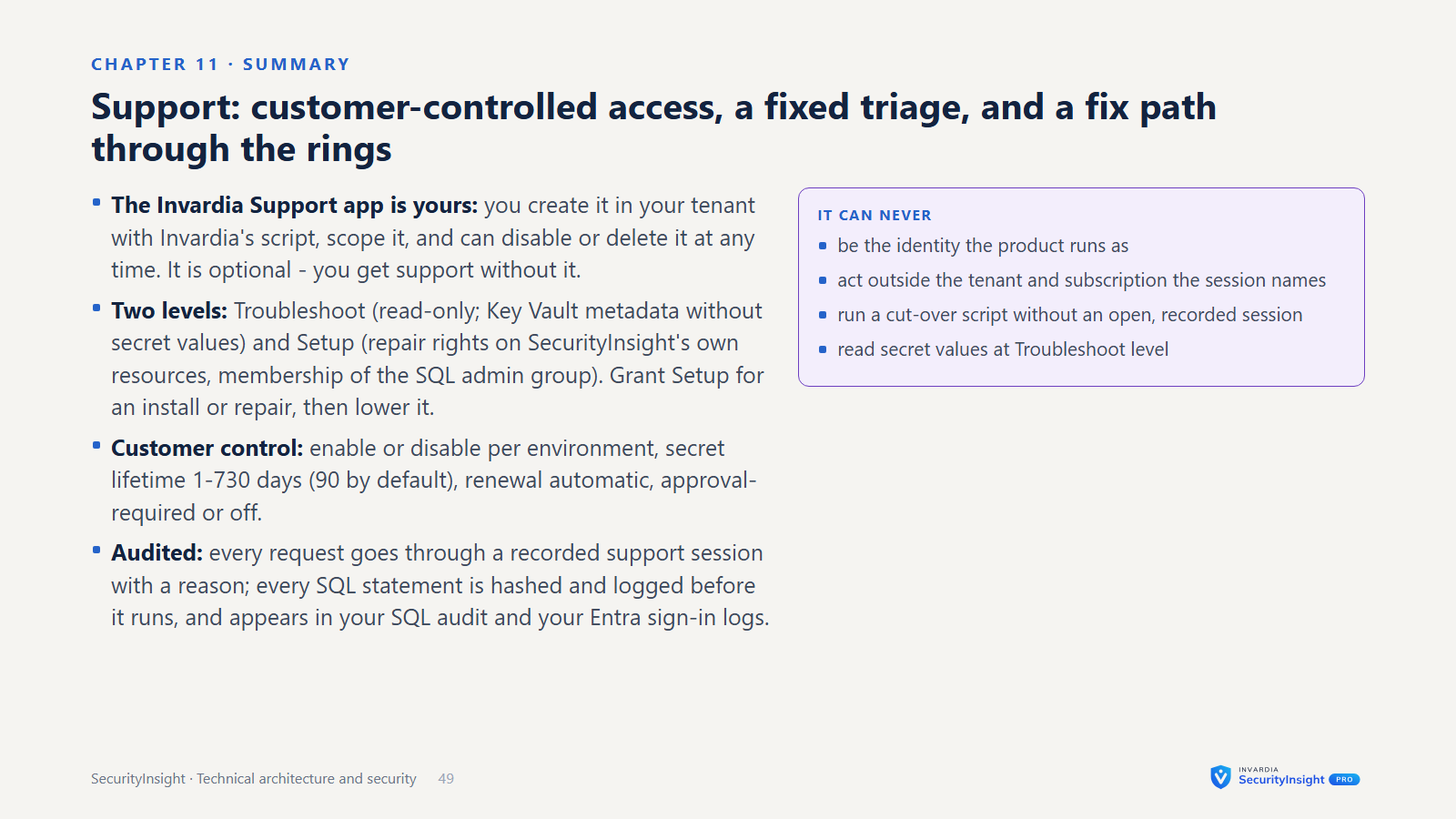
- Remote support. Support only works through the Invardia Support app, which you create in your own tenant with Invardia’s script. You own and scope it:
- Troubleshoot is read-only: Key Vault metadata without secret values and read-only database access.
- Setup adds what deployment and repair need, on the product’s resources only: Key Vault secrets, and membership of the database’s admin group.
- At both levels the app becomes an owner of SecurityInsight’s own app registrations, so it can repair them. One SecurityInsight command grants the product’s part, and the same command removes it.
- It is never the identity the product runs as, and you can disable or delete it at any time.
Apart from the status reports, which you can turn off, the Community edition never contacts Invardia.
Data retention
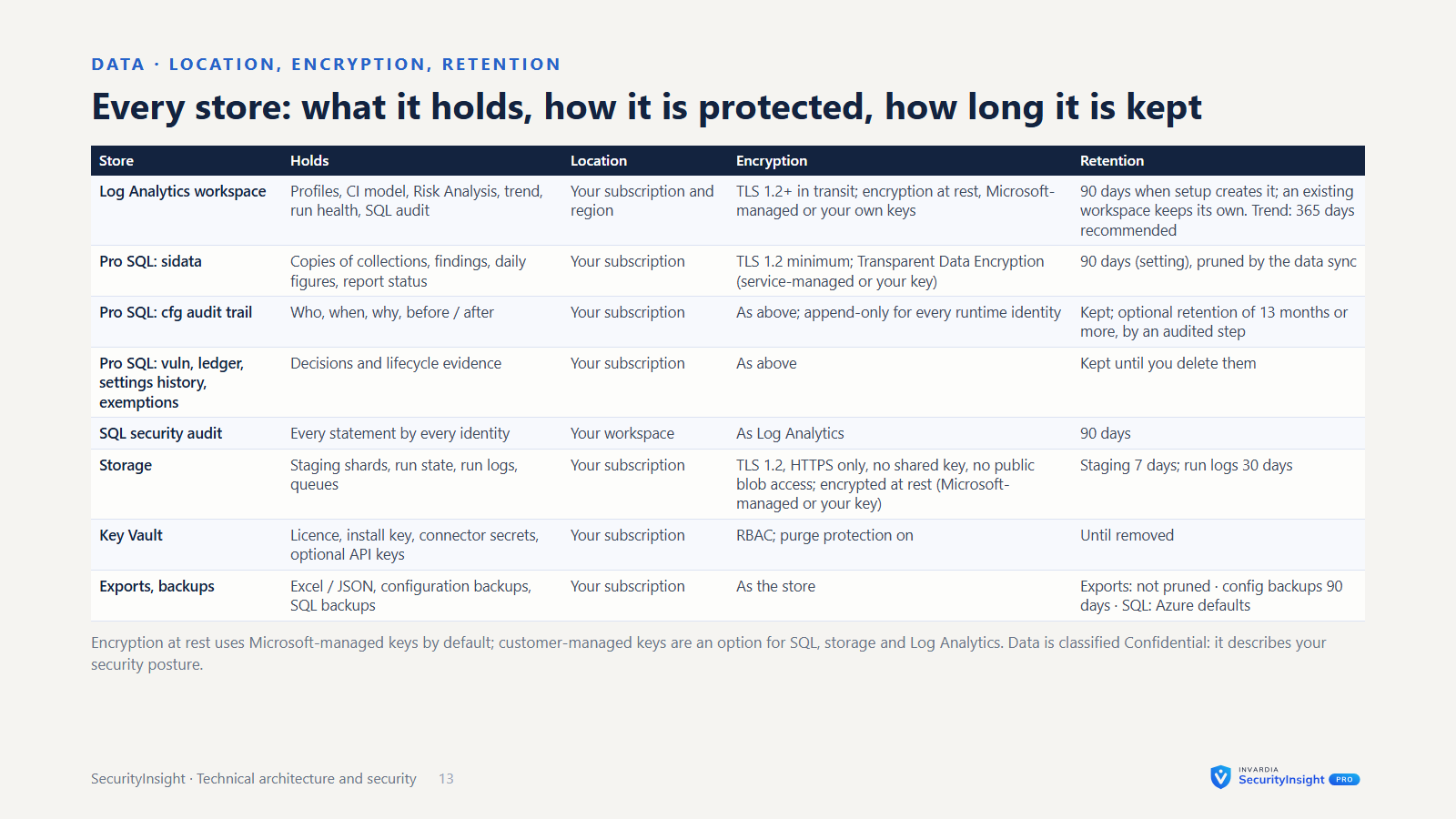
| Data | Kept for |
|---|---|
| Log Analytics (every SecurityInsight table) | 90 days when setup creates the workspace; an existing workspace keeps its own setting. SecurityInsight never changes table retention - you can. |
| Trend table | the workspace setting; 365 days is recommended, and the product shows the command, but does not apply it for you |
| Pro database: copies of collections (findings, daily figures, services) and assets no longer seen | 90 days by default (a setting), pruned by the daily data sync |
| Pro database: the audit trail | kept by default; with a retention setting (at least 13 months), older rows are removed by the audited retention step |
| Pro database: vulnerability history, identity ledger, settings and their history, exemptions, template versions, connector runs | kept until you delete them - this is your audit trail |
| Run logs (local and in storage) | 30 days by default (a setting) |
| Staging files in storage | 7 days, by a storage lifecycle rule setup can add |
| Risk Analysis exports (Excel / JSON) and their dated backups | not pruned automatically - you decide |
| Database backups | Azure SQL’s defaults, which you control |
Compliance support
- The asset inventory and risk-classification model supports evidence needs for NIS2, DORA, ISO 27001 and GDPR Art. 32.
- Tier decisions can be traced: you can see which signals set each asset’s tier.
- The deviation report, the settings change history and the audit trail show what was changed or exempted, by whom and why.
- The vulnerability lifecycle shows opened, closed and reopened items, time to fix, and the reason for every close.