



Every feature, edition by edition
Start free with Community. Pro adds everything below it - and you can try any Pro edition free for 60 days.
Stay in control
Know every asset, who owns it and how critical it is - across endpoints, identities, Azure and the internet edge - and see the whole picture in one place.
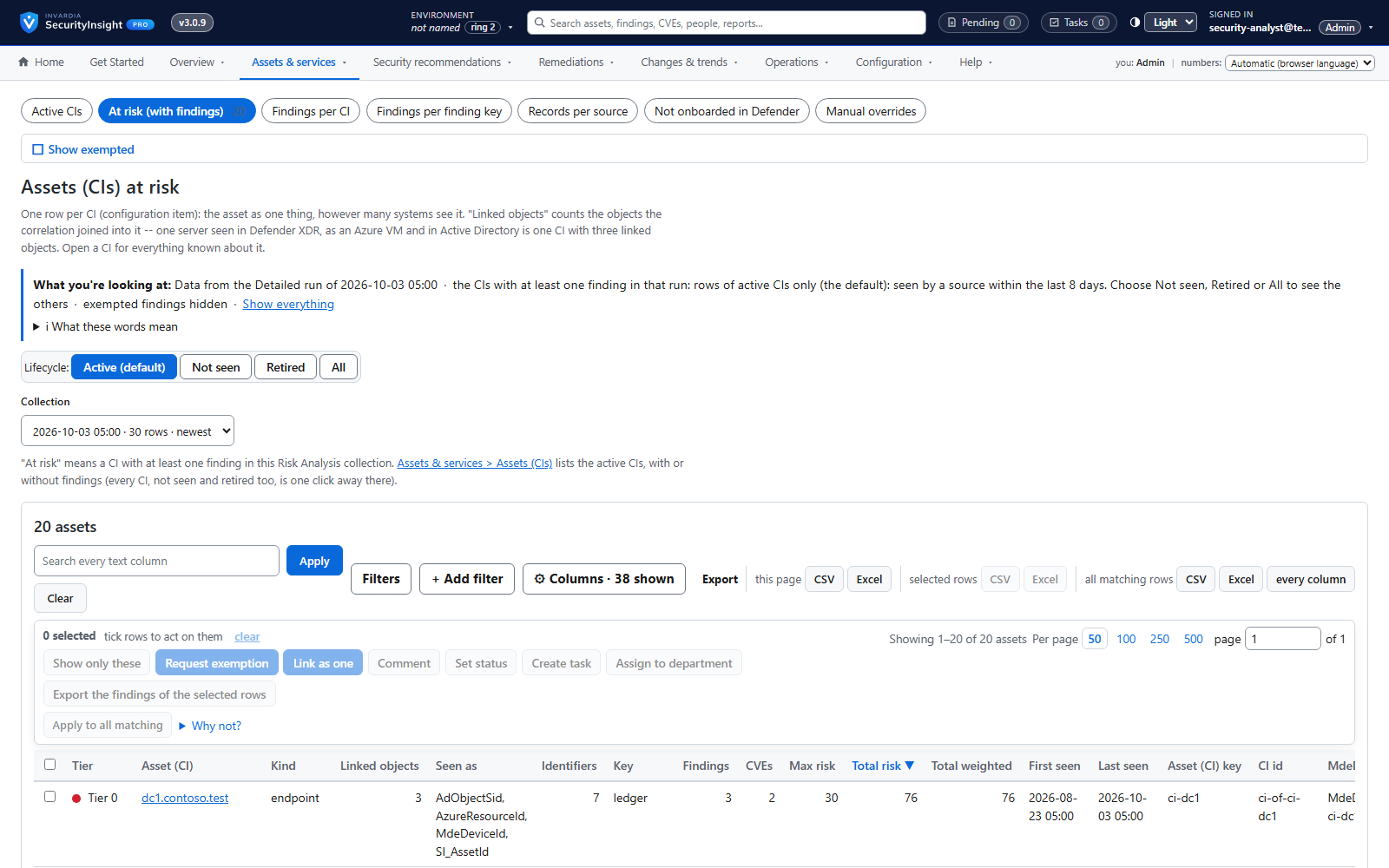
Asset profiling across endpoints, identities, Azure and public IPs
One profile per asset - device, identity, Azure resource or public IP - built automatically from the data you already have.
How it works →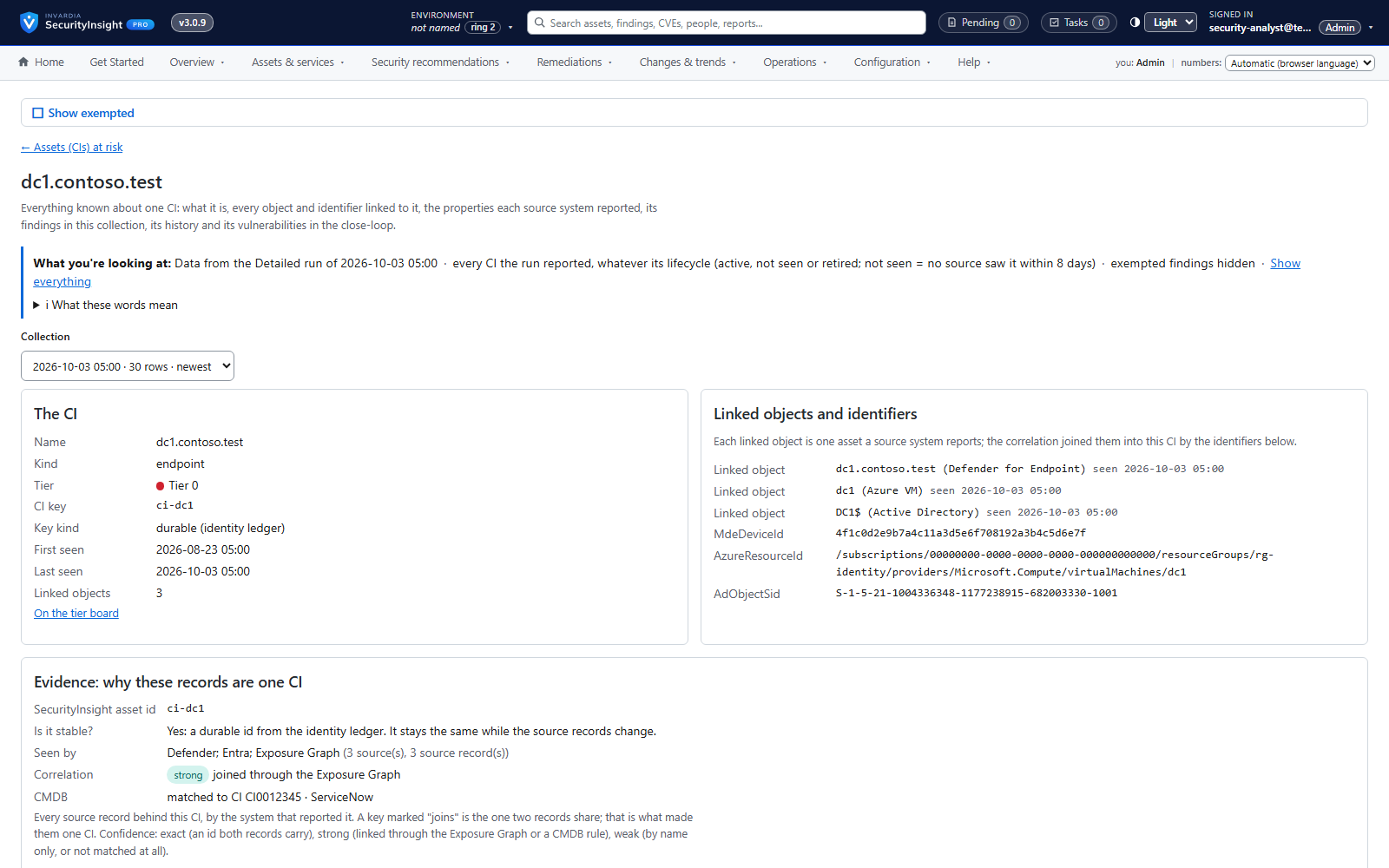
One asset, every source: cross-source correlation
A server seen by Defender, as an Azure VM and in Active Directory becomes one CI with one history.
How it works →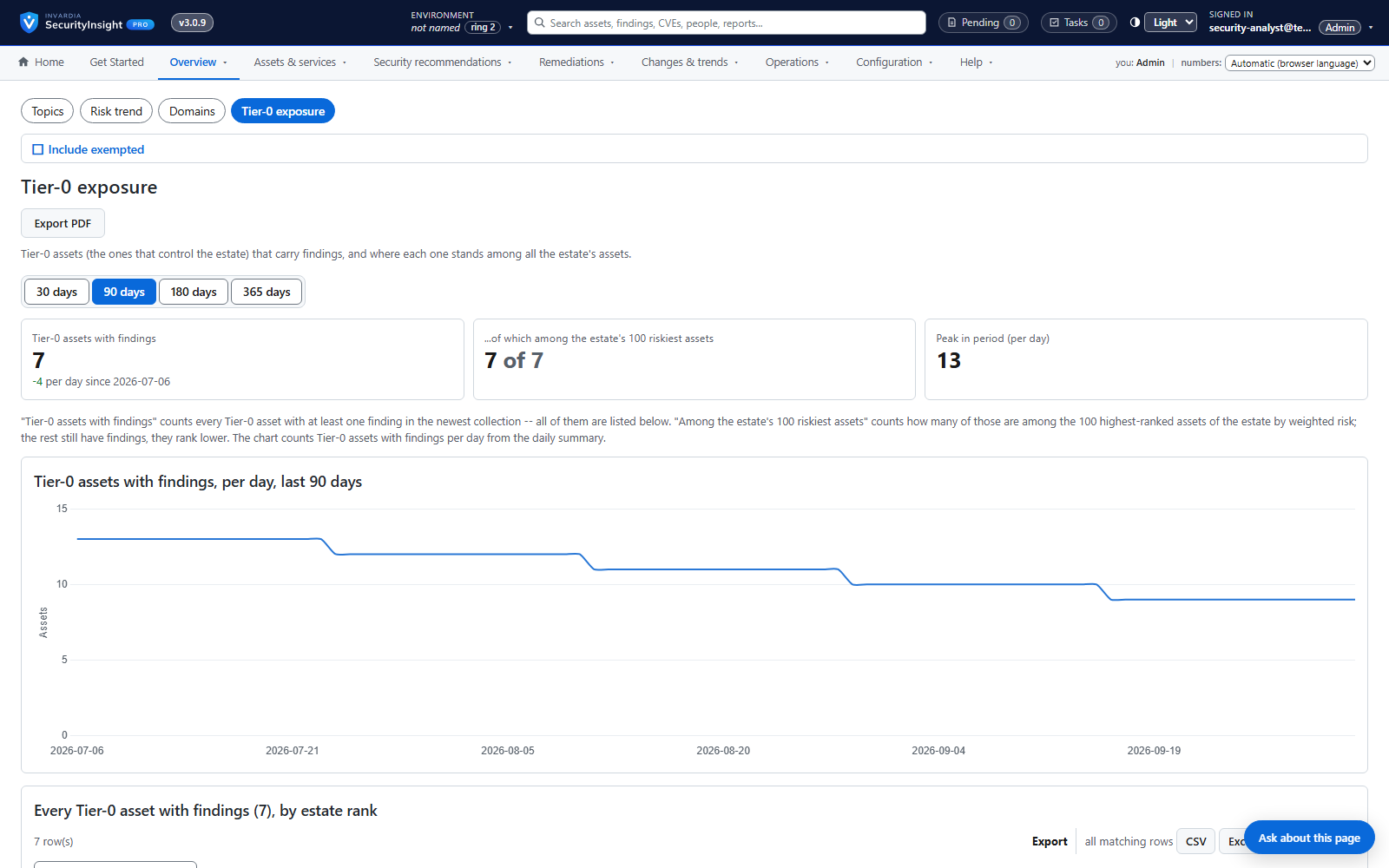
Privilege tier catalog
Every role and permission in your tenant ranked by what an attacker could do with it - Tier 0 to Tier 3.
How it works →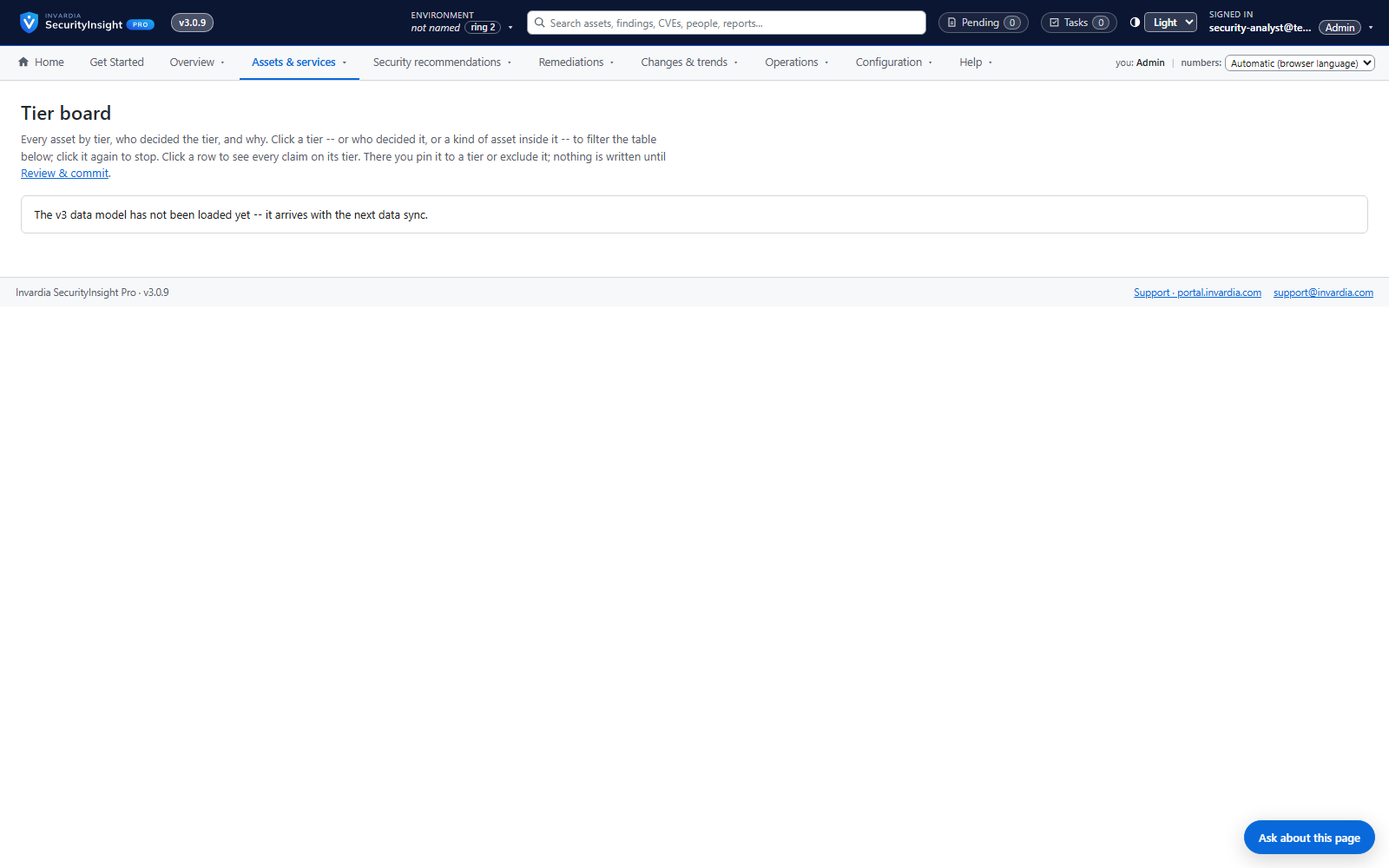
Tier board with explained decisions
See every asset in its tier and exactly which signal put it there - and move it with one drag.
How it works →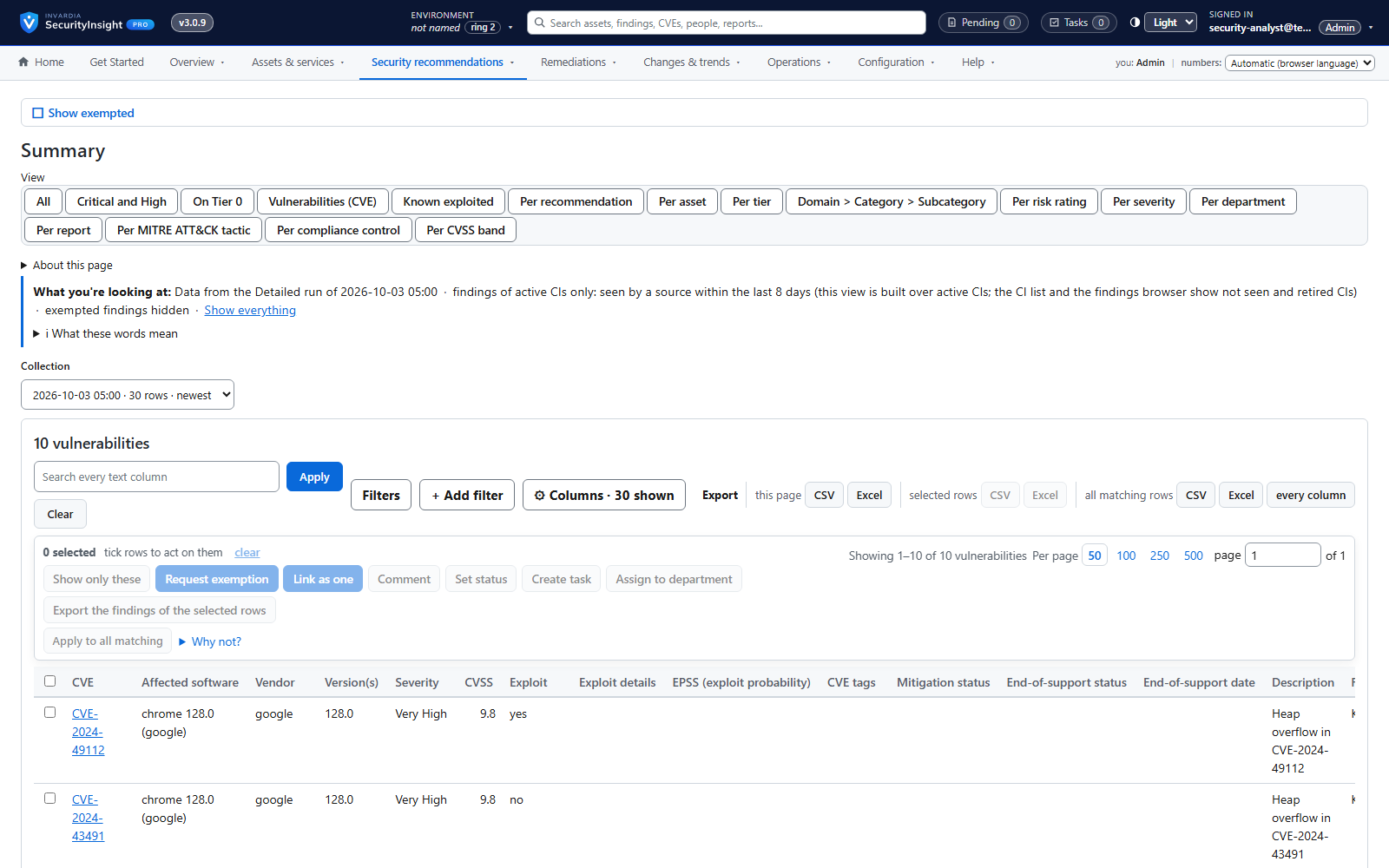
Fifteen views of every collection
Raw rows, correlated CIs, vulnerabilities, risk, MITRE, compliance, CVSS, exemptions, lifecycle, what changed, connector changes and services - for any collection.
How it works →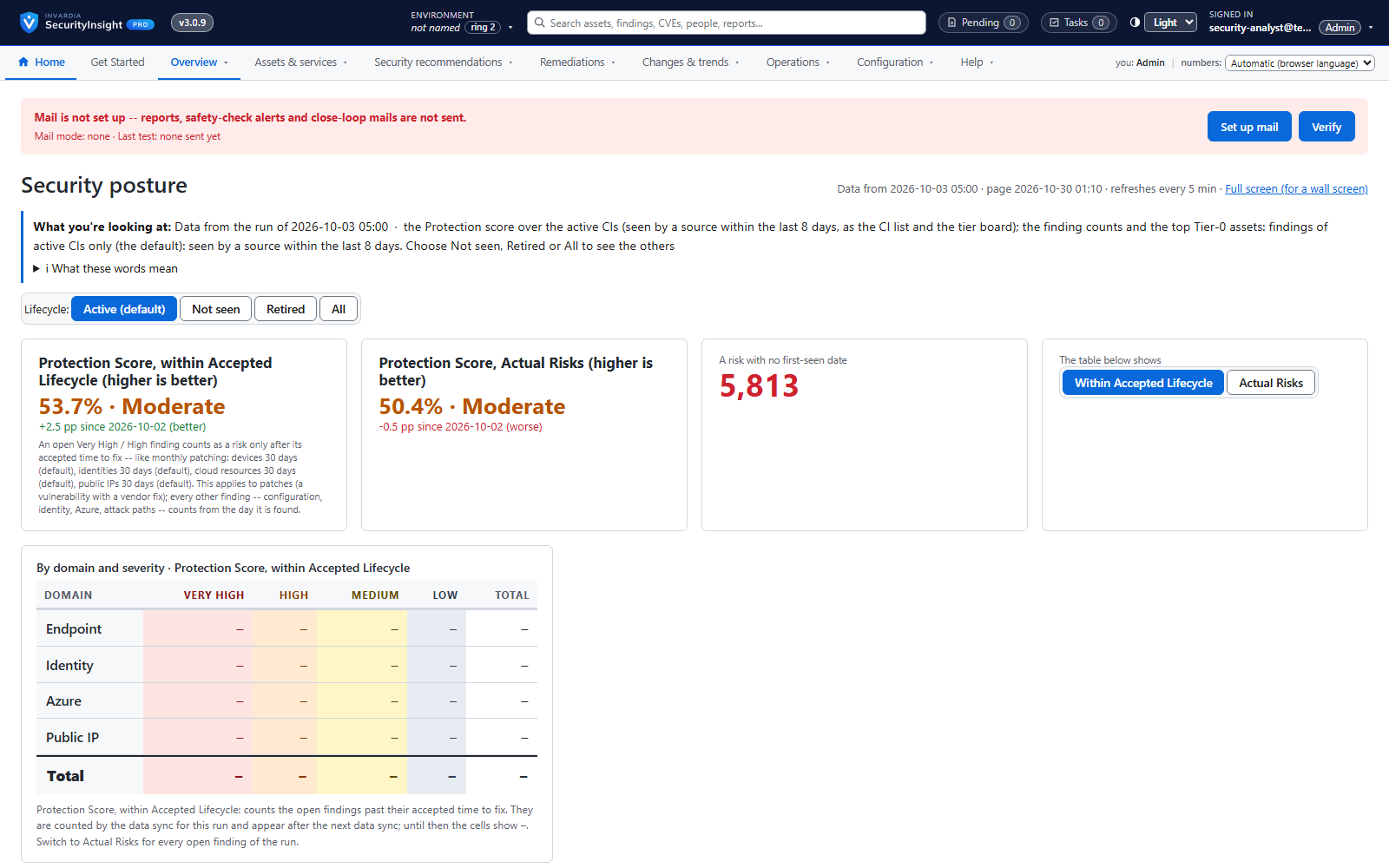
Wall board for the SOC
A big-screen view of today's posture that refreshes itself.
How it works →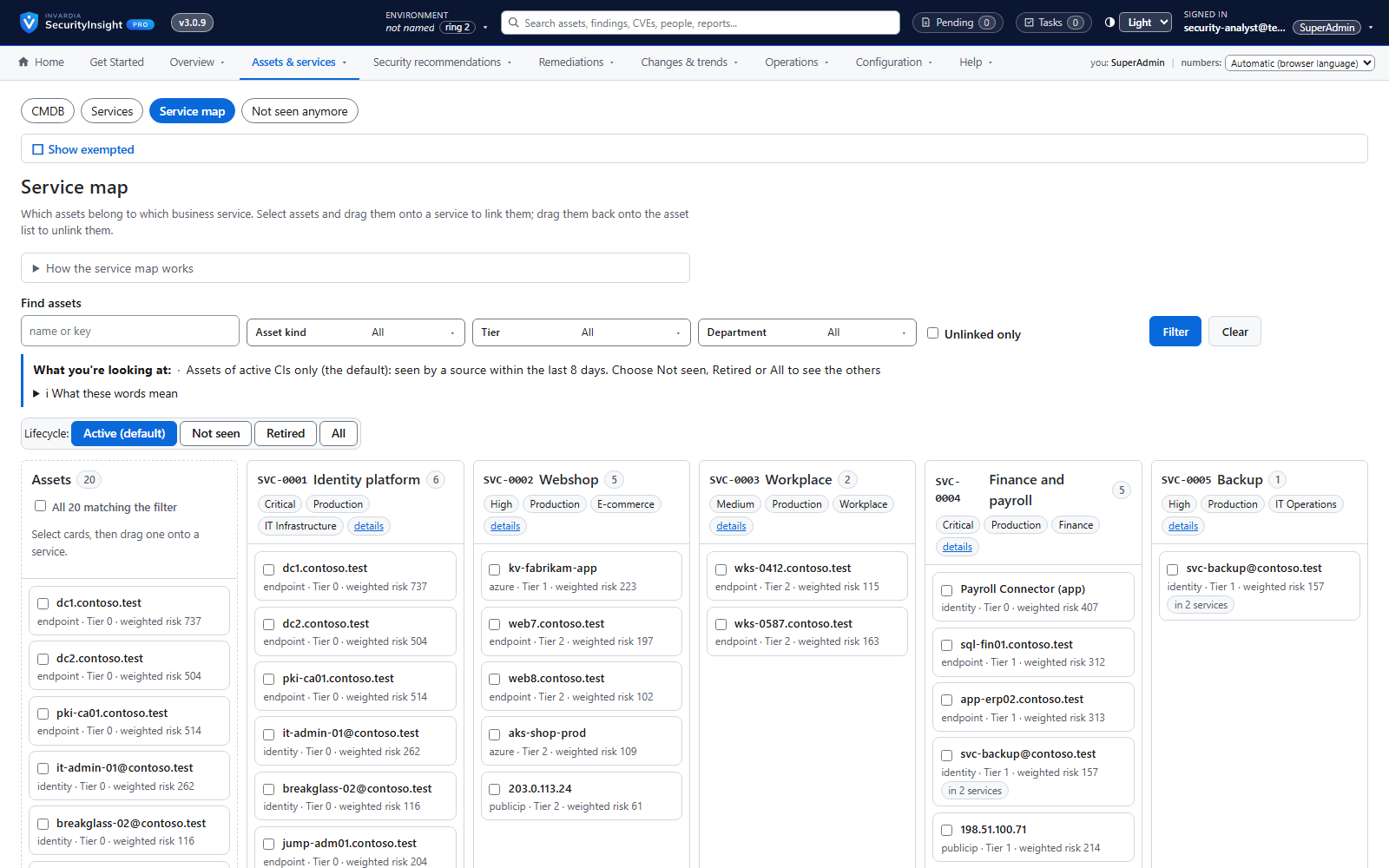
A CMDB in SecurityInsight - or your own
Keep your service catalog in SecurityInsight, or connect the CMDB you already have.
How it works →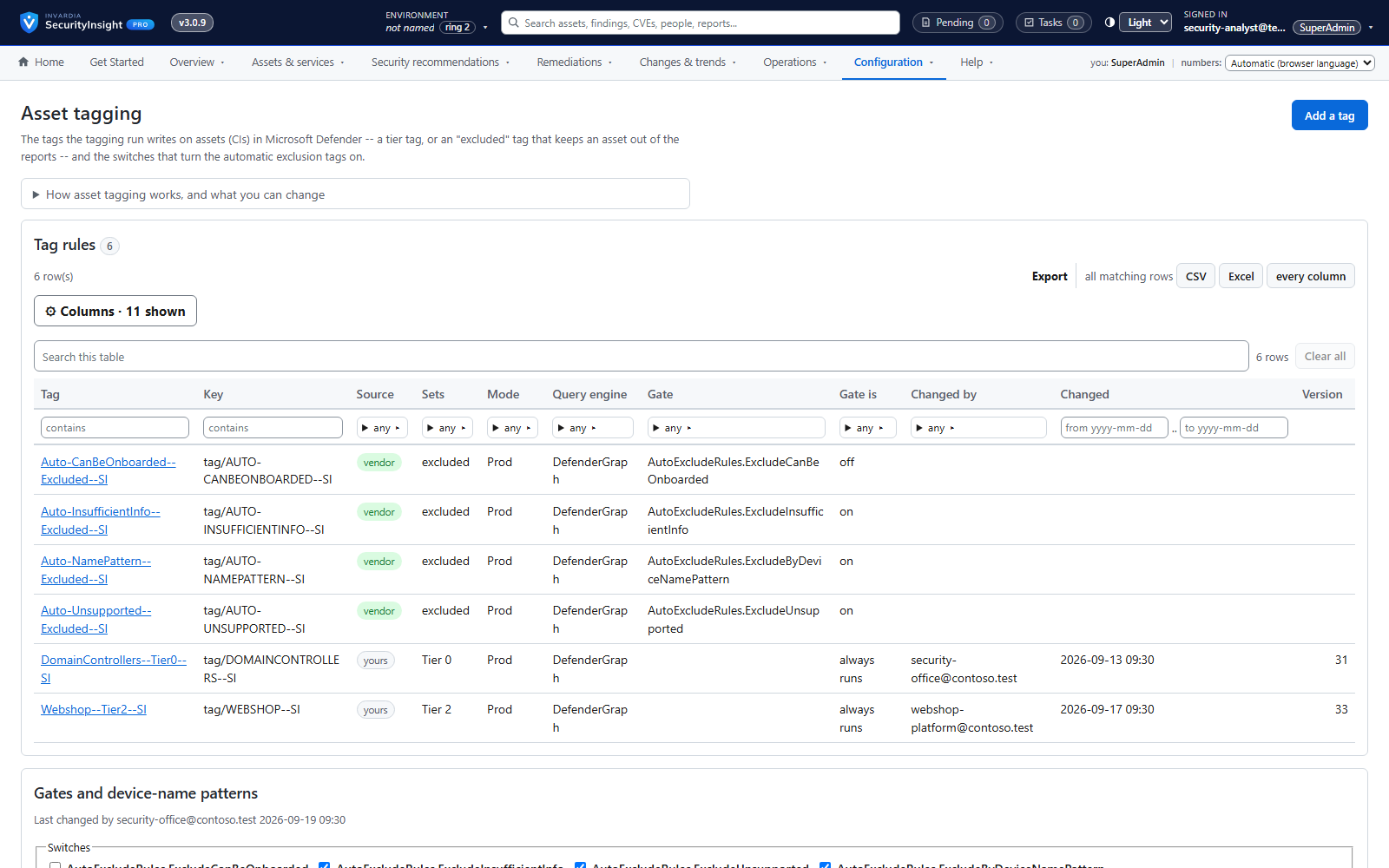
Asset tagging, with a dry run first
Write SecurityInsight's classification back as Defender tags, Azure tags and Entra attributes - after seeing what would change.
How it works →Reduce real risk
Fix what matters first. Every finding is scored and weighted by the business criticality of the asset it sits on, so a domain controller never hides behind a test laptop.
Asset profiling across endpoints, identities, Azure and public IPs
One profile per asset - device, identity, Azure resource or public IP - built automatically from the data you already have.
How it works →Privilege tier catalog
Every role and permission in your tenant ranked by what an attacker could do with it - Tier 0 to Tier 3.
How it works →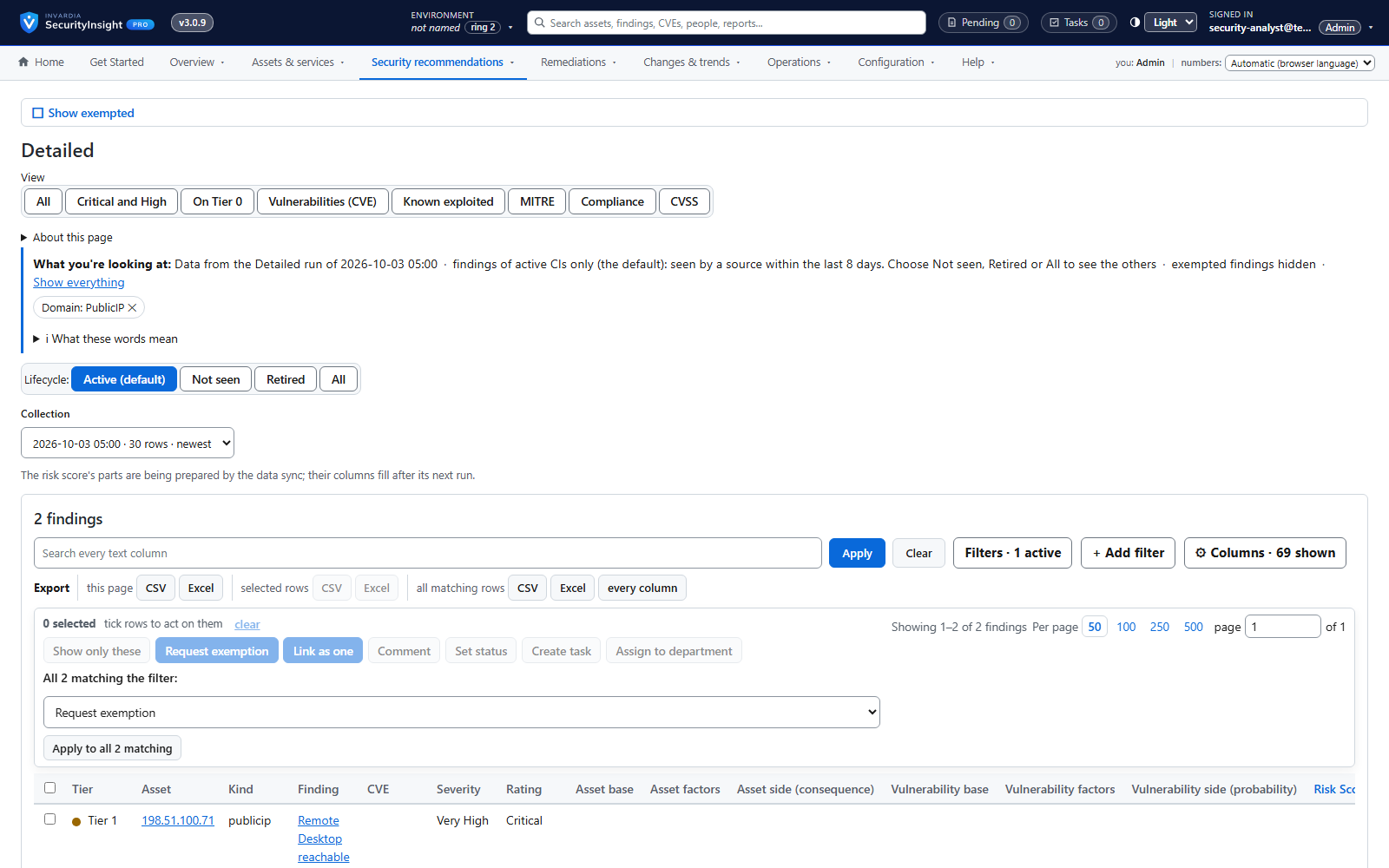
Public IP exposure with Shodan
See your internet-facing addresses the way an attacker does, tied to the asset behind them.
How it works →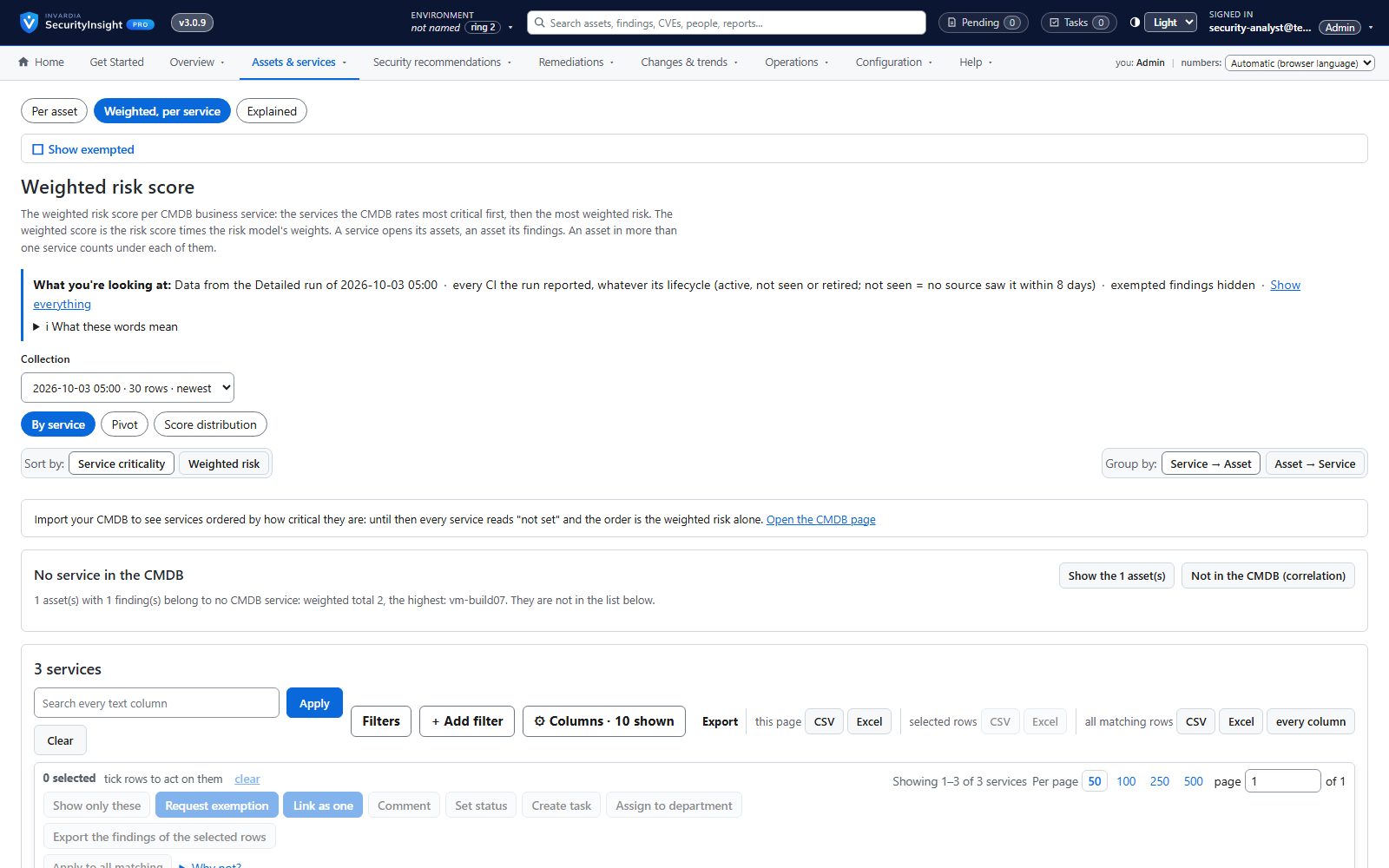
Risk score and weighted risk score
Every finding scored for severity and likelihood, then weighted by the business criticality of its asset.
How it works →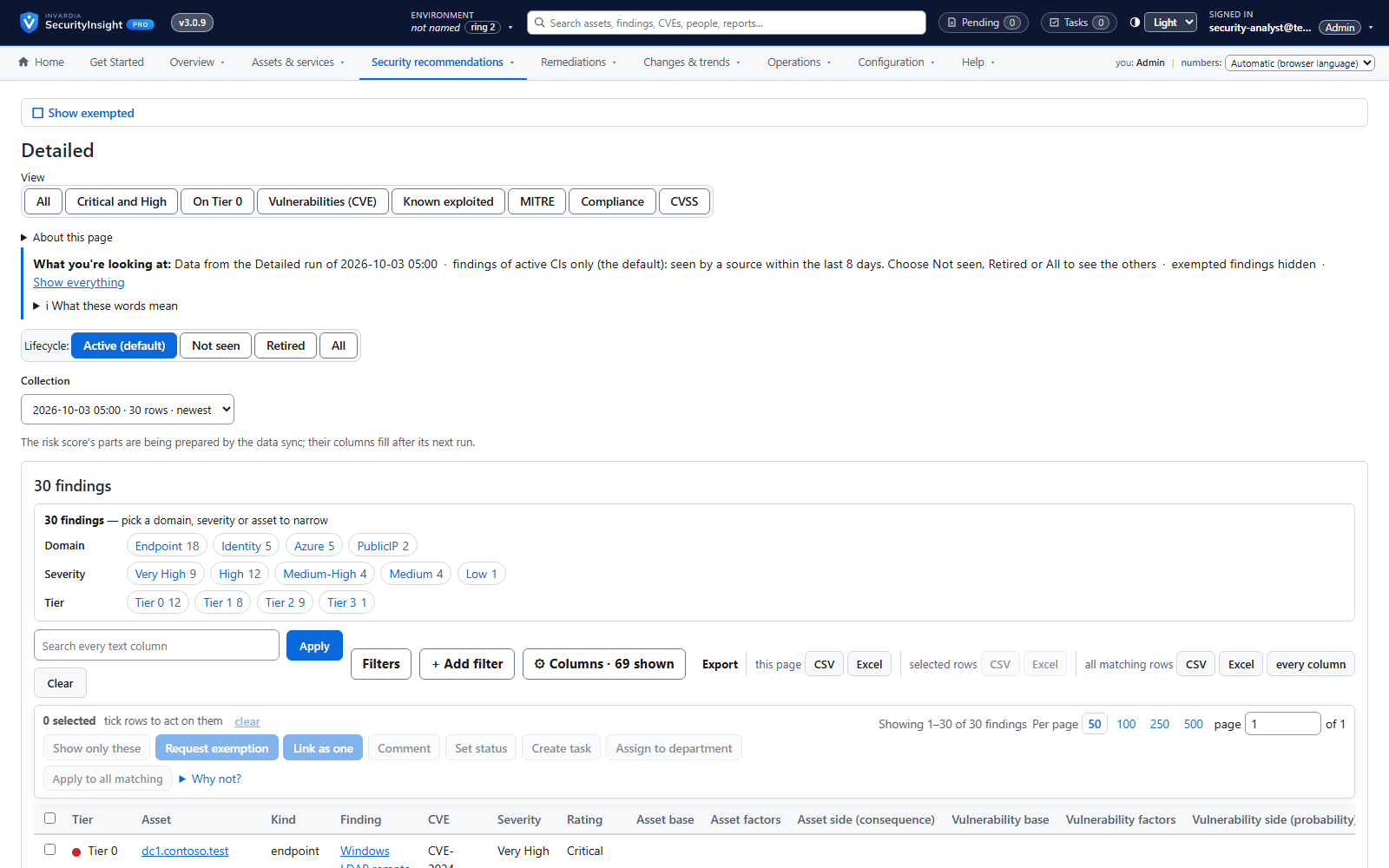
Findings workspace with Excel export
Every finding of a collection, most important first - filter, pivot, drill down and export to Excel.
How it works →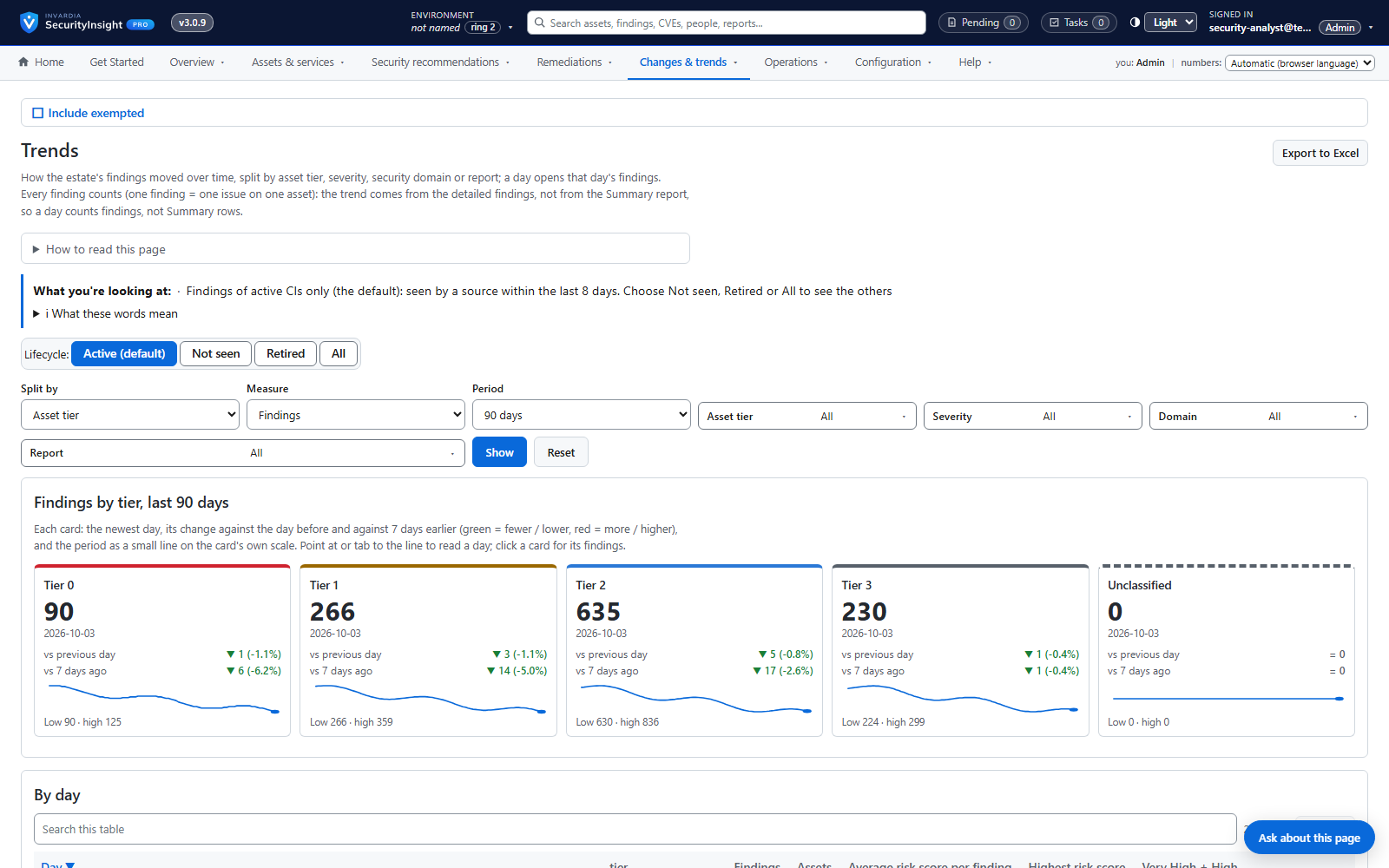
Risk trends over time
Is the estate getting safer? Daily trends by tier, severity, domain or report.
How it works →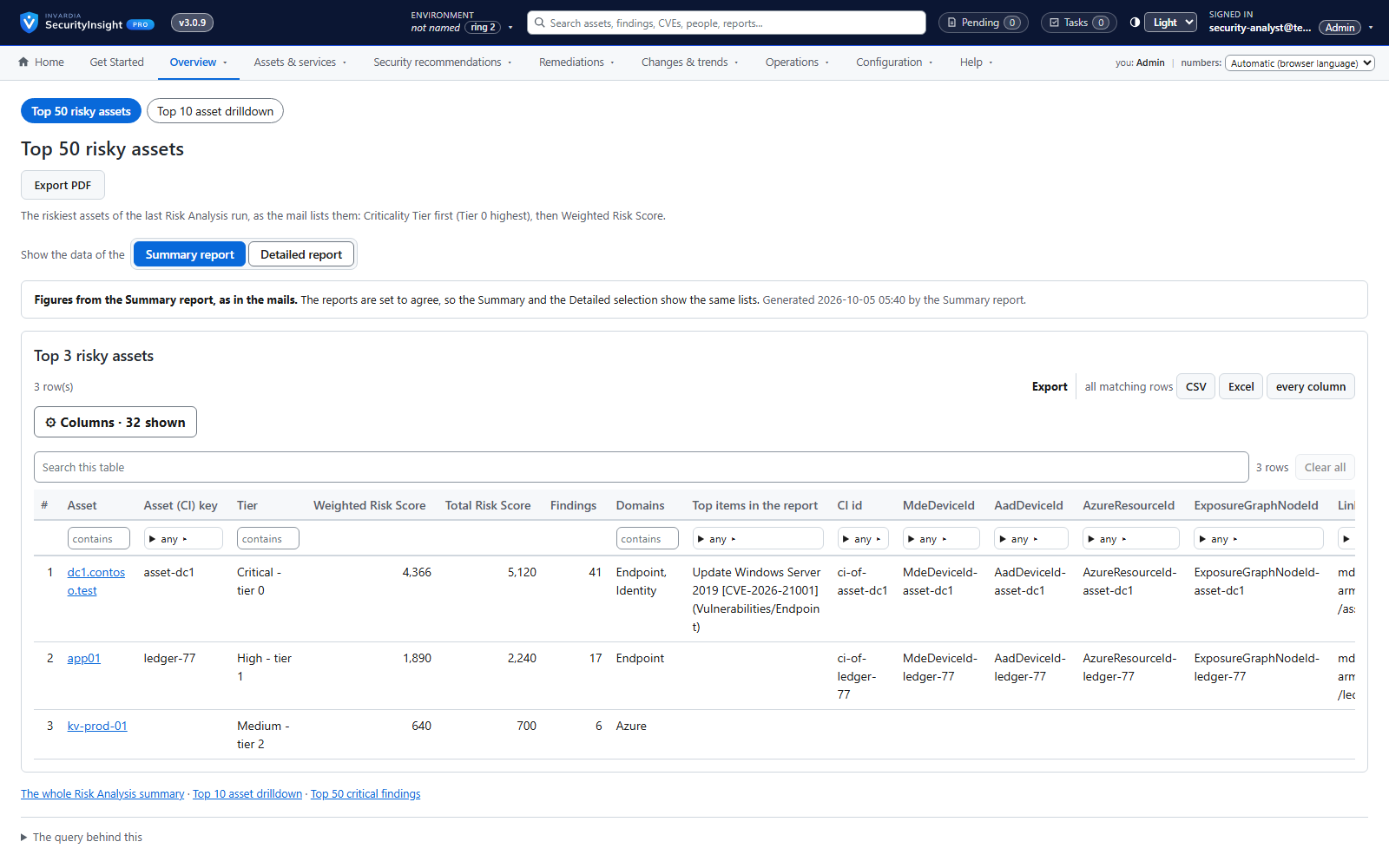
Management views and Tier-0 focus
Top risks, risk by domain, new versus fixed and Tier-0 exposure on one menu.
How it works →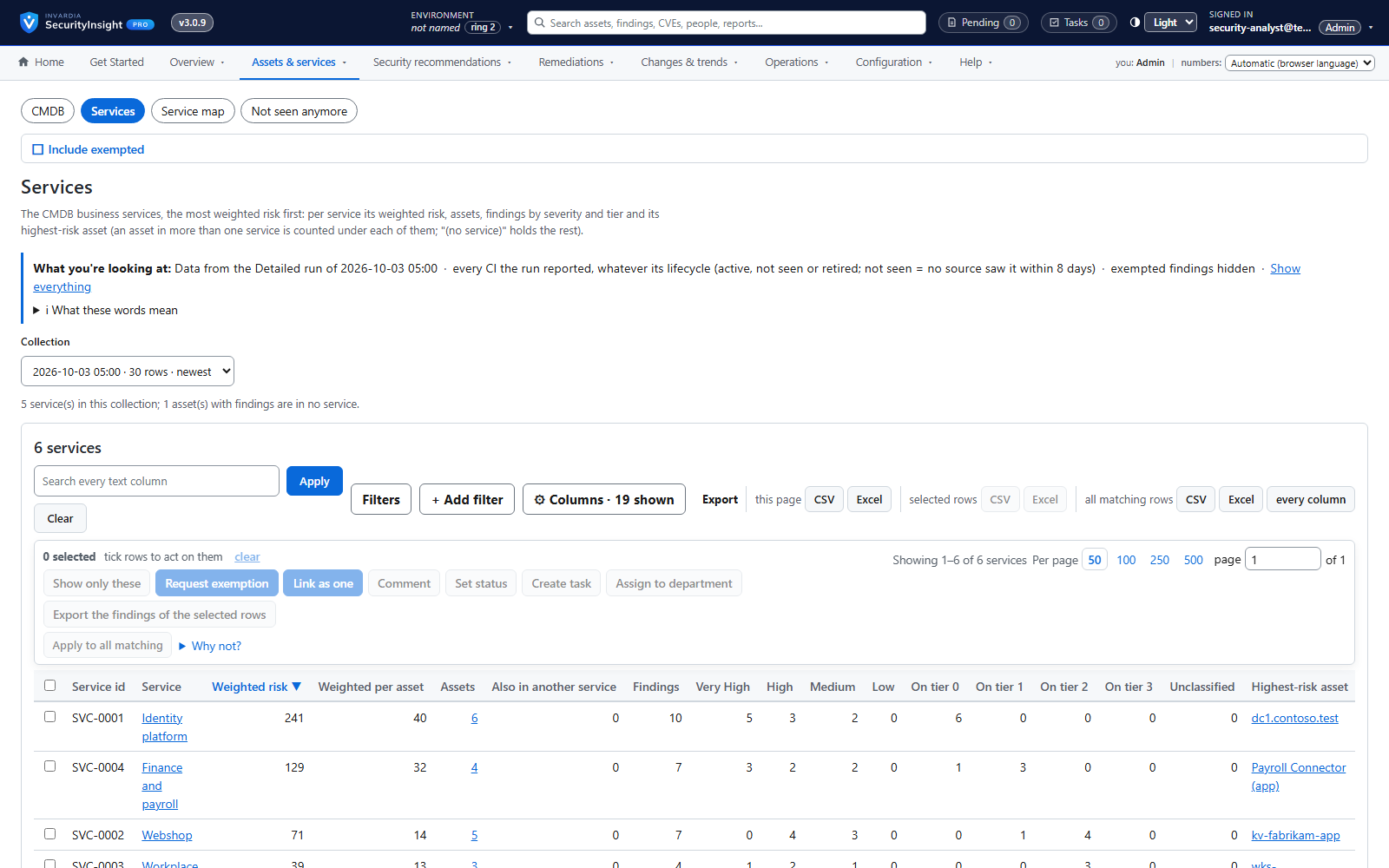
Business services ranked by weighted risk
See which business services carry the most risk, and drill down to the assets and findings behind them.
How it works →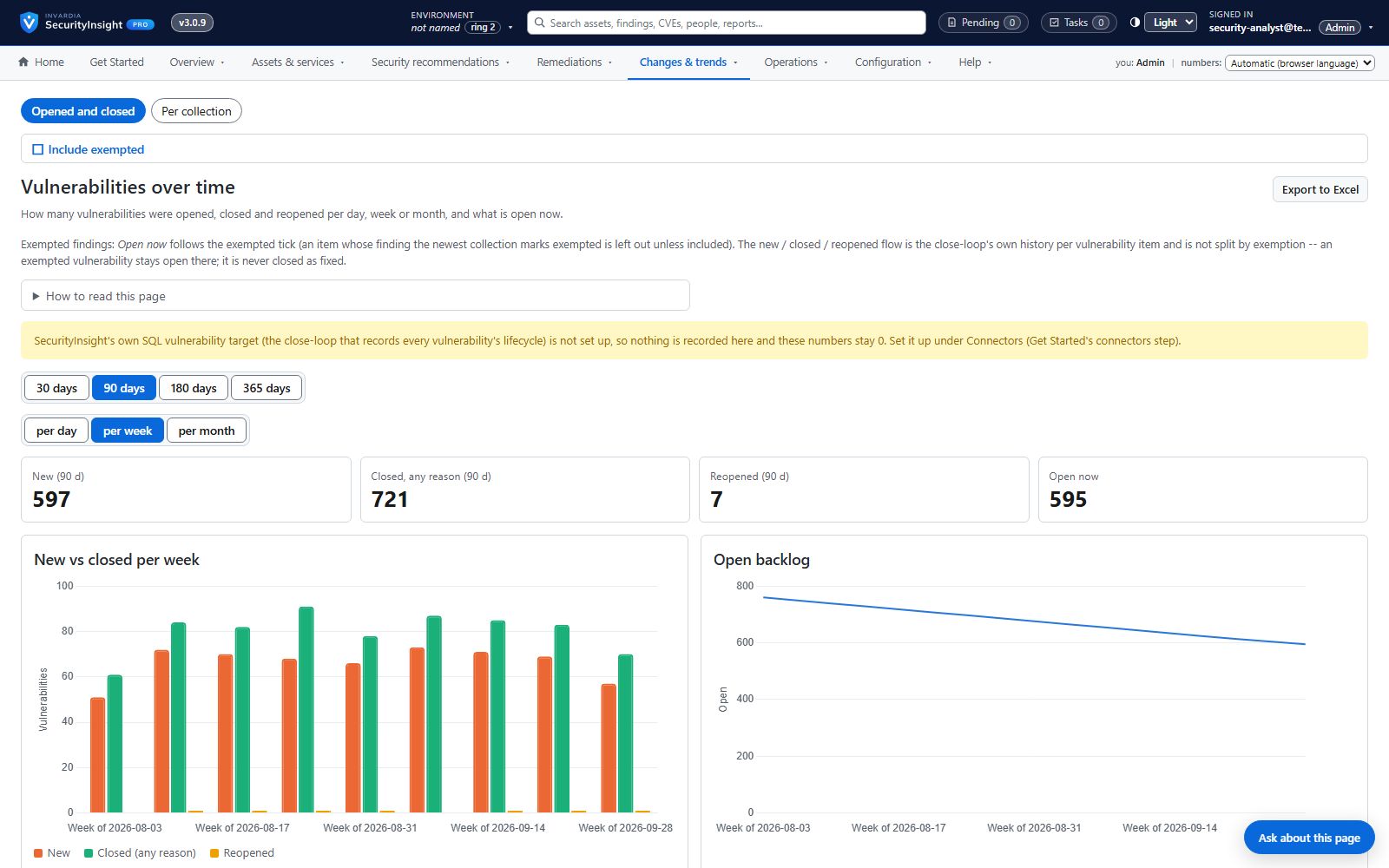
Vulnerability close-loop: absence is not remediation
Vulnerabilities are opened, kept current, closed with a reason and reopened if they come back - only on evidence.
How it works →Prove compliance
Show auditors and boards what was found, what was fixed, what was accepted and why - mapped to MITRE ATT&CK and your compliance frameworks, with a full change history.
Risk Analysis reports: Excel, mail and AI summary
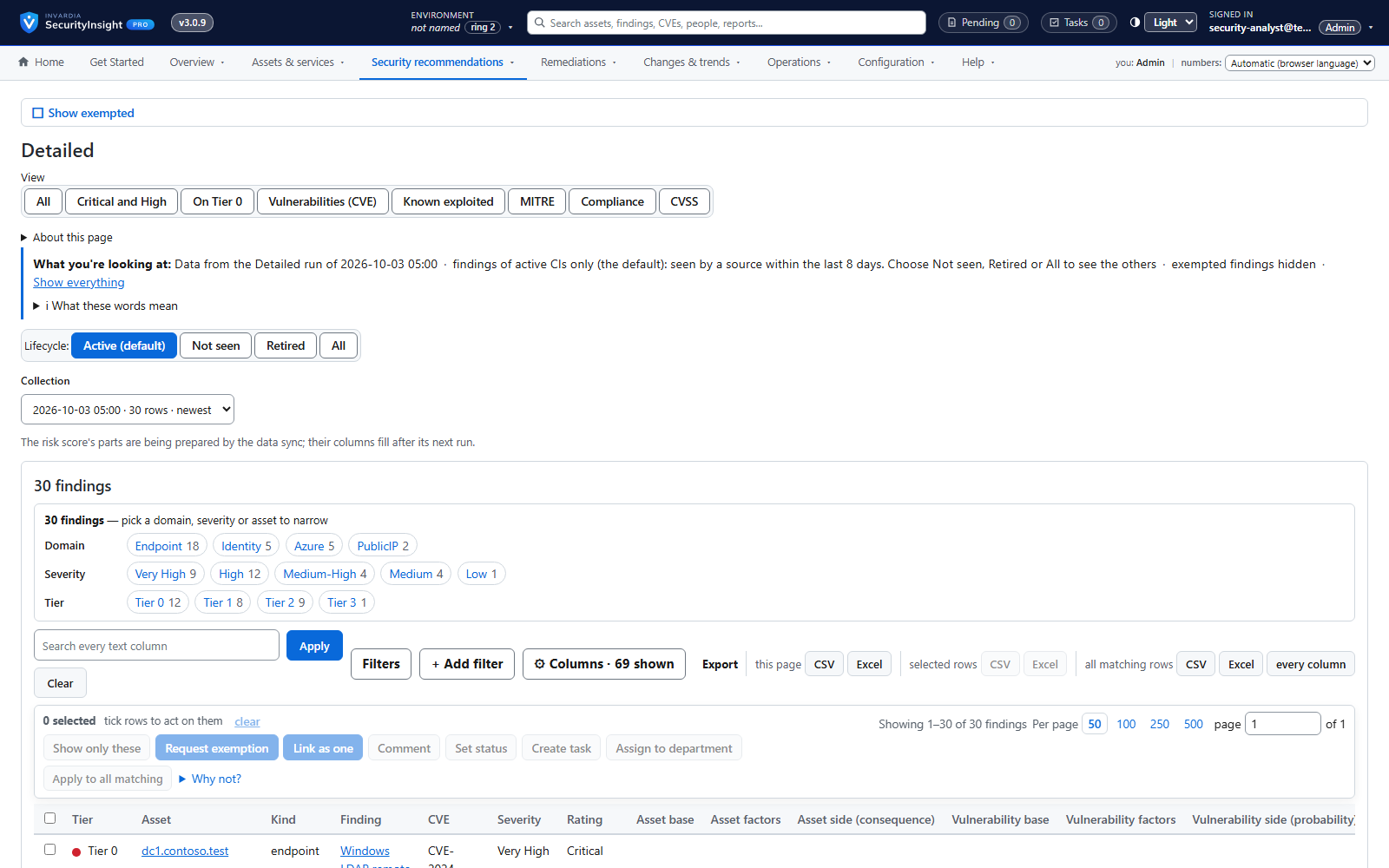
138 ready-made reports across identity, endpoint, Azure and public IP - delivered as a workbook, a mail and an optional AI summary.
How it works →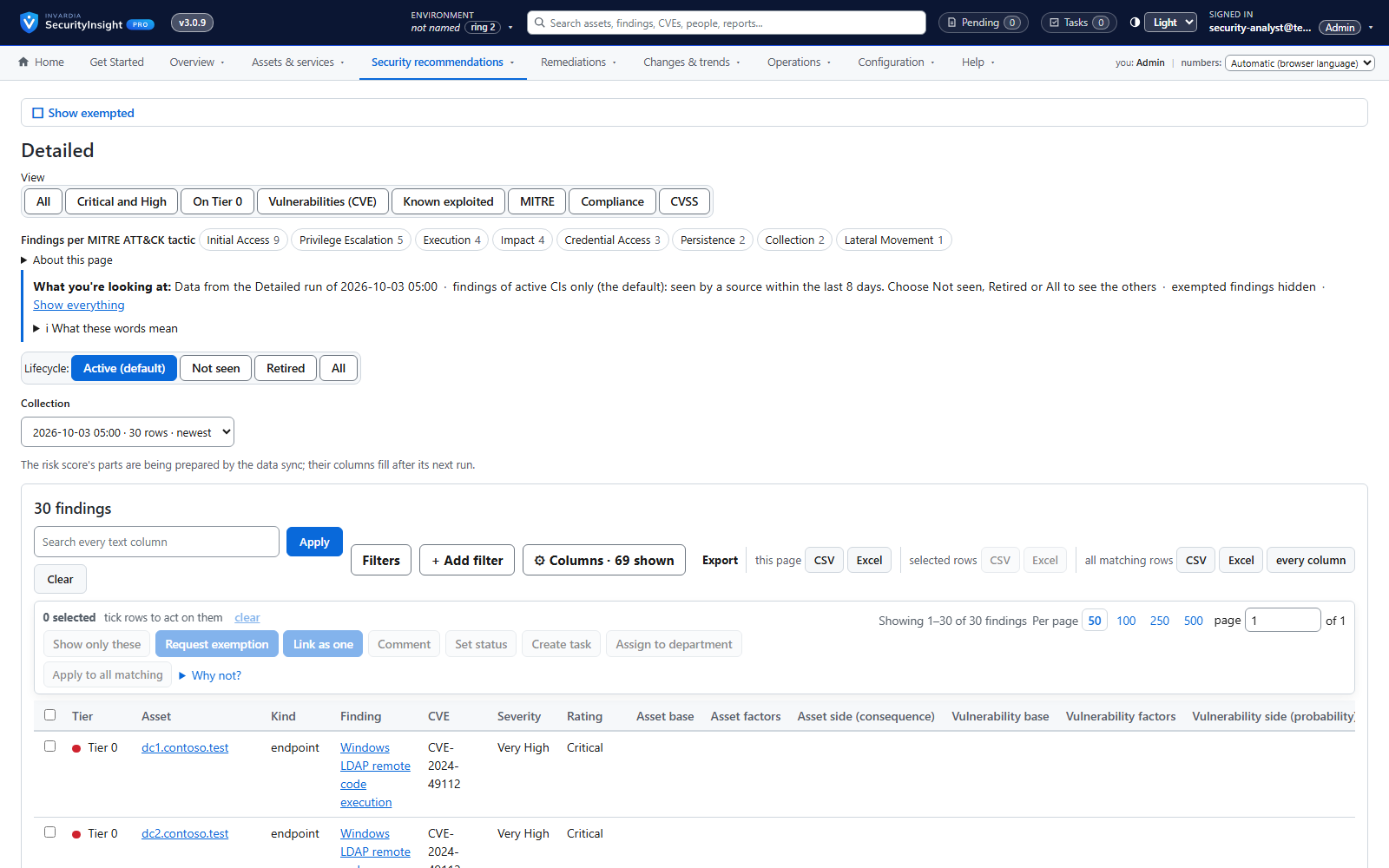
MITRE ATT&CK and compliance views
See which attack stages your findings leave open and which compliance controls they touch.
How it works →Risk trends over time
Is the estate getting safer? Daily trends by tier, severity, domain or report.
How it works →Management views and Tier-0 focus
Top risks, risk by domain, new versus fixed and Tier-0 exposure on one menu.
How it works →Vulnerability close-loop: absence is not remediation
Vulnerabilities are opened, kept current, closed with a reason and reopened if they come back - only on evidence.
How it works →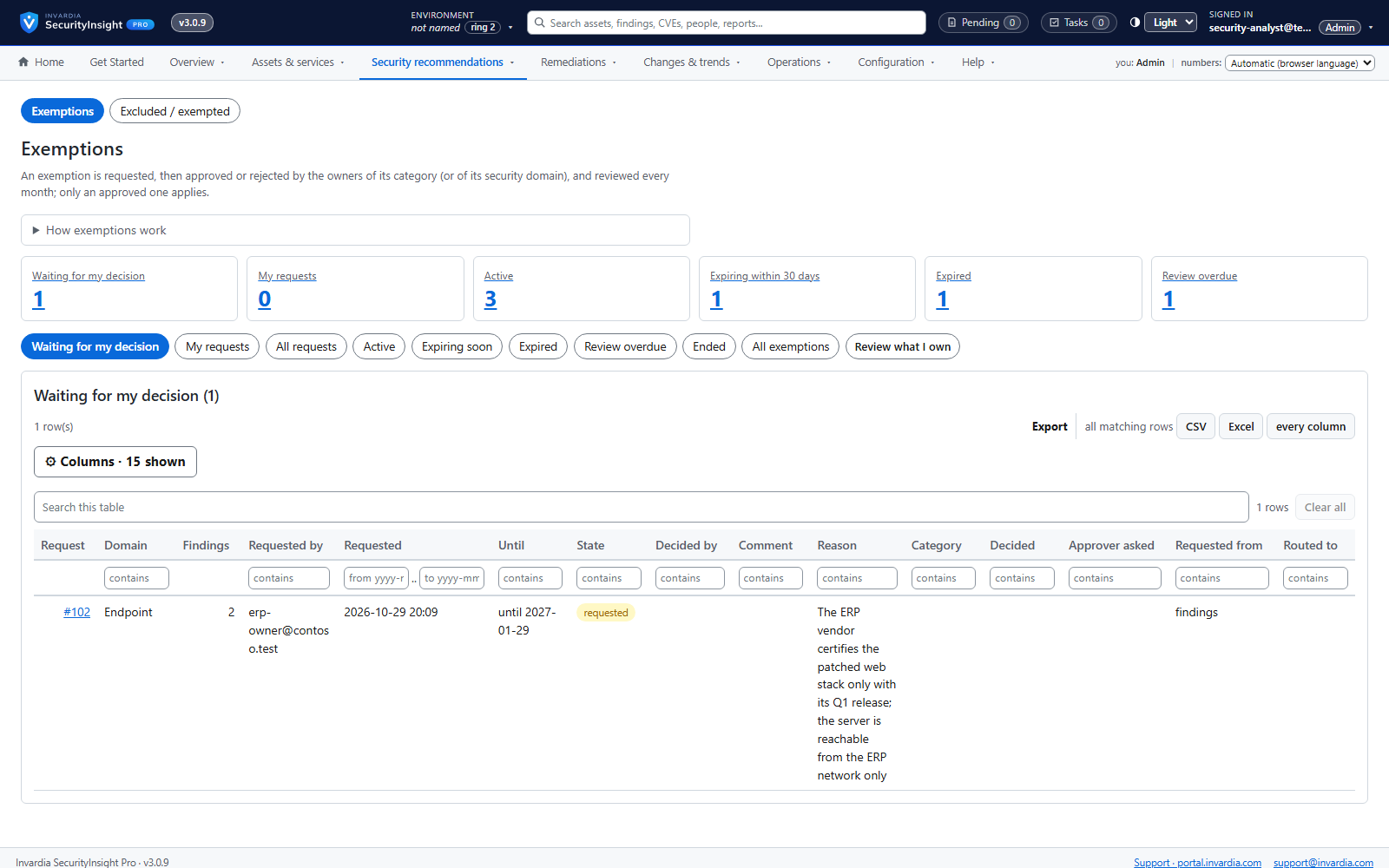
Governed exemptions
Accepted risk is requested, approved per security domain, time-limited and reviewed every month.
How it works →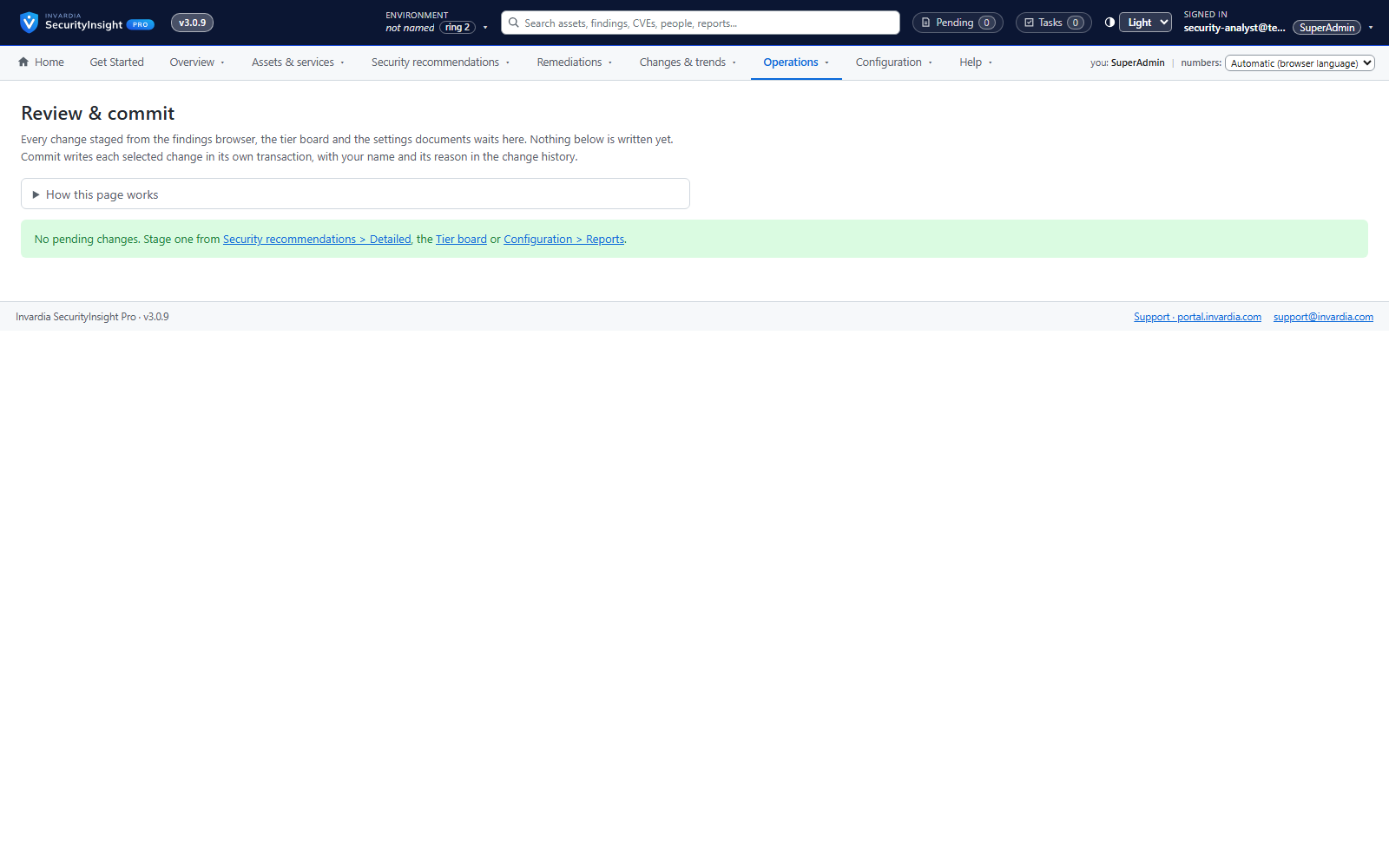
Review & commit and full change history
Nothing is written directly: changes are staged, reviewed and committed with a reason and an audit row.
How it works →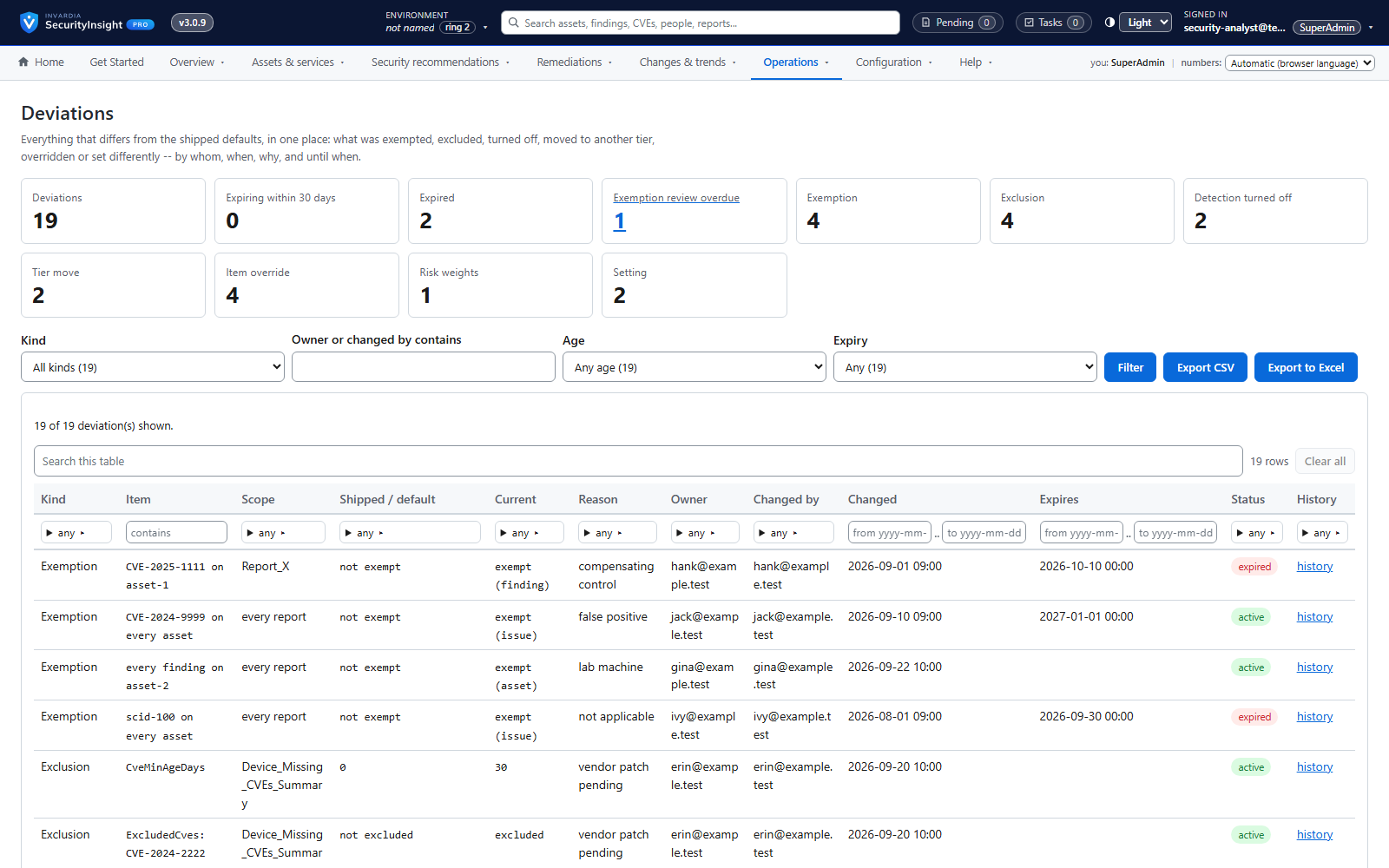
One report of every deviation
What have we switched off, changed or exempted - and why? One report answers it.
How it works →Save time
Replace spreadsheets and manual triage with automated collection, ready-made reports, an assistant that answers in plain language, and tickets that open and close themselves.
Risk Analysis reports: Excel, mail and AI summary
138 ready-made reports across identity, endpoint, Azure and public IP - delivered as a workbook, a mail and an optional AI summary.
How it works →Findings workspace with Excel export
Every finding of a collection, most important first - filter, pivot, drill down and export to Excel.
How it works →Fifteen views of every collection
Raw rows, correlated CIs, vulnerabilities, risk, MITRE, compliance, CVSS, exemptions, lifecycle, what changed, connector changes and services - for any collection.
How it works →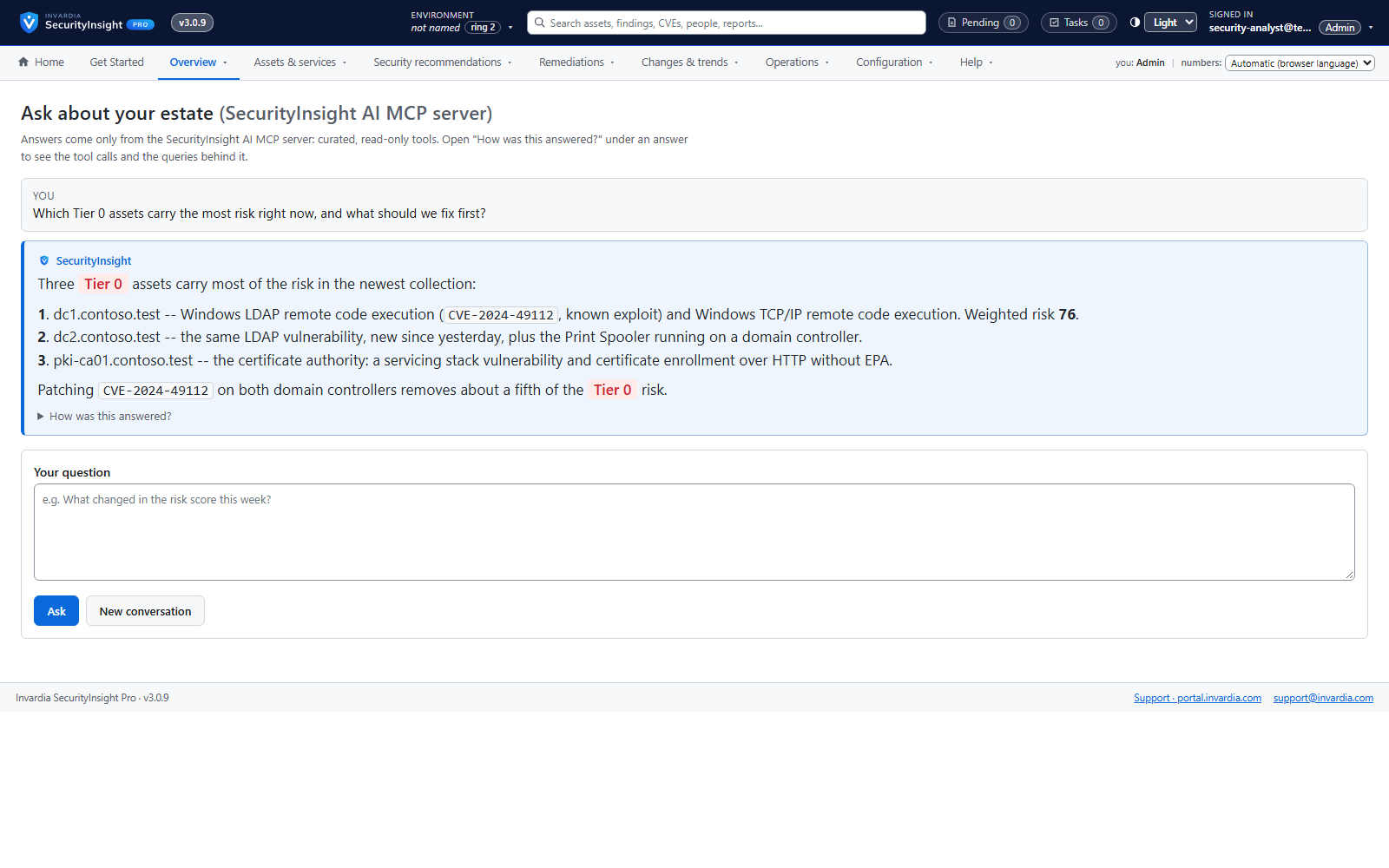
Ask SecurityInsight: chat on every view
Ask in plain language - "why is this Tier 0?", "top 3 here" - and get an answer that shows its queries.
How it works →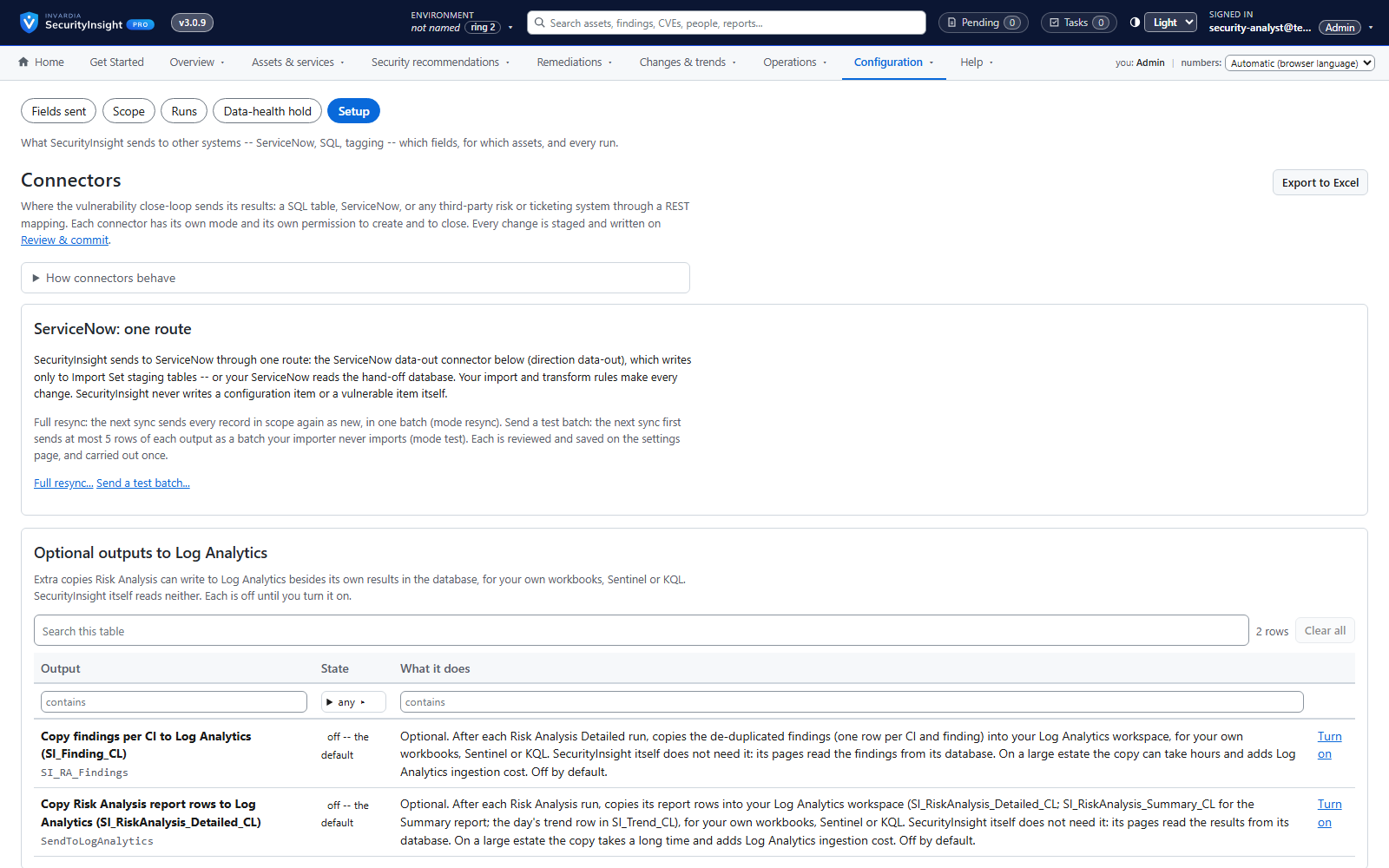
Connectors: ServiceNow, SQL and any REST system
Send vulnerabilities to ServiceNow, a SQL table or any risk or ticketing system - safely.
How it works →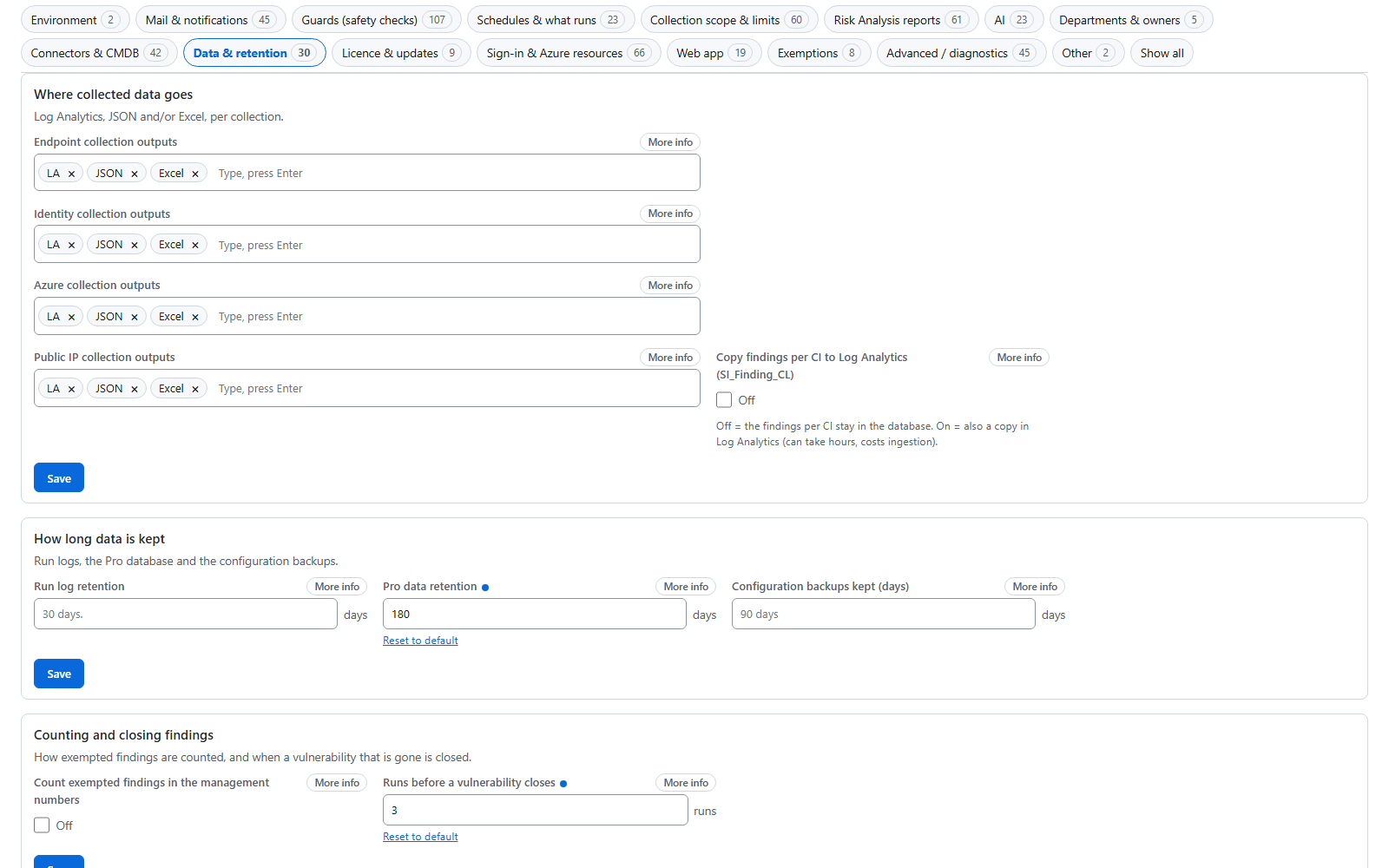
Settings explained in plain words
Every setting says what it is for, what the default really does and what changes if you change it.
How it works →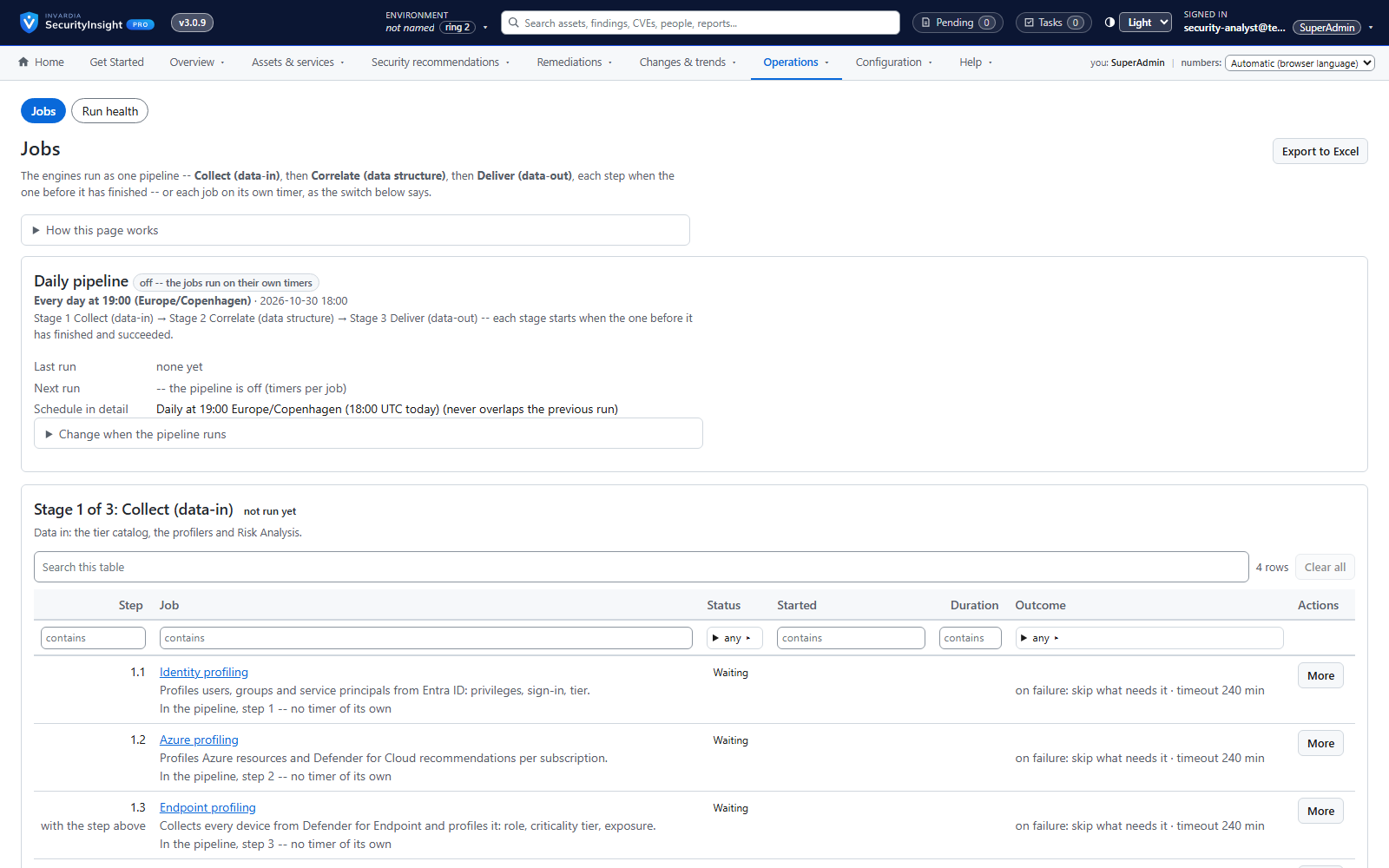
Runs in your Azure: containers or a server
Azure Container Apps jobs or a Windows server - every engine runs in your tenant, with run health you can see.
How it works →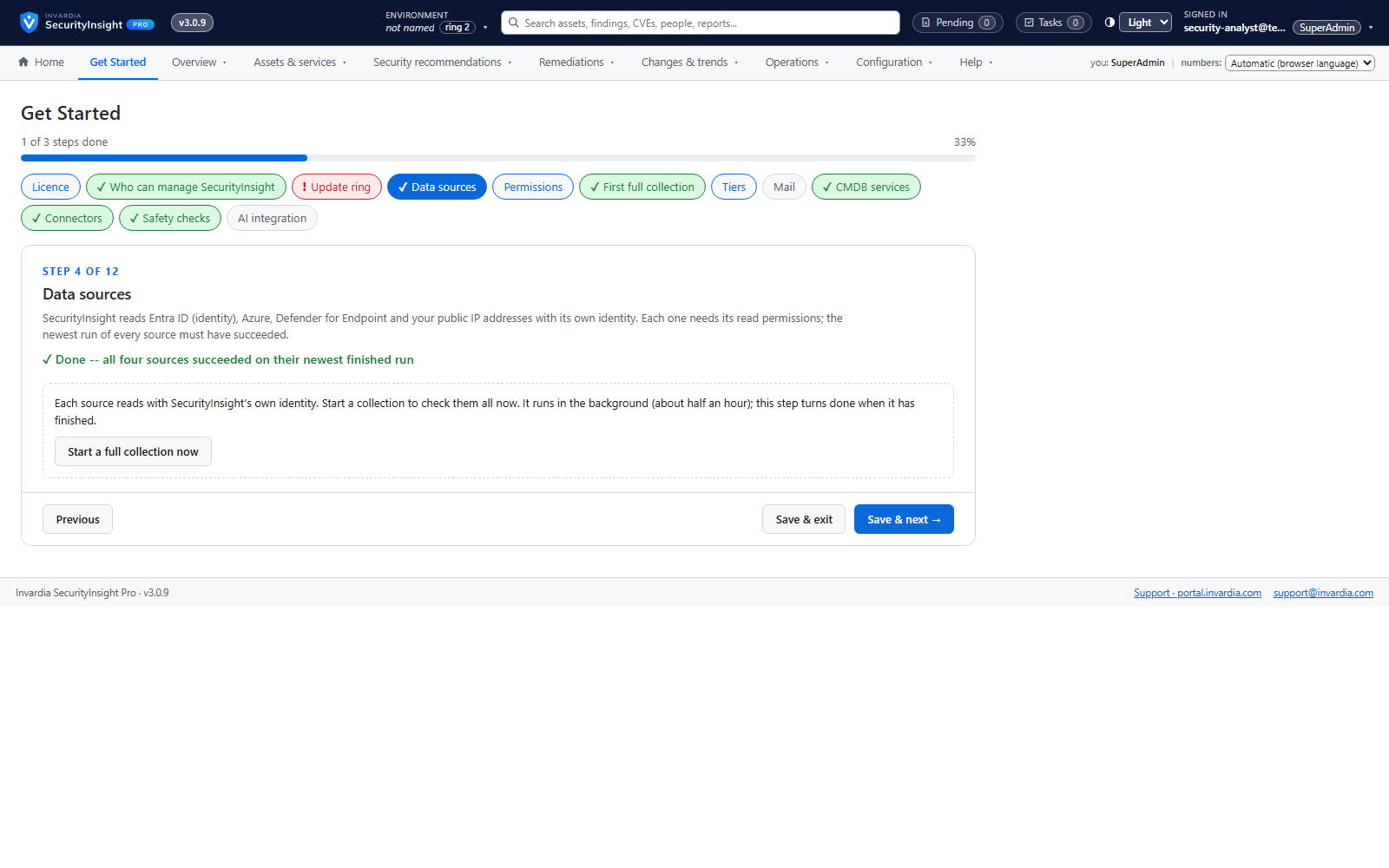
Guided install in one command
Answer a short wizard, run one Cloud Shell command, and watch every step complete.
How it works →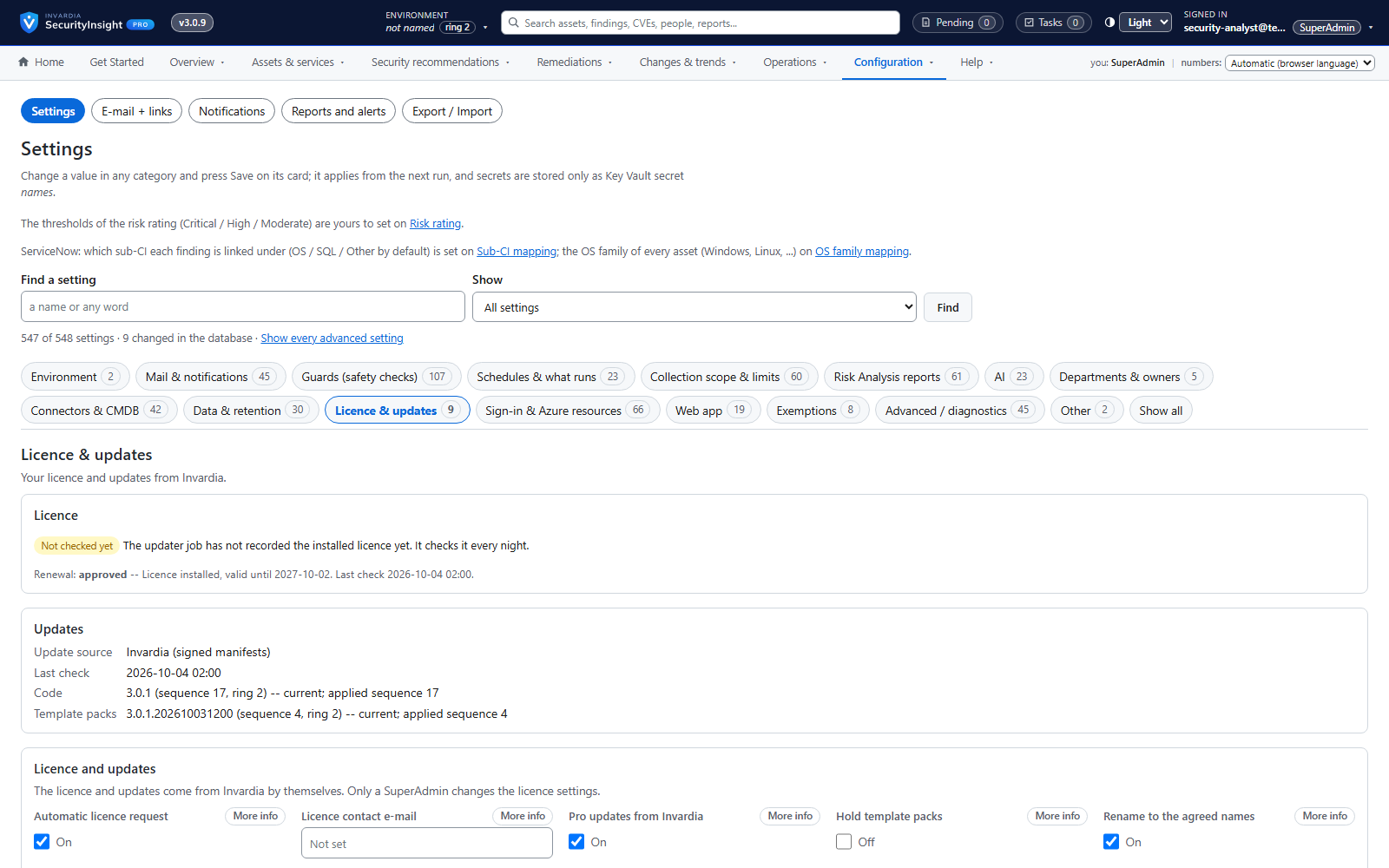
Signed licence, requested and renewed automatically
A signed, tenant-bound licence that the install requests and renews itself.
How it works →Govern responsibility
Put decisions with the people accountable for them: owners and approvers per domain and department, roles with scopes, reviewed exemptions and changes that are approved before they apply.
Tier board with explained decisions
See every asset in its tier and exactly which signal put it there - and move it with one drag.
How it works →Business services ranked by weighted risk
See which business services carry the most risk, and drill down to the assets and findings behind them.
How it works →A CMDB in SecurityInsight - or your own
Keep your service catalog in SecurityInsight, or connect the CMDB you already have.
How it works →Connectors: ServiceNow, SQL and any REST system
Send vulnerabilities to ServiceNow, a SQL table or any risk or ticketing system - safely.
How it works →Governed exemptions
Accepted risk is requested, approved per security domain, time-limited and reviewed every month.
How it works →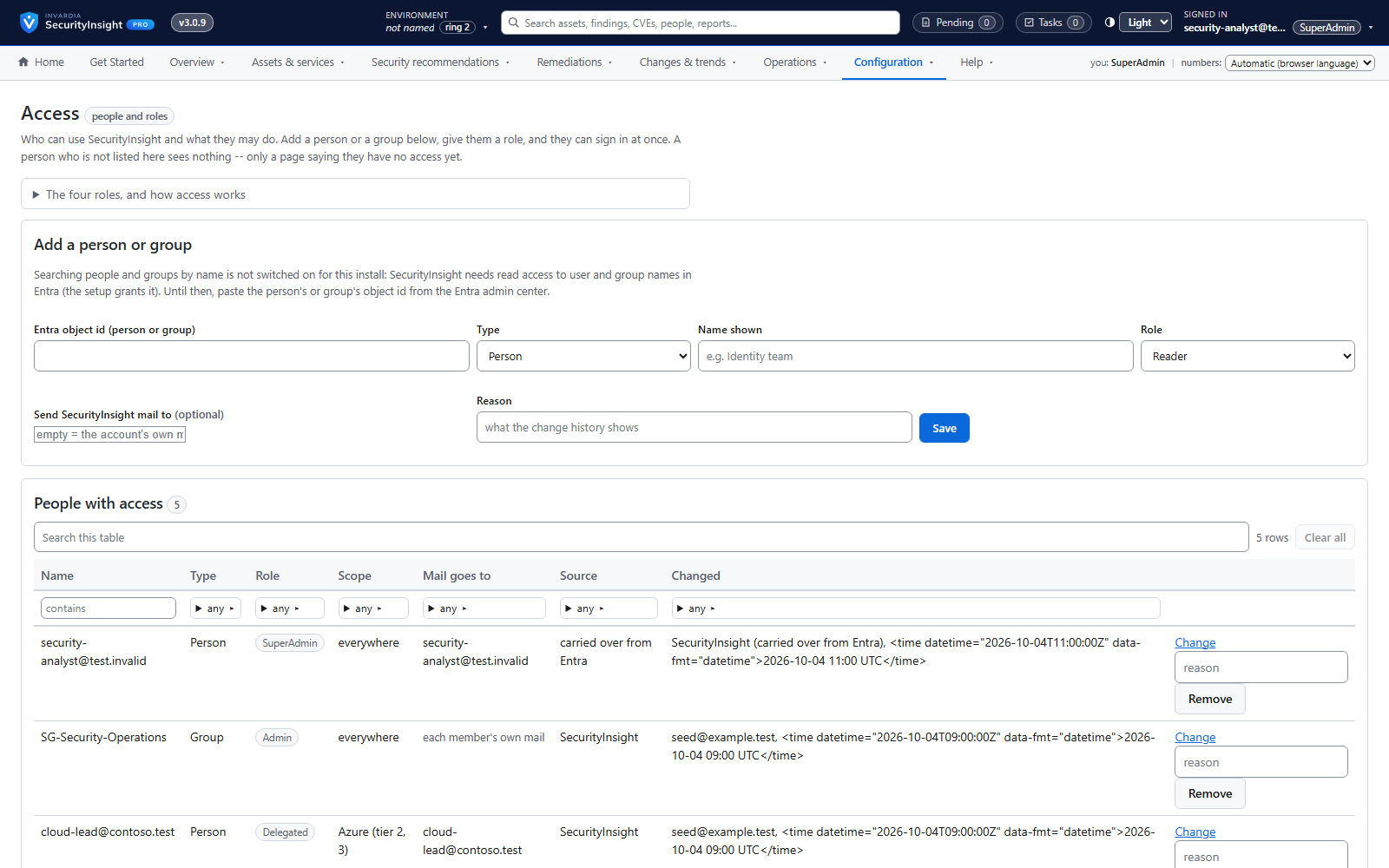
Roles and scoped access
Reader, Delegated, Admin and SuperAdmin - checked on the server for every page and every action.
How it works →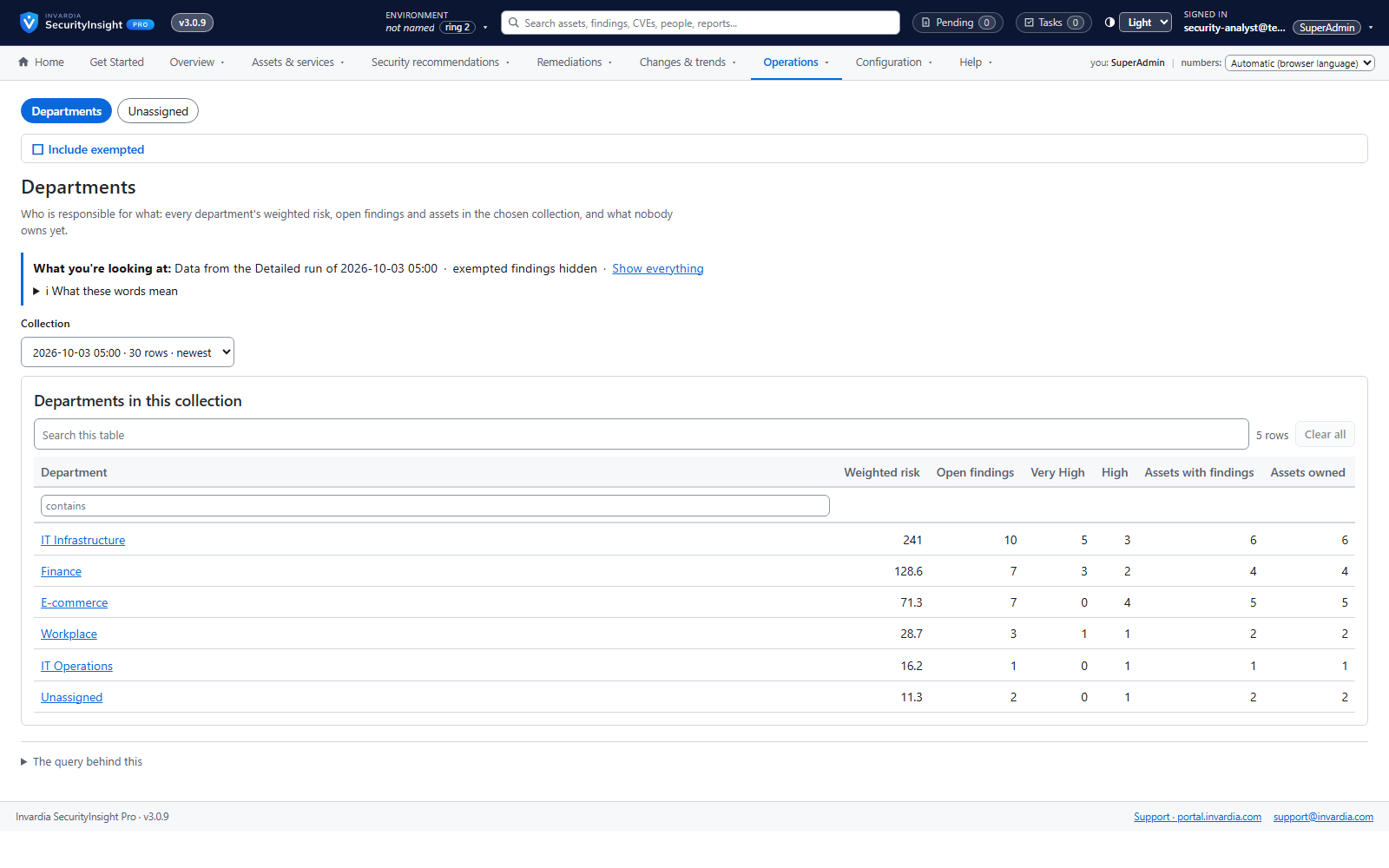
Departments own assets and recommendations
Every asset and recommendation has a department, its owners see their own work, and nothing falls between chairs.
How it works →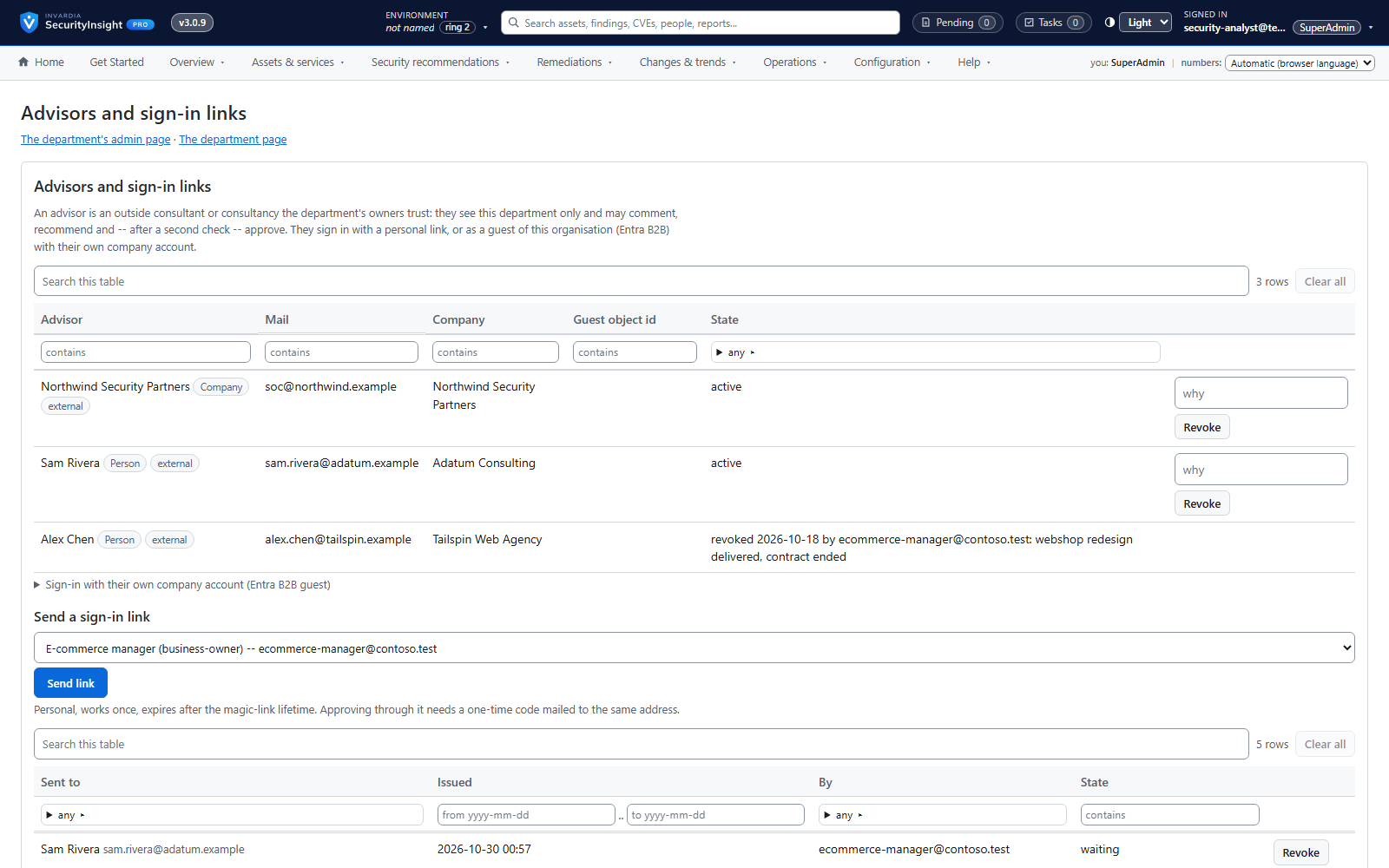
External advisors with a second check
Let trusted consultants review and recommend for a department - and approve only after a second check.
How it works →Settings explained in plain words
Every setting says what it is for, what the default really does and what changes if you change it.
How it works →Review & commit and full change history
Nothing is written directly: changes are staged, reviewed and committed with a reason and an audit row.
How it works →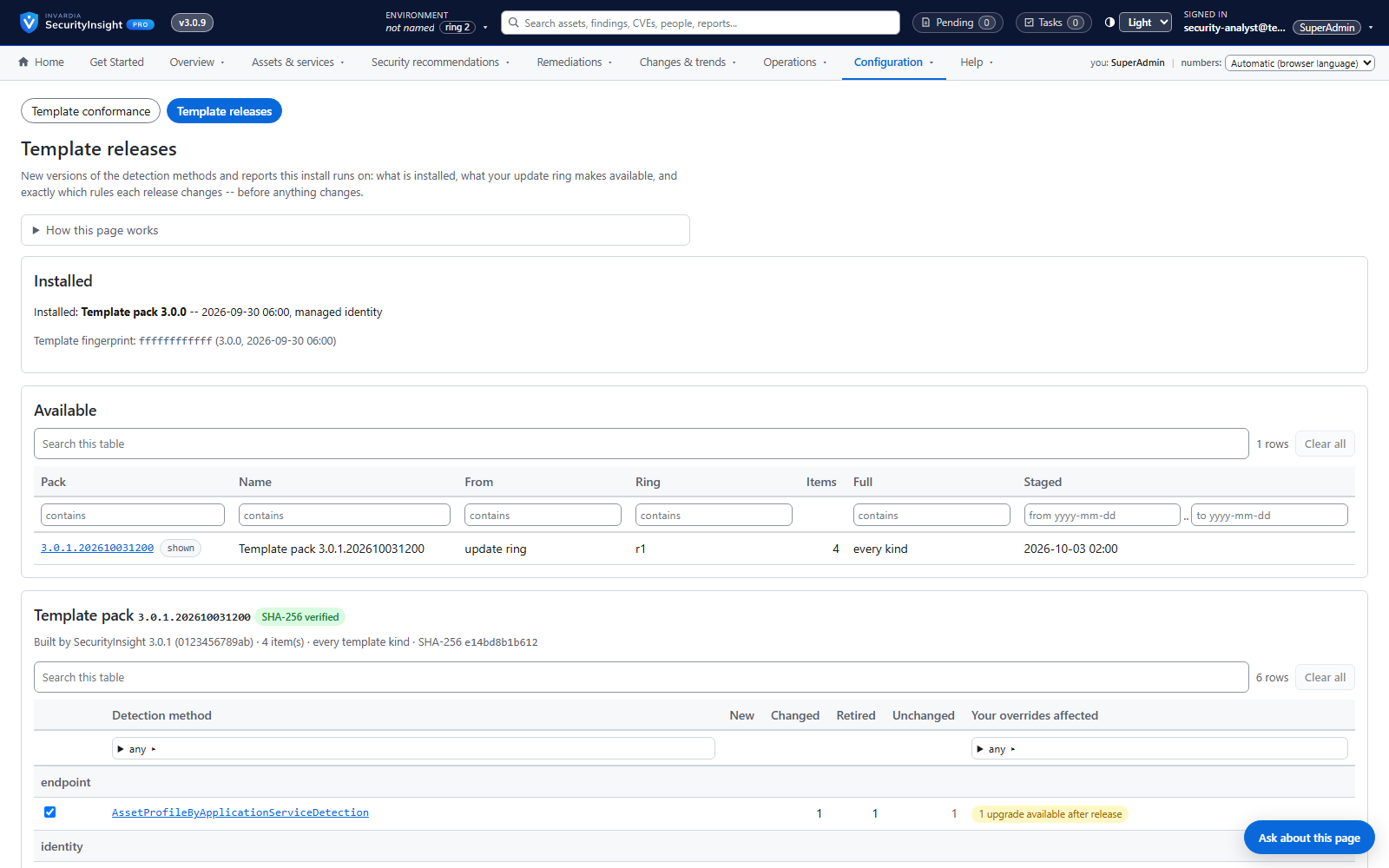
Template releases by update ring, with roll back
New detection rules and reports arrive by ring, are reviewed per detection method, and can be rolled back.
How it works →One report of every deviation
What have we switched off, changed or exempted - and why? One report answers it.
How it works →Secure by design
Runs in your own tenant with managed identities and managed identities by default and secrets only in your own Key Vault, read-only by default, with a signed licence and signed updates you can verify.
Roles and scoped access
Reader, Delegated, Admin and SuperAdmin - checked on the server for every page and every action.
How it works →External advisors with a second check
Let trusted consultants review and recommend for a department - and approve only after a second check.
How it works →Template releases by update ring, with roll back
New detection rules and reports arrive by ring, are reviewed per detection method, and can be rolled back.
How it works →Asset tagging, with a dry run first
Write SecurityInsight's classification back as Defender tags, Azure tags and Entra attributes - after seeing what would change.
How it works →Runs in your Azure: containers or a server
Azure Container Apps jobs or a Windows server - every engine runs in your tenant, with run health you can see.
How it works →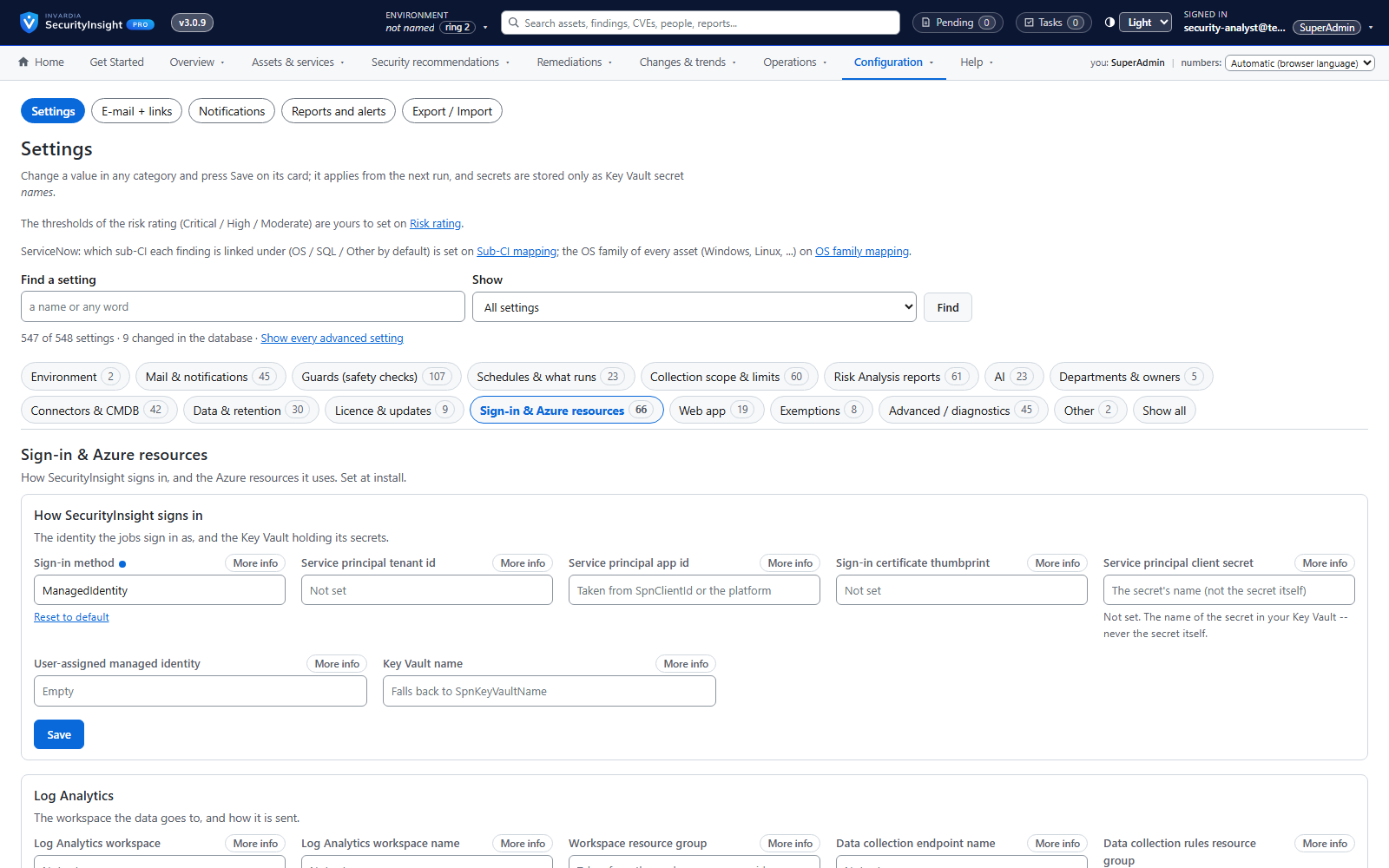
Managed identity first, managed identities by default and secrets only in your own Key Vault
Engines sign in with the host's managed identity by default; secrets live only in your Key Vault.
How it works →Signed licence, requested and renewed automatically
A signed, tenant-bound licence that the install requests and renews itself.
How it works →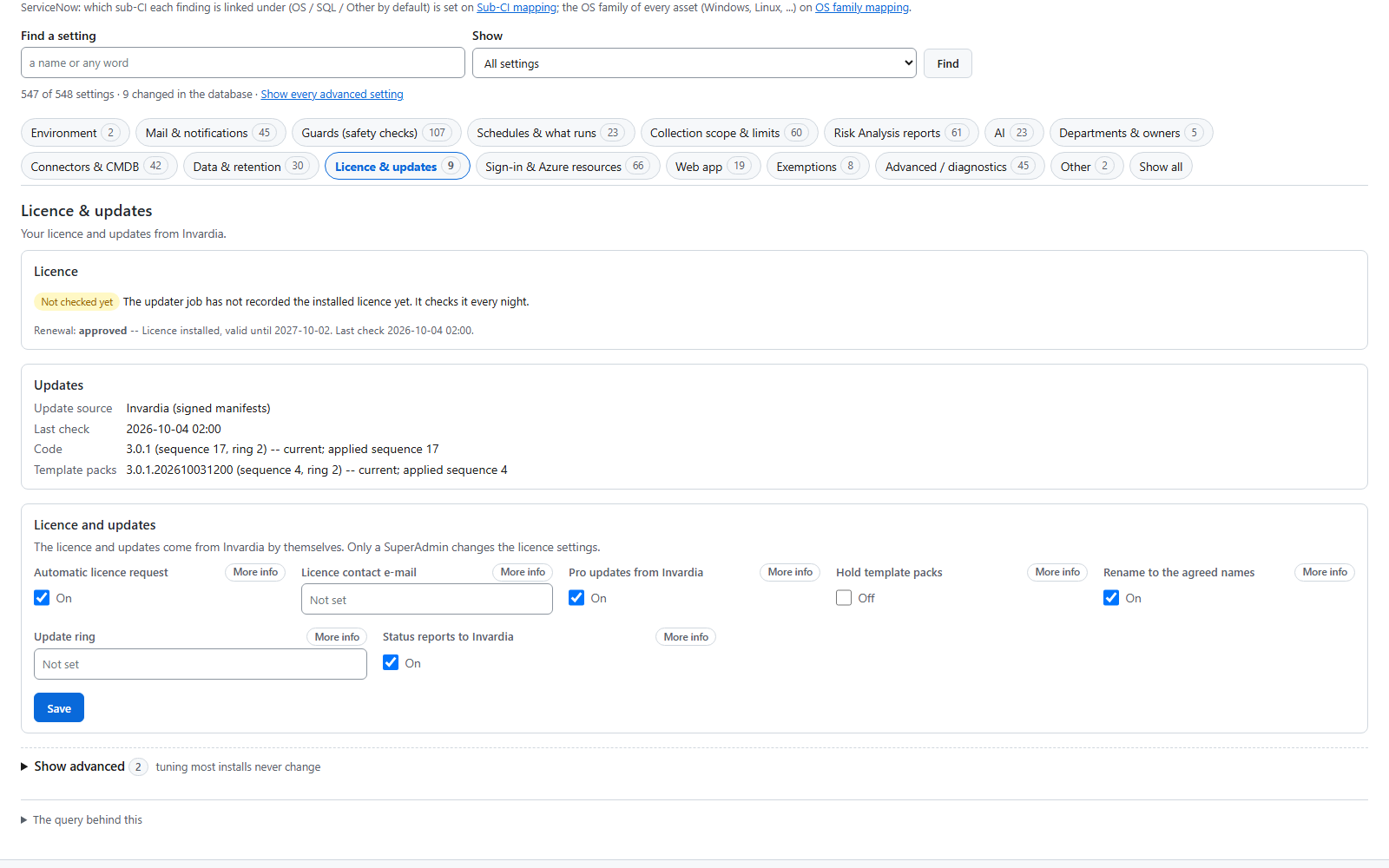
Signed updates by ring
Updates arrive ring by ring and are applied only when their signature, version and checksum verify.
How it works →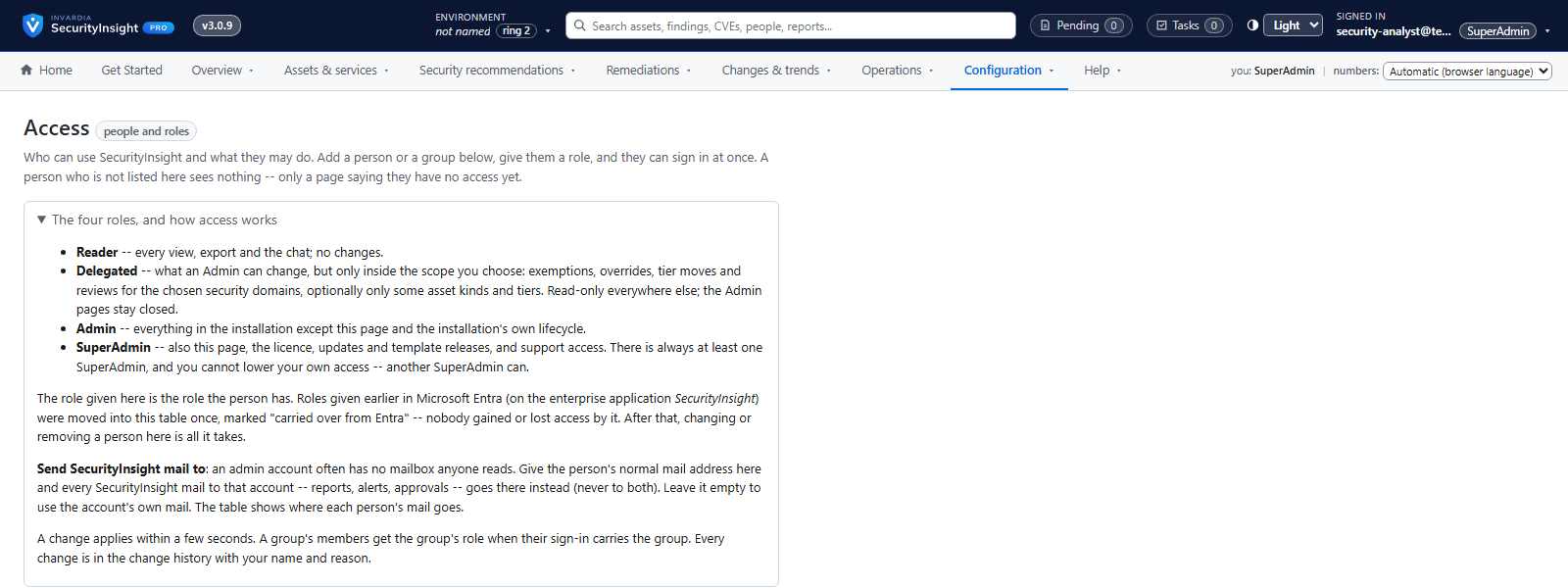
Support access you own
Remote support only through an app you create, scope and can remove at any time.
How it works →Every feature, edition by edition
Items marked (new) are new in SecurityInsight 3.0. Both editions run the same code in your own Azure as Azure Container Apps jobs, with the database and the web app; the licence switches the Pro features on. Community has correlation, every Risk Analysis report, the web app's findings, tier board, management views, trends and wall board, asset tagging, the AI summary, the Executive report's PDF print, and signed updates every evening from the Community channel (ring 2 early, or 3 broad - the default). The Pro editions add governance (exemptions, departments, tasks), the CMDB in SecurityInsight and its connectors with the vulnerability close-loop, alert and management mails, roles and scopes, the audit trail, template releases, Ask SecurityInsight and the MCP server, and updates and support from Invardia.


Community 58 features
Free, on GitHub:
Install: scripts you run once
- Guided install script for Azure Cloud Shell: checks your rights first, then creates the workspace, storage, Key Vault, managed identity, the Container Apps jobs, the database, the web app and the updater
- Windows server install: a setup script in phases you can re-run, an unattended setup from a JSON file, or a local setup wizard that opens in your browser only while it runs
- Grant scripts that give the managed identity or service principal its read-only rights, and print what someone else must grant
- Least privilege: read at the scope you choose, never Owner
- Managed identity is the default sign-in in the shipped configuration, the setup wizard and the container setup: no secret or certificate to create, store or rotate; a service principal by certificate or secret stays available (new)
- No PowerShell modules: every script calls Azure, Microsoft Graph and Defender over REST (new)
Collect: four profilers, read-only
- Servers classified from installed software, roles, tags, subnet and naming
- Clients inherit their tier from the most-privileged users who log on
- Identities tiered from the permissions they actually hold, including nested PIM-for-Groups chains
- MFA, SSPR and passwordless registration per identity
- Azure resources profiled, with tags inherited from resource group, subscription and management group
- Public IPs of devices and Azure resources, with Shodan's view of open ports and CVEs mapped to the owning asset
- Defender for Cloud recommendations and their CVEs collected directly
- 700+ fields in one queryable Log Analytics table per profiler
- One machine is one row, even when Exposure Graph and Defender keep duplicate records (new)
- Business services, criticality and owners from a CMDB CSV file you maintain or export
Classify: detection rules and tiers
- 540+ detection rules and 20+ detection methods - no manual tagging
- Tier 0-3 model with traceable verdicts: see why every asset got its tier
- A shipped privilege tier catalog of Entra roles, API permissions and Azure roles; an optional script refreshes it with your own Azure OpenAI
- Your own rules in custom files that updates never touch
- Broken or unknown rules are reported, never silently skipped
- Exclude devices by tag, with a report of every excluded asset
Analyse: Risk Analysis
- 138 ready-made reports (69 summary + 69 detailed) across Identity, Azure, Endpoint and Public IP
- Risk Score from consequence x probability (asset tier) x risk factors, weighted by CMDB business criticality and data sensitivity
- One headline Risk Score with a breakdown per security domain
- Attack-path reports on Exposure Graph, ranked by the business impact of the target
- Every finding with tier, risk factors, CMDB context, portal links and MITRE ATT&CK
- Add, override, narrow or exclude reports, and edit the scoring matrix and weights, in custom files
- A report that suddenly finds less than last run is flagged
- Risk trend: one point per day for overall risk, per tier, per security domain and per severity
Deliver: files, mail and Log Analytics
- Ranked Excel workbook, built without Office, and a summary mail from a Microsoft 365 shared mailbox or your own SMTP relay
- Optional AI-written executive summary from your own Azure OpenAI
- Log Analytics tables for profiles, the trend and run health - query them from Sentinel, Defender XDR or your own reports; a copy of the report rows and findings is optional and off by default
- An Azure Monitor workbook over those tables that you can import, next to the web app
- JSON files, and upload to Azure blob storage or a file share
Run and operate
- One daily pipeline runs the scripts in order: a scheduled task on a server, or a pipeline job in Container Apps (new)
- Run health per script in Log Analytics, and a run that did not publish everything says so (new)
- A read-only health check of the install, and a script that runs every job once and reports each run
- Settings on the web app's Settings page (configuration files on a server install), each with its purpose, real default and effect (new)
- A deviation report script: every override, exclusion, disabled rule, tier move and changed setting in one CSV (new)
- Asset tagging script for a server install: report-only by default - it shows every Defender, Azure and Entra tag it would set, and writes them only when you switch writing on (new)
Update
- A container install updates itself: an updater job reads the signed Community channel every evening for your update ring (2 early, or 3 broad - the default), checks signature, size and SHA-256, updates the database and the web app, rebuilds the image in your own registry and rolls the jobs, and restores the previous image on failure (new)
- On a server install, Update-SecurityInsight.ps1 takes the same signed release, keeps a backup and restores it on failure
- Your custom files, logs and output are never touched by an update
- SecurityInsight 3 is installed beside 2.2: a 2.2 install never receives 3 and keeps running unchanged (new)
Web app and database (new)
- Its own SQL database and web app in every install, with Entra single sign-on
- One asset across Defender, Exposure Graph, Entra ID and Azure (correlation), with full asset properties when you switch them on
- Findings, assets and security recommendations on one grid: sort, filter, search and export to Excel or CSV
- Tier board: every asset in its tier with the signal that set it
- Executive overview and report, top risks, Tier-0 exposure, trends, remediations and a wall board for the SOC
- Jobs, run health, data quality and data health in the web app; changes are staged and reviewed before they are saved (Review & commit)
Not in Community
- No departments, governed exemptions, follow-up tasks, security owners or governance mails
- No CMDB in SecurityInsight, no business services ranked by weighted risk, no ServiceNow or CMDB connectors and no vulnerability close-loop (the generic CMDB CSV file input stays free)
- No alert mails, management summary mails or management presentations (PowerPoint); the Executive report's PDF print stays free
- No roles and scopes for people and groups, and no audit trail page
- No template releases by update ring, template conformance or deviations page
- No Ask SecurityInsight (AI chat); the MCP server is deployed in every install but answers only with Pro, and the AI summary stays free
- No licence, no updates on Invardia's Pro rings and no Invardia support agreement: Community help is on GitHub


Pro Enterprise 20 features
Everything in Community, plus:
More in the web app
- Ask SecurityInsight on every page, answering only from read-only tools and showing the queries behind every answer (new)
- An MCP server with the same read-only tools for AI assistants, protected by Entra tokens (new)
- Roles and scopes for people and groups: Reader, Delegated, Admin and SuperAdmin (new)
- Alert mails and management summary mails (new)
- Management presentations (PowerPoint) from the executive report (new)
Governance and responsibility
- Exemptions as a governed flow: owners and approvers per security domain, standard periods and monthly review mails (new)
- Departments own assets and recommendations, with technical and business owners and an Unassigned queue (new)
- External advisors per department, who approve only after a second check (new)
- An audit trail the database itself protects from change, with who, when, why and the value before and after (new)
CMDB and connectors
- A CMDB in SecurityInsight with a service map - or an external one from a CSV or ServiceNow (new)
- Business services ranked by weighted risk (new)
- Vulnerability close-loop: opened, kept current, closed with a reason and reopened if it comes back
- Connectors to ServiceNow, a SQL table or any REST system, planned before they apply, with guards against large or sudden drops
- ServiceNow CMDB feed that matches and creates configuration items
Templates
- Template releases by update ring, reviewed per detection method, with roll back (new)
- Template conformance and deviations: where SecurityInsight's default changed under one of your own changes (new)
Licence, updates and support
- The install requests and renews its own signed, tenant-bound licence (new)
- Signed updates through Invardia, by update ring, verified against keys built into the product (new)
- Upgrade from Community to Pro without reinstalling
- Remote support only through an Invardia Support app you create, scope and can remove