

Runs in your Azure: containers or a server
Azure Container Apps jobs or a Windows server - every engine runs in your tenant, with run health you can see.
Purpose
Security data should stay in your environment, and the platform running it should be simple to operate.
Design
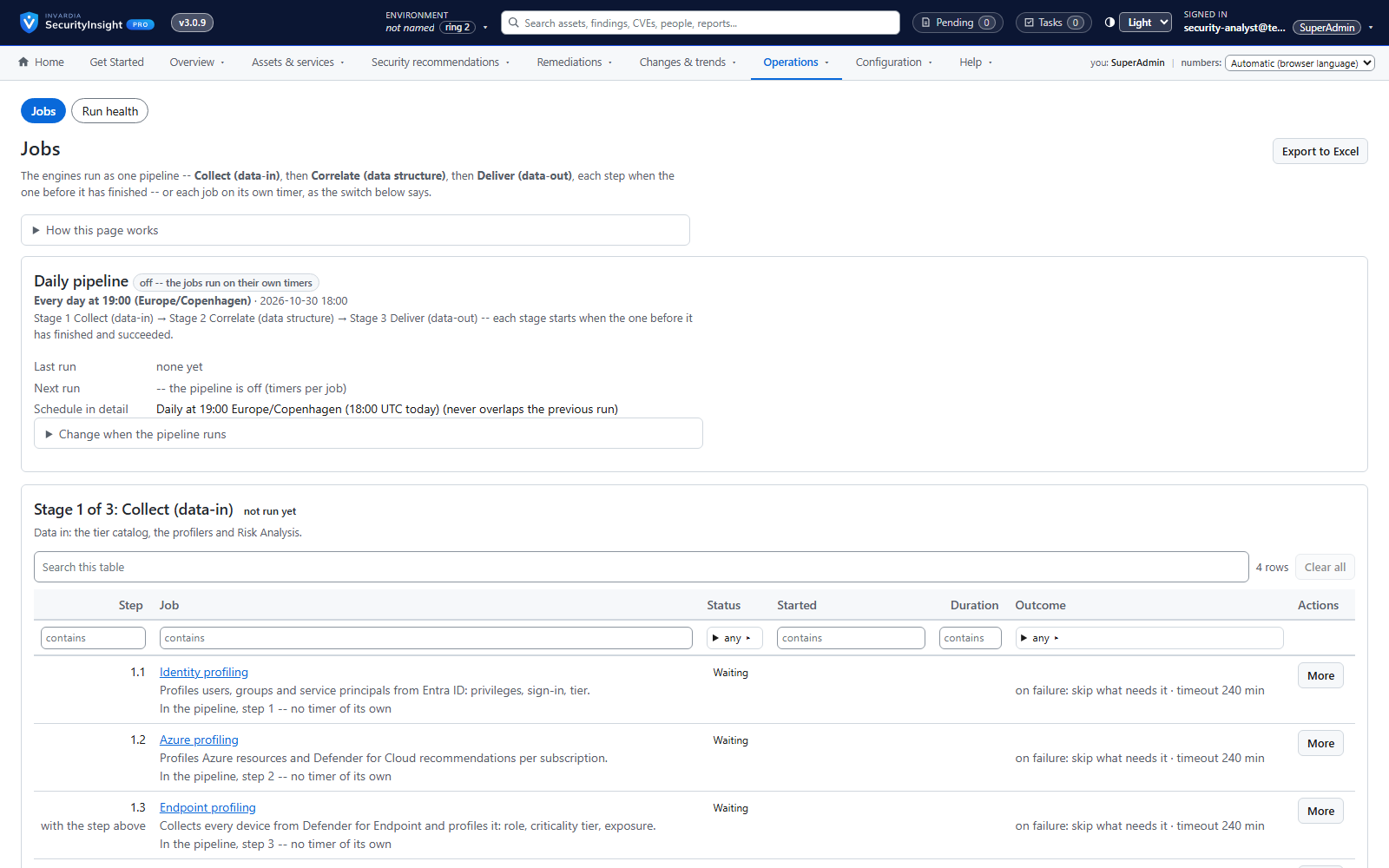
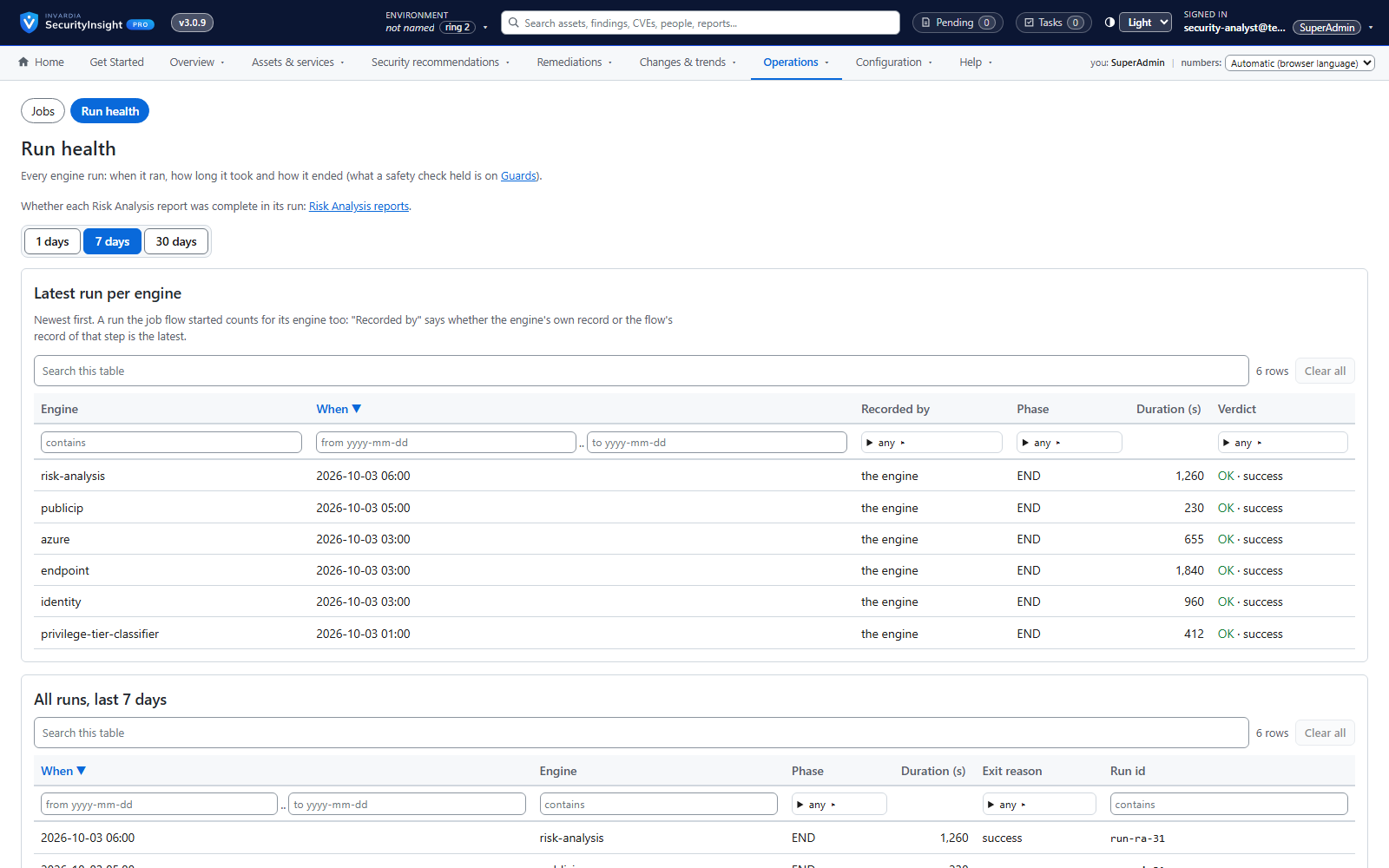
Every engine runs as a Container Apps job (scaling out for large tenants) or on a Windows server, and one daily pipeline runs them in order. Community writes run health to Log Analytics and ships a health-check script; in Pro, the web app shows each job's schedule, lets an Admin run, enable or disable it and read its log, and run health shows when every engine ran, how long it took and how it ended.
Business opportunities
No data leaves your control for processing, and operations need no specialist skills.
Related features
Risk Analysis reports: Excel, mail and AI summary
138 ready-made reports across identity, endpoint, Azure and public IP - delivered as a workbook, a mail and an optional AI summary.
Findings workspace with Excel export
Every finding of a collection, most important first - filter, pivot, drill down and export to Excel.
Fifteen views of every collection
Raw rows, correlated CIs, vulnerabilities, risk, MITRE, compliance, CVSS, exemptions, lifecycle, what changed, connector changes and services - for any collection.
Ask SecurityInsight: chat on every view
Ask in plain language - "why is this Tier 0?", "top 3 here" - and get an answer that shows its queries.