

A signed license that works only in your tenant
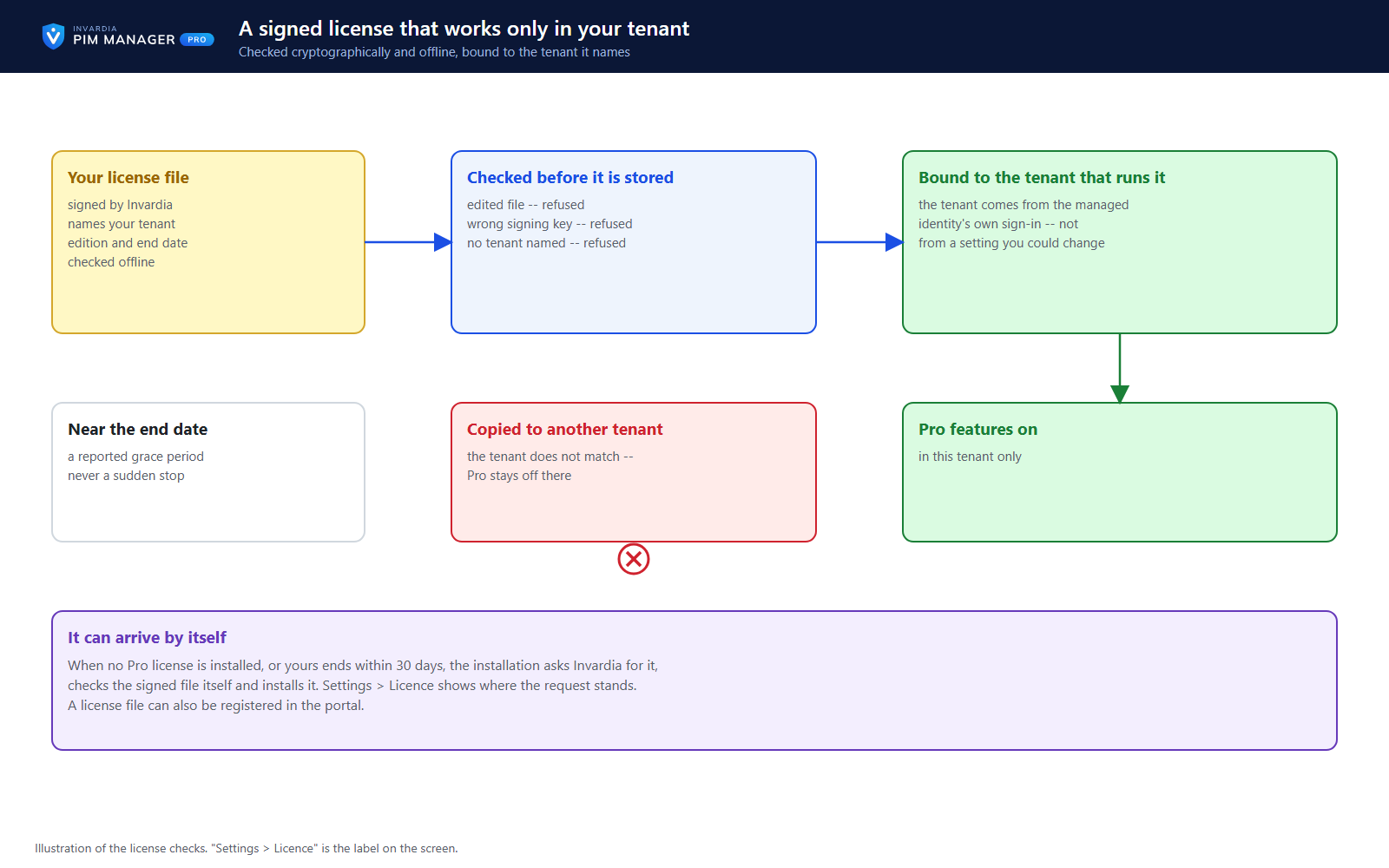
The license is a signed document, checked offline and bound to the tenant it names - renewed through a request your installation proves.
Purpose
A license check must not depend on a network call to work, and a copied license must not unlock another installation.
Design
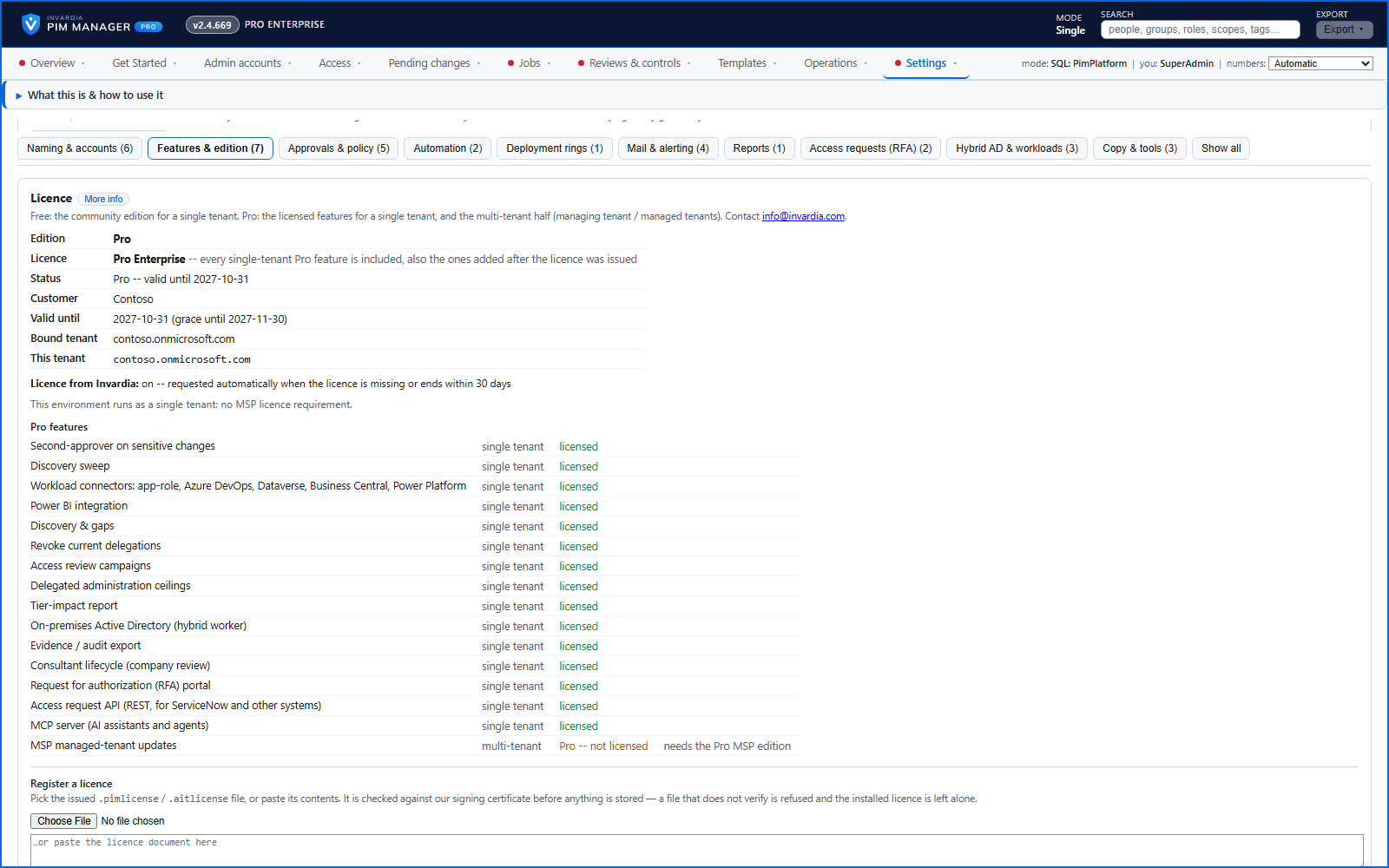
The license is checked offline against certificates built into PIM Manager, before it is stored and again after it is read back: a document that was edited, signed with the wrong key, or names no tenant is refused before anything is stored. The tenant is taken from the managed identity's own sign-in token, not from a setting, so a license copied elsewhere does not unlock Pro there.
When PIM Manager asks Invardia for a renewal, it sends a fingerprint of the license it holds and, with an install key, the key itself, so only that installation can ask. A license can also be registered under Settings, and the page says for each Pro feature why it is or is not available. After a license ends, Pro keeps working through a grace period of 30 days unless the license names another period, and the product then continues as Community.
Business opportunities
Licensing that works in isolated environments, cannot be copied, and renews without a support ticket.
Related features
PIM policy changes wait for a SuperAdmin
A policy run plans its changes and holds them until a SuperAdmin approves that exact change set, with the setting that weakens protection marked.
Changes only what you define - deleting an account is a person's decision
The engine changes groups, roles and admins only when your data defines them, does not disable, revoke or offboard your break-glass accounts, and does not delete a user account on its own.
Emergency access: break-glass accounts and a time-boxed override
Your break-glass accounts are protected from PIM Manager's revoke, disable and offboard paths, and in an emergency a SuperAdmin can lift the approval requirement for a bounded time.
Scripts and services on the Manager API, on your list only
Scripts and services use the Manager API only with an Entra application that a SuperAdmin lists and a second SuperAdmin approves, as Reader or Admin.