

Changes only what you define - deleting an account is a person's decision
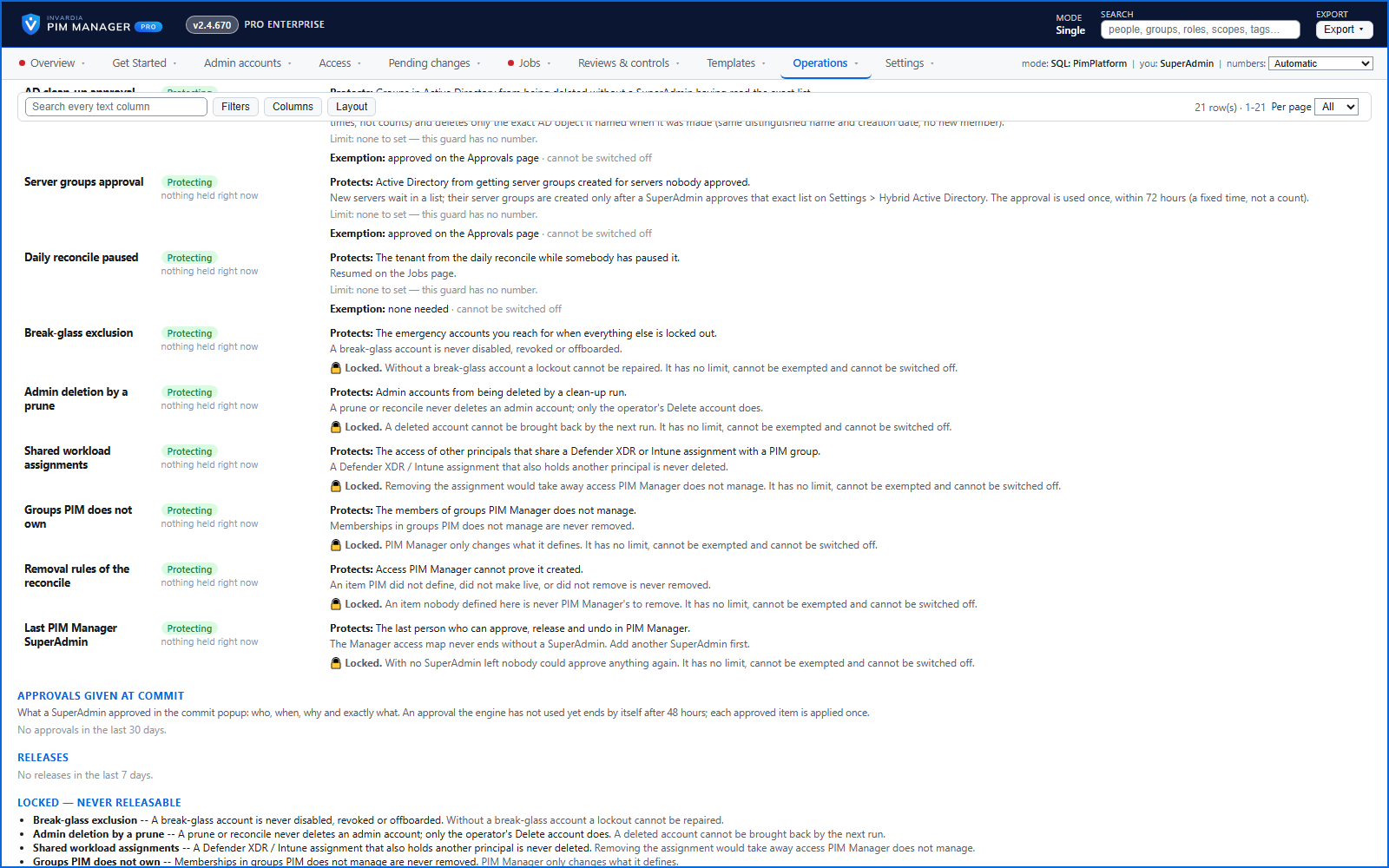
The engine changes groups, roles and admins only when your data defines them, does not disable, revoke or offboard your break-glass accounts, and does not delete a user account on its own.
Purpose
Adopting an automation tool on a live tenant is only safe if it cannot reach beyond what you hand it.
Design
The engine changes a policy, group, admin or assignment only when your data defines it; if your data defines nothing, the engine changes nothing. Groups, roles and admins that no row names are left alone by the engine; a SuperAdmin can still delete or revoke them by hand, through a commit. Your break-glass accounts are not disabled, revoked or offboarded.
No automatic path deletes an admin account: an auto-disable date disables the account on its date, and the account stays in your directory. Deleting is done by a person with Delete account, confirmed by typing DELETE: a SuperAdmin, or an Admin whose delegated scope and level cover the account. A live admin account you have not defined is reported, not disabled for being missing.
Business opportunities
You can introduce PIM Manager area by area on a production tenant, and existing access outside its scope keeps working as before.
Related features
An engine that keeps your tenant matching your model
You describe the access you want; the engine creates the groups, owners, policies, assignments and access passes your data defines, and keeps them that way.
One queue for the changes you make - reviewed, backed up, reversible
Configuration edits, revokes, access-pass re-issues and session revokes wait in one queue until someone commits them.
Drift: live versus desired, with a decision for each difference
See what is missing, what was changed and what is extra in the tenant - and decide what happens to each item: Apply now, Import into PIM, Delete, Ignore or Re-add.
PIM policy changes wait for a SuperAdmin
A policy run plans its changes and holds them until a SuperAdmin approves that exact change set, with the setting that weakens protection marked.