

PIM policy changes wait for a SuperAdmin
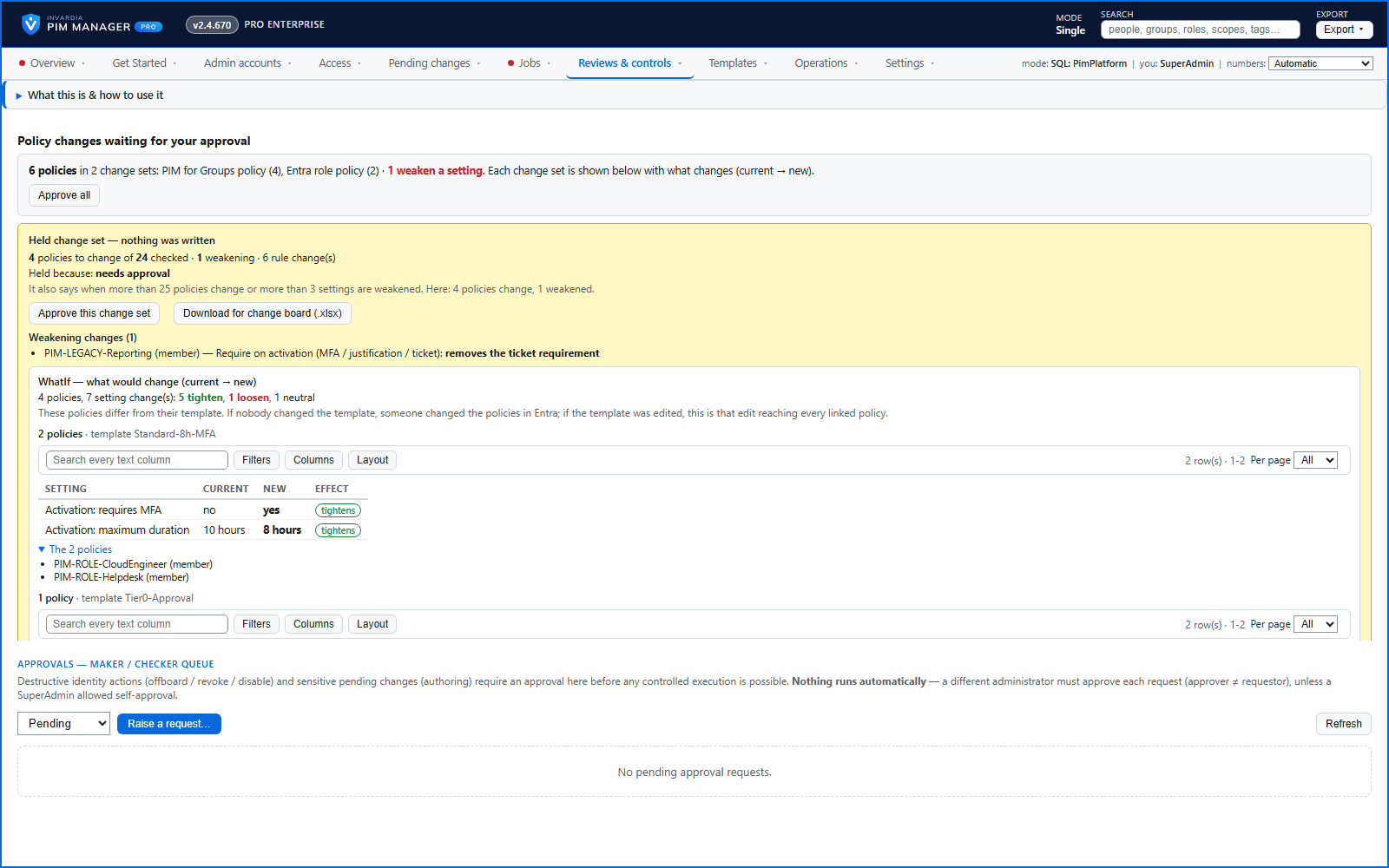
A policy run plans its changes and holds them until a SuperAdmin approves that exact change set, with the setting that weakens protection marked.
Purpose
A wrong template or a half-loaded configuration could switch off MFA or approval across hundreds of privileged roles in one run.
Design
PIM Manager changes a policy setting only when you chose a value for it on Policy settings - Microsoft default, PIM Manager recommendation or Keep current - and a setting without a choice is left as it is in your tenant. The next policy run plans the change and holds it under Reviews & controls > Approvals, whatever its size, with a WhatIf of what would change: each setting with its current and new value and whether it tightens or loosens, policies that get the same change grouped together, and the changes that weaken protection listed. A SuperAdmin of your tenant approves exactly that change set; it may be the SuperAdmin who saved the choices. Approve all approves each waiting change set separately, each for its own exact plan and with its own audit record. The approval is valid for 24 hours, and a different change set waits for its own approval. The hold covers Entra ID role, Azure resource and PIM for Groups policies.
Business opportunities
A mistake cannot quietly weaken your most privileged access at scale - the policy change waits for a person who sees exactly what it does.
Related features
An engine that keeps your tenant matching your model
You describe the access you want; the engine creates the groups, owners, policies, assignments and access passes your data defines, and keeps them that way.
One queue for the changes you make - reviewed, backed up, reversible
Configuration edits, revokes, access-pass re-issues and session revokes wait in one queue until someone commits them.
Drift: live versus desired, with a decision for each difference
See what is missing, what was changed and what is extra in the tenant - and decide what happens to each item: Apply now, Import into PIM, Delete, Ignore or Re-add.
Changes only what you define - deleting an account is a person's decision
The engine changes groups, roles and admins only when your data defines them, does not disable, revoke or offboard your break-glass accounts, and does not delete a user account on its own.