

Drift: live versus desired, with a decision for each difference
See what is missing, what was changed and what is extra in the tenant - and decide what happens to each item: Apply now, Import into PIM, Delete, Ignore or Re-add.
Purpose
Someone changes an activation policy in the portal, or adds a member to a privileged group by hand. Without a comparison, that drift stays until the next incident or audit.
Design
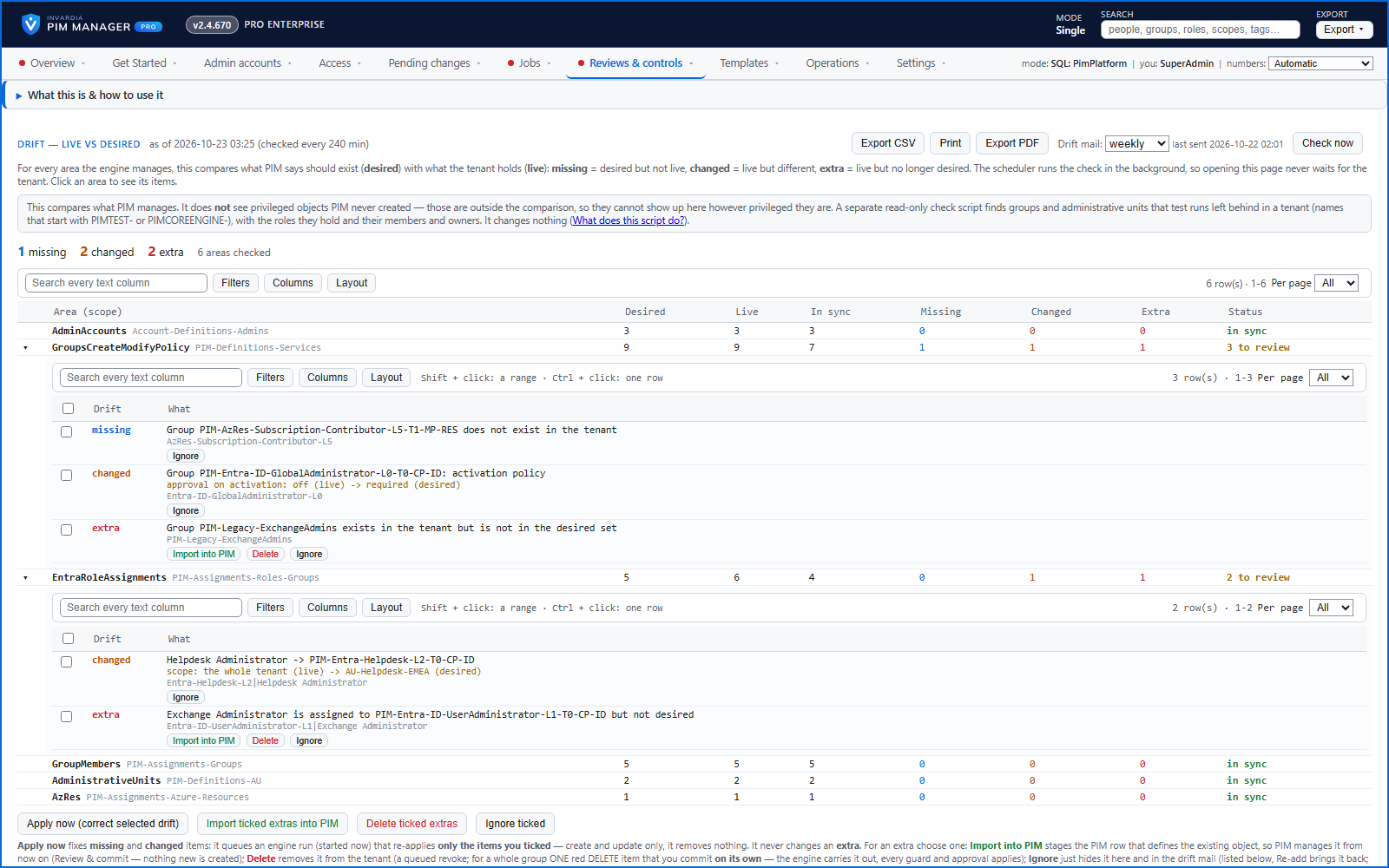
A scheduled check compares the live tenant with your definitions, without writing anything, so the page opens at once with the latest result. It shows one row per area with desired, live and in-sync counts, expanded to the named differences - for example a group whose activation policy no longer requires approval.
Missing and changed items: Apply now has the engine put the ticked ones right, or Ignore accepts the difference. Extra items, in the tenant but not in your definitions: Import into PIM takes them under management, Delete (SuperAdmin) removes them after a commit, or Ignore accepts them. An ignored finding is listed with who ignored it, when and why, and comes back with Re-add. PIM Manager does not remove an extra automatically. Deleting an extra group works in all editions; deleting an extra assignment is a revoke, available in Pro editions. The drift mail follows the cadence you choose.
Business opportunities
Configuration drift is found within hours rather than at audit time, and each finding ends with a decision on record.
Related features
Access map: your delegation model on one board
Pick a person or a permission and see every path in your delegation model - people, their groups, what those groups include and the roles and scopes they grant.
Who can do what - and who can activate this role
Pick a person to see the targets they can reach, or pick a role to see who can activate it - each with the exact path that grants it.
Look up a role: find the least-privileged role for the job
See what an Entra ID role can do in plain words, find the roles that grant an action ranked least-privileged first, see who can activate a role, or compare two roles.
An engine that keeps your tenant matching your model
You describe the access you want; the engine creates the groups, owners, policies, assignments and access passes your data defines, and keeps them that way.