

Who can do what - and who can activate this role
Pick a person to see the targets they can reach, or pick a role to see who can activate it - each with the exact path that grants it.
Purpose
An access audit starts with two questions: what can this person do, and who can do this? A flat list of direct role assignments misses what is inherited through nested groups, which is exactly where over-privilege hides.
Design
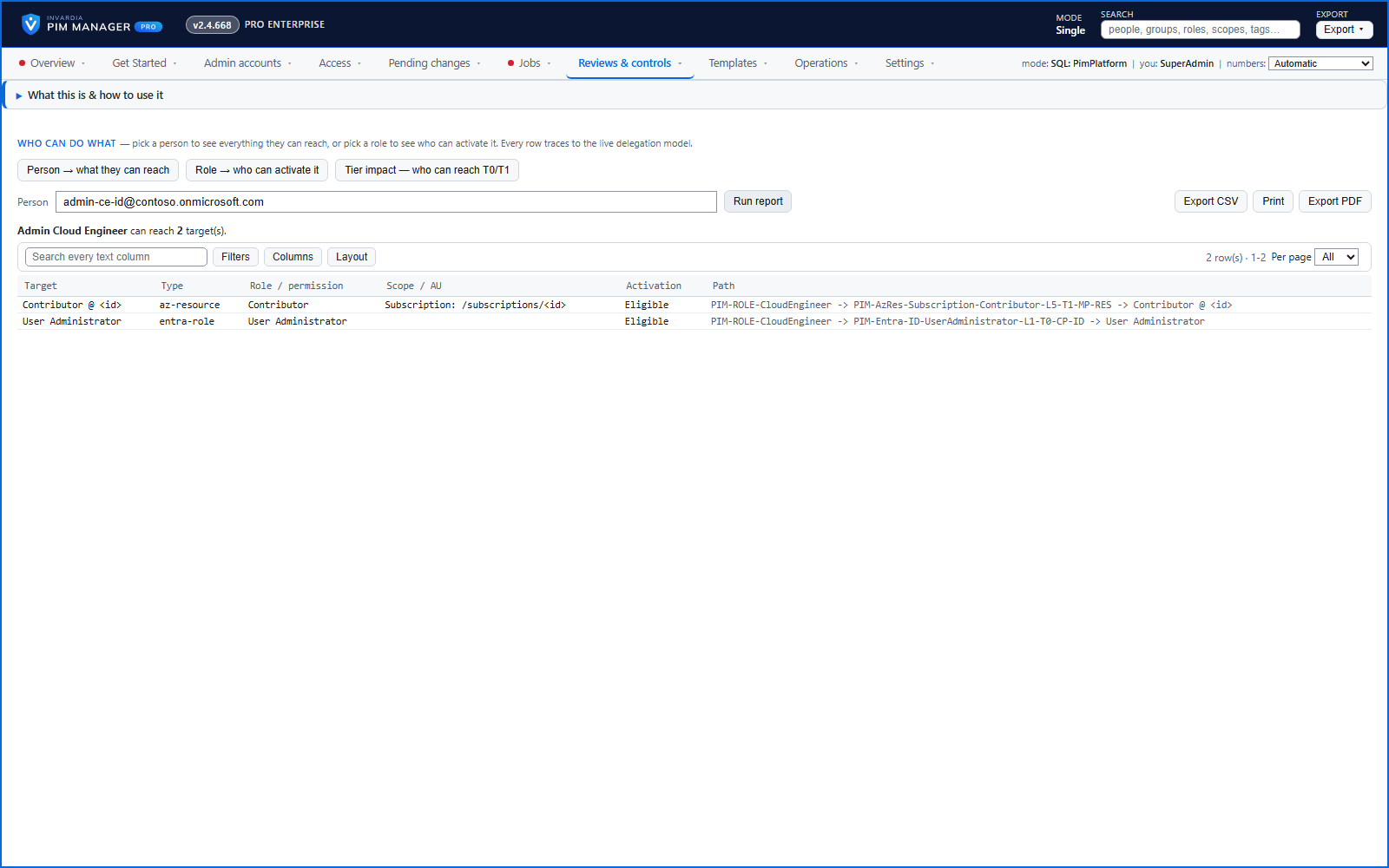
Reports follows the delegation model through nested groups. Person to targets lists the Entra ID roles, roles in an administrative unit and Azure roles at their scope that the person can activate, with the granting path. Role to people lists who can reach a role, and reports zero when nothing grants it.
The reports print and export to CSV. Values that a spreadsheet could read as formulas are neutralized in the export.
Business opportunities
Answers that used to take an afternoon of portal work take seconds, and the CSV is evidence you can hand to an auditor, attach to a ticket or put in a management report.
Related features
Access map: your delegation model on one board
Pick a person or a permission and see every path in your delegation model - people, their groups, what those groups include and the roles and scopes they grant.
Look up a role: find the least-privileged role for the job
See what an Entra ID role can do in plain words, find the roles that grant an action ranked least-privileged first, see who can activate a role, or compare two roles.
Home: what needs your attention, at a glance
Red, amber and green tiles for engine health, validation findings, break-glass use, delegation by level, gaps and expiring access - each opens the page that owns it.
One queue for the changes you make - reviewed, backed up, reversible
Configuration edits, revokes, access-pass re-issues and session revokes wait in one queue until someone commits them.