

MSP: fleet conformance on one screen
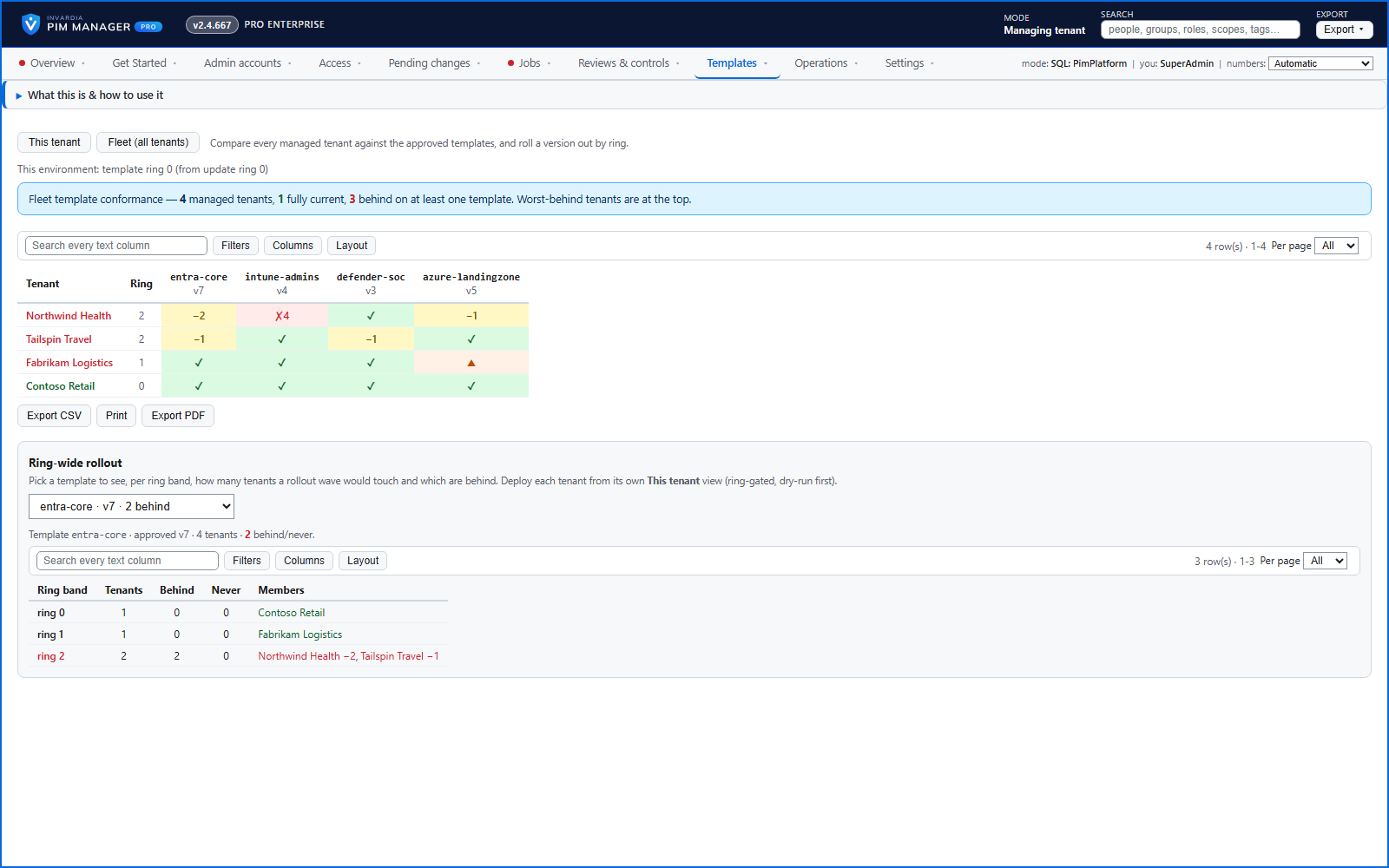
A tenants by templates matrix shows which managed tenant is up to date, behind, not deployed yet or ahead - and plans the next rollout wave.
Purpose
Checking whether ten customer tenants are on the current standard should not mean switching into each one in turn.
Design
The fleet view shows one row per managed tenant and one column per approved template, each cell saying up to date, behind by a number of versions, not deployed yet, or ahead. Tenants that need attention sort to the top. A rollout view shows, per wave, how many tenants it would touch and which are behind. The Managed tenants page and the Replication overview list the tenants and what each one receives.
Business opportunities
A provider can show each customer - and itself - that the fleet meets the standard.
Related features
Access map: your delegation model on one board
Pick a person or a permission and see every path in your delegation model - people, their groups, what those groups include and the roles and scopes they grant.
Who can do what - and who can activate this role
Pick a person to see the targets they can reach, or pick a role to see who can activate it - each with the exact path that grants it.
Look up a role: find the least-privileged role for the job
See what an Entra ID role can do in plain words, find the roles that grant an action ranked least-privileged first, see who can activate a role, or compare two roles.
Home: what needs your attention, at a glance
Red, amber and green tiles for engine health, validation findings, break-glass use, delegation by level, gaps and expiring access - each opens the page that owns it.