

Discovery: new resources ready to delegate
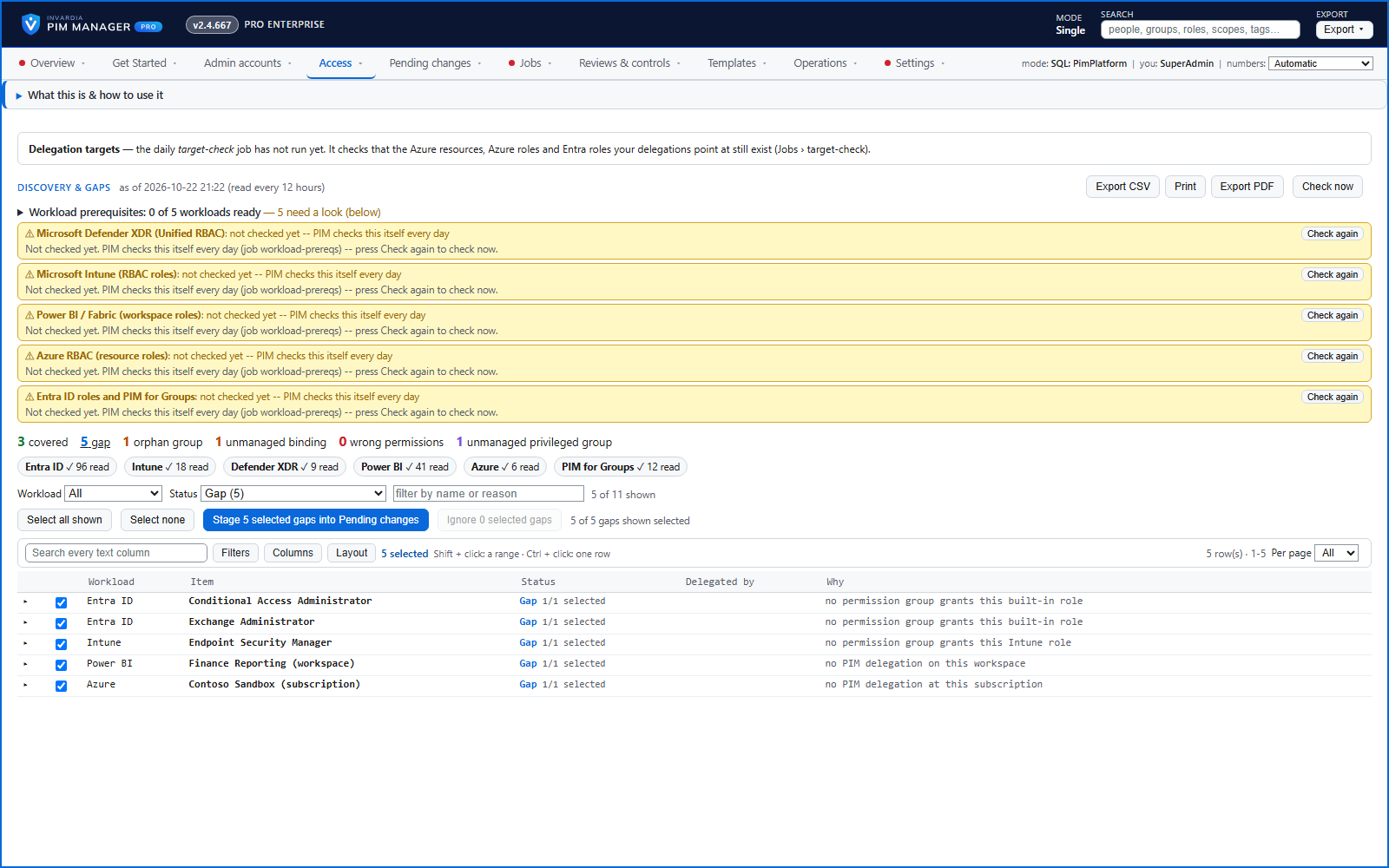
New Azure subscriptions and management groups, Power BI workspaces, administrative units and new Entra ID, Intune and Defender XDR roles appear on Discovery and gaps - stage a proposal or ignore it.
Purpose
New subscriptions and workspaces appear all the time. Without discovery, each one waits until someone remembers to set up its access - or gets access granted by hand.
Design
Discovery reads your tenant on its own schedule and lists what is there and not delegated yet, each with a proposal: a permission group named by your convention at the right level for an Azure scope or a Power BI workspace, or the definition of an administrative unit. Staging a proposal goes through review and commit, and nothing is granted to anyone by it. When a subscription, management group or Power BI workspace is renamed, Discovery follows it by its id and proposes renaming its access group in place. Ignore hides an item, and Re-add brings it back.
Business opportunities
New resources are ready to delegate soon after they appear, with the same naming and structure as the rest of your model - no orphans, no duplicates.
Related features
Access map: your delegation model on one board
Pick a person or a permission and see every path in your delegation model - people, their groups, what those groups include and the roles and scopes they grant.
Who can do what - and who can activate this role
Pick a person to see the targets they can reach, or pick a role to see who can activate it - each with the exact path that grants it.
Look up a role: find the least-privileged role for the job
See what an Entra ID role can do in plain words, find the roles that grant an action ranked least-privileged first, see who can activate a role, or compare two roles.
PIM Activator: activate the access you need, together
A browser extension for Edge and Chrome: tick the groups and roles you need, give one justification and activate them together - three clicks for a typical activation.