

PIM Activator: activate the access you need, together
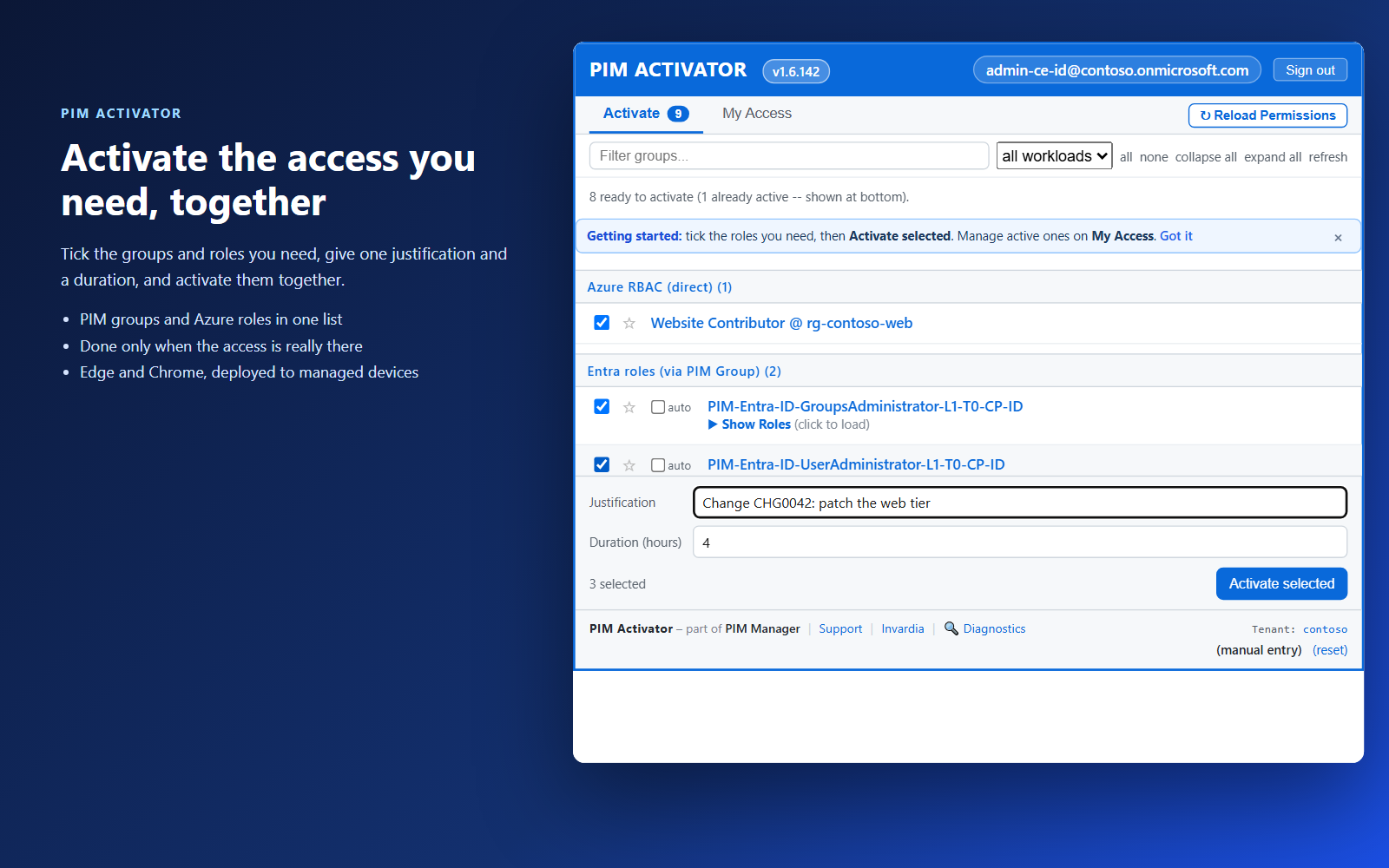
A browser extension for Edge and Chrome: tick the groups and roles you need, give one justification and activate them together - three clicks for a typical activation.
Purpose
Just-in-time access only works if people use it. When activating means opening the Entra portal and activating role after role, administrators push for standing access instead.
Design
The PIM Activator lists the PIM groups and roles the signed-in admin is eligible for. An admin opens it, ticks what they need and presses Activate selected, with the reason and duration filled in from the organization's defaults; a starred favorite with a remembered justification takes a single click on later days. A large selection asks for a confirmation, with the threshold set by your administrator. Show roles reveals what a group really grants before you activate it, following nested groups.
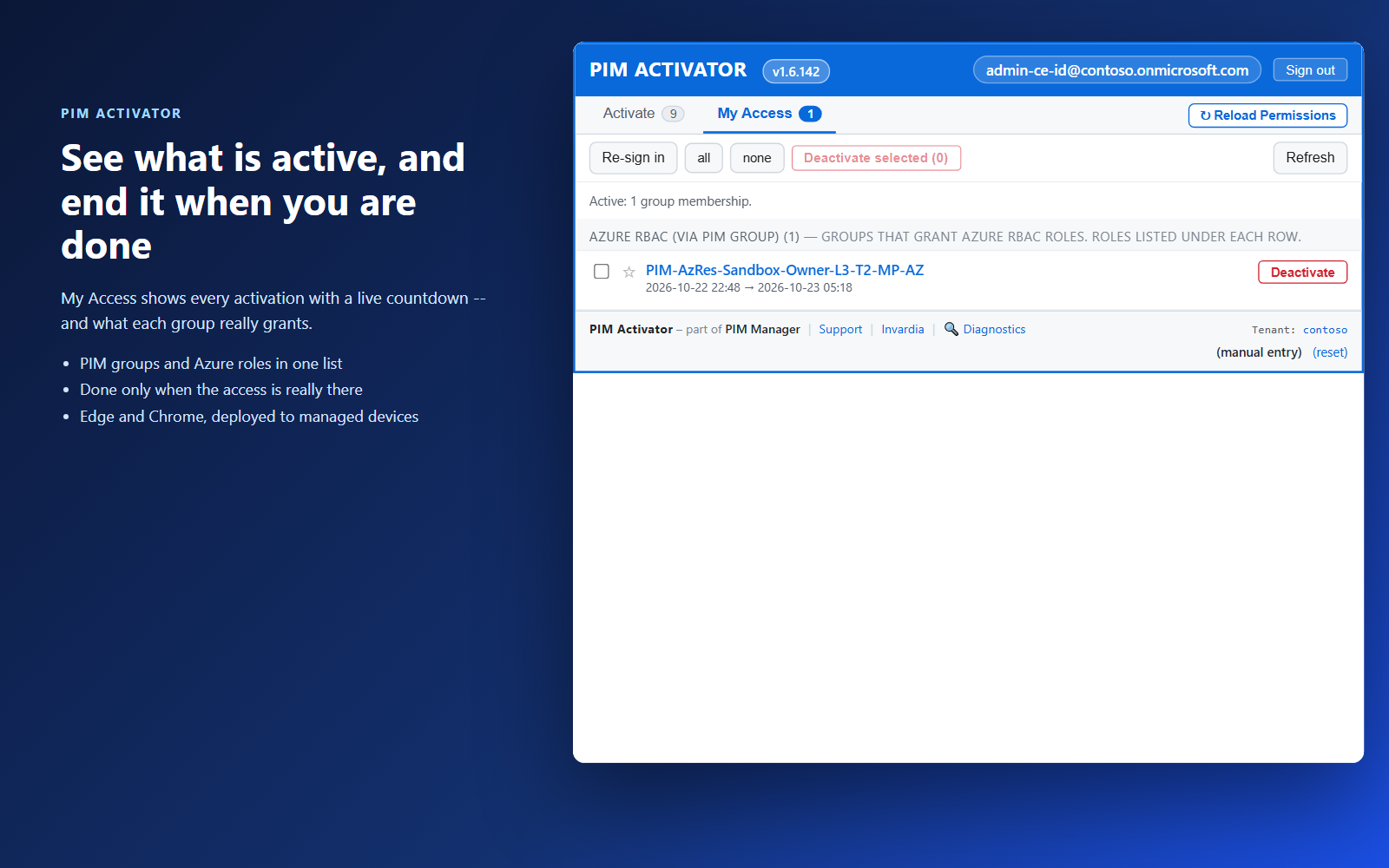
Activation is reported as done only when the access has arrived, not after a fixed wait. A permission group nested in a role group is activated as soon as its parent is active, and a group that needs approval shows that it is waiting for approval. Groups marked auto are activated when the popup opens, up to the cap your administrator sets. My Access shows what is active with a live countdown and an End button. The extension is deployed to managed devices through Intune or browser policy, or with one script on a PC or server without Intune.
Business opportunities
Administrators get their access in seconds, so just-in-time becomes the easy path rather than the obstacle - and standing privilege stops being the workaround.
Related features
Access map: your delegation model on one board
Pick a person or a permission and see every path in your delegation model - people, their groups, what those groups include and the roles and scopes they grant.
Look up a role: find the least-privileged role for the job
See what an Entra ID role can do in plain words, find the roles that grant an action ranked least-privileged first, see who can activate a role, or compare two roles.
Roll out the PIM Activator from one guided page
One page takes you through deploying the browser extension: the sign-in apps, the settings, the Intune remediation, Edge for Business and PCs and servers without Intune.
An engine that keeps your tenant matching your model
You describe the access you want; the engine creates the groups, owners, policies, assignments and access passes your data defines, and keeps them that way.