

A guided install that proves itself
A guided two-line install stands up hosting, database, identities and permissions, and sign-in - then reads every result back, and resumes from a failed step once you fix the cause.
Purpose
A security tool that takes weeks of manual setup gets set up differently each time.
Design
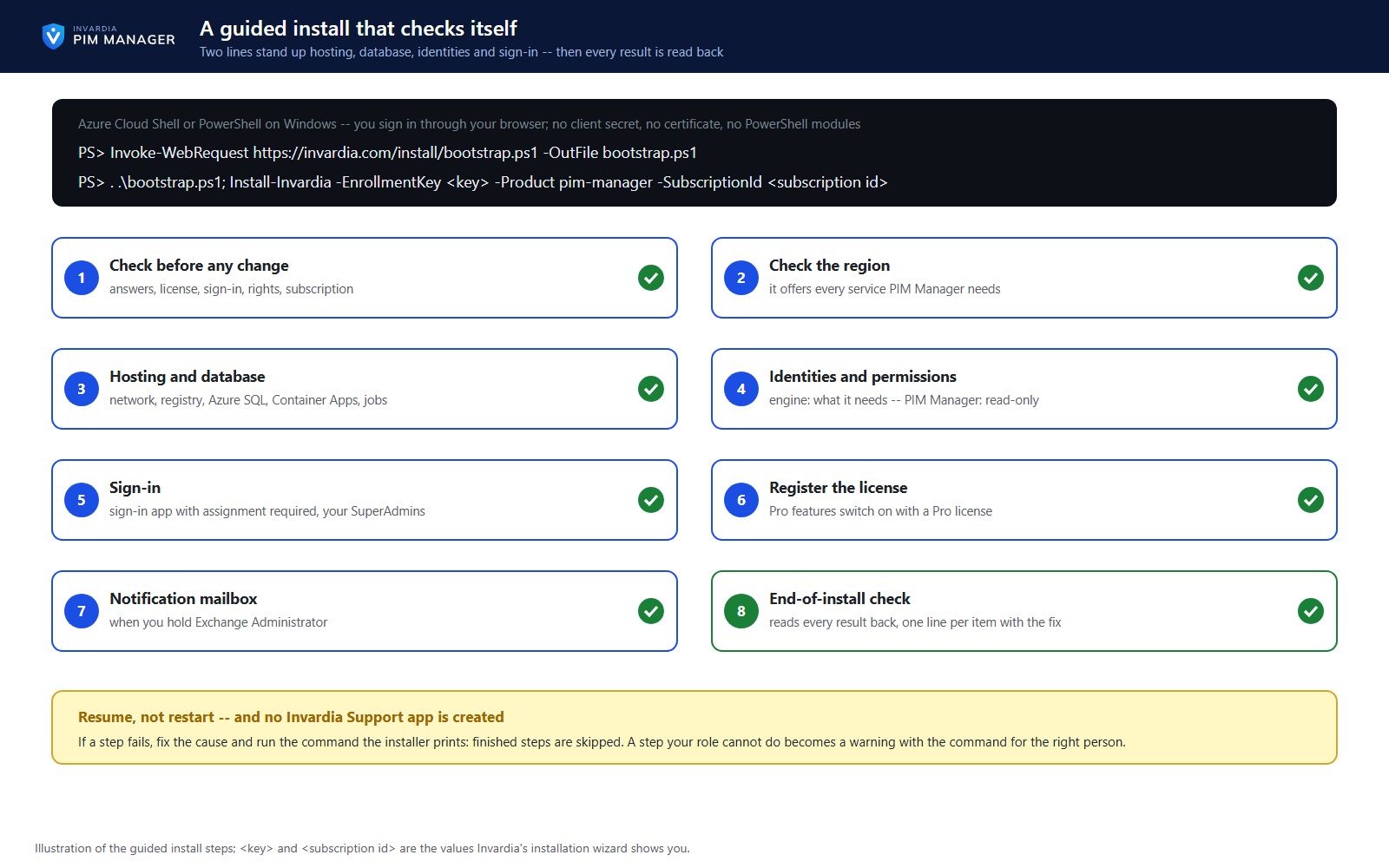
Invardia's installation wizard collects your answers and gives you an enrollment key; you run two lines in Azure Cloud Shell or PowerShell on Windows, signed in through your browser - no client secret, no certificate and no PowerShell modules. The installer checks the answers, the license, your sign-in, your rights and the subscription, and stops before any change if something is missing. It grants the engine its permissions and PIM Manager a separate read-only set, creates one database user and role per component, sets up sign-in with assignment required, records your first SuperAdmins, registers the license and, when you hold Exchange Administrator, the notification mailbox. A step your role cannot do becomes a warning with the command for the right person. No Invardia Support app is created.
The end-of-install check reads every result back, repairs what it can and prints one line per item with the fix. If a step fails, you fix the cause and resume with the command the installer prints; finished steps are skipped.
Business opportunities
A working, verified installation in your own Azure, built the same way in each tenant - and the same command keeps it current.
Related features
PIM Activator: activate the access you need, together
A browser extension for Edge and Chrome: tick the groups and roles you need, give one justification and activate them together - three clicks for a typical activation.
Roll out the PIM Activator from one guided page
One page takes you through deploying the browser extension: the sign-in apps, the settings, the Intune remediation, Edge for Business and PCs and servers without Intune.
An engine that keeps your tenant matching your model
You describe the access you want; the engine creates the groups, owners, policies, assignments and access passes your data defines, and keeps them that way.
Get Started: the steps to a working environment
A guided list of the steps that make an environment work - each marked done or still open from your own data.