

Get Started: the steps to a working environment
A guided list of the steps that make an environment work - each marked done or still open from your own data.
Purpose
A new environment needs a license, engine permissions, a mail sender, departments, roles, admins, policies, alert recipients and break-glass accounts before it is useful. Without a checklist, one of them gets forgotten.
Design
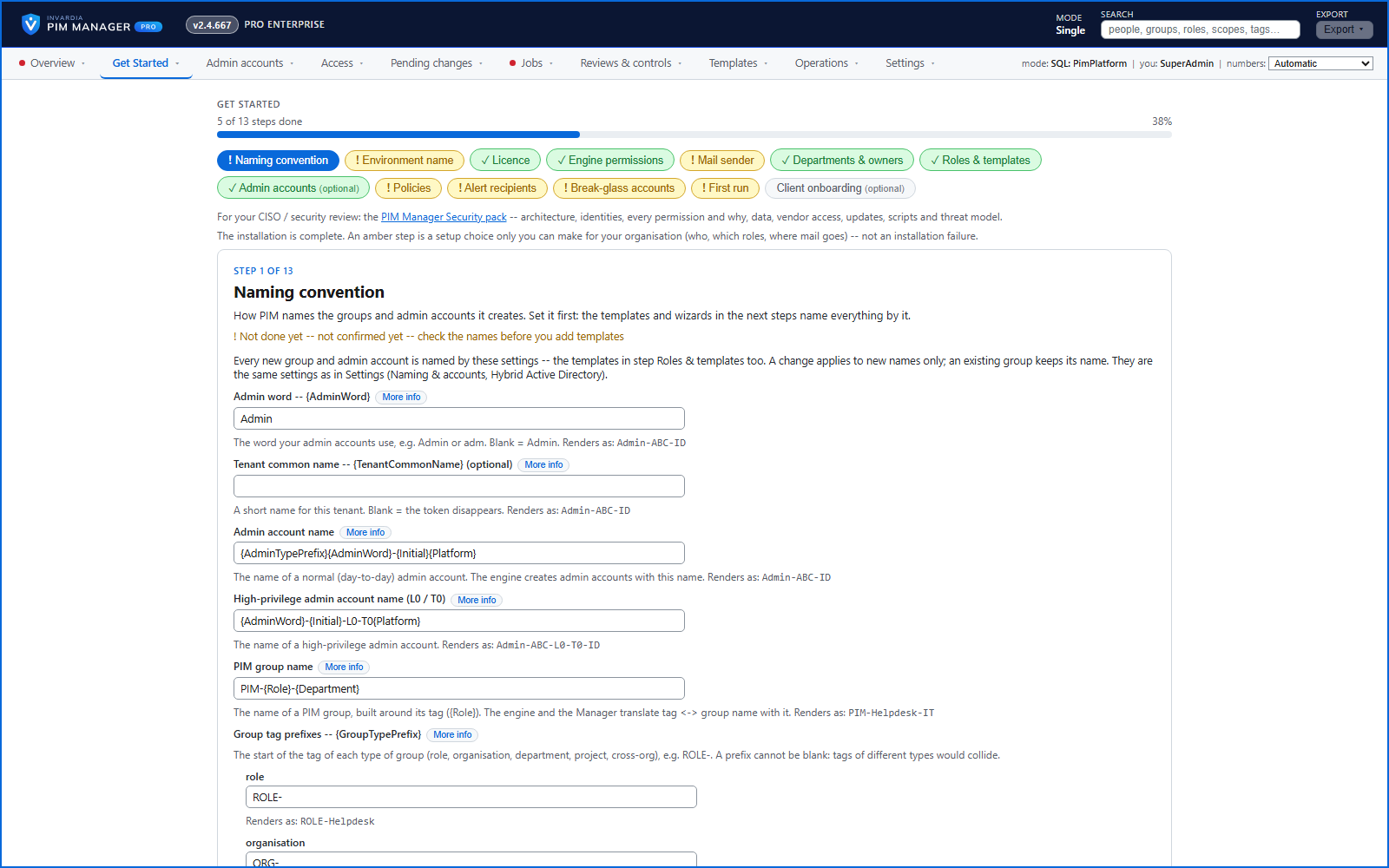
A fresh installation opens on Get Started. It walks through the steps one by one: license, engine permissions, mail sender, departments and owners, roles and templates, admin accounts, access mapping, policies, alert recipients, break-glass accounts and a first run, plus the optional PIM Activator and discovery. Each step is marked done or still open from the environment's own data, a progress bar shows how far you are, and each step links to the page or the command that closes it.
The menu shows a red mark while a required step is still open.
Business opportunities
New environments reach a working, governed state faster and the same way each time - with nothing important left out.
Related features
PIM Activator: activate the access you need, together
A browser extension for Edge and Chrome: tick the groups and roles you need, give one justification and activate them together - three clicks for a typical activation.
Roll out the PIM Activator from one guided page
One page takes you through deploying the browser extension: the sign-in apps, the settings, the Intune remediation, Edge for Business and PCs and servers without Intune.
An engine that keeps your tenant matching your model
You describe the access you want; the engine creates the groups, owners, policies, assignments and access passes your data defines, and keeps them that way.
Admin accounts with the full lifecycle
Create admin accounts on a future date, hand over a first-time Temporary Access Pass safely, and disable them on an auto-disable date.