

Admin accounts with the full lifecycle
Create admin accounts on a future date, hand over a first-time Temporary Access Pass safely, and disable them on an auto-disable date.
Purpose
Separate admin accounts are best practice, but creating them, getting the first sign-in to the right person, and switching them off when people leave is manual and easy to forget.
Design
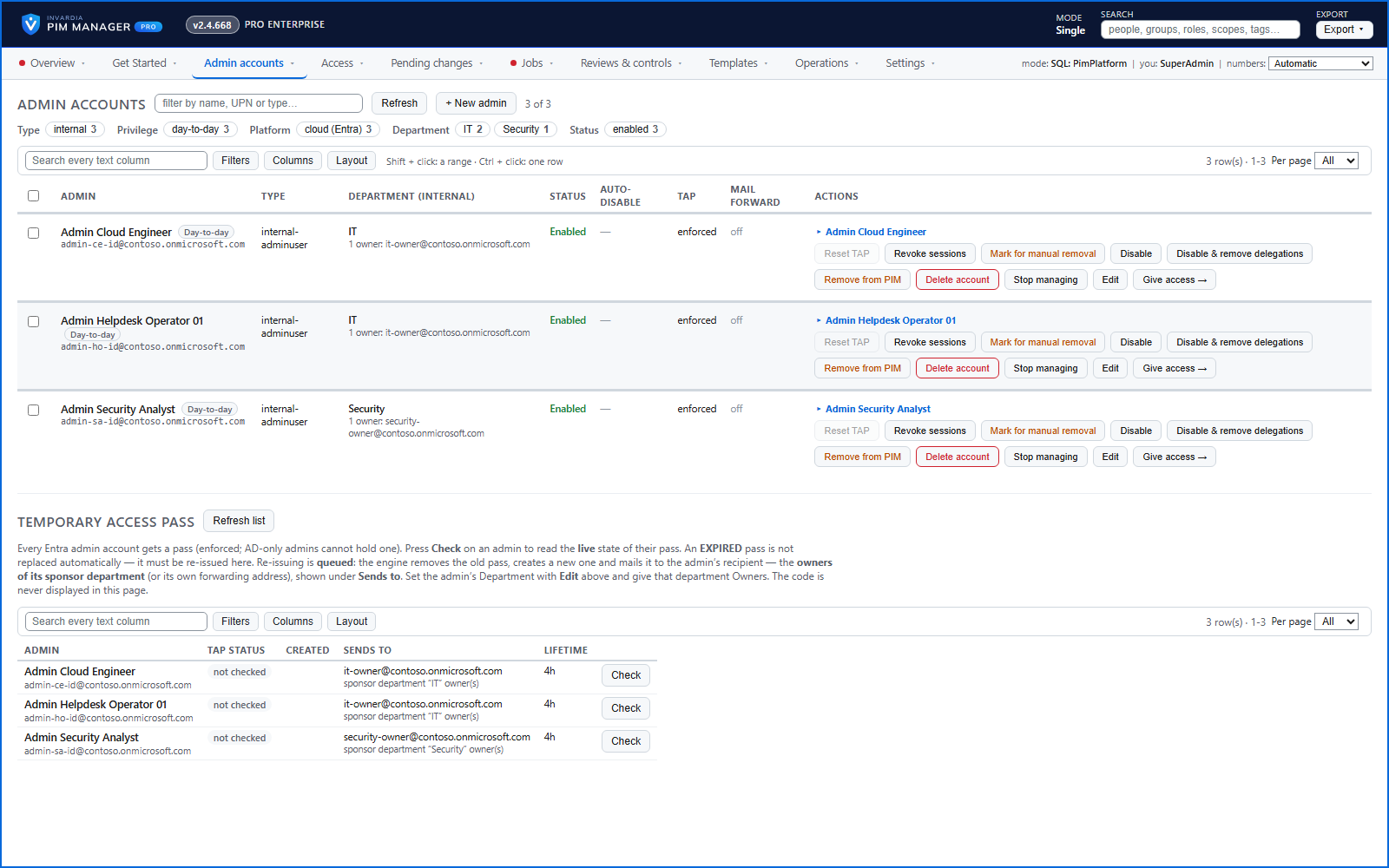
Admin accounts can be staged for a future start date; the engine creates each account when it is due, following your naming convention. A new cloud admin gets one Temporary Access Pass that waits until the account exists, follows your tenant's pass policy and is mailed to the admin's everyday address on the admin record or to the owners of the sponsor department. The code appears only in the mail, not on screen, in a web response or in the audit trail. If no valid address resolves, no pass is issued. Reset TAP re-issues a pass on request.
When an auto-disable date passes, the engine disables the account and, by default, does nothing else; with Automatic offboarding switched on (off by default) it also revokes sessions and removes the memberships PIM Manager defines. An auto-disable date does not delete the account. One administrator can offboard or remove a day-to-day admin from PIM; a sensitive admin needs a second administrator, through the Approvals page, which acts only when a SuperAdmin switches on Approval-gated offboarding + revoke (off by default). Accounts that exist in the directory but not in PIM Manager are listed with Import or Ignore, and Stop managing takes an admin out of PIM Manager without changing the account.
Business opportunities
Joiners get working admin access on day one, and leavers lose it on time - without a ticket to remember.
Related features
Access map: your delegation model on one board
Pick a person or a permission and see every path in your delegation model - people, their groups, what those groups include and the roles and scopes they grant.
Look up a role: find the least-privileged role for the job
See what an Entra ID role can do in plain words, find the roles that grant an action ranked least-privileged first, see who can activate a role, or compare two roles.
PIM Activator: activate the access you need, together
A browser extension for Edge and Chrome: tick the groups and roles you need, give one justification and activate them together - three clicks for a typical activation.
Roll out the PIM Activator from one guided page
One page takes you through deploying the browser extension: the sign-in apps, the settings, the Intune remediation, Edge for Business and PCs and servers without Intune.