

A self-check and a safe diagnostics bundle
Run checks tests the database, Microsoft Graph and Azure and explains each failure; the diagnostics bundle masks secrets before you share it.
Purpose
When something is not working, the first hour is usually spent finding out which of the moving parts is the problem.
Design
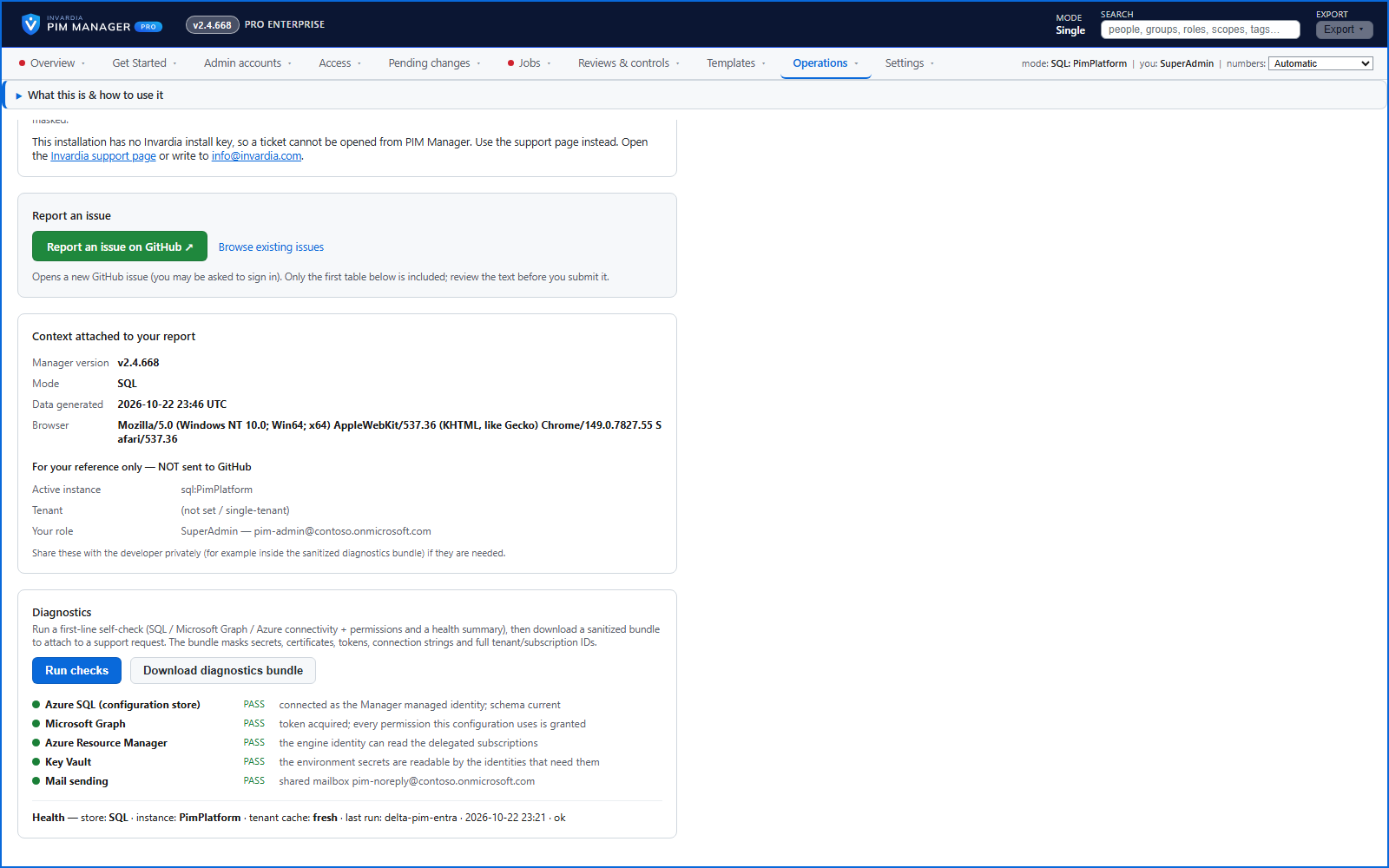
Operations > Support tests what the Manager depends on - the database, Microsoft Graph with the engine's permissions, and Azure when your delegation includes Azure resources - and shows each as pass or fail with a plain-language fix. A health summary shows the store in use, the freshness of the tenant cache and the latest background run. Download diagnostics bundle saves it to one file with secrets, certificates, tokens, connection strings and full tenant and subscription ids masked.
With a Pro or trial license, Get support opens a ticket at Invardia, pre-filled with what you were looking at and a piece of the log with secrets redacted; you see and can change everything before it is sent.
Business opportunities
Many problems are solved without a support case, and the ones that need help start with the right information.
Related features
PIM Activator: activate the access you need, together
A browser extension for Edge and Chrome: tick the groups and roles you need, give one justification and activate them together - three clicks for a typical activation.
Roll out the PIM Activator from one guided page
One page takes you through deploying the browser extension: the sign-in apps, the settings, the Intune remediation, Edge for Business and PCs and servers without Intune.
An engine that keeps your tenant matching your model
You describe the access you want; the engine creates the groups, owners, policies, assignments and access passes your data defines, and keeps them that way.
Get Started: the steps to a working environment
A guided list of the steps that make an environment work - each marked done or still open from your own data.