

A second administrator for sensitive changes
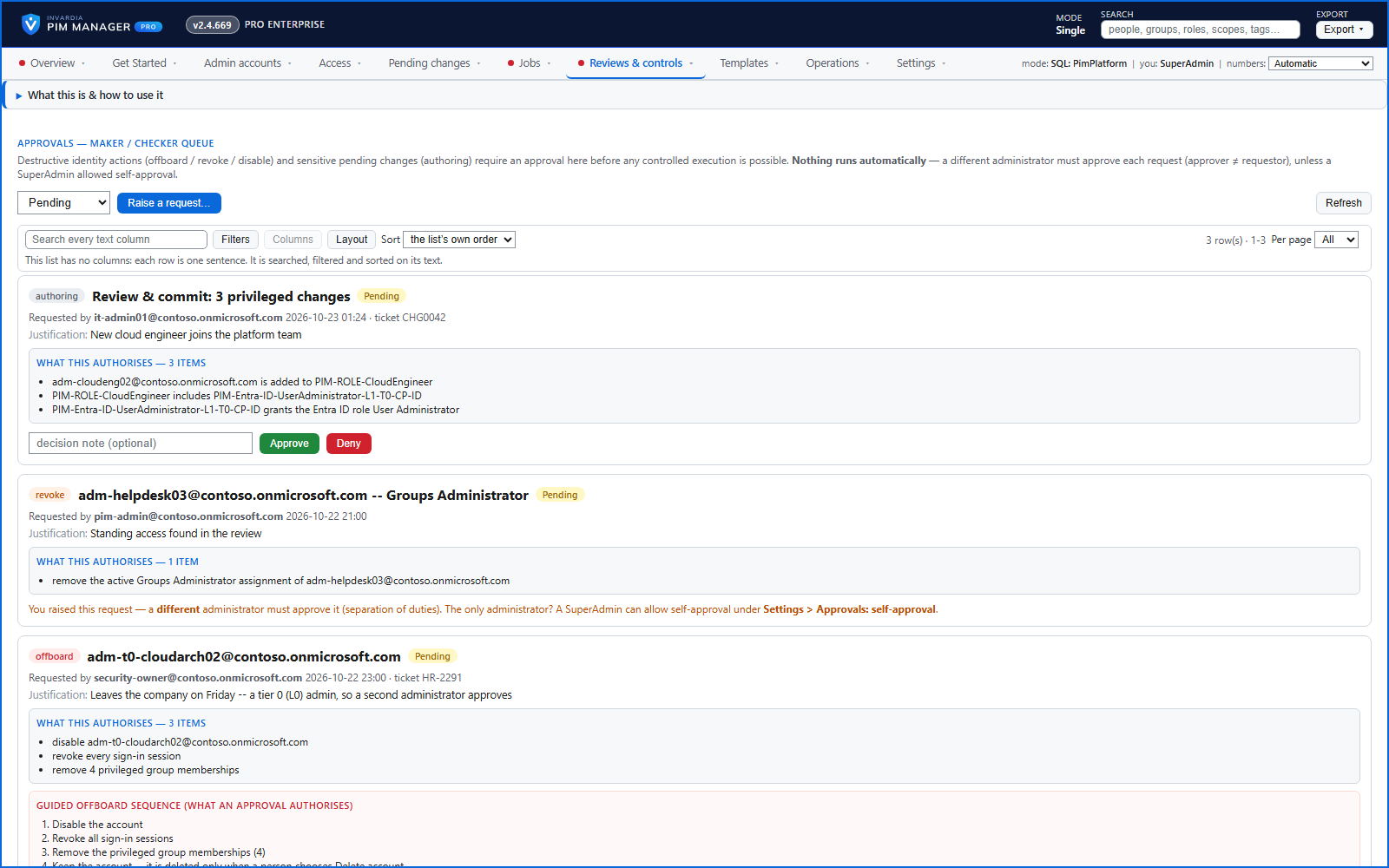
Maker and checker: with the Pro second approver on, the most sensitive changes need a different administrator's approval before they are carried out. It is off by default.
Purpose
Attaching a Tier 0 role, placing a guest in a privileged group or disabling an account is a decision that can be worth a second person's look.
Design
With the second approver on, a sensitive change - a privileged role or scope attached to a delegation group, a guest placed in a privileged group, an account disabled or offboarded - waits on Approvals until a different administrator approves it, and the approved request runs once. The administrator who raises a request cannot approve it, unless a SuperAdmin has switched on self-approval for a tenant with a single PIM Manager administrator; that setting is off by default and audited.
Without the second approver, one administrator can delete an admin, remove an admin from PIM, or disable or offboard one; a second administrator approves only for a sensitive admin (level L0 or tier T0, the high-privilege naming pattern, Purpose HighPriv, or a break-glass account). Delete account is decided by one person in both cases.
These approvals use the approval request queue on the Approvals page, which acts only when a SuperAdmin switches on Approval-gated offboarding + revoke under Settings > Features & edition. It is off by default; while it is off, an offboarding that needs a second administrator cannot be saved, and PIM Manager says so on screen. PIM policy change sets, break-glass list changes and guard holds do not depend on that switch. Every approval is in the audit trail.
Business opportunities
Separation of duties for privileged access, enforced by the tool when you switch it on - the control auditors ask about first.
Related features
Who can do what - and who can activate this role
Pick a person to see the targets they can reach, or pick a role to see who can activate it - each with the exact path that grants it.
An engine that keeps your tenant matching your model
You describe the access you want; the engine creates the groups, owners, policies, assignments and access passes your data defines, and keeps them that way.
One queue for the changes you make - reviewed, backed up, reversible
Configuration edits, revokes, access-pass re-issues and session revokes wait in one queue until someone commits them.
Drift: live versus desired, with a decision for each difference
See what is missing, what was changed and what is extra in the tenant - and decide what happens to each item: Apply now, Import into PIM, Delete, Ignore or Re-add.