

Create access the natural way round
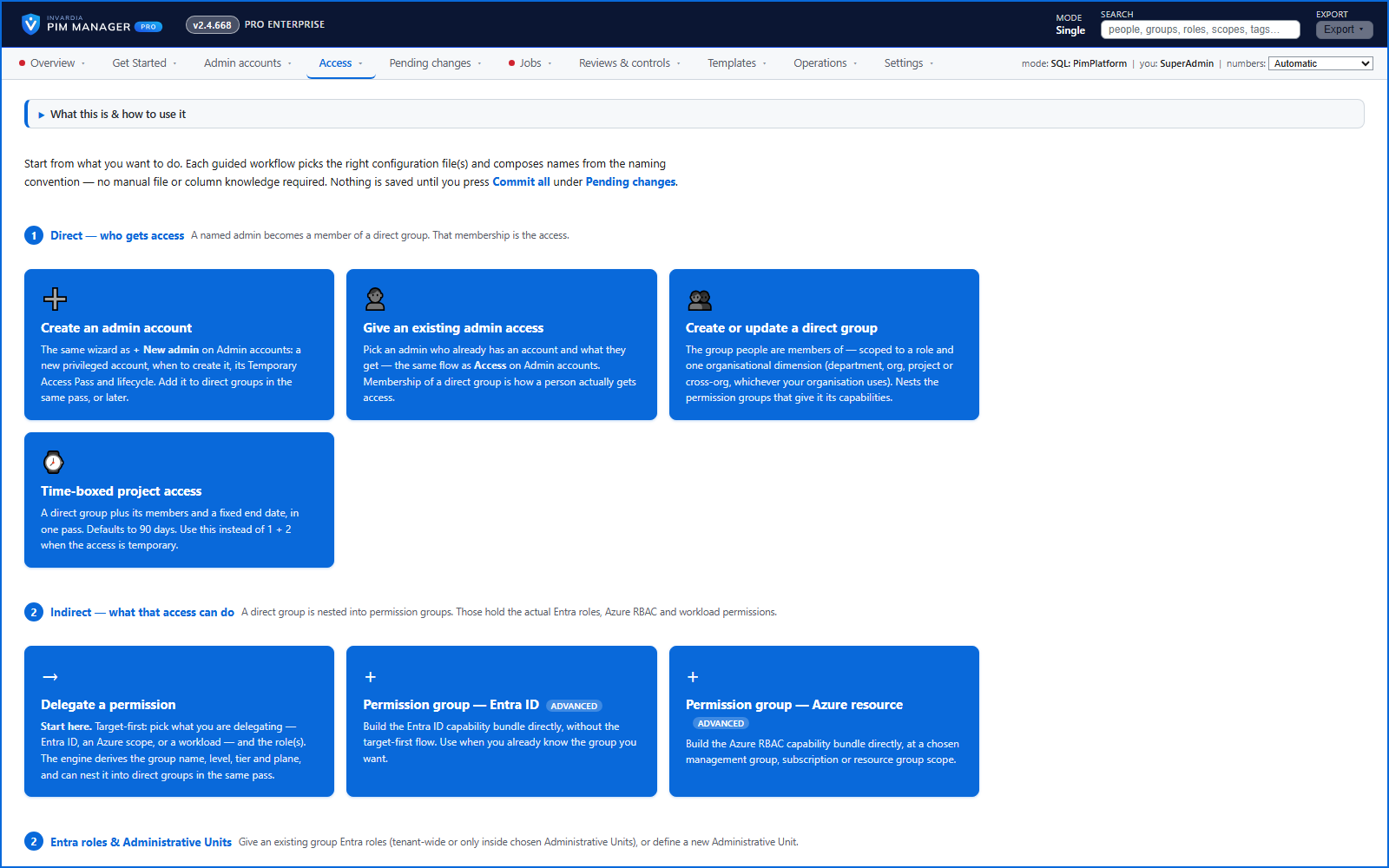
Pick what you delegate, where, and which roles - the wizard works out the group, its name, level, tier and plane.
Purpose
Inventing group names and guessing privilege levels by hand produces inconsistent models that are hard to review.
Design
Create access starts from what you want to do: create an admin, give an existing admin access, build a direct group, give time-boxed project access, or delegate a permission. Delegate a permission is target-first: the service, Azure scope or workload, then the subscription, management group or administrative unit, then the roles. It derives the group name, level, tier and plane, and can nest the result into direct groups in the same pass. The wizards write a nesting into a role-assignable group as Eligible, because Microsoft Entra refuses an Active membership there.
For bulk work there are duplicate a group, admin import and an editable delegations table - each with a preview of what will be added, changed or removed before anything is staged.
Business opportunities
New delegations follow your standard each time, in a fraction of the clicks.
Related features
PIM Activator: activate the access you need, together
A browser extension for Edge and Chrome: tick the groups and roles you need, give one justification and activate them together - three clicks for a typical activation.
Roll out the PIM Activator from one guided page
One page takes you through deploying the browser extension: the sign-in apps, the settings, the Intune remediation, Edge for Business and PCs and servers without Intune.
An engine that keeps your tenant matching your model
You describe the access you want; the engine creates the groups, owners, policies, assignments and access passes your data defines, and keeps them that way.
Get Started: the steps to a working environment
A guided list of the steps that make an environment work - each marked done or still open from your own data.