

MSP: roll a change out to a first group of customers
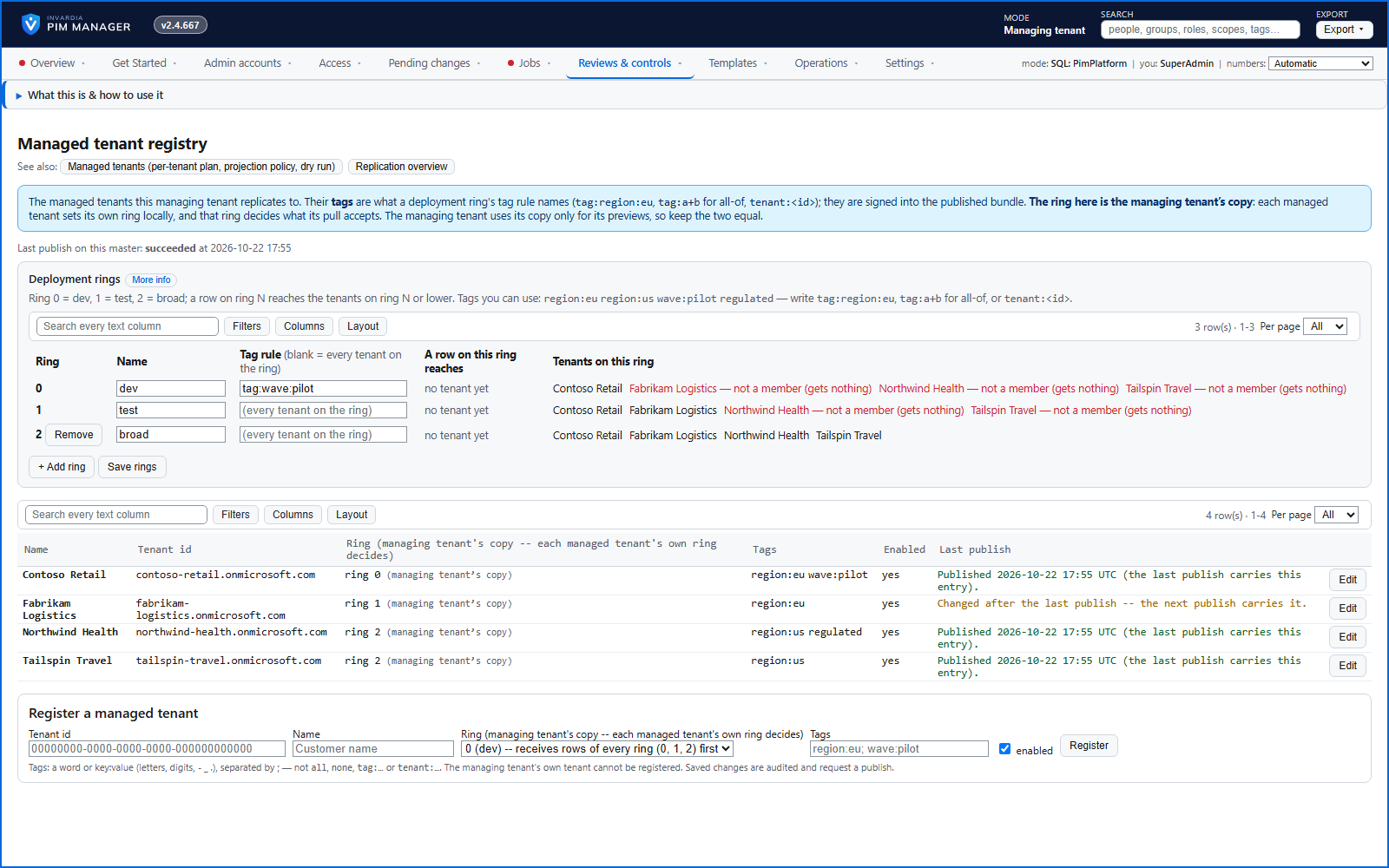
Rollout waves decide which managed tenants receive each row, so a change reaches a first group of tenants before the rest.
Purpose
A mistake in a central definition should reach one tenant you chose, not the whole customer base.
Design
Every managed tenant is in a wave, and every replicated row can carry one. By default there are three, numbered 0, 1 and 2: wave 0 for a few early tenants, wave 1 for more, wave 2 for every managed tenant; you can rename them and add more, up to ten. A row reaches the tenants whose wave is at or below its own, so a change starts on the first wave and is promoted wave by wave. The managing tenant can narrow a wave with a tag rule, and tenant tags travel inside the signed set, so a tenant cannot tag itself into scope.
A replicated admin with no wave reaches no managed tenant. Any other replicated row with no wave - a group, a nesting or a role binding - is not limited by wave and reaches every managed tenant its target and tags admit; to roll a change out wave by wave, set a wave on every row. A row the wave does not admit is withheld, not retracted: the tenant does not receive it, and what it already holds stays untouched. A managed tenant's own wave decides what its pull accepts; the managing tenant keeps a copy for its previews, so change both when you move a tenant to another wave.
Business opportunities
Changes roll out with the same caution as software releases, and a bad one does not reach all customers at once.
Related features
An engine that keeps your tenant matching your model
You describe the access you want; the engine creates the groups, owners, policies, assignments and access passes your data defines, and keeps them that way.
One queue for the changes you make - reviewed, backed up, reversible
Configuration edits, revokes, access-pass re-issues and session revokes wait in one queue until someone commits them.
Drift: live versus desired, with a decision for each difference
See what is missing, what was changed and what is extra in the tenant - and decide what happens to each item: Apply now, Import into PIM, Delete, Ignore or Re-add.
PIM policy changes wait for a SuperAdmin
A policy run plans its changes and holds them until a SuperAdmin approves that exact change set, with the setting that weakens protection marked.