

Invite external consultants straight into the delegation model
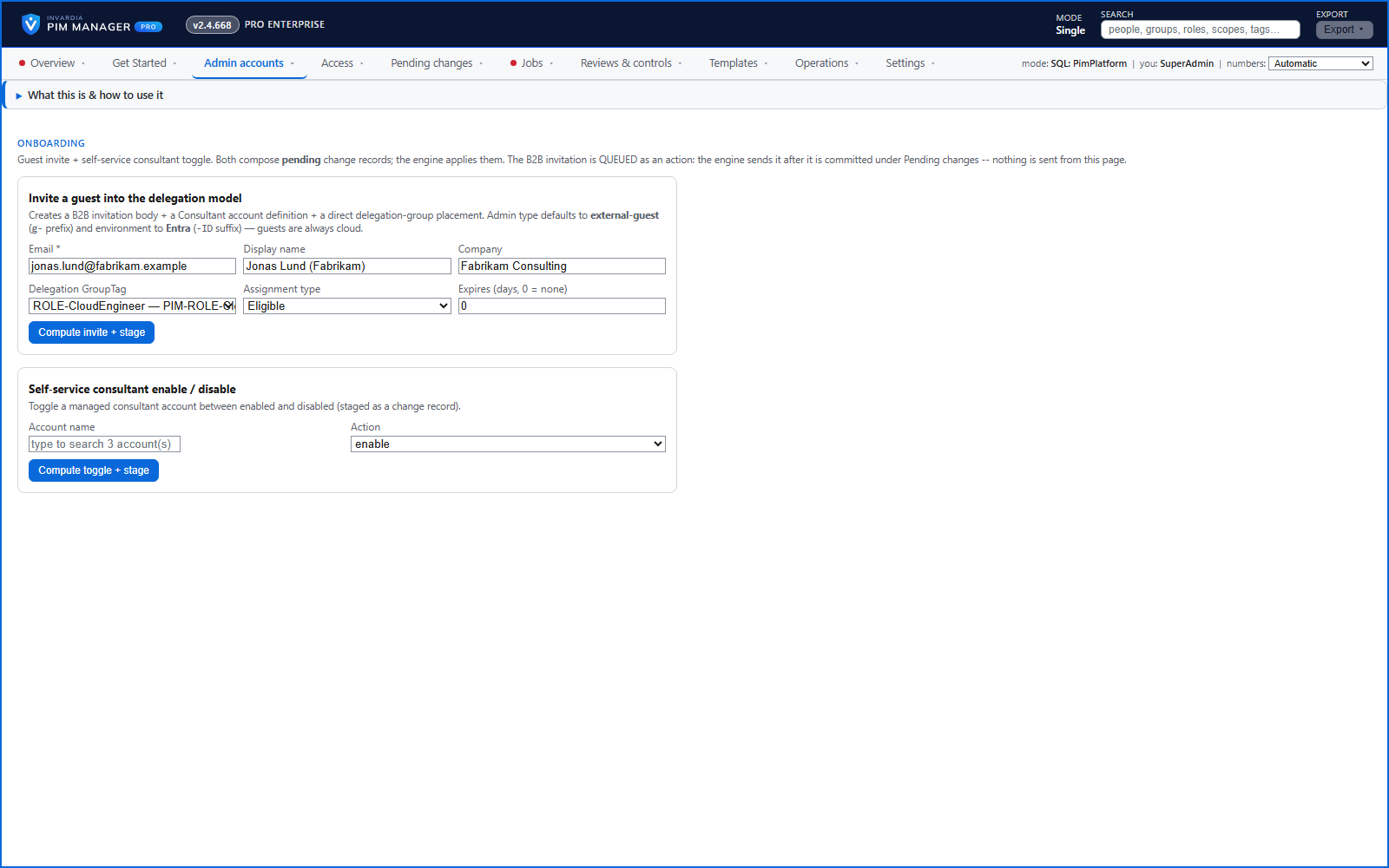
Invite a consultant as a guest and place them in a delegation group in one staged change; their owner can switch them on and off.
Purpose
External consultants need privileged access, but a guest invitation, an admin record and a group membership are three separate tasks - and the access often outlives the engagement.
Design
One action prepares the guest invitation, the consultant's admin record and their membership of the chosen delegation group, staged for review and commit; the engine sends the invitation after the commit. Only an operator with the guest-invite right, or a SuperAdmin, can do it. If your tenant does not allow guest invitations, the engine stops and names the External collaboration setting to change.
A department or service owner can switch one of their own consultants on or off from the Manager; the change is queued, applied by the engine and audited.
Business opportunities
Consultants are productive on day one, inside the same governed model as your own staff, and switched off when the work is done.
Related features
Access map: your delegation model on one board
Pick a person or a permission and see every path in your delegation model - people, their groups, what those groups include and the roles and scopes they grant.
Look up a role: find the least-privileged role for the job
See what an Entra ID role can do in plain words, find the roles that grant an action ranked least-privileged first, see who can activate a role, or compare two roles.
PIM Activator: activate the access you need, together
A browser extension for Edge and Chrome: tick the groups and roles you need, give one justification and activate them together - three clicks for a typical activation.
Roll out the PIM Activator from one guided page
One page takes you through deploying the browser extension: the sign-in apps, the settings, the Intune remediation, Edge for Business and PCs and servers without Intune.