

Access request portal: switch on an account, or get temporary group access
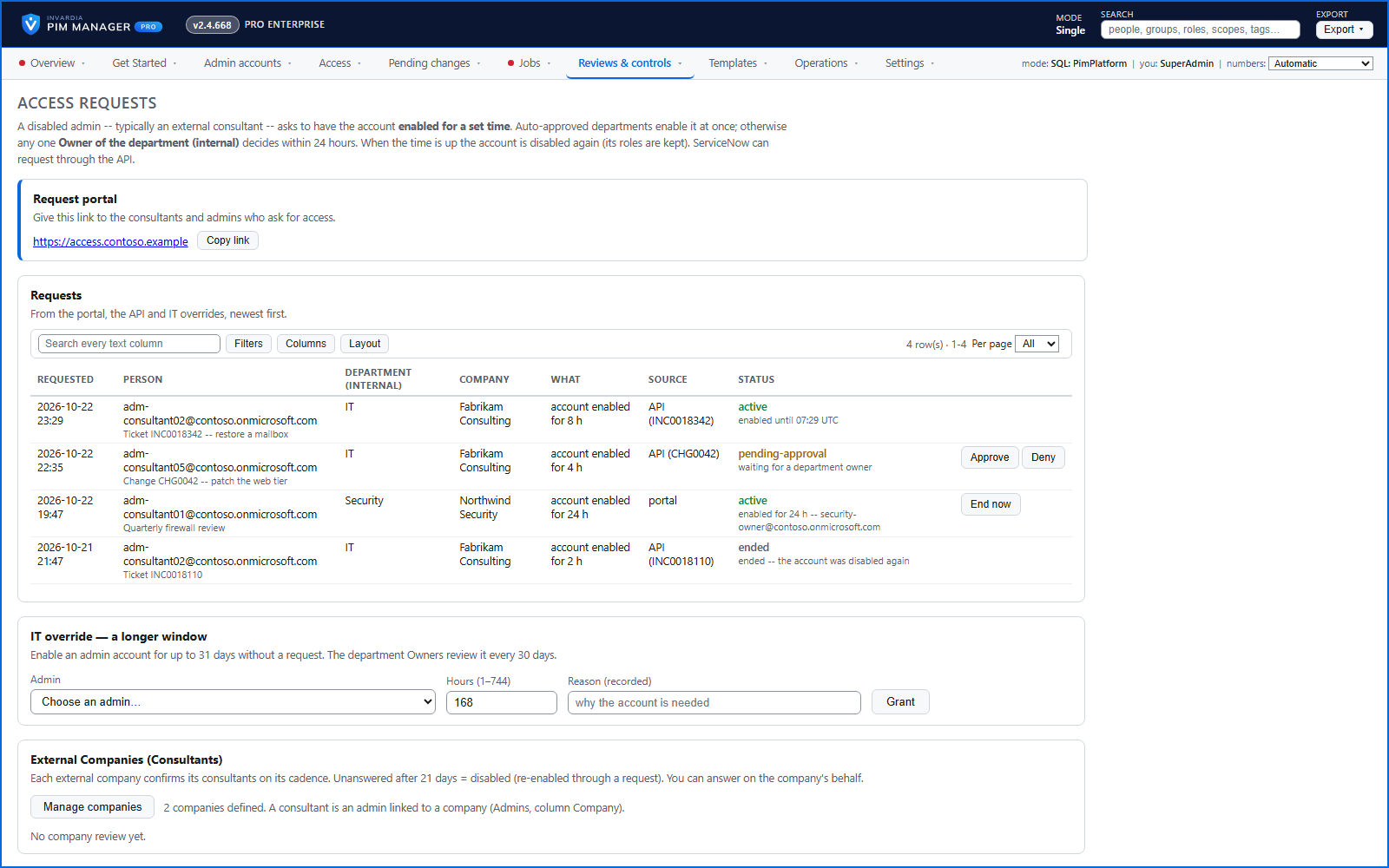
A disabled admin or consultant asks for their account back for a set time, or for short-term membership of a permission group you offer - approved, then switched off when the period ends.
Purpose
Accounts that are only needed occasionally should stay disabled. But switching them on by ticket is slow, and temporary access tends to stay.
Design
The admin opens the request portal and signs in with a one-time PIN sent to their contact address. They ask for the account to be enabled for a set period; depending on the rule for that admin or department the request is approved at once or waits for the department's approver, and the engine switches the account off again when the period ends.
From the same portal an admin can request temporary membership of the permission groups you chose to offer. Approved access is marked as ad-hoc, so it is not mistaken for standing access, and is removed when its period ends. Each request, approval and expiry is in the audit trail.
Business opportunities
Consultants and occasional admins stay disabled by default, and help desks stop handling enable-and-remember-to-disable tickets.
Related features
Access map: your delegation model on one board
Pick a person or a permission and see every path in your delegation model - people, their groups, what those groups include and the roles and scopes they grant.
Look up a role: find the least-privileged role for the job
See what an Entra ID role can do in plain words, find the roles that grant an action ranked least-privileged first, see who can activate a role, or compare two roles.
PIM Activator: activate the access you need, together
A browser extension for Edge and Chrome: tick the groups and roles you need, give one justification and activate them together - three clicks for a typical activation.
Roll out the PIM Activator from one guided page
One page takes you through deploying the browser extension: the sign-in apps, the settings, the Intune remediation, Edge for Business and PCs and servers without Intune.