

Switch capabilities on one at a time
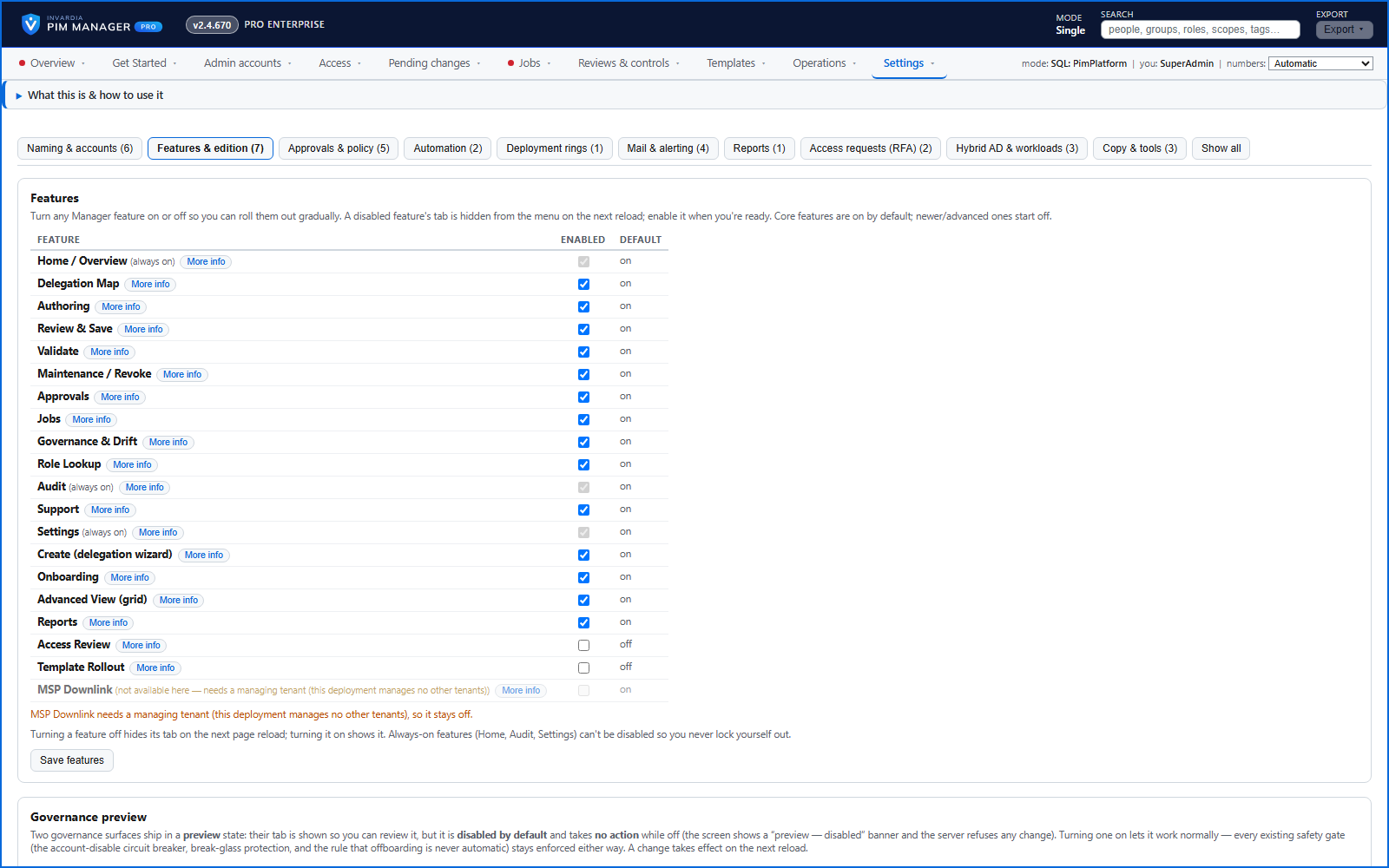
Each optional capability has an on/off switch, advanced ones start off, and off means the engine and the scheduled jobs skip it.
Purpose
Upgrading a tool should not spring new behavior on a production tenant.
Design
Settings > Features & edition lists the optional capabilities - discovery, alerting, workload connectors, Power BI, managed-tenant features, scheduled jobs - each with a switch and its default. A newly shipped advanced feature starts off. When a feature is off, the engine, the scheduled jobs and the integrations skip it, however the work is triggered. A capability that cannot work in your deployment is locked off with the reason. Home, Audit and Settings stay on, so the way back is not hidden.
Business opportunities
Adopt the product at your own pace, team by team, with each change of the feature set audited.
Related features
PIM Activator: activate the access you need, together
A browser extension for Edge and Chrome: tick the groups and roles you need, give one justification and activate them together - three clicks for a typical activation.
Roll out the PIM Activator from one guided page
One page takes you through deploying the browser extension: the sign-in apps, the settings, the Intune remediation, Edge for Business and PCs and servers without Intune.
An engine that keeps your tenant matching your model
You describe the access you want; the engine creates the groups, owners, policies, assignments and access passes your data defines, and keeps them that way.
Get Started: the steps to a working environment
A guided list of the steps that make an environment work - each marked done or still open from your own data.