

Discovery and gaps across your workloads
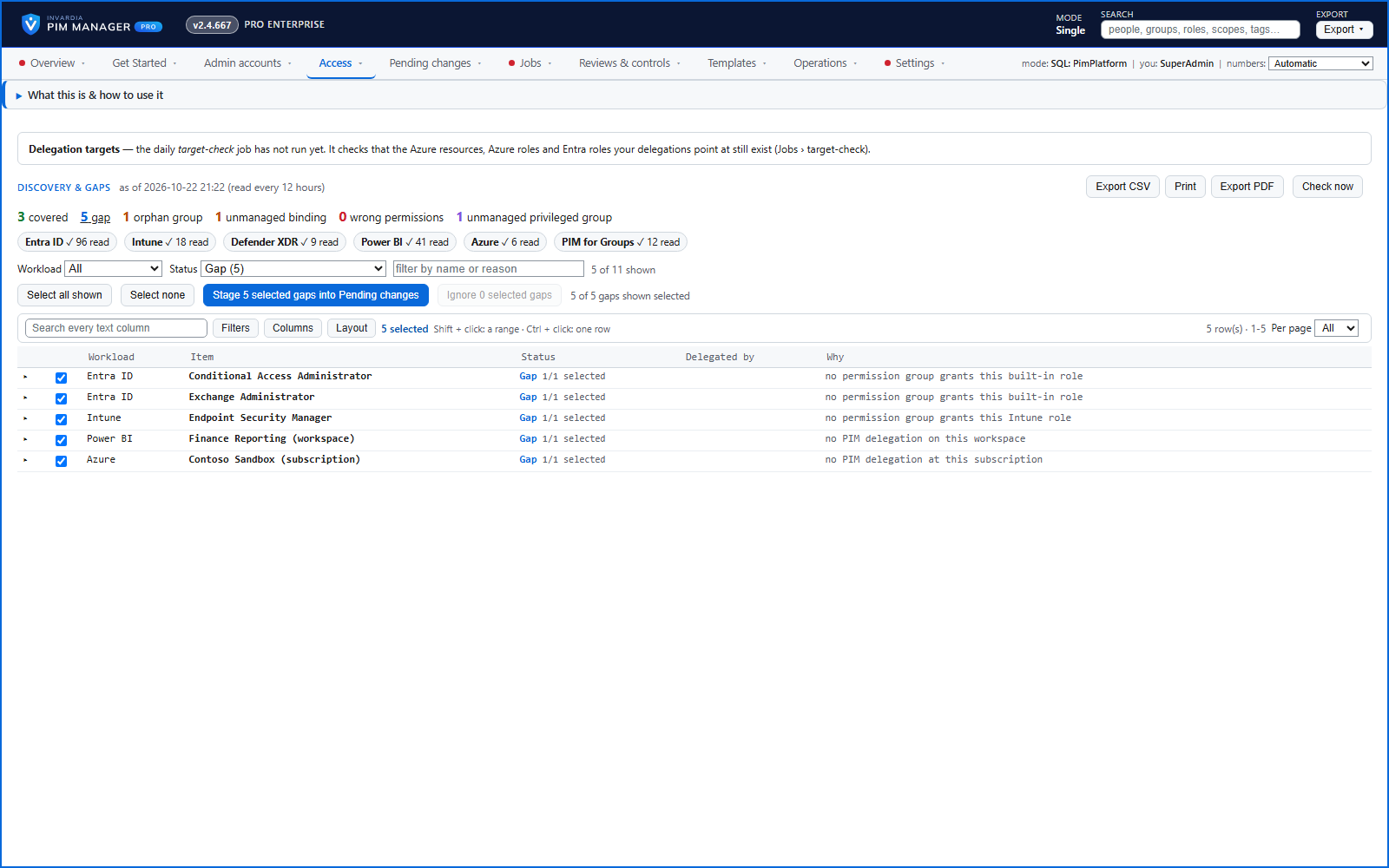
One page shows what is delegated through PIM Manager and what is not - across Entra ID, Intune, Defender XDR, Power BI, Azure and PIM for Groups - with ready proposals.
Purpose
Privileged access granted outside your model is invisible to the controls you built on top of it.
Design
For each workload the page lists what is covered and by which group, the gaps, orphan groups that hold nothing, roles bound to groups PIM Manager does not define, and privileged groups nobody defined. A workload the engine cannot read is listed as Not read, with what is missing, and is not counted as covered. Each gap comes with a ready proposal named by your own naming convention; you stage the ones you want, or ignore a gap and bring it back later. Nothing is granted by the page itself. The page is read on a schedule, and Check now starts a new read.
Business opportunities
Closes the blind spots between "what we govern" and "what exists", and shows progress toward full coverage.
Related features
Access map: your delegation model on one board
Pick a person or a permission and see every path in your delegation model - people, their groups, what those groups include and the roles and scopes they grant.
Who can do what - and who can activate this role
Pick a person to see the targets they can reach, or pick a role to see who can activate it - each with the exact path that grants it.
Look up a role: find the least-privileged role for the job
See what an Entra ID role can do in plain words, find the roles that grant an action ranked least-privileged first, see who can activate a role, or compare two roles.
PIM Activator: activate the access you need, together
A browser extension for Edge and Chrome: tick the groups and roles you need, give one justification and activate them together - three clicks for a typical activation.