

Community stays free - Pro is shown, not hidden
The Community edition is free for a single tenant and does not depend on a license; Pro capabilities are visible with the reason they are off.
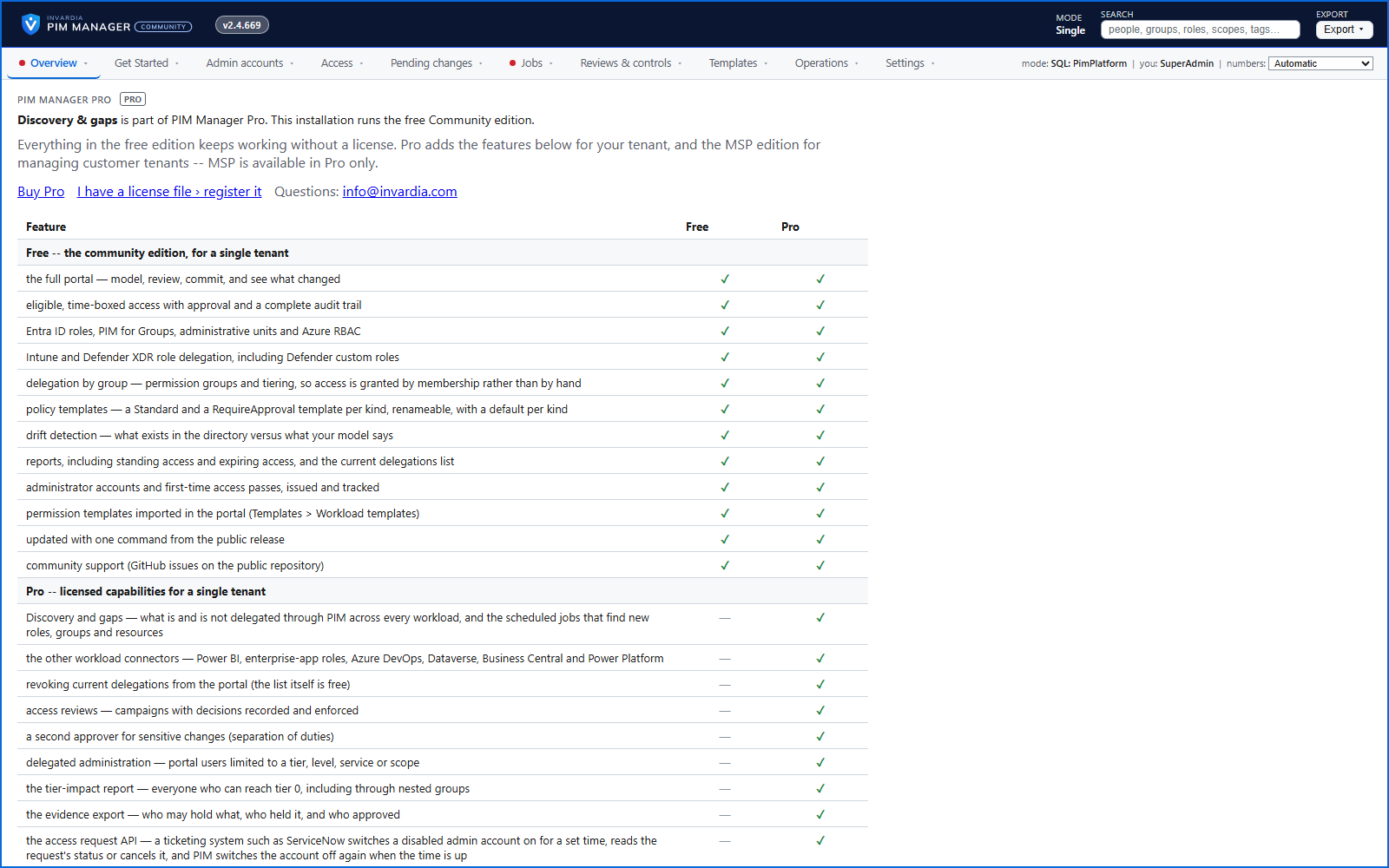
Purpose
Licensing should not be the reason you cannot get into your own environment, and nobody should have to guess what an upgrade adds.
Design
Without a license the Community capabilities keep working, with no pop-ups or countdowns. A Pro capability is shown dimmed and labeled, and its menu item opens a Community versus Pro page that says what it adds. A SuperAdmin keeps full access whatever the license state, and your administrators and delegation model stay readable. Registering a Pro license switches Pro on without reinstalling.
Pro Business has the same features as Pro Enterprise, for up to 5 managed admin accounts. The number is part of the signed license; above it, PIM Manager does not save a new admin account and leaves the existing ones as they are.
Business opportunities
Start free, prove the value on your own tenant, and upgrade in place when you need Pro.
Related features
PIM policy changes wait for a SuperAdmin
A policy run plans its changes and holds them until a SuperAdmin approves that exact change set, with the setting that weakens protection marked.
Changes only what you define - deleting an account is a person's decision
The engine changes groups, roles and admins only when your data defines them, does not disable, revoke or offboard your break-glass accounts, and does not delete a user account on its own.
Emergency access: break-glass accounts and a time-boxed override
Your break-glass accounts are protected from PIM Manager's revoke, disable and offboard paths, and in an emergency a SuperAdmin can lift the approval requirement for a bounded time.
Scripts and services on the Manager API, on your list only
Scripts and services use the Manager API only with an Entra application that a SuperAdmin lists and a second SuperAdmin approves, as Reader or Admin.