

Delegation overview: the active privileged assignments right now
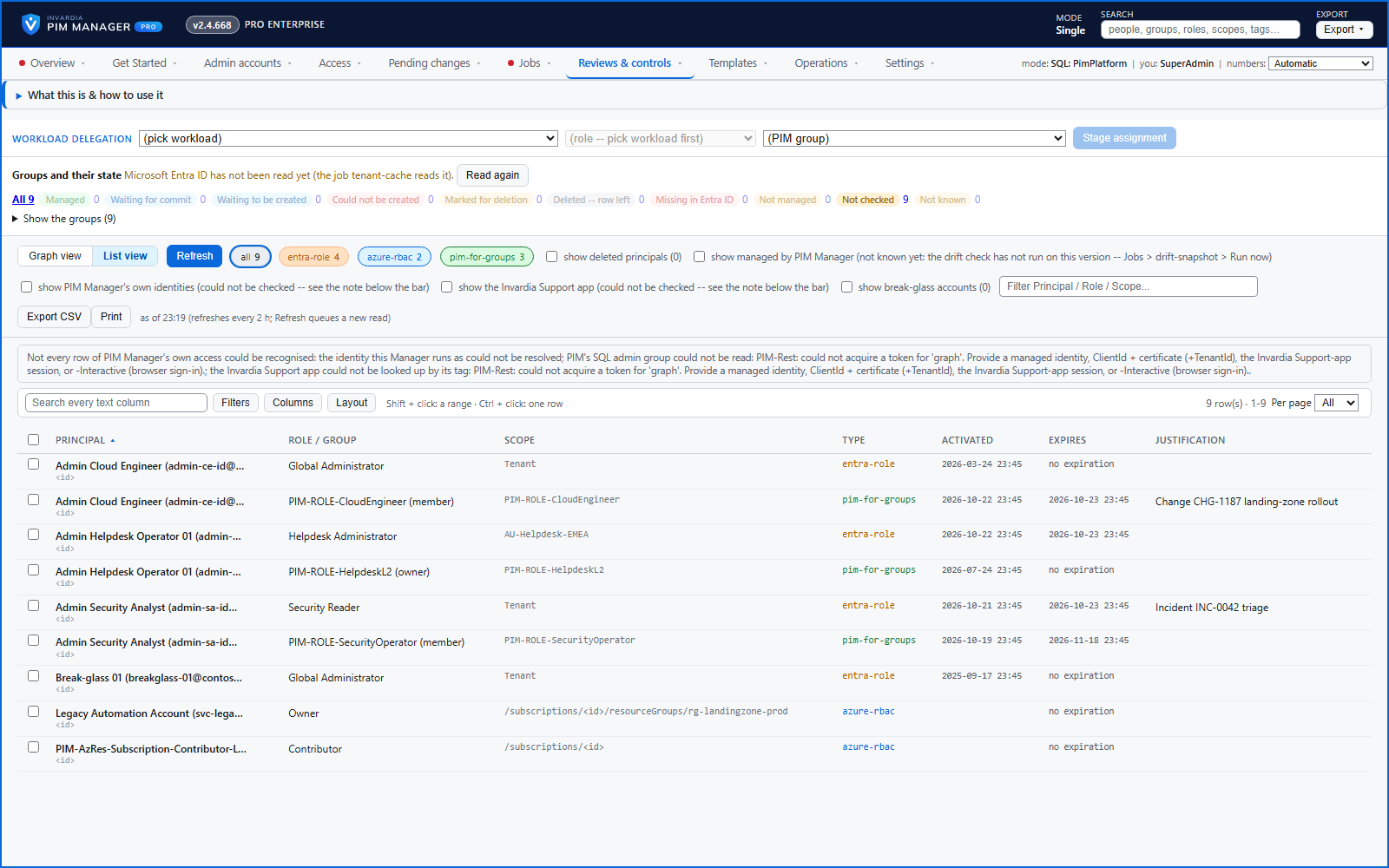
The active Entra ID role, Azure role and PIM for Groups assignments in your tenant in one view, opening at once from a stored snapshot.
Purpose
Reading the active assignments live takes minutes in a large tenant, and the access worth cleaning up - held by deleted accounts, or not yet put under management - is mixed in with the rest.
Design
The scheduler stores a snapshot of the active assignments, so the page opens at once and says when the snapshot was taken; Refresh asks for a new read instead of making you wait. Eligible assignments are not on it. The graph view draws the live assignments like the access map; the list view shows them as a table with principal, role or group, scope, type, start, end and justification. Filter by kind, principal, role or scope, show or hide principals that no longer exist, and export the list as a point-in-time extract.
Business opportunities
A quick, honest answer to "who holds active privileged access today?" for a review, an incident or an audit - in seconds, even in a large tenant.
Related features
Access map: your delegation model on one board
Pick a person or a permission and see every path in your delegation model - people, their groups, what those groups include and the roles and scopes they grant.
Who can do what - and who can activate this role
Pick a person to see the targets they can reach, or pick a role to see who can activate it - each with the exact path that grants it.
Look up a role: find the least-privileged role for the job
See what an Entra ID role can do in plain words, find the roles that grant an action ranked least-privileged first, see who can activate a role, or compare two roles.
Home: what needs your attention, at a glance
Red, amber and green tiles for engine health, validation findings, break-glass use, delegation by level, gaps and expiring access - each opens the page that owns it.