

Engine logs and errors, in plain words
Jobs, schedules and each run's log in the Manager; failures named in plain words - the group, the role and the scope - with what to do.
Purpose
"17 items failed - see the log" sends an administrator into a transcript to work out what went wrong.
Design
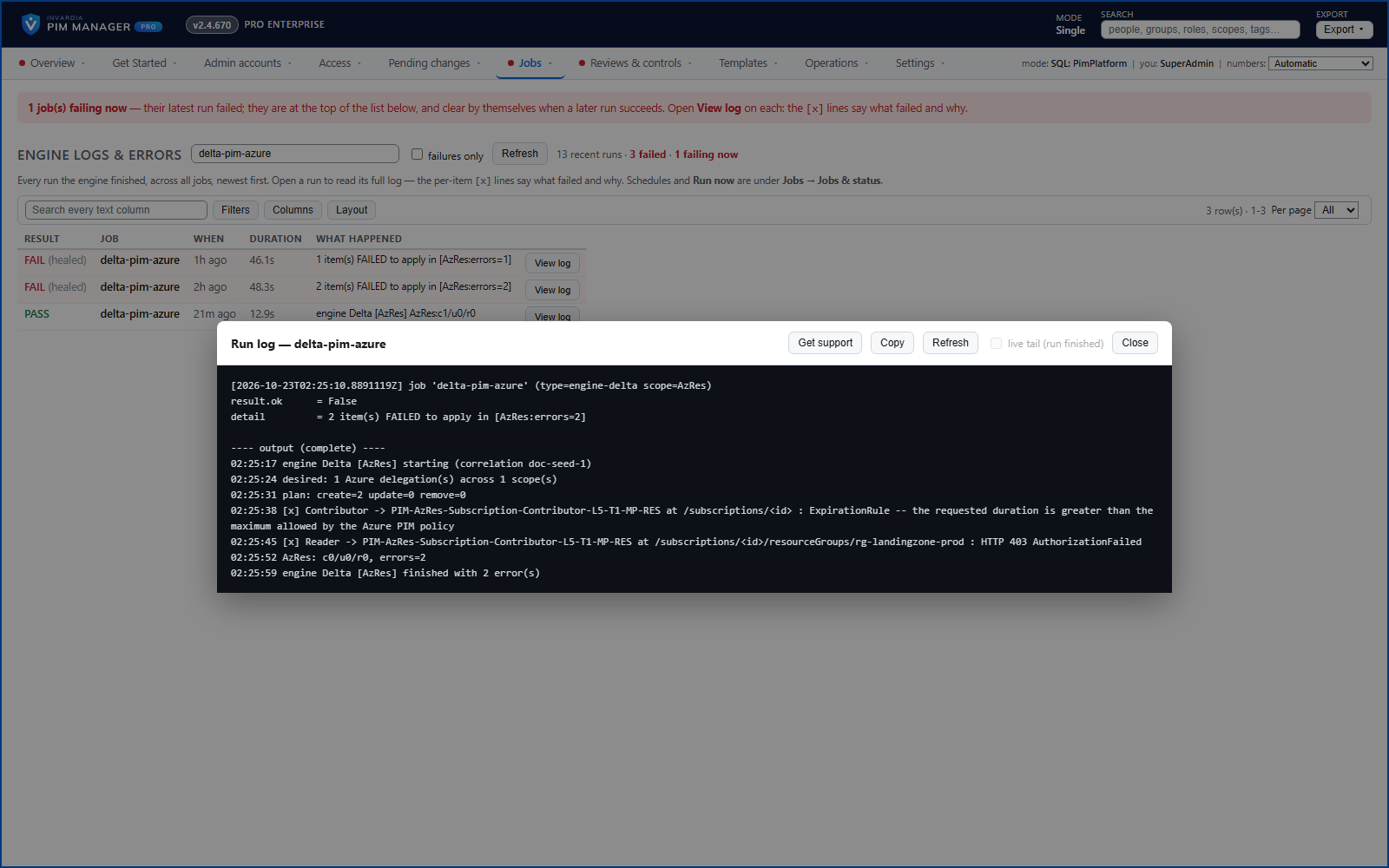
Jobs & status lists the scheduled work, what is running, when each job last ran, how it went and when it runs next, with Run now. Engine logs & errors shows the recent runs with the failed ones marked and names what failed in plain words, such as the group, the role and the scope, with the fix - for example assignments rejected because the Azure PIM policy allows a shorter duration. Where a row itself is the problem, a fix such as Make it Eligible is offered as a staged change. Each run's own log opens in the Manager, with a live tail while it runs, and a job whose latest run succeeded is no longer shown as failing.
Business opportunities
Problems are understood and fixed in minutes by the administrator who sees them, not escalated to whoever can read the logs.
Related features
Access map: your delegation model on one board
Pick a person or a permission and see every path in your delegation model - people, their groups, what those groups include and the roles and scopes they grant.
Who can do what - and who can activate this role
Pick a person to see the targets they can reach, or pick a role to see who can activate it - each with the exact path that grants it.
Look up a role: find the least-privileged role for the job
See what an Entra ID role can do in plain words, find the roles that grant an action ranked least-privileged first, see who can activate a role, or compare two roles.
PIM Activator: activate the access you need, together
A browser extension for Edge and Chrome: tick the groups and roles you need, give one justification and activate them together - three clicks for a typical activation.