

Tier impact report: who can reach Tier 0
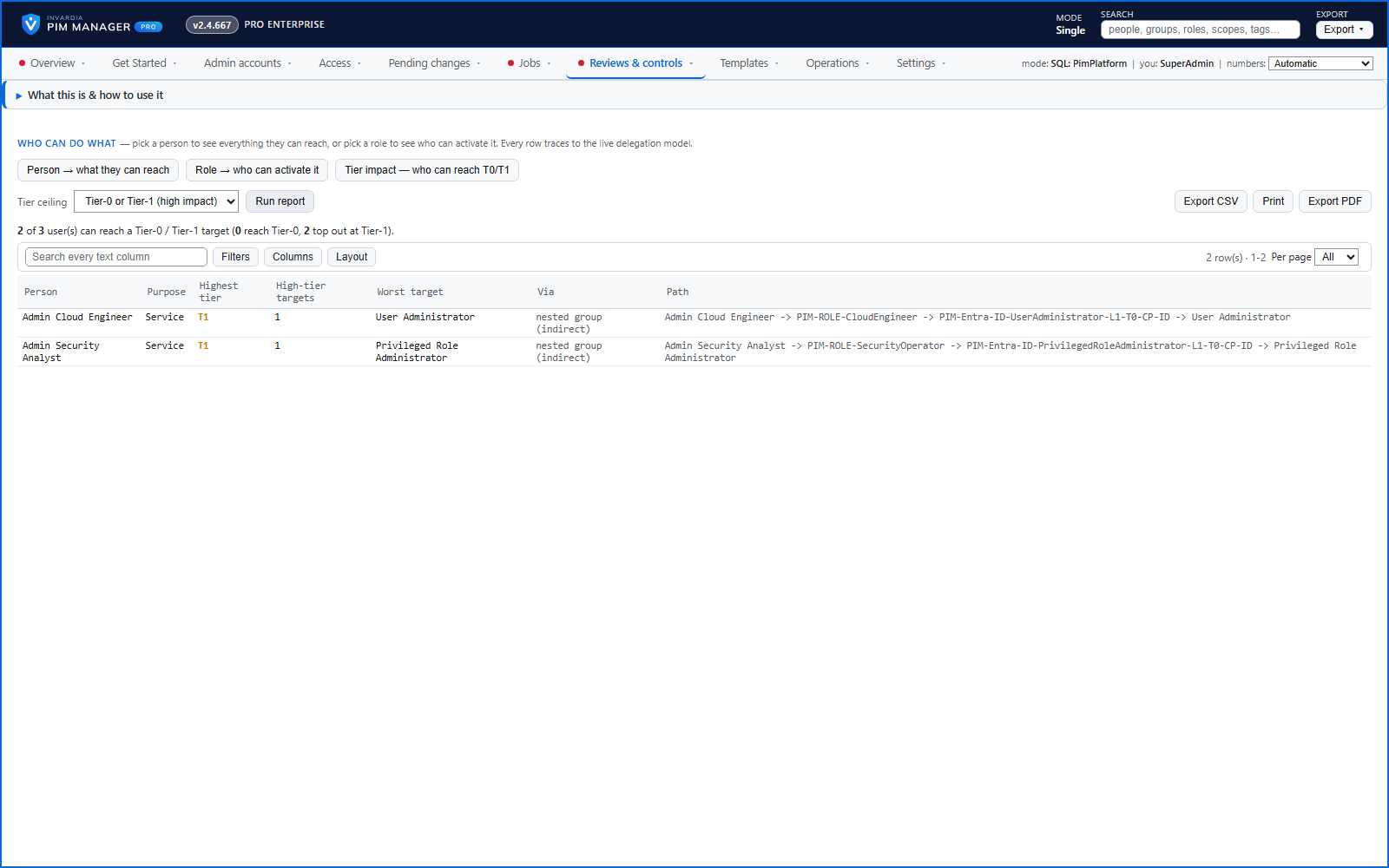
The users with a path to Tier 0 or Tier 1 access - including through nested groups - sorted most-privileged first.
Purpose
A security review opens with one question: who can reach our most privileged assets? A list of direct assignments misses the privilege inherited through nesting.
Design
A Reports mode lists each user with a path to a Tier 0 or Tier 1 target: the highest tier they reach, how many high-tier targets, the worst one, whether the reach is direct or through a nested group, and the exact path. A switch narrows it to Tier 0 only, and a summary line gives the totals. It prints and exports to CSV.
Business opportunities
A board-ready answer to "who holds the keys?" - and a clear list of where to reduce privilege first.
Related features
Access map: your delegation model on one board
Pick a person or a permission and see every path in your delegation model - people, their groups, what those groups include and the roles and scopes they grant.
Who can do what - and who can activate this role
Pick a person to see the targets they can reach, or pick a role to see who can activate it - each with the exact path that grants it.
Look up a role: find the least-privileged role for the job
See what an Entra ID role can do in plain words, find the roles that grant an action ranked least-privileged first, see who can activate a role, or compare two roles.
Home: what needs your attention, at a glance
Red, amber and green tiles for engine health, validation findings, break-glass use, delegation by level, gaps and expiring access - each opens the page that owns it.