

Signed updates, verified in your own subscription
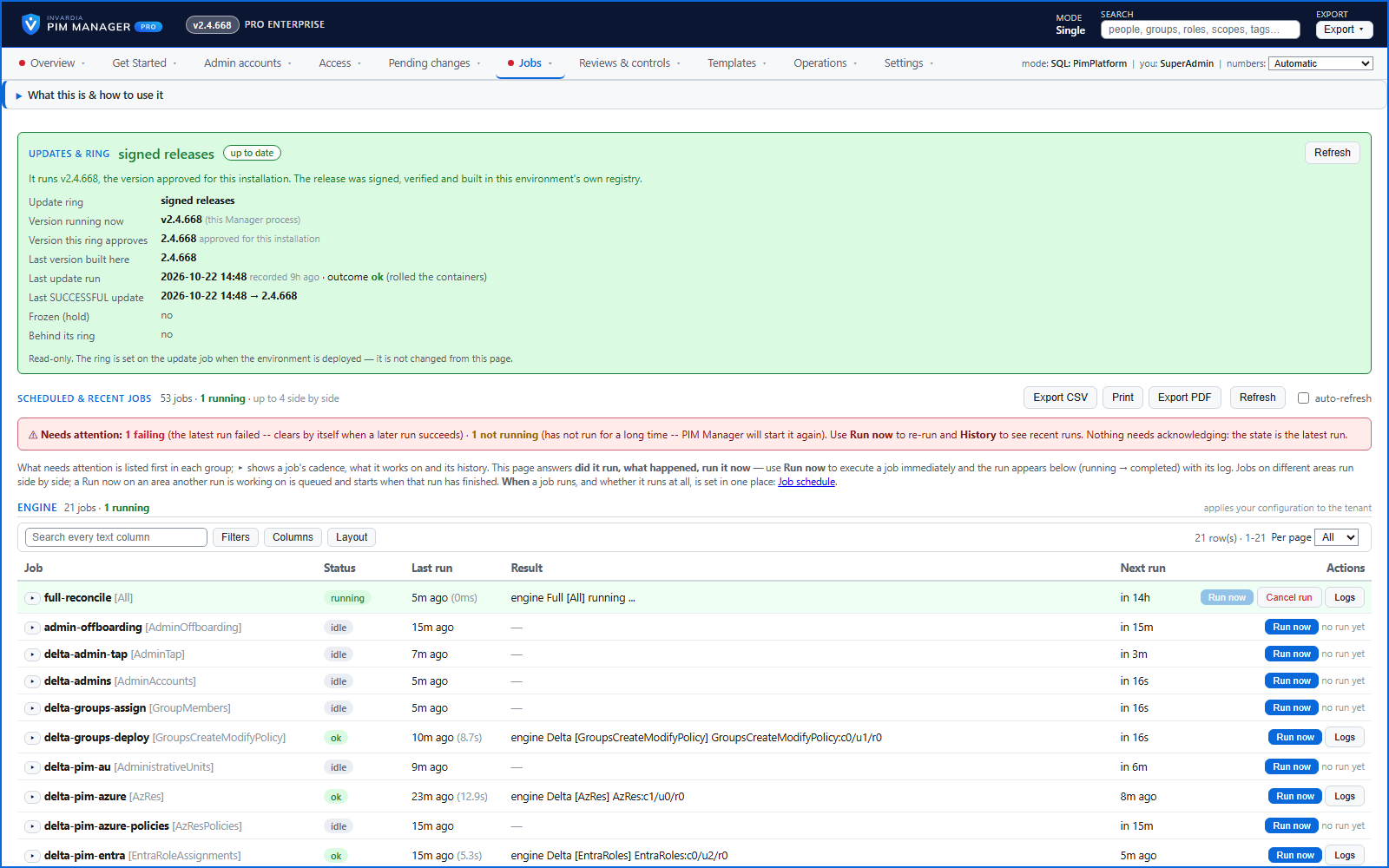
A Pro installation updates only to signed releases, builds them in your own registry, updates the database first and rolls back when a component is not healthy - under the controls you set.
Purpose
A tool that holds the keys to your privileged access must update safely: only to a verified build, only forward, and completely or not at all.
Design
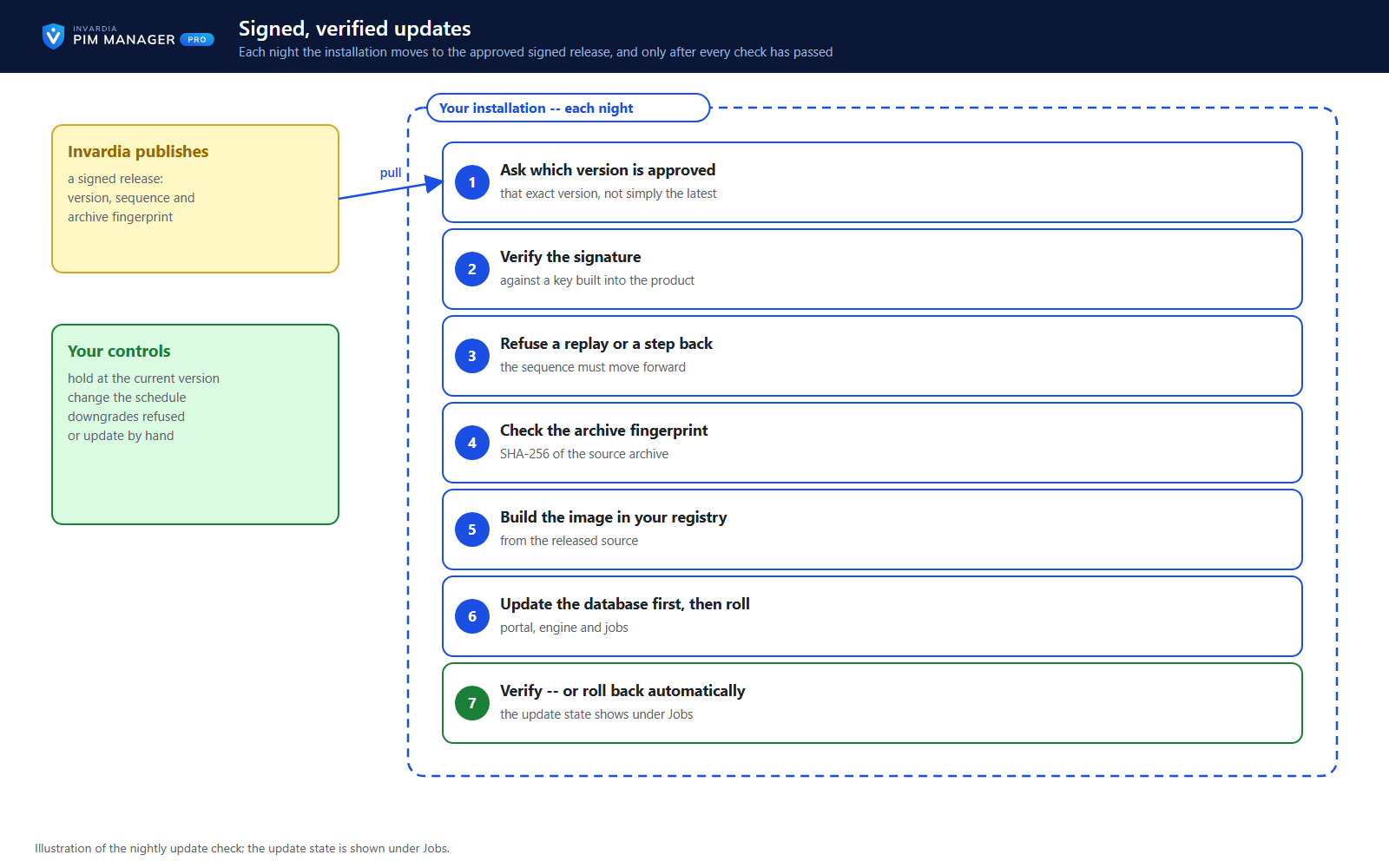
An updater job in your subscription asks Invardia, outbound, which version is released for your installation; nothing is pushed. It checks the signed release manifest against public keys built into PIM Manager, refuses a replayed or older release, checks the archive's SHA-256 and size, builds the image from source in your own container registry, applies the database changes first, updates each component, runs a health check and rolls back automatically if the check fails. A release that asks for a manual step is held. The hybrid worker for on-premises Active Directory updates the same way: its daily update installs only a version your update service signed and the worker verified.
Your controls: hold the installation at its version, refuse downgrades, change the update schedule, or switch off Pro updates and update by hand. The Community edition has no updater in the cloud: you run one update command on your own schedule.
Business opportunities
You stay current without maintenance windows or manual upgrades, and each update is one you can verify.
Related features
PIM Activator: activate the access you need, together
A browser extension for Edge and Chrome: tick the groups and roles you need, give one justification and activate them together - three clicks for a typical activation.
Roll out the PIM Activator from one guided page
One page takes you through deploying the browser extension: the sign-in apps, the settings, the Intune remediation, Edge for Business and PCs and servers without Intune.
An engine that keeps your tenant matching your model
You describe the access you want; the engine creates the groups, owners, policies, assignments and access passes your data defines, and keeps them that way.
Get Started: the steps to a working environment
A guided list of the steps that make an environment work - each marked done or still open from your own data.