

Revoke active access - staged, justified, break-glass accounts skipped
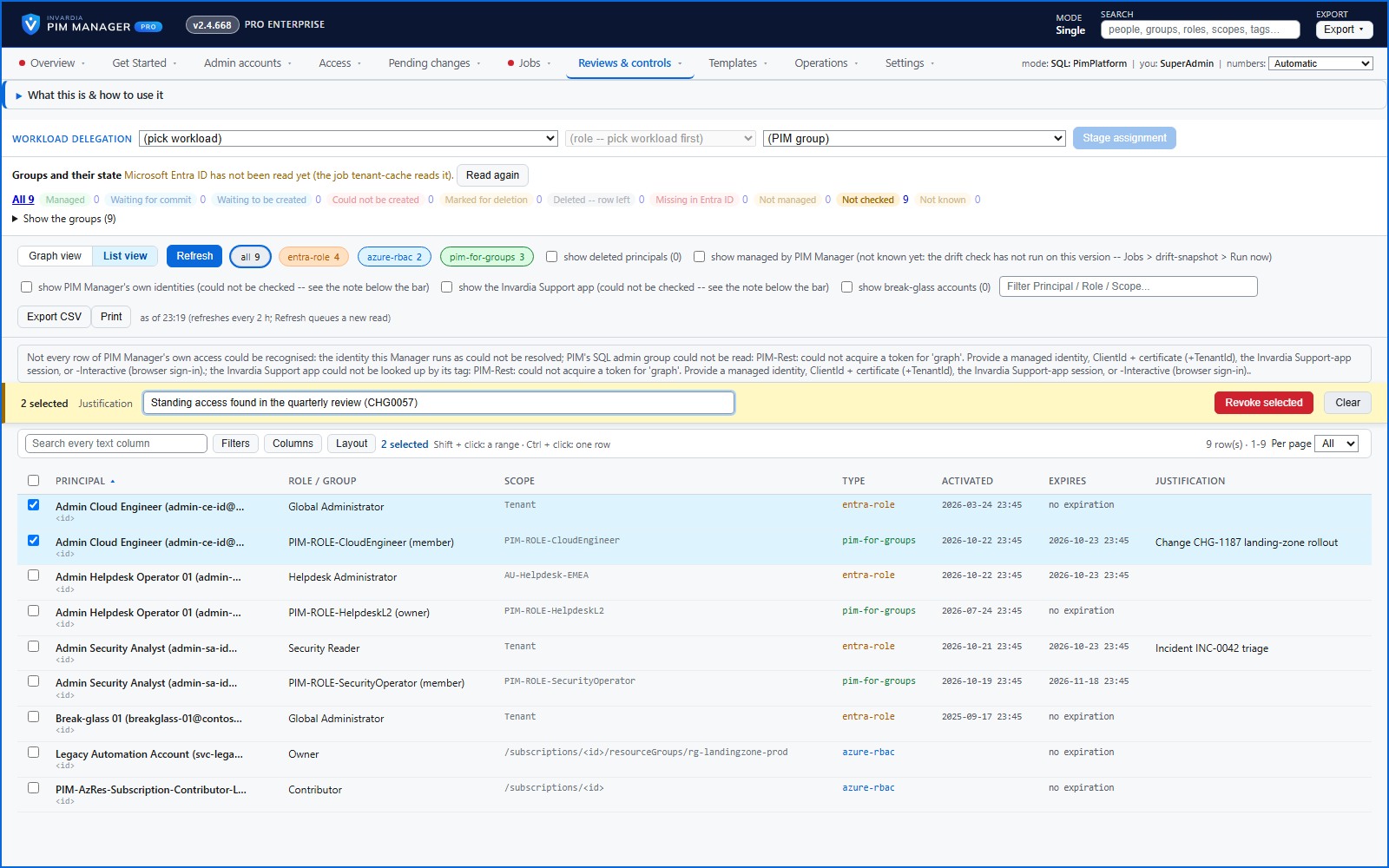
Select active assignments on Delegation overview and revoke them through Pending changes, with a business reason, break-glass accounts skipped and a second administrator for a large batch.
Purpose
Standing access found in a review should be removed the same day. Doing it by hand in the portal is slow, and doing it in bulk without a preview is dangerous.
Design
Revoke selected checks each selected row first: a row that cannot be addressed is refused with its reason, while the others are staged. Nothing is revoked until the revokes are committed, and the queued entries carry your business reason and the real names of what they target. Break-glass accounts are skipped and reported. A batch over the safety threshold needs a second administrator on the Approvals page, which acts only when a SuperAdmin switches on Approval-gated offboarding + revoke (off by default).
A SuperAdmin can revoke any listed permission, including one PIM Manager does not manage; an Admin can revoke a permission PIM Manager manages, within the scope and level they may manage.
Business opportunities
Clean-up after an access review or an incident happens in minutes, safely, with a full record of who removed what and why.
Related features
Access map: your delegation model on one board
Pick a person or a permission and see every path in your delegation model - people, their groups, what those groups include and the roles and scopes they grant.
Look up a role: find the least-privileged role for the job
See what an Entra ID role can do in plain words, find the roles that grant an action ranked least-privileged first, see who can activate a role, or compare two roles.
PIM Activator: activate the access you need, together
A browser extension for Edge and Chrome: tick the groups and roles you need, give one justification and activate them together - three clicks for a typical activation.
An engine that keeps your tenant matching your model
You describe the access you want; the engine creates the groups, owners, policies, assignments and access passes your data defines, and keeps them that way.