

PIM Manager documentation · Verified against PIM Manager 3.0.23.3 on Nov 3, 2026
Visibility and evidence
Without a comparison, extra assignments made in the portal or by other tools go unnoticed until an audit or an incident, and answering an auditor by hand takes days. PIM Manager shows what differs, who can reach what, and what happened, from the same data the engine applies.
Overview
The Manager opens on Overview: red, amber and green tiles for engine health, validation findings, break-glass use, delegation by tier, gaps, expiring access and pending reviews. Each tile opens the page that owns the detail.
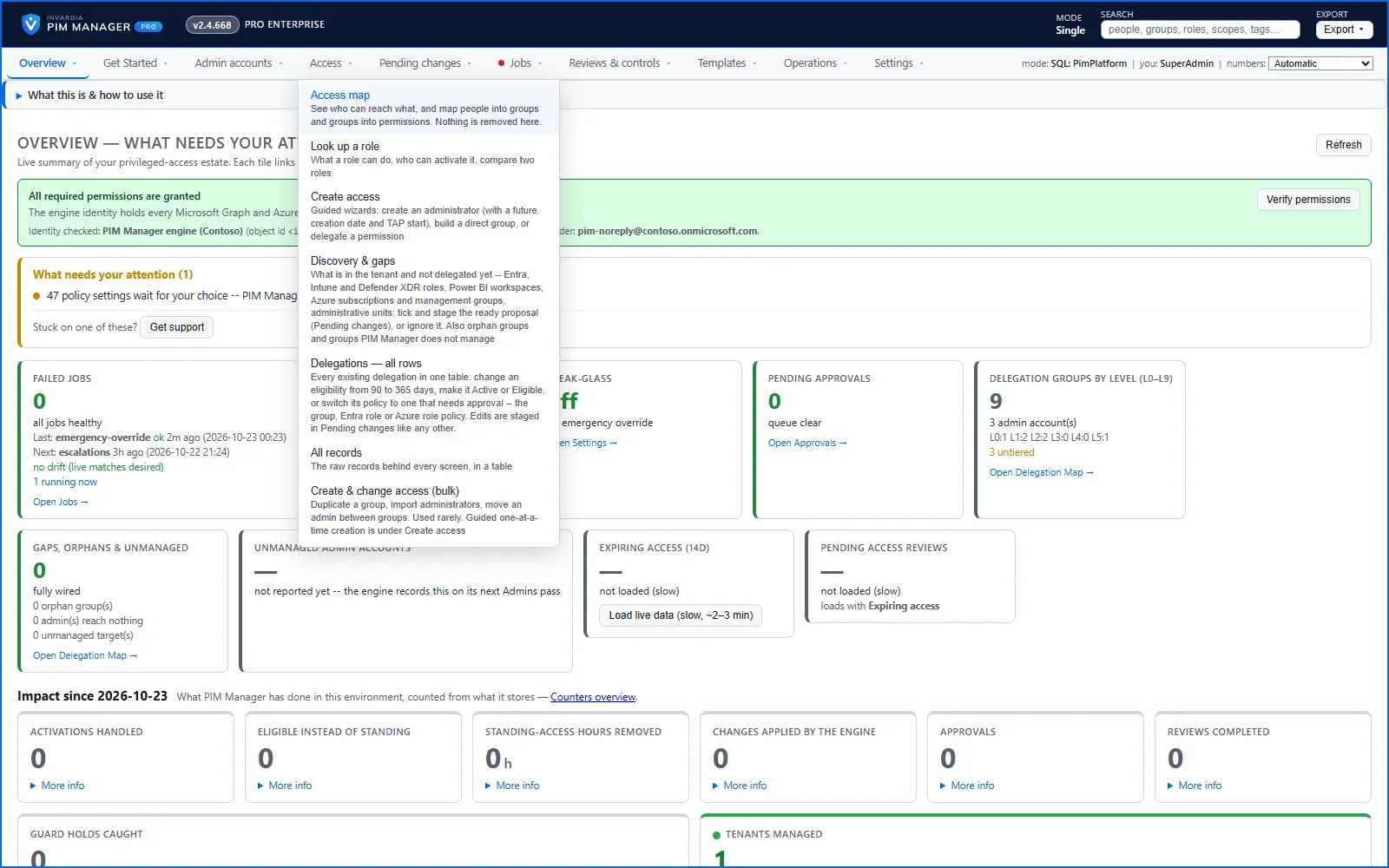
Drift: live versus desired
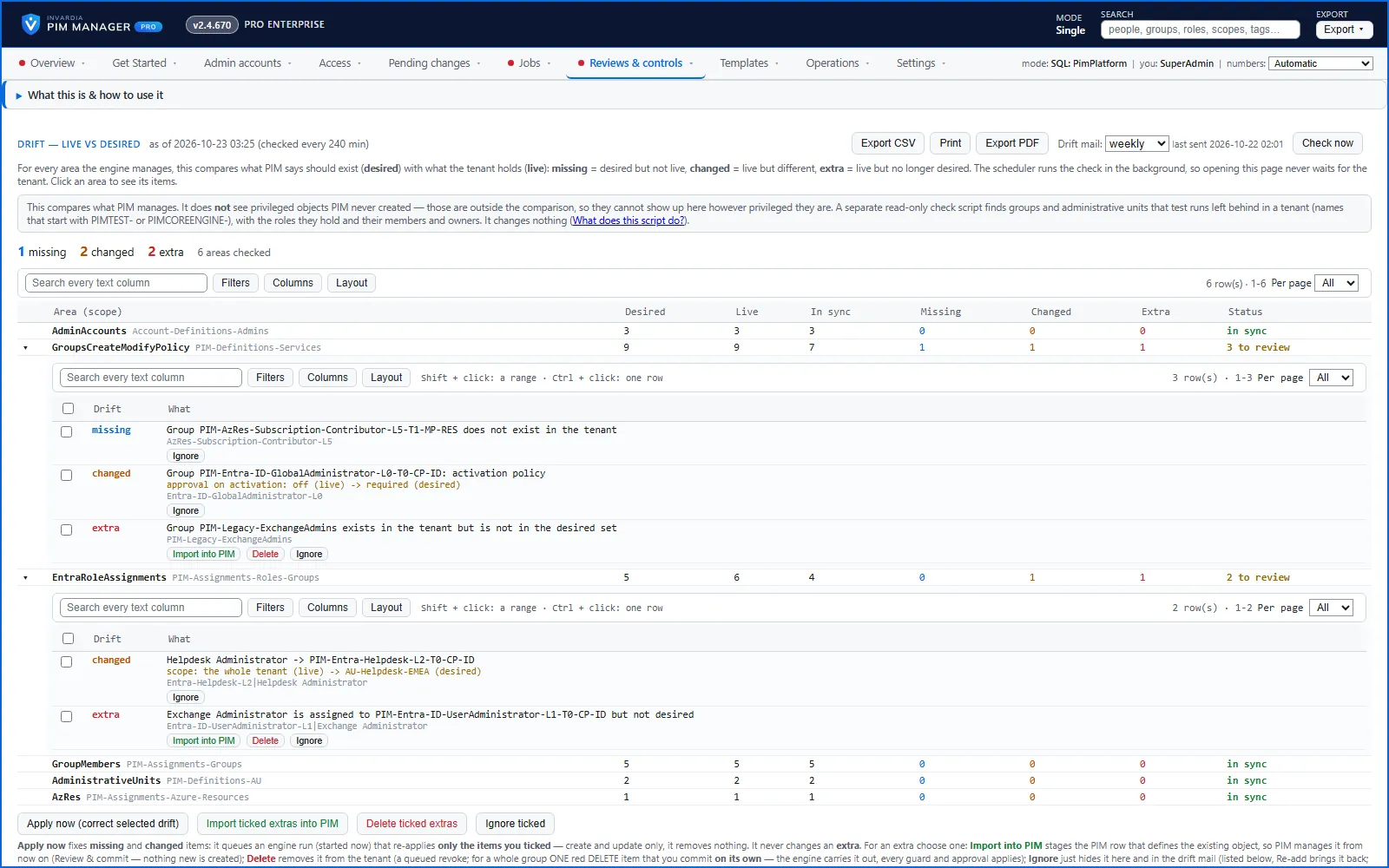
A scheduled snapshot compares live assignments with your definitions, per area, and lists every difference with its source.
- Missing or changed items: Apply now has the engine put them right, or Ignore accepts the difference.
- Extra items, in the tenant but not in your definitions: Import into PIM takes them under management, Delete (SuperAdmin) removes them after a commit, or Ignore accepts them. An ignored finding comes back with Re-add.
- PIM Manager does not remove an extra automatically. You can delete an extra group; deleting an extra assignment is a revoke, available in Pro editions, not in Community.
Read more in How to handle drift.
Delegation overview
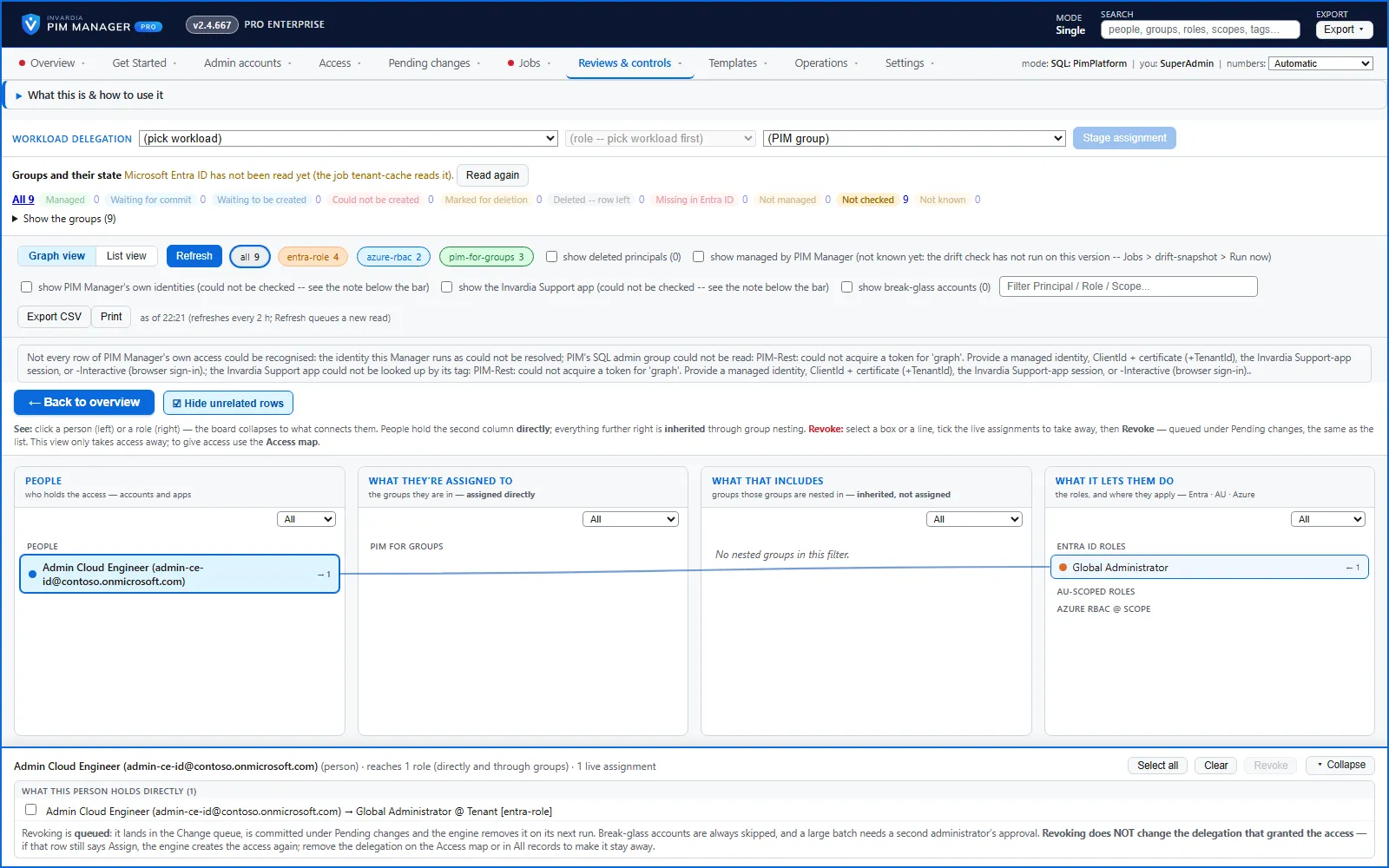
Delegation overview lists the active privileged assignments in the tenant: Entra roles, Azure roles and PIM for Groups. Eligible assignments are not on it. The graph view draws the live assignments like the access map; the list view shows them as a table. Access that expires soon is shown, and rows held by deleted accounts can be filtered out. Revoking current delegations from this page goes through Pending changes, always skips break-glass accounts, and needs a second administrator for a large batch. A SuperAdmin can revoke any listed permission, including one PIM Manager does not manage; an Admin can revoke a permission PIM Manager manages, within the scope and level they may manage. Revoking from the page is available in Pro editions, not in Community.
Discovery and gaps
One page lists what exists in your tenant and is not delegated through PIM Manager yet: Entra ID, Intune and Defender XDR roles, Power BI workspaces, Azure subscriptions and management groups, Administrative Units, PIM for Groups and, with a hybrid worker, Windows servers. Each gap comes with a proposal named by your own convention. You stage the ones you want, or ignore a gap and bring it back later. Nothing is granted by the page itself. Available in Pro editions; not in Community.
Reports
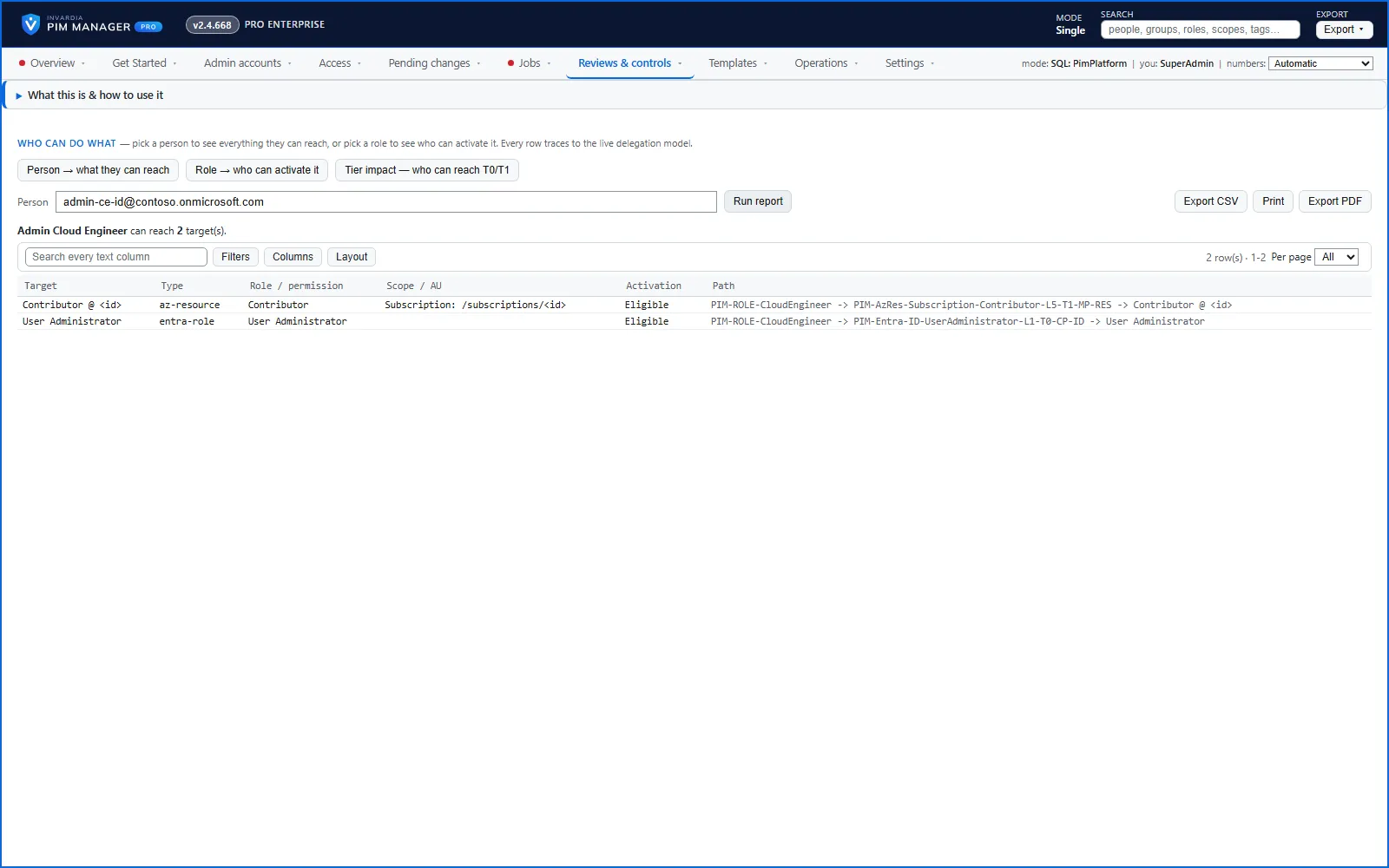
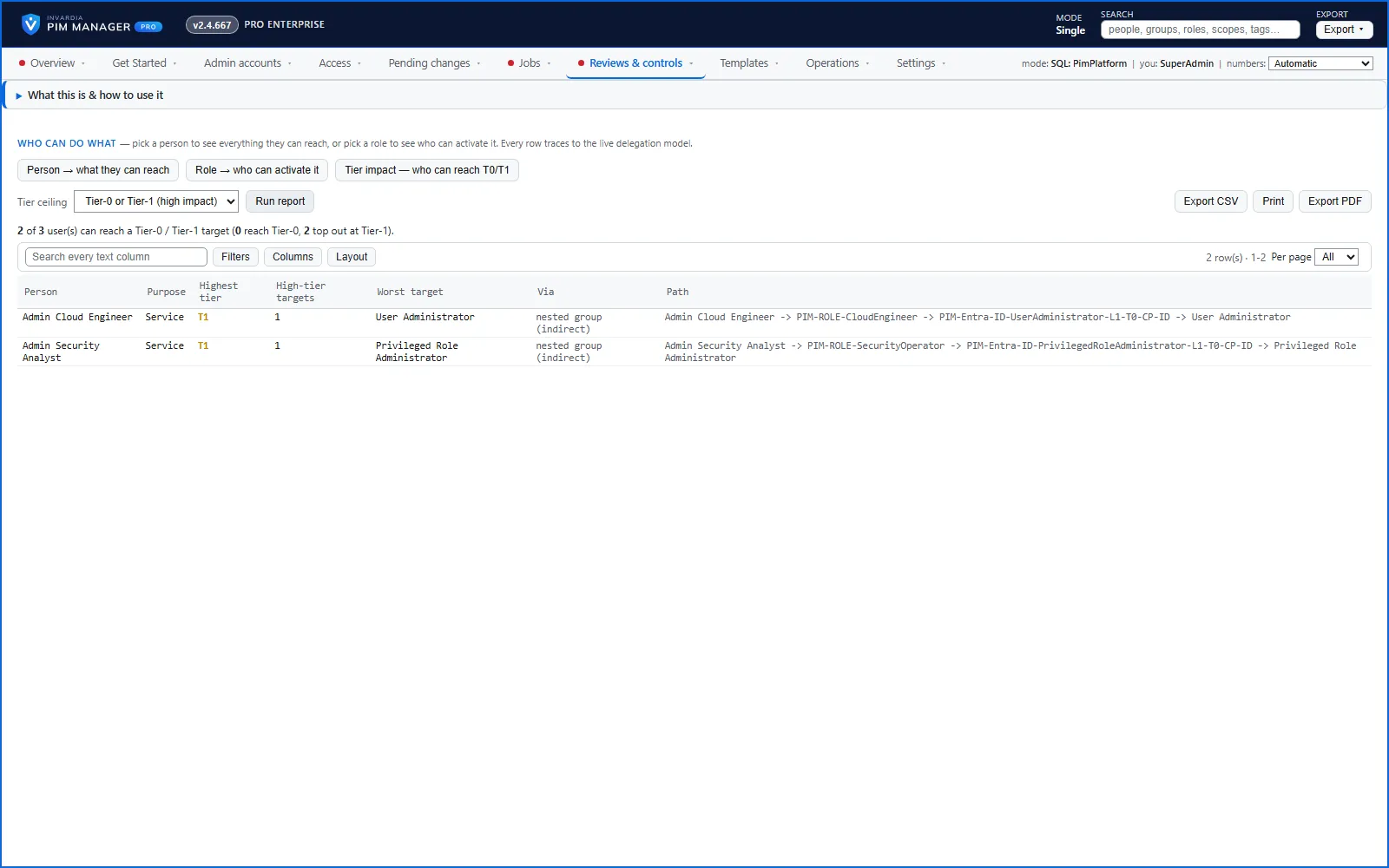
- Who can do what: pick a person to see every target they can reach and the exact granting path, or pick a role to see who can activate it. Access inherited through nested groups is followed.
- Expiring access and a daily summary of changes, mailed on a schedule.
- Tier impact: everyone who can reach a tier-0 or tier-1 target, including through nested groups, most privileged first. Available in Pro editions; not in Community.
- Evidence export: who may hold what, who held it and who approved it. Available in Pro editions; not in Community.
Reports print and export to CSV.
Audit trail
Every commit, approval, setting change, refusal and guard trip is written to one append-only audit trail with the before and after values, by the Manager and the engine alike. The Audit page shows and filters it. Exporting the full trail for evidence is available in Pro editions, not in Community.
Jobs, logs and alerts
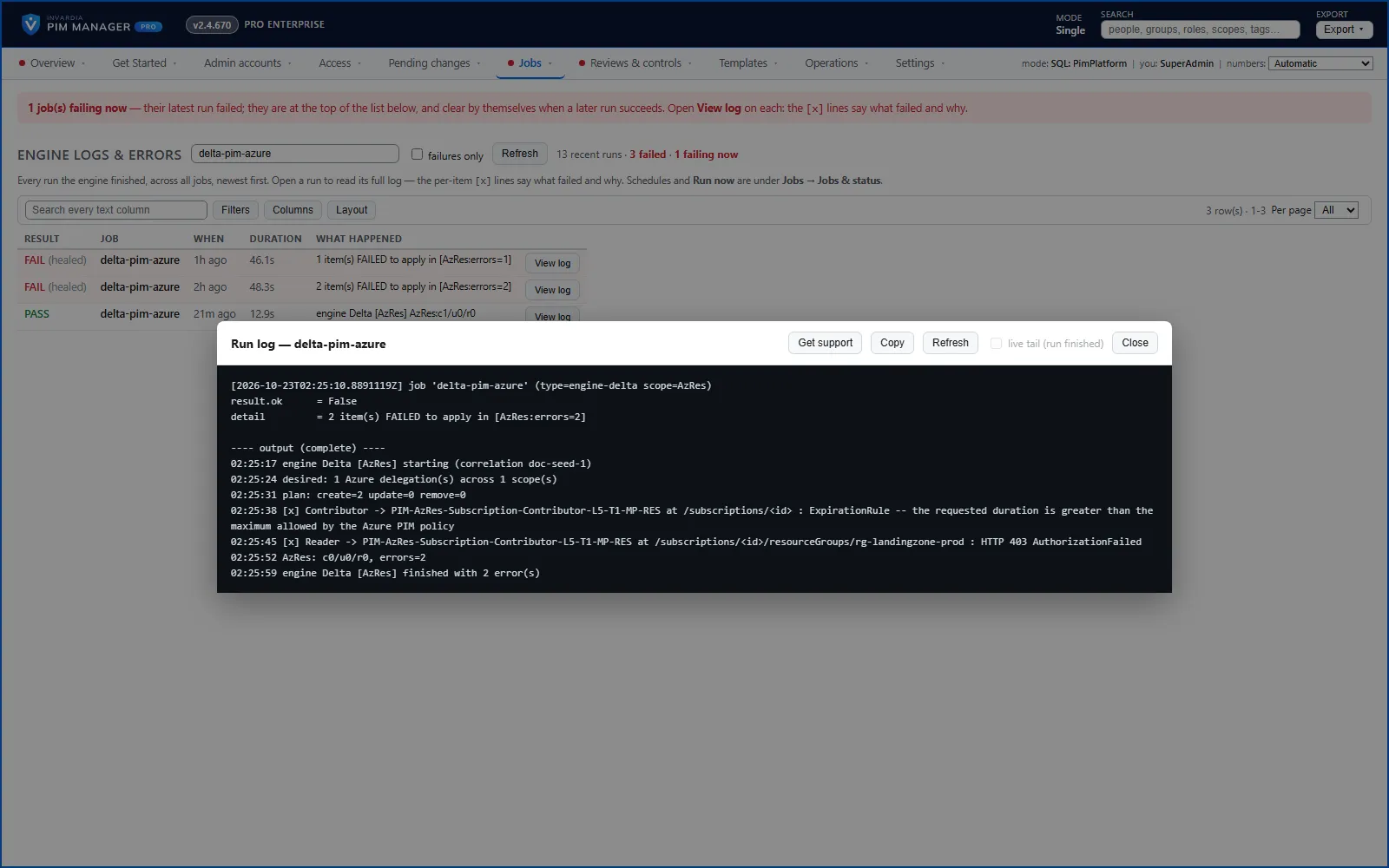
- Jobs shows what the automation is doing, the job schedule, and each run’s own log.
- Engine logs & errors names what failed in plain words, such as the group, the role and the scope, with the fix.
- Alerts go by mail and, if you add one, to a Microsoft Teams or other https webhook: a failed run, drift, access expiring soon and break-glass use. The same condition is mailed once and then at most once a day.
- Daily checks mail you delegations that point at Azure resources or roles that no longer exist, and changes staged but not committed.
Verified against PIM Manager 3.0.23.3 on Nov 3, 2026Download PDF