

PIM Manager documentation · Verified against PIM Manager 3.0.23.3 on Nov 3, 2026
How to design
A PIM v2 design decides who gets access, through which groups, to which roles, and how sensitive each piece is. This chapter walks through the decisions in the order you make them.
The problem a design solves
Without a design, privileged access grows one request at a time. Each request is reasonable on its own, but after a year nobody can say why a person holds a role, which roles belong together, or who can reach Tier 0. A design gives every assignment a reason and a place, so access can be added, reviewed and removed as a whole.
The design in five decisions
- Shape: nest, do not assign directly. People join role groups; role groups contain permission groups; permission groups hold the roles. See Nested groups.
- Role-assignable groups. Decide which groups need the role-assignable flag, because it is set once at creation and a tenant has at most 500. PIM Manager decides it by one rule. See Role-assignable groups.
- Tiers, planes and levels. Classify every permission group by tier (T0-T2), plane and level (L0-L9), so the most sensitive access gets the strictest rules. See Tiers and levels.
- Naming. Pick a naming convention that carries the classification in the group name. It is yours to define; PIM Manager ships a default. See Naming.
- Migration. Bring existing standing and per-person assignments into the model without breaking anyone’s work. See Migration.
Roles inside Microsoft workloads, such as Intune and Defender XDR, follow the same model with their own level rule. See Workload roles.
Principles that hold throughout
- A group is the only principal. Administrative units and Azure scopes say where a role applies, never who holds it. Delegation is group membership.
- Eligible by default. People are eligible for their role group and activate it when they need it. Active (standing) access is a deliberate exception with an end date.
- Break-glass stays outside. One or two emergency accounts hold their roles directly, so they work when PIM does not. PIM Manager does not disable, revoke or offboard an account on its break-glass list.
- The model is the truth. Everything you design lives in PIM Manager’s database. The engine changes the tenant only where your model defines something.
Where you build it
You build the design in the Manager:
- Get Started walks you through the naming convention, departments and owners, roles and templates, admin accounts, policies, break-glass accounts and a first run.
- Access > Create access has guided wizards: create an administrator, build a direct group (a job role, department, organization, project or cross-organization group), or delegate a permission. Each wizard shows the group name, the role-assignable decision and the rows it writes, and stages them in Pending changes.
- Access > Access map draws the chain from a person to the roles they reach.
- Pending changes > Check for problems checks the model for mistakes, such as an Active nesting into a role-assignable group, and offers a fix.
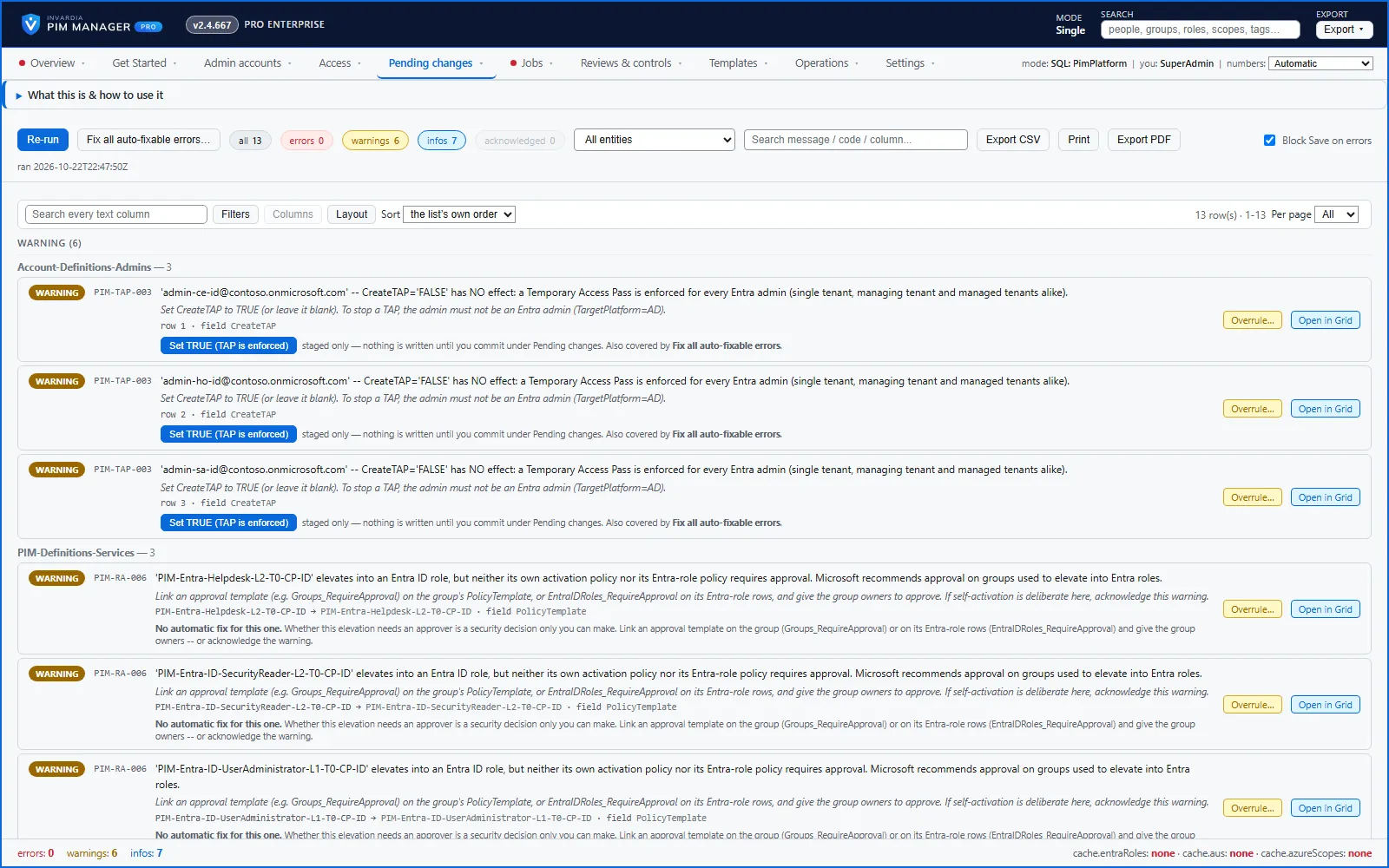
Nothing reaches your tenant until you commit it under Pending changes.
Verified against PIM Manager 3.0.23.3 on Nov 3, 2026Download PDF