

PIM Manager documentation · Verified against PIM Manager 3.0.23.3 on Nov 3, 2026
Integrations
Privileged access does not stop at Entra ID: domain administrators live in on-premises Active Directory, requests start in a ticketing system, and providers run the same model in many tenants. PIM Manager extends the same staged, guarded model to each of them.
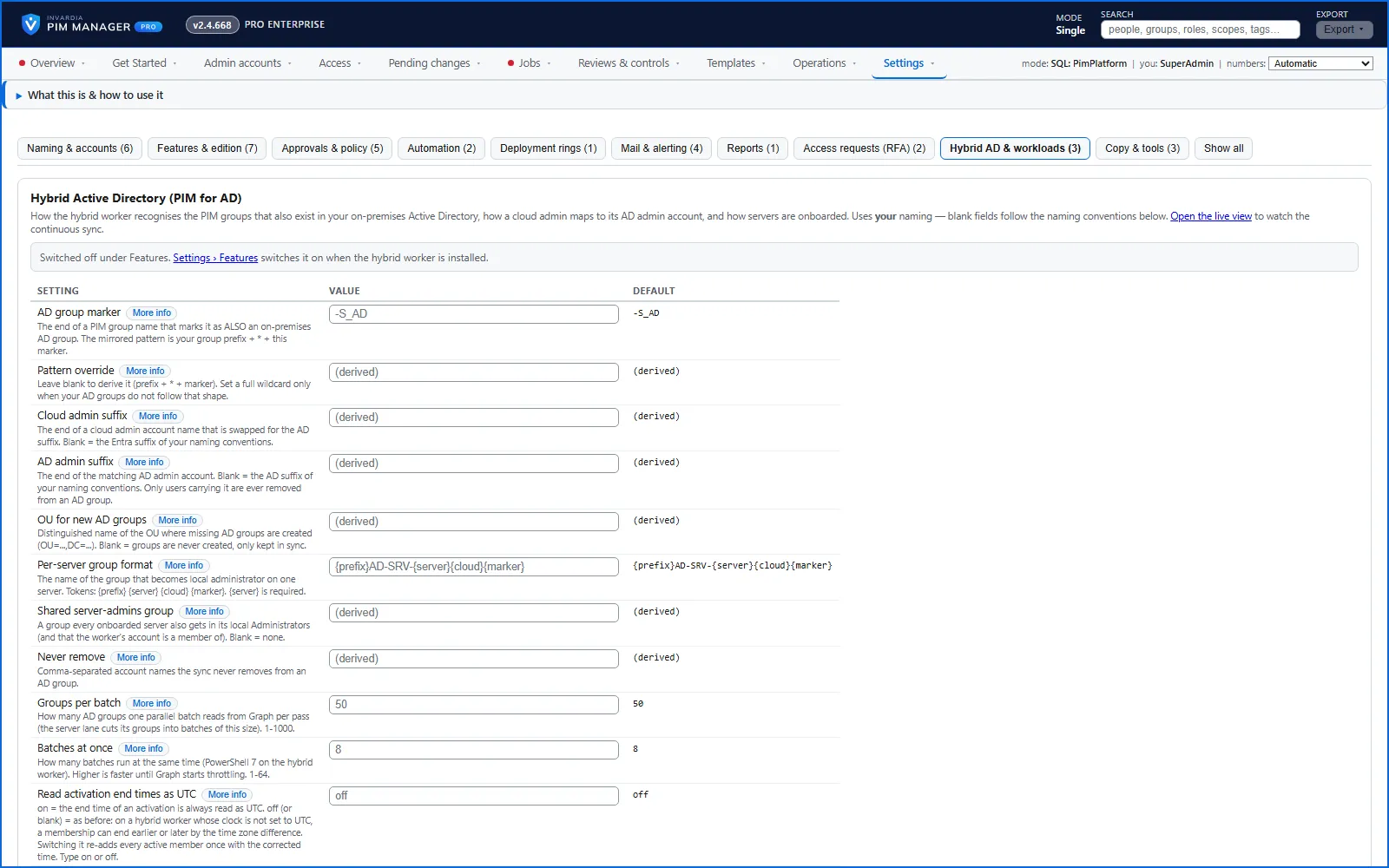
PIM for on-premises Active Directory
On-premises AD has no just-in-time access of its own, and domain administrators are the most powerful accounts in most companies.
- PIM groups marked for Active Directory are mirrored to AD groups.
- A person who activates such a group in PIM is put into its AD group on the hybrid worker’s next pass, for the time left on the activation, and is taken out when it ends.
- Admin accounts whose platform is Active Directory are created and kept up to date in the organizational unit your naming settings name.
- Servers are onboarded: each server’s own administrator group is added to that server’s local Administrators.
The work is done by a small domain-joined Azure VM that the setup builds in its own network, peered to your domain controllers, with no public IP. It runs as one group managed service account per privilege tier, and no password or secret is stored on the server. Available in Pro editions; not in Community. Read more in hybrid-ad.
Access request API
A ticketing system such as ServiceNow owns the request and its approval. It calls one REST API to have a disabled admin account enabled, or a group membership given, for a set period; to read the request’s status; or to cancel it. For these two request types the ticketing system’s approval is the approval: PIM Manager checks the request again and applies it without a second decision. PIM Manager switches the access off again when the period ends, and the same ticket sent twice never opens a second window. The caller signs in with its own Entra application, and only the applications you list are accepted. A system can also propose a change, which waits for an administrator. Available in Pro editions; not in Community. Read more in integrate-api.
MCP server for AI assistants
A Model Context Protocol endpoint on the Manager lets an AI assistant, signed in with your own Entra account, read who has what, pending changes, jobs and problems, stage changes and commit them through the same checks as the Manager. The MCP server is off until a SuperAdmin switches it on. Your own Manager role decides what the assistant may do: with the Reader role it only reads, and only an Admin or SuperAdmin can stage and commit through it. Every call is audited. What the assistant reads is sent to the AI provider you chose for that assistant. Available in Pro editions; not in Community. Read more in integrate-mcp.
Managing and managed tenants
Providers manage the same privileged model in many tenants by hand, and customers cannot see what came from the provider.
- The managing tenant defines central admins and delegations once and publishes them as a signed definition set.
- Each managed tenant has its own engine and database, pulls the set, checks the signature against the keys it chose to trust, and applies it with its own identity. The managing tenant holds no rights in a managed tenant.
- What the provider sent is marked as sent by the managing tenant; local access stays the customer’s own.
- The provider sees per row which tenants it reaches and which it is held back from, and why, before it sends.
Available in Pro MSP; not in Community. Read more in msp.
PIM Activator
The PIM Activator is a browser extension for Edge and Chrome. An admin opens it, ticks the groups and roles they need, and presses Activate selected: three clicks for a typical activation, with the reason and duration filled in from the organization’s defaults. A starred favorite with a remembered justification takes a single click on later days. It shows what a group really grants before activation, follows nested groups, and reports done only when the access has arrived. Read more in pim-activator.
Alerts to Teams and other systems
Alerts can go to a Microsoft Teams channel or any https webhook as well as by mail. A Teams address gets a card colored by severity; any other endpoint gets a JSON payload a Logic App or ticketing tool can act on. Only public https endpoints are accepted.
Verified against PIM Manager 3.0.23.3 on Nov 3, 2026Download PDF