

PIM Manager documentation · Verified against PIM Manager 3.0.23.3 on Nov 3, 2026
Delegation model
Group-based delegation is powerful but hard to see: a group nested three levels down can grant Global Administrator, and no list shows it. PIM Manager keeps the whole model in one place, draws it, and applies it.
One desired state
You define admin accounts, delegation groups, role assignments and PIM policies once, in your own Azure SQL database. The engine reads them, compares them with the live tenant through Microsoft Graph and Azure Resource Manager, and creates, updates or removes exactly what differs.
- The engine changes a policy, group, admin or assignment only when your data defines it.
- The engine does not touch groups, roles and admins that no row in your data names; a SuperAdmin can still delete or revoke them by hand, through a commit. Your break-glass accounts are not disabled, revoked or offboarded.
- If your data defines nothing at all, the engine changes nothing.
- A commit starts the engine at once.
Everything is a group
The thing you grant is always a group. Administrative Units and Azure scopes are only the where, never the who.
- Admins are members of role groups: one per job role, or per department, organization, project or cross-organization team. Role groups are also called direct groups, because people are assigned to them directly.
- Role groups nest into permission groups, which hold the actual roles and scopes.
- Delegation is group membership, so adding or removing one engineer is one change.
Every group gets an owner, resolved from the assignment, the sponsor or the department. The wizards write a nesting into a role-assignable group as Eligible, because Microsoft Entra refuses an Active membership there. An existing Active nesting of that kind is reported with a fix that stages the change to Eligible. Read more in design-nested-groups and design-role-assignable.
Access map
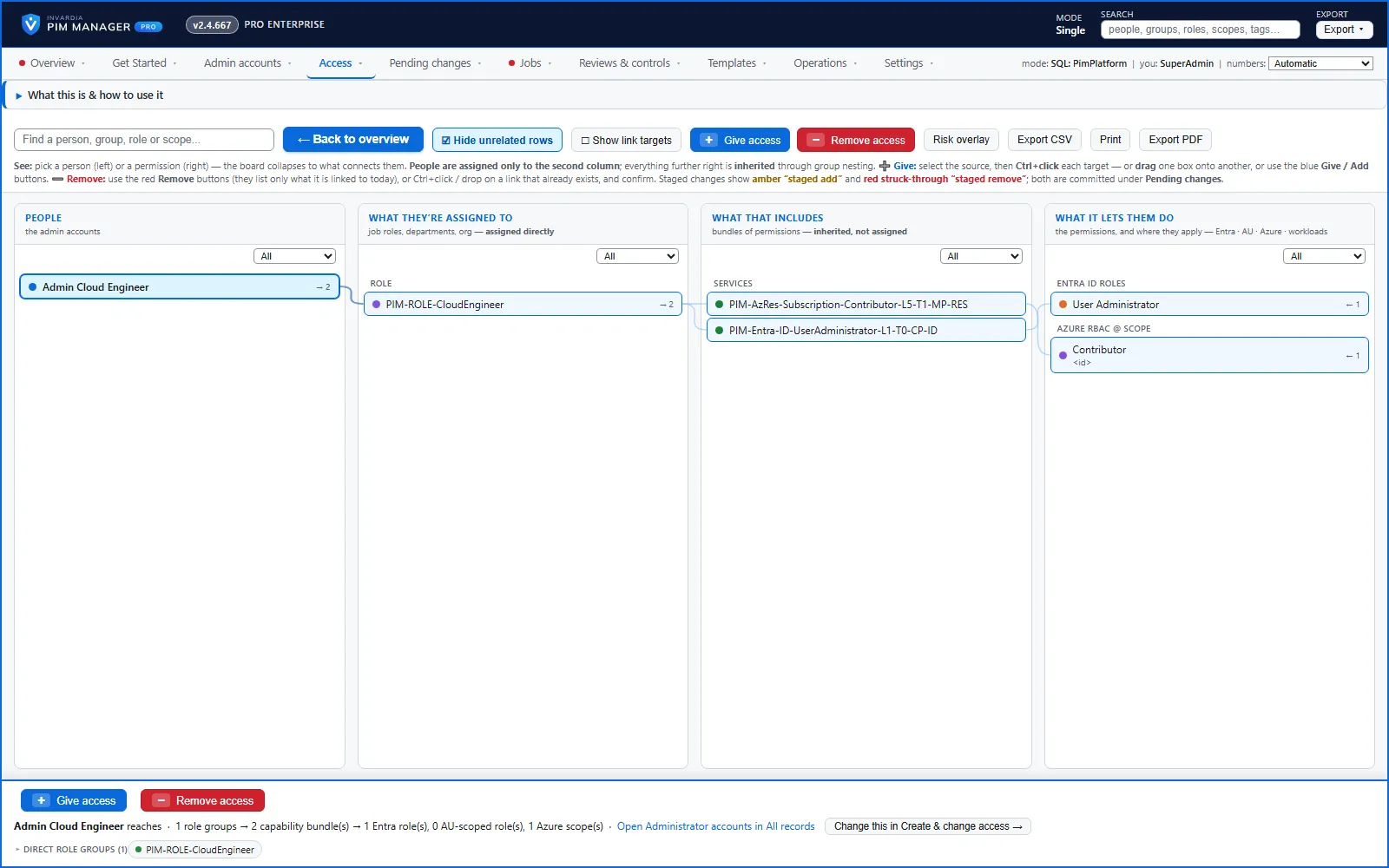
The access map shows people, role groups, permission groups and the roles and scopes they reach, in four columns. Select a person, group or role to highlight its full path. You can link people to groups and permissions to groups from either end, or remove a delegation as its own, separate action. Every link and removal is staged as a pending change and committed after review.
Role lookup
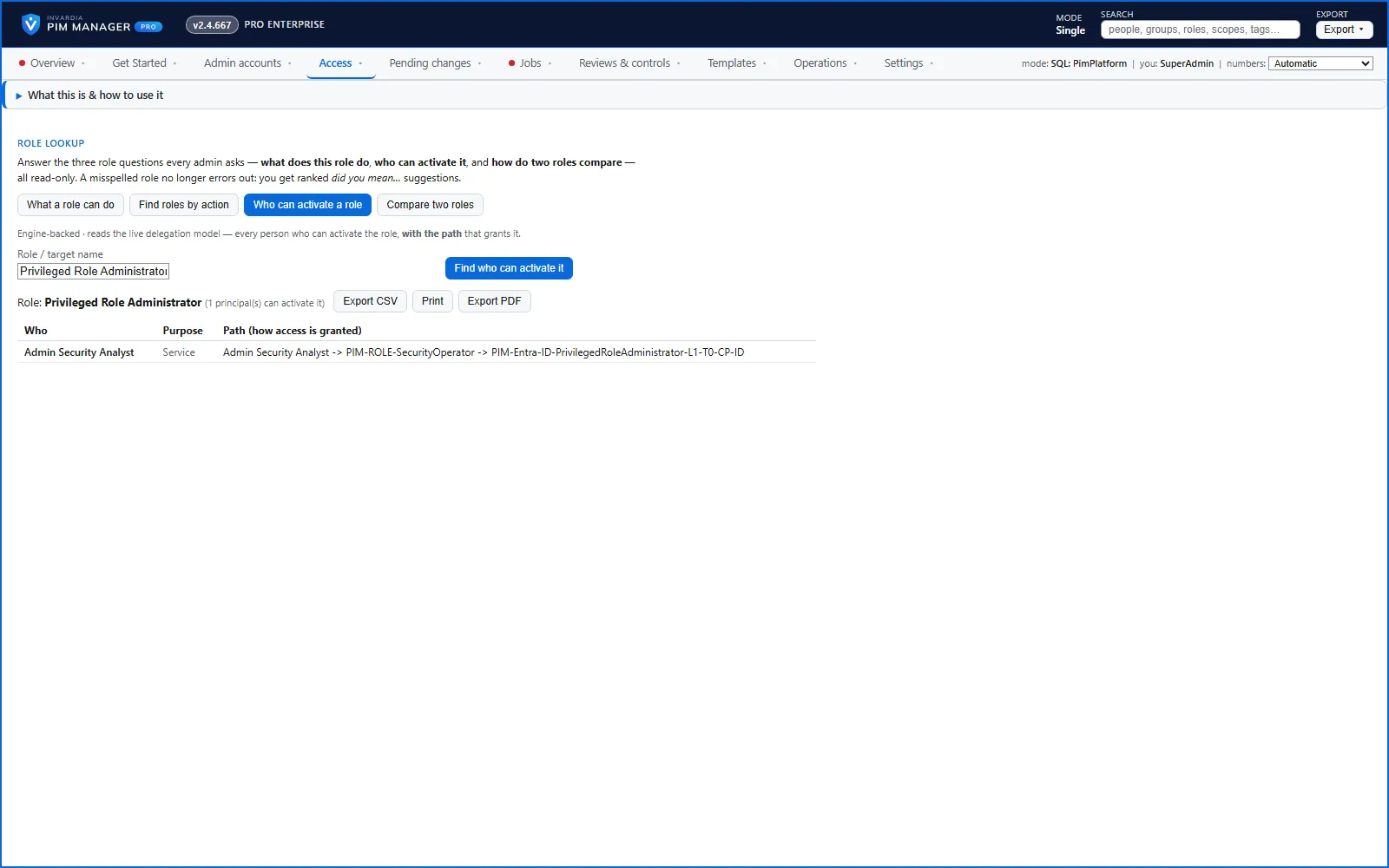
Search an Entra ID role and see what it can do in plain words, and every path in your delegation model by which someone holds it: direct, through a group, or through nested groups. Assignments made outside PIM Manager show on Reviews & controls > Delegation overview (All privileged permissions). The lookup forgives a typo and warns you before you create a duplicate delegation.
Create access, target first
Pick the role or scope you want to delegate, and the wizard proposes a correctly named permission group with the right tier and level. Ready-made delegation template packs cover common jobs. When you create a permission group, you choose the activation policy it uses, including one that needs approval.
Workload roles
The same group-based, just-in-time model reaches the roles inside Microsoft workloads, not only Entra ID and Azure:
| Workload | What PIM Manager manages |
|---|---|
| Microsoft Entra ID | Directory roles, tenant-wide or scoped to an Administrative Unit; PIM for Groups |
| Azure | Resource roles at management group, subscription, resource group and resource scope |
| Microsoft Intune | Intune roles, for all devices and all licensed users; scope groups and scope tags stay in Intune |
| Microsoft Defender XDR | Unified RBAC roles, including Defender custom roles that PIM Manager creates and keeps |
| Power BI, enterprise-app roles, Azure DevOps, Dataverse, Business Central, Power Platform | Role assignments for your delegation groups |
Power BI, enterprise-app roles, Azure DevOps, Dataverse, Business Central and Power Platform are available in Pro editions, not in Community. Exchange Online, SharePoint and Teams administration is delegated through their Entra ID roles. Read more in Workload roles.
Names that follow your convention
Admin, group and resource names come from naming patterns in Settings, with a preview of the names they produce. The engine finds a group or an administrative unit by the name stored on its definition. When a subscription, management group or Power BI workspace is renamed, Discovery follows it by its id and proposes renaming its access group in place. Read more in design-naming.
Verified against PIM Manager 3.0.23.3 on Nov 3, 2026Download PDF