

PIM Manager documentation · Verified against PIM Manager 3.0.23.3 on Nov 3, 2026
Role-assignable groups
A group that holds a Microsoft Entra role must be role-assignable. The flag is set only when the group is created, a tenant can have at most 500 such groups, and a nested membership into one can only be Eligible. PIM Manager decides the flag for you by one rule and shows why.
The problem
Role-assignable groups are where most PIM v2 designs break, because the rules are strict and some of them cannot be undone:
- Required for Entra roles. Entra assigns a role only to a group that is role-assignable.
- Set at creation only. The flag cannot be added to or removed from an existing group. The only way to change it is to delete the group and create it again.
- 500 per tenant. Microsoft limits a tenant to 500 role-assignable groups, and groups created outside PIM Manager count toward the same limit.
- Eligible-only nesting. A group can be made a member of a role-assignable group through PIM for Groups only as an Eligible member. Entra refuses an Active nesting.
Two easy mistakes follow. Make every group role-assignable “to be safe”, and you spend the 500 and cannot take it back. Forget the flag on a group that needs it, and the role assignment fails, and the group has to be deleted and created again.
What role-assignable gives you
Besides being required for Entra roles, the flag protects the group: only a Global Administrator, a Privileged Role Administrator or the group’s owners can change its members. A Groups Administrator cannot. Microsoft recommends it for groups that give access to sensitive resources.
How PIM Manager decides the flag
When the definition of a group leaves the flag blank, PIM Manager applies one rule. The first line that matches wins:
| # | The group | Role-assignable | Can you change it in the wizard? |
|---|---|---|---|
| 1 | Holds an Entra ID role itself (tenant-wide or in an administrative unit). | Yes | No. Entra assigns a role only to a role-assignable group. |
| 2 | Is a direct group (job role, department, organization, project or cross-organization) nested into a permission group that holds an Entra ID role, on any tier. | Yes | No. This is PIM Manager’s rule, not Microsoft’s (see below). |
| 3 | Is a direct group on Tier 0. | Yes | Yes. The flag cannot be added later, and a Tier-0 direct group is where Tier-0 nesting lands. |
| 4 | Anything else: a permission group without an Entra role, or a Tier 1 / Tier 2 direct group that does not reach an Entra role. | No | Yes. It does not need the flag, and it would use one of the tenant’s 500. |
The rule chooses Yes only on those lines. An explicit Yes or No on the group’s definition wins over the rule, except on the locked lines 1 and 2.
Why line 2 is a product rule
Microsoft Entra requires the flag only on the group that holds the role (line 1). Entra accepts a group without the flag as an Eligible member of a role-assignable group. But then anyone who can change the members of that member group, such as a Groups Administrator or the group’s owners, can add a person who then reaches the Entra role. PIM Manager closes that path: the wizard locks the flag to Yes for every new direct group that nests into a group holding an Entra role, on any tier.
For groups that already exist, Check for problems reports the same gap as a warning only when the role-assignable group is on Tier 0 (see the findings below). It does not report the gap on Tier 1 or Tier 2, so review those nestings yourself.
The engine applies the same rule when it creates a group, so what the wizard shows is what the engine creates. For a group that already exists, PIM Manager does not change the flag, because Entra does not allow it.
Other Microsoft limits
Microsoft Entra adds these limits to a role-assignable group. Plan for them before you set the flag:
- No dynamic membership. A role-assignable group has assigned members only.
- Cloud groups only. A group synchronized from on-premises Active Directory cannot be role-assignable.
- Protected members. Only a Global Administrator, a Privileged Role Administrator or the group’s owners can change its members.
- Administrative units. A role scoped to an administrative unit does not let an administrator manage a role-assignable group in that unit. For groups that need more protection, Microsoft offers restricted management administrative units.
Microsoft can change these limits, so check its current documentation on role-assignable groups.
What you see in the wizard
The wizards for direct groups and permission groups show the decision on the step where you choose the nested permission groups, and again on the review step:
- Role-assignable: Yes or No, with the reason in one line.
- Changed by hand when you picked a value other than the default, with the default shown.
- Cannot be changed once the group exists.
When the decision is locked (lines 1 and 2), the wizard offers only Yes and refuses to continue with No: Role-assignable must be Yes: a nested permission group holds an Entra ID role.
Every nesting the wizards write into a role-assignable group is Eligible, whatever else you select.
What fails and how it is shown
Pending changes > Check for problems checks the model, and a finding links to its fix:
| Finding | Severity | What to do |
|---|---|---|
| A group is bound to an Entra ID role but is not role-assignable. | Error | Set role-assignable to Yes on its definition (the fix stages it). If the group already exists in Entra, delete it there; the engine creates it again as role-assignable on its next run. |
| A group is nested Active into a role-assignable group. | Error | Set to Eligible, which stages the change in Pending changes. |
| A group that is not role-assignable is nested into a Tier-0 role-assignable group. A Groups Administrator or that group’s owners can change its members, and so reach the Tier-0 group. | Warning | Make the member group role-assignable (delete and recreate, as above), or remove the nesting. |
| A role-assignable group on Tier 1 or Tier 2 holds no Entra role and reaches no Tier-0 one. | Information | Nothing for an existing group. For a group not created yet, set role-assignable to No. |
| The number of role-assignable groups in your model, against the limit of 500. | Information; a warning from 80% and above the limit | Keep the flag for groups that hold an Entra role or reach a Tier-0 one. Existing groups keep working above the limit; Entra refuses only new ones. |
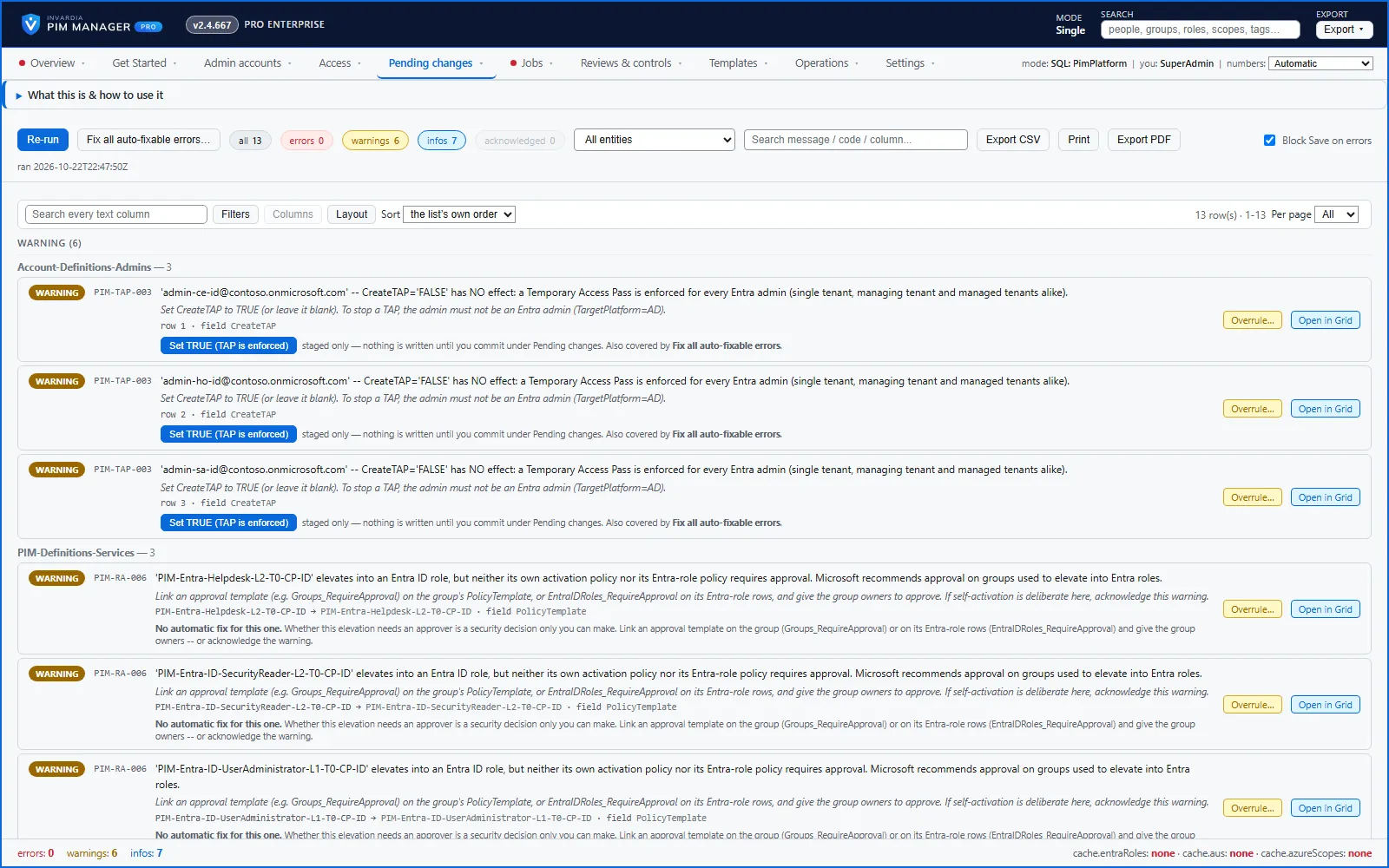
| A group that elevates into an Entra ID role has no approval on activation. | Warning | Link an approval policy template to the group or to its Entra role rows, or acknowledge the warning if self-activation is deliberate. |
An error blocks the commit until it is fixed. Warnings and information do not block.
If Entra refuses an Active nesting while the engine runs, the engine does not skip it silently. It lists the row under Jobs > Engine logs & errors as Active group nesting into a role-assignable group, with a Make it Eligible fix.
What an Eligible nesting means for the person who activates is described in Nested groups.
Rights this needs
Creating a role-assignable group needs the Microsoft Graph application permission RoleManagement.ReadWrite.Directory on the engine’s identity; Group.ReadWrite.All alone is refused. See Security design.
Verified against PIM Manager 3.0.23.3 on Nov 3, 2026Download PDF