

Entra Policy Suite documentation · Verified against Entra Policy Suite 2.1.4 on Nov 11, 2026
Tamper monitor
The tags drive the dynamic groups, and the groups drive Conditional Access. Someone who sets a user’s Classification to Break_Glass_Account, or clears an Authentication tag, takes that user out of the MFA policies - without touching a single policy. The tamper monitor makes such a change visible.
What it does
- It watches exactly the attributes your enabled tag types use, on users and devices.
- It finds a change to a watched tag that Entra Policy Suite did not make. For a synced user, a change made in Active Directory is found once directory sync brings it to Entra ID, and the event says it came from on-premises AD.
- It names who made the change when the Entra audit log says so (Entra ID P1), and says what the change means - for example that the user is outside the policies that exclude break-glass accounts.
- It sends one alert mail for the new findings, the high-severity ones first, to the alert recipients (see Install, step 4).
- It never overwrites a foreign change silently. With automatic restore off (the default) the change stays until an admin decides.
The first run records what each watched tag holds. Later runs report what changed since.
Severity
A change to or from a high-severity value is High. By default that is every value with Break_Glass in its name. Every other change is Normal.
The Tamper page
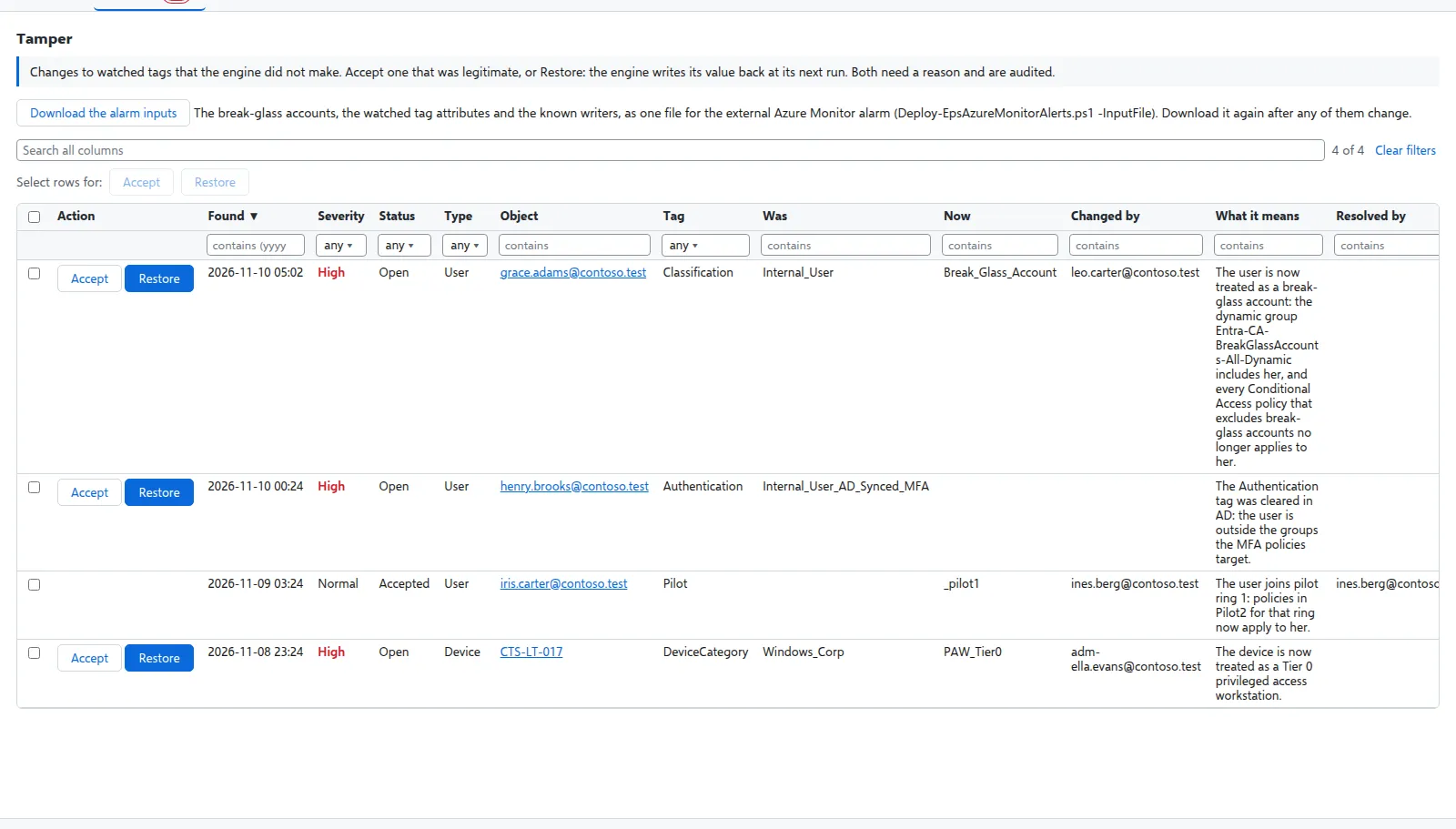
Each event shows when it was found, the severity, the object, the attribute, the old and the new value, who changed it, and what it means. An admin chooses, with a reason:
| Action | What happens |
|---|---|
| Accept | The change was legitimate (for example an approved change). It stays, and the event is closed as accepted. |
| Restore | The engine writes its own value back at the monitor’s next run. |
Both are in the audit trail with the reason.
Restore foreign changes automatically (Settings > Tamper monitor) restores every foreign change in the same run that finds it. It is off by default: switch it on only when every legitimate writer is known. Known writers - for example an HR provisioning app that sets the Company tag - can be put on an allow list by a SuperAdmin; their changes are recorded, not alerted.
What it needs
- The tamper monitor switched on by a SuperAdmin (Settings > Tamper monitor).
AuditLog.Read.Allfor the engine identity and Entra ID P1 to say who made a change. Without the audit log the change is still found; only “who” is unknown, and the event says so.- The alert mail set up (see Install, step 4) for the alerts.
Verified against Entra Policy Suite 2.1.4 on 2026-11-11
Verified against Entra Policy Suite 2.1.4 on Nov 11, 2026