

Entra Policy Suite documentation · Verified against Entra Policy Suite 2.1.4 on Nov 11, 2026
Access and audit
People sign in to the Entra Policy Suite web app with their Microsoft Entra account. Only people you assign to the web app’s enterprise application can sign in, and Conditional Access applies to that sign-in like to any other app.
Roles
| Role | Can |
|---|---|
| Reader | See every page except Access and Audit: rules, runs, tag changes, the identity report, the tamper events, Conditional Access, jobs and settings |
| Admin | Everything a Reader can, plus: stage and commit rule changes, run jobs (Preview or Apply), change schedules and most settings, accept or restore tamper events, export, and read the audit trail |
| SuperAdmin | Everything an Admin can, plus: grant and remove access, change the protection settings, adopt and release Conditional Access policies, share saved views |
Someone who signs in and is not named on the Access page is a Reader. The last SuperAdmin cannot be removed.
Grant access
On the Access page a SuperAdmin names a person by UPN and picks a role, with a reason. The role is bound to that person’s account in Entra ID, so a new account that later gets the same UPN does not inherit the role.
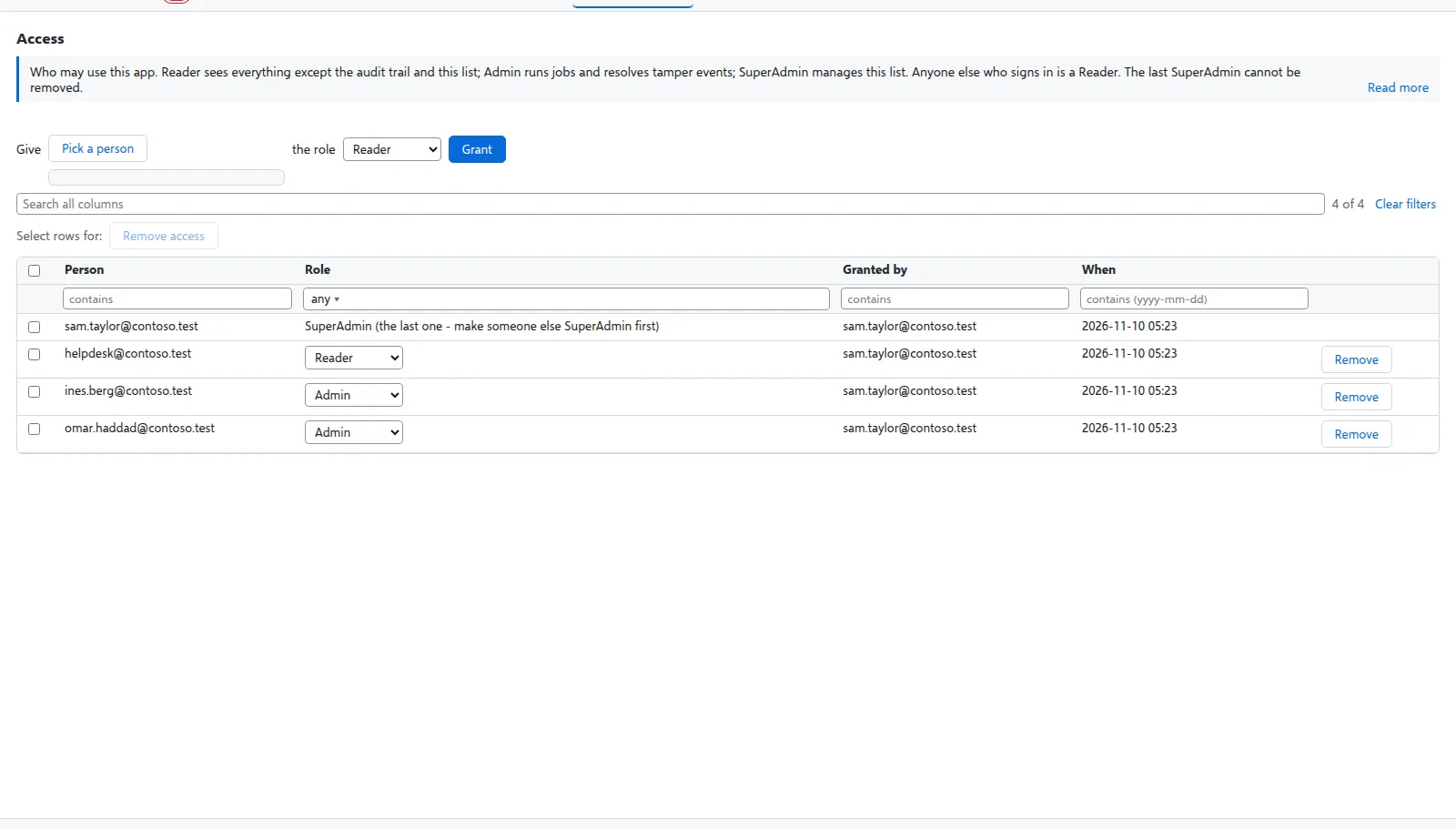
If nobody is SuperAdmin (for example the person who installed has left), someone who may start jobs in the install’s resource group runs Set-EpsWebAccess.ps1 once to name a new one. It starts the install’s database setup job, which names the person only when there is no SuperAdmin; no database right is needed.
The audit trail
Every change made in the web app is in the audit trail: who, when, the action, the target, the reason, the outcome (ok or refused), and the value before and after. This covers rules, tag types and values, condition types, commits and discards, settings, schedules, job requests, tamper decisions, access, Conditional Access adoptions, exports and saved views. A refused request is recorded too.
The audit trail is append-only: the database refuses to change or delete an audit row.
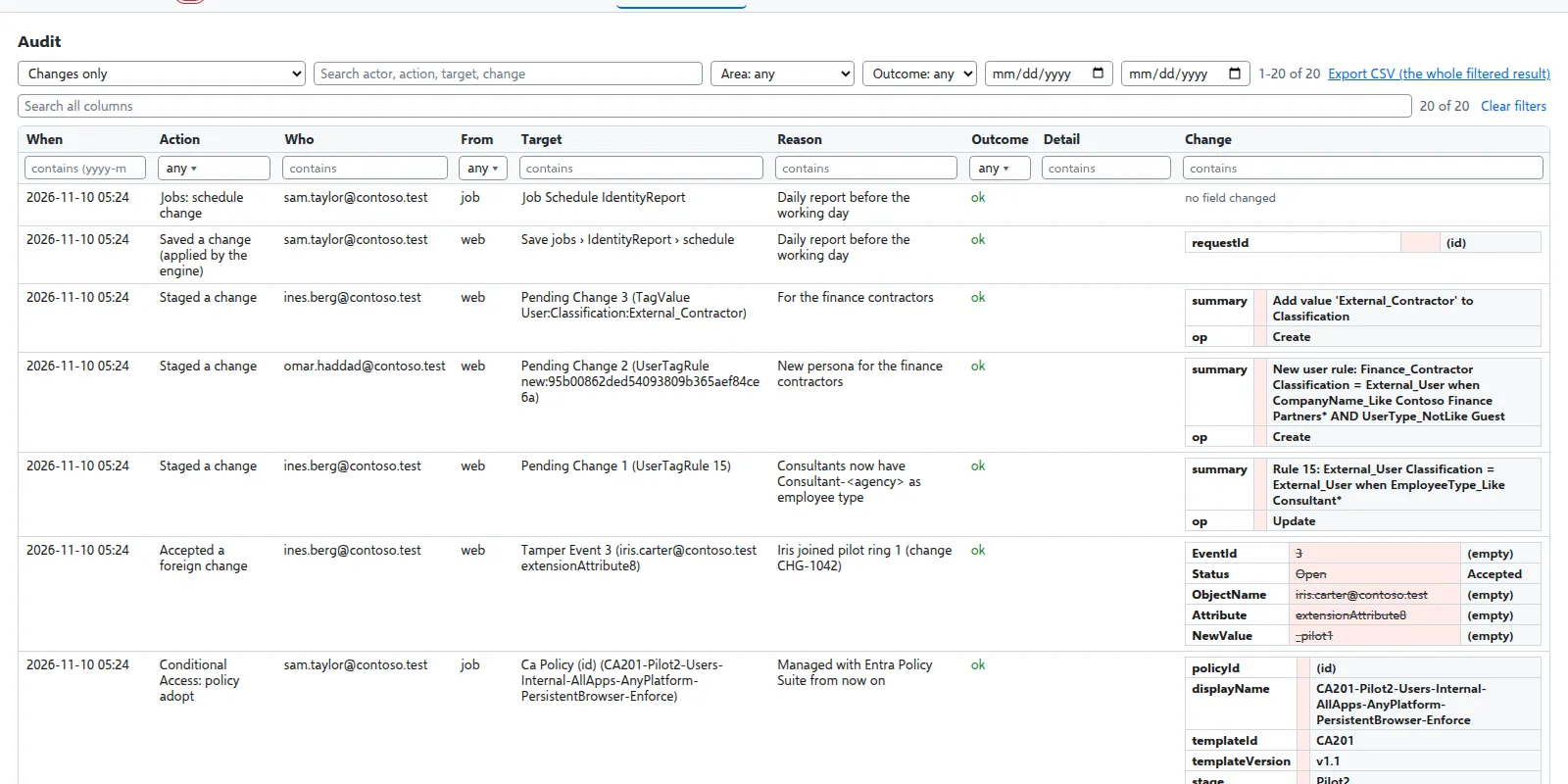
Admins and SuperAdmins open it on the Audit page: search it, filter it and export it as CSV.
The change history
Besides the audit trail, every saved rule, tag type, value, condition type, scope and setting has its own history of versions. The side panel of a rule and the More info panel of a setting show it, and an earlier version can be put back as a new change.
Verified against Entra Policy Suite 2.1.4 on 2026-11-11
Verified against Entra Policy Suite 2.1.4 on Nov 11, 2026