

Entra Policy Suite documentation · Verified against Entra Policy Suite 2.1.4 on Nov 11, 2026
Settings
Every behavior of Entra Policy Suite is a setting on the Settings page - nothing is hidden in a file or in code. Each setting has a More info panel that says what it does, what happens when it is on and when it is off, the risk and how to reverse it, what it needs, and what we recommend.
How a save works
- Every save needs a reason and is checked first: the type, the limits, and the role it needs.
- A switch that turns on a feature that writes to your directory asks you to confirm first and says what it changes.
- A save is applied by the engine, usually within a few minutes. The page follows the change and shows when it is applied.
- Every setting has a history of every change: who, when, the reason, before and after. Put this back saves an earlier value again, as a new change.
The groups
| Group | What it holds |
|---|---|
| General | The environment name in the header and in alert mails, the tenant name, the time zone the schedules are read in |
| Commit queue | Whether rule changes wait in the Commit queue, and whether a second approver is required |
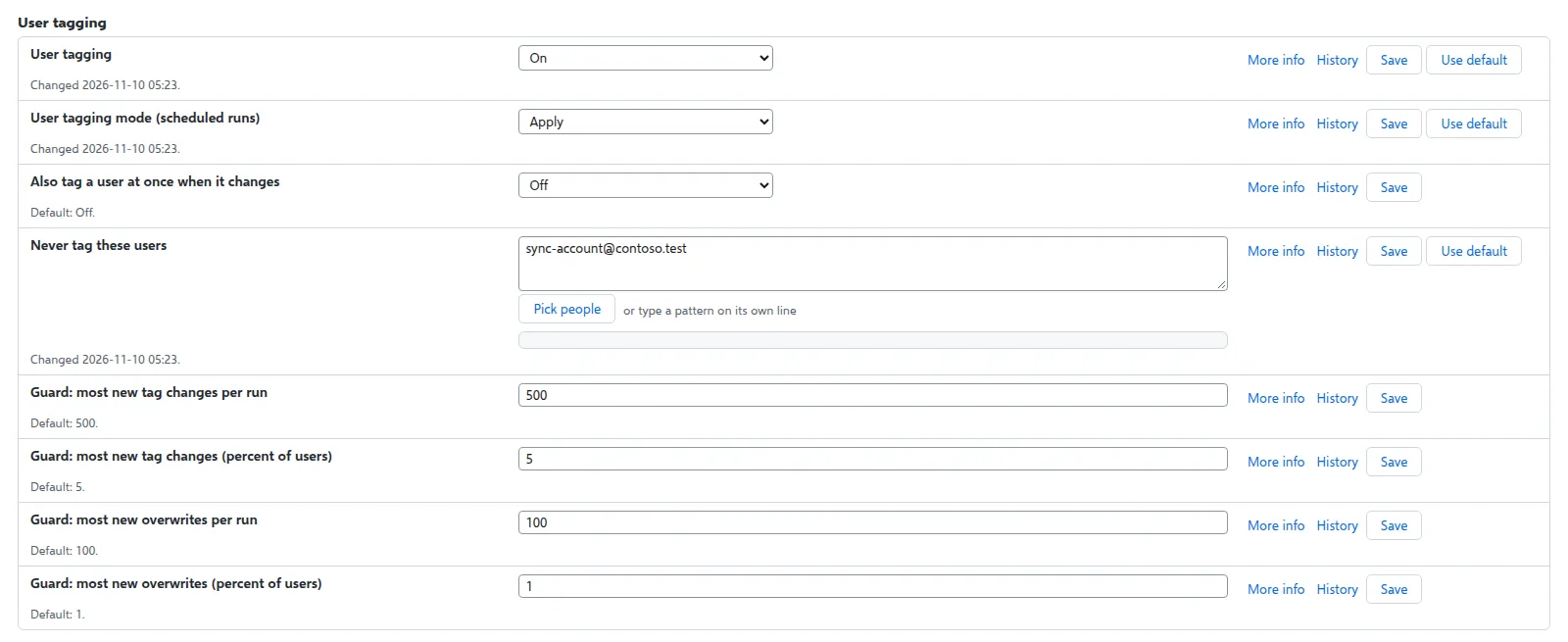
| User tagging | On or off, the mode of scheduled runs (Preview or Apply), tagging a changed user within minutes, users that are never tagged, the mass-change guard |
| Device tagging | The same for devices |
| Tamper monitor | On or off, automatic restore, known writers, the high-severity values |
| CA Policy Analyzer | On or off |
| Alert mail | How alerts are sent, the sender mailbox and the recipients |
| Conditional Access | The group targeting method, the authentication strength names and the denied-countries location name the templates expect, and the monitor for adopted policies |
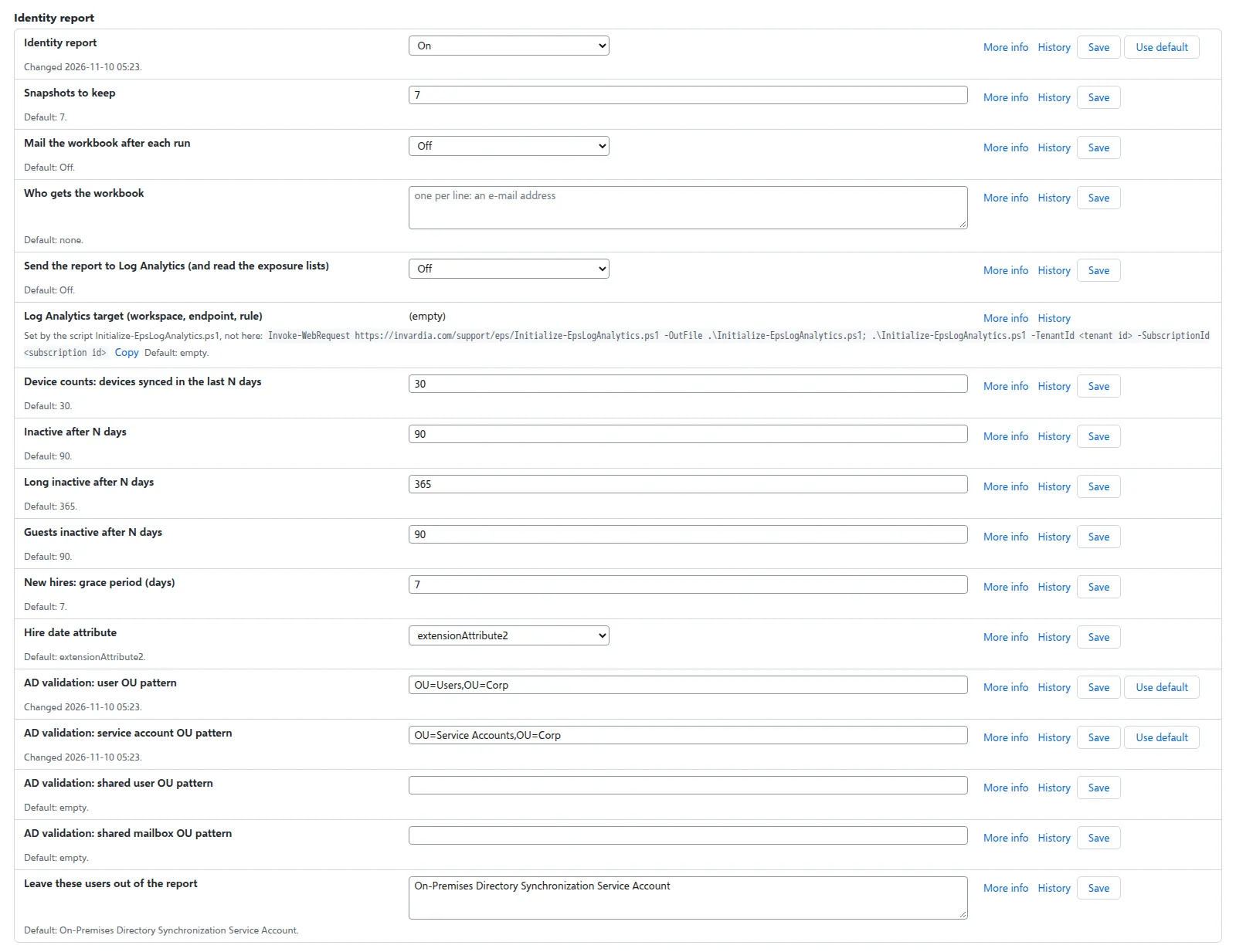
| Identity report | On or off, the snapshots to keep, the mailed workbook, the inactive windows, the hire date attribute, the AD OU patterns, the users left out, sending the report to Log Analytics |
| Security | Whether the engine requires every request from the web app to be signed (SuperAdmin) |
| Logging | The log level per job, and how many days run logs are kept (90 by default) |
| Named locations | On or off, and the Azure region whose service tags are read (the tags themselves come from the list you import) |
| Per-user sign-in methods | On or off, whose methods are read, after how many days a user is read again, and the minutes each run may take |
| Invardia support link | Sending the heartbeat and the run records to Invardia, and the security findings (on by default; nothing is sent without the install’s key) |
| Updates | Installing new versions approved for the install’s ring (on by default) |
| Backups | The nightly backup (on by default; the newest 30 are kept) |
| Conditional Access options from Graph | The monthly read of the policy options (on by default) |
| Hybrid worker | After how many minutes a worker counts as late, and the Active Directory environments (one worker each, by UPN suffix) |
| Pro: passkey rollout, stale identities, license optimization, policy as code | The settings of each Pro feature |
The alert mail is sent either from a mailbox of yours through Microsoft Graph, or through your own SMTP relay (SMTP server and SMTP from address in the Alert mail group), as Entra Policy Suite 1 sent its mail.
Who may change what
Admins change most settings. The protections need a SuperAdmin: the jobs master switch, the commit queue and its second approver, the tamper monitor and its allow list, the alert mail and its recipients, the Conditional Access monitor, the security settings, sending to Log Analytics, the Invardia support link, updates and backups. The sender mailbox is shown, not edited: it is set by Initialize-EpsMailSender.ps1, together with the engine’s right to send as it.
Each setting also has its own page on invardia.com with the More info text.
Verified against Entra Policy Suite 2.1.4 on 2026-11-11
Verified against Entra Policy Suite 2.1.4 on Nov 11, 2026