

Entra Policy Suite documentation · Verified against Entra Policy Suite 2.1.4 on Nov 11, 2026
Identity report
Which admins still sign in without phishing-resistant MFA? Which accounts are disabled in Active Directory but still enabled in Entra ID? Which licensed users have not signed in for a year? The identity report answers these questions every day, as gaps you can work through.
What it reads
Once a day (02:00 by default) the identity report takes a snapshot of every user and device. It is read only: nothing in the tenant or in Active Directory is changed.
| Source | What |
|---|---|
| Microsoft Graph | Users, their tags, licenses, sign-in activity, and the MFA registration report |
| Intune | Managed devices: platform, ownership, compliance, encryption, last sync |
| Exchange Online | The mailbox type of each user (shared mailbox, room mailbox) |
| Active Directory, through the hybrid worker | Last logon, enabled, locked out, account expiry, password never expires |
Without a hybrid worker the AD columns stay empty and the snapshot says so. The newest 7 snapshots are kept (a setting), so the page shows how each gap changed since the last run.
The Identity page
The page opens on the open gaps: how many High, Medium and Low gaps have objects in them, and how many users and devices the snapshot holds.
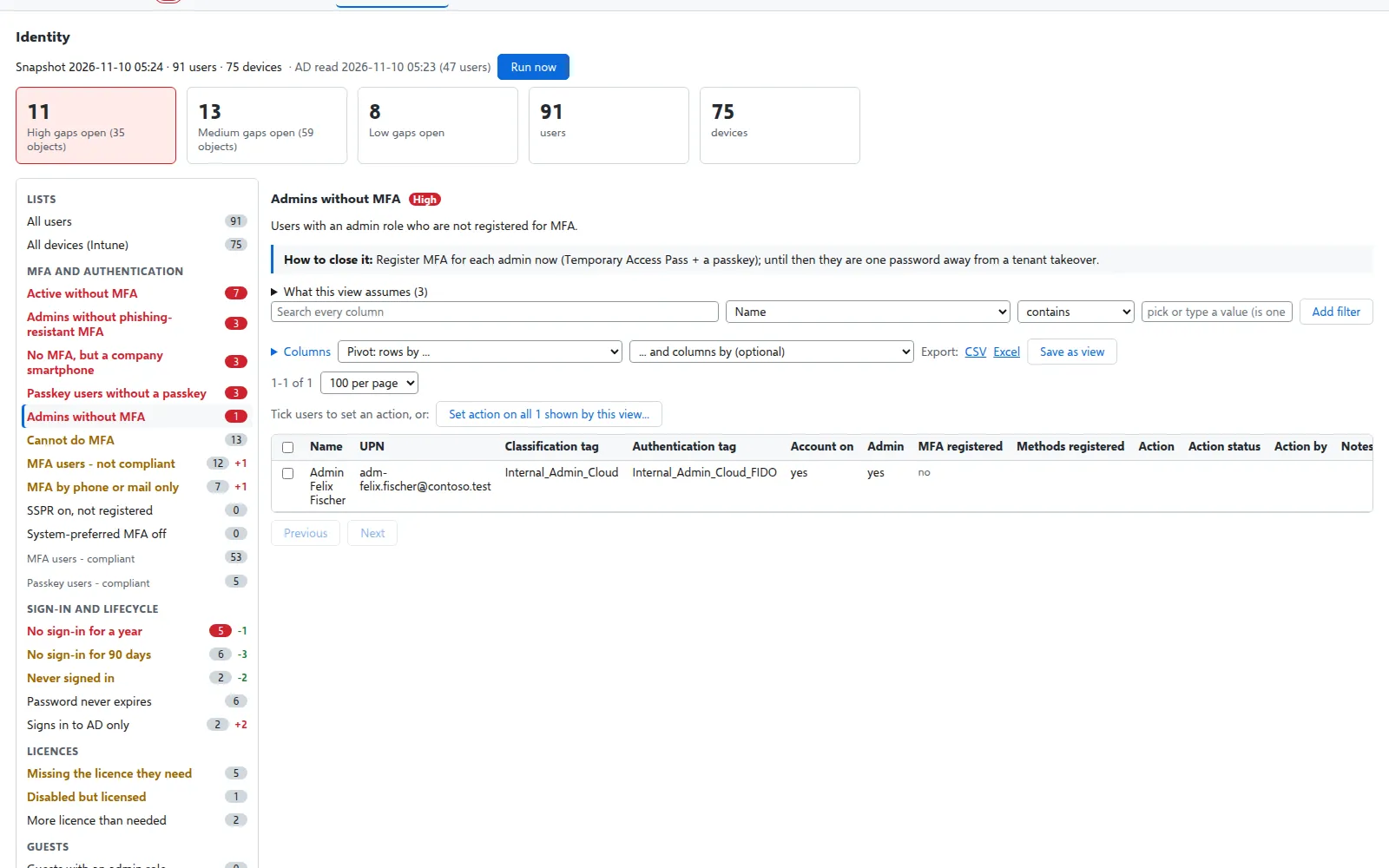
On the left are the views, grouped by topic:
| Topic | Examples |
|---|---|
| MFA and authentication | Admins without MFA, admins without phishing-resistant MFA, active users without MFA, MFA by phone or mail only, cannot do MFA, passkey users without a passkey |
| Sign-in and lifecycle | No sign-in for 90 days, no sign-in for a year, never signed in, signs in to AD only, password never expires |
| Guests | Guests without a recent sign-in, guests with an admin role, guests with a license |
| Licenses | Disabled but licensed, missing the license they need, more license than needed |
| Tagging coverage | No Classification tag, no Authentication tag, cloud users missing HR data |
| AD hygiene | Disabled in AD but enabled in Entra, expired in AD but still enabled, locked out, accounts in the wrong OU, shared mailboxes that can sign in |
| Devices | Non-compliant, active malware, jailbroken or rooted, not encrypted, stale, without a user, personal smartphone only |
There are 45 views: 43 gap views and 2 full lists (all users, all devices). 21 of them are the sheets of the Entra Policy Suite 1 report. The full list is in Identity report views.
Each gap view has a severity (High, Medium, Low or Info), says what it means and how to close it, and shows its count with the change since the previous snapshot. Under What this view assumes it lists what its answer rests on: where each fact comes from (for example the registration report for MFA, or AD’s last logon time, which AD updates only every 9-14 days) and who is left out. A user the registration report does not list is unknown, never counted as having no MFA.
Filter, pivot and save
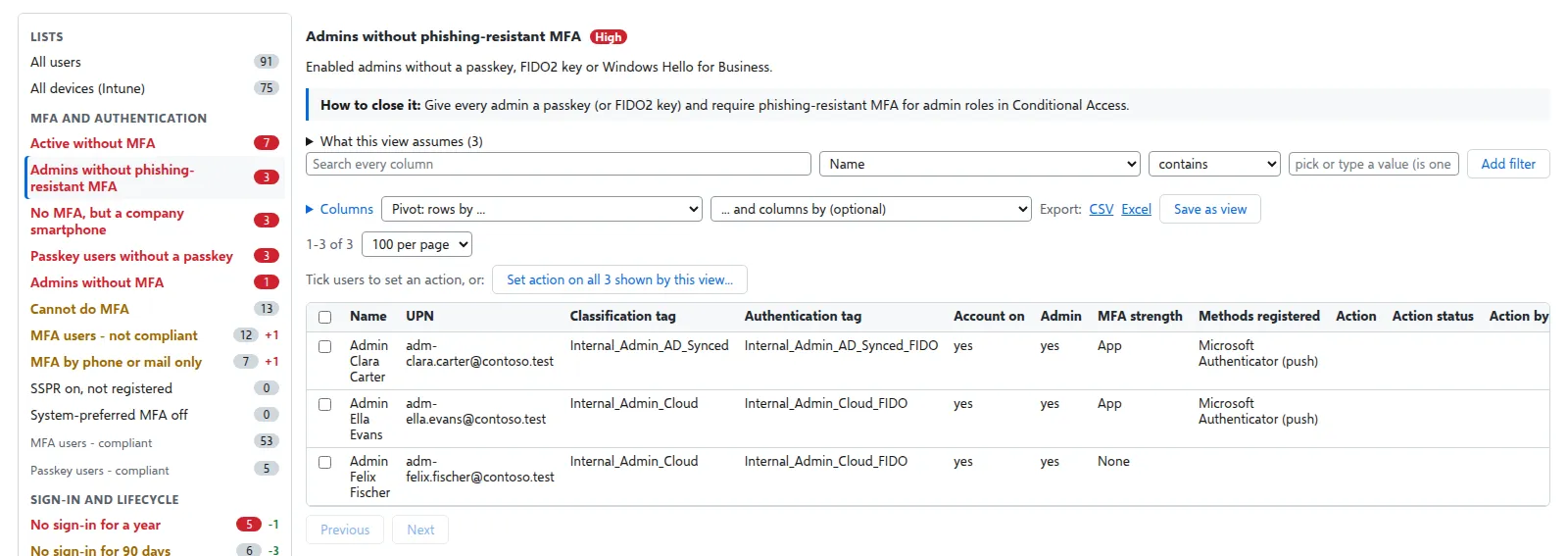
- Filter any view on any column: contains, does not contain, is, starts with, is one of, at least, at most.
- Choose the columns to show.
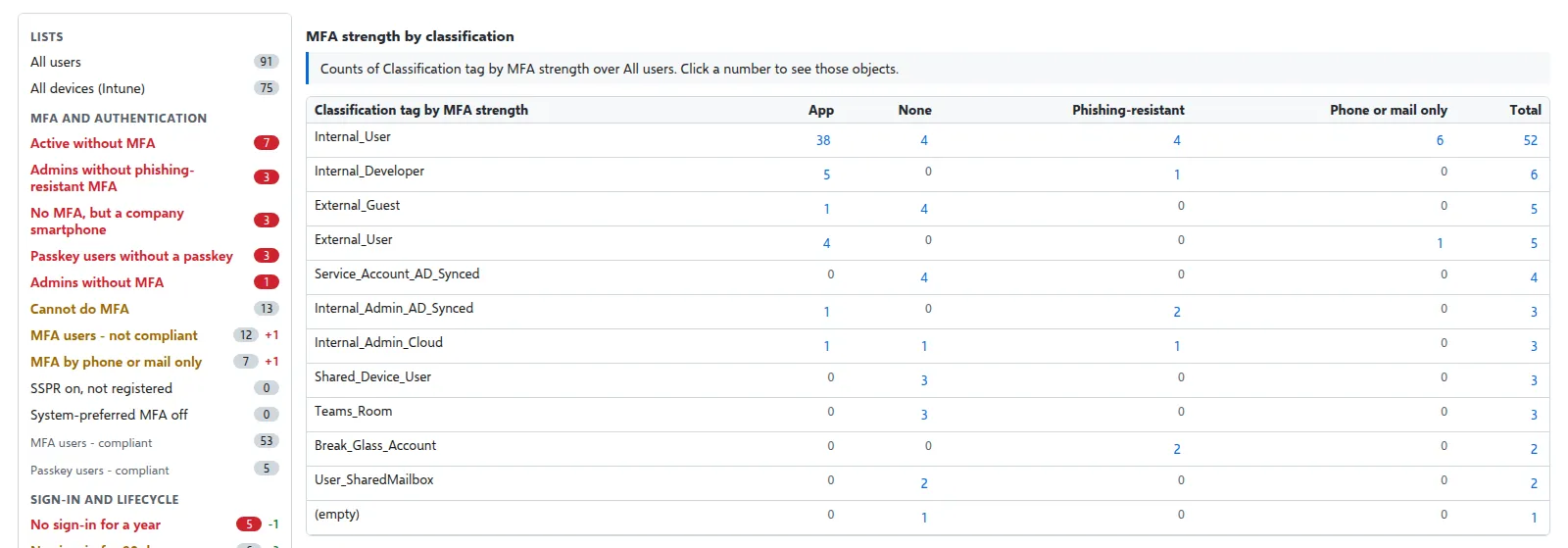
- Pivot a view by one column (counts per value) or by two (a table). Click a number to see those objects.
- Six ready-made pivots sit under the views: MFA strength by classification, last sign-in by classification, license fit by classification, authentication tag by MFA strength, devices by platform and ownership, and compliance by platform.
- Save a view with its filters, columns and pivot as your own. A SuperAdmin can share a view with everyone and make one the default.
Export
Export any filtered view as Excel or CSV. Every export is in the audit trail. If someone needs the workbook every day, switch on Mail the workbook after each run (Settings > Identity report): it goes to the alert recipients, with the open High and Medium gaps in the mail. It is off by default, because the workbook holds every user’s details.
Settings
The report’s windows and rules are settings with v1’s values as defaults: the inactive windows (90 and 365 days, guests 90), the device count window (30 days), the new-hire grace period (7 days), the hire date attribute, the AD OU patterns that decide whether an account is in the right OU, and the users the report leaves out (the directory synchronization account). Which license each classification needs is a shipped rule file. See Settings.
Rights
The engine reads with User.Read.All (the users), AuditLog.Read.All (sign-in activity and the MFA registration report, Entra ID P1), DeviceManagementManagedDevices.Read.All (Intune devices) and Exchange Online (mailbox types). The hybrid worker reads AD users. A source that cannot be read is named in the snapshot, and only the columns and views that need it stay empty.
Verified against Entra Policy Suite 2.1.4 on 2026-11-11
Verified against Entra Policy Suite 2.1.4 on Nov 11, 2026