

Entra Policy Suite documentation · Verified against Entra Policy Suite 2.1.4 on Nov 11, 2026
Commit queue
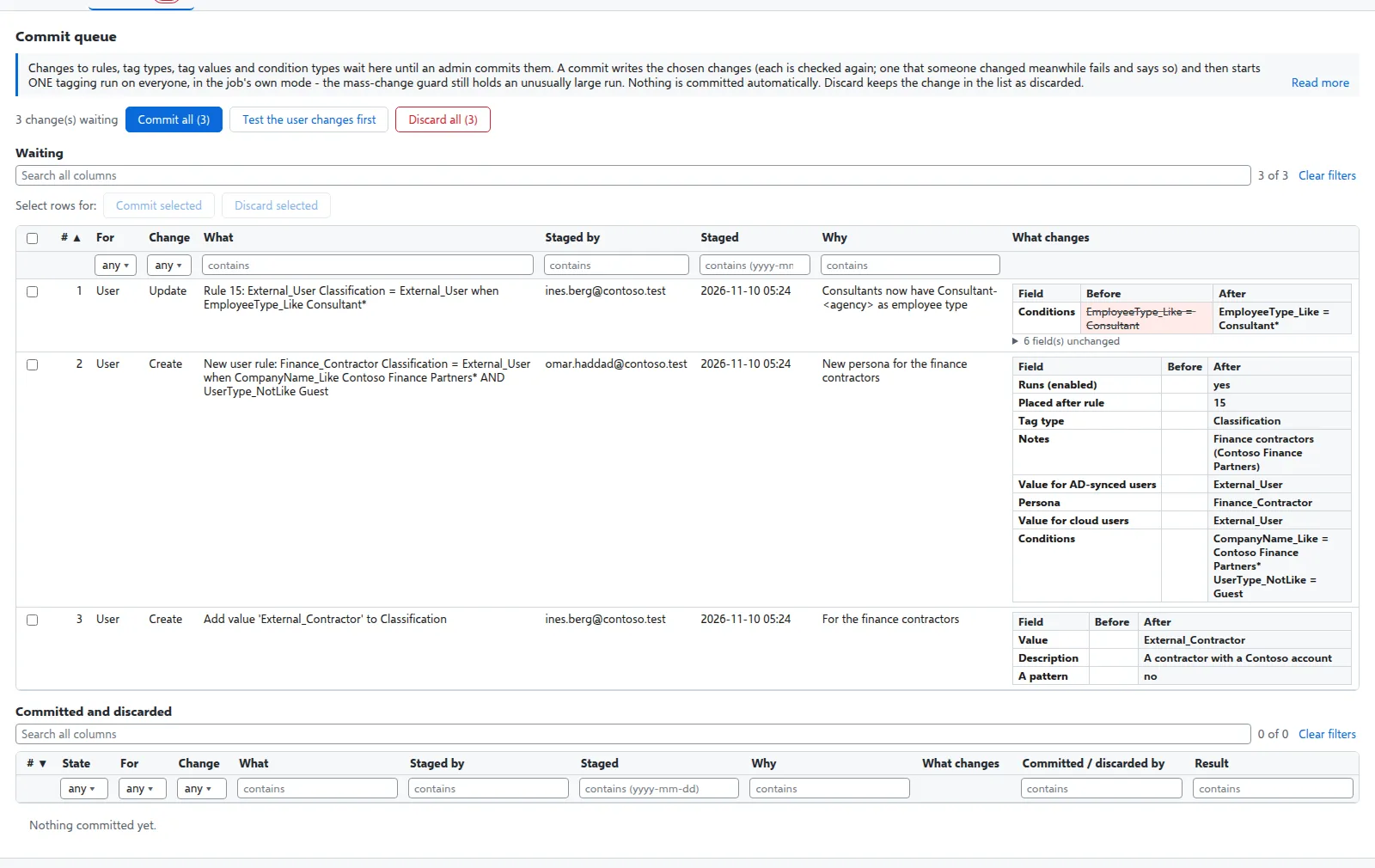
A rule change moves users between Conditional Access policies. So a change in Entra Policy Suite never reaches the directory the moment it is saved: it waits in the commit queue until an admin commits it, and you choose when.
What goes through the queue
Changes to rules (one at a time or a whole grid batch), tag types, tag values and your own condition types. Each staged change keeps what it was when it was staged (the “before”) and what it becomes (the “after”), who staged it, when, and the reason.
A later change to the same thing replaces the one that is waiting, so the queue always shows the latest version of each change.
The Rules and Tag types pages show staged changes in place: a changed rule is marked “staged”, and a new rule shows as a row of its own until it is committed.
Commit
- Open Commit queue, select the changes to commit and choose Commit (a reason is optional; it goes into the audit trail).
- Each change is written through the same checks as a direct save, as you. A change to something that someone else changed after it was staged fails and says so; the others go through.
- After the commit, one tagging run on everyone is requested, in the job’s own mode (Preview or Apply). The scheduler starts it within 5 minutes.
Nothing is ever committed automatically. While changes wait, or a commit failed in the last 7 days, the menu shows a red count on Commit queue and on Tagging, and the Overview has a line with a link to the queue. The same red count marks open tamper events, jobs that did not complete and a late hybrid worker.
Discard
Discard removes a change from the queue without writing it. The row stays in the list as discarded, so you can see what was proposed and by whom. Discard all discards every waiting change, also other admins’ changes.
A second approver
You can require that nobody commits a change they staged themselves (four eyes). A SuperAdmin switches it on under Settings > Commit queue. With it on, every staged change needs a second admin to commit it.
Roles
| Role | Can |
|---|---|
| Reader | See the queue |
| Admin | Stage changes, commit and discard |
| SuperAdmin | The same, and switch the queue and the second approver on or off |
Every stage, commit and discard is in the audit trail with its reason. See Access and audit.
Verified against Entra Policy Suite 2.1.4 on 2026-11-11
Verified against Entra Policy Suite 2.1.4 on Nov 11, 2026