

Management report: a PowerPoint for management
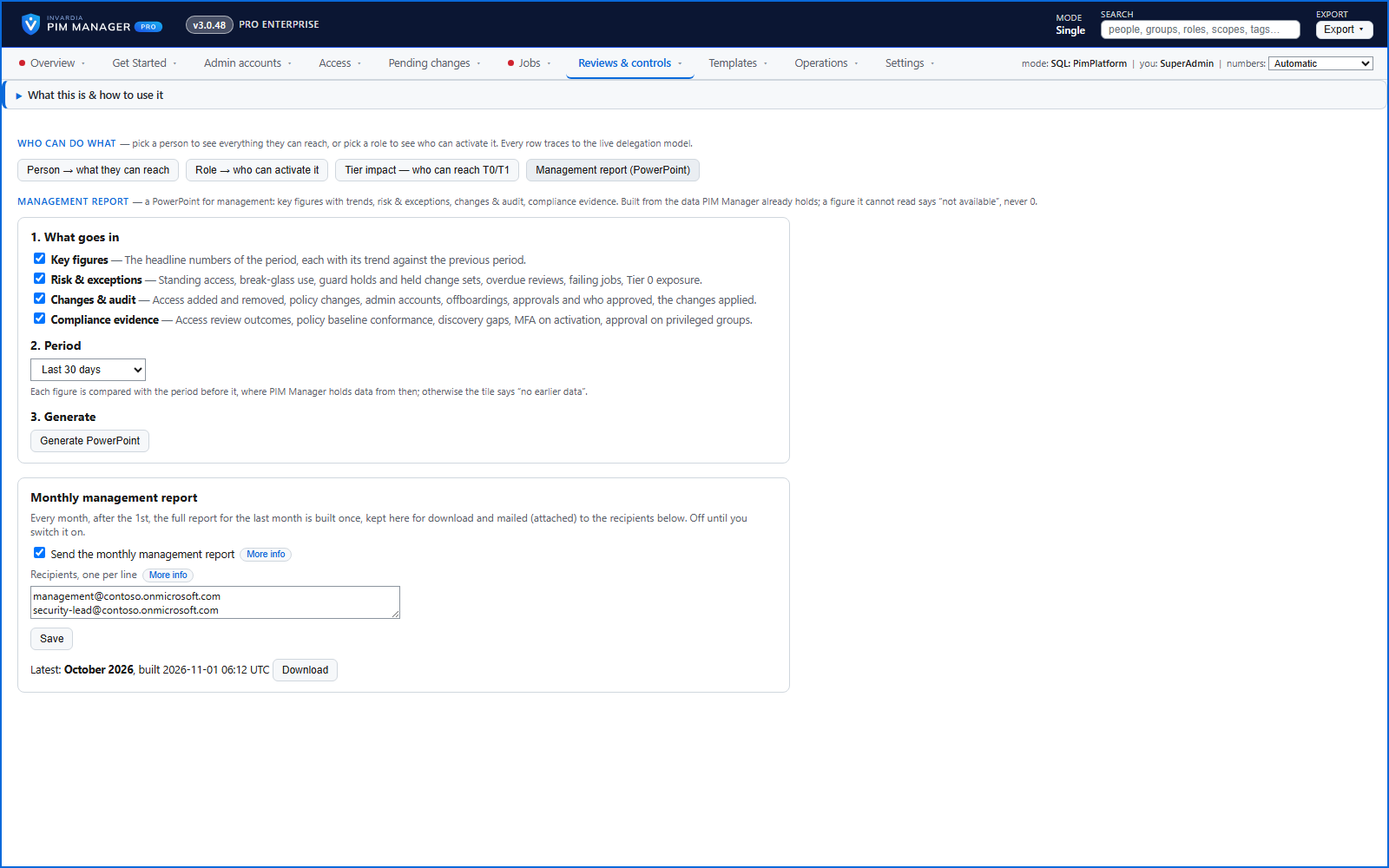
Under Reports > Management report you tick the sections, pick a period, and PIM Manager builds a PowerPoint in the PIM Manager look - on demand, or every month to the people you choose.
Purpose
Management and auditors ask the same questions every month - how much changed, what is at risk, are the reviews done - and the answers sit across pages, exports and mailboxes.
Design
Pick the last 7, 30 or 90 days or a calendar month, and any of four sections. Key figures: changes, new and removed access, policy changes and offboardings, each compared with the period before. Risk and exceptions: standing access, break-glass use, changes held by a guard, overdue access reviews, open failures and Tier 0 exposure. Changes and audit: who approved, and the most recent changes. Compliance evidence: access review outcomes, how close the tenant is to its baseline, and whether activations ask for MFA and approval.
The deck is built from the data PIM Manager already holds. A figure that cannot be read says so and why - it never shows as 0 - and a trend appears only where the history reaches back far enough. With the monthly report switched on (off by default), PIM Manager builds the last month's deck on the first run of a new month and mails it to the recipients you list.
Business opportunities
The monthly question from management is answered with one deck from the source of truth, not an afternoon of screenshots and spreadsheets.
Related features
Who can do what - and who can activate this role
Pick a person to see the targets they can reach, or pick a role to see who can activate it - each with the exact path that grants it.
PIM Activator: activate the access you need, together
A browser extension for Edge and Chrome: tick the groups and roles you need, give one justification and activate them together - three clicks for a typical activation.
Roll out the PIM Activator from one guided page
One page takes you through deploying the browser extension: the sign-in apps, the settings, the Intune remediation, Edge for Business and PCs and servers without Intune.
An engine that keeps your tenant matching your model
You describe the access you want; the engine creates the groups, owners, policies, assignments and access passes your data defines, and keeps them that way.